


Apple: Hardware News and Discussion Thread



I have a 2007 15" MBP 2.4GHz and I'm looking to upgrade the RAM. I currently only have 2GB and I want to have at least 4GB after the upgrade.
Below is where I'm going to buy the upgrade kit but I'm not sure if I should just get a stick of 2GB to keep it at the 4GB max that Apple specified or get the 4GB upgrade so I have 6GB total.
http://eshop.macsales.com/shop/memor...ook/Pro/Core2/
Any advice is truly appreciated
Below is where I'm going to buy the upgrade kit but I'm not sure if I should just get a stick of 2GB to keep it at the 4GB max that Apple specified or get the 4GB upgrade so I have 6GB total.
**Apple factory specification maximum 4.0GB, OWC tested to support 6.0GB maximum RAM.
Any advice is truly appreciated

The Third Ball


Joined: Sep 2002
Posts: 50,498
Likes: 5,874
From: Los Angeles, Ca
www.otherworldcomputing.com
do a little research. I've seen the same thing about some models saying they can go up to 6GB even though apple says 4GB.
Not sure about it though.
do a little research. I've seen the same thing about some models saying they can go up to 6GB even though apple says 4GB.
Not sure about it though.
The link I posted is from OWC 
I was just curious if anyone here is successfully running 6GB with no issues even though Apple advises 4GB being the max.
Bear with me fellas, I'm not a technology wizard
I was just curious if anyone here is successfully running 6GB with no issues even though Apple advises 4GB being the max.
Bear with me fellas, I'm not a technology wizard


I have a 2007 15" MBP 2.4GHz and I'm looking to upgrade the RAM. I currently only have 2GB and I want to have at least 4GB after the upgrade.
Below is where I'm going to buy the upgrade kit but I'm not sure if I should just get a stick of 2GB to keep it at the 4GB max that Apple specified or get the 4GB upgrade so I have 6GB total.
http://eshop.macsales.com/shop/memor...ook/Pro/Core2/
Any advice is truly appreciated
Below is where I'm going to buy the upgrade kit but I'm not sure if I should just get a stick of 2GB to keep it at the 4GB max that Apple specified or get the 4GB upgrade so I have 6GB total.
http://eshop.macsales.com/shop/memor...ook/Pro/Core2/
Any advice is truly appreciated
Nope.
Yep, I have the silver keys. Maybe I'll get the extra 4GB so I have 6GB total now. Thanks

Go Giants
Joined: Aug 2004
Posts: 70,004
Likes: 1,260
From: PA
Should be ok. There are a bunch of Memory Cleaners out there in the Mac App Store that tells you how much RAM you have free. On this MB Air, I only have 2GB on it and I still have free memory after running a bunch of stuff.



I have this one:
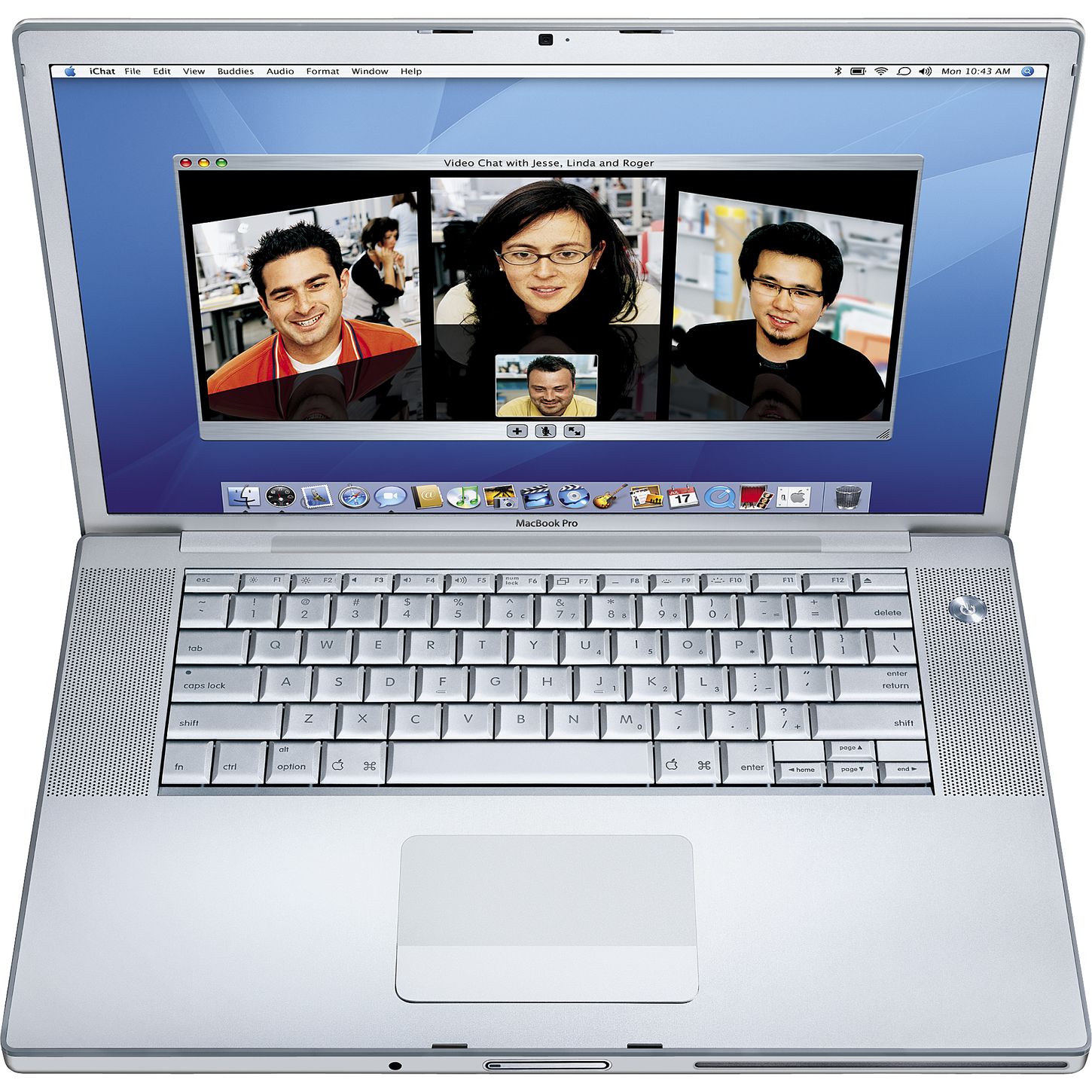
It's the MacBook Pro 3.1 from 2007. 15" with 2.4GHz and 2GB Ram.
I'm tempted to keep it simple and just get the extra 2GB to get me through college then just get a whole new computer when I graduate.
It's the MacBook Pro 3.1 from 2007. 15" with 2.4GHz and 2GB Ram.
I'm tempted to keep it simple and just get the extra 2GB to get me through college then just get a whole new computer when I graduate.


Had that exact computer. Just a question for you guys. I upgraded from 2gb - 4gb in 2009. My stock ram was 800mhz and the new was 667mhz. When I installed it, it really had NO difference in performance - sometimes I even though it was a bit slower. Could it be because of that? I noticed the bus speed was 800mhz max and I thought that was the reason...
Just wanted to clear that because the ram upgrade is also 667mhz ram.
Just wanted to clear that because the ram upgrade is also 667mhz ram.
Go Giants
Joined: Aug 2004
Posts: 70,004
Likes: 1,260
From: PA

putting in an ssd instead of ram will likely have a more significant performance impact. While it will cost more, you can yank it out when you upgrade and use as an external backup drive etc.


Moderator
Joined: Oct 2004
Posts: 64,139
Likes: 3,386
From: Not Las Vegas (SF Bay Area)
Although I recently upgraded my core 2 duo windoes pC from 4gb to 8gb. Now it doesn't slow down as much when running LR4 or photoshop CS4.
I may drop in a 120gb SSD for the OS drive, Should hold me off until I save enough coin for a r15"
I may drop in a 120gb SSD for the OS drive, Should hold me off until I save enough coin for a r15"

As much as I want a SSD, I plan on getting a new laptop when I graduate in a year, so I'm not trying to throw a lot of money at my current Mac. I'm just going to get the 4GB upgrade it (2GB x2) for $55 and call it a day. Thanks fellas!


958 & 991

Joined: Dec 2000
Posts: 9,927
Likes: 1,294
From: South Florida
I threw 8 in my 2008 MacBook aluminum and it is great (apple says only 6 but owc said 8 works and it wasn't much more). Planning on throwing in a small SSD along with the HHD for a bit more speed.
Go Giants
Joined: Aug 2004
Posts: 70,004
Likes: 1,260
From: PA

I decided to bite the bullet and order a new MBP today! It's a 2.9GHz 13" with the memory upgraded to a full terabyte (750GB to 1TB for $100). I looked at a SSD but the pricing couldn't be justified (128GB +$100, 256GB +$400, 512GB +$900).
With the student pricing and such along with the extended AppleCare warranty, I paid less than $1800 after tax. Veddy excite.
With the student pricing and such along with the extended AppleCare warranty, I paid less than $1800 after tax. Veddy excite.



