


Android: Phone News and Discussion Thread


Moderator


Joined: Jun 2006
Posts: 29,869
Likes: 3,489
One thing I like is you can search through texts. I don't think the stock messaging app could do that, but I could be wrong. You can also customize its appearance. It's fast. You get pop up notifications at the top which you can swipe away or tap to quickly reply without having to exit your current app. You can compose a text from your notification drawer (optional)
Moderator
Joined: Jun 2006
Posts: 29,869
Likes: 3,489
err, I waited too long to post. What the previous two posts said.
The MMS part not being transferred, I dunno if that's right. I saw a warning about that when I was backing up my texts, but they seemed to get backed up and restored just fine. I also enabled MMS for group chats in textra and when I go to the stock app, the group texts show up.
and you guys prefer iPhone emojis?
The MMS part not being transferred, I dunno if that's right. I saw a warning about that when I was backing up my texts, but they seemed to get backed up and restored just fine. I also enabled MMS for group chats in textra and when I go to the stock app, the group texts show up.
and you guys prefer iPhone emojis?

Moderator
Joined: Oct 2007
Posts: 3,578
Likes: 322
From: Orange County, CA
For some reason it's not showing up for me. I never had good experience with the stock SMS app dealing with MMS messages. It's a hit or miss kind of thing and I sometimes have to ask the sender to send it again. With Textra it's been really smooth.
EDIT: Oh! And I love Textra's option to automatically save the pictures in the MMS message to my gallery! I always had to manually save it with the stock SMS app.
EDIT: Oh! And I love Textra's option to automatically save the pictures in the MMS message to my gallery! I always had to manually save it with the stock SMS app.
Moderator
Joined: Jun 2006
Posts: 29,869
Likes: 3,489
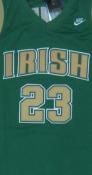
All because of this smug little mother fucker:



Team Owner

Joined: Feb 2002
Posts: 28,435
Likes: 1,570
From: Miami, FL
err, I waited too long to post. What the previous two posts said.
The MMS part not being transferred, I dunno if that's right. I saw a warning about that when I was backing up my texts, but they seemed to get backed up and restored just fine. I also enabled MMS for group chats in textra and when I go to the stock app, the group texts show up.
and you guys prefer iPhone emojis?
The MMS part not being transferred, I dunno if that's right. I saw a warning about that when I was backing up my texts, but they seemed to get backed up and restored just fine. I also enabled MMS for group chats in textra and when I go to the stock app, the group texts show up.
and you guys prefer iPhone emojis?

Needs more Lemon Pledge
Joined: Mar 2005
Posts: 52,768
Likes: 2,000
From: Phoenix, AZ
OK, thanks guys. I will give it a shot.
I have some SMS backup app pulling from the stock app and saving to my gmail account, so that was the reason for asking if the stock app could still ride alongside textra.
I have some SMS backup app pulling from the stock app and saving to my gmail account, so that was the reason for asking if the stock app could still ride alongside textra.


Needs more Lemon Pledge
Joined: Mar 2005
Posts: 52,768
Likes: 2,000
From: Phoenix, AZ
Found a possible solution to slow N7 with 5.0. I am trying it and will report back:
Here’s how I sped up my LOLLIPOPed Nexus 7 2012. (From now on let’s all use “lollipop” as a verb that means screwed-over by an update). These steps are all easy to do and reversible.
Settings > About tablet > tap on the “Build number” entry seven times, which will unlock “Developer Options”.
Settings > Developer options > Set WINDOW ANIMATION SCALE, TRANSITION ANIMATION SCALE and ANIMATOR DURATION SCALE all to ANIMATION OFF
Settings > Developer Options > Background process limit > at most 3 processes
My tablet now goes fast enough to keep me sane until it is (hopefully) fixed with updates.
Settings > About tablet > tap on the “Build number” entry seven times, which will unlock “Developer Options”.
Settings > Developer options > Set WINDOW ANIMATION SCALE, TRANSITION ANIMATION SCALE and ANIMATOR DURATION SCALE all to ANIMATION OFF
Settings > Developer Options > Background process limit > at most 3 processes
My tablet now goes fast enough to keep me sane until it is (hopefully) fixed with updates.


Thread Starter
Be Strong AND Courageous!
iTrader: (1)
Joined: Nov 2003
Posts: 9,305
Likes: 43
From: Joshua 1:1-9

Thread Starter
Be Strong AND Courageous!
iTrader: (1)
Joined: Nov 2003
Posts: 9,305
Likes: 43
From: Joshua 1:1-9
Hope all is well...so nice to see you still posting here!

whatcha doing now?
 DarkSith
  I have been alil crazee busy...
Safety Car
Joined: May 2004
Posts: 3,539
Likes: 295
From: LA, CA
Hey there. Its been a while since you've popped your head in here. Everything's good just been really busy with work so I rarely post here now. Career took a different turn but its not too far off from where I was heading so can't complain too much.
Moderator
Joined: Jun 2006
Posts: 29,869
Likes: 3,489
Less than 2 weeks in, my Note 4's chrome bezel is starting to chip. I don't use a case, and I haven't dropped it either.
AT&T just turned me away. Hopefully Samsung can help. It's a small blemish, but if this has happened in about 10 days and I've been babying the thing, I'd hate to see what it looks like in 6 months or a year.
AT&T just turned me away. Hopefully Samsung can help. It's a small blemish, but if this has happened in about 10 days and I've been babying the thing, I'd hate to see what it looks like in 6 months or a year.
Moderator
Joined: Jun 2006
Posts: 29,869
Likes: 3,489
Samsung told me there's 12 mos. of standard repair warranty. We'll see...
Team Owner
Joined: Feb 2002
Posts: 28,435
Likes: 1,570
From: Miami, FL
It sucks that AT&T denied you considering Apple would swap that out in 2 seconds. There is the argument of wear and tear vs standard but these phones are super new. Hopefully they don't try to blame you dropping it. My bars are fine with my case so I think you'll be fine with a bumper.

Safety Car
Joined: May 2004
Posts: 3,539
Likes: 295
From: LA, CA
5.0.1 Factory Images for Nexus 5 are up:
https://developers.google.com/androi...s/images?csw=1
OTA Links are on Android Police website:
http://www.androidpolice.com/2014/12...-file-roundup/
You can just do an ADB Sideload using stock recovery if you don't want to wait for the OTA.
https://developers.google.com/androi...s/images?csw=1
OTA Links are on Android Police website:
http://www.androidpolice.com/2014/12...-file-roundup/
You can just do an ADB Sideload using stock recovery if you don't want to wait for the OTA.
N6 came today. Ordered on the 8th and shipped on the 10th. The BO wasn't 7-10 days like TMO said.
Little bigger than my note 3, but it's easier to hold with one hand. Transferring the apps from my note3 using NFC is a pretty cool feature.
I'll probably root it tomorrow to use the tap to wake.
Little bigger than my note 3, but it's easier to hold with one hand. Transferring the apps from my note3 using NFC is a pretty cool feature.
I'll probably root it tomorrow to use the tap to wake.

Moderator
Regional Coordinator (Southeast)
Regional Coordinator (Southeast)
Joined: Dec 2003
Posts: 44,121
Likes: 4,431
From: Mooresville, NC
So I have been having problem with my Nexus 6 on verizon receiving MMS properly. It receieves them but they are all about 25kb or less all the time. I can't find a setting for this in the Google Messenger either. I have installed TextraSMS now too and that does not seem to be helping either.
I don't have my M8 with me but tonight I am going to try putting my SIM back in that and see if it works getting them correctly on that.
Anyone had a problem like this before?
I don't have my M8 with me but tonight I am going to try putting my SIM back in that and see if it works getting them correctly on that.
Anyone had a problem like this before?
Safety Car
Joined: May 2004
Posts: 3,539
Likes: 295
From: LA, CA
So I have been having problem with my Nexus 6 on verizon receiving MMS properly. It receieves them but they are all about 25kb or less all the time. I can't find a setting for this in the Google Messenger either. I have installed TextraSMS now too and that does not seem to be helping either.
I don't have my M8 with me but tonight I am going to try putting my SIM back in that and see if it works getting them correctly on that.
Anyone had a problem like this before?
I don't have my M8 with me but tonight I am going to try putting my SIM back in that and see if it works getting them correctly on that.
Anyone had a problem like this before?
http://buzzmobile.us/verizon-apn-settings-verizon-mms-settings-android-phones/
You can also cross check with your M8 to see what the settings are there.
Moderator
Regional Coordinator (Southeast)
Regional Coordinator (Southeast)
Joined: Dec 2003
Posts: 44,121
Likes: 4,431
From: Mooresville, NC
Check your APN settings. If you don't know how to set them go to a store or call Verizon. They'll walk you through it. Quick search shows that these are the settings you want:
Verizon APN Settings & Verizon MMS Settings for Android phones
You can also cross check with your M8 to see what the settings are there.
Verizon APN Settings & Verizon MMS Settings for Android phones
You can also cross check with your M8 to see what the settings are there.
Looking on the phone itself though it appears that I don't have the last menu option. Settings -> More -> Cellular networks -> Access Point Names.
Under Cellular Networks on my Nexus I have no Access Point Names option.
Safety Car
Joined: May 2004
Posts: 3,539
Likes: 295
From: LA, CA
Thank you. Tried those from within my messaging app but not on the phone itself.
Looking on the phone itself though it appears that I don't have the last menu option. Settings -> More -> Cellular networks -> Access Point Names.
Under Cellular Networks on my Nexus I have no Access Point Names option.
Looking on the phone itself though it appears that I don't have the last menu option. Settings -> More -> Cellular networks -> Access Point Names.
Under Cellular Networks on my Nexus I have no Access Point Names option.
In any case, it looks like you might need to swap your sim card:
MMS issues Nexus 6 on Verizon | Nexus 6 | XDA Forums
Either that or there's an issues with Verizon at the moment.


Nom Nom Nom Nom
Joined: Aug 2003
Posts: 11,801
Likes: 76
From: Universal City
Got kind of an odd problem with bluetooth that just started happening.. I'm connected to the SYNC system in our truck. When I do drive the truck, I listen to spotify and nothing else... It has been working flawlessly, but now when I turn off the truck and start it back up once I return to it, spotify shuts down and the music player starts playing. I only have 1 album actually on my phone and I don't EVER use the music player.. So it has to actually start as it is not a program that is running.
I want spotify to pick up when I get in, not the music player..
Any ideas? Short of uninstalling the music player.
I want spotify to pick up when I get in, not the music player..
Any ideas? Short of uninstalling the music player.
Team Owner
Joined: Feb 2002
Posts: 28,435
Likes: 1,570
From: Miami, FL
^Which phone?
IMPORTANT QUESTION: I had installed Skype on my kids' WIFI only phones so that they can message/call me anytime(I am divorced). The fucking app isn't notifying me of their texts and going into the app and refreshing doesn't always work either. My older daughter has Facebook so I can message her there. My younger doesn't and she has an LG phone running KitKat. Is Hangouts the way to go if she has a GMail set up? Her mom is willing to set it up. Are the notifications reliable?
IMPORTANT QUESTION: I had installed Skype on my kids' WIFI only phones so that they can message/call me anytime(I am divorced). The fucking app isn't notifying me of their texts and going into the app and refreshing doesn't always work either. My older daughter has Facebook so I can message her there. My younger doesn't and she has an LG phone running KitKat. Is Hangouts the way to go if she has a GMail set up? Her mom is willing to set it up. Are the notifications reliable?
Nom Nom Nom Nom
Joined: Aug 2003
Posts: 11,801
Likes: 76
From: Universal City
^Which phone?
IMPORTANT QUESTION: I had installed Skype on my kids' WIFI only phones so that they can message/call me anytime(I am divorced). The fucking app isn't notifying me of their texts and going into the app and refreshing doesn't always work either. My older daughter has Facebook so I can message her there. My younger doesn't and she has an LG phone running KitKat. Is Hangouts the way to go if she has a GMail set up? Her mom is willing to set it up. Are the notifications reliable?
IMPORTANT QUESTION: I had installed Skype on my kids' WIFI only phones so that they can message/call me anytime(I am divorced). The fucking app isn't notifying me of their texts and going into the app and refreshing doesn't always work either. My older daughter has Facebook so I can message her there. My younger doesn't and she has an LG phone running KitKat. Is Hangouts the way to go if she has a GMail set up? Her mom is willing to set it up. Are the notifications reliable?
But to answer your question.. I think hangouts is what you are looking for. I know you can text (to other hangout users) over wifi.. Used it on a plane, worked great.


Needs more Lemon Pledge
Joined: Mar 2005
Posts: 52,768
Likes: 2,000
From: Phoenix, AZ
Doom,
Hangouts (old GChat) is exactly what you are looking for.
Free, easy and reliable notifications.
The only times I don't get a phone notification are when I am sitting at my computer with the hangouts app already open. otherwise, I always get a notification. You can set up the notifications within the app.
Hangouts (old GChat) is exactly what you are looking for.
Free, easy and reliable notifications.
The only times I don't get a phone notification are when I am sitting at my computer with the hangouts app already open. otherwise, I always get a notification. You can set up the notifications within the app.

Moderator
Joined: Oct 2007
Posts: 3,578
Likes: 322
From: Orange County, CA
Got kind of an odd problem with bluetooth that just started happening.. I'm connected to the SYNC system in our truck. When I do drive the truck, I listen to spotify and nothing else... It has been working flawlessly, but now when I turn off the truck and start it back up once I return to it, spotify shuts down and the music player starts playing. I only have 1 album actually on my phone and I don't EVER use the music player.. So it has to actually start as it is not a program that is running.
I want spotify to pick up when I get in, not the music player..
Any ideas? Short of uninstalling the music player.
I want spotify to pick up when I get in, not the music player..
Any ideas? Short of uninstalling the music player.
Go to Settings > Apps > Choose music App currently opening
Scroll down to 'Launch By Default'. If the 'Clear Defaults' button is active, this is a good reason why the music app is launching instead of Spotify. Press the 'Clear Defaults' button and try to get in your truck again. This time, it should prompt you on what app you want to launch because of the bluetooth sync. And it should list the music app and spotify as options. Select Spotify and that should do it.
If none of that works, I'm stumped.
Nom Nom Nom Nom
Joined: Aug 2003
Posts: 11,801
Likes: 76
From: Universal City
My best guess would be your current music app has been set as the default music app.
Go to Settings > Apps > Choose music App currently opening
Scroll down to 'Launch By Default'. If the 'Clear Defaults' button is active, this is a good reason why the music app is launching instead of Spotify. Press the 'Clear Defaults' button and try to get in your truck again. This time, it should prompt you on what app you want to launch because of the bluetooth sync. And it should list the music app and spotify as options. Select Spotify and that should do it.
If none of that works, I'm stumped.
Go to Settings > Apps > Choose music App currently opening
Scroll down to 'Launch By Default'. If the 'Clear Defaults' button is active, this is a good reason why the music app is launching instead of Spotify. Press the 'Clear Defaults' button and try to get in your truck again. This time, it should prompt you on what app you want to launch because of the bluetooth sync. And it should list the music app and spotify as options. Select Spotify and that should do it.
If none of that works, I'm stumped.