


Android: Phone News and Discussion Thread


 My Gs3 finally got JellyBean (uscellular)



Suzuka Master
Joined: Jan 2009
Posts: 9,012
Likes: 439
From: SoCal
if you have a S3 or a note 2 you can get a free flip cover and nfc tiles
http://www.androidpolice.com/2012/12...ckers-us-only/
http://www.androidpolice.com/2012/12...ckers-us-only/

Pro
Joined: Oct 2008
Posts: 502
Likes: 8
From: San Jose, CA
if you have a S3 or a note 2 you can get a free flip cover and nfc tiles
http://www.androidpolice.com/2012/12...ckers-us-only/
http://www.androidpolice.com/2012/12...ckers-us-only/

Anyone here have a DNA? Have had mine for about a week. Really liking it so far.


i wanted to update my at&t GS3 to jelly bean today using KIES but for some reason it says it does not recognize my phone when it start the update and tells me to take the battery out and reboot the phone... kind of annoying but i just cant do it... is it because of my phone is rooted ??

Safety Car
Joined: May 2004
Posts: 3,539
Likes: 295
From: LA, CA
i wanted to update my at&t GS3 to jelly bean today using KIES but for some reason it says it does not recognize my phone when it start the update and tells me to take the battery out and reboot the phone... kind of annoying but i just cant do it... is it because of my phone is rooted ??
Safety Car
Joined: May 2004
Posts: 3,539
Likes: 295
From: LA, CA
Someone compiled a list of Lockscreen Widgets for Android 4.2:
http://techsplurge.com/13899/the-ult...n-widget-apps/
Some pretty good ones on there.
http://techsplurge.com/13899/the-ult...n-widget-apps/
Some pretty good ones on there.
Suzuka Master
Joined: Jan 2009
Posts: 9,012
Likes: 439
From: SoCal
i wanted to update my at&t GS3 to jelly bean today using KIES but for some reason it says it does not recognize my phone when it start the update and tells me to take the battery out and reboot the phone... kind of annoying but i just cant do it... is it because of my phone is rooted ??



Banned
Joined: May 2010
Posts: 3,138
Likes: 113
From: Charlotte, NC
Funny you asked that as I was holding on to my ICS HTC Sense Rom until I found out the answer to that exact question. My friend who's a very intelligent computor guy stated that its very smooth and snappy version of ICS with extra features. You GS3 guys get updated to pretty much galaxy note 2 status on a smaller phone.
On another subject, I bought my mom a Motorola Xoom and I must say even though it has a terra 2 processor, its fast. When it was dilivered to my house, I did all updates before she got it. It started with honeycomb, then 3.2, then 4.0, then finally 4.1 with 4.2 to follow will be the final. But I did well with that o
On another subject, I bought my mom a Motorola Xoom and I must say even though it has a terra 2 processor, its fast. When it was dilivered to my house, I did all updates before she got it. It started with honeycomb, then 3.2, then 4.0, then finally 4.1 with 4.2 to follow will be the final. But I did well with that o
Safety Car
Joined: May 2004
Posts: 3,539
Likes: 295
From: LA, CA
Ubuntu Phone OS running on a Galaxy Nexus:
http://www.theverge.com/2013/1/2/382...s-announcement
Images coming in the following weeks for the Galaxy Nexus. Kinda wanna play with this. Seems like they have some more optimizations to do but that's understandable at this stage. We could possibly do a dualboot Ubuntu OS/Android OS in the future like how they do now...
http://www.theverge.com/2013/1/2/382...s-announcement
Images coming in the following weeks for the Galaxy Nexus. Kinda wanna play with this. Seems like they have some more optimizations to do but that's understandable at this stage. We could possibly do a dualboot Ubuntu OS/Android OS in the future like how they do now...
Safety Car
Joined: May 2004
Posts: 3,539
Likes: 295
From: LA, CA
If you guys haven't seen it yet, CM 10.1 added the Calendar and Weather to the new bolded Lockscreen Widget in 4.2 in an app/lockscreen/widget called Chronus:
http://forum.xda-developers.com/show....php?t=2078205
If you installed CM 10.1, its been up with the latest nightlies or if you have any Android 4.2 ROM, you can install the app above. Then you can set it as your default lockscreen.
http://forum.xda-developers.com/show....php?t=2078205
If you installed CM 10.1, its been up with the latest nightlies or if you have any Android 4.2 ROM, you can install the app above. Then you can set it as your default lockscreen.
Safety Car
Joined: May 2004
Posts: 3,539
Likes: 295
From: LA, CA
Someone created an app to prevent lag in Android?
http://forum.xda-developers.com/show....php?t=1987032
Haven't tried it yet but people are saying its working? It could potentially have an effect on battery life as its sending random data to the /dev/random/ but that's yet to be seen at this stage. Still looks like a few tweaks to go til it works 100% but the apk is not permanent and needs to be run every time you reboot. I'll probably give it a go in a bit.
http://forum.xda-developers.com/show....php?t=1987032
Haven't tried it yet but people are saying its working? It could potentially have an effect on battery life as its sending random data to the /dev/random/ but that's yet to be seen at this stage. Still looks like a few tweaks to go til it works 100% but the apk is not permanent and needs to be run every time you reboot. I'll probably give it a go in a bit.
Safety Car
Joined: May 2004
Posts: 3,539
Likes: 295
From: LA, CA
^Okay that was a short test. Lol. Tried it both on my Nexus and 7. The app is buggy? I couldn't keep the app to stay on. Every time I hit back and return to the app it says its off even though I just turned it on so I'm not sure it even turned on. It supposedly was on when I hit the Home button but I had no way to verify it. Apps launched about the same for me and I didn't really see any noticeable mind blowing changes. Guessing there's still some changes needed to be made with the app so I'll be keeping an eye on the thread. It looks promising.

Goodbye.
Joined: Jun 2011
Posts: 3,308
Likes: 584
From: BroCal
If you guys haven't seen it yet, CM 10.1 added the Calendar and Weather to the new bolded Lockscreen Widget in 4.2 in an app/lockscreen/widget called Chronus:
http://youtu.be/JVaw9Fr3SXs
http://forum.xda-developers.com/show....php?t=2078205
If you installed CM 10.1, its been up with the latest nightlies or if you have any Android 4.2 ROM, you can install the app above. Then you can set it as your default lockscreen.
http://youtu.be/JVaw9Fr3SXs
http://forum.xda-developers.com/show....php?t=2078205
If you installed CM 10.1, its been up with the latest nightlies or if you have any Android 4.2 ROM, you can install the app above. Then you can set it as your default lockscreen.
Safety Car
Joined: May 2004
Posts: 3,539
Likes: 295
From: LA, CA
Yeah. I don't use it because I have too many weather notifications. Lol. One from Google Now, then on my home screen. All with different sources. Weather Underground seems to be the most accurate which is what BeWeather uses and my main homescreen widget. I wish they updated their app to add a lockscreen widget but they haven't updated in a while. I was thinking of getting rid of the Google Now weather one and using Notification Weather:
https://play.google.com/store/apps/d...25XZWF0aGVyIl0.
Sticks close to the CM Weather theme.
https://play.google.com/store/apps/d...25XZWF0aGVyIl0.
Sticks close to the CM Weather theme.
Goodbye.
Joined: Jun 2011
Posts: 3,308
Likes: 584
From: BroCal
Yeah. I don't use it because I have too many weather notifications. Lol. One from Google Now, then on my home screen. All with different sources. Weather Underground seems to be the most accurate which is what BeWeather uses and my main homescreen widget. I wish they updated their app to add a lockscreen widget but they haven't updated in a while. I was thinking of getting rid of the Google Now weather one and using Notification Weather:
https://play.google.com/store/apps/d...25XZWF0aGVyIl0.
Sticks close to the CM Weather theme.
https://play.google.com/store/apps/d...25XZWF0aGVyIl0.
Sticks close to the CM Weather theme.

I left Google Now's card there because I rarely enter there anyways, but whenever I'm there for search, etc... it's easier to just see that/ask Google for weather vs. exiting out.
And I know 2013 is still early, but this has got to be the biggest joke of the year:

Safety Car
Joined: May 2004
Posts: 3,539
Likes: 295
From: LA, CA
^On the tablets, you don't have to swipe down on Chronus as it displays the weather and calendar. I'm not sure why CM changed that aspect on the phone side as the old lockscreen displayed the weather and one line of the calendar just fine. Maybe when they added the three lines of calendars, they couldn't dynamically have it show just one for some reason? Or they're going to retool it to show that in the future builds?
Suzuka Master
Joined: Jan 2009
Posts: 9,012
Likes: 439
From: SoCal
Someone created an app to prevent lag in Android?
http://forum.xda-developers.com/show....php?t=1987032
Haven't tried it yet but people are saying its working? It could potentially have an effect on battery life as its sending random data to the /dev/random/ but that's yet to be seen at this stage. Still looks like a few tweaks to go til it works 100% but the apk is not permanent and needs to be run every time you reboot. I'll probably give it a go in a bit.
http://forum.xda-developers.com/show....php?t=1987032
Haven't tried it yet but people are saying its working? It could potentially have an effect on battery life as its sending random data to the /dev/random/ but that's yet to be seen at this stage. Still looks like a few tweaks to go til it works 100% but the apk is not permanent and needs to be run every time you reboot. I'll probably give it a go in a bit.
Safety Car
Joined: May 2004
Posts: 3,539
Likes: 295
From: LA, CA
Yeah I guess it would be hiccups more than laggage I guess. Still following the thread. It seems to work on older devices than the newer ones which is probably why I didn't notice any real differences. Or maybe I was just using it wrong.
Safety Car
Joined: May 2004
Posts: 3,539
Likes: 295
From: LA, CA
Looks like that Seeder entropy app won't work on anything beyond Gingerbread as its already being utilized by Google:
https://code.google.com/p/android/is...il?id=42265#c8
Google already closed the issue above. So maybe that's why a bunch of people with newer devices had no changes when running that app.
https://code.google.com/p/android/is...il?id=42265#c8
Google already closed the issue above. So maybe that's why a bunch of people with newer devices had no changes when running that app.
Safety Car
Joined: May 2004
Posts: 3,539
Likes: 295
From: LA, CA
You need to flash the alternate GApps or 4.2 Camera but you must also be running an AOSP built ROM like CM, AOKP, etc.
http://forum.xda-developers.com/show....php?t=1965895
There's probably a way to run it on stock TouchWiz builds but it might involve changing your model number under build.prop
http://forum.xda-developers.com/show....php?t=1965895
There's probably a way to run it on stock TouchWiz builds but it might involve changing your model number under build.prop
Last edited by CGFebTSX04; Jan 3, 2013 at 10:52 PM.
Safety Car


Joined: Dec 2004
Posts: 4,845
Likes: 1,433
From: NC
 Android Top US OS

Mobile phone manufacturer Samsung continues to lead its rivals as the top original equipment manufacturer (OEM) with 26.9% market share, while Google’s Android operating system (OS) took the market share lead, accounting for 53.7% of smartphone subscribers, according to the comScore MobiLens service, a survey of more than 30,000 U.S. mobile subscribers during a 3 month period ending in November 2012.
According to the report 123.3 million people in the U.S. owned smartphones (53% mobile market penetration) during the 3 months ending in November, up 6% since August. Samsung’s market share rose 1.2 percentage points during that period, while Apple ranked 2nd with 18.5% market share (up 1.4 percentage points), followed by LG with 17.5% share, Motorola with 10.4% and HTC with 5.9%.
Apple’s iOS platform followed Android, securing 35% market share through its iPhone devices, up 0.7%, followed by Blackberry maker Research in Motion (RIM) with 7.3% share, Microsoft (3%) and Symbian (0.5%). The bottom 3 operating system providers all saw market share fall by 1% or less.
Text messaging continues to be the most-used feature for U.S. mobile subscribers, with 75.9% texting on their mobile phones, up 0.3%. Texting was followed by use of downloaded applications (54.2% of subscribers, up 0.8%), Web browsers (52.1%) and accessing of social networking sites or blogs (39.2%). About a 3rd (33.7%) of mobile subscribers use their phones to play games, while 28.7% said they listen to music on their phone.
While the report did not touch on the popularity of shopping online through their phones, a separate report from comScore found $42.3 billion was spent online during the entire November-December holiday shopping season, marking a 14% increase from 2011.
The top 10 heaviest days for online spending in 2012 all occurred during the holiday shopping period. The season was once again led by Cyber Monday (Nov. 26) with a record $1.465 billion in spending, followed by Tuesday, Dec. 4 with $1.362 billion and Green Monday (Dec. 10) with $1.275 billion. The 2012 holiday season saw 12 days with more than $1 billion spending, comfortably surpassing last year’s total of 10 individual days.
“The 2012 online holiday season was once again a very strong season with growth rates in the mid-teens as we reached record-setting spending levels,” comScore chairman Gian Fulgoni said in a statement. “This year’s growth rate is essentially on a par with last year’s. But despite many positives for the online sector, this year’s season did not quite perform up to our initial expectation for growth rates in excess of 16% as we fell a billion dollars short of our expected total of $43.4 billion."
Safety Car
Joined: May 2004
Posts: 3,539
Likes: 295
From: LA, CA
An iPhone Lover’s Confession: I Switched To the Nexus 4. Completely.
Just quoted some things cause the article is long. Very good read. Bust out the coffee.
http://gizmodo.com/5973073/an-iphone...s-4-completely
From Gizmodo right? I thought hell froze over. Any way, its an excellent article for people who are on the fence right now looking at Android from an iOS perspective. He even provides a list of great apps to smoothen the transition over and love his explanation of the intent system in Android which for whatever reason is never mentioned in any review articles in depth that he has here!
And then I got the Nexus 4.
When the latest Google flagship Android device shipped, I almost expected it to turn out as yet another "take-a-look-and-sell-it-on-ebay" experience. Little did I know.
It's now almost two weeks since I switched the Nexus 4 on for the first time – and meanwhile I completely moved to it, leaving my iPhone 5 at home. Do I miss anything? Nope. Except iMessage. More on that later.
My motivation is not to bash Platform A over Platform B. On the contrary: I will try to summarize my very personal findings and experiences based on years of using iOS. I've seen the Apple platform evolve while Android was playing catch-up for so long. When iOS 6 came out, for the first time I complained about the lack of innovation in this major new release. I asked myself, whether we might see Apple beginning to lose its leading position in mobile platforms.
One of the biggest advantages I found during my daily use is the level of cross-app and OS level integration.
Full size
This also is the area where I was most disappointed when Apple introduced iOS 6.
In fact, I think iOS has reached a point where usability starts to significantly decrease due to the many workarounds that Apple has introduced. All of these just to prevent exposing a paradigm like a file system or allowing apps to securely talk to each others. There is a better way of doing this. Apples knows about it but simply keeps ignoring the issues.
On Android, it's quite the opposite. One can see the most obvious example when it comes to handling all sorts of files and sharing.
Let's assume I receive an email with a PDF attachment which I'd like to use in some other apps and maybe post to a social network later.
On iOS, the user is forced to think around Apple's constraints. There is no easy way to just detach the file from the email and subsequently use it in what ever way I want. Instead, all iOS apps that want to expose some sort of sharing feature, do have to completely take care for it themselves. The result is a fairly inconsistent, unsatisfying user experience.
On iOS, you might use the somewhat odd "Open in…" feature – in case the developer was so kind to implement it – to first move the file over to Dropbox, which gives you a virtual cloud-based file system. If you're lucky, the other app, from which you want to use the file next, offers Dropbox integration, too, so you can re-download it and start from there. All because Apple denies the necessity of basic cross-app local storage.
On Android, it's really simple.
I can detach the file to a local folder and further work with it from there. Leveraging every single app that handles PDF files. In case I receive a bunch of mp3 files, I can do the same. And every app that somehow can handle audio playback, can reuse those mp3 files.
Another great example: Sharing stuff on social networks. On iOS, I have to rely on the developers again. Flipboard, as one of the better examples, gives me the ability to directly share with Google+, Twitter and Facebook. On my Nexus 4, I have 20+ options. That is, because every app I install can register as a sharing provider. It's a core feature of the Android operating system.
But it goes even further: On Android, I can change the default handlers for specific file types – much like I'm used to from desktop operating systems.
If, for example, you're not happy with the stock Photo Gallery application, that shows up whenever an app wants you to pick an image, you can simply install one from over a hundred alternatives and tell Android to use it as its new default. The next time you post a photo with the Facebook app – or have to pick an image from within any other app – your favorite gallery picker shows up instead of Android's own.
All of this is entirely impossible on iOS today. I've stopped counting how often I felt annoyed because I clicked a link to a location in Mobile Safari and would have loved the Google Maps app to launch. Instead, Apple's own Maps app is hardcoded into the system. And there's no way for me to change it.
When the latest Google flagship Android device shipped, I almost expected it to turn out as yet another "take-a-look-and-sell-it-on-ebay" experience. Little did I know.
It's now almost two weeks since I switched the Nexus 4 on for the first time – and meanwhile I completely moved to it, leaving my iPhone 5 at home. Do I miss anything? Nope. Except iMessage. More on that later.
My motivation is not to bash Platform A over Platform B. On the contrary: I will try to summarize my very personal findings and experiences based on years of using iOS. I've seen the Apple platform evolve while Android was playing catch-up for so long. When iOS 6 came out, for the first time I complained about the lack of innovation in this major new release. I asked myself, whether we might see Apple beginning to lose its leading position in mobile platforms.
One of the biggest advantages I found during my daily use is the level of cross-app and OS level integration.
Full size
This also is the area where I was most disappointed when Apple introduced iOS 6.
In fact, I think iOS has reached a point where usability starts to significantly decrease due to the many workarounds that Apple has introduced. All of these just to prevent exposing a paradigm like a file system or allowing apps to securely talk to each others. There is a better way of doing this. Apples knows about it but simply keeps ignoring the issues.
On Android, it's quite the opposite. One can see the most obvious example when it comes to handling all sorts of files and sharing.
Let's assume I receive an email with a PDF attachment which I'd like to use in some other apps and maybe post to a social network later.
On iOS, the user is forced to think around Apple's constraints. There is no easy way to just detach the file from the email and subsequently use it in what ever way I want. Instead, all iOS apps that want to expose some sort of sharing feature, do have to completely take care for it themselves. The result is a fairly inconsistent, unsatisfying user experience.
On iOS, you might use the somewhat odd "Open in…" feature – in case the developer was so kind to implement it – to first move the file over to Dropbox, which gives you a virtual cloud-based file system. If you're lucky, the other app, from which you want to use the file next, offers Dropbox integration, too, so you can re-download it and start from there. All because Apple denies the necessity of basic cross-app local storage.
On Android, it's really simple.
I can detach the file to a local folder and further work with it from there. Leveraging every single app that handles PDF files. In case I receive a bunch of mp3 files, I can do the same. And every app that somehow can handle audio playback, can reuse those mp3 files.
Another great example: Sharing stuff on social networks. On iOS, I have to rely on the developers again. Flipboard, as one of the better examples, gives me the ability to directly share with Google+, Twitter and Facebook. On my Nexus 4, I have 20+ options. That is, because every app I install can register as a sharing provider. It's a core feature of the Android operating system.
But it goes even further: On Android, I can change the default handlers for specific file types – much like I'm used to from desktop operating systems.
If, for example, you're not happy with the stock Photo Gallery application, that shows up whenever an app wants you to pick an image, you can simply install one from over a hundred alternatives and tell Android to use it as its new default. The next time you post a photo with the Facebook app – or have to pick an image from within any other app – your favorite gallery picker shows up instead of Android's own.
All of this is entirely impossible on iOS today. I've stopped counting how often I felt annoyed because I clicked a link to a location in Mobile Safari and would have loved the Google Maps app to launch. Instead, Apple's own Maps app is hardcoded into the system. And there's no way for me to change it.
From Gizmodo right? I thought hell froze over. Any way, its an excellent article for people who are on the fence right now looking at Android from an iOS perspective. He even provides a list of great apps to smoothen the transition over and love his explanation of the intent system in Android which for whatever reason is never mentioned in any review articles in depth that he has here!

Suzuka Master
Joined: Jan 2009
Posts: 9,012
Likes: 439
From: SoCal
according to the verge google added "free for print subscribers" to magazines. I have C&D but when i click on suscribe I didnt see that option.
edit: it seems like its up to the particular magazine to offer that
edit: it seems like its up to the particular magazine to offer that
Last edited by speedemon90; Jan 4, 2013 at 08:36 PM.





Suzuka Master
Joined: Jan 2009
Posts: 9,012
Likes: 439
From: SoCal
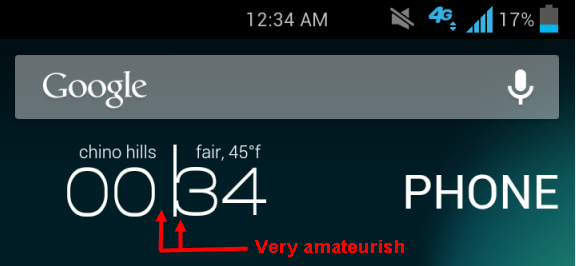
Haha Yea I kinda like it texty its just something different. Also don't worry underdog I fixed that. I shifted stuff around to even it out.
Mycolorscreen.com
They have a lot of cool ones. I bought zoopee widget pro. They have amazing widgets. Also for those wanting to do things from scratch uccw seem like a very powerful tool. But its too much work for me since you basically create your widget from scratch haha. You can find templates in the play store though
Mycolorscreen.com
They have a lot of cool ones. I bought zoopee widget pro. They have amazing widgets. Also for those wanting to do things from scratch uccw seem like a very powerful tool. But its too much work for me since you basically create your widget from scratch haha. You can find templates in the play store though