


Android: Phone News and Discussion Thread


The pop up only showed up randomly for me. Usually in the middle of typing something and it's like a 10 sec wait until you can type again. REALLY aggravating when it happened. I have pro now.


Suzuka Master
Joined: Jan 2009
Posts: 9,012
Likes: 439
From: SoCal
Here's my current home page 
<a href="https://picasaweb.google.com/lh/photo/D8AtnQhN_OadmXZhSOlyPru5aJqWJLEQ3jASTJEkytc?feat=e mbedwebsite"><img src="https://lh3.googleusercontent.com/-9_emGRHKjlo/Thf0QWWmAXI/AAAAAAAABF0/ekNnz19NEQM/s400/snap20110708_210952.png" height="400" width="240" /></a>
<a href="https://picasaweb.google.com/lh/photo/D8AtnQhN_OadmXZhSOlyPru5aJqWJLEQ3jASTJEkytc?feat=e mbedwebsite"><img src="https://lh3.googleusercontent.com/-9_emGRHKjlo/Thf0QWWmAXI/AAAAAAAABF0/ekNnz19NEQM/s400/snap20110708_210952.png" height="400" width="240" /></a>

Safety Car
Joined: May 2004
Posts: 3,539
Likes: 295
From: LA, CA
Anyone get the new Android Market yet?
http://www.youtube.com/watch?v=5Pbo-...e_gdata_player
Its supposedly starting to roll out. I still have the old new version. lol.
http://www.youtube.com/watch?v=5Pbo-...e_gdata_player
Its supposedly starting to roll out. I still have the old new version. lol.
Safety Car
Joined: May 2004
Posts: 3,539
Likes: 295
From: LA, CA
Yes WiFi saves more power than 3G/4G. I always have mine on if I know I'm near a WiFi. I have mine set to always on even when the screen turns off. I've been experimenting on leaving it on and leaving a WiFi spot and have it reconnect on its own (like how they do it with the iPhones). My experiences on that are mixed. Some days it has no effect, and other days it drains. I've also changed the scan interval in the build.prop to 2 mins which is the max to help save some battery. Still need some more testing with it though.
Last edited by CGFebTSX04; Jul 12, 2011 at 07:40 PM.
Safety Car
Joined: May 2004
Posts: 3,539
Likes: 295
From: LA, CA
For anyone who wants the new Android Market:
http://www.androidpolice.com/2011/07...ies-and-books/
I can confirm I have it installed. Movies doesn't work if you're rooted. (At least for now.) You will get charged and it will NOT play if you attempt it!
Just download the APK and install like any other APK with a file explorer. Sideload if you're on AT&T.
http://www.androidpolice.com/2011/07...ies-and-books/
I can confirm I have it installed. Movies doesn't work if you're rooted. (At least for now.) You will get charged and it will NOT play if you attempt it!
Just download the APK and install like any other APK with a file explorer. Sideload if you're on AT&T.
Safety Car
Joined: May 2004
Posts: 3,539
Likes: 295
From: LA, CA
Lol. Hackers already bypassing the Google Movies root check:
http://www.youtube.com/watch?v=BGEKL...ature=youtu.be
It seems that a simple renaming of "su" to something else bypasses the check. They're just trying to streamline it now so its easier for the noobs. Looking forward to this.
http://www.youtube.com/watch?v=BGEKL...ature=youtu.be
It seems that a simple renaming of "su" to something else bypasses the check. They're just trying to streamline it now so its easier for the noobs. Looking forward to this.


The new market is pretty nice.
I switched over to MIUI 1.7.8 two days ago, and while the customization is nice and I absolutely love the dialer, the battery life sucks and its laggy as hell. Im probably going to flash something else tomorrow. Just need to find a good one...
I switched over to MIUI 1.7.8 two days ago, and while the customization is nice and I absolutely love the dialer, the battery life sucks and its laggy as hell. Im probably going to flash something else tomorrow. Just need to find a good one...
Safety Car
Joined: May 2004
Posts: 3,539
Likes: 295
From: LA, CA
The new market is pretty nice.
I switched over to MIUI 1.7.8 two days ago, and while the customization is nice and I absolutely love the dialer, the battery life sucks and its laggy as hell. Im probably going to flash something else tomorrow. Just need to find a good one...
I switched over to MIUI 1.7.8 two days ago, and while the customization is nice and I absolutely love the dialer, the battery life sucks and its laggy as hell. Im probably going to flash something else tomorrow. Just need to find a good one...
Safety Car
Joined: May 2004
Posts: 3,539
Likes: 295
From: LA, CA
Your phone might not be handling the OC very well. Have you tried testing it for stability? if its rebooting randomly then your phone can't handle it. Might need extra voltage to keep it at 1.3 but at that point, your battery life will be crap.
Safety Car
Joined: May 2004
Posts: 3,539
Likes: 295
From: LA, CA
Apparently you don't need the Video/Movies app to watch and rent from the Market?  Some people are reporting that when you rent a movie from the new Market, it'll direct you to YouTube where you can watch the movie you rented with the YouTube app, rooted or not rooted (If you don't have the Movies app installed). I guess you just lose the "Make available offline" feature which is probably what Google wanted to prevent rooted users from accessing. I would be willing to try it but $3.99 a movie on my phone is a little more than I'm willing to pay at the moment.
Some people are reporting that when you rent a movie from the new Market, it'll direct you to YouTube where you can watch the movie you rented with the YouTube app, rooted or not rooted (If you don't have the Movies app installed). I guess you just lose the "Make available offline" feature which is probably what Google wanted to prevent rooted users from accessing. I would be willing to try it but $3.99 a movie on my phone is a little more than I'm willing to pay at the moment.
I just loaded Matr1x onto it, running it at 1.3ghz too, so we'll see how it goes throughout the day. The lag problem has gotten slightly better, but Im not sure if that is the kernel or because I wiped Dalvik cache when I flashed it.
Safety Car
Joined: May 2004
Posts: 3,539
Likes: 295
From: LA, CA

Thread Starter
Be Strong AND Courageous!
iTrader: (1)
Joined: Nov 2003
Posts: 9,305
Likes: 43
From: Joshua 1:1-9
Here's my current home page
<a href="https://picasaweb.google.com/lh/photo/D8AtnQhN_OadmXZhSOlyPru5aJqWJLEQ3jASTJEkytc?feat=e mbedwebsite"><img src="https://lh3.googleusercontent.com/-9_emGRHKjlo/Thf0QWWmAXI/AAAAAAAABF0/ekNnz19NEQM/s400/snap20110708_210952.png" height="400" width="240" /></a>
<a href="https://picasaweb.google.com/lh/photo/D8AtnQhN_OadmXZhSOlyPru5aJqWJLEQ3jASTJEkytc?feat=e mbedwebsite"><img src="https://lh3.googleusercontent.com/-9_emGRHKjlo/Thf0QWWmAXI/AAAAAAAABF0/ekNnz19NEQM/s400/snap20110708_210952.png" height="400" width="240" /></a>

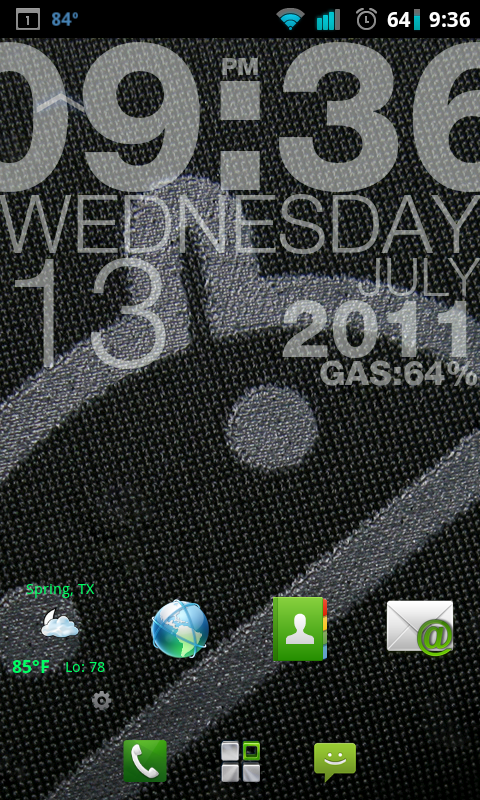
Minz.. with top unlocked and below with it locked
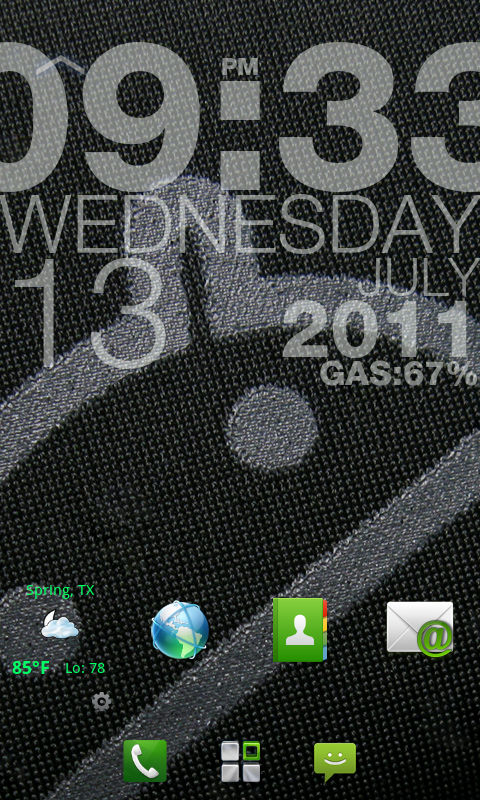
I use the little rooftop looking symbol to change it







Safety Car
Joined: May 2004
Posts: 3,539
Likes: 295
From: LA, CA
Suzuka Master
Joined: Jan 2009
Posts: 9,012
Likes: 439
From: SoCal
So just installed it, the folder on my main page is in chinese, i open it up and it has things like voice dialer calculator monitor superuser and one chinese thing with a green background and an up arrow. Why is this the only chinese thing there?
Safety Car
Joined: May 2004
Posts: 3,539
Likes: 295
From: LA, CA
NSCollab is what I've always used, love that ROM.
So just installed it, the folder on my main page is in chinese, i open it up and it has things like voice dialer calculator monitor superuser and one chinese thing with a green background and an up arrow. Why is this the only chinese thing there?
So just installed it, the folder on my main page is in chinese, i open it up and it has things like voice dialer calculator monitor superuser and one chinese thing with a green background and an up arrow. Why is this the only chinese thing there?
MIUI.us has the English language already incorporated so its one flash. The other two you have to flash the English language pack separately. Otherwise, you get Chinese. Also, this week's MIUI has a folder bug. There is a patch that fixes it but what I did was use my Backup from last week's (1.7.8) and restored my desktop settings onto this week's.
Try getting MIUI from here:
http://forums.miui.us/content.php?12-ROM-Downloads
Folder bug patch (Post #12):
http://forums.miui.us/showthread.php...-Problem/page2
I'm digging the new lockscreen with the Music Album back in place. Not digging the Dot Page indicator like the iPhone's. Its kind of a step backwards IMO. The new widget placement is pretty nice too. MIUI also changed some of the smali coding so I'm trying to figure out how to make my Launcher Font Bold. My coding isn't good enough as it is though.

Last edited by CGFebTSX04; Jul 16, 2011 at 06:12 PM.
Safety Car
Joined: May 2004
Posts: 3,539
Likes: 295
From: LA, CA
Safety Car
Joined: May 2004
Posts: 3,539
Likes: 295
From: LA, CA
Not sure if the Sprint guys saw this:
http://thisismynext.com/2011/07/15/s...rint-pictures/
Galaxy SII for Sprint is coming. Android 2.3.4 so it comes with Google Video chat. Lots of unknowns still though like whether or not it has 4G and when its supposed to come out. So far I'm hearing its being released early Sept.
http://thisismynext.com/2011/07/15/s...rint-pictures/
Galaxy SII for Sprint is coming. Android 2.3.4 so it comes with Google Video chat. Lots of unknowns still though like whether or not it has 4G and when its supposed to come out. So far I'm hearing its being released early Sept.
Suzuka Master
Joined: Jan 2009
Posts: 9,012
Likes: 439
From: SoCal
i got it from the ROM thread for my forum on xda. Its the chinese version which I need to downloard the english pack for.
here is where i got it from.
http://forum.xda-developers.com/show....php?t=1100495
the link you posted, is that the most updated running 2.3.4 for nexus s??
nvm i missed the full english version. Will do this
http://forum.xda-developers.com/show....php?t=1117808
Thanks guys for informing me of that
here is where i got it from.
http://forum.xda-developers.com/show....php?t=1100495
the link you posted, is that the most updated running 2.3.4 for nexus s??
nvm i missed the full english version. Will do this
http://forum.xda-developers.com/show....php?t=1117808
Thanks guys for informing me of that
Last edited by speedemon90; Jul 16, 2011 at 06:31 PM.
Safety Car
Joined: May 2004
Posts: 3,539
Likes: 295
From: LA, CA
Just saw your edit. Yeah, MIUI.us and MIUIAndroid builds are both the latest. They were actually one in the same back in the day but some drama made them split into two sites. Long story short, MIUI.us is based in the US, and MIUIAndroid is based in the UK. They both use the Chinese as a base and then translate and upload before the other makes their builds. lol. Otherwise, they're the same thing base wise.
Suzuka Master
Joined: Jan 2009
Posts: 9,012
Likes: 439
From: SoCal
Just got the other version, gonna have to leave to dinner soon so i wont be playing around with it to much right now, but I think i'm gonna get this ROM for my dad since he's used to the iphone and all.
Safety Car
Joined: May 2004
Posts: 3,539
Likes: 295
From: LA, CA
Specs wise its an okay phone. Haven't played with one in person but the fact that its Vanilla Android and Sony Ericsson is claiming to unlock bootloaders, its pretty futureproof for now. The only thing I don't like is the bulkiness of the phone but that's the trade off for physical buttons.
Safety Car
Joined: May 2004
Posts: 3,539
Likes: 295
From: LA, CA
http://forums.miui.us/showthread.php...eme-6.0Beta2.1
Just save the .mtz file in the sdcard/MIUI/theme/ folder and apply it with the Theme Manager.
Suzuka Master
Joined: Jan 2009
Posts: 9,012
Likes: 439
From: SoCal
ok i'm having some trouble rooting my dads mytouch 4G
I'm using this method which uses visionary to gain temproot access and then i need to push some files using adb stuff to the sd card and access that through terminal emulator. My problem is with terminal emulator. I need to find the files in my sdcard, and what i'm suppose to do is type in cd/data/local, but it cant find it. I cant find anything in my sdcard for that matter even typing in cd/sdcard/...
Here's the link
http://forum.xda-developers.com/show...1#post15723908
I'm stuck on step 8
I'm using this method which uses visionary to gain temproot access and then i need to push some files using adb stuff to the sd card and access that through terminal emulator. My problem is with terminal emulator. I need to find the files in my sdcard, and what i'm suppose to do is type in cd/data/local, but it cant find it. I cant find anything in my sdcard for that matter even typing in cd/sdcard/...
Here's the link
http://forum.xda-developers.com/show...1#post15723908
I'm stuck on step 8
Safety Car
Joined: May 2004
Posts: 3,539
Likes: 295
From: LA, CA
ok i'm having some trouble rooting my dads mytouch 4G
I'm using this method which uses visionary to gain temproot access and then i need to push some files using adb stuff to the sd card and access that through terminal emulator. My problem is with terminal emulator. I need to find the files in my sdcard, and what i'm suppose to do is type in cd/data/local, but it cant find it. I cant find anything in my sdcard for that matter even typing in cd/sdcard/...
Here's the link
http://forum.xda-developers.com/show...1#post15723908
I'm stuck on step 8
I'm using this method which uses visionary to gain temproot access and then i need to push some files using adb stuff to the sd card and access that through terminal emulator. My problem is with terminal emulator. I need to find the files in my sdcard, and what i'm suppose to do is type in cd/data/local, but it cant find it. I cant find anything in my sdcard for that matter even typing in cd/sdcard/...
Here's the link
http://forum.xda-developers.com/show...1#post15723908
I'm stuck on step 8
Use command "ls" without quotations to display whatevers in that directory. Its like the "dir" in command prompt. If you aren't at the root directory, you may not be able to find the "sdcard" or "data" folder. To go back a couple folders, type "cd ." or "cd .." again without quotations in terminal. Then type "ls"
Last edited by CGFebTSX04; Jul 17, 2011 at 12:36 PM.