Microsoft: Windows 7 and Office 2010 Thread


Senior Moderator


Joined: May 2003
Posts: 45,641
Likes: 2,335
From: Better Neighborhood, Arizona
Speaking of Microsoft Bob, my fiancee had that on her computer back in the day. I almost choked on my food when I first got to know her and she actually knew what such an obscure piece of computer history was 
Senior Moderator
Joined: May 2003
Posts: 45,641
Likes: 2,335
From: Better Neighborhood, Arizona

Thread Starter
Sanest Florida Man


Joined: Aug 2007
Posts: 46,053
Likes: 11,811
From: Florida
I knew I shouldn't have believed it.
http://support.microsoft.com/kb/316666
Originally Posted by Microsoft
Clarification about the use of QoS in end computers that are running Windows XP
As in Windows 2000, programs can take advantage of QoS through the QoS APIs in Windows XP. One hundred percent of the network bandwidth is available to be shared by all programs unless a program specifically requests priority bandwidth. This "reserved" bandwidth is still available to other programs unless the requesting program is sending data. By default, programs can reserve up to an aggregate bandwidth of 20 percent of the underlying link speed on each interface on an end computer. If the program that reserved the bandwidth is not sending sufficient data to use it, the unused part of the reserved bandwidth is available for other data flows on the same host.
For more information about the QoS Packet Scheduler, see Windows XP Help. Additional information about Windows 2000 QoS is available in the Windows 2000 technical library.
Back to the top
Correction of some incorrect claims about Windows XP QoS support
There have been claims in various published technical articles and newsgroup postings that Windows XP always reserves 20 percent of the available bandwidth for QoS. These claims are incorrect. The information in the "Clarification about QoS in end computers that are Running Windows XP" section correctly describes the behavior of Windows XP systems.
As in Windows 2000, programs can take advantage of QoS through the QoS APIs in Windows XP. One hundred percent of the network bandwidth is available to be shared by all programs unless a program specifically requests priority bandwidth. This "reserved" bandwidth is still available to other programs unless the requesting program is sending data. By default, programs can reserve up to an aggregate bandwidth of 20 percent of the underlying link speed on each interface on an end computer. If the program that reserved the bandwidth is not sending sufficient data to use it, the unused part of the reserved bandwidth is available for other data flows on the same host.
For more information about the QoS Packet Scheduler, see Windows XP Help. Additional information about Windows 2000 QoS is available in the Windows 2000 technical library.
Back to the top
Correction of some incorrect claims about Windows XP QoS support
There have been claims in various published technical articles and newsgroup postings that Windows XP always reserves 20 percent of the available bandwidth for QoS. These claims are incorrect. The information in the "Clarification about QoS in end computers that are Running Windows XP" section correctly describes the behavior of Windows XP systems.


Race Director
Joined: Jun 2003
Posts: 10,497
Likes: 279
Doucher, this is the fastest flash you can buy, and I've achieved 30MB/s with ease....
What is the max speed you can achieve?
Ken, Tversity will not help me at all... I do not want to buffer, as this is not the problem.
The whole point of homegroup is to make my life easier of utilizing my desktop, where I download all of my stuff too...
What is the max speed you can achieve?
Ken, Tversity will not help me at all... I do not want to buffer, as this is not the problem.
The whole point of homegroup is to make my life easier of utilizing my desktop, where I download all of my stuff too...
Thread Starter
Sanest Florida Man
Joined: Aug 2007
Posts: 46,053
Likes: 11,811
From: Florida

I have a flash drive but it's not fast nor does it need to be. I know Win 7 is still built on Vista so it's file transfer and network speeds aren't the fastest in all situations.
Originally Posted by Paul Thurrott
Performance-wise, Windows 7 appears to be in the Windows Vista ballpark. It certainly boots up more quickly than its predecessor, and it is a spirited and lively system in use, with one familiar exception: File copies, especially network-based file copies, are still often surprisingly slow. I have a feeling Microsoft still hasn't fixed what appears to be an endemic issue with the Vista-era networking stack.

open your Group Policy Editor
Under Local Computer Policy > Computer Configuration, click on Administrative Templates.
Click on Network
Click on QOS Packet Scheduler
Click on Limit Reservable Bandwidth
Check the Enabled box
Under Bandwidth Limit %:, in the box enter 0.
This would just help with a USB modem, though. Not sure about a flash drive

Last edited by sho_nuff1997; Jan 15, 2009 at 11:59 PM.
Thread Starter
Sanest Florida Man
Joined: Aug 2007
Posts: 46,053
Likes: 11,811
From: Florida
Video Demonstration of all the new keyboard shortcuts. They're finally putting that win key to good use. Most I've already posted but some of them I forgot
http://www.youtube.com/watch?v=rQqMRmaZ1Fg
* Win+Home: Clear all but the active window
* Win+Space: All windows become transparent so you can see through to the desktop
* Win+Up arrow: Maximize the active window
* Win+Down arrow: Minimize the window/Restore the window if it's maximized
* Win+Left/Right arrows: Dock the window to each side of the monitor (If you've got dual monitors, adding Shift to the mix (e.g., Win+Shift+Right arrow) will move the window to the adjacent monitor.)
* Win+T: Focus and scroll through items on the taskbar.
* Win+P: Adjust presentation settings for your display
* Win+(+/-): Zoom in/out
* Shift+Click a taskbar item: Open a new instance of that application
http://www.youtube.com/watch?v=rQqMRmaZ1Fg
* Win+Home: Clear all but the active window
* Win+Space: All windows become transparent so you can see through to the desktop
* Win+Up arrow: Maximize the active window
* Win+Down arrow: Minimize the window/Restore the window if it's maximized
* Win+Left/Right arrows: Dock the window to each side of the monitor (If you've got dual monitors, adding Shift to the mix (e.g., Win+Shift+Right arrow) will move the window to the adjacent monitor.)
* Win+T: Focus and scroll through items on the taskbar.
* Win+P: Adjust presentation settings for your display
* Win+(+/-): Zoom in/out
* Shift+Click a taskbar item: Open a new instance of that application
Thread Starter
Sanest Florida Man
Joined: Aug 2007
Posts: 46,053
Likes: 11,811
From: Florida
Since this is also the Office 14 thread here's some leaked screen shots and I see one interesting feature "Mobile Office Device" which is Office installed on a USB key!!! pair that up with bit locker to-go...

other than this not much else to see
.png)
other than this not much else to see

'Big Daddy Diggler'
Joined: Jun 2001
Posts: 11,016
Likes: 4
From: Yonkers NY
installed it on my wind netbook and it flies. I can play 1080p movies on it with no skipping and solid framerates. I wasnt able to do that on xp. Also, my emulators for 3d games like ps1 and n64 are showing me like 20-40 more frames per second. thats a huge improvement for me, considering that this is my leisure computer.
Race Director
Joined: Jun 2003
Posts: 10,497
Likes: 279
^ Probably because Windows 7 used updated video drivers for your video card...
When you say Windows 7 is faster than XP..... error, as XP uses less resources guaranteed. But it is definitely faster than Vista
When you say Windows 7 is faster than XP..... error, as XP uses less resources guaranteed. But it is definitely faster than Vista

Moderator Alumnus

Joined: Mar 2002
Posts: 64,158
Likes: 14,307
installed it on my wind netbook and it flies. I can play 1080p movies on it with no skipping and solid framerates. I wasnt able to do that on xp. Also, my emulators for 3d games like ps1 and n64 are showing me like 20-40 more frames per second. thats a huge improvement for me, considering that this is my leisure computer.


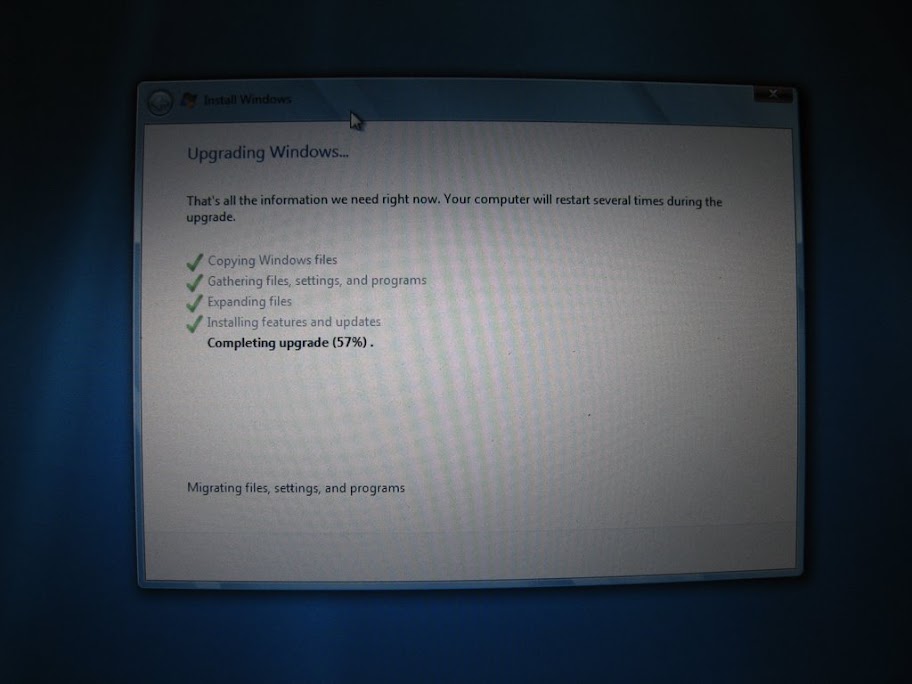
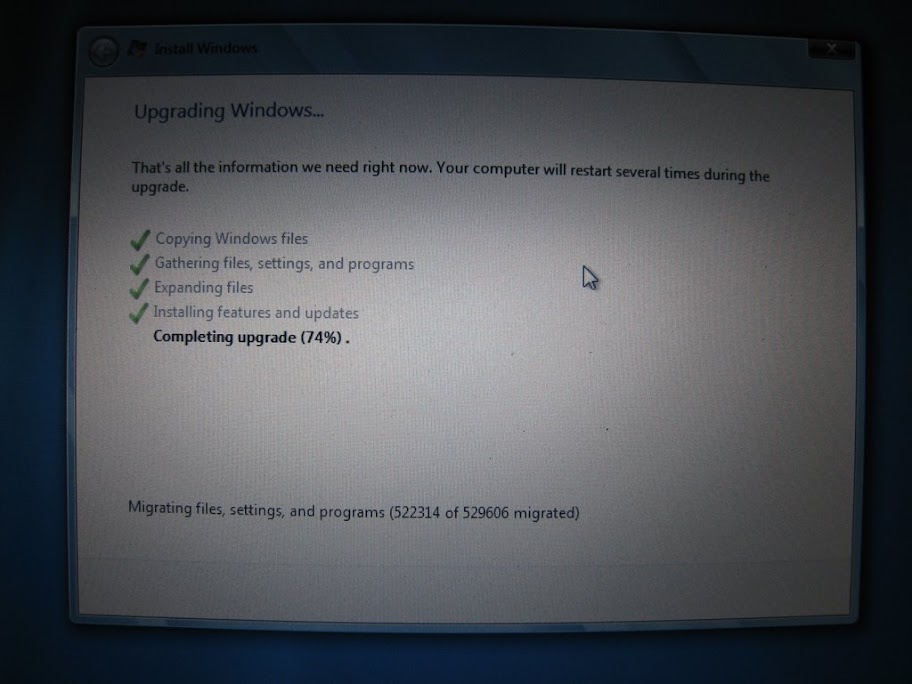
One halfway cool thing I saw during the upgrade, and I'm not sure if vista has this or not, is showing the actual amount of data it was migrating.....well, it shows it on and off. I took a screen shot of both. You see it just says "Migrating files, settings and programs" for a min or two then to it changes to showing the actual amount for a min or two then back to the first message.
'Big Daddy Diggler'
Joined: Jun 2001
Posts: 11,016
Likes: 4
From: Yonkers NY

Big Block go VROOOM!
Joined: Oct 2003
Posts: 8,578
Likes: 1
From: Chicago Burbs
I'd like to do some HD video testing myself, especially the out of the box mp4/h.264 support. Anyone know where I can d/l some samples to play with? I assume they'll have to be AVI's to work with Media Player so that rules out Apple. On that note, has anyone tried Quicktime yet?
Thread Starter
Sanest Florida Man
Joined: Aug 2007
Posts: 46,053
Likes: 11,811
From: Florida
I'd like to do some HD video testing myself, especially the out of the box mp4/h.264 support. Anyone know where I can d/l some samples to play with? I assume they'll have to be AVI's to work with Media Player so that rules out Apple. On that note, has anyone tried Quicktime yet?
 It plays files in .mp4 just fine. It does have to end in .avi.
I'm a glutton for punishment, I reinstalled 7 again but i updated my nic drivers to the latest ones from microsoft to see if it fixes the BSOD's i was getting. Also after snooping around on the nets, i found how to get the quicklaunch back exactly the way i like it 
http://www.mydigitallife.info/2009/0...-in-windows-7/
http://www.mydigitallife.info/2009/0...-in-windows-7/


Kang Ho
Joined: Aug 2006
Posts: 2,872
Likes: 0
From: SJ, CA
Thread Starter
Sanest Florida Man
Joined: Aug 2007
Posts: 46,053
Likes: 11,811
From: Florida
^hmm I've installed acrobat reader and professional and I haven't had a problem. It does always hang for a little bit at that 99.9% processing thing but after that it finishes.
In regards to Media Center the only problems I've had is with their internet stuff like concerts, and TV shows, Viral Videos,etc. That whole thing is still buggy and has been for a while, I wish they'd add youtube support also and not just their msn video crap that no one uses or has even heard of.
and I haven't had a problem. It does always hang for a little bit at that 99.9% processing thing but after that it finishes.In regards to Media Center the only problems I've had is with their internet stuff like concerts, and TV shows, Viral Videos,etc. That whole thing is still buggy and has been for a while, I wish they'd add youtube support also and not just their msn video crap that no one uses or has even heard of.
Thread Starter
Sanest Florida Man
Joined: Aug 2007
Posts: 46,053
Likes: 11,811
From: Florida
I just discovered a new nicetity. If you have any programs open when your computer restarts automatically because of a Windows Update install, when the OS comes back online it will automatically reopen said programs again. At the time I didn't have any documents open so IDK if it saves any open documents current status and then reopens to where you left off in the doc when you came back. T'would be nice though.