When you click on links to various merchants on this site and make a purchase, this can result in this site earning a commission. Affiliate programs and affiliations include, but are not limited to, the eBay Partner Network.
Newegg hasn’t held a shuffle since 2/22 and they currently have in stock and sold by Newegg; Nvidia 30 series and AMD 6xxxx GPUs available.
My local Micro Center is also showing plenty of 30-series in stock. Went there last weekend to get a Quadro for my home lab server and there was a stack of TUF 3070 Ti's on the shelf.....for $950 though
Lol, So Keychron released a special retro edition of their C1 and C2, ended up picking up a C2 to use at work.
no more keychron for me. If i get another keeb i'll probably venture in to building my own. I'm thinking 75% with a knob.
Also now looking into mods for my K10 and eventually the retro C2 to make it sound more thocky(?)
Work has an old IBM typewriter, so I compared my retro keyboard to it.
It’s pretty close in color, but that could be that the typewriter is really dirty.
Keycap style are different thou, and I’m pretty sure it uses something like cherry mx blues.
There were or are some in stock direct from EVGA 3080Ti or 3080 12GB
I kind of want to upgrade my 3080FE to an EVGA XC3 3080 for better cooling in my SFF build. The pass thru cooling of the FE doesn’t work too well in sff. Granted my temps are around 69° when gaming thou.
I'm looking to replace my PC case, currently it's a big BeQuiet case that sits on top of my desk, I'd like to get a smaller one and mount it underneath. My mobo is ATX, I plan to use the Uplift desk CPU mount and the max size case it can handle is 8.25in wide and like 20in tall.
I was liking the Corsair 4000d but it's too wide, the NZXT 510 looks nice but I hear the airflow sucks, the NZXT 510 Flow just came out and is much better but it's 8.26in wide The Flow is my best candidate so far since I figured I could get it to fit but I thought I'd check with y'all.
I love Best Buy, on sale for $20 off, plus $45 in rewards makes this a no brainer
Lol, So Keychron released a special retro edition of their C1 and C2, ended up picking up a C2 to use at work.
no more keychron for me. If i get another keeb i'll probably venture in to building my own. I'm thinking 75% with a knob.
Also now looking into mods for my K10 and eventually the retro C2 to make it sound more thocky(?)
Those caps are very cool. I like the old school look.
Im following a new group buy for a keyboard based on the Commodore 64. They are calling it the Command65.
The plan so far by the creator is to have a bluetooth hotswappable board and have 3 toggle switches at the top to control bluetooth/wired, win/mac, and maybe a layer toggle.
I cant decide if I would go for the light off-white or that deeper cream color. I'm thinking the off-white. I especially like the cheap red LED. Just feels so nostalgic.
I finished a new board of my own. Been trying to find a home for these caps for a while now. Funny thing is Ive tried it on kits worth $50 to $200 and the case I liked the best was only 5 fucking bucks. The pcb was the most expensive part and thats normally cheapest for me.
There were or are some in stock direct from EVGA 3080Ti or 3080 12GB
I kind of want to upgrade my 3080FE to an EVGA XC3 3080 for better cooling in my SFF build. The pass thru cooling of the FE doesn’t work too well in sff. Granted my temps are around 69° when gaming thou.
Yea ive read about crypto miners swapping and adding better thermal pads for better VRAM temps on the 30 series cards with GDDR6X
But what i meant was that for SFF builds (particularly sandwich layout) with a flow thru gpu like my 3080 founders edition, the card doesnt have any where to effectively exhaust the air.
For my build it basically dumps it to the back of the PSU. I did offset my PSU so there is a gap, so that helps.
Ya. I want it butt only HDMI 2.0 so anything using HDMI will run at 100hz. Also I think I read that for 10-but color it drops to 60hz over HDMI.
there’s also no DSC so to achieve 10-bit color over DisplayPort you have to drop down to 144hz.
also I read something about it uses a triangle layout for the subpixels so that kind of makes text not as clear.
Also for some people it’s wonky with text in MacOS and Win10/11.
I’ll wait for 2nd gen or if the Samsung model ever comes out. Hopefully that has either DSC or HDMI2.1
Seems like burn-in is still a very real issue with this OLED. Personally, that's a huge red flag for me in terms of PC monitor as there will be many static elements when using it as a monitor...no matter how great the color/brightness/lag is....if it still has basic burn-in issue that is a risk...then it's a no go for me. Maybe in the future there will be a truely revolutionary OLED tech that will virtually eliminate burn-in. At this time, all the hype on this QD-OLED seems way over blown IMO.
Spent a few hours setting up the NZXT H510 Flow last night, it's about 25% smaller than my old case, ordered a couple Noctua A14 140mm fans for the front should make the PC even quieter. That's my goal more than low thermals since it I use it mostly for work now, listening to fans spin for 8 hours a day ain't for me.
I decided to get a Noctua NF-F12 fan to replace the NZXT on my Corsair AIO 120mm CPU radiator. Should I install the NF-F12 in a push config or a pull config, or does it matter? Maybe in the future when I rebuild my PC I'll get a 2nd NF-F12 and do push pull but I'm gonna stick with one for now.
Check the Gamers Nexus review on the 510 flow. They usually talk about fan placement in their case reviews. I think for the non flow version the stock fan setup was the best.
I did, they said it was a good case, they just wished it came with more fans and that the price was 10-20 dollars cheaper. I'm putting 2 Noctua 140MM on the front, a Bequiet Pure WIngs 2 top fan (that will hardly be used), and a Noctua 120mm on my CPU radiator
This is on a mobo designed for a 6th Gen Intel CPU.
Now that I got the case and new fans I've started using all the customization features I never used before, my system is basically silent under normal usage. I'm just using a Corsair Hydro H55 AIO cooler, but my mobo has a fan header that's designed for the water pump.
Meh, I ended up replacing my old Corsair H55 with an Arctic 120. It's got a thicker radiator, VRM fan, and a PWM pump for $75. Supposedly those AIO coolers don't last as long and my Corsair was 6-7 years old.
I wish there was a Micro Center near me. We used to have CompUSA which turned into Tiger Direct. Now Best Buy is the only place I can get PC/IT parts same day. They got better after CompUSA closed down but it's still a relatively limited selection
Updated group shot:
First keyboard was just a fun cheap build. Plastic tiffany colored case was only 5 bucks.
Second was my first aluminum case and plate. Extremely stiff and loud.
Middle is my current favorite still. CNC'd acrylic case has a very muted poppy sound.
Fourth case has my first GMK cap set which typically cost an arm and a leg or 6-12 months shipping.
Fifth keyboard is my budget build which only cost me $120 to build in total.
Finally building a desktop again. With work from home, I have been running three monitors off a Google Pixel Slate which work surprisingly well. Running citric client to access my work machine. Well, what do you know leaving a tablet plugged in 24/7 the battery finally swelled.
My planned replacement in a couple of years was going to be to buy a Dell XPS 13 to use in a dock to run everything so I could travel with it when I wanted. The battery swelling thing scared me off. I already had a case and power supply that will work from my last build 12 years ago.
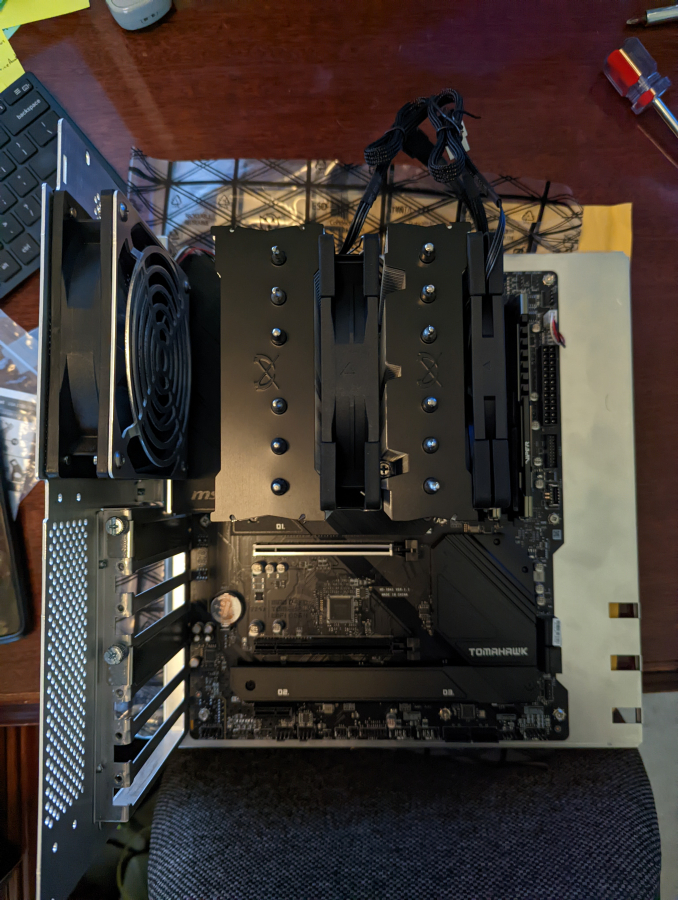
So new Intel i5 12600k, MSI B660 Tomahawk, 32gb ddr4, and 500b m.2 wd black sn770.
I know first thing will be mentioned is I am putting a K proc in a B board. I don't plan to overclock but the K has the 10 cores and the rest of the i5 are only 6 cores. I don't plan to run a dedicated GPU as it's just going to be a productivity work machine.
It is probably overkill, but I also don't want to do another build for another 5-10 years. I also don't want to tax it so it barely runs the fans and is silent. Just waiting on my Scythe Fuma 2 cooler to show up now so I can put it together.
Don't feel like building a keyboard for it but anyone seen the Nuphy Air75 mini keyboard? Thinking of picking up one of those to use.
Parts:
Phase One 65 aluminum case
Gateron Azure Dragon tactile switches
KBDfans Dyboox screw-in stabilizers
GMK Laser base kit, novelties, and bars
Mods:
switches lubed with tribosys 3203 and filmed
stabilizers tuned with dielectric grease
case, plate, and spacebar foam
stabilizer and switch pads
The Phase One 65 a gasket mount board. The PCB is attached to the plate by the switches then the plate sits on gaskets instead of being screwed down to the case. This creates more flex when typing so the bottom out of each switch isn't as harsh. In most keyboards you'll find what is called a tray mount or top mount where the PCB/plate screw into the case from the top.
It also comes with 2 badges. The right badge can be removed and changed for different badges. Stock is an orange pair of glasses but I swapped that out for the white lines. I thought it was cleaner and matched the synthwave sunset. The left badge is an LED that reminds me of so many cool cars with flip-up headlights. It is programmable to different animations but I set mine to a static gradient.
Its an odd set. Its called Laser. The look and novelties are very synthwave. Then they have some references from random movies and other media... like the DeLorean and 88 I am using on the bottom row are from Back to the Future.
The unicorn top right I assume is the origami unicorn from blade runner. Ramen I assume is just because lots of futuristic cyber genre stories have lots of asian influence and people are always eating ramen or pho. The laser icon above the ramen is for the name of the set.
There are also caps I didn't use like a Flux Capacitor, Deckard's badge logo, OCP logo, Akira pill logo, Toyota "Trueno" logo, and some other random synth/cyber stuff.
I'm stuck in this rabbit hole yall! I have 3 more keyboards and 8 more cap sets on the way... plus 2 artisan knobs and 2 artisan caps. Fuck me.
This is what I have build so far ordered from least favorite to favorite (top left to bottom right going across):
B21 w/ stock MX Browns. It is a prebuild from Epomaker. I liked the retro look and want to desolder it one day.
NPKC60 w/ Gateron Laseron 60g switches & GMK Mitolet ABS caps
5Degree w/ dk Saru switches & Infinikey Port PBT caps + 1.5u Gameboy artisan cap
VN66 w/ Boba U4T switches & KBDfans Violet PBT caps + jawbreaker astronaut artisan cap
ID67 w/ Gateron Lazeron 70g switches & Artifact Bloom Dark Dolch PBT caps + demon kitty artisan cap
TM680 w/ Gateron Milky Yellow switches & GKs Happy Planet XDA PBT caps
Tofu65 w/ Gateron Azure Dragon switches & KBDfans Simple Grey PBT caps + AFX Monkey artisan cap + ZMKC "Pocket Game Console" artisan cap
PhaseOne65 w/ Gateron Azure Dragon switches & GMK Laser ABS caps + Hot Keys "Project Raven" artisan cap
LW-67 w/ SP Star Magic Girl switches & GMK Belafonte ABS caps + rubber duck artisan cap
All boards except the soldered B21 have lubed switches and tuned stabilizers. I couldnt remember which brand stabs I went with each board but my current favorites screw-in stabs are Durock V2 and Dyboox. Owlabs have been meh so far.
Do you even use all those? Like one per day of the week?
I use one for a while then when Im bored I switch. Or when I get a new one I switch.
I have a few more but I am getting to the point where I might turn it into a small side hustle. Ive had some coworkers who know I build them mention wanting one... so I may start throwing out prices to people to buy boards Ive already built or show them what Ive built then figure out what they want.
As of now if I get more Ill be trying to sell some to make room. They are displayed on my wall using an Ikea Skadis board. I had wanted to set up a display for a while but building is slow since parts have to be made. The wall is about full now though so future boards will push out past boards.
Finally building a desktop again. With work from home, I have been running three monitors off a Google Pixel Slate which work surprisingly well. Running citric client to access my work machine. Well, what do you know leaving a tablet plugged in 24/7 the battery finally swelled.
My planned replacement in a couple of years was going to be to buy a Dell XPS 13 to use in a dock to run everything so I could travel with it when I wanted. The battery swelling thing scared me off. I already had a case and power supply that will work from my last build 12 years ago.
So new Intel i5 12600k, MSI B660 Tomahawk, 32gb ddr4, and 500b m.2 wd black sn770.
I know first thing will be mentioned is I am putting a K proc in a B board. I don't plan to overclock but the K has the 10 cores and the rest of the i5 are only 6 cores. I don't plan to run a dedicated GPU as it's just going to be a productivity work machine.
It is probably overkill, but I also don't want to do another build for another 5-10 years. I also don't want to tax it so it barely runs the fans and is silent. Just waiting on my Scythe Fuma 2 cooler to show up now so I can put it together.
Don't feel like building a keyboard for it but anyone seen the Nuphy Air75 mini keyboard? Thinking of picking up one of those to use.
Finally went through with all of this and then some. Parts trickled in about two weeks after my post.
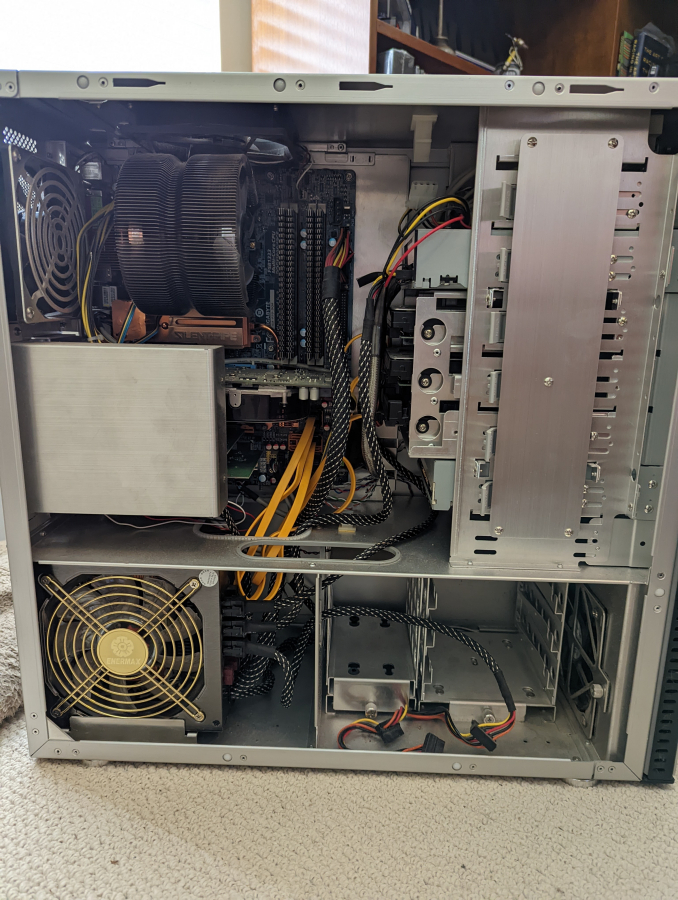
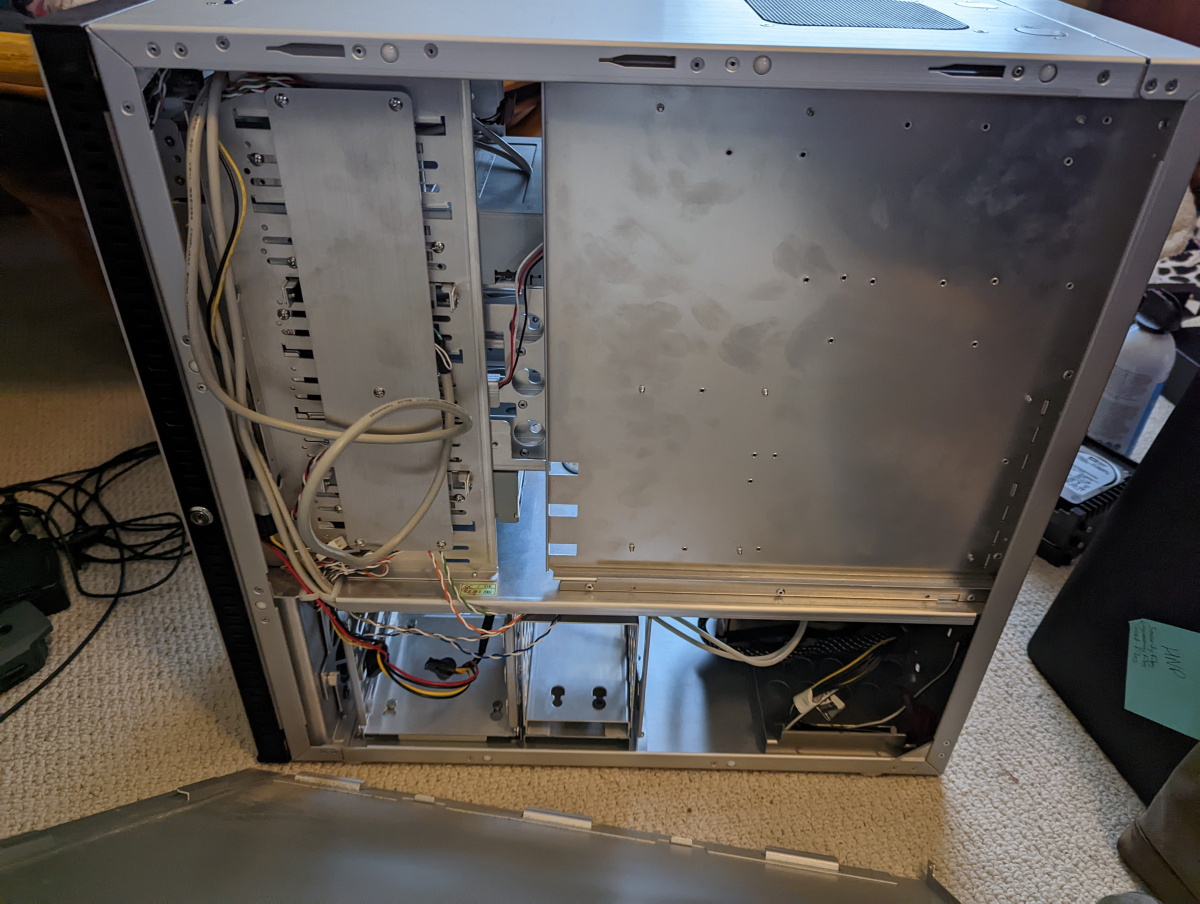
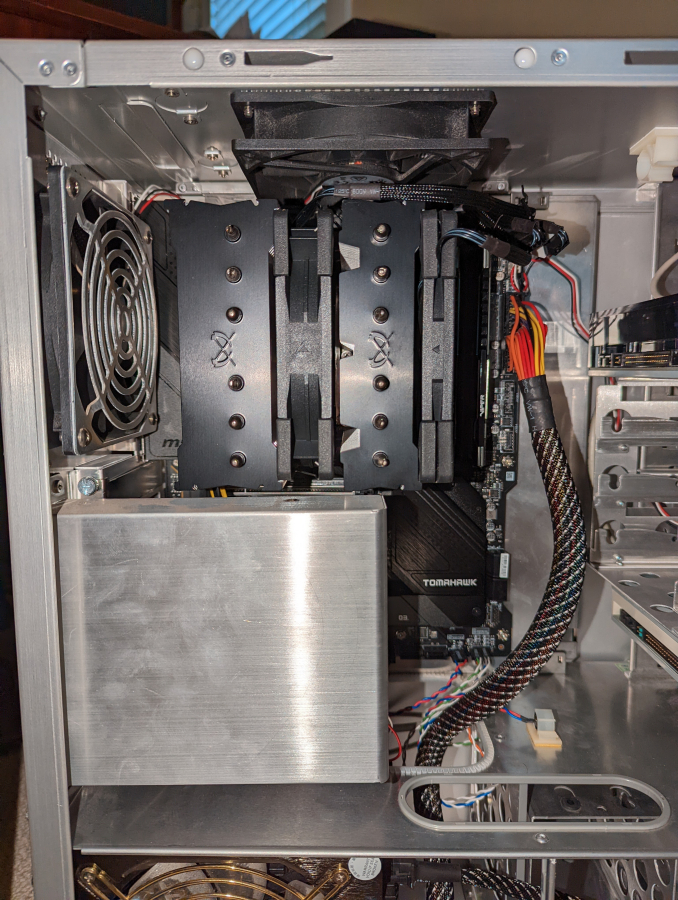
Cleaned out everything from my old Lian-Li A10A Case. Still love the case so I was determined to make it work.
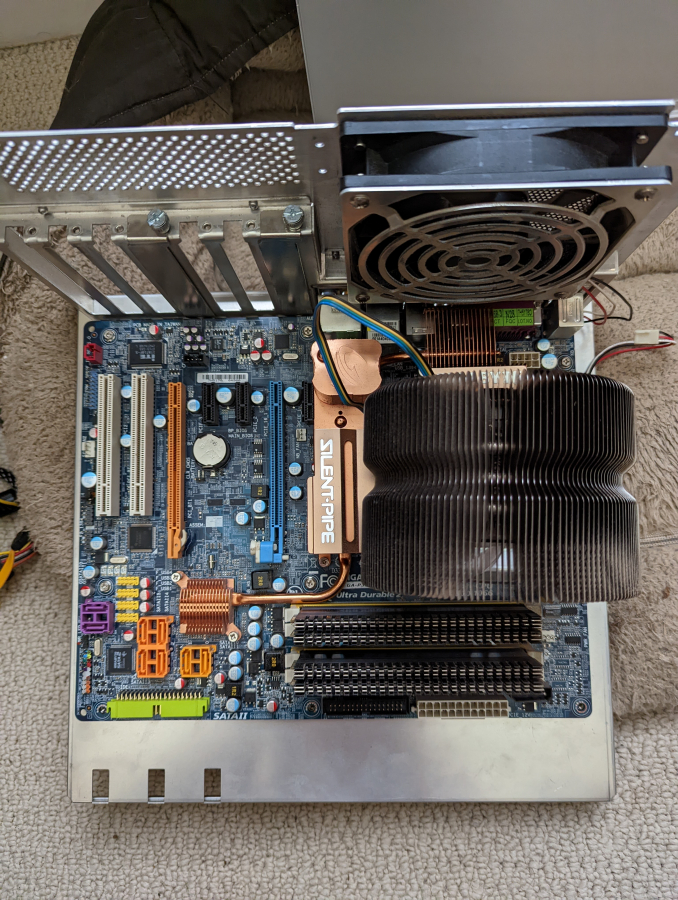
This system was built a long long time ago. Probably 12 years or so. It is was a Core2Quad. At peak I had about 7 drives in this system, 4 TV tuners connected to 2 dual tune HDTV antennas, and an 8800GTX. I had also built it to be fairly quiet as I hate case fan noise.
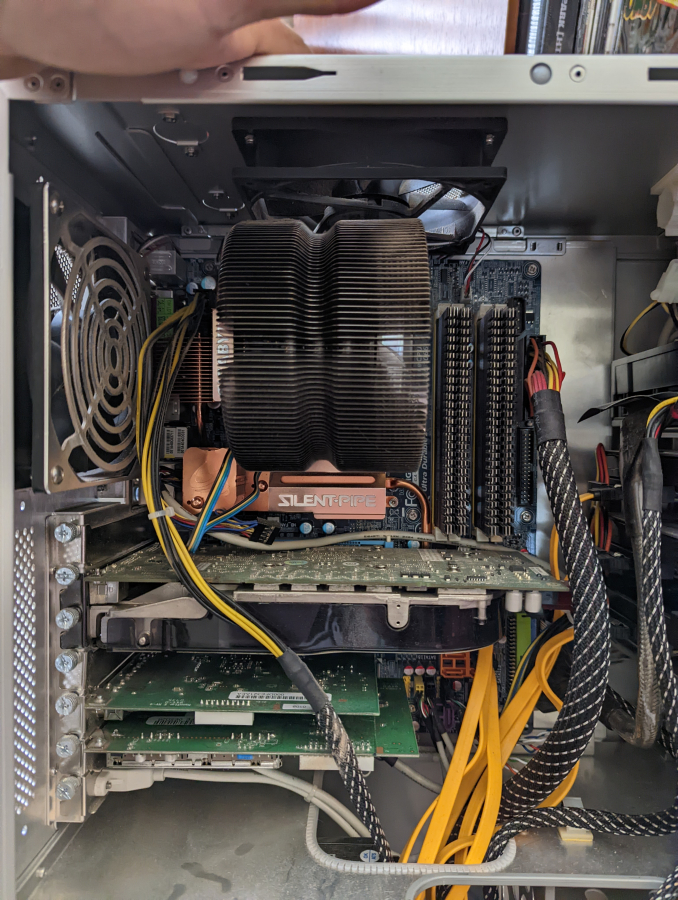
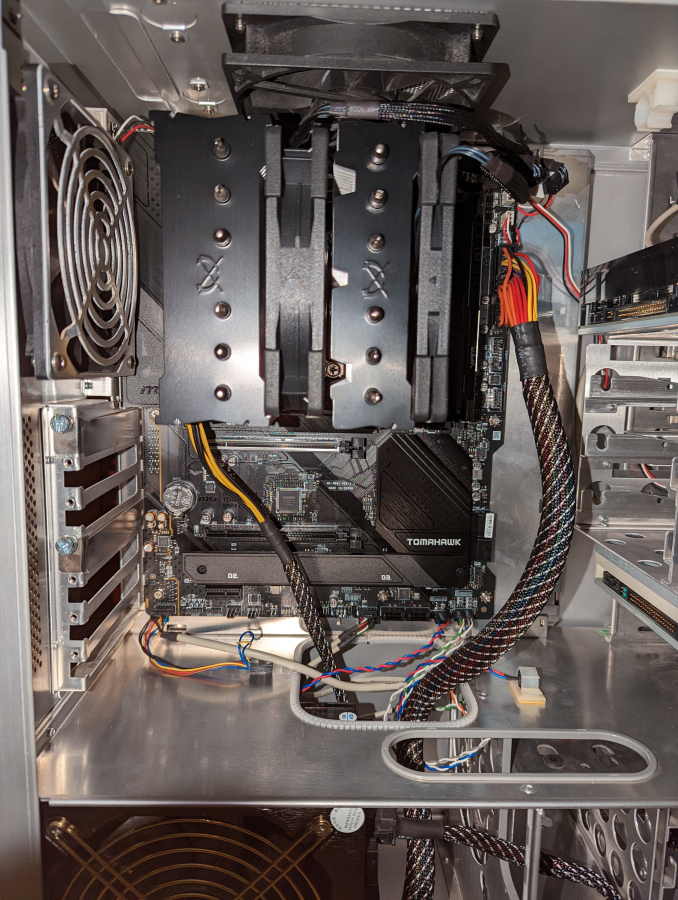
Onto the new build. Wen't with trying to black everything out. Not much of a reason other than why not as there is no window into the case.
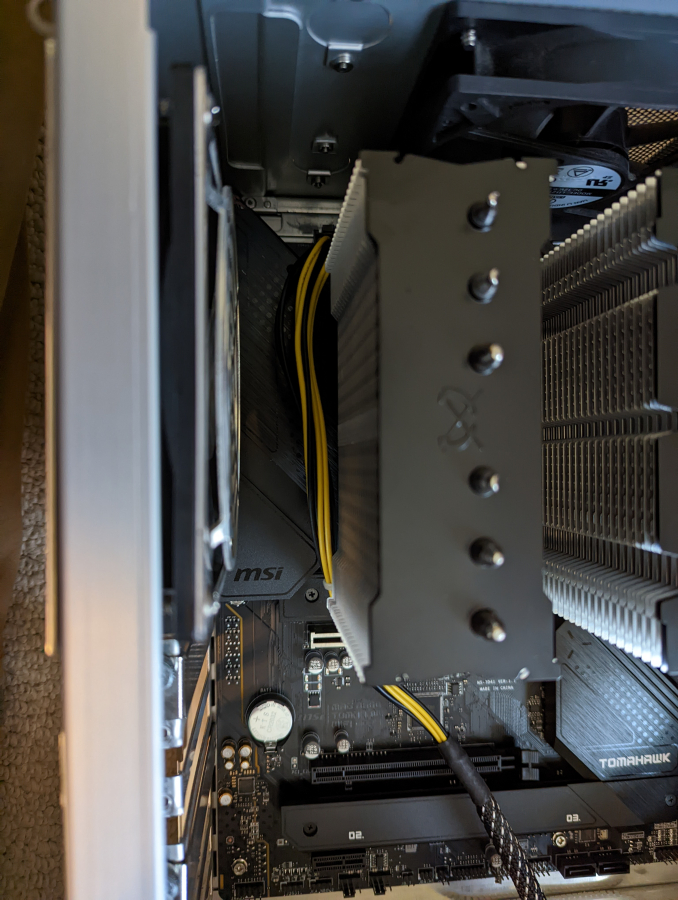
Power does not run well in this case to this board. I need to order some cable extension to clean it up but at least had zip tied this cable away from touching the fins. A new case though with power access from the top would be best. Love my solid aluminium isolated case though.
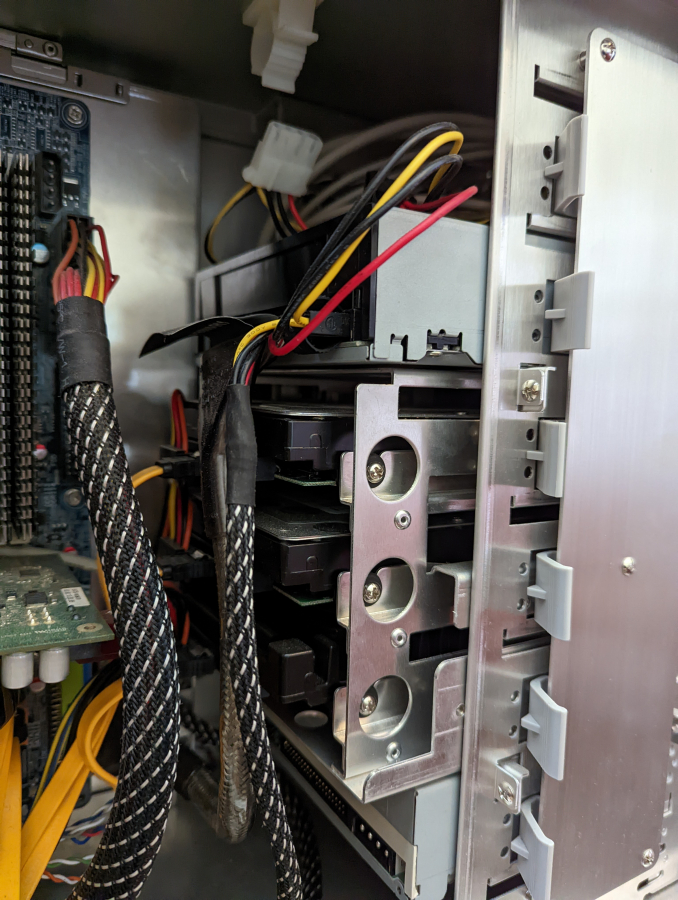
Tried to hide as many wires as I could because I hate wires.
Again a bunch of extensions would allow me to clean this up better.
Tons of fans for cooling and no GPU means it should run really cool and barely make a noise.
It didn't end up completely quiet but since I normally have even low music on I can'ty really hear it. That said I still am considering replacing the 5 case fans with some Noctua fans but the ones I am looking at would be $100 for 5 so trying to leave it alone.
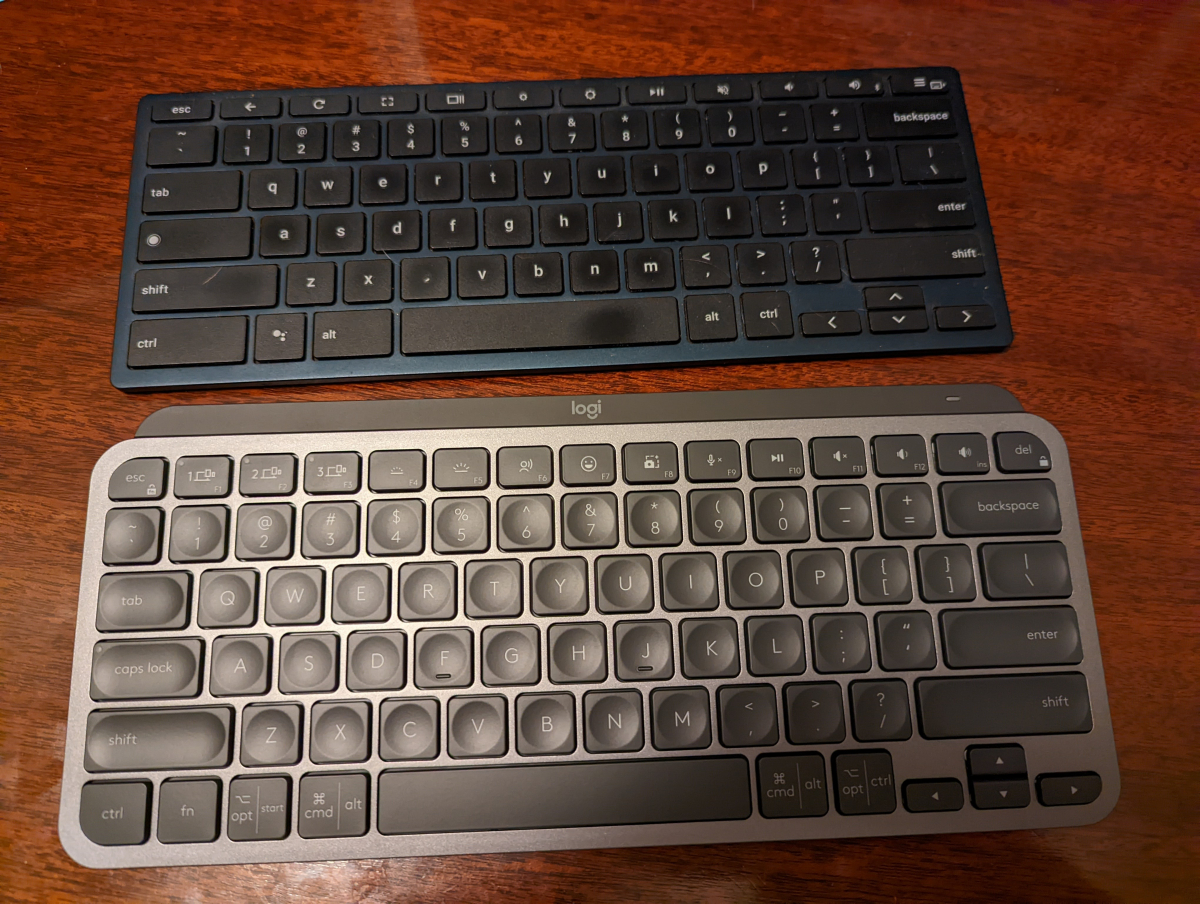
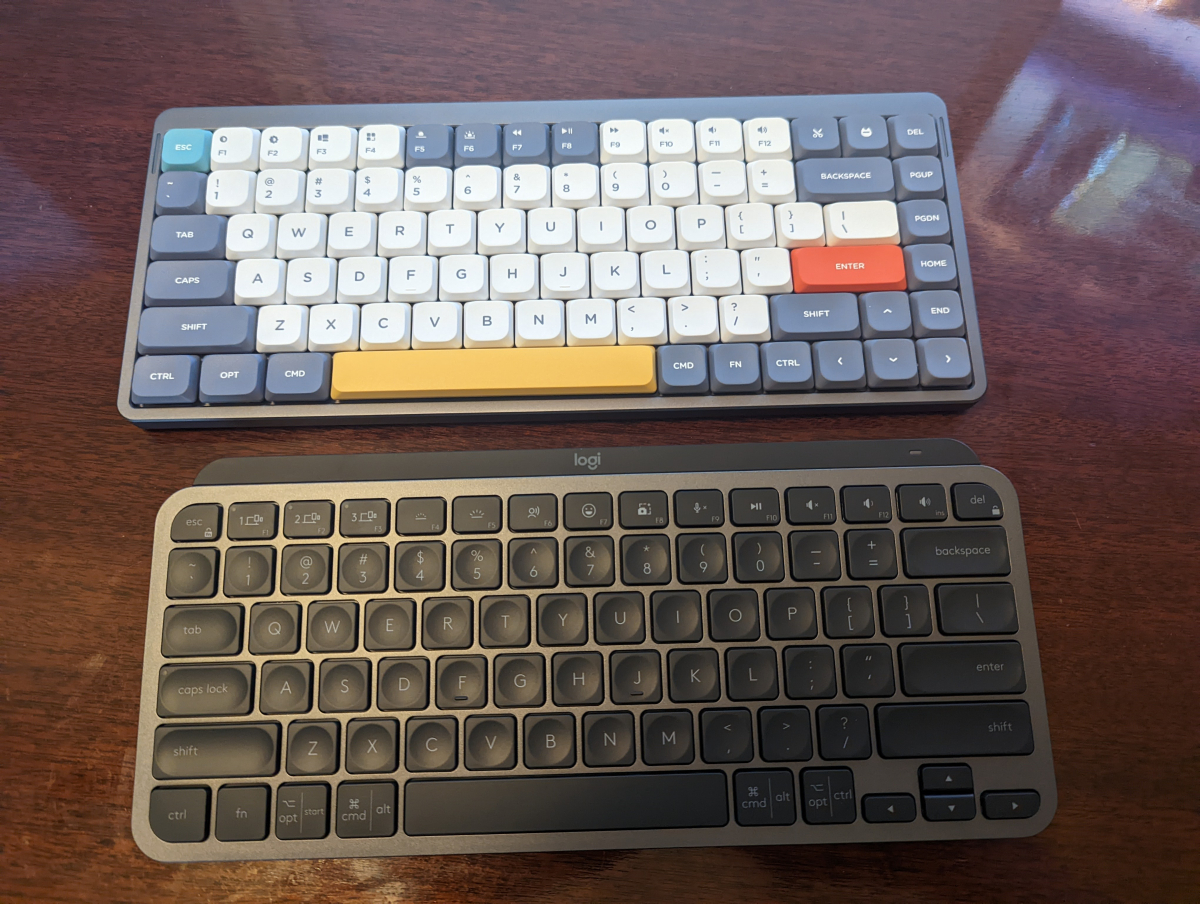
When I had switched to using a my Pixel Slate as my primary desktop I had bought a ChromeOS specific keyboard. It was a smaller layout with no 10 key and I loved it. So I was now on a search of what to replace it with. I also loved the low profile keys as I had become really fast typing on it. So the main consideration was the MX Keys Mini. I also through looking through here over the years and Drop had liked the look of a custom keyboard and always considered one but didn't know where to start. Happened on the Nuphy Air75 while researching the MX Keys Mini. I ordered one of both to try.
Bryde ChromeOS Keybaord and MX Keys Mini
Nuphy Air75 and MX Keys Mini
The typing experience on both is great. If I was just typing and didn't use a lot of keyboard shortcuts I would have probably went with the MX Key Mini. The Ctrl key on the MX Key Mini though is tiny and also has a cropped corner. It made life miserable. I would miss it 50% of the time. I also really liked the lights and feel of the Air75 which is what I ended up keeping.
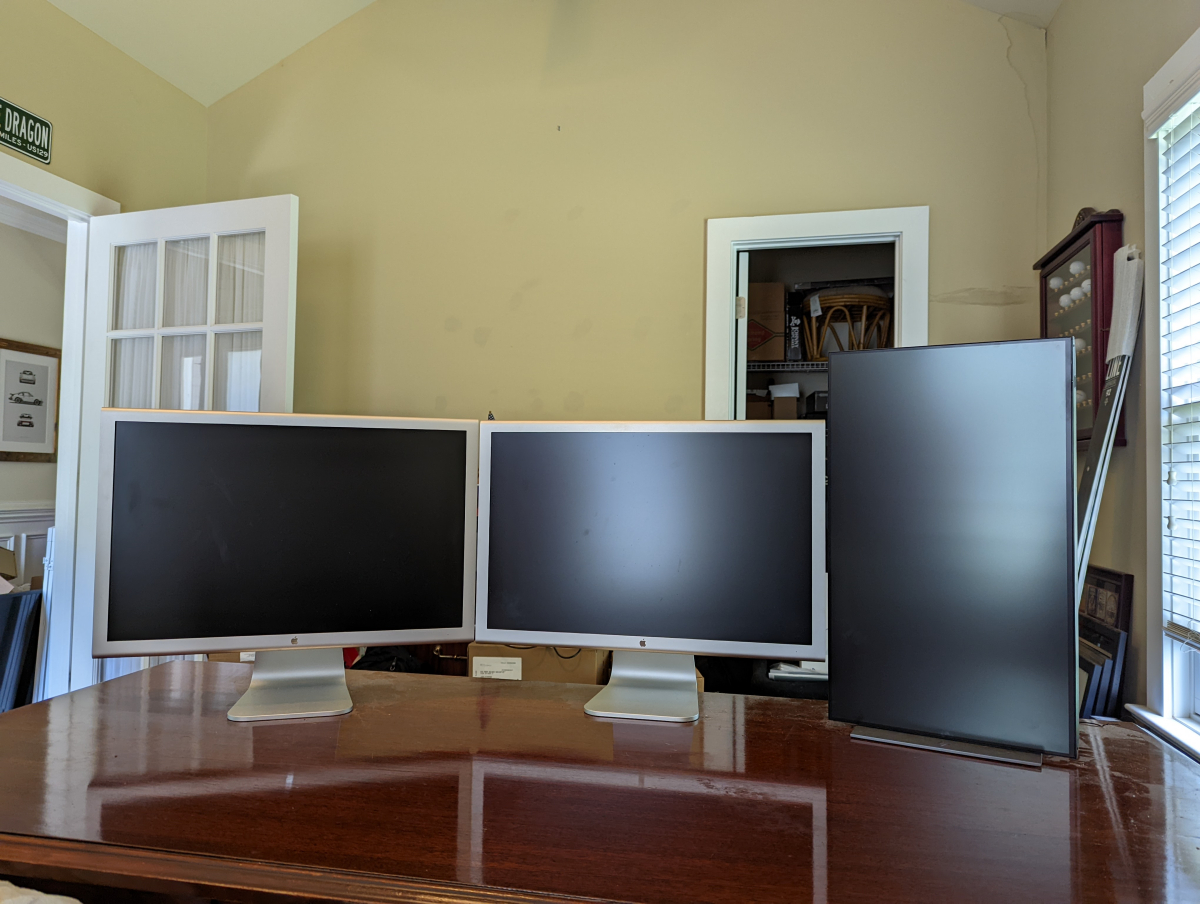
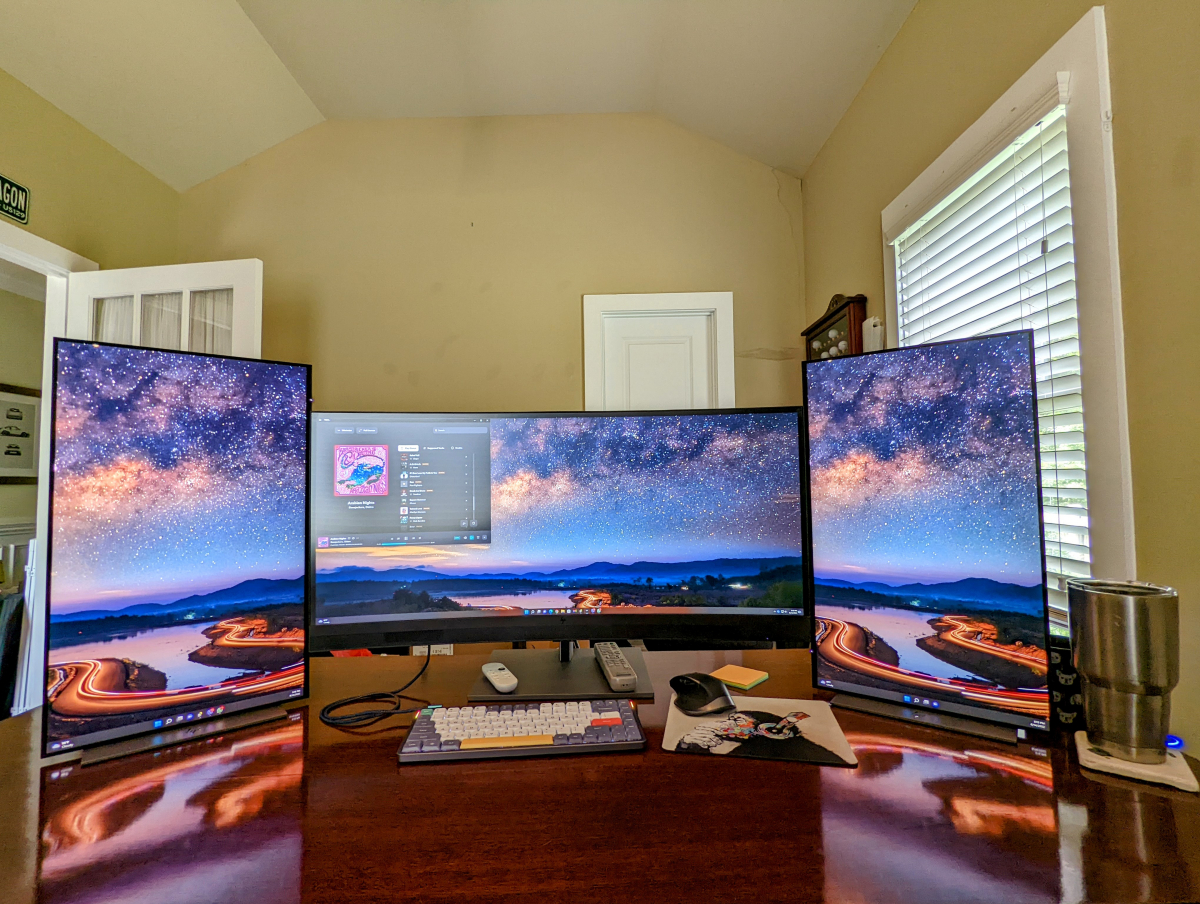
It is the end of an era but I have finally retired at least for the time being my 23in Apple Cinema Displays. I love these thigns. I love the full metal case look and the single wire coming out of the back of them. It is such a clean design. I hate the Apple experience but have always been a huge fan of their hardware design.
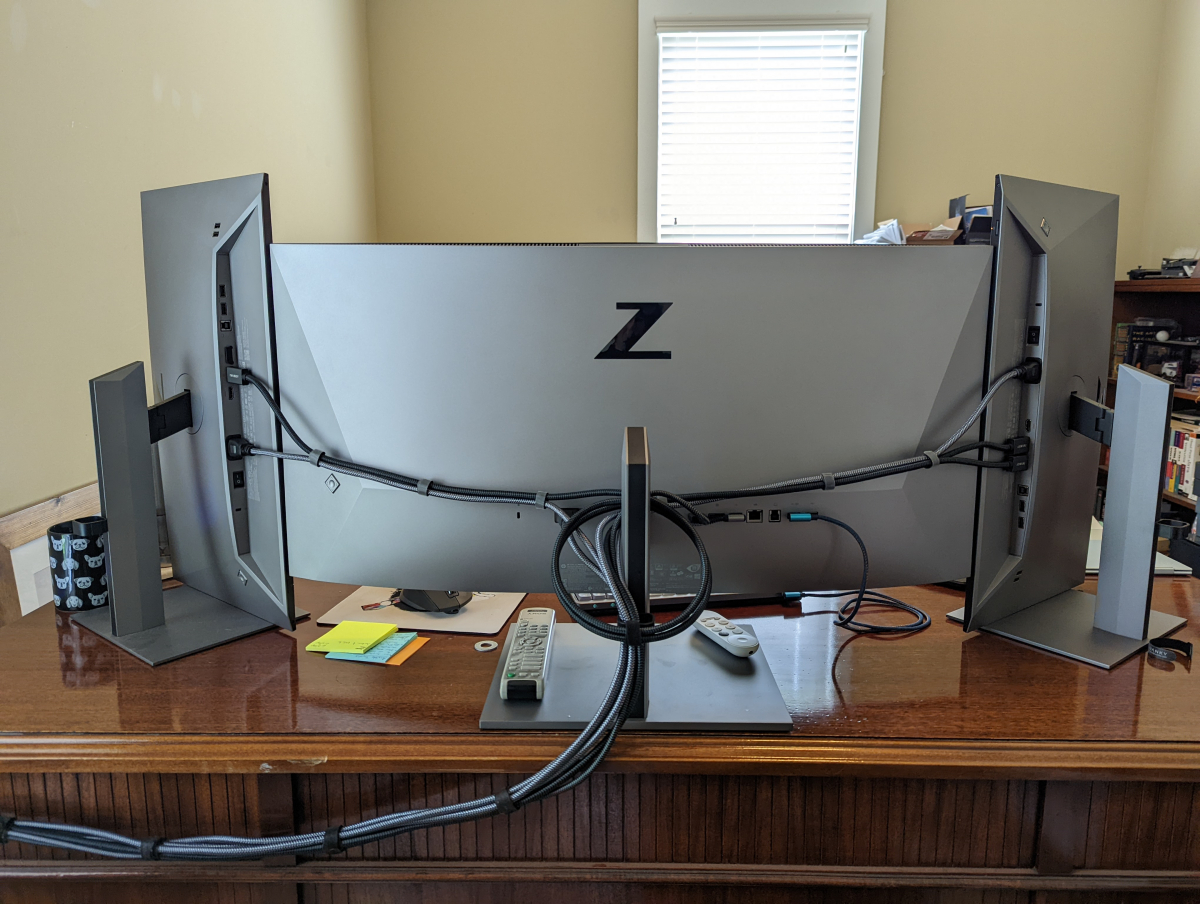
When we started working from home work bought everyone dual monitors for at home. I had only been using one in the vertical position. My desk sits in the center of my room so you see the backs of the monitors through the door way passing by and everytime you walk into the room. Having them all matching was a requirement for me.
Thankfully what work bought honestly turned out to have one of the best looking backs of all the monitors I looked at. The LG white back with stainless borders might be tied but then I was looking at buying 3 monitors instead. I finally bought the matching 34in ultrawide and moved into today.











 The Flow is my best candidate so far since I figured I could get it to fit but I thought I'd check with y'all.