


Navi Hack BMP's (Images)

Back after 1 Year!
Joined: Aug 2006
Posts: 1,047
Likes: 33
From: Chula Vista, CA (San Diego County)
Originally Posted by eh? spec
After seeing the new Transformers movie. Could someone integrate the Tranformers Autobots symbol with the Acura logo?? and maybe Acuras slogan "ADVANCE"
I'll give it a try myself with Photoshop CS2. I just think it's a cool idea. I wish my car would transform .
.
I'll give it a try myself with Photoshop CS2. I just think it's a cool idea. I wish my car would transform
.

Advanced
Joined: May 2004
Posts: 70
Likes: 0
From: HOTLANTA
Hey, can someone resize this image to the correct proportions for me, and maybe put the acuraq symbol in the center in place of the "T" between the red stars, and make it say "Welcome BIG STEEZ " begining in the top left corner, and .... Navigation system uploading" at thebottom right corner.
Thanks everyone.

Thanks everyone.




Cruising in my
Joined: Jun 2006
Posts: 649
Likes: 5
From: Calgary, Alberta, Canada
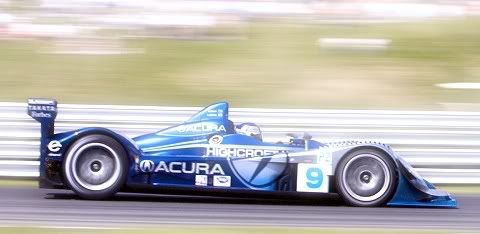
This is my current Navi Image. I also have the AD gone too.


Driving from Calgary, Alberta to Kelowna, BC I hit 6.8KM/100L I was pretty happy about that. TL = great highway car.

Driving from Calgary, Alberta to Kelowna, BC I hit 6.8KM/100L I was pretty happy about that. TL = great highway car.




 [/QUOTE]
How do you do this?
Make sure your photo editing software converts the picture from RGB to Indexed (img->mode->indexed color in photoshop) and enter 173 in the colors field. Also make sure it is saved as 8-bit bitmap.

Instructor
Joined: Oct 2003
Posts: 120
Likes: 1
From: 416
Now I am really confused 
I have successfully changed the background image (v. 4.55a) but it still puts the Acura logo and Navigation overlay on top of my new image!!! Is this something new they have done for the latest nav versions?
Anyone with a suggestion on how to lose the overlay, I've looked at every file in the 07Touch2.bin file and can't find the overlay....
I have successfully changed the background image (v. 4.55a) but it still puts the Acura logo and Navigation overlay on top of my new image!!! Is this something new they have done for the latest nav versions?
Anyone with a suggestion on how to lose the overlay, I've looked at every file in the 07Touch2.bin file and can't find the overlay....


Intermediate
Joined: Jul 2007
Posts: 35
Likes: 0
From: Greenwich, CT
ok so this is my second time trying this and for one reason or another can not get it right. I am using dump navi by bysin. I take photos that should work, or so people say, off this thread and can not get them to work. The first error I got was 'the bit map must be 8 bits'. Then 'the dimensions of the bitmap are wrong it must be 480X234'' I go and check the size and its perfect. So lost, anyone got suggestions, I am sure its something obvious

4th Gear
Joined: Nov 2006
Posts: 4
Likes: 0
Originally Posted by cKHyper
can someone please please
put acura navigation instead of welcome, ghost
put acura navigation instead of welcome, ghost
For some reason I cant private message you....
Todd


Instructor
Joined: Jun 2006
Posts: 141
Likes: 0
okay.... a big favor from ya'll. I just got my car back and they reset my cpu so I lost my original navi hack. My gf now want's her own background. So would anyone take the time to cut this down for me and post it please. I would greatly appreciate it.
http://www.hello-kitty.co.uk/gfx/pic...on_800x600.jpg
http://www.hello-kitty.co.uk/gfx/pic...on_800x600.jpg

AZ Community Team
Joined: May 2007
Posts: 32,488
Likes: 7,771
From: N35°03'16.75", W 080°51'0.9"
Originally Posted by Dooley
okay.... a big favor from ya'll. I just got my car back and they reset my cpu so I lost my original navi hack. My gf now want's her own background. So would anyone take the time to cut this down for me and post it please. I would greatly appreciate it.
http://www.hello-kitty.co.uk/gfx/pic...on_800x600.jpg
http://www.hello-kitty.co.uk/gfx/pic...on_800x600.jpg
j/k :wink:
I don't have the tools to do it right.
Back after 1 Year!
Joined: Aug 2006
Posts: 1,047
Likes: 33
From: Chula Vista, CA (San Diego County)
Originally Posted by Dooley
okay.... a big favor from ya'll. I just got my car back and they reset my cpu so I lost my original navi hack. My gf now want's her own background. So would anyone take the time to cut this down for me and post it please. I would greatly appreciate it.
http://www.hello-kitty.co.uk/gfx/pic...on_800x600.jpg
http://www.hello-kitty.co.uk/gfx/pic...on_800x600.jpg
Here you go


.:KCCO:.
Joined: Sep 2004
Posts: 2,174
Likes: 4
From: Irvine


Moderator


Joined: Oct 2004
Posts: 64,122
Likes: 3,371
From: Not Las Vegas (SF Bay Area)
Originally Posted by eh? spec
Driving from Calgary, Alberta to Kelowna, BC I hit 6.8KM/100L I was pretty happy about that. TL = great highway car.
ohh and interesting, i didnt know you could change the image.
AZ Community Team
Joined: May 2007
Posts: 32,488
Likes: 7,771
From: N35°03'16.75", W 080°51'0.9"
Originally Posted by ayethetiense
wow, thats crazy, i made this years ago. thats my car in the back. didnt realize people liked it.
i didnt even know this thread existed
i didnt even know this thread existed

That's my start screen *right now*. Since I've got WDP, it works for me.

AZ Community Team
Joined: May 2007
Posts: 32,488
Likes: 7,771
From: N35°03'16.75", W 080°51'0.9"
Originally Posted by Mizouse
how do you get this screen on the navi? i have a 07 btw.
ohh and interesting, i didnt know you could change the image.
ohh and interesting, i didnt know you could change the image.
Can't do it for an '07 or an '08. Only hack is the splash screen.
It seems none of the resident programmers are good enough to do TC hack or a nag screen hack.


Safety Car
Joined: Jan 2006
Posts: 4,171
Likes: 39
From: San Diego, CA
Rules from post #1:
Please ask any questions about this mod in this thread:
Navigation Hack Guide: Welcome Screen Mod, Trip Computer, OK Button Nag Removal
Edit mod vp911:
Thank you to jmbnova and datmrman!
Since this thread is going to turn into the thread with images for the navi hack please follow these basic ground rules:
1. Post ONLY the images that can be used for the navi hack here.
2. Do not post any questions or comments in this thread. Please use PMs if necessary.
3. Requests will be permitted. Any other posts will be deleted.
4. Post any questions about the hack in the thread located here.
Thank you to jmbnova and datmrman!
Since this thread is going to turn into the thread with images for the navi hack please follow these basic ground rules:
1. Post ONLY the images that can be used for the navi hack here.
2. Do not post any questions or comments in this thread. Please use PMs if necessary.
3. Requests will be permitted. Any other posts will be deleted.
4. Post any questions about the hack in the thread located here.
Navigation Hack Guide: Welcome Screen Mod, Trip Computer, OK Button Nag Removal




Too much kid stuff in
Joined: Oct 2007
Posts: 18
Likes: 0
Here's one I'm trying to put on my wife's MDX...
http://img65.imageshack.us/img65/4931/backkg7.png
For any females out there...
http://img228.imageshack.us/img228/2046/back1cd2.th.png
http://img65.imageshack.us/img65/4931/backkg7.png
For any females out there...
http://img228.imageshack.us/img228/2046/back1cd2.th.png

