


Help: Backup Camera Stopped Working After Install

Thread Starter
Burning Brakes
Joined: May 2006
Posts: 1,213
Likes: 91
From: Sugar Land, TX
 Help: Backup Camera Stopped Working After Install
Today, I installed Wendy's Camera and Dom's unit with PNP. Took me 4 hours after following Datrman's DIY writeup. The problem is towards the completion of my install, I checked the connections and made sure the camera worked in reverse and showed on the Navi screen before I put the panels back to together. It did. Well as soon as I put everything back together, I put the gear into reverse to test again....Blank Screen!!! 
When I shift it from Reverse, it goes back to the navi/audio screen. I quadruple checked all the grounds, taps, and power sources. Everthing checked out. The fact that the converter switched when I shifted to reverse means the box is good. Plus, the converter shows power being fed to it. So my probelm is with the camera. It was working at first, but now stopped working at the end of install.
What could be the problem? No power? Defective? Improper ground? No signal from reverse lights? Mind you, I checked all wires. Everthing checked out
Please Help
When I shift it from Reverse, it goes back to the navi/audio screen. I quadruple checked all the grounds, taps, and power sources. Everthing checked out. The fact that the converter switched when I shifted to reverse means the box is good. Plus, the converter shows power being fed to it. So my probelm is with the camera. It was working at first, but now stopped working at the end of install.
What could be the problem? No power? Defective? Improper ground? No signal from reverse lights? Mind you, I checked all wires. Everthing checked out
Please Help

AcurAdmirer
Joined: Jul 2004
Posts: 3,004
Likes: 352
From: Dallas/Ft. Worth, TX
As we've all learned at one time or another, electronics sometimes burn out early in the game. That of course means it could be the camera or the Dom unit, either one.
Ideally, if you could test the camera on some other source, you could determine which device is defective ... or if neither one is at fault. I say that because the camera is probably easier to test than the switcher.
If you don't have any means for testing it, I'd be tempted to contact Wendy to see about getting a replacement camera.
.
.
Ideally, if you could test the camera on some other source, you could determine which device is defective ... or if neither one is at fault. I say that because the camera is probably easier to test than the switcher.
If you don't have any means for testing it, I'd be tempted to contact Wendy to see about getting a replacement camera.
.
.

Safety Car
Joined: Jan 2006
Posts: 4,171
Likes: 39
From: San Diego, CA
I got your PM SlimTL. Here are some troubleshooting techniques that I can think of:
Try connecting the camera to a constant power source and using the video input that toggles with the manual switch. This will allow you to check if the camera is powering on and if Dom is working with the manual switch.
If that checks out, keep the camera with the constant power source and move it to the auto switching video input on the Dom module.
If that checks out, move the camera back to the reverse lights and check again.
Also, do you have a multimeter? Its useful for checking your connections.
Good luck! Keep us posted.
Try connecting the camera to a constant power source and using the video input that toggles with the manual switch. This will allow you to check if the camera is powering on and if Dom is working with the manual switch.
If that checks out, keep the camera with the constant power source and move it to the auto switching video input on the Dom module.
If that checks out, move the camera back to the reverse lights and check again.
Also, do you have a multimeter? Its useful for checking your connections.
Good luck! Keep us posted.
Thread Starter
Burning Brakes
Joined: May 2006
Posts: 1,213
Likes: 91
From: Sugar Land, TX
 Fixed!!
Well, I made one of the simplest mistakes. As Datdrman said, make sure to leave some slack for the cables to move when the trunk closes. Turns out that two black cables with the plug connectors from the camera were disconnected. The connections were located inside the trunk hinge opening. I guess when I closed the trunk, the plugs separated. 
Took the car apart again to trace my steps and found the missing link.
Thanks guys for your help. Especially Datdrman. All I have to do is seal the lens from moisture and I can call this a wrap.
I'll post pics as soon as I get a chance.
Took the car apart again to trace my steps and found the missing link.
Thanks guys for your help. Especially Datdrman. All I have to do is seal the lens from moisture and I can call this a wrap.
I'll post pics as soon as I get a chance.
Thread Starter
Burning Brakes
Joined: May 2006
Posts: 1,213
Likes: 91
From: Sugar Land, TX
Fixed!!
Well, I made one of the simplest mistakes. As Datdrman said, make sure to leave some slack for the cables to move when the trunk closes. Turns out that two black cables with the plug connectors from the camera were disconnected. The connections were located inside the trunk hinge opening. I guess when I closed the trunk, the plugs separated.
Took the car apart again to trace my steps and found the missing link.
Thanks guys for your help. Especially Datdrman. All I have left to do now is seal the lens from moisture and I can call this a wrap.
I'll post pics as soon as I get a chance.
Took the car apart again to trace my steps and found the missing link.
Thanks guys for your help. Especially Datdrman. All I have left to do now is seal the lens from moisture and I can call this a wrap.
I'll post pics as soon as I get a chance.

Pro
Joined: Mar 2004
Posts: 605
Likes: 3
From: USA

Originally Posted by SlimTL
Well, I made one of the simplest mistakes. As Datdrman said, make sure to leave some slack for the cables to move when the trunk closes. Turns out that two black cables with the plug connectors from the camera were disconnected. The connections were located inside the trunk hinge opening. I guess when I closed the trunk, the plugs separated.
Took the car apart again to trace my steps and found the missing link.
Thanks guys for your help. Especially Datdrman. All I have left to do now is seal the lens from moisture and I can call this a wrap.
I'll post pics as soon as I get a chance.
Took the car apart again to trace my steps and found the missing link.
Thanks guys for your help. Especially Datdrman. All I have left to do now is seal the lens from moisture and I can call this a wrap.
I'll post pics as soon as I get a chance.
Safety Car
Joined: Jan 2006
Posts: 4,171
Likes: 39
From: San Diego, CA
It is just a recommendation. I sealed at the edge of the lens so that when I wash my car, I don't have to worry about condensation problems.
Here is DCC's original DIY thread: Diy: Dom's Pnp W/ Pictures!!!
Here is the direct link to the post where he talks about sealing the camera.
Here is DCC's original DIY thread: Diy: Dom's Pnp W/ Pictures!!!
Here is the direct link to the post where he talks about sealing the camera.
Trending Topics
Thread Starter
Burning Brakes
Joined: May 2006
Posts: 1,213
Likes: 91
From: Sugar Land, TX
Sorry for the delay of the pictures, but I had to remount the camera.
The angle was too low because it's stuck under the trunk lip and showed mostly the bumper and minor parts of the road onscreen. What I did was remove the camera from the metal portion of the trunk and put spacers in between the camera mount and the trunk. This pushed the camera outside of the lip, immediatley above the license plate, allowing me to tilt the angle as needed.
Worked out great. Pics will follow ASAP.
The angle was too low because it's stuck under the trunk lip and showed mostly the bumper and minor parts of the road onscreen. What I did was remove the camera from the metal portion of the trunk and put spacers in between the camera mount and the trunk. This pushed the camera outside of the lip, immediatley above the license plate, allowing me to tilt the angle as needed.
Worked out great. Pics will follow ASAP.
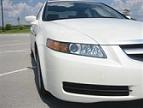
 Pics are posted


Thread Starter
Burning Brakes
Joined: May 2006
Posts: 1,213
Likes: 91
From: Sugar Land, TX
Originally Posted by lembowski
is your camera moving at all? it seems in pic #5 you can't see the bumper at all
Just a question for where you guys about where you drill holes for the camera (or anywhere on the exterior of the car for that matter) It seems like most people are just drilling and screwing things in without worry but what about rust? Wouldn't it be wise to protect the raw exposed edges of metal? I'd think in another 3-4 yrs. you may face a problem. I'd think a little sanding then touch paint would be good....maybe rust inhibitor....or at least some GE sealant around it? I used silicone around holes I drilled on my BMW to install a spoiler. I wasn't to worried because I knew I wouldn't own the car too long. What would be best or am I worrying about nothing?

` . ' . SUV haterrr
Joined: Mar 2005
Posts: 553
Likes: 0
From: MD
Originally Posted by SlimTL
Well, I made one of the simplest mistakes. As Datdrman said, make sure to leave some slack for the cables to move when the trunk closes. Turns out that two black cables with the plug connectors from the camera were disconnected. The connections were located inside the trunk hinge opening. I guess when I closed the trunk, the plugs separated.
Thread Starter
Burning Brakes
Joined: May 2006
Posts: 1,213
Likes: 91
From: Sugar Land, TX
Updates---TSX addition and Navi video updates
I got a TSX for my wife and added Doms unit and backup camera to this car too. Pics of TSX with modded navi are posted in the TSX Forum--modified TSX gallery.


Thread
Thread Starter
Forum
Replies
Last Post
Soul_Deamon
Audio, Video, Electronics & Navigation
7
Nov 13, 2018 04:44 PM
