When you click on links to various merchants on this site and make a purchase, this can result in this site earning a commission. Affiliate programs and affiliations include, but are not limited to, the eBay Partner Network.
I don't like these updates that are really OS upgrades. Every time I get one of those I need to reload the audio drivers on my old Precision Workstation. I guess I should consider myself lucky that the network drivers work.
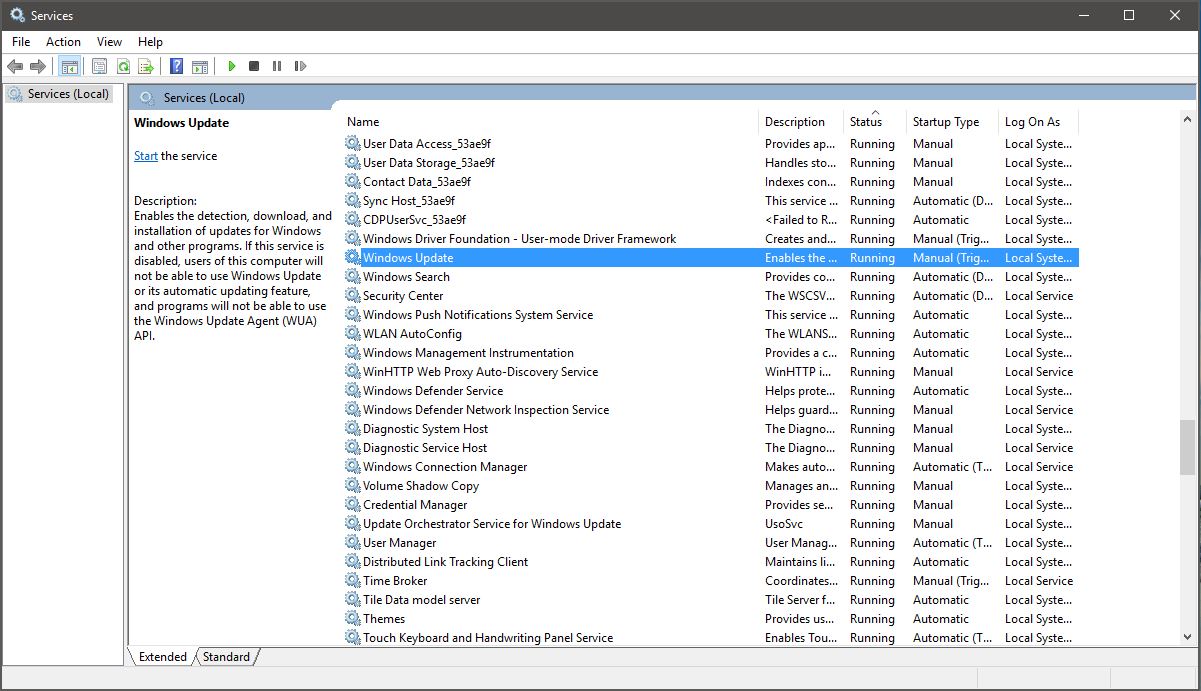
I even checked the box where it says to don't download/install feature updates and it still downloaded it. I went in and turned off updates under Services for now. Let's see if they fix things with v. 1709
I did the Creators Update yesterday. Wow these updates are so time consuming and taxing. Thank God for smartphones because my laptop was out of commission for like 3 hours.
I'd love to walk through a MS Board meeting swinging Lucille. Fucking mandatory updates, such assholes. If it wasn't for work, would have to deal with this shit!
My understanding is that since 10 they've mostly shut down their internal testing of patches and relied on their "Windows Insiders" to report bugs. It doesn't appear to be working, the number of issues caused by updates has definitely increased since this change.
FYI the Windows 10 assistive technology free upgrade program ends on December 31st. After that you won’t be able to upgrade to Windows 10 for free anymore
FYI there's some ridiculous ReFS backwards compatibility rules you should know about. First with build 1709 MS removed the ability to format ReFS drives the Pro version of Windows. You know need the new Pro Workstation version in order to format drives. Cool.
On top of that an ReFS drive formatted in build 1709 is not mountable on a PC running build 1703. Oh and if you thought you were smart and had a ReFS drive formatted in 1703 Pro that got updated to build 1709 and then decided to downgrade back to 1703 so you could keep the ability format ReFS drives, you will notice once you go back to 1703 your ReFS is no longer mountable. LOL Because MS updated the ReFS version to 3.3 and even though you originally formatted the drive on 1703 it's no longer readable on 1703. Fuck you. Pay me.
Wifey has laptop that had W7home premium pre-installed on it. I have the W7 license key code. I upgraded it to the free W10 last year.
The OS shit the bed and now won't boot (after last critical updates). I want to wipe it clean and re-install Windows.
How the hell do I do it? Do I need to download W7 home premium or can any W7 installer disc do it? Or, do I d/l and install a W10 ISO (from where?) and use the W7 key code on the sticker on the chassis?
You can activate windows 10 home with your windows seven home license. Also Microsoft create a digital license that’s tied to her hardware so if you reinstall the OS in skip entering the product key during installation it may activate. But sent you have a windows seven key you can actually type in the windows seven key when prompted during windows 10 installation and that should act today. type the windows
- this post response was dictated by Siri so if it sounds weird deal with it
If you are ok losing the data, make sure to delete the partitions then do the install. If the install fails, then either the installer is bad or the hardware is bad.
Used a W10 media making tool, re-installed W10 on the laptop. I chose to "skip" entering a key code and it seems to be fine. Maybe it will prompt after 30 days? Now, to buy a license of Office Home for her...
You can uninstall the update, but first try reinstalling the plotter drivers that usually gets a printer working after an update. I've had this work a couple times. Go to device manager right click on the printer and choose update driver and let Windows search automatically for a driver and see if it finds anything. Sometimes that fixes it. If not then remove the printer and readd it. If that doesn't work go to settings > updates > recovery and choose go back to previous build. You've only got 10 days after the upgrade to do this or you're pretty much stuck there.
I know all the tricks... I've done this plenty of times before. It's BS that I have to waste my time doing this crap when I didn't want the update to begin with. I wish I could send them a bill for my time.
Got her going... I get this on the plotter, but it still plots so, meh.
"So after I get her working, let me turn off automatic updates...." Oh, Windows as taken away the ability to turn off updates.
^ I've tried that. Doesn't work. It's only a temporary solution. In my case, after a few boot ups, Windows will manually override that "disabled" setting and check for updates in the background. I saw it happen right in front of my eyes one time when I was in Services and saw "Disabled" change to "Running" and "Manual (Triggered)"
What I have to do is start my PC with ethernet cable unplugged from ethernet port, wait 1-2 minutes to let Windows do its background checks (which I believe includes checking for Windows updates), then re-connect ethernet cable after Windows detects there's no internet connection and Windows update check fails.
If I forget to do the above and PC downloads update files, I have to go to C:\Windows\SoftwareDistribution\Download and delete all (Windows update) files from folder so there's nothing to install.
Been doing this since Oct. 2017. Pain in the ass and I haven't installed 1 single update since then.
Yeah give it a static IP address but don't assign it a gateway address, then it won't be able to communicate with external networks since it can't find the gateway
Ok seriously how do you stop updates? I got a VM that has issues and I have to basically restore from backup everytime updates are installed. I paused updates for 35 days, it hasn't been 35 days (maybe 3 weeks) and I heard complaints that it wasn't working again. I open the update app, it says updates are still paused, I check update history and it installed a bunch of updates on Friday the day that it stopped working.
I could block update.microsoft.com in the HOSTS file but this shit is getting ridiculous.
















 , install using disc or ISO
 , install using disc or ISO