


Apple: iPod News and Discussion Thread


Needs more Lemon Pledge
Joined: Mar 2005
Posts: 52,768
Likes: 2,000
From: Phoenix, AZ
I will say that even just using the atv interface (converted a few AVI to MP4 in Handbrake) made me SO happy it was redonculous. Watching downloaded tv shows on the 52" tv while sprawled out on the couch was so much nicer than the 24" monitor in the study.
 I've currently got about 700gb and growing of tv shows and movies sitting on my server that I can stream to any device in the house

Moderator


Joined: Oct 2004
Posts: 64,144
Likes: 3,392
From: Not Las Vegas (SF Bay Area)

Moderator
Joined: Oct 2004
Posts: 64,144
Likes: 3,392
From: Not Las Vegas (SF Bay Area)
Unless things changed the apple TV won't output at 1080p. Xbmc will read the 1080p files but down convert them to 720p.

The 1080p files @ 720p still look fantastic on my 42". And depending on the viewing distance on your 52", You won't notice the difference either.
The 1080p files @ 720p still look fantastic on my 42". And depending on the viewing distance on your 52", You won't notice the difference either.



Needs more Lemon Pledge
Joined: Mar 2005
Posts: 52,768
Likes: 2,000
From: Phoenix, AZ
Apple figures that since they offer no content better than 720P on ITunes, why let customers use the ATV2 to see anything better?
Moderator
Joined: Oct 2004
Posts: 64,144
Likes: 3,392
From: Not Las Vegas (SF Bay Area)
It's not just that, i think it's a limitation of the hardware, with its A4 and 256mb ram. Apple probably wanted the experience to be butter smooth and w/o dropping of frames.
Im sure the next gen which will have probably the dual core A5 and at least 512mb will do it fine.

Im sure the next gen which will have probably the dual core A5 and at least 512mb will do it fine.

Banned
Joined: Mar 2009
Posts: 18,761
Likes: 960
From: Kennesaw, GA
It's not just that, i think it's a limitation of the hardware, with its A4 and 256mb ram. Apple probably wanted the experience to be butter smooth and w/o dropping of frames.
Im sure the next gen which will have probably the dual core A5 and at least 512mb will do it fine.
Im sure the next gen which will have probably the dual core A5 and at least 512mb will do it fine.
It could be worse.

Needs more Lemon Pledge
Joined: Mar 2005
Posts: 52,768
Likes: 2,000
From: Phoenix, AZ
Truthfully, 720P is about 720 better than zero-P, which was the quality of the picture (and audio) I was previously able to stream from my PC to the HT, so I am impressed it works at all!

Thread Starter
Sanest Florida Man


Joined: Aug 2007
Posts: 46,092
Likes: 11,838
From: Florida
I got mines's! it came with 4.1 so I'm updating to 4.2.1 right meow. then doing the JB. Apparently that link I gave earlier to the Apple TV ipsw must've been a beta version because neither redsn0w or pwnage tool liked it. I found a newer version that appears to be the final. I'm downloading it now. I'll post the link when I'm sure it's the right version
Thread Starter
Sanest Florida Man
Joined: Aug 2007
Posts: 46,092
Likes: 11,838
From: Florida
Ok here's the link that worked with pwnage tool
http://appldnld.apple.com/AppleTV/04...2_Restore.ipsw
you basically use the ipsw from the link to make a custom jb ipsw via pwnage tool. Then you take the haxored ipsw plug the ATV into your PC with the micro USB cable which boots the ATV. Then you enter into DFU mode by holding down the menu and play buttons during boot. Then open iTunes it will see your ATV in DFU mode and give you the option to restore it.
now working on XBMC, neither nitoTV or ssh method is working. I must be doing something wrong.....
http://appldnld.apple.com/AppleTV/04...2_Restore.ipsw
you basically use the ipsw from the link to make a custom jb ipsw via pwnage tool. Then you take the haxored ipsw plug the ATV into your PC with the micro USB cable which boots the ATV. Then you enter into DFU mode by holding down the menu and play buttons during boot. Then open iTunes it will see your ATV in DFU mode and give you the option to restore it.
now working on XBMC, neither nitoTV or ssh method is working. I must be doing something wrong.....
Thread Starter
Sanest Florida Man
Joined: Aug 2007
Posts: 46,092
Likes: 11,838
From: Florida
I can't get it working I'm getting this error using ssh via terminal on OS X and winscp on Windows and the nitoTV app on the ATV.
org.xbmc.xbmc-atv2: Depends: org.xbmc.xbmc-seatbeltunlock but it is not going to be installed
E: Broken packages
E: Broken packages
Thread Starter
Sanest Florida Man
Joined: Aug 2007
Posts: 46,092
Likes: 11,838
From: Florida
ZOMG!!!!! I DID IT!!!!! It's installing!
IT works!!! I'm so awesome!
Ok so the code that's floatin around the web does NOT work! one of the debs isn't working so I found a small german site that had the correct code!
http://iszene.com/printthread.php?tid=113122
so the code should be in this order
then type yes for both questions and it should download install XBMC and restart your ATV!
you guys are some lucky fuckers! God damn that was 3hours of my life gone!
But the final result is!
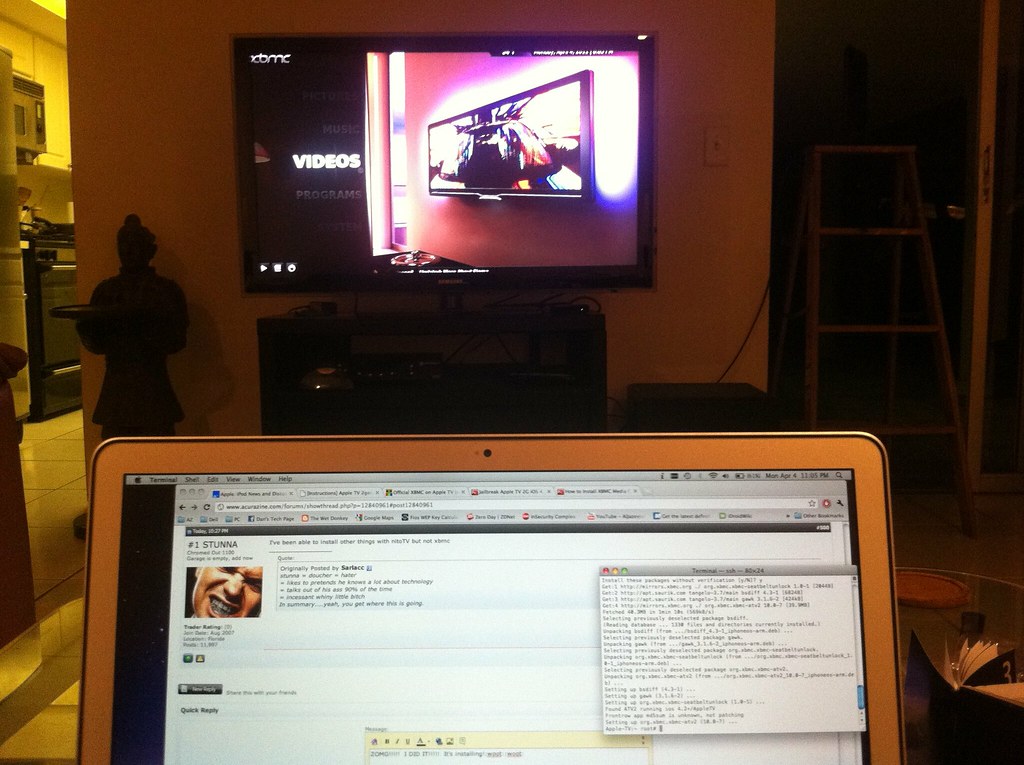
you can see my ATV sitting under the TV....
IT works!!! I'm so awesome!
Ok so the code that's floatin around the web does NOT work! one of the debs isn't working so I found a small german site that had the correct code!
http://iszene.com/printthread.php?tid=113122
so the code should be in this order
Code:
ssh root@"appleTV ip address"
#then enter password which should be "alpine"
apt-get install wget
get -O- http://apt.awkwardtv.org/awkwardtv.pub | apt-key add -
echo "deb http://apt.awkwardtv.org/ stable main" >/ Etc / apt / sources.list.d/awkwardtv.list
echo "deb http://apt.saurik.com/ tangelo-3.7 main">/etc/apt/sources.list.d/saurik.list
apt-get update
apt-get -f install
apt-get install org.xbmc.xbmc-atv2
you guys are some lucky fuckers! God damn that was 3hours of my life gone!
But the final result is!
you can see my ATV sitting under the TV....
Last edited by #1 STUNNA; Apr 4, 2011 at 10:23 PM.
Thread Starter
Sanest Florida Man
Joined: Aug 2007
Posts: 46,092
Likes: 11,838
From: Florida
Sorry the code in that box was slightly off, it had some unnecessary spaces
Code:
ssh root@"appleTV ip address"
#then enter password which should be "alpine"
apt-get install wget
get -O- http://apt.awkwardtv.org/awkwardtv.pub | apt-key add -
echo "deb http://apt.awkwardtv.org/ stable main">/Etc/apt/sources.list.d/awkwardtv.list
echo "deb http://apt.saurik.com/ tangelo-3.7 main">/etc/apt/sources.list.d/saurik.list
apt-get update
apt-get -f install
apt-get install org.xbmc.xbmc-atv2
Thread Starter
Sanest Florida Man
Joined: Aug 2007
Posts: 46,092
Likes: 11,838
From: Florida
Oh and also XBMC is pretty buggy on Apple TV. I can't do much of anything. I was able to connect to my WHS and see my files but when I try to play one it crashes. I added a bunch of cool video add-ons but when I try to use them it either crashes or if it works I don't have any sound because of some sound device issues.


Thread Starter
Sanest Florida Man
Joined: Aug 2007
Posts: 46,092
Likes: 11,838
From: Florida
Well they released an update for nitoTV today that fixed some repository issues and now XMBC is installing easily in a couple clicks. No need for command line. So I did an uninstall reinstall to see if it fixes my audio issues. If not I think I found another solution.
Thread Starter
Sanest Florida Man
Joined: Aug 2007
Posts: 46,092
Likes: 11,838
From: Florida
Well I got the audio problem fixed. I had to reJB the ATV. This time I used the updated version of Seas0n Pass instead of Pwnage Tool. Also the steps to install XBMC work now
http://www.redmondpie.com/how-to-ins...e-tv-2g-guide/
I'm able to use the video add-ons of which there are many but still cannot play video from WHS without XMBC crashing. So it's halfway working now. I installed iTunes on my WHS kicking and screaming and enabled the homeshare feature. It works but it sucks. It takes all 700+ videos on my server and puts them in one list. There's no folders to help organize TV from movies or episodes of on TV show from episodes of another. TV shows and movies are all in one gigantic list in alphabetical order. It's ridiculous. Horrible Apple UI fail.
http://www.redmondpie.com/how-to-ins...e-tv-2g-guide/
I'm able to use the video add-ons of which there are many but still cannot play video from WHS without XMBC crashing. So it's halfway working now. I installed iTunes on my WHS kicking and screaming and enabled the homeshare feature. It works but it sucks. It takes all 700+ videos on my server and puts them in one list. There's no folders to help organize TV from movies or episodes of on TV show from episodes of another. TV shows and movies are all in one gigantic list in alphabetical order. It's ridiculous. Horrible Apple UI fail.
Needs more Lemon Pledge
Joined: Mar 2005
Posts: 52,768
Likes: 2,000
From: Phoenix, AZ
Needs more Lemon Pledge
Joined: Mar 2005
Posts: 52,768
Likes: 2,000
From: Phoenix, AZ
Well, I am trying this now and having trouble. Not with the part I would have assumed would be problematic, though...
These all rely on iTunes 10.1.2. I had 10.2.2 and can't seem to downgrade for the life of me. I uninstalled, and then reinstalled the lower version but keep getting errors saying this copy of itunes is corrupted - Please reinstall.
These all rely on iTunes 10.1.2. I had 10.2.2 and can't seem to downgrade for the life of me. I uninstalled, and then reinstalled the lower version but keep getting errors saying this copy of itunes is corrupted - Please reinstall.
Thread Starter
Sanest Florida Man
Joined: Aug 2007
Posts: 46,092
Likes: 11,838
From: Florida
You don't need to downgrade you just need to have 10.1.2 or later (10.1.2 was the latest at the time the article was written) to support that version of iOS on your apple TV.
Thread Starter
Sanest Florida Man
Joined: Aug 2007
Posts: 46,092
Likes: 11,838
From: Florida
Use the latest guide for the latest version of iOS on the AppleTV. You do need certain JB tools for certain iOS builds. Newer builds of the JB tools don't always work with older versions of iOS so you do want to make sure you get the version of the JB tool that they reference in the article since the latest version may not work.
http://www.redmondpie.com/jailbreak-...wbreeze-2.7.2/
http://www.redmondpie.com/jailbreak-...wbreeze-2.7.2/
Needs more Lemon Pledge
Joined: Mar 2005
Posts: 52,768
Likes: 2,000
From: Phoenix, AZ
Finally got it to work.
Severely underwhelmed.
Remote functions suck (cant scroll through a long list)
Video fails/stutters.
There is no point. I will revert back to standard shortly.
Severely underwhelmed.
Remote functions suck (cant scroll through a long list)
Video fails/stutters.
There is no point. I will revert back to standard shortly.

Moderator
Joined: Oct 2004
Posts: 64,144
Likes: 3,392
From: Not Las Vegas (SF Bay Area)
The rumors are saying no new items and that they they will be switching to using iPads to do things as well as changing floor displays and new procedures. Just a change in the way the retail stores work.
Weekend Retail Store Meetings Related to New iPad-Focused Staff Software? [Updated: Minor Store Makeovers]
May 18, 2011 8:31 am PDT by Eric Slivka
There has been a considerable amount of back-and-forth regarding staff meetings and other activities reportedly scheduled for this weekend at Apple's retail stores, with some speculation suggesting that Apple could be readying a product launch or other activities related to the company's 10th anniversary of the opening of its first retail stores.
It is beginning to appear, however, that the events may be a revamp of on-floor sales procedures that could see the company equipping its sales staff with iPads for checkout and on-floor demonstration purposes. We had heard last month that the events were related to internal training rather than a special event or launch, but continued rumors have brought ongoing attention to the possibility of something more.
Yesterday, 9 to 5 Mac reported that it had received hints of the events being related to "Apple Store 2.0", suggesting that the changes would be bringing significant changes to the functioning of the company's retail stores.
Stocks of iPad 2s waiting for on-floor deployment at Apple retail store
AppleInsider now appears to be filling in the picture with a new report claiming that Apple retail stores have received shipments of dozens of iPads that appear to be destined for on-floor staff usage and are said to be set to be equipped with a new version of the company's "RetailMe" software to support the rollout.
People familiar with Apple's retail operations revealed that stores across the U.S. have been stocked with dozens of iPads that are being prepared for use by employees. Training and utilization of the hardware could begin as soon as this weekend.
In one location, nearly 40 iPads were supplied for a store with about 100 specialists. Based on those numbers, everyone working on any given day could be equipped with an iPad, perhaps in place of an iPod touch-based EasyPay terminal, which Apple stores switched to in 2009.
The new RetailMe software offering product information and training materials for sales staff is said to potentially be the subject of the "gigabytes" of training data previously claimed to be scheduled for download to Apple's stores on Saturday, although that theory has yet to be confirmed.
Update: 9 to 5 Mac has more on the retail revamp, claiming that Apple will be rolling out a number of enhancements to its stores including dedicated "Startup Sessions" areas for personal setup, iPad-based signage and information stations next to display machines, and new visual displays and sound systems. Finally, the company is said to be rolling out a revamped Apple Store application for iOS devices to assist customers with their in-store experience.
May 18, 2011 8:31 am PDT by Eric Slivka
There has been a considerable amount of back-and-forth regarding staff meetings and other activities reportedly scheduled for this weekend at Apple's retail stores, with some speculation suggesting that Apple could be readying a product launch or other activities related to the company's 10th anniversary of the opening of its first retail stores.
It is beginning to appear, however, that the events may be a revamp of on-floor sales procedures that could see the company equipping its sales staff with iPads for checkout and on-floor demonstration purposes. We had heard last month that the events were related to internal training rather than a special event or launch, but continued rumors have brought ongoing attention to the possibility of something more.
Yesterday, 9 to 5 Mac reported that it had received hints of the events being related to "Apple Store 2.0", suggesting that the changes would be bringing significant changes to the functioning of the company's retail stores.
Stocks of iPad 2s waiting for on-floor deployment at Apple retail store
AppleInsider now appears to be filling in the picture with a new report claiming that Apple retail stores have received shipments of dozens of iPads that appear to be destined for on-floor staff usage and are said to be set to be equipped with a new version of the company's "RetailMe" software to support the rollout.
People familiar with Apple's retail operations revealed that stores across the U.S. have been stocked with dozens of iPads that are being prepared for use by employees. Training and utilization of the hardware could begin as soon as this weekend.
In one location, nearly 40 iPads were supplied for a store with about 100 specialists. Based on those numbers, everyone working on any given day could be equipped with an iPad, perhaps in place of an iPod touch-based EasyPay terminal, which Apple stores switched to in 2009.
The new RetailMe software offering product information and training materials for sales staff is said to potentially be the subject of the "gigabytes" of training data previously claimed to be scheduled for download to Apple's stores on Saturday, although that theory has yet to be confirmed.
Update: 9 to 5 Mac has more on the retail revamp, claiming that Apple will be rolling out a number of enhancements to its stores including dedicated "Startup Sessions" areas for personal setup, iPad-based signage and information stations next to display machines, and new visual displays and sound systems. Finally, the company is said to be rolling out a revamped Apple Store application for iOS devices to assist customers with their in-store experience.

