


CCColtsicehockey's Home Projects Thread


Thread Starter
Moderator
Regional Coordinator (Southeast)
Regional Coordinator (Southeast)


Joined: Dec 2003
Posts: 44,123
Likes: 4,434
From: Mooresville, NC
The entire table is cedar. I have not sealed any of the previous projects I have done out of cedar. I am leaving them all naturally turn grey as I like that weathered look. Originally that was the plan for this table. The more I think about it though with putting glasses on it that will sweat in the summer I don't want to have wet rings on it. So I believe a stain and then a sealer will be important for this. Maybe just do the top and let the rest be natural even as a possibility.

Ex-OEM King


Joined: Dec 2013
Posts: 17,880
Likes: 7,027
From: Minnesnowta
Don't stain it, let it age gracefully. Cedar looks awesome as it ages.
For the shims, depending on how thick they are, you can always sand or plane them away to line up the new top if you go the glue route. Brad nails would be fine too, so would super glue.
For the shims, depending on how thick they are, you can always sand or plane them away to line up the new top if you go the glue route. Brad nails would be fine too, so would super glue.

Thread Starter
Moderator
Regional Coordinator (Southeast)
Regional Coordinator (Southeast)
Joined: Dec 2003
Posts: 44,123
Likes: 4,434
From: Mooresville, NC
I agree I love aged cedar. The tamp will get direct rain on it outside though as it is not going to be under a roof? You wouldn't worry about water marks all over it or wet rings from cups?
Thread Starter
Moderator
Regional Coordinator (Southeast)
Regional Coordinator (Southeast)
Joined: Dec 2003
Posts: 44,123
Likes: 4,434
From: Mooresville, NC
Next project is most likely going to be to run some more network lines and all a direct new coaxial home run from the cable termination box to my upstairs closet that I am turning into my network closet. That way I can begin the the transition of moving everything up there starting with the modem and the router.
Ex-OEM King
Joined: Dec 2013
Posts: 17,880
Likes: 7,027
From: Minnesnowta
Nah, not anything that can't be solved with some sandpaper and a few minutes. Any sealer you put on it will look much worse over time than letting it be.
Thread Starter
Moderator
Regional Coordinator (Southeast)
Regional Coordinator (Southeast)
Joined: Dec 2003
Posts: 44,123
Likes: 4,434
From: Mooresville, NC
Still haven't gotten around to putting the figure fasteners on the table so it has been living inside for right now. Hopefully will get that resolved this weekend.
Two weeks ago I made the decision to finally tackle a project that has been on the list for a while since I was stuck at home anyways and had the time on the weekends to do the work.
I finally am making the switch to small business level network gear in the house so I can have separate networks for personal devices, IoT devices, and a guest network. The two Asus RT-68U I have been running for the past 3 years and one of which I have had for the last 6 has been fantastic as far as coverage goes but they typically need to be rebooted like once every month or every other month so it was time for an upgrade.
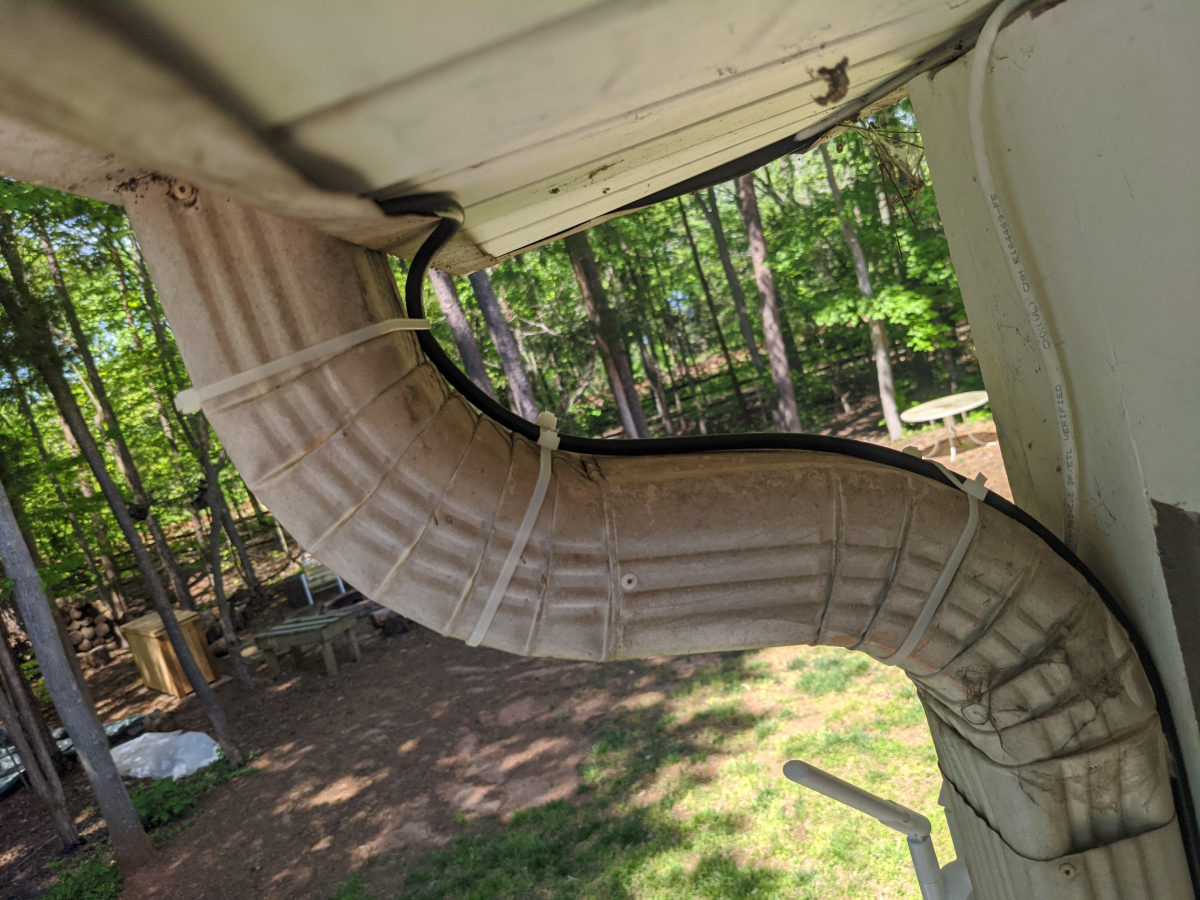
The first part of this was to get coax cable to the closet I installed my outdoor speaker amp in last year and also had run a few network lines to. I tried first to find one o the existing lines that was close by that I might just be able to reroute but decided against that in the end. There also was a line already run to the roof for a satellite in the past but that line was also short and would require an extension at both ends and didn't want to do that. So, in the end, I ran a completely new line of quad shield coax.
Path to run the new coax. This would get it into the unfinished attic the quickest.
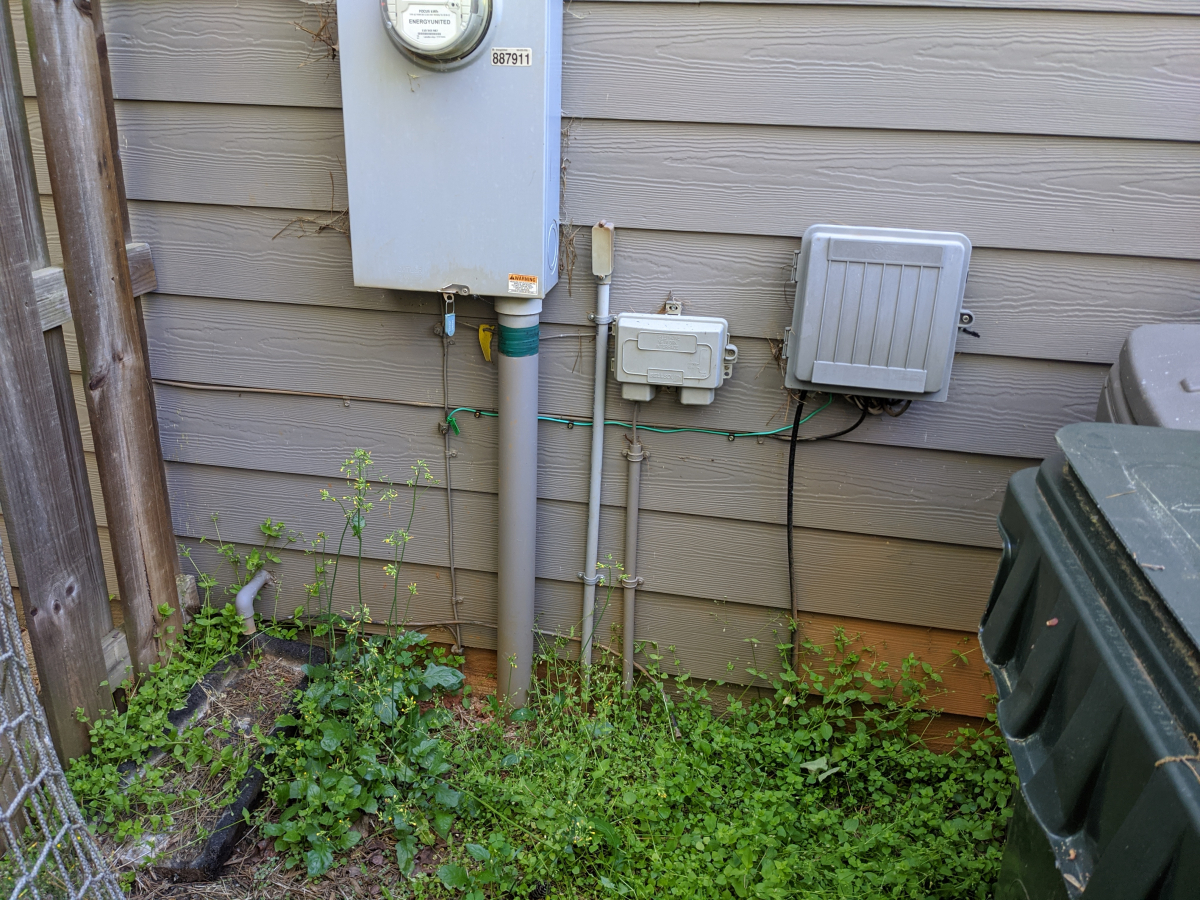
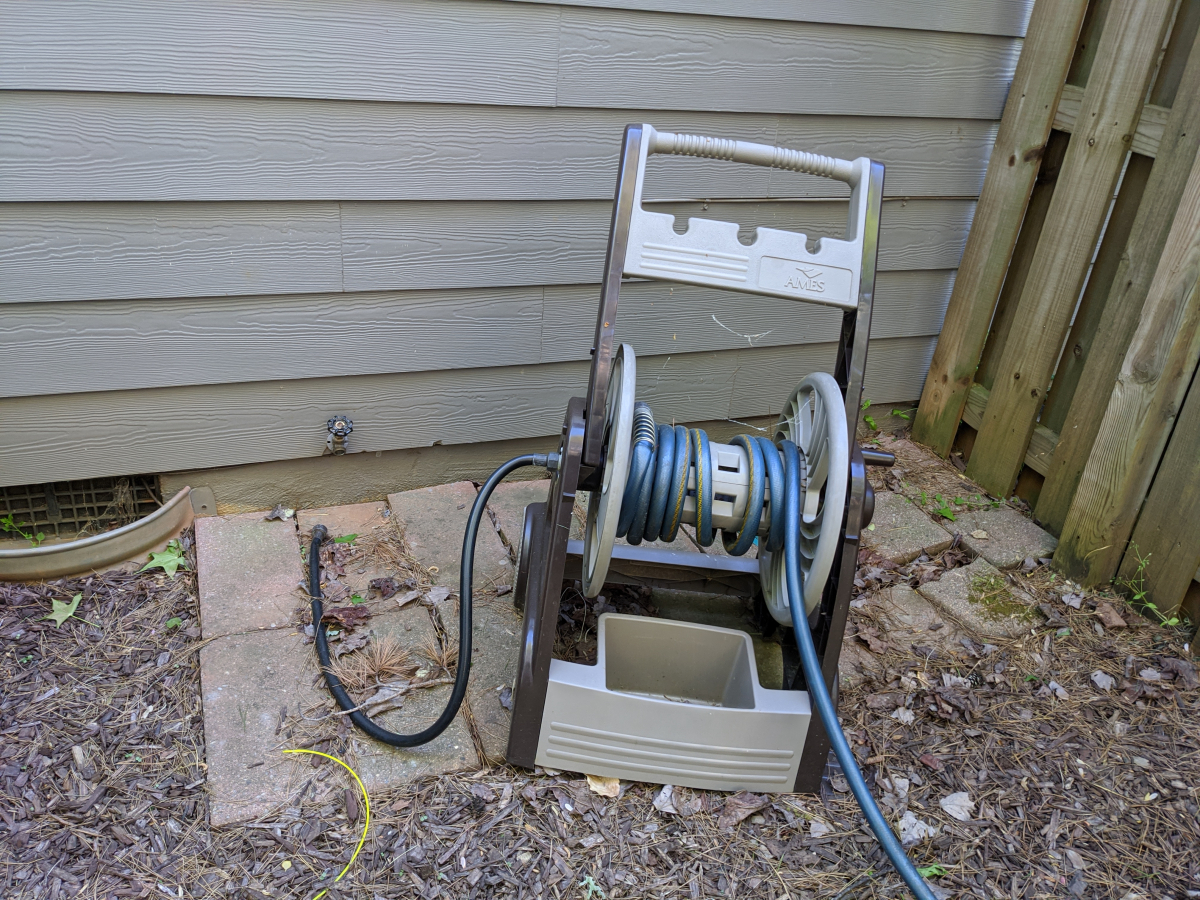
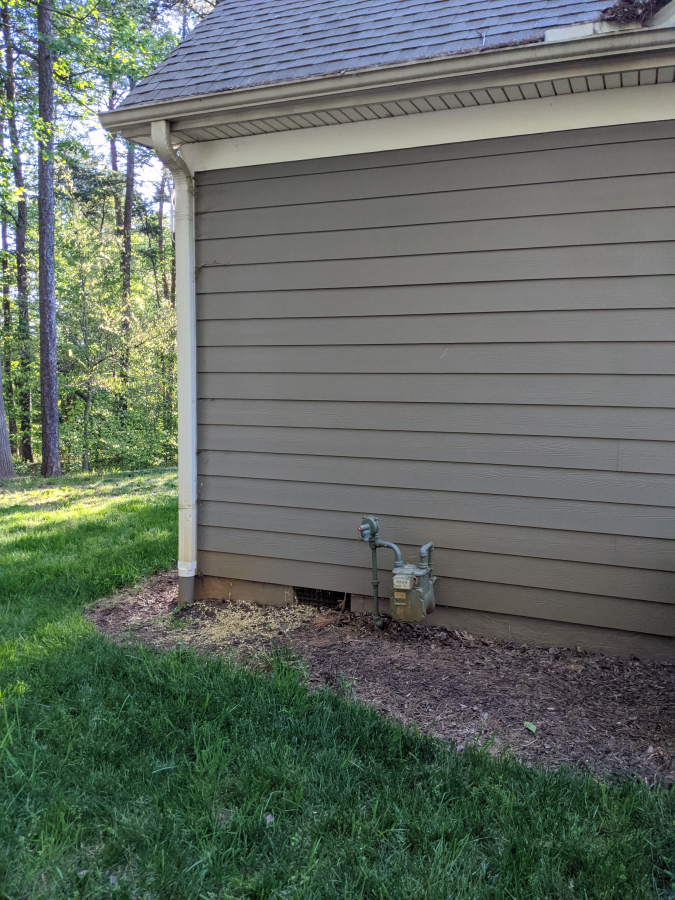
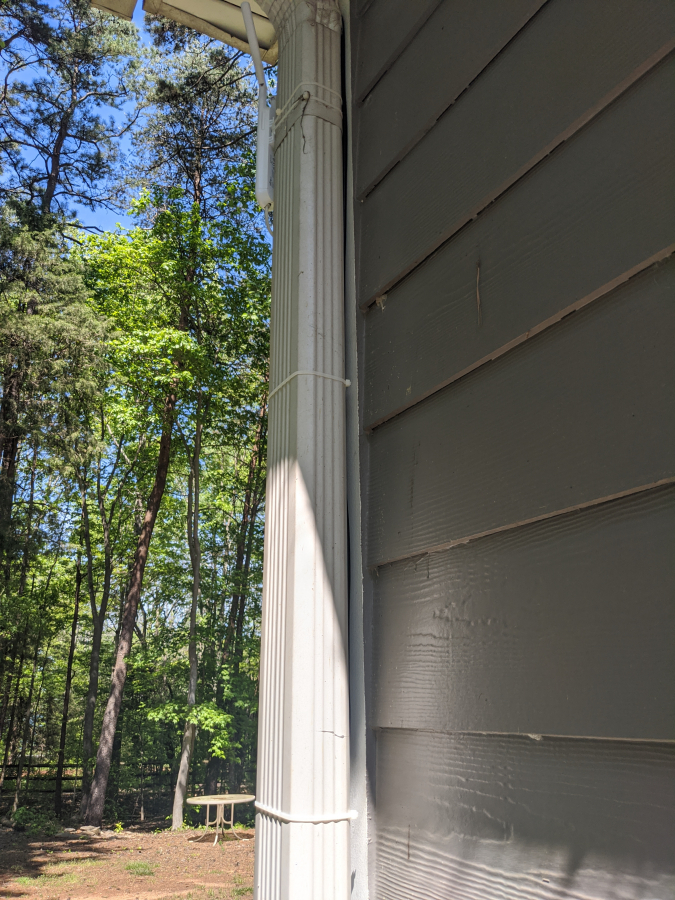
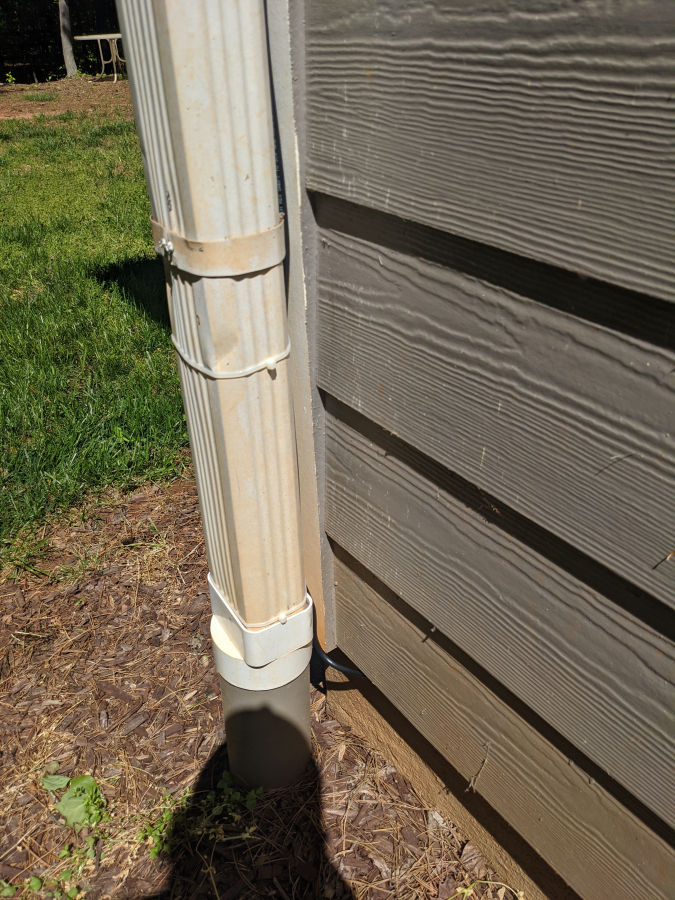
Ran the coax. Originally I didn't want to nail or drill into my hardi plank so I just used zip ties on the downspout like I do for Christmas lights but I am already bothered with how it looks so it will be getting cable clips.
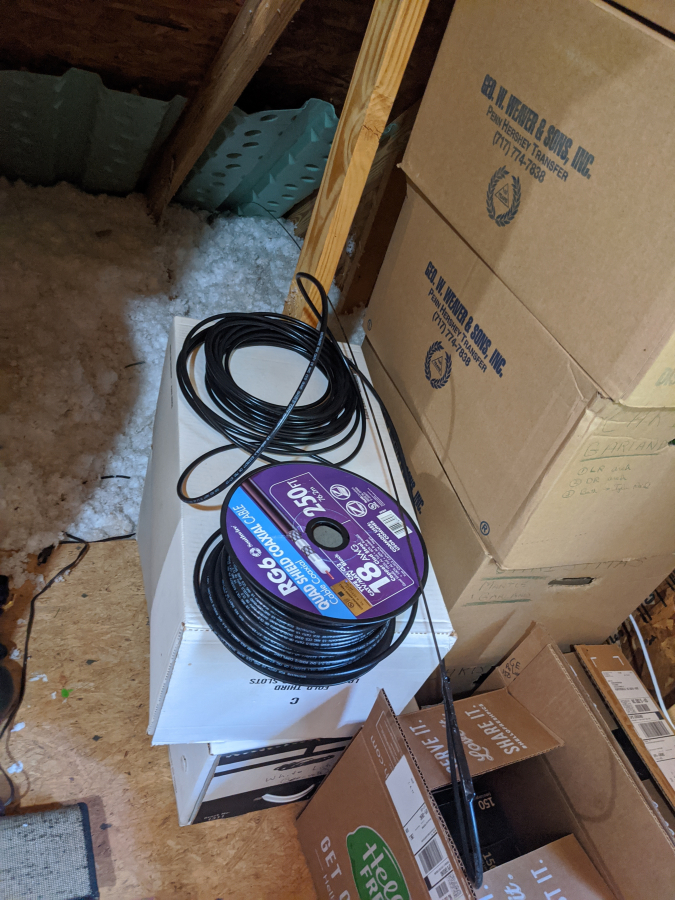
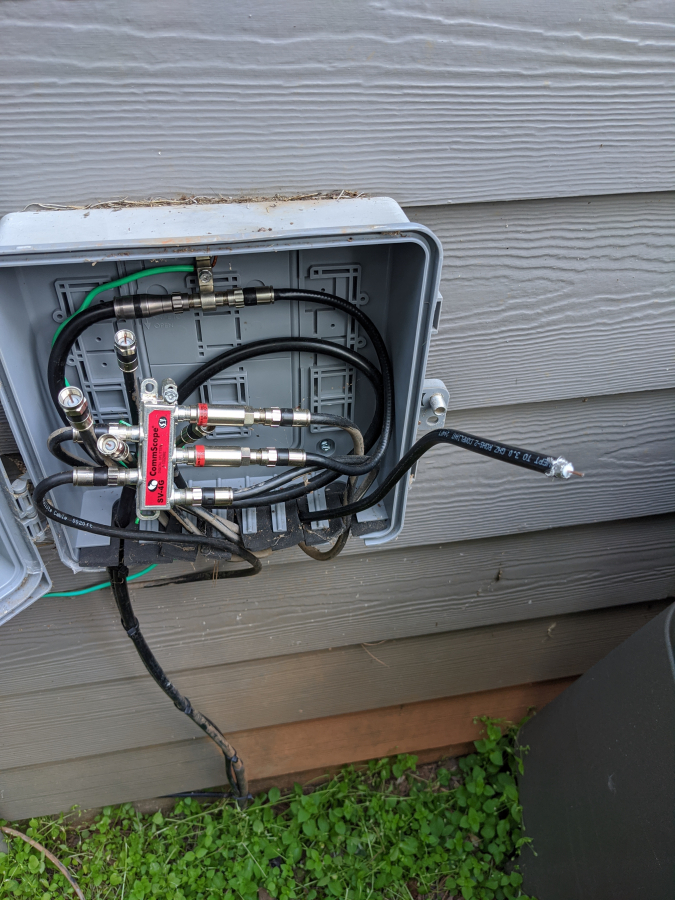
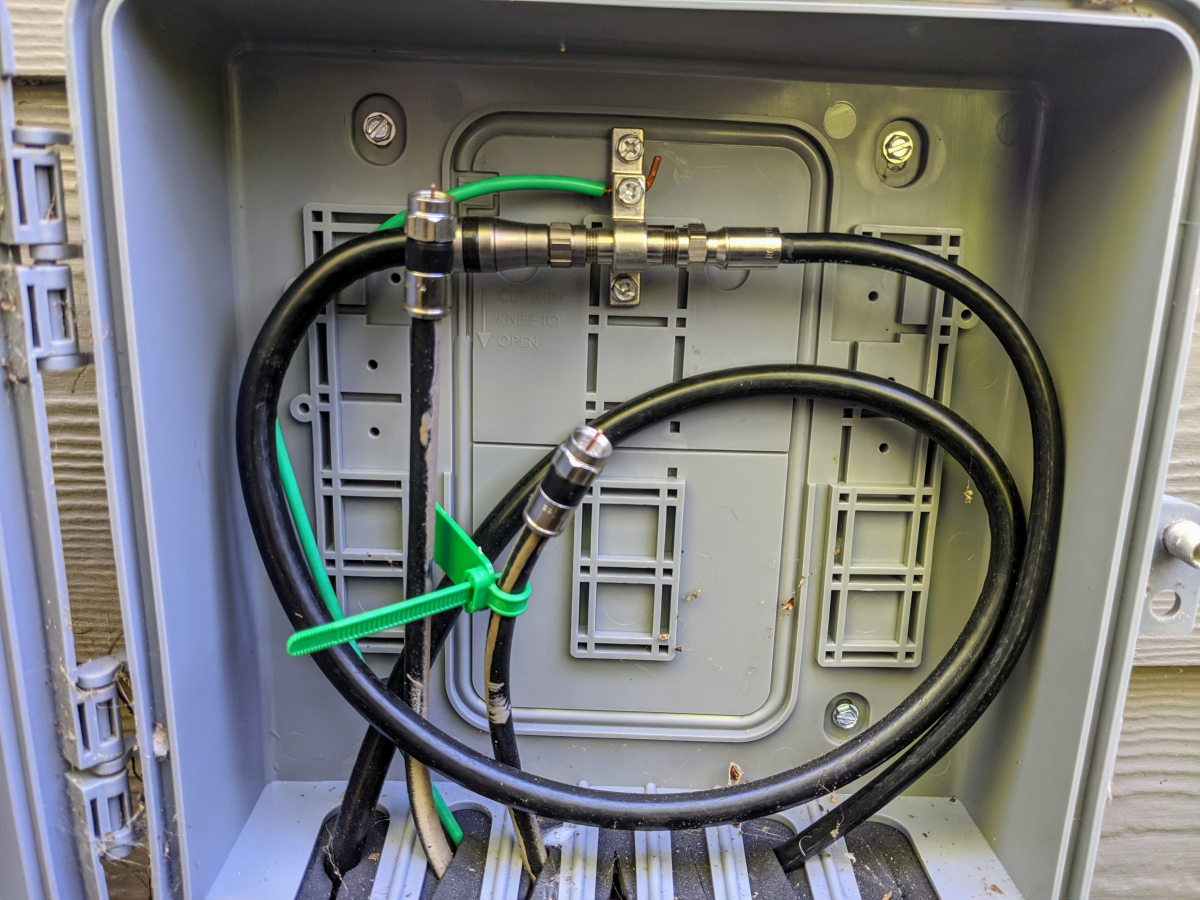
I don't have cable tv anymore since switching to YouTubeTV so there will be no more splitters and getting a direct connection to the modem now
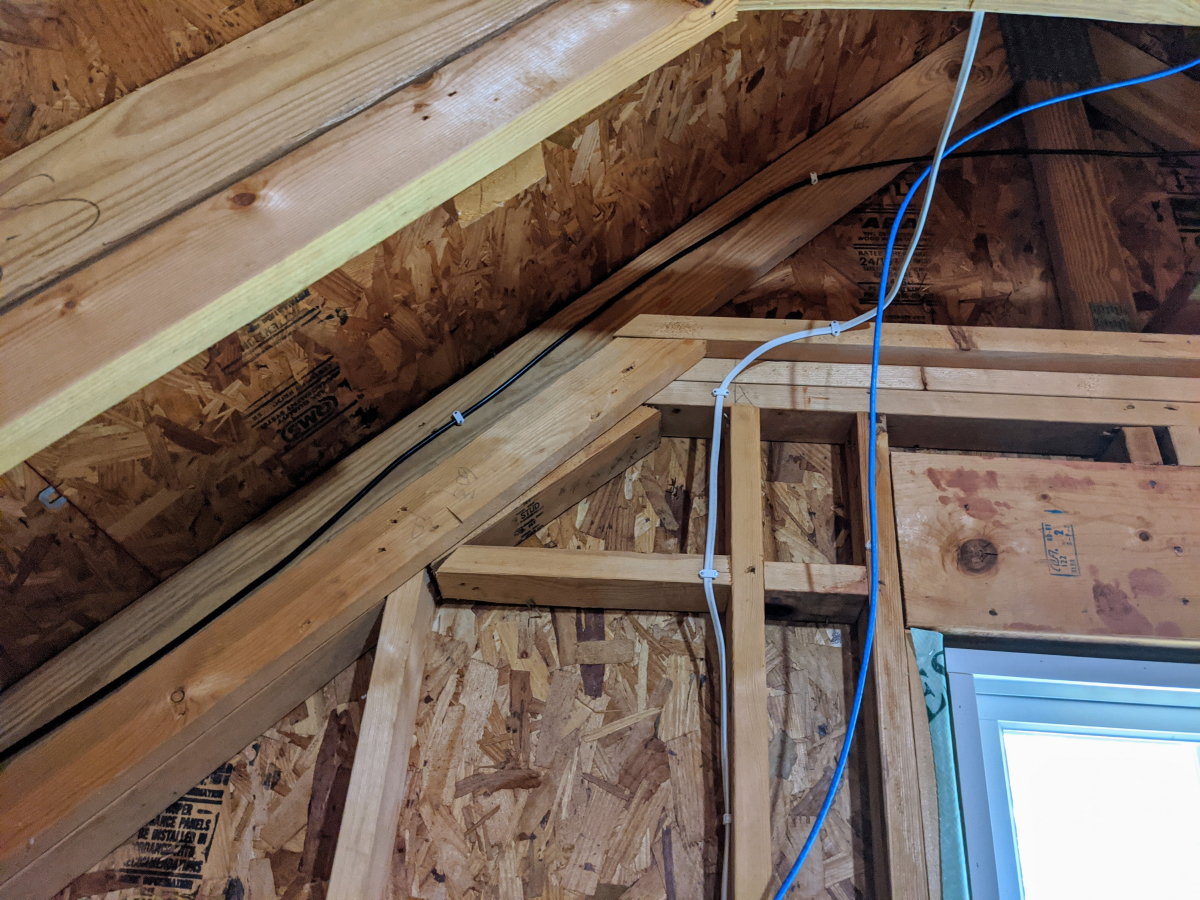
Ran it way up in the rafters to keep it out of the way
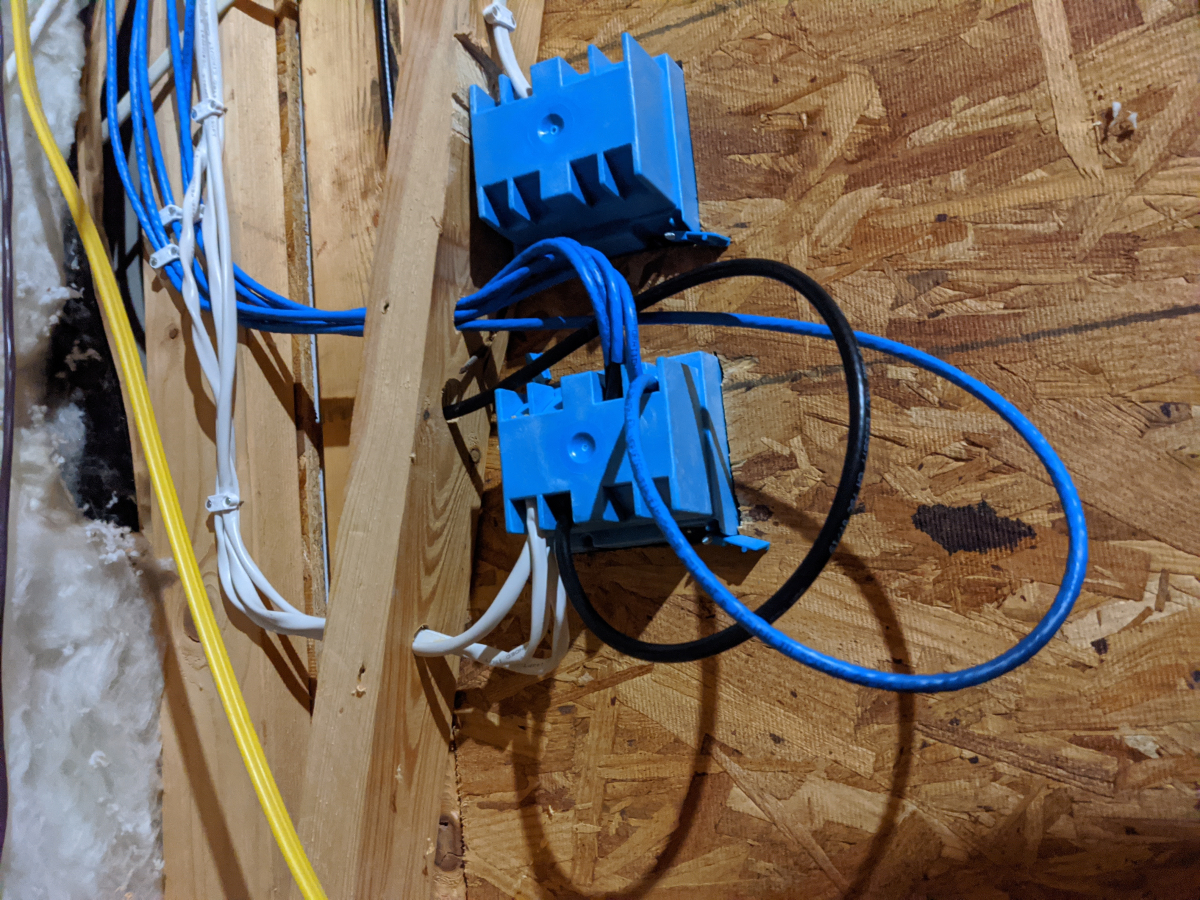
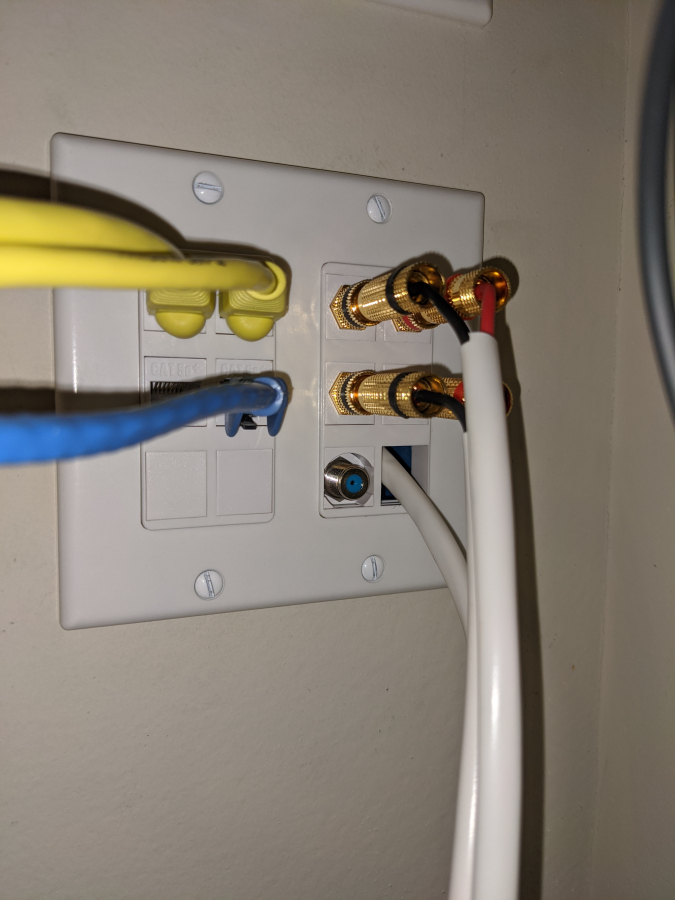
I left a slack loop in case I even need to pull out the connector on the other end to replace it for any reason. Don't mine the other cat6 cable laying there that I ran as well to have as a spare run.
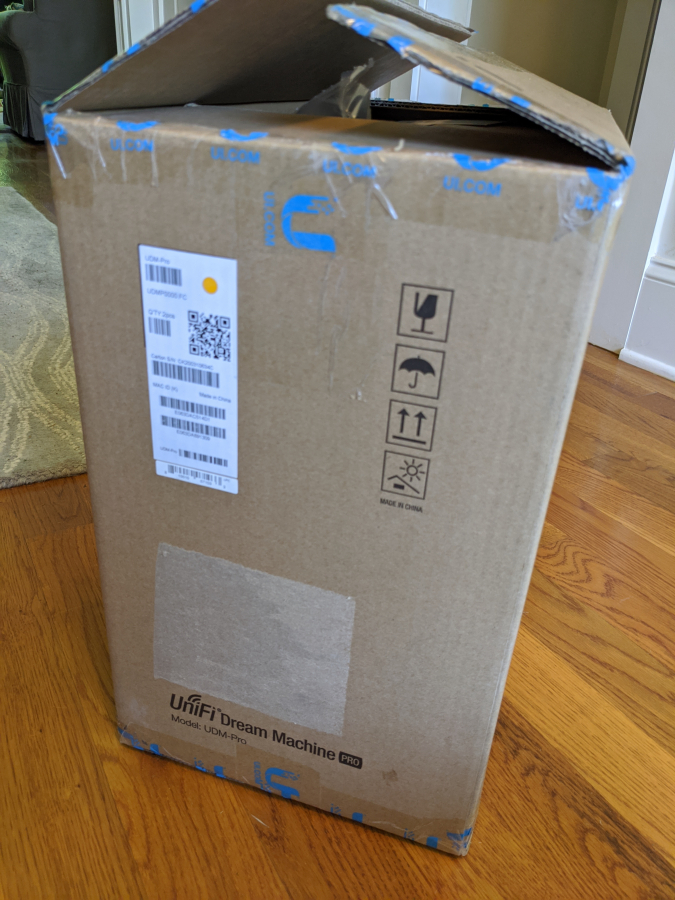
After a week of waiting the hardware finally arrived. Ubiquiti UniFi Dream Machine Pro, UniFi NanoHD, UniFi FlexHD, and UniFi Flex Mini managed switch.
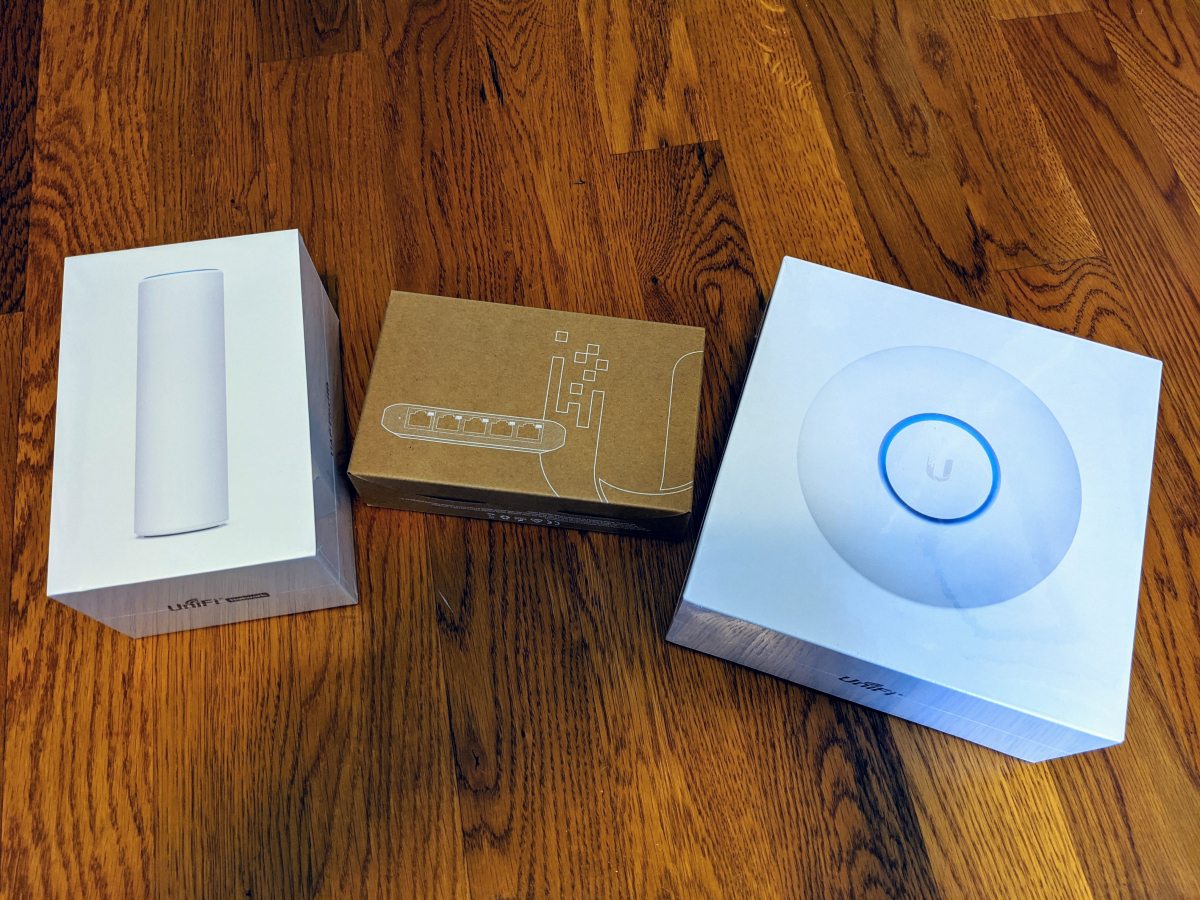
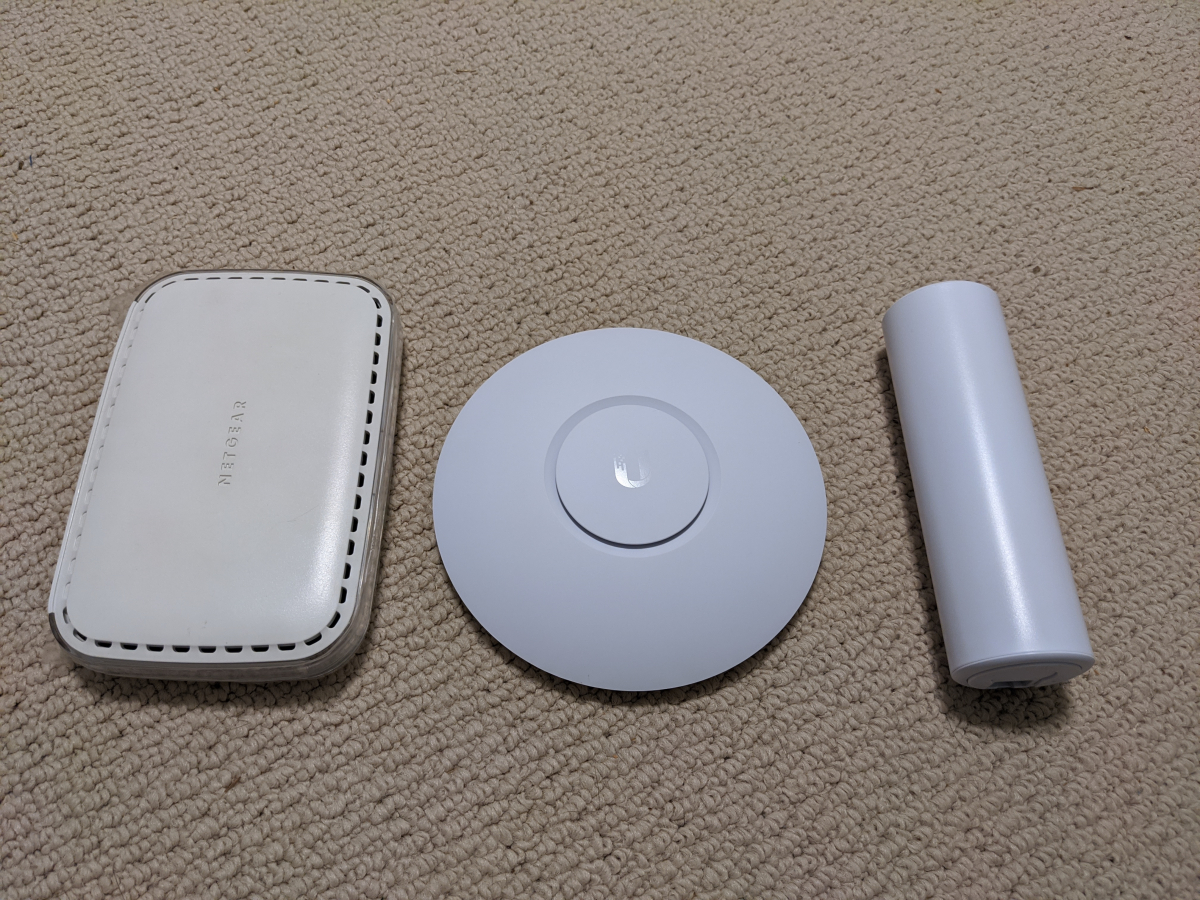
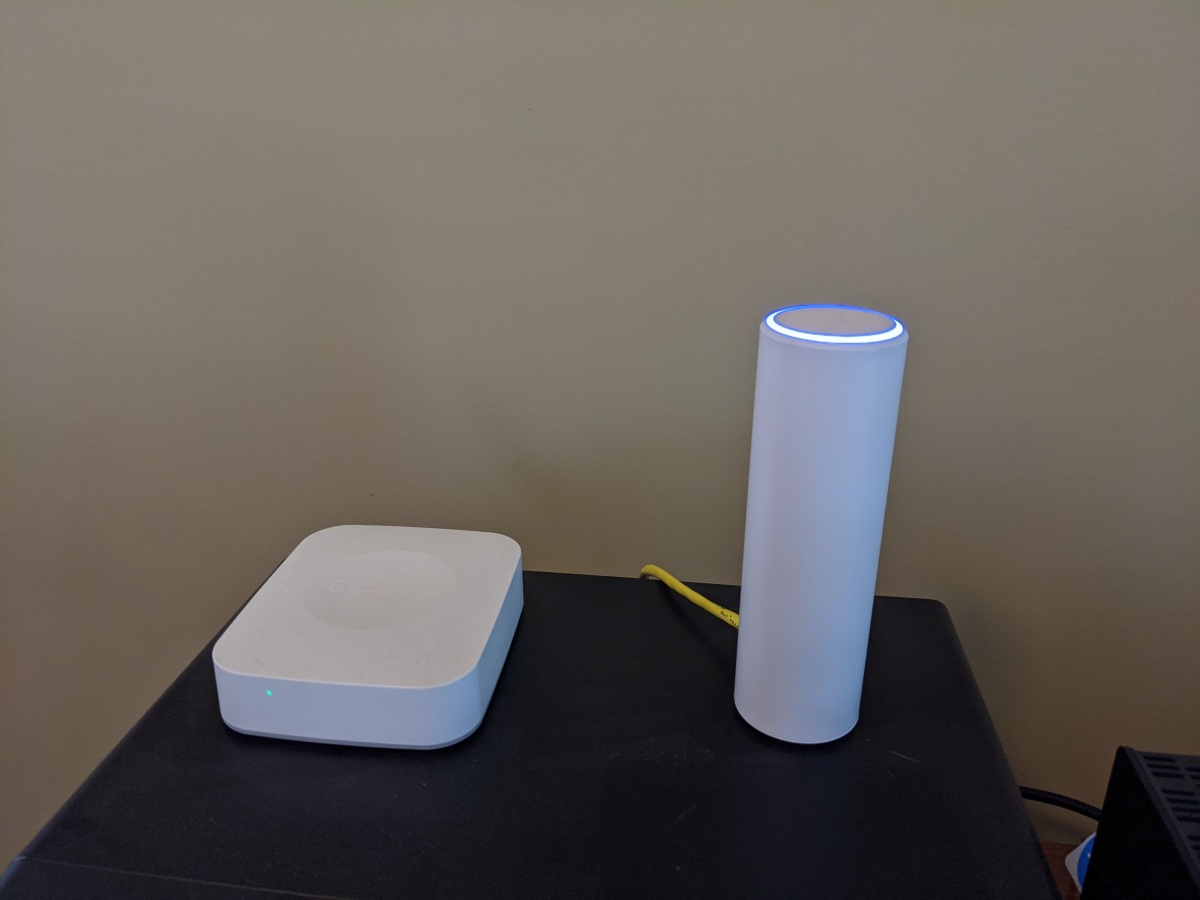
Both APs are really small. The FlexHD like the size of those skinny 12oz soda cans and the NanoHD about the size of a smoke detector.
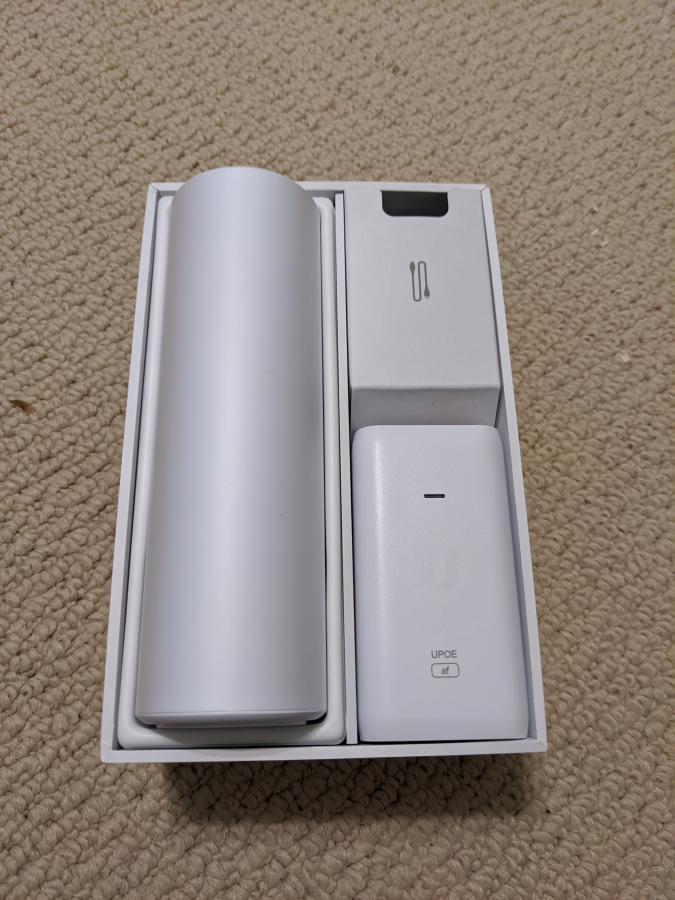
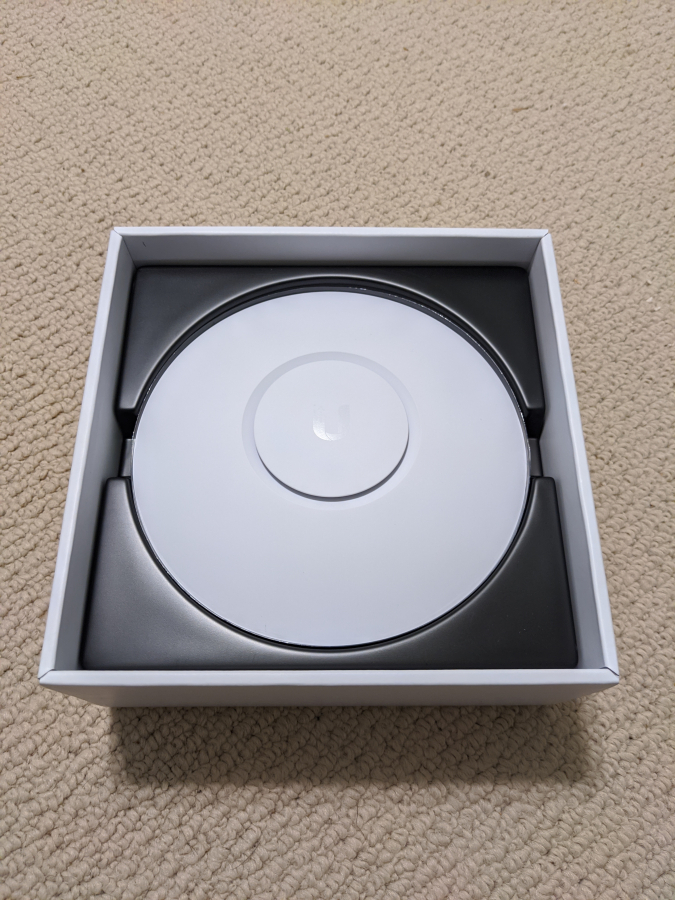
And for size comparison one of the most common 8 port 1gb dumb switches available.
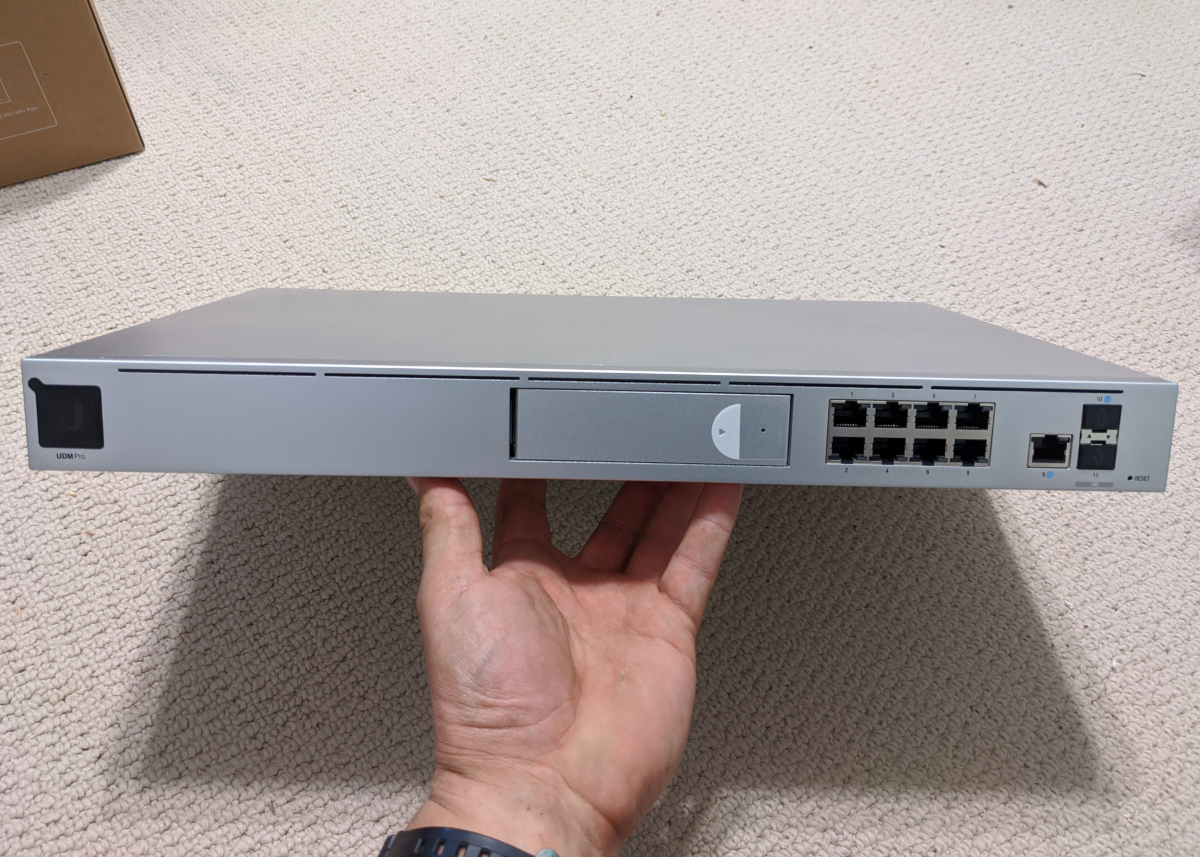
The brains. The UDM Pro. Integrated controller, integrated protect camera system hub, and 8 port switch. No cameras yet that will be phase 2. I plan to do about 10-12 cameras probably next year.
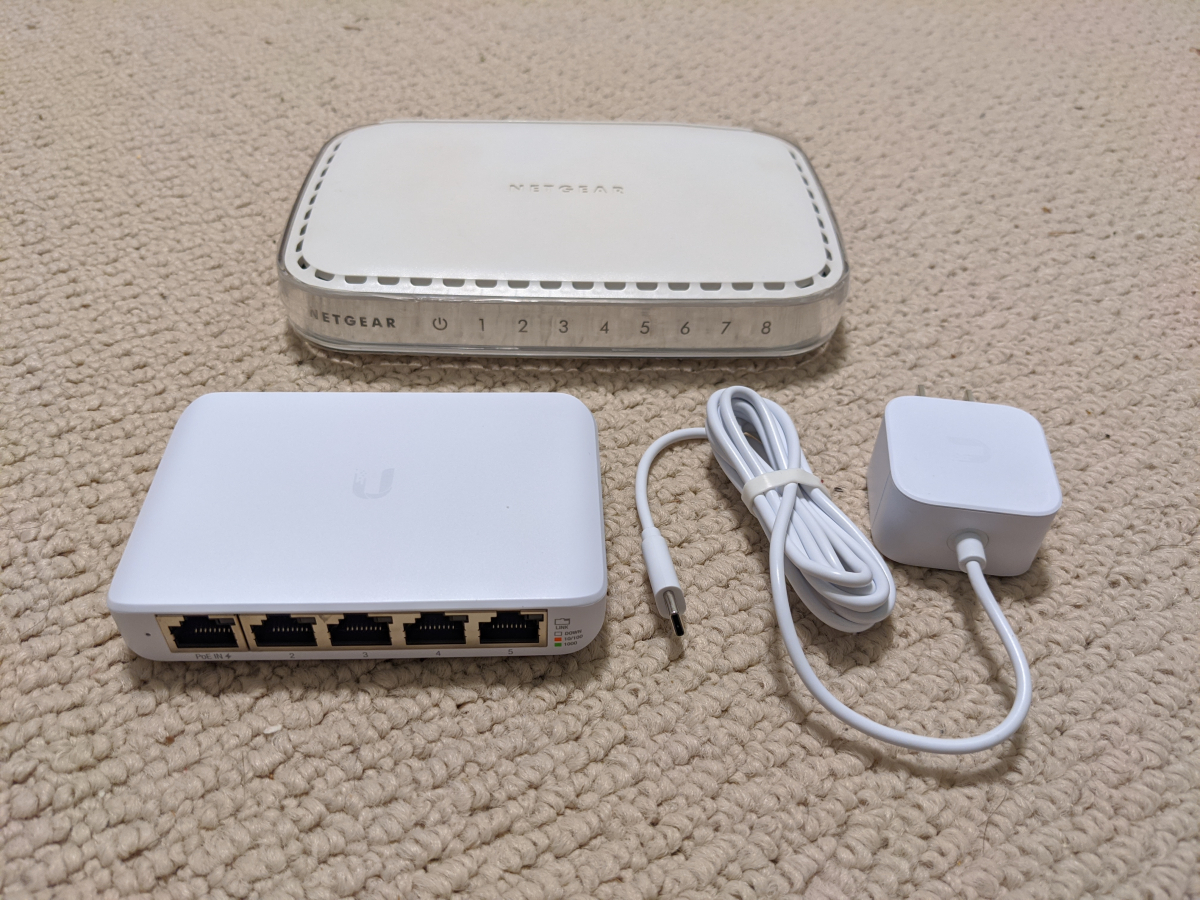
This switch is super small for what it can do. It can be fully managed. There are some advanced things it can't do like link aggregation but I don't need that for what this is doing in my office. Will just run the AP in my office, my desktop, and temporarily my SmartThings Hub and Synology NAS. Those will both move to the closet upstairs once I get a second UPS.
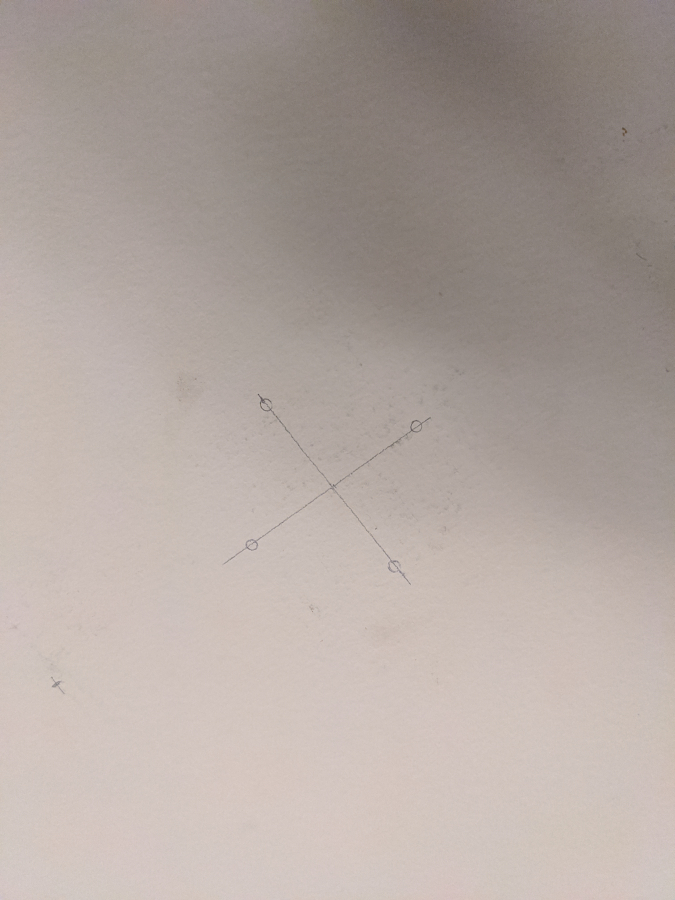
Ceiling mount AP install. I think I measured like 100x before finally drilling.
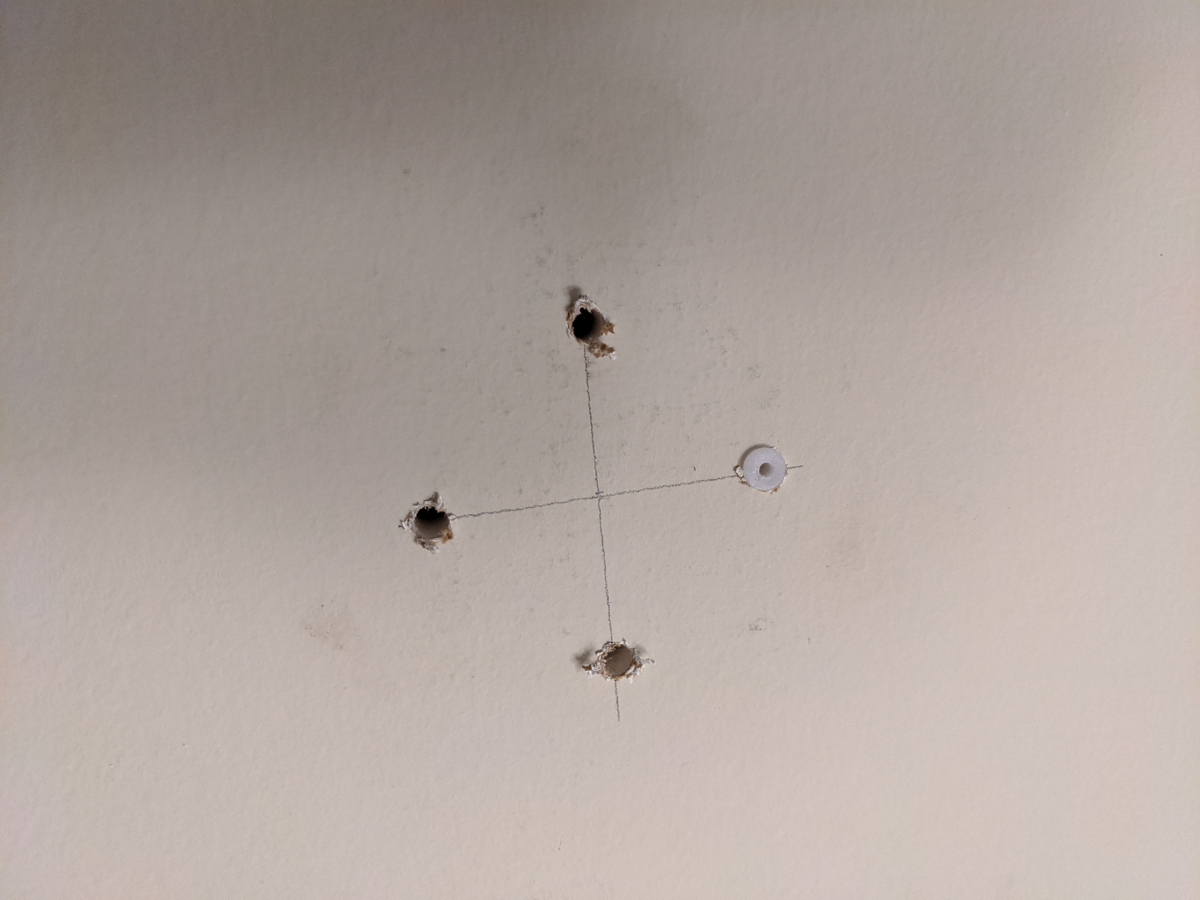
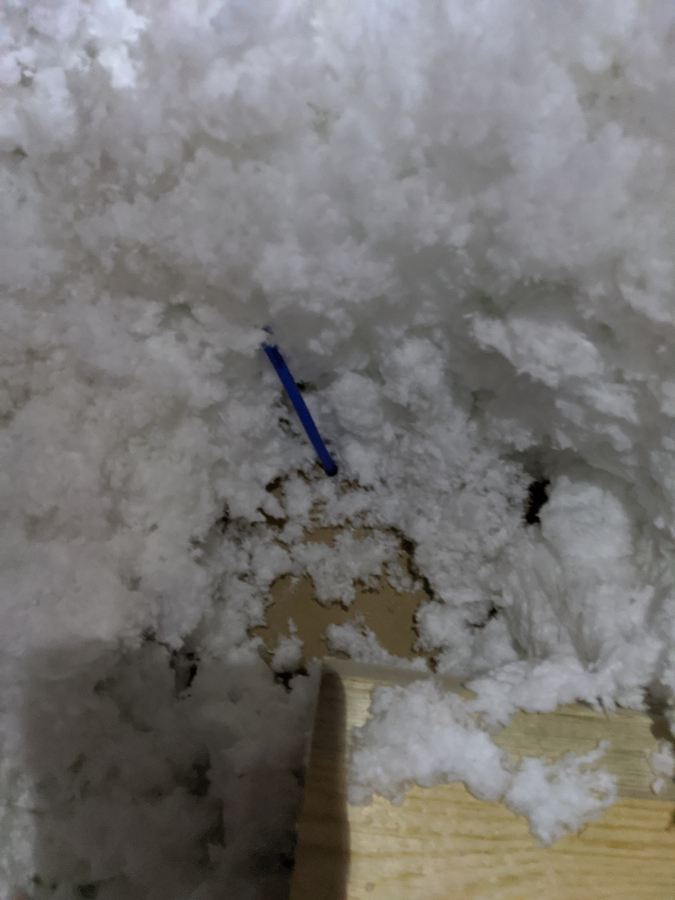
Used a scrap of cable I had around so I could find the hole in the insulation in the area above
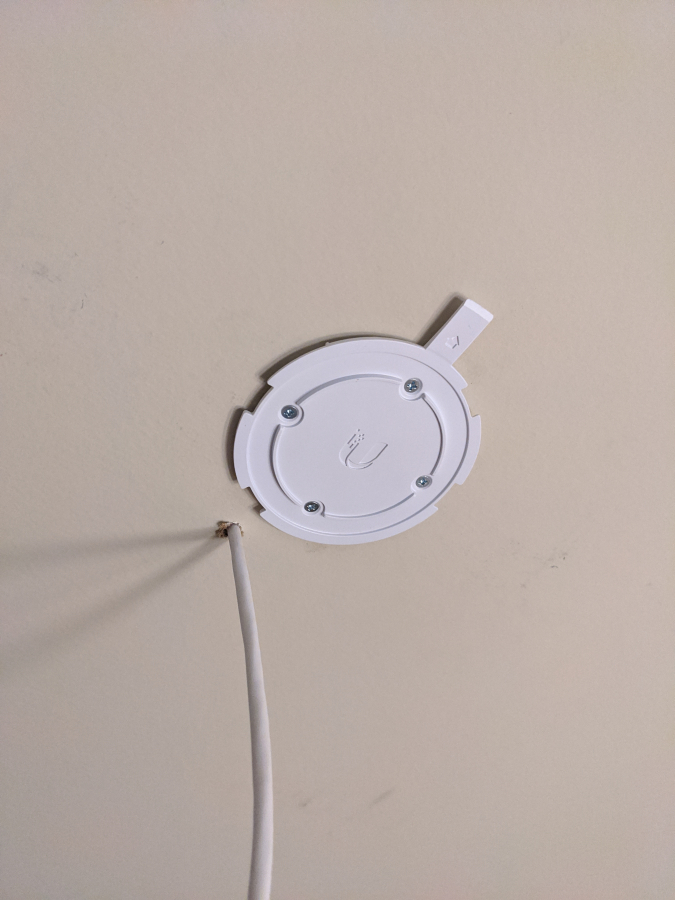
Actual cable ran
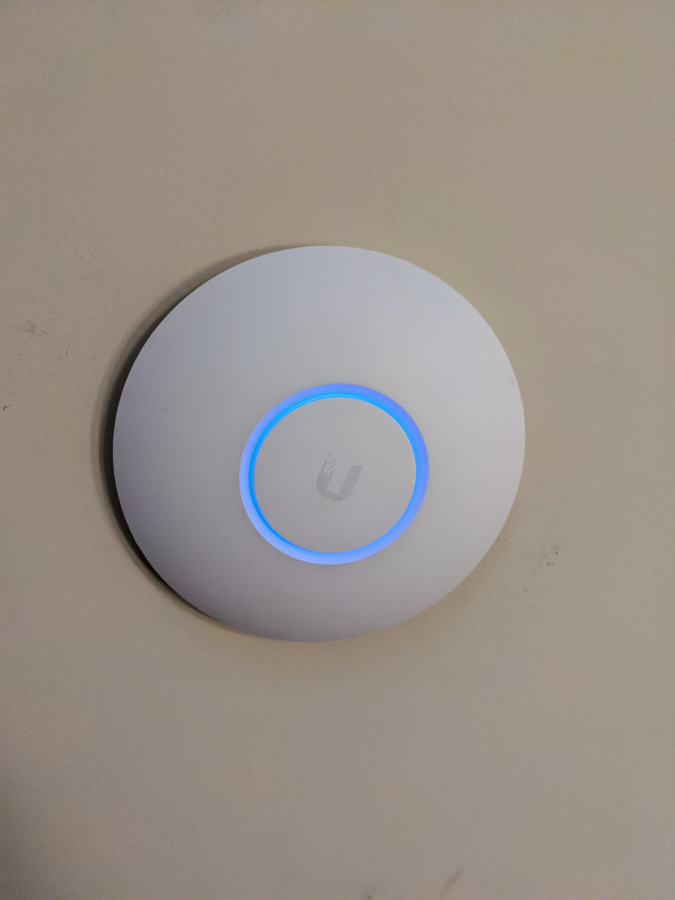
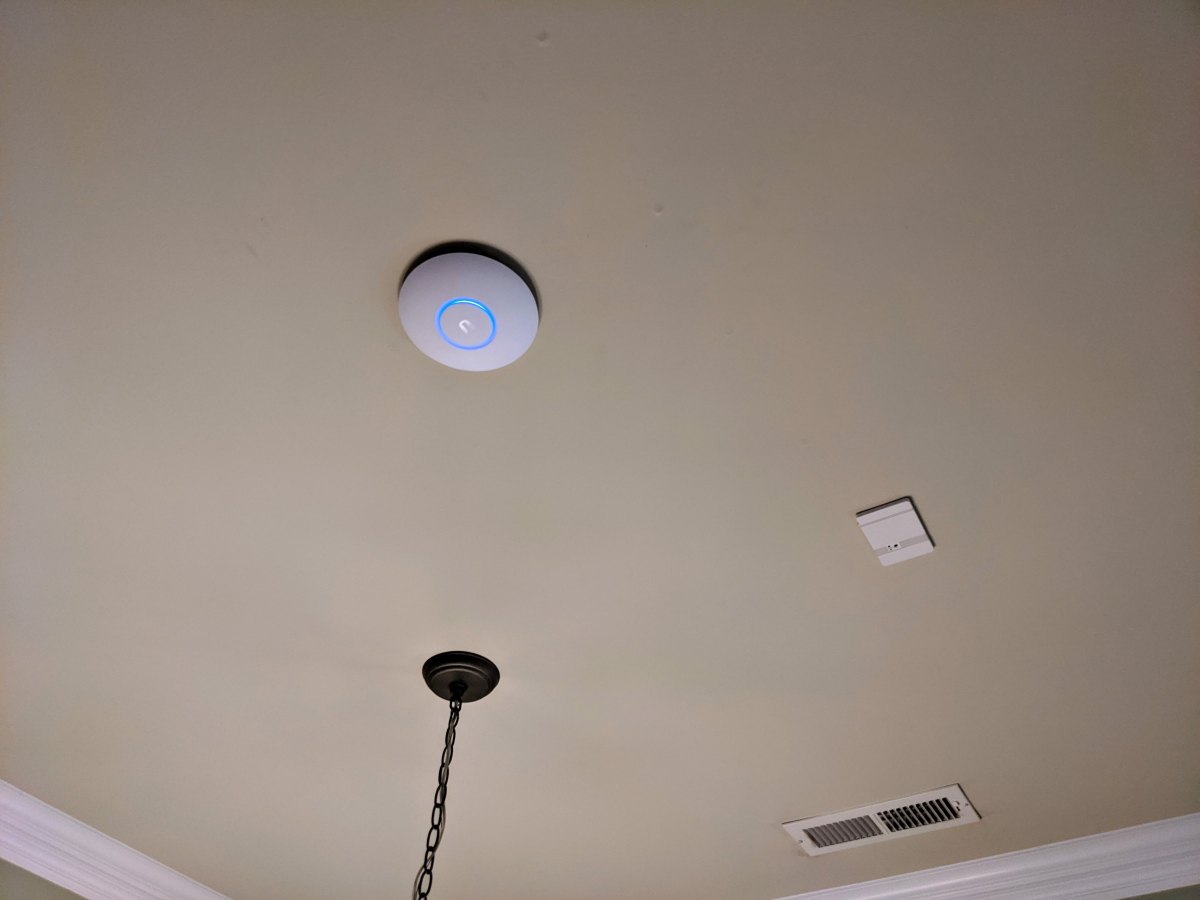
NanoHD installed. Again it is so small. Probably will disable the blue lights eventually as they are pretty bright in the dark.
FlexHD
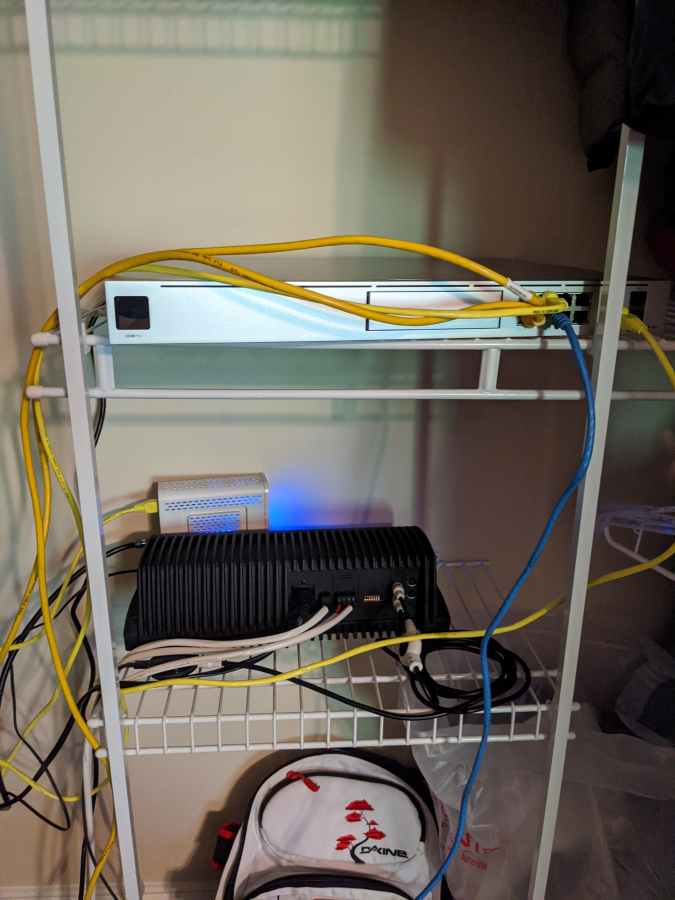
Please excuse the mess here as I have not decided on a rack yet and not sure that I will for about a year as I need to run cables for all my cameras and don't think I want to rip it all out to do that.
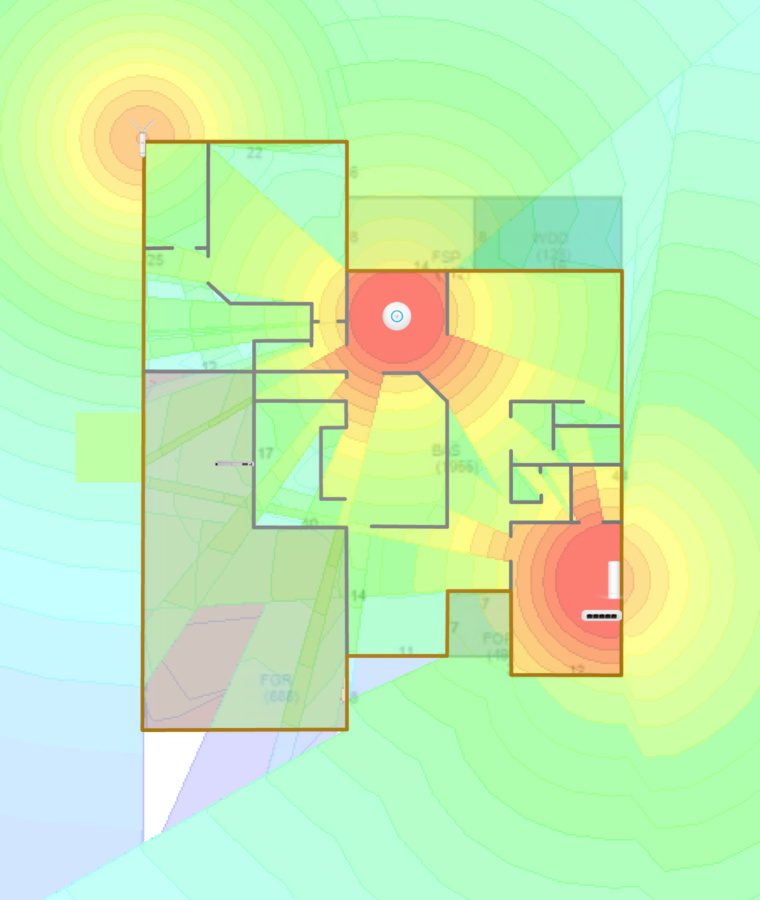
So with my current AP setup here is my coverage. I have already decided I need to add an additional AP upstairs where the controller is above the master and garage side of the house. It just doesn't get great 5Ghz coverage. Everything else though has been fantastic.
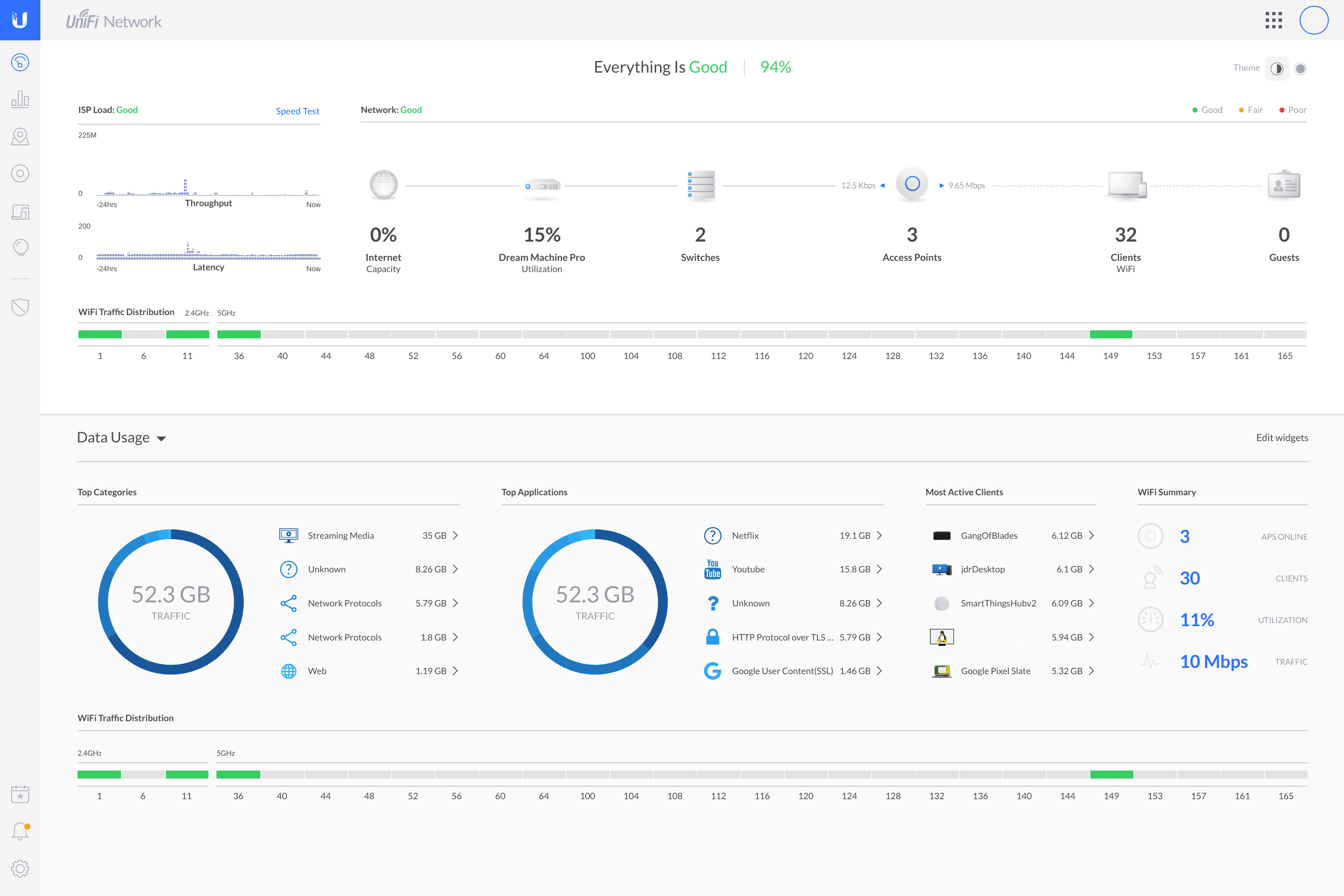
Love the dashboards you can create to monitor important things
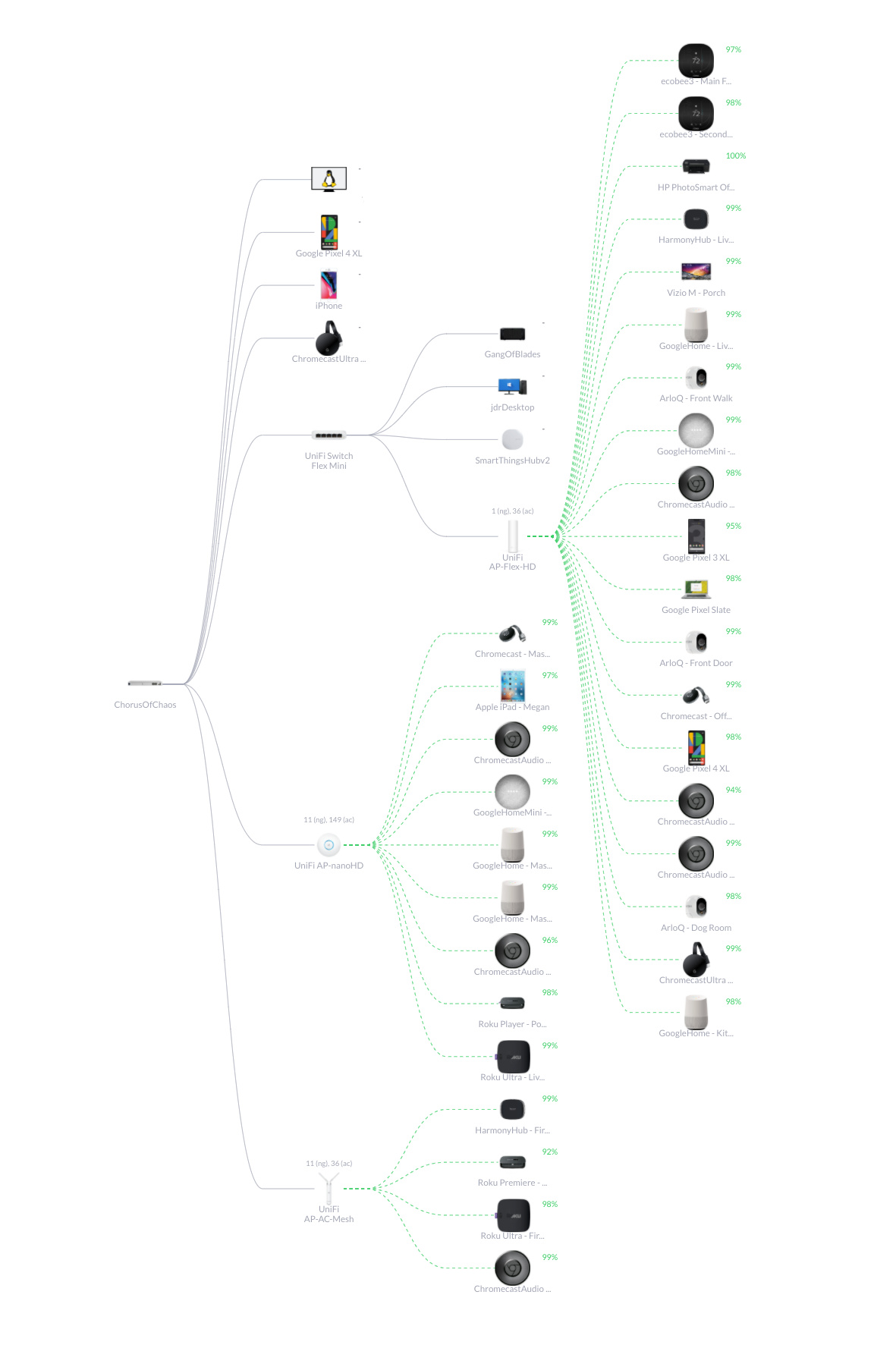
The current topology of everything but I need to move things to the appropriate new APs. I set up everything for the time being to cut out downtime using the same AP names and passwords so as to not have to reconfigure any devices when I brought up the new system. With the fact I can run 4 SSID per AP I can slowly transition everything to the new design as I have time while enjoying the more stable system.
Lots of new users of the UDM Pro have been having issues mostly with trying to migrate from one of their older security gateways. Net new installs seem to be fine and mine so far now has echoed that. The one and only issue I have is certain wireless device types somehow showing up as being LAN connected and not connected to wireless access points. Both my Pixel phone and girlfriend's iPhone are both doing this. A reboot of the controller makes them show up for a short time fine and then after a while, they show up as LAN devices on a switch port again.
Two weeks ago I made the decision to finally tackle a project that has been on the list for a while since I was stuck at home anyways and had the time on the weekends to do the work.
I finally am making the switch to small business level network gear in the house so I can have separate networks for personal devices, IoT devices, and a guest network. The two Asus RT-68U I have been running for the past 3 years and one of which I have had for the last 6 has been fantastic as far as coverage goes but they typically need to be rebooted like once every month or every other month so it was time for an upgrade.
The first part of this was to get coax cable to the closet I installed my outdoor speaker amp in last year and also had run a few network lines to. I tried first to find one o the existing lines that was close by that I might just be able to reroute but decided against that in the end. There also was a line already run to the roof for a satellite in the past but that line was also short and would require an extension at both ends and didn't want to do that. So, in the end, I ran a completely new line of quad shield coax.
Path to run the new coax. This would get it into the unfinished attic the quickest.
Ran the coax. Originally I didn't want to nail or drill into my hardi plank so I just used zip ties on the downspout like I do for Christmas lights but I am already bothered with how it looks so it will be getting cable clips.
I don't have cable tv anymore since switching to YouTubeTV so there will be no more splitters and getting a direct connection to the modem now
Ran it way up in the rafters to keep it out of the way
I left a slack loop in case I even need to pull out the connector on the other end to replace it for any reason. Don't mine the other cat6 cable laying there that I ran as well to have as a spare run.
After a week of waiting the hardware finally arrived. Ubiquiti UniFi Dream Machine Pro, UniFi NanoHD, UniFi FlexHD, and UniFi Flex Mini managed switch.
Both APs are really small. The FlexHD like the size of those skinny 12oz soda cans and the NanoHD about the size of a smoke detector.
And for size comparison one of the most common 8 port 1gb dumb switches available.
The brains. The UDM Pro. Integrated controller, integrated protect camera system hub, and 8 port switch. No cameras yet that will be phase 2. I plan to do about 10-12 cameras probably next year.
This switch is super small for what it can do. It can be fully managed. There are some advanced things it can't do like link aggregation but I don't need that for what this is doing in my office. Will just run the AP in my office, my desktop, and temporarily my SmartThings Hub and Synology NAS. Those will both move to the closet upstairs once I get a second UPS.
Ceiling mount AP install. I think I measured like 100x before finally drilling.
Used a scrap of cable I had around so I could find the hole in the insulation in the area above
Actual cable ran
NanoHD installed. Again it is so small. Probably will disable the blue lights eventually as they are pretty bright in the dark.
FlexHD
Please excuse the mess here as I have not decided on a rack yet and not sure that I will for about a year as I need to run cables for all my cameras and don't think I want to rip it all out to do that.
So with my current AP setup here is my coverage. I have already decided I need to add an additional AP upstairs where the controller is above the master and garage side of the house. It just doesn't get great 5Ghz coverage. Everything else though has been fantastic.
Love the dashboards you can create to monitor important things
The current topology of everything but I need to move things to the appropriate new APs. I set up everything for the time being to cut out downtime using the same AP names and passwords so as to not have to reconfigure any devices when I brought up the new system. With the fact I can run 4 SSID per AP I can slowly transition everything to the new design as I have time while enjoying the more stable system.
Lots of new users of the UDM Pro have been having issues mostly with trying to migrate from one of their older security gateways. Net new installs seem to be fine and mine so far now has echoed that. The one and only issue I have is certain wireless device types somehow showing up as being LAN connected and not connected to wireless access points. Both my Pixel phone and girlfriend's iPhone are both doing this. A reboot of the controller makes them show up for a short time fine and then after a while, they show up as LAN devices on a switch port again.




Moderator


Joined: Aug 2010
Posts: 29,723
Likes: 6,528
From: Spring, TX
Ubiquiti makes some good stuff. Mine dramatically improved the coverage in our house. Having it centrally located in the living room, compared to the Netgear in the upstairs closet that wouldn't even get signal into the living room ~25 ft away.


Senior Moderator
Joined: Apr 2010
Posts: 48,312
Likes: 9,177
From: SoCal, CA
Looking really really good! 
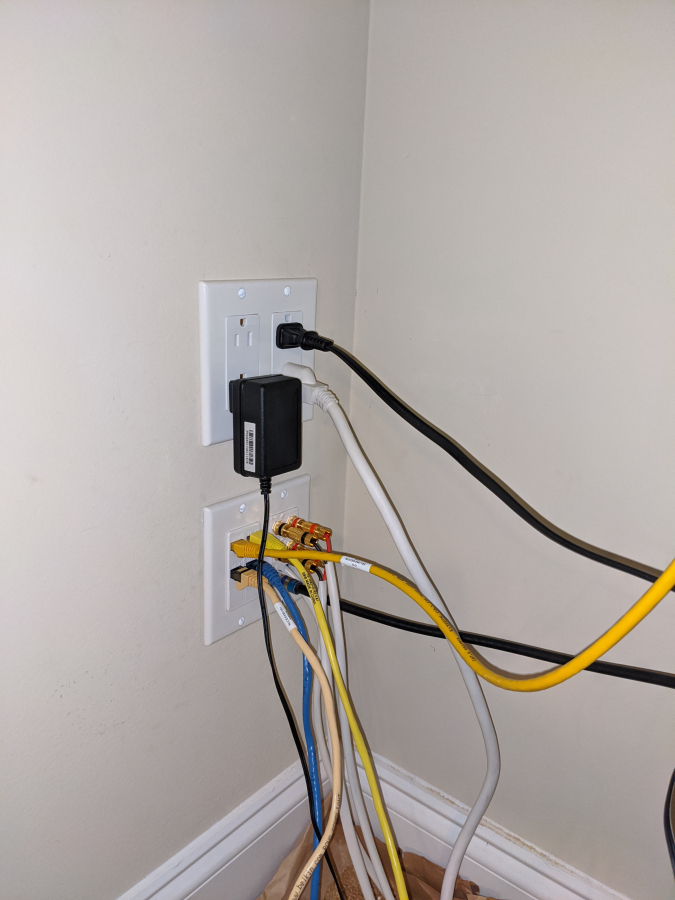
I never saw the backside of the 2gang box where the ethernet/speakers come in, I'm surprised you used an actual box instead of just a low voltage bracket!
I never saw the backside of the 2gang box where the ethernet/speakers come in, I'm surprised you used an actual box instead of just a low voltage bracket!
Thread Starter
Moderator
Regional Coordinator (Southeast)
Regional Coordinator (Southeast)
Joined: Dec 2003
Posts: 44,123
Likes: 4,434
From: Mooresville, NC
I went for an actual box to limit the openness as much as possible because of the other side of the wall being unfinished space so I want to leave as little open holes as possible for hot air to come in. Going to be interesting when I put in the third box with 12 connections in it. When I do the cameras I will put patch panels in the rack with small jumpers to those boxes. I know it adds additional connections to each line but should be fine how short they will all be.
Senior Moderator
Joined: Apr 2010
Posts: 48,312
Likes: 9,177
From: SoCal, CA
Man.. keystones aren't cheap, I personally would just install the low voltage bracket, add one of these: https://smile.amazon.com/Arlington-C...-no-redirect=1, and then connect to the backside of the patch panel. The keystone on the wall may look nice but you're adding a lot more points of failure.
Thread Starter
Moderator
Regional Coordinator (Southeast)
Regional Coordinator (Southeast)
Joined: Dec 2003
Posts: 44,123
Likes: 4,434
From: Mooresville, NC
Man.. keystones aren't cheap, I personally would just install the low voltage bracket, add one of these: https://smile.amazon.com/Arlington-C...-no-redirect=1, and then connect to the backside of the patch panel. The keystone on the wall may look nice but you're adding a lot more points of failure.


Joined: Sep 2008
Posts: 78,249
Likes: 20,202
It's in Johnny's nature to want to help and improve.
It can come across as unrequited criticism but he means well.
He likes your junction box or whatever it's called. He thinks it's nice.

It can come across as unrequited criticism but he means well.
He likes your junction box or whatever it's called. He thinks it's nice.


Senior Moderator
Joined: Apr 2010
Posts: 48,312
Likes: 9,177
From: SoCal, CA

Thread Starter
Moderator
Regional Coordinator (Southeast)
Regional Coordinator (Southeast)
Joined: Dec 2003
Posts: 44,123
Likes: 4,434
From: Mooresville, NC
Oh I'm fine with the suggestions. I had my reasons and they might not be right but they work. Never get but heart from stuff like that.


Moderator
Joined: Aug 2010
Posts: 29,723
Likes: 6,528
From: Spring, TX
The Ubiquiti is exactly why I needed the upgrade.
Sitting in my living room, I can see into the 2nd floor guest room where the network panel is, yes the Netgear got very weak signal into the living room, and no signal at all into the Master.
ISP sent out a tech, the "cleaned the fiber lines" into the house, and even tried a "top end" Netgear router, with no appreciable change in signal strength.
Luckily, the whole house is networked, so I have a drop right under the TV in the living room. Bought a 16 port switch, & wired up a few jacks, put the Ubiquiti in the living room under the TV stand & have strong signal in the whole house, and in the pool. Slightly weak in the driveway, but it's going through a lot of walls in-between.
Sitting in my living room, I can see into the 2nd floor guest room where the network panel is, yes the Netgear got very weak signal into the living room, and no signal at all into the Master.
ISP sent out a tech, the "cleaned the fiber lines" into the house, and even tried a "top end" Netgear router, with no appreciable change in signal strength.
Luckily, the whole house is networked, so I have a drop right under the TV in the living room. Bought a 16 port switch, & wired up a few jacks, put the Ubiquiti in the living room under the TV stand & have strong signal in the whole house, and in the pool. Slightly weak in the driveway, but it's going through a lot of walls in-between.
Thread Starter
Moderator
Regional Coordinator (Southeast)
Regional Coordinator (Southeast)
Joined: Dec 2003
Posts: 44,123
Likes: 4,434
From: Mooresville, NC
I had some pour 5ghz signal strength in some areas and I wanted to move almost all devices to 5ghz. The other reason is for additional security. I can zone different devices off in their own little part of the network essentially and keep them from talking to only devices they should be. It is also phase one of a bigger plan which will include a somewhat large for a home camera deployment. I will be able to segment off this traffic as well. Lastly, I am a nerd and I love playing with new tech.
Thread Starter
Moderator
Regional Coordinator (Southeast)
Regional Coordinator (Southeast)
Joined: Dec 2003
Posts: 44,123
Likes: 4,434
From: Mooresville, NC
The Ubiquiti is exactly why I needed the upgrade.
Sitting in my living room, I can see into the 2nd floor guest room where the network panel is, yes the Netgear got very weak signal into the living room, and no signal at all into the Master.
ISP sent out a tech, the "cleaned the fiber lines" into the house, and even tried a "top end" Netgear router, with no appreciable change in signal strength.
Luckily, the whole house is networked, so I have a drop right under the TV in the living room. Bought a 16 port switch, & wired up a few jacks, put the Ubiquiti in the living room under the TV stand & have strong signal in the whole house, and in the pool. Slightly weak in the driveway, but it's going through a lot of walls in-between.
Sitting in my living room, I can see into the 2nd floor guest room where the network panel is, yes the Netgear got very weak signal into the living room, and no signal at all into the Master.
ISP sent out a tech, the "cleaned the fiber lines" into the house, and even tried a "top end" Netgear router, with no appreciable change in signal strength.
Luckily, the whole house is networked, so I have a drop right under the TV in the living room. Bought a 16 port switch, & wired up a few jacks, put the Ubiquiti in the living room under the TV stand & have strong signal in the whole house, and in the pool. Slightly weak in the driveway, but it's going through a lot of walls in-between.
Moderator
Joined: Aug 2010
Posts: 29,723
Likes: 6,528
From: Spring, TX
Luckily, the living room & office are double-dropped, so I have the TV & PS3 hardwired in on a small 5 port switch in the living room, with the Ubiquiti in the 2nd port.
Could only get 1 port alive in the office, but that was enough to run to the docking station for my computer.