Navi Hack BMP's (Images)


Racer
Joined: Jan 2005
Posts: 268
Likes: 1
From: at home

My startup screen featuring Ayumi Hamasaki, a Japanese pop star. Note that the logo on the right (Also a variation of 'A' is her symbol). I used it for a long time since the original dumpnavi comes up and never updated until now.
Racer
Joined: Jan 2005
Posts: 268
Likes: 1
From: at home
Update for above post:
NOTE: I don't remember why my size is different (478x232 instead of the current 480x234 standard). It also didn't remember if I use 173 or 174 indexed (the 174 includes transparency for Mac CS3 user).
NOTE: I don't remember why my size is different (478x232 instead of the current 480x234 standard). It also didn't remember if I use 173 or 174 indexed (the 174 includes transparency for Mac CS3 user).






Acura Newbie
Joined: Dec 2007
Posts: 70
Likes: 0
From: Ohio
For those having issues with their images - here is a rundown:
1. download and install IRFANVIEW - http://www.irfanview.com/
2. open image in Irfanview
3. make sure size is 480x234 - resize/resample if not
4. make sure color depth is 256 colors or 8bit - downgrade colors if not
5. save as Bitmap
6. For 3.xx NAVs you're done, re-insert your image into your BIN
6a. For 4.xx NAVs, download 8to16 (here), convert it to 16 bit, and re-insert it into your BIN
1. download and install IRFANVIEW - http://www.irfanview.com/
2. open image in Irfanview
3. make sure size is 480x234 - resize/resample if not
4. make sure color depth is 256 colors or 8bit - downgrade colors if not
5. save as Bitmap
6. For 3.xx NAVs you're done, re-insert your image into your BIN
6a. For 4.xx NAVs, download 8to16 (here), convert it to 16 bit, and re-insert it into your BIN

Intermediate
Joined: Mar 2006
Posts: 36
Likes: 0
version 3 or 4
Originally Posted by blipszyc
For those having issues with their images - here is a rundown:
1. download and install IRFANVIEW - http://www.irfanview.com/
2. open image in Irfanview
3. make sure size is 480x234 - resize/resample if not
4. make sure color depth is 256 colors or 8bit - downgrade colors if not
5. save as Bitmap
6. For 3.xx NAVs you're done, re-insert your image into your BIN
6a. For 4.xx NAVs, download 8to16 (here), convert it to 16 bit, and re-insert it into your BIN
1. download and install IRFANVIEW - http://www.irfanview.com/
2. open image in Irfanview
3. make sure size is 480x234 - resize/resample if not
4. make sure color depth is 256 colors or 8bit - downgrade colors if not
5. save as Bitmap
6. For 3.xx NAVs you're done, re-insert your image into your BIN
6a. For 4.xx NAVs, download 8to16 (here), convert it to 16 bit, and re-insert it into your BIN
How do I know if I have version 3.xx or 4.xx ?
I drive an 06 TL and the Navi DVD is orange in color.
Thanks.

2K8 CBP TL-S 6MT
Joined: Nov 2007
Posts: 281
Likes: 0
From: Dirty Jerzey(908)
Originally Posted by aitthen
How do I know if I have version 3.xx or 4.xx ?
I drive an 06 TL and the Navi DVD is orange in color.
Thanks.
I drive an 06 TL and the Navi DVD is orange in color.
Thanks.
Acura Newbie
Joined: Dec 2007
Posts: 70
Likes: 0
From: Ohio
Originally Posted by aitthen
How do I know if I have version 3.xx or 4.xx ?
I drive an 06 TL and the Navi DVD is orange in color.
Thanks.
I drive an 06 TL and the Navi DVD is orange in color.
Thanks.
Intermediate
Joined: Mar 2006
Posts: 36
Likes: 0
one more question and I'll be out of your hair. How do you use 8to16 to convert an 8bit image to 16bit image. I downloaded the program but there's not executable file to install. Please shed some light. Thanks.
-Shiv- 07TL nav
Joined: Oct 2007
Posts: 52
Likes: 0
Help
heey guys i have just bought a TL about 5 months ago just started to do minor things i noticed we can change the image on the nav and
i need HELP to change this if any out here knows what there doing when it comes to computers and changing the image on navi
let me KNOW
THANKSS
i need HELP to change this if any out here knows what there doing when it comes to computers and changing the image on navi
let me KNOW
THANKSS
2K8 CBP TL-S 6MT
Joined: Nov 2007
Posts: 281
Likes: 0
From: Dirty Jerzey(908)
you guys look here for your version and follow instructions
https://acurazine.com/forums/car-parts-sale-361/wtb-stock-intake-gen-1-a-145426/
https://acurazine.com/forums/car-parts-sale-361/wtb-stock-intake-gen-1-a-145426/
Acura Newbie
Joined: Dec 2007
Posts: 70
Likes: 0
From: Ohio
Originally Posted by aitthen
one more question and I'll be out of your hair. How do you use 8to16 to convert an 8bit image to 16bit image. I downloaded the program but there's not executable file to install. Please shed some light. Thanks.



AZ Community Team
Joined: May 2007
Posts: 32,488
Likes: 7,771
From: N35°03'16.75", W 080°51'0.9"
Originally Posted by x rsx 2 env x
Still waiting on some hot white girl pix =] =[ wish i knew how to make em

Originally Posted by blipszyc
For those having issues with their images - here is a rundown:
0. Find Hot Girl Pics
1. download and install IRFANVIEW - http://www.irfanview.com/
2. open image in Irfanview
3. make sure size is 480x234 - resize/resample if not
4. make sure color depth is 256 colors or 8bit - downgrade colors if not
5. save as Bitmap
6. For 3.xx NAVs you're done, re-insert your image into your BIN
6a. For 4.xx NAVs, download 8to16 (here), convert it to 16 bit, and re-insert it into your BIN
0. Find Hot Girl Pics
1. download and install IRFANVIEW - http://www.irfanview.com/
2. open image in Irfanview
3. make sure size is 480x234 - resize/resample if not
4. make sure color depth is 256 colors or 8bit - downgrade colors if not
5. save as Bitmap
6. For 3.xx NAVs you're done, re-insert your image into your BIN
6a. For 4.xx NAVs, download 8to16 (here), convert it to 16 bit, and re-insert it into your BIN
Added Step 0, just in case you need it.

Intermediate
Joined: Apr 2004
Posts: 40
Likes: 0
From: Dighton, MA
not sure if this has ever been mentioned before, but it would be awesome if we could find a way to load several pictures.
everytime you start the car you get a new pic. similar to how you can have windows switch your desktop.
just a thought. if anyone has heard of this post it here!!!
everytime you start the car you get a new pic. similar to how you can have windows switch your desktop.
just a thought. if anyone has heard of this post it here!!!
Originally Posted by Bearcat94
There are instruction on how to make an image right ON THIS PAGE.
Added Step 0, just in case you need it.
Added Step 0, just in case you need it.



Racquetballer
Joined: Nov 2006
Posts: 128
Likes: 0
From: San Jose, CA
Need some image help!!
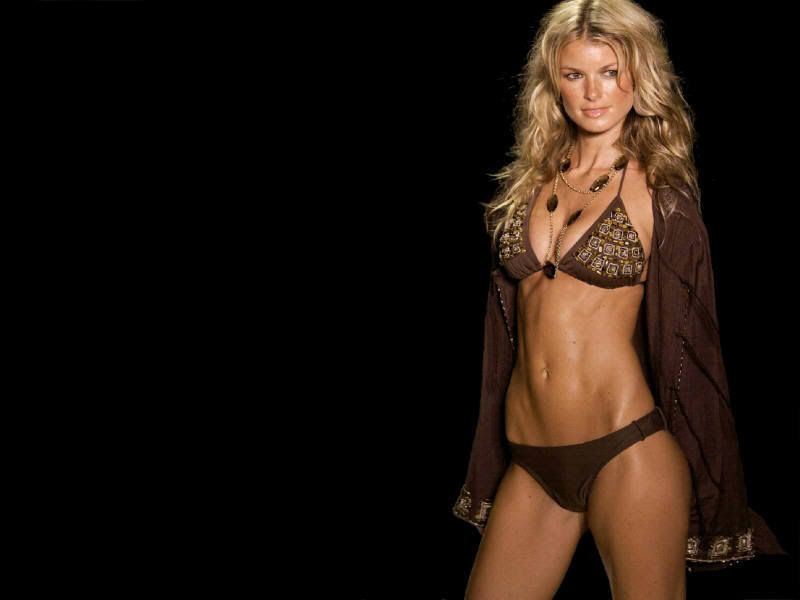
Was wondering if someone could help me out and put a stylish "Welcome Kyle" somewhere on the left side of Marissa for me and make sure image is sized/colored correctly? Thanks so much. Looking at her everytime I get in my car would be awesome. Thanks again.



jessica burciaga =] i checked your file.. it says "back"... i believe this thing is case sensitive.. save it as Back.bmp and give it a shot
what program are u using to edit? i used infranview but the instructions on the main page were confusing as hell for me to change the background because i bought my car with the hacks already done. let me know if you still cant get it tho.
I got confused when it kept talking about 9 bin files or w/e.. all my cds have just 2 bin files burned on them believe thats all u need if u have the hack already done
what program are u using to edit? i used infranview but the instructions on the main page were confusing as hell for me to change the background because i bought my car with the hacks already done. let me know if you still cant get it tho.
I got confused when it kept talking about 9 bin files or w/e.. all my cds have just 2 bin files burned on them believe thats all u need if u have the hack already done
Yeah I've done the hack already I just wanted to change pics...I'm gonna check to see if my other pics were in caps...I used cebin since I have the 3.3 disc not sure if that would make a diff or not.