


Surround Sound?


Thread Starter
Banned
Joined: Jul 2006
Posts: 151
Likes: 0
From: NY
Surround Sound?
Hey all,
What do I have to do to get my stereo to play in surround sound?
As of now, my entire music collection (6GB) is on iTunes in either a m4a or m4p file format. m4a being music that I did not buy from the store and m4p being music bought from the store or music that the program recognized upon import.
So, do I need to convert my music to a specific file format, get blank dvd's, etc?? I dont know where to start. Thanks all.
What do I have to do to get my stereo to play in surround sound?
As of now, my entire music collection (6GB) is on iTunes in either a m4a or m4p file format. m4a being music that I did not buy from the store and m4p being music bought from the store or music that the program recognized upon import.
So, do I need to convert my music to a specific file format, get blank dvd's, etc?? I dont know where to start. Thanks all.

Senior Moderator
Joined: Mar 2005
Posts: 11,999
Likes: 362
From: St. Cloud, FL
Or you can create your own DVD-A disc. They sound incredible in that system. I've made a few myself. Talk about channel separation. Search some threads about conversion and burning of DVD-A's.
Check out this thread:
https://acurazine.com/forums/3g-tl-audio-bluetooth-electronics-navigation-94/i-want-burn-mp3-what-dvd-format-do-i-use-789541/
Check out this thread:
https://acurazine.com/forums/3g-tl-audio-bluetooth-electronics-navigation-94/i-want-burn-mp3-what-dvd-format-do-i-use-789541/
Last edited by LoveMyTL-S; Oct 1, 2010 at 03:39 PM.

look for lossless music... usually it will play in surround sound but its hard to find alot of popular music in lossless formats and you will have to burn it as a dvd-a bc the files are huge
Trending Topics



Joined: Jan 2008
Posts: 36,545
Likes: 6,470
From: Kansas City, MO (Overland Park, KS)
Actually Eric, even a regular CD will also be separated by the head unit and played in surround sound-even if it's not a DVD Audio disc. It isn't as well done as a DVD Audio disc, but the head unit does a decent job of separating the sound on a regular stereo disc.
n00b
Joined: Aug 2010
Posts: 152
Likes: 0
From: Avondale, AZ
I don't think that's true. How is that possible if the source was only mixed in a 2-channel stereo format? Or how about something old-school like the Beatles mono releases? They were originally recorded mono and will only play mono, regardless of hardware... At least, as far as I ever knew.

AZ Community Team
Joined: May 2007
Posts: 32,488
Likes: 7,771
From: N35°03'16.75", W 080°51'0.9"
I don't think that's true. How is that possible if the source was only mixed in a 2-channel stereo format? Or how about something old-school like the Beatles mono releases? They were originally recorded mono and will only play mono, regardless of hardware... At least, as far as I ever knew.
It is possible, but it's not true 5.1 surround for the reason you infer. When you select the Dolby Pro-Logic the radio does some "magic" to split the channels. Something along the lines of:
- Send all signal < 80 Hz to Subwoofer;
- Compare L & R --> send everything that's the same in both between 80 and 5000 hz to center;
- Send unique L > 80 Hz to Front L; send unique R > 80 Hz to Front R.
- Send all L > 80 Hz to Rear L; Send all R > 80 Hz to Rear R.
So, it simulates a surround by mostly by splitting the channels by frequency. I have no idea what the cut offs are or how simiple or complex the logic is. The above is just a simple example.
This is basically what's being done when some one makes a "home made" DVD-A. They sound REALLY good, but they are not true surround sound. More like enhanced stereo from 5 channels, if you see what I mean. It's more about creating a sense of channel separation, not creating moving surround effects.
Last edited by Bearcat94; Oct 4, 2010 at 01:15 AM.

Something along the lines of:
- Send all signal < 80 Hz to Subwoofer;
- Compare L & R --> send everything that's the same in both between 80 and 5000 hz to center;
- Send unique L > 80 Hz to Front L; send unique R > 80 Hz to Front R.
- Send all L > 80 Hz to Rear L; Send all R > 80 Hz to Rear R.
- Send all signal < 80 Hz to Subwoofer;
- Compare L & R --> send everything that's the same in both between 80 and 5000 hz to center;
- Send unique L > 80 Hz to Front L; send unique R > 80 Hz to Front R.
- Send all L > 80 Hz to Rear L; Send all R > 80 Hz to Rear R.
AZ Community Team
Joined: May 2007
Posts: 32,488
Likes: 7,771
From: N35°03'16.75", W 080°51'0.9"
So does this mean that the headunit handles the crossover to the subwoofer? If I replace my sub, all I need to do is tap the factory input wires at the factory sub and input directly into the new amp (either using line inputs or a LOC)? I do not need a separate crossover?
You missed a line.
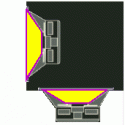
I actually stole that general idea/logic from the way the adobinzer does it's channel splitting.


AZ Community Team
Joined: May 2007
Posts: 32,488
Likes: 7,771
From: N35°03'16.75", W 080°51'0.9"
The other alternative is Cirlinca Solo. You can do a few discs as trial, but after that you have to buy it. I think it's something like $39 or $49. Does everything "the adobinizer" does PLUS authors the DVD-A.

Thread
Thread Starter
Forum
Replies
Last Post
mlody
5G TLX (2015-2020)
85
Dec 4, 2019 02:11 PM
DerrickW
3G TL Performance Parts & Modifications
9
Nov 15, 2015 05:52 PM
