When you click on links to various merchants on this site and make a purchase, this can result in this site earning a commission. Affiliate programs and affiliations include, but are not limited to, the eBay Partner Network.
o yea. i have a pic of the hvafc working with the correct time too. with the nav on and my radio on too, it all works, i am getting alil fed back noise in the front speakers and tweeters. i am goin to solve that by running ne wires from the amp in the trunk to the front x overs. i cant remember the name of it rite now but its 4 small gauge wire inside of an insulated covering. that will fix the noise i hope.
Did u soter the resistor on the wires and would this be the same for an 05 Acura tl just installed my sound system and just trying to get the touch screen on my navi to work again
Do u think that adding the resistor across the same 2 connectors in an 07 Tl would regain the use of my rearview camera . I have installed a Pioneer 4100. upon start up the rear view comes on 4 a few seconds and then the pass code window appers and touching the numbers does nothing. thanx 4 any assistance
Do u think that adding the resistor across the same 2 connectors in an 07 Tl would regain the use of my rearview camera . I have installed a Pioneer 4100. upon start up the rear view comes on 4 a few seconds and then the pass code window appers and touching the numbers does nothing. thanx 4 any assistance
Yes. Adding the resistors restore the touch on the Navi. Rear view camera should work regardless once you are in reverse.
Great stuff! i wish I had that type of tech knowledge: I had installed a Pioneer 4100 and do u think that if I connect those 2 leads with the resistor I'll regain the use of my backup camera?
Yes. Adding the resistors restore the touch on the Navi. Rear view camera should work regardless once you are in reverse.
Originally Posted by Taquila1
Great stuff! i wish I had that type of tech knowledge: I had installed a Pioneer 4100 and do u think that if I connect those 2 leads with the resistor I'll regain the use of my backup camera?
As stated in my last response, you should already have backup camera access regardless if the resistor is installed or not. UNLESS....your TL did not come with reserve cam. Which brings me to my next question, did your TL come with Backup Cam? Because if you are referring to the back up cam capabilities of the Pioneer 4100 NEX (which I also have installed) then that feature is a separate system to the one a TL w/ Navi or Type S comes with.
Have anyone figure out how to keep the back up camera? I just got my pioneer ahh-4200nex install today. I wanted to be able to use my back up camera on my navigation system.
Have anyone figure out how to keep the back up camera? I just got my pioneer ahh-4200nex install today. I wanted to be able to use my back up camera on my navigation system.
The installation of a double din shouldn't have affected your back up cam function.
The installation of a double din shouldn't have affected your back up cam function.
I see yeah it's working now. Now I have a problem with my sub. I have a subwoofer and every time I try to listen to my music through Bluetooth the bass go wapping like crazy and can't hear any lyrics. How should I adjust my equalizer to make it better?
I see yeah it's working now. Now I have a problem with my sub. I have a subwoofer and every time I try to listen to my music through Bluetooth the bass go wapping like crazy and can't hear any lyrics. How should I adjust my equalizer to make it better?
Is it only with Bluetooth it sounds this way? Like does it not do that with CDs or AUX?
Is it only with Bluetooth it sounds this way? Like does it not do that with CDs or AUX?
Nvm I was able to fix it. It was my sub amp and then my sub speaker level was maxed out. Thank you for all the help and info. One last thing I have trouble doing is trying to use my app radio mode. I'm trying to be able to use my navigation map on my pioneer screen but I access my app mode for some reason.
Thank you very much for your original post. I just installed an aftermarket radio and couldn't find any information about getting the Nav screen working again.
I have an 08 TL Type S with Nav and back up cam. After replacing the stock radio with an aftermarket my Nav screen turns on when I start the car and waits for a code. However, the touch screen does not respond and neither does the little joystick. Back up camera did not display either. Camera didn't work until I entered the code in the past so I hope it will all work correctly after performing your resistor hack.
Well crap. I have a 2008 Acura TL Type S and I don't have a 26 Pin connector on my radio. I have a three connectors:
20 Pin - Main power and speaker connections to amp
14 Pin - XM Receiver power, more audio connections and ECU Bus (whatever that is)
40 Pin - See attachment.
I've narrowed it down to something in the 40 Pin. The Nav screen doesn't respond unless the 40 Pin is plugged into the stock radio.
The OP says that he joined Pin 13 and 26 from his 26 Pin connector with a 68 Ohm resistor. Anyone know what those pins went to?
I got C21 and C26 mixed up... However, I wonder if you can just disable the "automatic volume setting that changes with speed" before you remove the radio?
Because Its all about the Vehicle speed sensor... sending a signal to the radio
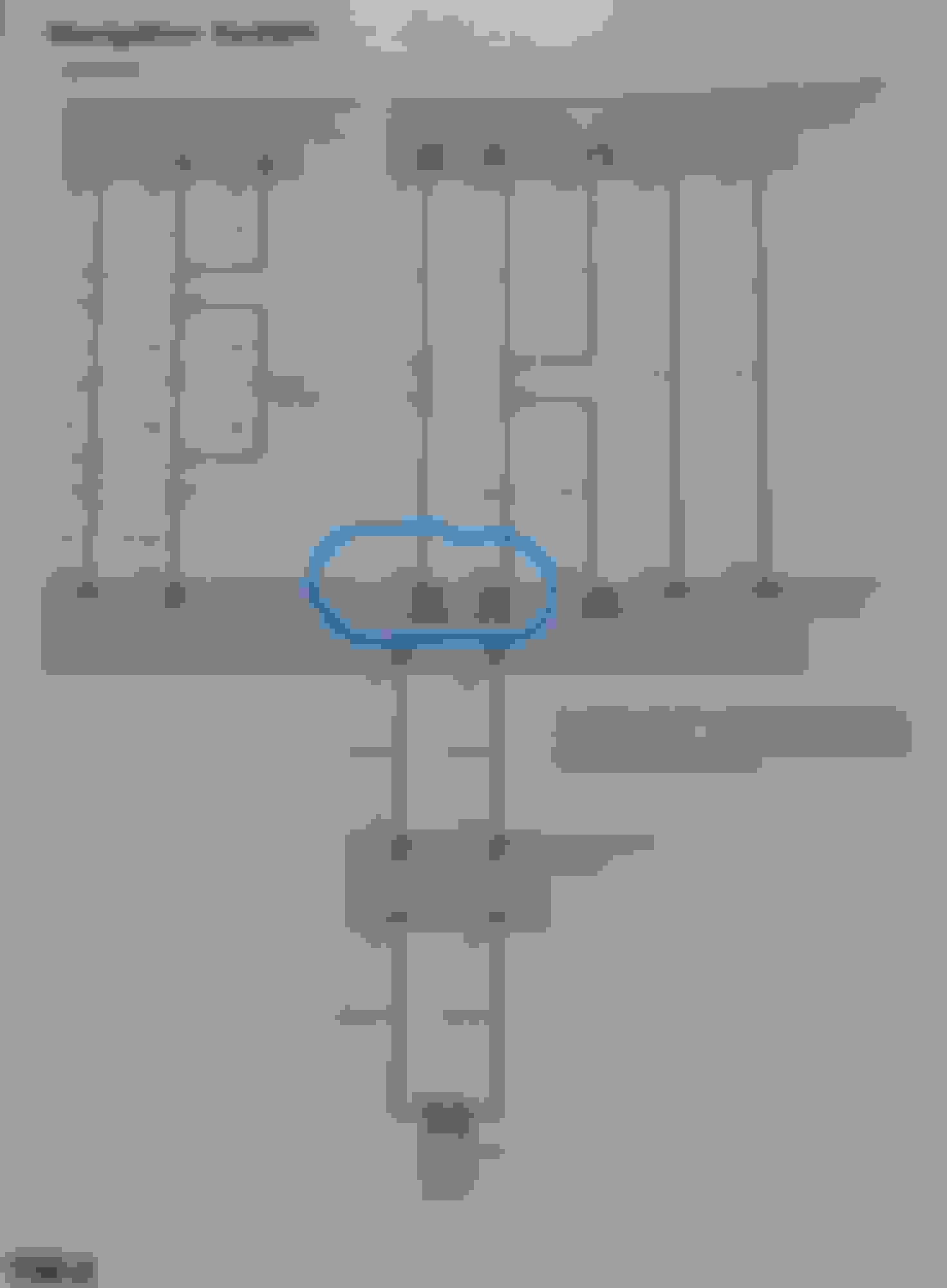
In this picture.. C13 TELM Sig+ is connected to 2 other devices... Like a BUSS. FCAN is similiar in the fact that the positive side is connected to all other devices on the Positive side. And Negative sides connect to all negative sides on the buss.
Ok so, If we take 1 leg of that TELM Sig + and disconnect it.. then you might as well disconnect C11 and C12 as well.. because it wont work on the headunit. (maybe that is ok?)
The other question is, what happens when you connect that vehicle speed sensor to the Buss, which connects to Handsfree control unit.. and Acuralink / XM receiver (if you have navigation)
C652 is a junction for all those connections.
Basically I do not see any logic in connecting the VSS in the picture above... to the Buss shown below.. In fact it may just render that buss inoperable.
I was following what Jet Jaguar said... But after looking at the OP.. The 40p connector does not apply to his car. This 40pin belongs to a 07/08 The OP has either an 04 or 05 or 06 because he said "26pin".. My 05 has a 26pin and that I converted to a 40pin, long ago.
So, when the OP says he connected c13 to c26, he is saying that he connected the "Audio bus +" to the "Audio bus -". So, convert that to a 40p connector -> c9 and c29.
So all that Talk I posted about the TELM, it doesnt apply to what the OP did.
Either way, I think the OP got lucky. I still dont see any logic in why the Nav display just bypass the Audio Unit check. Maybe it is just a loophole in the firmware? I dont know yet. but I guess if it works, then it works!
Side note: I just disconnected my "Audio Unit" from the system, and I powered up the NAV display and it also did not respond and I had the Vehicle speed volume adjuster disabled.
Originally Posted by Jet Jaguar
Here is the back of my Stock Radio
Last edited by Chad05TL; Mar 15, 2024 at 03:33 PM.
Interesting Note:
I just disconnected everything off the back of the Radio ("Audio unit") but I left the 40pin connector connected, and it worked.. Basically we already know that..
But the interesting thing is that POWER is on the Blue connector. And I disconnected it! And the navi system turned on and worked. (not frozen)
Basically if the nav screen works without Power on the Audio/head unit, then c9 and c29 must be "floating" when everything is disconnected. Meaning, there is no power and there is no ground.
So by connecting the 40pin connector to the audio unit (without power) it basically ties them to "ground". At least that is what I am thinking because there is no power on the audio unit. There is no power and nothing "logical happening".. So why does it work? Because possibly the pins from the Upper Display are floating and causing the system to hang.
C9 and C29 are connected to the upper display. (see picture below.)
So if we tie c9 and c29 together, then basically that bus will not work . Which maybe that s ok, because we are not using it. But it may be better to tie them to ground instead of tieing C9 and C29 together using a 68ohm resistor. I mean, if those pins are floating because no power and no ground is connected, (from the upper display perspective) then if we just nail them to ground it may secure them to "something" , like 0v and solve the issue. Just Maybe.. I have to test it.. I would rather tie C9 and C29 to ground than tie them together.
But there are other things on that C connector. And we dont really know for sure, what is causing the freeze. Just by hapenstance, tying the Audio Bus legs together seems to work. But it probably has to do with a "check" where the systems goes out to see what is there at startup. Like a bootup process. And other communications like IMS0 and IMS1 which I have no idea what that is.
But the most major point is, the Nav system is not frozen when that C connector is connected to the audio unit even with ZERO power on it. So there is definately nothing logical that makes it work without power.. unless a pin or 2 are floating , giving the system false readings and making it freeze/hang. Which is really good news, because we basically know we can disconnect the audio unit more safely without screwing up another device. I mean if it works with no power and connected, then we should be able to disconnect it. So that is why I am assuing it is floating and therefore we just need to tie it to something and leave it disconnected.
correction: that is not the upper display panel. The named "display panel control unit" in the picture above is the actual Navigation unit. Which makes more sense since it is the navi that is hanging..
I just got tested with a 100ohm resistor on the back of the navi screen rather that down by the audio unit, and it works. I had a pigtail on the back of the navi from when I swapped out my 05 screen with an 07/08 screen. And so I just used that pigtail and put an inline 100ohm resistor and it works. My only delema is, I feel like I am robbing my TL's mojo. Plus I forgot to remove the CD's that were in the player. So, I reconnected the power, and the connectors, and I got out 1 cd.. I have them all backed up (saved) but I think a few of those I mixed, so it would bne nice to have them back. If I did get them back then I gotta reconnect those 2 pins on the pigtail and its a bit like tweezer work.. a real PITA.. But anyway! Don't forget to remove the CD's first.
Also the other bad thing is that there is NO MENU on the Navi. It didnt just remove the Audio Unit.. It removed Everything! The whole menu is gone. So, buyer beware.
The only reason I thought about doing this is because the AMP is bad. And it is easier to run new RCA cables to the new amp instead of using the OEM harness.. I mean just that Amp Bypass cable Kit is $60. So I thought, why not just put in a new Radio. Well, fine, but it sure changes everything and nothing will be on the big screen anymore. It would all be lower. So ya, It changes everything! Plus I need a STeering Wheel control unit that has to be installed. haha Its just a big hairball! I dont know if all Cars are this way now, but it used to be a lot easier to put in a new radio. It's really difficult to change anything on a Acura TL and maybe other acura cars. Kinda makes me think "what a pos". haha So who know I may just flip it all back and just get that MobileAudio MBQuart PNP thing for the amp..
Funny. I just noticed that Mobilemaxcaraudio also calls for a "resistor loop" on C9 to c29 on the 40pin connector. https://mobilemaxcaraudio.com/catego...2008-acura-tl/
But this totally causes the Menu options to be unavailable when you press the "audio" button on your navigation. In fact, the Audio button doesn't even work.
I am trying to figure out if I want that..haha Maybe I should just get that PNP MBquart amp kit and keep the factory CD player..


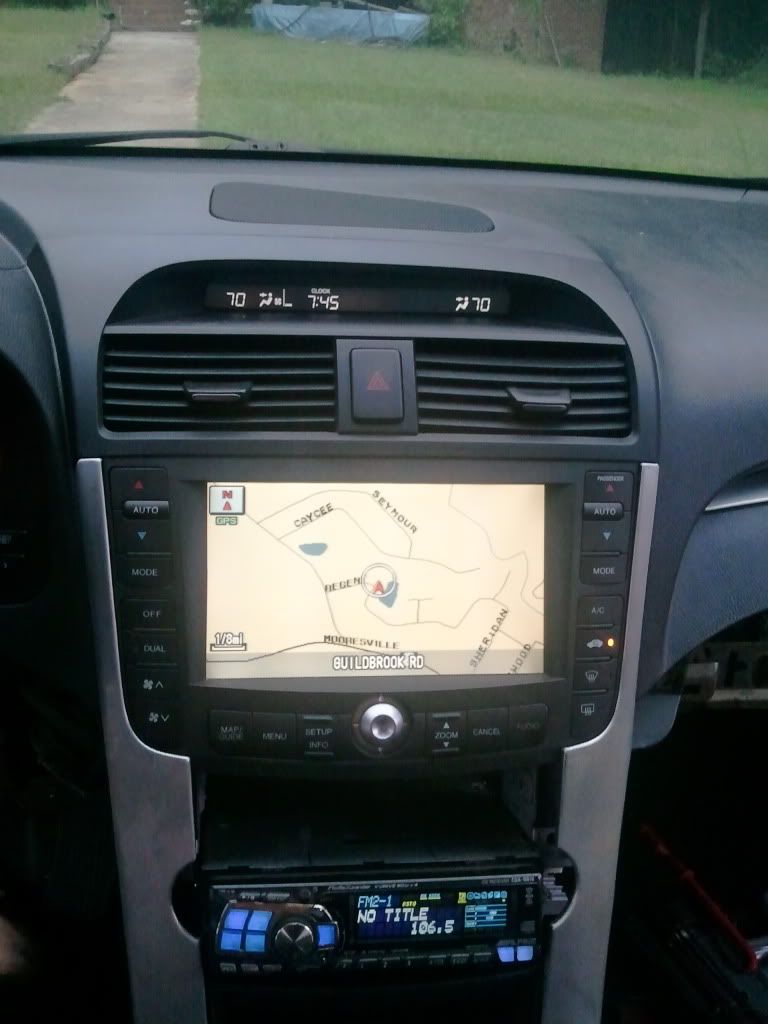












 Halelujah!!!!!
 No dice