When you click on links to various merchants on this site and make a purchase, this can result in this site earning a commission. Affiliate programs and affiliations include, but are not limited to, the eBay Partner Network.
My infotainment screen is solid black or crazy lines thru it. No radio controls, no GPS, no backup camera, etc. Acura customer service was 0 help! The dealerships (2 in 2 different states) just keeps resetting the system. It will work fine for 1 day then will go back to a black screen. I am on day 38 and counting of a non working screen! Also, the car actually slams on the brakes going over 60mph to a dead stop. I have to put it in park and then drive again before getting it to go in the middle of the road!! I have had it happen 10 times with it being in the shop numerous times with them always saying “sorry but we can’t duplicate the issue”. I finally had to hire a experienced Lemon Law lawyer, which is what we are dealing with now. I also feel so unsafe in this vehicle!
My infotainment screen is solid black or crazy lines thru it. No radio controls, no GPS, no backup camera, etc. Acura customer service was 0 help! The dealerships (2 in 2 different states) just keeps resetting the system. It will work fine for 1 day then will go back to a black screen. I am on day 38 and counting of a non working screen! Also, the car actually slams on the brakes going over 60mph to a dead stop. I have to put it in park and then drive again before getting it to go in the middle of the road!! I have had it happen 10 times with it being in the shop numerous times with them always saying “sorry but we can’t duplicate the issue”. I finally had to hire a experienced Lemon Law lawyer, which is what we are dealing with now. I also feel so unsafe in this vehicle!
Sorry to hear that and that you had to go thru all the process of hiring a lawyer. Dealer should have replaced the system at least since you kept coming back for it.
Sorry to hear that and that you had to go thru all the process of hiring a lawyer. Dealer should have replaced the system at least since you kept coming back for it.
Good luck!
Unfortunately, my head unit was replaced three times and it never fixed the issues. Mine also braked on the highway numerous times, so I finally cashed in on the vehicle and bought something else. I agree that I never felt 100% safe in the RDX
Blank screen, the only thing that works is back camera. Seat memory doesn't work. Unplugged the battery, pulled the fuse. I have an appoint with Acura tomorrow...
I have found doing a reset twice tends to clear up many of these issues at least temporarily. I have had the frozen screen, screen not shutting off, drive mode and a few other issues and this seems to work. Hold the top 3 buttons On the pad until the diagnostic screen appears. Select the bottom one and go into the self diagnostic screen. Once in there exiting will ask you if you want to reset (restart) the system (computer). I have noticed it must be done twice. As far as I can tell CarPlay may be the culprit to many of these issues as it seems to be causing file errors all over the place. Once the files are having issues the errors will happen even if CarPlay is not being used.
3
Blank screen, the only thing that works is back camera. Seat memory doesn't work. Unplugged the battery, pulled the fuse. I have an appoint with Acura tomorrow...
3 days at the dealer, they replaced the Tuner. All is working
Was driving with iPhone plugged in via CarPlay. Car made a high pitched beep noise and all audio stopped. SiriusXM says "tuner error", FM radio won't play, Bluetooth won't recognize devices. Also, when scrolling through the settings, some of them are greyed out, and when I try to select them, the car says "this is not available while in motion".
How did you fix it? Exactly the same thing happened to me. Beep and then everything dead.
Got an update today over the air. Will be interested to see if it helps with the dreaded beep and audio failure.
Running latest D.1.1.4 update and this just happened to me for first time in 11mo with car. Did diagnostic power down + factory reset, but still no audio. Local dealer says this is known and unfortunately common recall issue that I need to bring it in to be replaced. Ugh.
Was driving with iPhone plugged in via CarPlay. Car made a high pitched beep noise and all audio stopped. SiriusXM says "tuner error", FM radio won't play, Bluetooth won't recognize devices. Also, when scrolling through the settings, some of them are greyed out, and when I try to select them, the car says "this is not available while in motion".
I am having the EXACT same issue with my 2020 RDX. It’s 3 days old! Looks like they still haven’t figured out how to fix the problem
Well, after all of my confidence that I got this figured out I had 3 totally black screens with no sound and a screen frozen in CarPlay. I’m getting an MRI so I will check it out again in an hour or so.
Well, after all of my confidence that I got this figured out I had 3 totally black screens with no sound and a screen frozen in CarPlay. I’m getting an MRI so I will check it out again in an hour or so.
It is a balmy 109 in Mesa this afternoon, and when I got in I got about 5 minutes of the “starburst” pattern....then everything started forking fine again.....OK, almost. The screen did a series of image changes and then the touchpad became hypersensitive.
I don’t get any notice of an update....in fact I tried through my home network to update twice, and it said no updates. Ah, the sun will set tonight and rise again in the morning.....
Has Infotainment Bugs benefited? Considering purchase but concerned
Hi,
I've been shopping for a Luxury Compact and finally settled on the 2020Acura RDX. Did some quick research and saw all these postings about the infotainment system. Has anybody had any luck on getting a resolution? I saw a Class Action Lawsuit has been filed - but don't have any updates on that.
All the dealers I spoke of have either "never heard of it" and claimed it is "user error". Both are clearly not true.
I've been shopping for a Luxury Compact and finally settled on the 2020Acura RDX. Did some quick research and saw all these postings about the infotainment system. Has anybody had any luck on getting a resolution? I saw a Class Action Lawsuit has been filed - but don't have any updates on that.
All the dealers I spoke of have either "never heard of it" and claimed it is "user error". Both are clearly not true.
They are salespeople who will lie to you to make a sale. Still an issue. Still tons of reports of errors. (Admittedly, mostly about CarPlay and lack of Android Auto - if you don't use these with your phone, it actually works pretty well once you get over the touchpad learning curve). Acura still has not updated their own documents which say "Working on a solution" http://www.urvi.net/forumfiles/SB/BTS190401.PDF This is a hardware problem. They will have to replace the hardware to fix it - which they haven't done on the 2019 or 2020 versions.
Throwing $40k in the nearest body of water is the best way of describing the feeling of owning a RDX. I’m bitter because I expected what I purchased to work. Good luck to you.
I've been shopping for a Luxury Compact and finally settled on the 2020Acura RDX. Did some quick research and saw all these postings about the infotainment system. Has anybody had any luck on getting a resolution? I saw a Class Action Lawsuit has been filed - but don't have any updates on that.
All the dealers I spoke of have either "never heard of it" and claimed it is "user error". Both are clearly not true.
Ha, ha, ha. Leasing a 2019 RDX Advance is THE WORST car buying decision I have made and the 2020 model has the same infotainment problems. The class action claims that Honda knew of the problems and didn't either fix them or make purchasers aware of them. I'm glad to see they are still lying to their prospective customers, they are making the case for the lawsuit. If you fall for the sales pitch don't say you haven't been forewarned. The dealers won't have heard about any of your problems, they won't let you meet with the regional manager (ask them about this) and Honda Customer service is lip service only. Typical line is "wait for the software release to fix it." Well I've been waiting for 18 months through three software updates. Problems never get fixed and new ones are created. Ask them how current your map is and how to update it because there is no update. I could go on but you get the picture. Good news for me is I have just 18 months to go !!
I've been shopping for a Luxury Compact and finally settled on the 2020Acura RDX. Did some quick research and saw all these postings about the infotainment system. Has anybody had any luck on getting a resolution? I saw a Class Action Lawsuit has been filed - but don't have any updates on that.
All the dealers I spoke of have either "never heard of it" and claimed it is "user error". Both are clearly not true.
Today, there was a MAJOR Over The Air update that address most if not all the issues that have been reported here.
Be sure the Dealer updates it for you before you take delivery..but it is also be available to owners . Pretty easy to download and install.
FWIW, I have a '19 Advanced and have been very happy with it after 13,000 miles.
Sharon, give it a few days for us beta testers to work through this update. A week ought to do it. Come up with some BS about your parents have an emergency, or a brother is about to be be deployed, something that gives you a week or so but keeps the dealer expecting a sale.
Sharon, give it a few days for us beta testers to work through this update. A week ought to do it. Come up with some BS about your parents have an emergency, or a brother is about to be be deployed, something that gives you a week or so but keeps the dealer expecting a sale.
or you can just tell the dealer you are well aware of the problems people are complaining about even if they aren’t, and that you understand there’s an update out and you want to wait a couple of weeks and see if it fixes any of your concerns, and if it does, you will consider a purchase at the end of the month from the dealer that gives you the best price. That should just about do it...
OTA version D.1.2.1 update came out yesterday 11/4
The new OTA version D.1.2.1 update came out yesterday 11/4. if it does what is says it did, Android was added & several fixes accomplished as well. I have the 2019 RDX Advance since 8/18 & love the car features but not a fan of the ongoing infotainment glitches. hopefully this update has fixed the HUD arrow out of sync direction problems, which is certainly a safety concern
I am having so many of the same issues in my 2019 RDX. I have loved my Acuras in the past, but these issues are causing dangerous situations. Has anyone had luck with a fix, because my dealer can’t help me
I am having so many of the same issues in my 2019 RDX. I have loved my Acuras in the past, but these issues are causing dangerous situations. Has anyone had luck with a fix, because my dealer can’t help me
I have had my fair share of infotainment going haywire(star burst boot up logo loop, system frozen, flickers and screen goes dark and bright, USB can’t recognize, take ages to initiate USB, navigation went nuts. System freezes, screen stay on when engine shuts off, CarPlay crashes, and on on). Dealer can’t fix issue even though I had videos to backup my claim.
Here is my fix which have been mentioned in this forum through various discussions threads.
- reset full system to factory default.
- Disconnect battery terminal or pull the blue fuse on the passenger fuse box. I think fuse number 9. Check this forum. The fuse method is less invasive and will not cause ECU computer to relearn your driving habit.
-Update to the latest release
The full reset helps along with pulling the infotainment fuse. This get the infotainment to a clean working state. You have to set up your apps, icon and car settings but I think it’s worth.
I have 45k and it’s only happened the 1 time, I’ve had the infotainment tuner replaced for not turning on. the squeaky brakes are are on order to be replaced, other than that it’s been a great car
I’ve been continuing to have major issues with the nav thinking I’m miles away from my true location. The dealership just shrugs their shoulders and says to wait for an update that doesn’t even have an expected release date. Has anyone had any success with dealership fixes?
I called Acura IT Service, it was a long wait for 2 hours terrible, however I got a hold of them.
First of all, they do not if it is a known issue, They said that if the issue happen again, I need to bring to the dealer, but no further on how the dealer was going to fix it.
Good thing, lots info on this forum help to resolve this issue (temporary):
1. I pull the fuse #37, 15amp (labeled as AUDIO)
2. after 30 second, push it back, start the car, blank screen...nothing happen......
3. after an hour , or so I was frustrated with Acura's responses, I wend back the car and start again, finally the infotainment system boot up and ask for "Security Code" ( btw, no code needed, just PRESS and HOLD power button for 5 seconds)
I believe we don't need disconnect the battery, however we need to give the system time the fresh/reload from pulling the fuse #37.
My final guess is that it has to do with Carplay, Bluetooth or Remote Start app....who knows, but software update is need for a fix.
Thanks to all who posted this "solution". Tonight was the 3rd time this has happened in 9 months, where I remote start using the AcuraLink app, and get the blue disclaimer screen that won't go away, even when the car is turned off. The first time, it was warm, and even after being on all night, the car still started fine. I took it to my dealer, they said it's a known issue, and I think they just disconnected the negative battery cable. Between the 1st and 2nd time, the software was updated to the most recent, D1.2.1. The 2nd time, it was freezing cold. The car was dead in the AM. Got a jump start from the Acura TLC thing. Took it to the dealer, as there was another warning that popped up after the battery died. They checked everything out and said it was fine. Happened again tonight. I'm a bigger guy and it was a chore to get my head under the dash to see which fuse it was. I located a fuse puller in the fuse box under the hood. It's on the underside of the cover. I pulled it out, waited 20 or 30 seconds and then put it back in. A minute or two later, I started the car, and the display and radio worked fine. I did have to hold the power button on the audio system for a few seconds to clear out the anti-theft pop up message. I hate this keeps happening. My CarPlay doesn't work reliably either. And it always fails when it's a place I don't know where I'm going. I've started using the Acura Nav system more, and trying to run Waze in the background to at least give me warnings about cops.
Thanks to all who posted this "solution". Tonight was the 3rd time this has happened in 9 months, where I remote start using the AcuraLink app, and get the blue disclaimer screen that won't go away, even when the car is turned off. The first time, it was warm, and even after being on all night, the car still started fine. I took it to my dealer, they said it's a known issue, and I think they just disconnected the negative battery cable. Between the 1st and 2nd time, the software was updated to the most recent, D1.2.1. The 2nd time, it was freezing cold. The car was dead in the AM. Got a jump start from the Acura TLC thing. Took it to the dealer, as there was another warning that popped up after the battery died. They checked everything out and said it was fine. Happened again tonight. I'm a bigger guy and it was a chore to get my head under the dash to see which fuse it was. I located a fuse puller in the fuse box under the hood. It's on the underside of the cover. I pulled it out, waited 20 or 30 seconds and then put it back in. A minute or two later, I started the car, and the display and radio worked fine. I did have to hold the power button on the audio system for a few seconds to clear out the anti-theft pop up message. I hate this keeps happening. My CarPlay doesn't work reliably either. And it always fails when it's a place I don't know where I'm going. I've started using the Acura Nav system more, and trying to run Waze in the background to at least give me warnings about cops.
Happened to me twice on my 8,000 mile of owning the car. I had to pull the audio fuse below the dash so my battery won't drain. I also experienced the disclaimer stuck when I used remote start with Acuralink app, but when I turned on the car, the disclaimer loaded off and booted normally, also when I turned off the car, it turned off itself too. Happened about thrice.
There is good news, there is a new TSB out to "fix" it, they have to replace the gauge cluster, it's TSB 20-001 if you can check the TSB section. I am bringing mine today at 1pm (Friday) for that. The adviser over the phone just told me to bring it in so they can check it first, I do hope they swap it right away.
Never leave the disclaimer on when it is stuck to avoid battery drain. Pull out the audio fuse.
Apologies for the necro-bump, but looking through this thread is it correct that there is not a specific fix for the problem of the display remaining on after the car has been turned off and doors locked? This happened to me about a year ago and I pulled the fuse to correct it. Two days ago it happened again after I tried using CarPlay for the first time in ages. I mistakenly thought it would turn off on it's own but the next morning I woke up to a dead battery. I can't say for sure that CarPlay was the culprit. The infotainment was showing "No Device Connected" when I tried playing FLACs from the USB, which led to my trying CarPlay (which also failed). I am fairly certain the Infotainment is at the most updated version.
Apologies for the necro-bump, but looking through this thread is it correct that there is not a specific fix for the problem of the display remaining on after the car has been turned off and doors locked? This happened to me about a year ago and I pulled the fuse to correct it. Two days ago it happened again after I tried using CarPlay for the first time in ages. I mistakenly thought it would turn off on it's own but the next morning I woke up to a dead battery. I can't say for sure that CarPlay was the culprit. The infotainment was showing "No Device Connected" when I tried playing FLACs from the USB, which led to my trying CarPlay (which also failed). I am fairly certain the Infotainment is at the most updated version.
you running latest version of software? This seems like older issue that was resolved years back.
American Honda settled a class action lawsuit over this issue which occurred in multiple Honda vehicles.
The law firm is based in Seattle.
The settlement was to extend the warranty.
In my view, American Honda is not providing Acura & Honda dealers with adequate support to diagnose and fix these vehicles.
I am suing American Honda under the California lemon law for similar issues in my 2020 RDX with advantage package.
yes, should have been resolved since like 1.5…. Something is wrong with yours then
You are probably correct. I have not had the 21-009 (MOST bus repair) done so maybe that's the issue? I have had four of the issues listed in that TSB (Center Display Unit Stays On with Ignition Turned to OFF and Door Open, display switches between the Day Mode and Night Mode, the Drive mode not available message appears, or Disclaimer is stuck on). I have videos showing the display staying on and the disclaimer stuck but I'll have to look for photos / videos of the others.
You are probably correct. I have not had the 21-009 (MOST bus repair) done so maybe that's the issue? I have had four of the issues listed in that TSB (Center Display Unit Stays On with Ignition Turned to OFF and Door Open, display switches between the Day Mode and Night Mode, the Drive mode not available message appears, or Disclaimer is stuck on). I have videos showing the display staying on and the disclaimer stuck but I'll have to look for photos / videos of the others.
Try it, it may or may not resolve the issue, but its a first step.
I had TSB 21-009 for the MOST Bus Network Connectors done on my 2019 RDX back when the fix was first available. Tonight, once again display started switching between day and night and the “Drive mode change unavailable” randomly popped up on the display. Shut down and restarted, but it continued. After a longer stop, display was fine on trip home. Has anyone else had these issues return after having TSB 21-009 completed? This car is starting to get me worried about keeping it too much longer, the extended warranty for this TSB is 6 years and I’m coming up on 5 this summer.





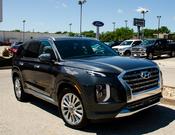








 OTA version D.1.2.1 update came out yesterday 11/4



 terrible, however I got a hold of them.


 Lawsuit
