


Replace the dying Nav system? Suck it up?

Thread Starter
Registered Charity
Joined: Oct 2006
Posts: 136
Likes: 1
From: Philadelphia, PA
 Replace the dying Nav system? Suck it up?
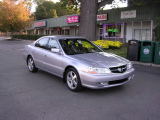
Bought my 2003 3.2 TL S-Type used in 2007 with 95,000 miles on it and I paid $13,500 through a car broker. Under the recall/warranty, the tranny was replaced at 100,000 and I did the timing belt at 105,000. It currently has 181,000 miles.
The prior owner drove it long miles and kept it in phenomenal condition. When I got it I couldn't believe how clean it was.
Since I bought it:
1. A disc got stuck in the 6-CD changer. Installed a $375 12-CD changer in the trunk instead of the $500 Acura reconditioning of the unit.
2. An electronic component that controls power to the headlights was replaced for about $800.
3. The tranny went two weeks ago and after studying all the options, had it rebuilt by a tranny specialist for $3,700 (I'm getting sick typing this).
Other than those items, it runs great and I've loved driving it.
Now the DVD system is failing. Options:
1. Do nothing and use an iPhone or Garmin.
2. Send it to Alpine for $358 to recondition it. I hate the DVD system and paying (on sale) $99 every year for a new DVD. It's a waste of money.
3. Replace it with a VERY decent Alpine system that would fit where the stereo is and includes DVD, blue tooth and iPod connection would be $1,500 from a very reputable installer where I live. Uninstall the 12 CD changer.
4. Keep looking for a lower-priced alternative to #3
Has anyone faced a similar decision? What did you do?
The prior owner drove it long miles and kept it in phenomenal condition. When I got it I couldn't believe how clean it was.
Since I bought it:
1. A disc got stuck in the 6-CD changer. Installed a $375 12-CD changer in the trunk instead of the $500 Acura reconditioning of the unit.
2. An electronic component that controls power to the headlights was replaced for about $800.
3. The tranny went two weeks ago and after studying all the options, had it rebuilt by a tranny specialist for $3,700 (I'm getting sick typing this).
Other than those items, it runs great and I've loved driving it.
Now the DVD system is failing. Options:
1. Do nothing and use an iPhone or Garmin.
2. Send it to Alpine for $358 to recondition it. I hate the DVD system and paying (on sale) $99 every year for a new DVD. It's a waste of money.
3. Replace it with a VERY decent Alpine system that would fit where the stereo is and includes DVD, blue tooth and iPod connection would be $1,500 from a very reputable installer where I live. Uninstall the 12 CD changer.
4. Keep looking for a lower-priced alternative to #3
Has anyone faced a similar decision? What did you do?
Last edited by BrotherDavid; Sep 24, 2012 at 05:11 PM.

Stop going to the stealership!
You can get a nice Pioneer head unit (bluetooth, DVD, navi, Pandora, etc.) for around 600-800. Even less if you don't get navi. Shit, I'll even install it for you so you don't get ripped off again!
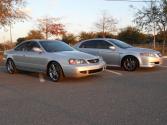
Here is my setup:
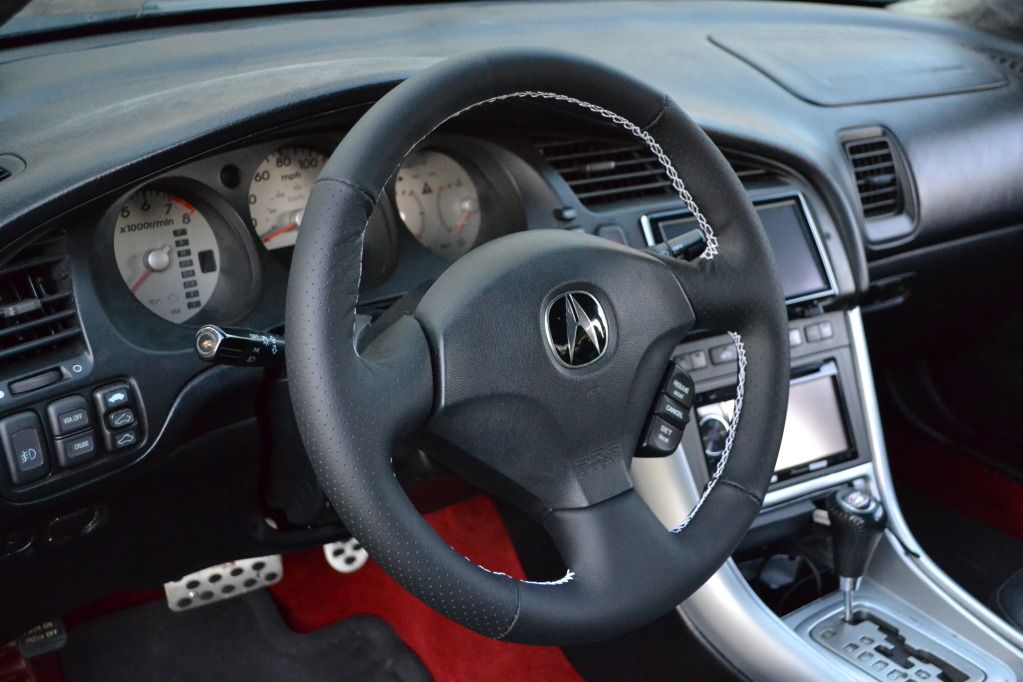
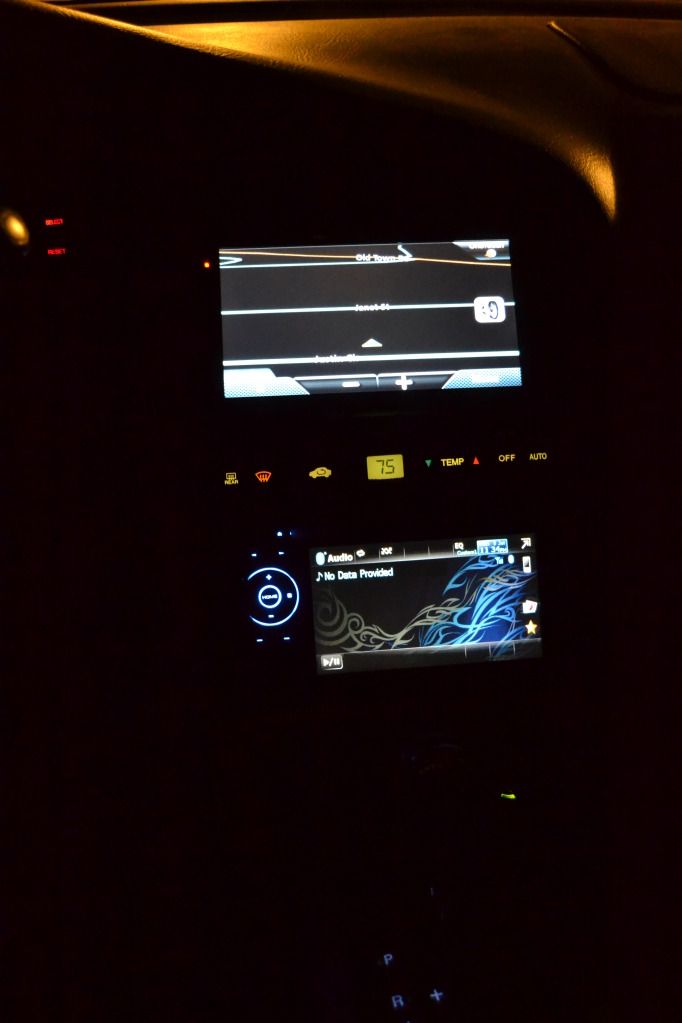
You can get a nice Pioneer head unit (bluetooth, DVD, navi, Pandora, etc.) for around 600-800. Even less if you don't get navi. Shit, I'll even install it for you so you don't get ripped off again!
Here is my setup:


Chapter Leader (Southeast Region)
Joined: Jan 2012
Posts: 2,355
Likes: 451
From: Jacksonville, FL
^ that looks good did you have navi before.
My navi screen started separating, I'm just going to get another one used to replace it. What exactly do you mean it's dying? I usually just use my iPhone in big cities because the roads change so fast the only way I can keep up is use my iPhone.
My navi screen started separating, I'm just going to get another one used to replace it. What exactly do you mean it's dying? I usually just use my iPhone in big cities because the roads change so fast the only way I can keep up is use my iPhone.
Thread Starter
Registered Charity
Joined: Oct 2006
Posts: 136
Likes: 1
From: Philadelphia, PA
03tLsNBP -- that is a sweet situation you have in there, bro!
Stephen00TL -- I'm getting the dreaded "Disc Read Error -- See your dealer" type message. I've read one thread on here that explains how to take the unit apart and clean the lens, but it seems like it only worked for one or two people, and the rest it didn't do anything. I popped a DVD cleaning disc in there but I'm not sure it did a thing.
Stephen00TL -- I'm getting the dreaded "Disc Read Error -- See your dealer" type message. I've read one thread on here that explains how to take the unit apart and clean the lens, but it seems like it only worked for one or two people, and the rest it didn't do anything. I popped a DVD cleaning disc in there but I'm not sure it did a thing.
I agree with recommendation of installing an aftermarket double-din DVD/Navi unit instead of replacing any of the rediculously outdated components in the factory navigation system. That's what I did instead of converting my non-navi to navi and LOVE IT! Depending on the model, you have TONS of options and features and is much better looking in operation as well as much easier on the wallet.
Don't opt for a cheap install though. Pay the money to have it professionally installed and you will not be disappointed in your decision.
Don't opt for a cheap install though. Pay the money to have it professionally installed and you will not be disappointed in your decision.
Thread Starter
Registered Charity
Joined: Oct 2006
Posts: 136
Likes: 1
From: Philadelphia, PA
I agree with recommendation of installing an aftermarket double-din DVD/Navi unit instead of replacing any of the rediculously outdated components in the factory navigation system. That's what I did instead of converting my non-navi to navi and LOVE IT! Depending on the model, you have TONS of options and features and is much better looking in operation as well as much easier on the wallet.
Don't opt for a cheap install though. Pay the money to have it professionally installed and you will not be disappointed in your decision.
Don't opt for a cheap install though. Pay the money to have it professionally installed and you will not be disappointed in your decision.
Also, the installer I trust the MOST had only one option -- an Alpine all-in-one dealio. The dude who installed the 12-CD changer came highly recommended but was a complete mental case and although I can't say for sure, there was a tear in the back seat (which they had to remove) AFTER the install that wasn't there before. I don't do this stuff myself because I'm not good at it and I know it --

Trending Topics
Thanks! Nope no navi before. I just bought a navi dash bezel and mounted my Magellan unit there.
Thanks 
Thanks! If you have any questions about it, let me know.
Thanks! If you have any questions about it, let me know.


Intermediate
Joined: Aug 2012
Posts: 29
Likes: 0
I believe it was this one. I think i got it on sale for around 130. It's leagues better than any OEM or aftermarket double din navi that I have used.
http://www.amazon.com/Magellan-RoadM...s=magellan+gps
http://www.amazon.com/Magellan-RoadM...s=magellan+gps
So the navi heating and a/c head was plug and play? or did you had to do any splicing to make it work? Great looking set up!
Thread Starter
Registered Charity
Joined: Oct 2006
Posts: 136
Likes: 1
From: Philadelphia, PA
BTW, I got one of those canned air "dusters" you use on computer equipment, took out the old DVD, air blasted the inside and put the new disc back in (the trouble started soon after I put the new 2012 DVD in) ... so far, three start-ups and it's come on each time.
I might hang in there if it keeps working ... hmmm.
I might hang in there if it keeps working ... hmmm.
BTW, I got one of those canned air "dusters" you use on computer equipment, took out the old DVD, air blasted the inside and put the new disc back in (the trouble started soon after I put the new 2012 DVD in) ... so far, three start-ups and it's come on each time.
I might hang in there if it keeps working ... hmmm.
I might hang in there if it keeps working ... hmmm.

Cruisin'
Joined: Jul 2012
Posts: 23
Likes: 2
From: Orlando Fl
I have a 99 with navi that I recently purchased a few months ago that is missing the hard drive, and it comes on and off when it feels like it.(no radio either) I want to replace it with a Pioneer or Alpine dvd/navi system. How did you get around the touch screen a/c issue. Do you just control it from the buttons, and is it way expensive to get installed because of the a/c controls? Is it easier to just put the new in dash where the radio goes, and leave the stock navi where it is?
I have a 99 with navi that I recently purchased a few months ago that is missing the hard drive, and it comes on and off when it feels like it.(no radio either) I want to replace it with a Pioneer or Alpine dvd/navi system. How did you get around the touch screen a/c issue. Do you just control it from the buttons, and is it way expensive to get installed because of the a/c controls? Is it easier to just put the new in dash where the radio goes, and leave the stock navi where it is?
I have no idea how a shop would charge to install that. Probably too much. It's all relatively easy. If you want to replace your navi my method is cheaper than buying an aftermarket in dash navi.
My setup:
DVD head unit - 300
Navi bezel - 35
AC controls - 30
Magellan navi - 130
total - 495
I don't know if you can get a decent navi head unit for less than 500.
Cruisin'
Joined: Jul 2012
Posts: 23
Likes: 2
From: Orlando Fl
Oh ok. Do those buttons cool the rear vents though? I don't have a/c right now so never thought about it but I know when the navi does work, it has the rear functions on the screen. Never checked the vents with it off. I have a Tom Tom XXL 550 that I switch between this car and the civic. I don't have a radio in the tl though so figured I would get a Pioneer that had both radio/cd that could read my data cd's, and navi. I know there was a shop here a few months ago advertising the Pioneer installed for $300. I don't rememeber if it had navi though. I doubt it will be that price for this car though. Your setup is pretty sick though. My cost should be less if I do it that way since I already have a 99.
"Your setup:
DVD head unit - 300 What kind do you have and do you like it. I am used to Pioneer. I buy Alpine speakers and subs.
Navi bezel - 35 I already have this since I have oem navi. The oem navi is huge in with. How do you hold the Magellan up without falling backwards?
AC controls - 30 I already have this
Magellan navi - 130 Did you wire this to the car or you just hid the a/c plug.
total - 495" This price is with you installing everything yourself right?
"Your setup:
DVD head unit - 300 What kind do you have and do you like it. I am used to Pioneer. I buy Alpine speakers and subs.
Navi bezel - 35 I already have this since I have oem navi. The oem navi is huge in with. How do you hold the Magellan up without falling backwards?
AC controls - 30 I already have this
Magellan navi - 130 Did you wire this to the car or you just hid the a/c plug.
total - 495" This price is with you installing everything yourself right?
I just control it from the buttons. My life is easier that way. I just set it to the temperature I want, and the car does the rest for me. No need to adjust fan speed, cycle AC on and off, etc.
I have no idea how a shop would charge to install that. Probably too much. It's all relatively easy. If you want to replace your navi my method is cheaper than buying an aftermarket in dash navi.
My setup:
DVD head unit - 300
Navi bezel - 35
AC controls - 30
Magellan navi - 130
total - 495
I don't know if you can get a decent navi head unit for less than 500.
I have no idea how a shop would charge to install that. Probably too much. It's all relatively easy. If you want to replace your navi my method is cheaper than buying an aftermarket in dash navi.
My setup:
DVD head unit - 300
Navi bezel - 35
AC controls - 30
Magellan navi - 130
total - 495
I don't know if you can get a decent navi head unit for less than 500.
Oh ok. Do those buttons cool the rear vents though? I don't have a/c right now so never thought about it but I know when the navi does work, it has the rear functions on the screen. Never checked the vents with it off. I have a Tom Tom XXL 550 that I switch between this car and the civic. I don't have a radio in the tl though so figured I would get a Pioneer that had both radio/cd that could read my data cd's, and navi. I know there was a shop here a few months ago advertising the Pioneer installed for $300. I don't rememeber if it had navi though. I doubt it will be that price for this car though. Your setup is pretty sick though. My cost should be less if I do it that way since I already have a 99.
"Your setup:
DVD head unit - 300 What kind do you have and do you like it. I am used to Pioneer. I buy Alpine speakers and subs.
Navi bezel - 35 I already have this since I have oem navi. The oem navi is huge in with. How do you hold the Magellan up without falling backwards?
AC controls - 30 I already have this
Magellan navi - 130 Did you wire this to the car or you just hid the a/c plug.
total - 495" This price is with you installing everything yourself right?
"Your setup:
DVD head unit - 300 What kind do you have and do you like it. I am used to Pioneer. I buy Alpine speakers and subs.
Navi bezel - 35 I already have this since I have oem navi. The oem navi is huge in with. How do you hold the Magellan up without falling backwards?
AC controls - 30 I already have this
Magellan navi - 130 Did you wire this to the car or you just hid the a/c plug.
total - 495" This price is with you installing everything yourself right?
$495 was my total with me installing everything myself. The air comes out of all ducts, including the rear.

Chapter Leader (Southeast Region)
Joined: Jan 2012
Posts: 2,355
Likes: 451
From: Jacksonville, FL
https://acurazine.com/forums/2g-tl-photograph-gallery-99/new-parts-878435/
Just replaced my screen, but I do love the way 03tlsnbp's looks.
Just replaced my screen, but I do love the way 03tlsnbp's looks.

Advanced
Joined: Jan 2013
Posts: 92
Likes: 1
Could you post a pic of the back of your Magellan? Looks great

It's really not pretty  I never got time to really finish off the navi mount so it's just a piece of wood mounted to the navi bezel with velcro to hold the navi in place. Obviously if I really wanted to show off the setup in its entirety I would make a nice carbon fiber panel to cover the navi hole when the navi is not in the car, as well as hold the navi in place.
Sure, it's actually not too complicated. You only need three OEM parts. The navi bezel, the hazard button, and the navi climate controls. Everything is plug and play. Then you can mount the navi/tablet however you want. I plugged the navi into my cig lighter. This leaves the wire slightly exposed.
My plan was to install a cig lighter inside the dash somewhere so you wouldn't see the plug, while also not damaging the navi's power cable by splicing into another power source. That way the whole thing could be removed and used in another car. But now I'm not doing anything to the TL anymore. I'm focusing on my new project car
I never got time to really finish off the navi mount so it's just a piece of wood mounted to the navi bezel with velcro to hold the navi in place. Obviously if I really wanted to show off the setup in its entirety I would make a nice carbon fiber panel to cover the navi hole when the navi is not in the car, as well as hold the navi in place.My plan was to install a cig lighter inside the dash somewhere so you wouldn't see the plug, while also not damaging the navi's power cable by splicing into another power source. That way the whole thing could be removed and used in another car. But now I'm not doing anything to the TL anymore. I'm focusing on my new project car

Thread
Thread Starter
Forum
Replies
Last Post
mada51589
3G TL Problems & Fixes
80
Jan 9, 2025 04:40 PM
cycdaniel
1G TSX Performance Parts & Modifications
8
Dec 17, 2019 10:58 AM
yahelou
3G TL Audio, Bluetooth, Electronics & Navigation
1
Sep 6, 2015 09:12 PM
asahrts
Member Cars for Sale
0
Sep 4, 2015 05:55 PM
