


Another Excel help thread...


Thread Starter
That was uncalled for...


Joined: Sep 2004
Posts: 7,288
Likes: 43
From: Toronto, Ontario
Another Excel help thread...
So, I've got this sheet where the PRINT is displayed in the background and can't seem to get it to go away. It does not show up when the sheet is printed.
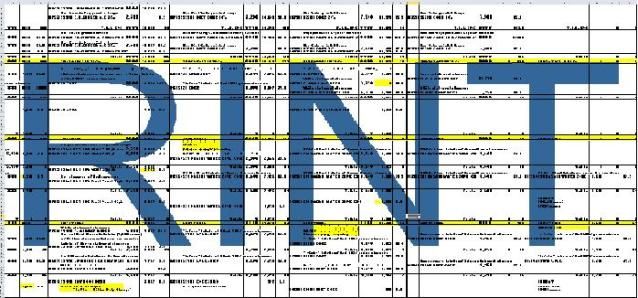
There is no background to get rid of, if I add a background PRINT just shows up in front of it, switching to "Normal View" doesn't get rid of it and clearing the print area does nothing.
Any ideas you can throw at me?
Cheers
There is no background to get rid of, if I add a background PRINT just shows up in front of it, switching to "Normal View" doesn't get rid of it and clearing the print area does nothing.
Any ideas you can throw at me?
Cheers
Last edited by S A CHO; Jul 27, 2012 at 01:08 PM.

Sanest Florida Man


Joined: Aug 2007
Posts: 46,059
Likes: 11,815
From: Florida
I think that's a watermark not a background image.
http://office.microsoft.com/en-us/ex...010342691.aspx
http://office.microsoft.com/en-us/ex...010342691.aspx


Trending Topics

Thread Starter
That was uncalled for...
Joined: Sep 2004
Posts: 7,288
Likes: 43
From: Toronto, Ontario
Mr. Marco's a comedian
Catfisha - Nope, not a text box and you can't click on it anywhere. It's like it doesn't exist.
Horny - I'll give that a shot Monday. From the little I've found on the net, that might be the best solution.
Catfisha - Nope, not a text box and you can't click on it anywhere. It's like it doesn't exist.
Horny - I'll give that a shot Monday. From the little I've found on the net, that might be the best solution.

Thread
Thread Starter
Forum
Replies
Last Post
08_UA7_Gr33k
Member Cars for Sale
13
Feb 11, 2016 02:17 PM
InFaMouSLink
Car Parts for Sale
6
Oct 27, 2015 06:52 PM
08_UA7_Gr33k
Member Cars for Sale
1
Sep 27, 2015 01:56 PM