


Android: Phone News and Discussion Thread


Suzuka Master
Joined: Jan 2009
Posts: 9,012
Likes: 439
From: SoCal
Yea, I think I'm gonna test out different kernels. The kernel I have right now is very stable. I havent had a reboot that I know of since I updated to this latest ROM which included this kernel I'm about to show you. I like the performance, even without overclock its nice. Voodoo is really a requirement for me especially since google screwed with the colors and voodoo fixes that "mistake"
Here's the one I have:
http://forum.xda-developers.com/showthread.php?t=936219
whats TUN support? This kernel has it but I dunno what it is
Heres another Kernel that seems to be popular for the NS.
http://forum.xda-developers.com/showthread.php?t=973125
since both are popular I'm guessing they are both pretty stable. I know the first one is. CGFeb, if you look at the OP can you tell me if there is much of a difference you see? Or would that be something I would have to test out? I know its really easy to flash kernels, but you know the lingo more than me, so maybe you can see something on that post I cant.
Here's the one I have:
http://forum.xda-developers.com/showthread.php?t=936219
whats TUN support? This kernel has it but I dunno what it is
Heres another Kernel that seems to be popular for the NS.
http://forum.xda-developers.com/showthread.php?t=973125
since both are popular I'm guessing they are both pretty stable. I know the first one is. CGFeb, if you look at the OP can you tell me if there is much of a difference you see? Or would that be something I would have to test out? I know its really easy to flash kernels, but you know the lingo more than me, so maybe you can see something on that post I cant.

Safety Car
Joined: May 2004
Posts: 3,539
Likes: 295
From: LA, CA
All the extra features are usually more technically inclined than I am knowledgeable about. The rule of thumb is, if you don't know what it is, you probably don't need it. lol.
TUN from what I understand is short for tunneling where you can create a private virtual network to an access point when using Wifi or 3G so that everything you do online is hidden. This is useful for people who need their data encrypted while working away from work. Ive never used this feature so I usually leave it off. Maybe someone with a networking background could better explain it than I can.
What stands out in this kernel for me is the following:
BFQ - This is another one of those Linux techie things. Might want to google the differences of this between BFQ vs. CFQ. Personally, I've tried both but I can't really tell the difference that much. Supposedly BFQ just distributes workload a lot better than CFQ.
1000 Hz - I'm assuming this is referring to the kernel Hz response. The higher the better but can also drain battery. I believe the default on most Android phones is around 256 Hz. Again, I've only tried 250 and 500 Hz because most kernel developers say going higher just makes no sense for a mobile device and drains battery. Personally, I could only feel the difference between them when swiping screens. 500 Hz was slightly smoother. As far as battery drain, they drained about the same.
BLN - Backlight notification. I think you know what this is.
These stand out on this ROM:
CIFS (Samba support) - As I noted a couple of pages back. CIFS is a file sharing protocol. It allows you to stream content from your PC to your phone via WiFi or 3G using an app called CIFS manager or any other CIFS apps on the market: http://forum.xda-developers.com/showthread.php?t=756158
It works pretty well and I was able to stream a 720p movie without any issues to my phone.
EXT4 mount fix - I'm assuming this is about a possible startup tweak that's added so the system doesn't check for certain things because theyre useless on flash drives. http://forum.xda-developers.com/show...74&postcount=1 Again, this is internally done and could potentially speed up the phone overall a little.
So overall, the two kernels aren't that different. It'll probably come down to which one has better battery usage and response when you're doing things.
Here's the one I have:
http://forum.xda-developers.com/showthread.php?t=936219
whats TUN support? This kernel has it but I dunno what it is
http://forum.xda-developers.com/showthread.php?t=936219
whats TUN support? This kernel has it but I dunno what it is
What stands out in this kernel for me is the following:
BFQ - This is another one of those Linux techie things. Might want to google the differences of this between BFQ vs. CFQ. Personally, I've tried both but I can't really tell the difference that much. Supposedly BFQ just distributes workload a lot better than CFQ.
1000 Hz - I'm assuming this is referring to the kernel Hz response. The higher the better but can also drain battery. I believe the default on most Android phones is around 256 Hz. Again, I've only tried 250 and 500 Hz because most kernel developers say going higher just makes no sense for a mobile device and drains battery. Personally, I could only feel the difference between them when swiping screens. 500 Hz was slightly smoother. As far as battery drain, they drained about the same.
BLN - Backlight notification. I think you know what this is.
Heres another Kernel that seems to be popular for the NS.
http://forum.xda-developers.com/showthread.php?t=973125
since both are popular I'm guessing they are both pretty stable. I know the first one is. CGFeb, if you look at the OP can you tell me if there is much of a difference you see? Or would that be something I would have to test out? I know its really easy to flash kernels, but you know the lingo more than me, so maybe you can see something on that post I cant.
http://forum.xda-developers.com/showthread.php?t=973125
since both are popular I'm guessing they are both pretty stable. I know the first one is. CGFeb, if you look at the OP can you tell me if there is much of a difference you see? Or would that be something I would have to test out? I know its really easy to flash kernels, but you know the lingo more than me, so maybe you can see something on that post I cant.
CIFS (Samba support) - As I noted a couple of pages back. CIFS is a file sharing protocol. It allows you to stream content from your PC to your phone via WiFi or 3G using an app called CIFS manager or any other CIFS apps on the market: http://forum.xda-developers.com/showthread.php?t=756158
It works pretty well and I was able to stream a 720p movie without any issues to my phone.
EXT4 mount fix - I'm assuming this is about a possible startup tweak that's added so the system doesn't check for certain things because theyre useless on flash drives. http://forum.xda-developers.com/show...74&postcount=1 Again, this is internally done and could potentially speed up the phone overall a little.
So overall, the two kernels aren't that different. It'll probably come down to which one has better battery usage and response when you're doing things.
Last edited by CGFebTSX04; Apr 9, 2011 at 01:19 PM.
Suzuka Master
Joined: Jan 2009
Posts: 9,012
Likes: 439
From: SoCal
So how does this Cifs manager work? What do i put as the share path? My computers IP address/folder?
and what about mount point and username and password. Am I suppose download something to the computer as well?
and what about mount point and username and password. Am I suppose download something to the computer as well?
Safety Car
Joined: May 2004
Posts: 3,539
Likes: 295
From: LA, CA
You don't need to download anything extra. That's what's great about it. Share the folder like you would normally do then direct the app to that folder on your network.when I get home ill give an example if you haven't figured it out by then. Or search for my post in here. Not sure if I gave instructions. Search this thread for CIFS.
Safety Car
Joined: May 2004
Posts: 3,539
Likes: 295
From: LA, CA
Alright so here's my mini CIFS tutorial. Again, CIFS allows you to share folders from a computer to your phone and you can transfer files back and forth as long as you have access to the computer of your choice via a WiFi or 3G connection. I've only attempted this using WiFi, although, 3G should be possible if you know how to create a static IP or use DynDNS. You can greatly utilize this feature if have a dedicated computer that's on 24/7 or a NAS so you can stream not only movies, but music, or any file you want. Here's the mini tutorial on how to utilize the feature if your kernel supports it:
1. Share the folder you want access to on your network. Right click on your folder --> Properties --> Sharing Tab --> Advanced Sharing --> Share this folder.
2. Find out the computer's LAN IP or Static IP. Open up a command prompt and type in "ipconfig" (without quotations). Write down the IPv4 Address.
3. Download CIFS Manager to your Android phone: https://market.android.com/details?i...=search_result
4. Open the app. It'll most likely prompt you for Superuser/Root access. Hit allow.
5. Hit Menu --> Settings. Some kernels will require you to enable "Load via insmod" as in my case here and some don't:

* Mount point prefix refers to how you want the share folder to be mounted onto your internal SD Card. You can leave it default or change the directory if you feel like organizing your share points.
6. Exit out of the settings Menu and hit "Add New Share":

7. Enter the IPv4 address you found in step 2 along with the share folder's name. My folder being shared is called "New Movies":

- Enter your computer's username and password so that it can authenticate its connection.
- Under options, you can leave that blank unless you have a domain name
8. Save share and it'll return you back to the begining of the app showing your share location disabled:

9. Long press on the share folder and hit Mount:

- It'll turn Green if it mounts properly. Done.
You can verify your mounts with any file explorer like Root Explorer:

Open the files using the appropriate app. Here's Moboplayer pointing to the CIFS mount:

1. Share the folder you want access to on your network. Right click on your folder --> Properties --> Sharing Tab --> Advanced Sharing --> Share this folder.
2. Find out the computer's LAN IP or Static IP. Open up a command prompt and type in "ipconfig" (without quotations). Write down the IPv4 Address.
3. Download CIFS Manager to your Android phone: https://market.android.com/details?i...=search_result
4. Open the app. It'll most likely prompt you for Superuser/Root access. Hit allow.
5. Hit Menu --> Settings. Some kernels will require you to enable "Load via insmod" as in my case here and some don't:
* Mount point prefix refers to how you want the share folder to be mounted onto your internal SD Card. You can leave it default or change the directory if you feel like organizing your share points.
6. Exit out of the settings Menu and hit "Add New Share":
7. Enter the IPv4 address you found in step 2 along with the share folder's name. My folder being shared is called "New Movies":
- Enter your computer's username and password so that it can authenticate its connection.
- Under options, you can leave that blank unless you have a domain name
8. Save share and it'll return you back to the begining of the app showing your share location disabled:
9. Long press on the share folder and hit Mount:
- It'll turn Green if it mounts properly. Done.
You can verify your mounts with any file explorer like Root Explorer:
Open the files using the appropriate app. Here's Moboplayer pointing to the CIFS mount:
Last edited by CGFebTSX04; Apr 9, 2011 at 11:36 PM.

Thread Starter
Be Strong AND Courageous!
iTrader: (1)
Joined: Nov 2003
Posts: 9,305
Likes: 43
From: Joshua 1:1-9
Since you're rooted now, the easy way is to download an app like ShootMe:
https://market.android.com/details?i...bw.picme.local
https://market.android.com/details?i...bw.picme.local
Well the good news is that Cyanogen tweeted last night and said CM7 is about to go final. So that probably means in the next few days everything should be running top notch.
You could try this fix. Make sure to backup just in case:
http://www.reddit.com/r/Android/comm...and_htc_sense/
You could try this fix. Make sure to backup just in case:
http://www.reddit.com/r/Android/comm...and_htc_sense/
....on a separate note: I did overclock my phone using no thrills cpu controller... works well... I was just wanting to get my medical apps to open faster... it did that without hurting my battery huge.



Needs more Lemon Pledge
Joined: Mar 2005
Posts: 52,768
Likes: 2,000
From: Phoenix, AZ
So, I am looking for an app that lets me upload pic from the phone camera to Imageshack.
I found this one:
https://market.android.com/details?i...=search_result
But all it does is give me the code for the image on my phone, despite needing an imageshack username and password.
I want it to actually upload to my imageshack account, but this one does not.
Anyone have any ideas?
I found this one:
https://market.android.com/details?i...=search_result
But all it does is give me the code for the image on my phone, despite needing an imageshack username and password.
I want it to actually upload to my imageshack account, but this one does not.
Anyone have any ideas?
Suzuka Master
Joined: Jan 2009
Posts: 9,012
Likes: 439
From: SoCal
when i long pressed it I got an error that said no such device exists
the only thing i could have messed up on was the username or password.
Is this the username password I use to log in on the computer or is it another one i'm suppose to create somewhere like in my sharing options or something?
the only thing i could have messed up on was the username or password.
Is this the username password I use to log in on the computer or is it another one i'm suppose to create somewhere like in my sharing options or something?
Safety Car
Joined: May 2004
Posts: 3,539
Likes: 295
From: LA, CA
when i long pressed it I got an error that said no such device exists
the only thing i could have messed up on was the username or password.
Is this the username password I use to log in on the computer or is it another one i'm suppose to create somewhere like in my sharing options or something?
the only thing i could have messed up on was the username or password.
Is this the username password I use to log in on the computer or is it another one i'm suppose to create somewhere like in my sharing options or something?
John Smith
Safety Car
Joined: May 2004
Posts: 3,539
Likes: 295
From: LA, CA
So, I am looking for an app that lets me upload pic from the phone camera to Imageshack.
I found this one:
https://market.android.com/details?i...=search_result
But all it does is give me the code for the image on my phone, despite needing an imageshack username and password.
I want it to actually upload to my imageshack account, but this one does not.
Anyone have any ideas?
I found this one:
https://market.android.com/details?i...=search_result
But all it does is give me the code for the image on my phone, despite needing an imageshack username and password.
I want it to actually upload to my imageshack account, but this one does not.
Anyone have any ideas?
 ).
).Of course this method works well if you're only doing one pic at a time. Now if you're doing a bulk upload, you're probably better off doing it off a computer until someone makes a better app. You could email the imageshack app developer and see if they'll add the feature in the future.
Safety Car
Joined: May 2004
Posts: 3,539
Likes: 295
From: LA, CA
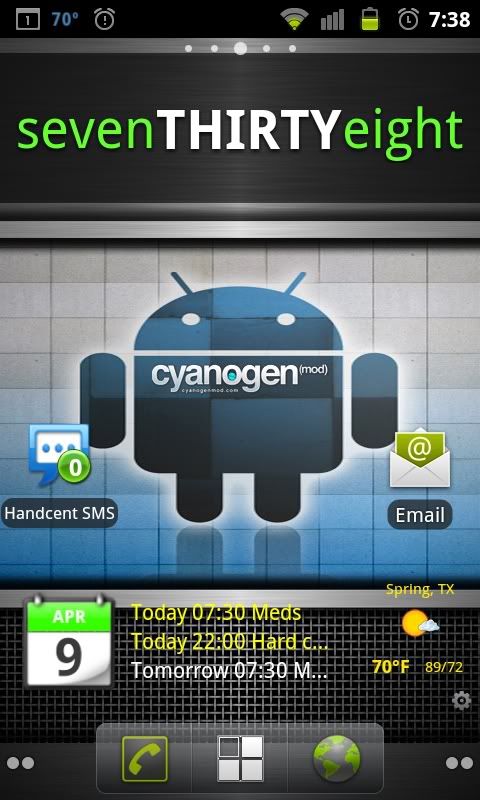
Tron Weather and clock widget ...
http://i231.photobucket.com/albums/e...creenshot2.jpg
Home screen ... Im always changing this around...
http://i231.photobucket.com/albums/e...creenshot1.jpg
http://i231.photobucket.com/albums/e...creenshot2.jpg
Home screen ... Im always changing this around...
http://i231.photobucket.com/albums/e...creenshot1.jpg
Suzuka Master
Joined: Jan 2009
Posts: 9,012
Likes: 439
From: SoCal
Its all exactly the same, I'm gonna re-install it. I think something may be wrong with the app cause i had to open through the app store, if i tried clicking on the app in the app drawer it would say this app is not installed, weird... I'm playing with themes right now so that may also be the reason, will post a screen shot of that later
Safety Car
Joined: May 2004
Posts: 3,539
Likes: 295
From: LA, CA
Its all exactly the same, I'm gonna re-install it. I think something may be wrong with the app cause i had to open through the app store, if i tried clicking on the app in the app drawer it would say this app is not installed, weird... I'm playing with themes right now so that may also be the reason, will post a screen shot of that later
Suzuka Master
Joined: Jan 2009
Posts: 9,012
Likes: 439
From: SoCal
okk wtf, i installed it again and it says its not installed on my device... i have to open through market. I messed something up when i uninstalled one of my themes and put it back on cause something was missing. hmmm
Safety Car
Joined: May 2004
Posts: 3,539
Likes: 295
From: LA, CA
https://market.android.com/details?i...=search_result
And maybe reboot the phone?

Safety Car
Joined: May 2004
Posts: 3,539
Likes: 295
From: LA, CA
Must be the theme messing something up. You could invoke the cifs manually if you're still curious. Change what's in red:
Open up terminal on your phone:
***For the insmod command***: You may have to change the directory to /system/modules/cifs.ko
So you would type in:
To unmount the cifs. Open up terminal again:
Modified instructions from here:
http://forum.xda-developers.com/showthread.php?t=751296
Open up terminal on your phone:
Code:
su

mkdir /sdcard/cifs

insmod /system/lib/modules/cifs.ko

busybox mount -t cifs //192.168.0.1/sharedfolder /sdcard/cifs -o username=user,password=pass
So you would type in:
Code:
insmod /system/modules/cifs.ko
To unmount the cifs. Open up terminal again:
Code:
su

busybox umount /sdcard/cifs
Modified instructions from here:
http://forum.xda-developers.com/showthread.php?t=751296
Last edited by CGFebTSX04; Apr 10, 2011 at 02:59 AM.
Safety Car
Joined: May 2004
Posts: 3,539
Likes: 295
From: LA, CA
Q: I have installed CifsManager but launching the app fails with something like "Application not installed on your phone"
A: This is not a problem caused by CifsManager but a bug in your ROMs launcher. Look for an updated version of your launcher.
A: This is not a problem caused by CifsManager but a bug in your ROMs launcher. Look for an updated version of your launcher.
So it has nothing to do with the theme or ROM after all, but your launcher. Might want to try a different one before doing the manual and more complicated method. lol.
Not all launchers are affected by this. It happens with tw3 launcher and the quickdesk quickpanel. While zeam and folder organizer launches the app ok.
Sent from my GT-I5700 using XDA App
Sent from my GT-I5700 using XDA App
Thread Starter
Be Strong AND Courageous!
iTrader: (1)
Joined: Nov 2003
Posts: 9,305
Likes: 43
From: Joshua 1:1-9
Thread Starter
Be Strong AND Courageous!
iTrader: (1)
Joined: Nov 2003
Posts: 9,305
Likes: 43
From: Joshua 1:1-9
Safety Car
Joined: May 2004
Posts: 3,539
Likes: 295
From: LA, CA
http://forum.xda-developers.com/showthread.php?t=797194
Download the zip and png files he posted:
http://forum.xda-developers.com/show...35&postcount=4
http://forum.xda-developers.com/show...4&postcount=10
http://forum.xda-developers.com/show...8&postcount=12
Extract and place them all into one folder in your SD Card.
Since you're using ADW Launcher this makes it even easier. (Hopefully, you're using the EX version although I'm not sure if the basic version allows you do it as well.) Make sure you unlock the desktop when you hit Menu on ADW. Long press on the app you want to change the icon of. Hit "Edit" Change the image to any of the icons you downloaded above.
Use ADW Notifier so you can get the number of messages you haven't read.
https://market.android.com/details?i...=search_result
This post also has some nice minimalist text icons as well:
http://www.droidxforums.com/forum/dr...tml#post171931
Last edited by CGFebTSX04; Apr 10, 2011 at 03:44 AM.
Safety Car
Joined: May 2004
Posts: 3,539
Likes: 295
From: LA, CA
Here's some screenshots of my current MIUI setup using a Honeycomb Theme:
Lockscreen Charging with animation. It turns green when charging and it turns red when it needs charging. Pretty neat animation. The 2 on top is telling me I have 2 notifications I need to check at the moment:


If you're playing a song and it has an album cover, it takes over the lockscreen so the controls are right when you turn the screen on:

If you're not playing any music, you can double tap on the clock and it brings you the Music Control. Double tap again and it'll turn off the music and controls:

The lock screen can be unlocked 3 ways. From the clock down, it'll take you to your homescreen. If you unlock from the dialer icon, it'll take you to your dialer and show you your missed calls. If you unlock from the Messaging icon, it'll take you to the messaging app or to the last missed text. It also has a number notifier to let you know if you missed any calls or texts.

My homescreen setup. MIUI doesn't have an app launcher like traditional Android. All of your apps are thrown on your homescreen, iPhone Style.


Folder set up which acts similarly to iOS. Here I have my apps sorted out by frequency of use and I can rearrange them however I want:

Here are the sliders which complement the Honeycomb theme:

MIUI has a built in Theme Manager to download more themes if you like and easily applied. You can even mix and match:

The launcher also has custom transitions as well like ADWLauncher EX and LauncherPro:

Lockscreen Charging with animation. It turns green when charging and it turns red when it needs charging. Pretty neat animation. The 2 on top is telling me I have 2 notifications I need to check at the moment:
If you're playing a song and it has an album cover, it takes over the lockscreen so the controls are right when you turn the screen on:
If you're not playing any music, you can double tap on the clock and it brings you the Music Control. Double tap again and it'll turn off the music and controls:
The lock screen can be unlocked 3 ways. From the clock down, it'll take you to your homescreen. If you unlock from the dialer icon, it'll take you to your dialer and show you your missed calls. If you unlock from the Messaging icon, it'll take you to the messaging app or to the last missed text. It also has a number notifier to let you know if you missed any calls or texts.
My homescreen setup. MIUI doesn't have an app launcher like traditional Android. All of your apps are thrown on your homescreen, iPhone Style.
Folder set up which acts similarly to iOS. Here I have my apps sorted out by frequency of use and I can rearrange them however I want:
Here are the sliders which complement the Honeycomb theme:
MIUI has a built in Theme Manager to download more themes if you like and easily applied. You can even mix and match:
The launcher also has custom transitions as well like ADWLauncher EX and LauncherPro:
Last edited by CGFebTSX04; Apr 10, 2011 at 01:30 PM.
Suzuka Master
Joined: Jan 2009
Posts: 9,012
Likes: 439
From: SoCal
Ohh well if its the ROM they should fix it haha. I have CM7 RC4 for the most part which is a pretty common ROM, but I think the theme might have something to do with it since it plays around with the launcher. I dunno, its ok.
I might give this a try
https://market.android.com/details?i...=search_result
see how it is.
MIUI looks really nice, I may try it in the near future. But for now I'm good. I got a darkginger theme on my phone which blackens everything out, including all the Gapps, launcher, some icons, and provides cool transitions. Font is nice. Keyboard looks cool too.
Screen shots here
http://forum.xda-developers.com/showthread.php?t=935580
I might give this a try
https://market.android.com/details?i...=search_result
see how it is.
MIUI looks really nice, I may try it in the near future. But for now I'm good. I got a darkginger theme on my phone which blackens everything out, including all the Gapps, launcher, some icons, and provides cool transitions. Font is nice. Keyboard looks cool too.
Screen shots here
http://forum.xda-developers.com/showthread.php?t=935580
Safety Car
Joined: May 2004
Posts: 3,539
Likes: 295
From: LA, CA
Ohh well if its the ROM they should fix it haha. I have CM7 RC4 for the most part which is a pretty common ROM, but I think the theme might have something to do with it since it plays around with the launcher. I dunno, its ok.
I might give this a try
https://market.android.com/details?i...=search_result
see how it is.
MIUI looks really nice, I may try it in the near future. But for now I'm good. I got a darkginger theme on my phone which blackens everything out, including all the Gapps, launcher, some icons, and provides cool transitions. Font is nice. Keyboard looks cool too.
Screen shots here
http://forum.xda-developers.com/showthread.php?t=935580
I might give this a try
https://market.android.com/details?i...=search_result
see how it is.
MIUI looks really nice, I may try it in the near future. But for now I'm good. I got a darkginger theme on my phone which blackens everything out, including all the Gapps, launcher, some icons, and provides cool transitions. Font is nice. Keyboard looks cool too.
Screen shots here
http://forum.xda-developers.com/showthread.php?t=935580
I'm thinking of flashing CM7 just for fun and running the Matted Blues theme. I've been wanting that theme on my phone for the longest time. lol.
I also just figured out how to sync my Facebook events and birthdays to my calendar. Its been a while since I used a Vanilla Android and that's something it doesn't do a great job in since TouchWiz and all the other skins incorporate that feature into their builds. I kinda miss some of the TouchWiz features like the camera and the status updates when people call me. Other than that, Gingerbread is pretty nice all around.
Thread Starter
Be Strong AND Courageous!
iTrader: (1)
Joined: Nov 2003
Posts: 9,305
Likes: 43
From: Joshua 1:1-9
And you can...Check this thread out:
http://forum.xda-developers.com/showthread.php?t=797194
Download the zip and png files he posted:
http://forum.xda-developers.com/show...35&postcount=4
http://forum.xda-developers.com/show...4&postcount=10
http://forum.xda-developers.com/show...8&postcount=12
Extract and place them all into one folder in your SD Card.
Since you're using ADW Launcher this makes it even easier. (Hopefully, you're using the EX version although I'm not sure if the basic version allows you do it as well.) Make sure you unlock the desktop when you hit Menu on ADW. Long press on the app you want to change the icon of. Hit "Edit" Change the image to any of the icons you downloaded above.
Use ADW Notifier so you can get the number of messages you haven't read.
https://market.android.com/details?i...=search_result
This post also has some nice minimalist text icons as well:
http://www.droidxforums.com/forum/dr...tml#post171931
http://forum.xda-developers.com/showthread.php?t=797194
Download the zip and png files he posted:
http://forum.xda-developers.com/show...35&postcount=4
http://forum.xda-developers.com/show...4&postcount=10
http://forum.xda-developers.com/show...8&postcount=12
Extract and place them all into one folder in your SD Card.
Since you're using ADW Launcher this makes it even easier. (Hopefully, you're using the EX version although I'm not sure if the basic version allows you do it as well.) Make sure you unlock the desktop when you hit Menu on ADW. Long press on the app you want to change the icon of. Hit "Edit" Change the image to any of the icons you downloaded above.
Use ADW Notifier so you can get the number of messages you haven't read.
https://market.android.com/details?i...=search_result
This post also has some nice minimalist text icons as well:
http://www.droidxforums.com/forum/dr...tml#post171931
Thanks alot bro... been so busy with work, havent been able to really enjoy all the good knowledge youve been sharing here over the past few days!
How is school going man? I know how crazy that can be... I had a throwback day like I was a resident on friday nite and saturday... no sleep x 36 hours... crucial

Safety Car
Joined: May 2004
Posts: 3,539
Likes: 295
From: LA, CA
Great list Mike!
Thanks alot bro... been so busy with work, havent been able to really enjoy all the good knowledge youve been sharing here over the past few days!
How is school going man? I know how crazy that can be... I had a throwback day like I was a resident on friday nite and saturday... no sleep x 36 hours... crucial
Thanks alot bro... been so busy with work, havent been able to really enjoy all the good knowledge youve been sharing here over the past few days!
How is school going man? I know how crazy that can be... I had a throwback day like I was a resident on friday nite and saturday... no sleep x 36 hours... crucial
On an Android note though, CM7 is now final and should be downloadable from ROM Manager:
http://www.cyanogenmod.com/blog/cyan...d-7-0-released
Maybe this will fix your GPS issues. Probably best to backup and do a wipe.
Safety Car
Joined: May 2004
Posts: 3,539
Likes: 295
From: LA, CA
Here's another way to use custom icons for your apps using Desktop Visualizer:
https://market.android.com/details?i...=search_result
http://www.youtube.com/watch?v=qc45c...layer_embedded
The app is free and works on any launcher if you feel like going this route.
https://market.android.com/details?i...=search_result
http://www.youtube.com/watch?v=qc45c...layer_embedded
The app is free and works on any launcher if you feel like going this route.
Suzuka Master
Joined: Jan 2009
Posts: 9,012
Likes: 439
From: SoCal
I may try mattedblues in the near future, thats probably my next theme, I looked and saw that they didnt have an update for RC4 and I saw darkginger had one so i went with that. Im surprised as to the detail of the themes. I honestly thought the dev tossed in some new icons colored some stuff and that was it. Which is kinda why I never really got into themes
but now that i actually figured out that they can play with transistions fonts, basically the whole looks of the phone, i'm gonna try things out now haha.
but now that i actually figured out that they can play with transistions fonts, basically the whole looks of the phone, i'm gonna try things out now haha.
Suzuka Master
Joined: Jan 2009
Posts: 9,012
Likes: 439
From: SoCal
Some screen shots: I got a dark theme going on
Home screen: Dunno why the phone and browser icon dont show up black. It should, its probably my launcher the dev made has permission over it? Dunno if that even makes sense haha

Another screen to show the "dark" icons

Here's the keyboard, shows you the font too

Notification bar:

And here's one of the apps that the dev did
App market:

Uploaded with ImageShack.us
He also did maps, gmail, mainly all Gapps, fb, twitter, and a couple others.
Home screen: Dunno why the phone and browser icon dont show up black. It should, its probably my launcher the dev made has permission over it? Dunno if that even makes sense haha

Another screen to show the "dark" icons

Here's the keyboard, shows you the font too

Notification bar:

And here's one of the apps that the dev did
App market:

Uploaded with ImageShack.us
He also did maps, gmail, mainly all Gapps, fb, twitter, and a couple others.
Safety Car
Joined: May 2004
Posts: 3,539
Likes: 295
From: LA, CA
I may try mattedblues in the near future, thats probably my next theme, I looked and saw that they didnt have an update for RC4 and I saw darkginger had one so i went with that. Im surprised as to the detail of the themes. I honestly thought the dev tossed in some new icons colored some stuff and that was it. Which is kinda why I never really got into themes
but now that i actually figured out that they can play with transistions fonts, basically the whole looks of the phone, i'm gonna try things out now haha.
but now that i actually figured out that they can play with transistions fonts, basically the whole looks of the phone, i'm gonna try things out now haha.
Suzuka Master
Joined: Jan 2009
Posts: 9,012
Likes: 439
From: SoCal
Yup. That's one of the great things about Android IMO. If you don't like something then change it yourself instead of whining and waiting for someone else to change it for you. I wish I had more time to play with theming. Its time consuming getting the phone to look exactly the way you want it to. lol.
Safety Car
Joined: May 2004
Posts: 3,539
Likes: 295
From: LA, CA
Here's the upcoming HTC Sensation 4G (HTC Pyramid) for T-Mobile:
<object><param name="movie" value="http://www.viddler.com/player/17cd1f56/" /><param name="allowScriptAccess" value="always" /><param name="allowFullScreen" value="true" /><embed src="http://www.viddler.com/player/17cd1f56/" width="437" height="288" type="application/x-shockwave-flash" allowScriptAccess="always" allowFullScreen="true" name="viddler_17cd1f56"></embed></object>
Source: http://www.engadget.com/2011/04/12/h...ideo-hands-on/
Specs:
HTC Sense 3.0
1.2 GHz dual-core Snapdragon
4.3" qHD resolution Super LCD
8 MP Camera
1080P video recording
HSPA+ 14.4 Mbps 4G
Now the bad news. Supposedly, HTC is gonna start locking their bootloaders from here on out just like Motorola. What does this mean? This will make it kinda difficult to port custom ROMs like Cyanogenmod, MIUI and other non-Sense ROMs.
Why are they doing this? The word is, HTC and other manufacturers are starting to lock down their phones due to the malware scare that happened recently. Its also probably to force users into getting new phones instead of being to update them yourself. No one is sure how hard the lockdown will be in comparison to Motorola's but the Thunderbolt's bootloader was locked down. The devs just got lucky that they were able to get an early build without the bootloader lock.
Unrevoked has begun to compile a list of which phones have bootloaders locked and unlocked here:
http://unrevoked.com/rootwiki/doku.p.../root_friendly
The LG G2x is supposedly going to be unlocked and most likely will be Cyanogen's next phone. The Samsung Galaxy S II is unknown at the moment on whether or not it will be unlocked from the start. It sucks that this is happening but we'll see just how hard it is to bypass those locks in the future.
<object><param name="movie" value="http://www.viddler.com/player/17cd1f56/" /><param name="allowScriptAccess" value="always" /><param name="allowFullScreen" value="true" /><embed src="http://www.viddler.com/player/17cd1f56/" width="437" height="288" type="application/x-shockwave-flash" allowScriptAccess="always" allowFullScreen="true" name="viddler_17cd1f56"></embed></object>
Source: http://www.engadget.com/2011/04/12/h...ideo-hands-on/
Specs:
HTC Sense 3.0
1.2 GHz dual-core Snapdragon
4.3" qHD resolution Super LCD
8 MP Camera
1080P video recording
HSPA+ 14.4 Mbps 4G
Now the bad news. Supposedly, HTC is gonna start locking their bootloaders from here on out just like Motorola. What does this mean? This will make it kinda difficult to port custom ROMs like Cyanogenmod, MIUI and other non-Sense ROMs.
Why are they doing this? The word is, HTC and other manufacturers are starting to lock down their phones due to the malware scare that happened recently. Its also probably to force users into getting new phones instead of being to update them yourself. No one is sure how hard the lockdown will be in comparison to Motorola's but the Thunderbolt's bootloader was locked down. The devs just got lucky that they were able to get an early build without the bootloader lock.
Unrevoked has begun to compile a list of which phones have bootloaders locked and unlocked here:
http://unrevoked.com/rootwiki/doku.p.../root_friendly
The LG G2x is supposedly going to be unlocked and most likely will be Cyanogen's next phone. The Samsung Galaxy S II is unknown at the moment on whether or not it will be unlocked from the start. It sucks that this is happening but we'll see just how hard it is to bypass those locks in the future.



 (wasn't there before)

Okay, I use Verizon Fascinate. Is there a bluetooth keyboard that works with my phone?
My coworker just bought a think outside foldable bluetooth keyboard for his iphone4, and it's awesome.... i tried it with my phone, it doesn't work....
My coworker just bought a think outside foldable bluetooth keyboard for his iphone4, and it's awesome.... i tried it with my phone, it doesn't work....