


Acura TL 2004 CarPc "WorkLog"


Thread Starter
"Advance"
iTrader: (1)
Joined: May 2007
Posts: 1,143
Likes: 27
From: Montréal, Québec
 Acura TL 2004 CarPc "WorkLog"
Here I am after couple months of planning and waiting. Im begining my worklog on my CarPc project.
Step 1 - Planification
----------------------------------
-Im replacing the stock LCD with a 7" touchScreen.
-Relocating the stock LCD in front of the shifter (2 storage compartment)
-Install PC in trunk or GloveBox
-Connect Pc with accessories
Step 2 - Harware
----------------------------------
PC
-Mini ITX - MII10000 Via Board 1Gh
-1G Samsung RAM Memory
-30Gig 3.5" IDE Hard Drive (for OS)
-300Gig SATA for Data
-Power Supply OPUS 150w
-Casetronics black case
Accessories
-GPS antenna
-USB WIFI
-USB TV Broadcast
-USB HUB
-USB extension
-VGA extension
-Car2PC Module
-Audio jack Extension
-On/Off Switch
-10 Gage wire
-Xenarc 7" touchscreen Monitor
Step 3 - Configuration/Preparation
----------------------------------
! See you next POST !
Step 1 - Planification
----------------------------------
-Im replacing the stock LCD with a 7" touchScreen.
-Relocating the stock LCD in front of the shifter (2 storage compartment)
-Install PC in trunk or GloveBox
-Connect Pc with accessories
Step 2 - Harware
----------------------------------
PC
-Mini ITX - MII10000 Via Board 1Gh
-1G Samsung RAM Memory
-30Gig 3.5" IDE Hard Drive (for OS)
-300Gig SATA for Data
-Power Supply OPUS 150w
-Casetronics black case
Accessories
-GPS antenna
-USB WIFI
-USB TV Broadcast
-USB HUB
-USB extension
-VGA extension
-Car2PC Module
-Audio jack Extension
-On/Off Switch
-10 Gage wire
-Xenarc 7" touchscreen Monitor
Step 3 - Configuration/Preparation
----------------------------------
! See you next POST !

Burning Brakes
Joined: May 2005
Posts: 1,222
Likes: 5
From: IE Baby
Sounds good. What front end are you going to use? What skin do you like?
I've had mine in my car for about 7 months with no problems. My first PC was a mini ITX but I decided to go with a AMD 3200 64-BIT in a cube PC. I'm using a opus250 to power it.
I've had mine in my car for about 7 months with no problems. My first PC was a mini ITX but I decided to go with a AMD 3200 64-BIT in a cube PC. I'm using a opus250 to power it.
Thread Starter
"Advance"
iTrader: (1)
Joined: May 2007
Posts: 1,143
Likes: 27
From: Montréal, Québec
Step 3 - Configuration/Preparation
----------------------------------
PC configuration
1-Install OS (Windows XP Sp2 embeded)
2-Adjust Windows for best perfomance
3-Install front-End RoadRunner
4-Choise Skin for best perfomance/usability
5-Install utility software (GPS, wireless, TV, DVD, etc...
6-Configure RR/Skin
7-Test Utilities and software with frontEnd
8-Search for bugs
9-Configure for booting in Shell FrontEnd
10-TEST with the on/off switch on workbench(ignition)
Relocating stock LCD
1-Extend ~40 wires for stock LCD with female/male connectors
2-Remove console + stock LCD from car
3-Test wiring with stock LCD
4-Fix Stock LCD in place of the 2 compartments with plexyGlass + epoxy
5-Fix Xenarc Screen on stock Bezel
6-Modify stock bezel for the Xenarc remote control
7-Pass wiring
8-TEST stock LCD + touch screen with computer resolution
9-Install Bezel with screen and install center console in the car
----------------------------------
PC configuration
1-Install OS (Windows XP Sp2 embeded)
2-Adjust Windows for best perfomance
3-Install front-End RoadRunner
4-Choise Skin for best perfomance/usability
5-Install utility software (GPS, wireless, TV, DVD, etc...
6-Configure RR/Skin
7-Test Utilities and software with frontEnd
8-Search for bugs
9-Configure for booting in Shell FrontEnd
10-TEST with the on/off switch on workbench(ignition)
Relocating stock LCD
1-Extend ~40 wires for stock LCD with female/male connectors
2-Remove console + stock LCD from car
3-Test wiring with stock LCD
4-Fix Stock LCD in place of the 2 compartments with plexyGlass + epoxy
5-Fix Xenarc Screen on stock Bezel
6-Modify stock bezel for the Xenarc remote control
7-Pass wiring
8-TEST stock LCD + touch screen with computer resolution
9-Install Bezel with screen and install center console in the car
Thread Starter
"Advance"
iTrader: (1)
Joined: May 2007
Posts: 1,143
Likes: 27
From: Montréal, Québec
Originally Posted by King of Pain
Sounds good. What front end are you going to use? What skin do you like?
I've had mine in my car for about 7 months with no problems. My first PC was a mini ITX but I decided to go with a AMD 3200 64-BIT in a cube PC. I'm using a opus250 to power it.
I've had mine in my car for about 7 months with no problems. My first PC was a mini ITX but I decided to go with a AMD 3200 64-BIT in a cube PC. I'm using a opus250 to power it.
Burning Brakes
Joined: May 2005
Posts: 1,222
Likes: 5
From: IE Baby
I am using the E-MU 0404 sound card. It has RCAs out. This is tapped into the XM input on the HU. So when I press the XM button I get the PC sound.
Here's a link to the card
http://www.emu.com/products/product....&product=10447
Here's a link to the card
http://www.emu.com/products/product....&product=10447
Thread Starter
"Advance"
iTrader: (1)
Joined: May 2007
Posts: 1,143
Likes: 27
From: Montréal, Québec
Some pics....
Heres' the Stock LCD Spare that I found for 24$ on ebay 

This is my case from the back

Front case

This is the back of the stock LCD, I need the 4 green female connectors so I could extend the wiring (the only way I found so I dont have to cut anywires IN the car)

This is my case from the back
Front case
This is the back of the stock LCD, I need the 4 green female connectors so I could extend the wiring (the only way I found so I dont have to cut anywires IN the car
)

Instructor
Joined: Apr 2007
Posts: 118
Likes: 0
From: Toms River, NJ
Good luck with your project, you won't regret it  I did mine about a month ago and this is my 3rd car with a PC, I can't live without it since I've had them for like 6+ years now
Nice find on the stock non navi LCD, what did you search for when you found it on Ebay? I have been trying to get my hands on one also.. Since I painted my stock non navi bezel after the cutting (few slips with the dremel ), it does not match as good as I'd like it to, so I did manage to find a broken navi lcd and I'm going to install my Xenarc in that bezel that for a perfect match.. I might also try to get the navi buttons to work with the PC if I can figure it out. I just can't wait to rip the whole car apart again,
I did mine about a month ago and this is my 3rd car with a PC, I can't live without it since I've had them for like 6+ years now Nice find on the stock non navi LCD, what did you search for when you found it on Ebay? I have been trying to get my hands on one also.. Since I painted my stock non navi bezel after the cutting (few slips with the dremel
), it does not match as good as I'd like it to, so I did manage to find a broken navi lcd and I'm going to install my Xenarc in that bezel that for a perfect match.. I might also try to get the navi buttons to work with the PC if I can figure it out. I just can't wait to rip the whole car apart again,
Trending Topics
Thread Starter
"Advance"
iTrader: (1)
Joined: May 2007
Posts: 1,143
Likes: 27
From: Montréal, Québec
LOL Im supposed to dark/clear my headlights this weekend so I put a brake on my carPc! I only did some wiring in my house ..preparing for the big day (or 2) !
The stock LCD was a lucky SHOT on ebay as always I was as always searching for some ACURA TL parts on ebay (you never KNOW)...and I found this for 24$ shipped at my friends house in NY. He gave it to me when he was in MTL I was happy cause this way I can do all my stuf inside.
I'll try to keep this thread up to date.
so I put a brake on my carPc! I only did some wiring in my house ..preparing for the big day (or 2) ! The stock LCD was a lucky SHOT on ebay as always
I was as always searching for some ACURA TL parts on ebay (you never KNOW)...and I found this for 24$ shipped at my friends house in NY. He gave it to me when he was in MTL I was happy cause this way I can do all my stuf inside.I'll try to keep this thread up to date.
Thread Starter
"Advance"
iTrader: (1)
Joined: May 2007
Posts: 1,143
Likes: 27
From: Montréal, Québec
Relocating stock LCD
1-Extend ~40 wires for stock LCD with female/male connectors
I finally took the time to finish my extended wiring, Im now waiting for my Xenarc in the mail hehe, happy as a child !
1-Extend ~40 wires for stock LCD with female/male connectors
I finally took the time to finish my extended wiring
, Im now waiting for my Xenarc in the mail hehe, happy as a child !


$24....Wow
I'm considering a carputer too. But I don't want to remove the two compartments just to display that information.
If I can get my hands on a cheap non-navi display like you found, I'll spring another $140.00 for the navi based upper display (where we only have a clock) to see if there is anyway to do an lcd to lcd connection or something like that.
I read one thread where someone bought a navi display and just used it to get the information to the upper display and just stashed the display inside the dash. Unless there's one that can be had for really cheap, that's a lot of expense for something that won't be seen.
As far as the radio goes, I am thinking of getting a PC tuner that has a FM tuner onboard and drive it via the PC. So the headunit will be used as the volume control only.
Good luck with your installation. Do you have a heated garage to work in? It's going to get cold up here pretty soon (I'm about 2hrs south of Montreal)!!
I'm considering a carputer too. But I don't want to remove the two compartments just to display that information.
If I can get my hands on a cheap non-navi display like you found, I'll spring another $140.00 for the navi based upper display (where we only have a clock) to see if there is anyway to do an lcd to lcd connection or something like that.
I read one thread where someone bought a navi display and just used it to get the information to the upper display and just stashed the display inside the dash. Unless there's one that can be had for really cheap, that's a lot of expense for something that won't be seen.
As far as the radio goes, I am thinking of getting a PC tuner that has a FM tuner onboard and drive it via the PC. So the headunit will be used as the volume control only.
Good luck with your installation. Do you have a heated garage to work in? It's going to get cold up here pretty soon (I'm about 2hrs south of Montreal)!!

Thread Starter
"Advance"
iTrader: (1)
Joined: May 2007
Posts: 1,143
Likes: 27
From: Montréal, Québec
Originally Posted by KN_TL
I'm considering a carputer too. But I don't want to remove the two compartments just to display that information.
I saw the installation that you're talkin about, its to much work and $$ for what you save.
If you need help we could help each other if you're not that far from MTL.
neways I'll keep updating!
VmtSquad
Thanks for the offer!
What resolution are you planning on running? Did you get a std or widescreen display?
There's another thread where someone used a stock navi screen by using a scan converter and touch interface, but the resolution is only 640x480. I would go with that since you can definitely use the upper info display for navi, but I don't think I'd be satisfied with that resolution...
What resolution are you planning on running? Did you get a std or widescreen display?
There's another thread where someone used a stock navi screen by using a scan converter and touch interface, but the resolution is only 640x480. I would go with that since you can definitely use the upper info display for navi, but I don't think I'd be satisfied with that resolution...
Thread Starter
"Advance"
iTrader: (1)
Joined: May 2007
Posts: 1,143
Likes: 27
From: Montréal, Québec
Here's the link to the screen I ordered from ebay. This is the most important/expensive part of my install and there's great review on it.
Xenarc 700TSV touchScreen
I don't know wich resolution I will use, it will depend on my VideoCard I guess. I can't wait to install everything on my workbench..a thousands of hours of PLEASUR to come!
Xenarc 700TSV touchScreen
I don't know wich resolution I will use, it will depend on my VideoCard I guess. I can't wait to install everything on my workbench..a thousands of hours of PLEASUR to come
!

Thread Starter
"Advance"
iTrader: (1)
Joined: May 2007
Posts: 1,143
Likes: 27
From: Montréal, Québec
ok! Since I have a day off cause of the SNOW outside... Here's some update regarding my "carpc project".
My Screen: Xenarc 2008 TSV 7''

My FronEnd/Skin: RoadRunner / DigitalFX

My StockLCD Extended Wire: home made

Till this day, Im only missing the PCTV-HD adapter, should be shipped by now, and a 500Gig HDD.
Stay tuned for more......
My Screen: Xenarc 2008 TSV 7''
My FronEnd/Skin: RoadRunner / DigitalFX
My StockLCD Extended Wire: home made
Till this day, Im only missing the PCTV-HD adapter, should be shipped by now, and a 500Gig HDD.
Stay tuned for more......

Burning Brakes
Joined: May 2005
Posts: 1,222
Likes: 5
From: IE Baby
Thanks for the update. Can't wait to see the final installed. What are the hardware spec of the PC?
Welcome to the club. The fun has just begun.
I just finally added DVD and Video playback to mine. I was watching Transformers the otherday while waiting for a friend.
My USB wifi adapter arrives in a couple of days.
Welcome to the club. The fun has just begun.
I just finally added DVD and Video playback to mine. I was watching Transformers the otherday while waiting for a friend.
My USB wifi adapter arrives in a couple of days.

Thread Starter
"Advance"
iTrader: (1)
Joined: May 2007
Posts: 1,143
Likes: 27
From: Montréal, Québec
Originally Posted by GIXXERDK
For inquiring minds, how much would this project cost?
Originally Posted by Goodonebales
Still waiting till I can figure out how to get AC status without having to keep the stock LCD
http://www.mp3car.com/vbulletin/show...d-ver-2-a.html
Originally Posted by King of Pain
What are the hardware spec of the PC
RAM: 1G Samsung
OS HARDRIVE: 30Gig 3.5" IDE Hard Drive (for OS)
DATA HARDDRIVE: 300Gig SATA for Data
Power Supply: OPUS 150w
CASE: Casetronics black case
GPS software: iGuidance 3.0
Wifi: USB wifi Toshiba
TV: PCTV-HD Pinnacle
Screen: Xenarc 7'' 700TSV 2008
Thread Starter
"Advance"
iTrader: (1)
Joined: May 2007
Posts: 1,143
Likes: 27
From: Montréal, Québec
Here is some install with carPCs..
TheKlassic:
http://www.mp3car.com/vbulletin/show...tall-done.html
KingofCorona:
http://www.mp3car.com/vbulletin/show...ura-tl-pc.html
pimpmode:
http://www.mp3car.com/vbulletin/fabr...-oem-navi.html
moahdib:
http://www.mp3car.com/vbulletin/show...d-ver-2-a.html
King of Pain:
https://acurazine.com/forums/dating-relationships-14/now-one-messed-up-chick-157047/
Im working hard to be the next
TheKlassic:
http://www.mp3car.com/vbulletin/show...tall-done.html
KingofCorona:
http://www.mp3car.com/vbulletin/show...ura-tl-pc.html
pimpmode:
http://www.mp3car.com/vbulletin/fabr...-oem-navi.html
moahdib:
http://www.mp3car.com/vbulletin/show...d-ver-2-a.html
King of Pain:
https://acurazine.com/forums/dating-relationships-14/now-one-messed-up-chick-157047/
**Sorry if I forgot someone
Im working hard to be the next
Thread Starter
"Advance"
iTrader: (1)
Joined: May 2007
Posts: 1,143
Likes: 27
From: Montréal, Québec
 Teaser update
OK guys, since I participate in a CarPC thread on here, it gives me a push to continue my worklog.
I took the time to finish those steps this weekend....
1- Soldered my 2 last extended wire for Stock LCD
2- Cut the LCD bezel for the TV mounting
King of pain : What product did you use to fix the TV on the bezel.
Im wiling to keep the Stock LCD metal housing to had more protection and be sure that everything fits in the dash.
*Let me know how you guys did to fix the TV on the bezel
Pictures comin tonight....
I took the time to finish those steps this weekend....
1- Soldered my 2 last extended wire for Stock LCD
2- Cut the LCD bezel for the TV mounting
King of pain : What product did you use to fix the TV on the bezel.
Im wiling to keep the Stock LCD metal housing to had more protection and be sure that everything fits in the dash.
*Let me know how you guys did to fix the TV on the bezel
Pictures comin tonight....
Have you done any testing with the cold weather?
Also, performance wise, how is the mini-itx working out?
I've been building my own PC's forever and I tend to go higher end so the mini-itx systems scare me off a bit.
My plan to affix the monitor is to use the stock sheild and just make a spacer that will attach to the monitor and then drill a couple holes in the shield so I can screw it down.
Also, performance wise, how is the mini-itx working out?
I've been building my own PC's forever and I tend to go higher end so the mini-itx systems scare me off a bit.
My plan to affix the monitor is to use the stock sheild and just make a spacer that will attach to the monitor and then drill a couple holes in the shield so I can screw it down.

Thread Starter
"Advance"
iTrader: (1)
Joined: May 2007
Posts: 1,143
Likes: 27
From: Montréal, Québec
Ok! Im now one step further. I finally got my ass up and fixed my LCD to the bezel. It is not 100% finished but the look is already amazing. Guess Im a picky guy.
Here it is.....
This was the RAW finish last week, didnt finish to cut and work the bezel

Here's the 85% finish fixed LCD


I'll find some times next week to relocate the stock LCD and install the TV in the CAR. After I'll simply need to run wires and antenna and finally connect the PC!
Im so close stay tuned! 
Here it is.....
This was the RAW finish last week, didnt finish to cut and work the bezel
Here's the 85% finish fixed LCD
I'll find some times next week to relocate the stock LCD and install the TV in the CAR. After I'll simply need to run wires and antenna and finally connect the PC!
Im so close
stay tuned!

Burning Brakes
Joined: May 2005
Posts: 1,222
Likes: 5
From: IE Baby
Originally Posted by VmtSquad
Here is some install with carPCs..
TheKlassic:
http://www.mp3car.com/vbulletin/show...tall-done.html
KingofCorona:
http://www.mp3car.com/vbulletin/show...ura-tl-pc.html
pimpmode:
http://www.mp3car.com/vbulletin/fabr...-oem-navi.html
moahdib:
http://www.mp3car.com/vbulletin/show...d-ver-2-a.html
King of Pain:
https://acurazine.com/forums/showthread.php?t=157047
Im working hard to be the next
TheKlassic:
http://www.mp3car.com/vbulletin/show...tall-done.html
KingofCorona:
http://www.mp3car.com/vbulletin/show...ura-tl-pc.html
pimpmode:
http://www.mp3car.com/vbulletin/fabr...-oem-navi.html
moahdib:
http://www.mp3car.com/vbulletin/show...d-ver-2-a.html
King of Pain:
https://acurazine.com/forums/showthread.php?t=157047
**Sorry if I forgot someone
Im working hard to be the next
I had a chance to catch up in this thread tonight.
Thanks for mentioning me twice. I posted my work at MP3CAR.COM as KingofCorona
Thread Starter
"Advance"
iTrader: (1)
Joined: May 2007
Posts: 1,143
Likes: 27
From: Montréal, Québec
Originally Posted by RTLNOOBIE
that's nice. at lease you got your pc setup. i still waiting for OS to arrive yet. good luck. did your LCD came with remote? my didn't
As for the remote, I did buy the Xenarc 700TSV 2008 Model and it came with it. I wont have to use it as far as I know.
Thread Starter
"Advance"
iTrader: (1)
Joined: May 2007
Posts: 1,143
Likes: 27
From: Montréal, Québec
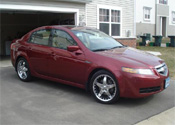
Small brake with my carpc project....was waiting for some special parts
Here they are ...Comptech ShortSift
Compustar 2way remote/alarm system

23 LED Corner

You can see the small size of the Shortshift it is amazing cant wait !!!!
Here they are ...Comptech ShortSift
Compustar 2way remote/alarm system
23 LED Corner
You can see the small size of the Shortshift it is amazing
cant wait !!!!
Instructor
Joined: Oct 2007
Posts: 159
Likes: 0
From: MN
you going to install that compustar yourself? if you do, you should make a write up for it with pic, but any how my project has finish come check it out at
https://acurazine.com/forums/showthr...01#post1949201
https://acurazine.com/forums/showthr...01#post1949201

Thread Starter
"Advance"
iTrader: (1)
Joined: May 2007
Posts: 1,143
Likes: 27
From: Montréal, Québec
Stay tuned guys, I am writing my step by step plastic Glove Box CarPC Case !!! This should be out soon!
Whats coming:
-Monitor Bezel mods
-Plastic Glove Box case Step by step
-LCD relocating Step by step
-Final Installation!!!
Whats coming:
-Monitor Bezel mods
-Plastic Glove Box case Step by step
-LCD relocating Step by step
-Final Installation!!!

You can use whatever you'd like. Xenarc is known to be of high quality so many go that route. They are more expensive.
I have a Dynamix and it's a piece of crap. I've gone through 2 touch panels (one right out of the box). So I'll be buying a Xenarc next.
I have a Dynamix and it's a piece of crap. I've gone through 2 touch panels (one right out of the box). So I'll be buying a Xenarc next.

Just a brand. Personally I use the Lilliputs....
And BTW, great thread. I'm too big of a women to rip apart my nice car right now, but I did this in my prelude. It turned out pretty good... I figure I'll wait till the warranty is gone then start doing this.
Also, throw that roadrunner crap out! Centrafuse FTW!!!
My schematics in the prelude...

And BTW, great thread. I'm too big of a women to rip apart my nice car right now, but I did this in my prelude. It turned out pretty good... I figure I'll wait till the warranty is gone then start doing this.
Also, throw that roadrunner crap out! Centrafuse FTW!!!
My schematics in the prelude...
Thread Starter
"Advance"
iTrader: (1)
Joined: May 2007
Posts: 1,143
Likes: 27
From: Montréal, Québec
Thanks for the graphic, I did mine on peace of paper, I was planing on doing a VISION version when all my Frontend config will be done. (My HDD died last week so I had to redo all my stuff with the new DIGITALFX3.0) its a new ball game lol.
How is Centrafuse working so far, did you get any issue what so ever with your config ???
So far I got the DFX3.0 working with GPS - MUSIC - VIDEO - DVD, Will have to work on PCTV and WIFI card wich is pretty easy.
Currently working on my plastic glove box case, need more Dynatron Epoxy (in the mail) will post the step by step next week when the time comes....
As for the Screen brand, Xenarc was the best for my install since I will go trough some rough wether condition (LOW & HIGH TEMP). Did some comparo with liliput and Xenarc was the one to go with. According to the mp3car.com forum users, liliput and Xenarc are leaders NO DOUBT!!
**One observation with Xenarc 700TSV 2008, the 4.3.8 Drivers doesnt work, I had to go get the older version (will post link later during the day)
**Oh one small observation : your missing the MIDDLE channel speaker in your schema lol :P
VmtSquad
How is Centrafuse working so far, did you get any issue what so ever with your config ???
So far I got the DFX3.0 working with GPS - MUSIC - VIDEO - DVD, Will have to work on PCTV and WIFI card wich is pretty easy.
Currently working on my plastic glove box case, need more Dynatron Epoxy (in the mail) will post the step by step next week when the time comes....
As for the Screen brand, Xenarc was the best for my install since I will go trough some rough wether condition (LOW & HIGH TEMP). Did some comparo with liliput and Xenarc was the one to go with. According to the mp3car.com forum users, liliput and Xenarc are leaders NO DOUBT!!
**One observation with Xenarc 700TSV 2008, the 4.3.8 Drivers doesnt work, I had to go get the older version (will post link later during the day)
**Oh one small observation : your missing the MIDDLE channel speaker in your schema lol :P
VmtSquad
Thread Starter
"Advance"
iTrader: (1)
Joined: May 2007
Posts: 1,143
Likes: 27
From: Montréal, Québec
Originally Posted by Maharajamd
Just a brand. Personally I use the Lilliputs....
And BTW, great thread. I'm too big of a women to rip apart my nice car right now, but I did this in my prelude. It turned out pretty good... I figure I'll wait till the warranty is gone then start doing this.
Also, throw that roadrunner crap out! Centrafuse FTW!!!
My schematics in the prelude...
And BTW, great thread. I'm too big of a women to rip apart my nice car right now, but I did this in my prelude. It turned out pretty good... I figure I'll wait till the warranty is gone then start doing this.
Also, throw that roadrunner crap out! Centrafuse FTW!!!
My schematics in the prelude...
VmtSquad