


NAVI 4.73 WILL NOT WORK on 05 RL

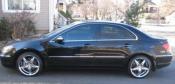
2005 RL black on black
Joined: Aug 2006
Posts: 90
Likes: 1
From: New Jerz
ok im having problems loading my v4.63 disk which is a copy!!!i had the original v4.13 so i just upgraded to an original v4.31. So i was trying to load the v4.63 and i just keep getting the nav screen and it keeps reloading?
Im lost i dont know what else to do?
If you have a tips on how to get this to work please let me know..
Thanks
Im lost i dont know what else to do?
If you have a tips on how to get this to work please let me know..
Thanks

Intermediate
Joined: Dec 2010
Posts: 30
Likes: 0
Hello everyone!
I was messing around earlier with the Navi and went from original 05 Rl DVD to 4.31c then 4.62 both of them worked at first and then..
The FACTORY DIAGNOSTIC SCREEN "IN LINE DIAG" screen would not go away. Didnt know what was going on so i dropped back down to original and it persisted.
So did a little reading in the Navigation System Manual and found this.
When a navigation control unit is powered up for the first time at the factory, the "factory diagnosis" screen
(In Line Diag) shows up. Normally the factory performs the steps necessary to verify proper operation and
terminate the "factory diagnostic".
Until the proper confirmation sequence is performed, the screen will show up every time the vehicle is
started.
And the solution is:
Follow the steps below to prevent the screen from showing up in the future:
Hold down the buttons (Menu + Map/Guide + Cancel) for about 5 seconds (the "Select Diagnosis
items" screen appears).
Hold down the Map/Guide button for 5-10 seconds (a screen with a "Complete" button, appears).
Touch "Complete", and then the "Return" button (the system may re-boot).
Restart the vehicle, and confirm normal operation by completing the "TQI of the Navigation System"
Service Bulletin.
I'll try the same incrimental increase later right now the wife is pissed at me.
I was messing around earlier with the Navi and went from original 05 Rl DVD to 4.31c then 4.62 both of them worked at first and then..
The FACTORY DIAGNOSTIC SCREEN "IN LINE DIAG" screen would not go away. Didnt know what was going on so i dropped back down to original and it persisted.
So did a little reading in the Navigation System Manual and found this.
When a navigation control unit is powered up for the first time at the factory, the "factory diagnosis" screen
(In Line Diag) shows up. Normally the factory performs the steps necessary to verify proper operation and
terminate the "factory diagnostic".
Until the proper confirmation sequence is performed, the screen will show up every time the vehicle is
started.
And the solution is:
Follow the steps below to prevent the screen from showing up in the future:
Hold down the buttons (Menu + Map/Guide + Cancel) for about 5 seconds (the "Select Diagnosis
items" screen appears).
Hold down the Map/Guide button for 5-10 seconds (a screen with a "Complete" button, appears).
Touch "Complete", and then the "Return" button (the system may re-boot).
Restart the vehicle, and confirm normal operation by completing the "TQI of the Navigation System"
Service Bulletin.
I'll try the same incrimental increase later right now the wife is pissed at me.

Thread
Thread Starter
Forum
Replies
Last Post
Ol'Dave
3G TL Problems & Fixes
13
Sep 5, 2020 02:56 PM
Vejey Gandier
3G TL Audio, Bluetooth, Electronics & Navigation
4
Sep 12, 2015 08:59 PM
yahelou
3G TL Audio, Bluetooth, Electronics & Navigation
1
Sep 6, 2015 09:12 PM
SUPRMN84
3G TL Audio, Bluetooth, Electronics & Navigation
0
Sep 2, 2015 11:50 PM
