


2G MDX base in-dash tablet install


Thread Starter
6th Gear
Joined: Nov 2017
Posts: 6
Likes: 1
2G MDX base in-dash tablet install
Wanted to share my in-dash tablet install on my 07 MDX base.
I bought the dash pieces and nav from an MDX tech on ebay. Total $120 plus the tablet was $30. Took apart the navigation unit and used the pieces in the pic. I didn't use the tablet pictured because the GPS was not accurate. Ended up using a Nexus 7 (2012) and it fit perfectly in the back of the "screen" part.
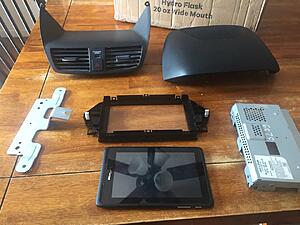
I cut out the clear plastic part using a utility knife. This part took the longest. I then sanded the edges and painted the black piece.
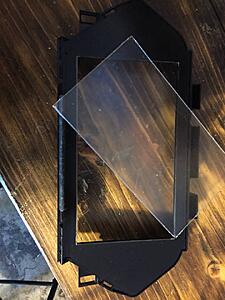
Tablet installed and everything assembled.
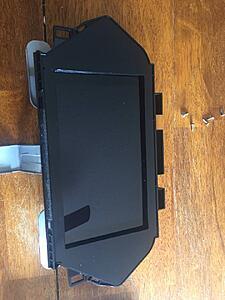
The only thing I had to do here was put a block of wood behind the tablet to keep it from being pushed in from the front. The block of wood is 11/16 thick cut from 4x4 lumber if you end up doing this with the same tablet.
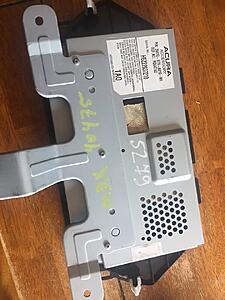
Here it is installed. The MDX base has all of the mounting points for the navigation unit from the tech version. I used a add-a-fuse, 12v to 5v converter to wire it in. I used macrodroid to make the tablet automatically connect to my phone's hotspot, along with a few other settings to save [the tablet] battery while the car is off since it's only charging while the car is on (fuse #23.)
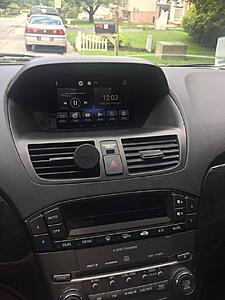
The main thing I wanted was navigation but I also used an AUX bluetooth adapter to control music streaming from the tablet. I saw this OBDII bluetooth adapter on other in-dash tablet builds and for $10 it's just an added bonus.
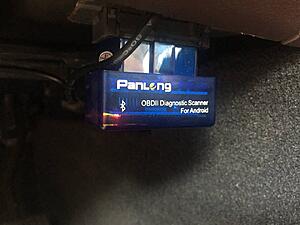
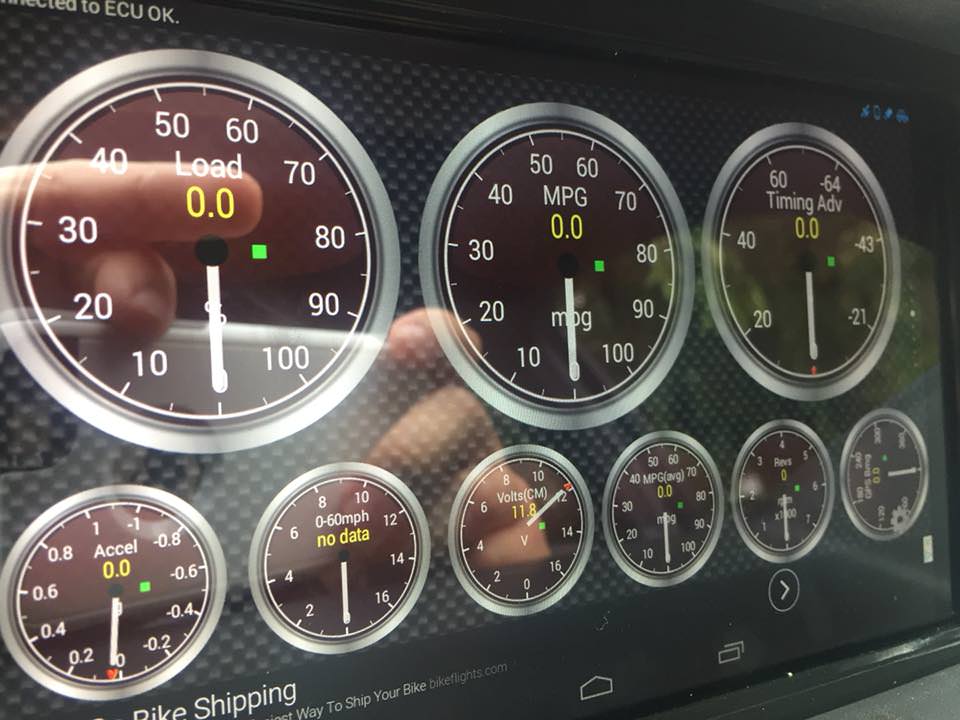
OBD scanner connected to the tablet. This is the Torque app.
Next project will be a backup camera. Hope this is helpful to someone. Thanks.
I bought the dash pieces and nav from an MDX tech on ebay. Total $120 plus the tablet was $30. Took apart the navigation unit and used the pieces in the pic. I didn't use the tablet pictured because the GPS was not accurate. Ended up using a Nexus 7 (2012) and it fit perfectly in the back of the "screen" part.

I cut out the clear plastic part using a utility knife. This part took the longest. I then sanded the edges and painted the black piece.

Tablet installed and everything assembled.

The only thing I had to do here was put a block of wood behind the tablet to keep it from being pushed in from the front. The block of wood is 11/16 thick cut from 4x4 lumber if you end up doing this with the same tablet.

Here it is installed. The MDX base has all of the mounting points for the navigation unit from the tech version. I used a add-a-fuse, 12v to 5v converter to wire it in. I used macrodroid to make the tablet automatically connect to my phone's hotspot, along with a few other settings to save [the tablet] battery while the car is off since it's only charging while the car is on (fuse #23.)

The main thing I wanted was navigation but I also used an AUX bluetooth adapter to control music streaming from the tablet. I saw this OBDII bluetooth adapter on other in-dash tablet builds and for $10 it's just an added bonus.

OBD scanner connected to the tablet. This is the Torque app.
Next project will be a backup camera. Hope this is helpful to someone. Thanks.
Thread Starter
6th Gear
Joined: Nov 2017
Posts: 6
Likes: 1
Not sure how to edit the post, I forgot to mention drilling a hole in the side of the "nav screen" piece for the charger to fit through. no pics of this it's pretty self explanatory. Also if this is in the wrong section I apologize, please move.




Thread
Thread Starter
Forum
Replies
Last Post
JMiles_T
3G TL Audio, Bluetooth, Electronics & Navigation
88
May 6, 2016 09:42 AM
iamitman
2G TSX Audio, Bluetooth, Electronics & Navigation
9
Sep 30, 2014 09:34 PM
DominicanXtyle
3G TL Audio, Bluetooth, Electronics & Navigation
0
Feb 2, 2013 01:46 PM
IGGUS
3G TL Audio, Bluetooth, Electronics & Navigation
2
Jan 13, 2012 04:17 PM