When you click on links to various merchants on this site and make a purchase, this can result in this site earning a commission. Affiliate programs and affiliations include, but are not limited to, the eBay Partner Network.
Anyone have one that works over Wifi with their iPhone they like?
I've purchased the Wifi OBD II Scanner off Amazon a few times to use with my iPhone and they never work. My first one connected 2 or 3 times, but after that would not connect anymore.
Forgot to mention that I have the DashCommander app, and then a handful of freebie apps, all have the same issue.
I can actually connect to the device, and when I attempt to connect with any app I see the adapter blinking the lights, but it can't fully connect. Almost as if it can't transfer the right protocol to connect or something.
I've been using an ELM327 bluetooth scanner paired with Torque on my Android for nearly three years now. One of the best $20 I've spend, $15 for scanner and $5 for app.
Works beautifully and without any problems at all on his iPad and my iPhone 5. He said he bought his for about $70, so I'm sure you can hunt around and find it for cheaper than Amazon. Very cool device! I'm not an expert on OBD II scanners, but my friend's a great mechanic and if it works for him, I'm sure it'll work for you! This is the only one I'm familiar with, so the other suggestions above will most definitely work as well.
I am bumping an extremely old thread here, because I would like to find an OBD Wi-Fi scanner that connects to to my 2005 Acura TL via Wi-Fi. I’ve tried a few other devices that I’ve purchased from Amazon in the past and they don’t work with my TL, but they work with my wife’s 2007 RDX (I have an iPhone).
Guitar, any chance you could find a link for that seller or send a quick picture or the device/product code? I can’t seem to find “the silicon valley” on eBay.
Last edited by wusty23jd; May 3, 2020 at 10:38 PM.
I am bumping an extremely old thread here, because I would like to find an OBD Wi-Fi scanner that connects to to my 2005 Acura TL via Wi-Fi. I’ve tried a few other devices that I’ve purchased from Amazon in the past and they don’t work with my TL, but they work with my wife’s 2007 RDX (I have an iPhone).
Guitar, any chance you could find a link for that seller or send a quick picture or the device/product code? I can’t seem to find “the silicon valley” on eBay.
Had a look for the seller but no luck, ebay only lets me see purchases back til 2018.
Email confirmation link for the product page is missing too of course.
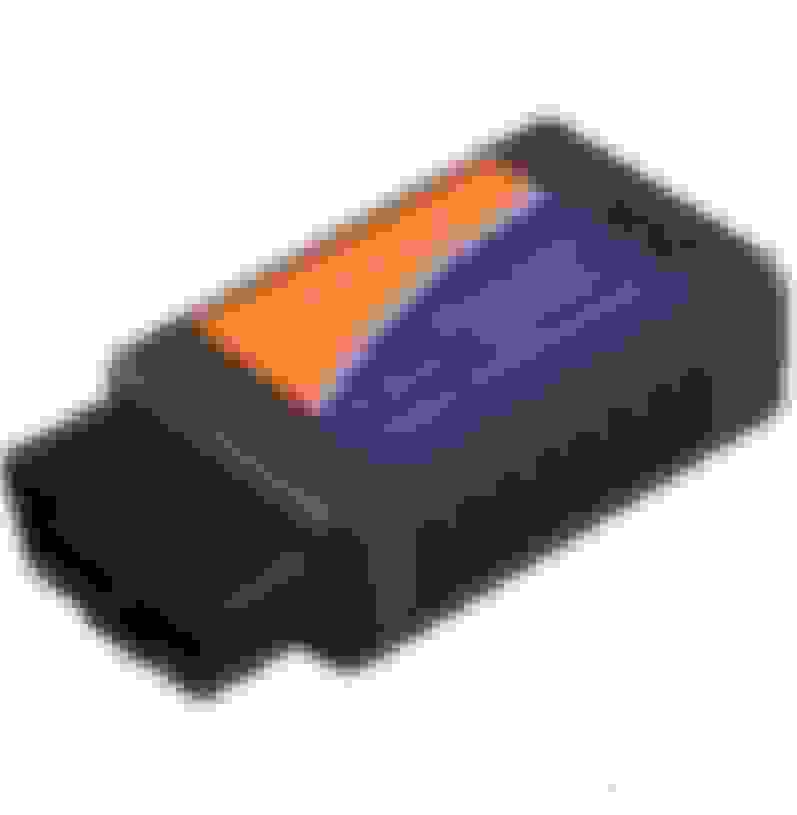
It looks exactly like this:
Are you using DashCommand? It's well worth the $13.
I vaguely remember having trouble connecting it with my TL. I've had to create a profile and I think it started working.
Now it connects every time hassle free!
Had a look for the seller but no luck, ebay only lets me see purchases back til 2018.
Email confirmation link for the product page is missing too of course.
It looks exactly like this:
Are you using DashCommand? It's well worth the $13.
I vaguely remember having trouble connecting it with my TL. I've had to create a profile and I think it started working.
Now it connects every time hassle free!
I was using OBD Fusion and I've also tried Torque. Neither of them worked with my OBDII scanner unfortunately, but each application did work with a 2017 Subaru, 2007 Acura RDX, and even a 2006 Chevy Cobalt.
Thanks for providing an image. I'll see what I can find. It might be just a trial and error thing.
Thanks for the input. Unfortunately, it looks like yours is for Android, while I need one for IOS. Ironically, I purchased the BAFX Products device as a result of the excellent reviews. However, it didn't work with my 2005 TL. One of the reasons that I bought the IOS version is that one of the reviews said it works with their 2006 Acura TL. Here is the link: https://smile.amazon.com/gp/product/...?ie=UTF8&psc=1
Ahh there was no mention of iOS in the beginning Most people use it to connect to an Android tablet via Torque so didn't even think twice. What iOS app are you using it with?
That's good to know guitarplayer. I'll try creating a car profile within one of the apps and try it all again. If that doesn't work, I'll try buying the one you suggested. I think I found it on Amazon:
Update time - Below are the instructions and recommended applications to use with the BAFX Products OBDII Device.
iOS: I tried connecting my iPhone 11 with the recommended application, OBD Fusion, and was able to connect to the device, but it doesn't appear to want to speak with my ECU.
Android: I tried connecting the device to my Nexus 7 (2013) tablet with the recommended application, Torque, and was again able to connect the device, but not the ECU.
Android: Because I had OBD Fusion installed on my Nexus 7 (2013) tablet. I tried this as well with no luck:
I haven't emailed BAFX Products, yet, but maybe I should. Either that, or try another device.
DashCommand has a button that says "Validate PIDs" for my TL profile I created. I think that's what I had to click to get it working.
Not sure if there's anything similar for the apps you're using though!
I have Bluedriver which is a bit more $$$ but has worked on countless cars without any issues. Only complaint is that it can take some time to scan all the modules like 5-7 minutes with the phone near the car. I use a old Iphone and have the bluedriver app. They give free updates for the device too!
Thanks for the feedback everyone. I emailed BAFX customer service and a representative responded with the following:
Hi Josh,
It sounds like the OBD reader may be faulty and likely needs to be replaced. If you can send me your order number and current USPS shipping address I would be happy to help with that.
It looks like I'll wait to see if a replacement product works.
I was using OBD Fusion and I've also tried Torque. Neither of them worked with my OBDII scanner unfortunately, but each application did work with a 2017 Subaru, 2007 Acura RDX, and even a 2006 Chevy Cobalt.
However, it didn't work with my 2005 TL. ...
Originally Posted by wusty23jd
...
...
iOS: I tried connecting my iPhone 11 with the recommended application, OBD Fusion, and was able to connect to the device, but it doesn't appear to want to speak with my ECU.
...
Android: I tried connecting the device to my Nexus 7 (2013) tablet with the recommended application, Torque, and was again able to connect the device, but not the ECU.
...
Android: Because I had OBD Fusion installed on my Nexus 7 (2013) tablet. I tried this as well with no luck:
...
Originally Posted by wusty23jd
...
It looks like I'll wait to see if a replacement product works.
I should also state that I took my car out of storage and haven't put more than maybe 25 miles on it. Do I need to drive around for a while and complete a drive cycle of any kind?
I apologize for blowing up this thread, but I feel that my current dilemma might help enhance this discussion. After finding the following thread, I knew I had to try connecting my BAFX WiFi device again:. https://acurazine.com/forums/3g-tl-p...onsive-885623/
I went out to my car to investigate further. I connected my BAFX OBDII device to my port again and jiggled the wiring harness and firmly held the device in place underneath the kick panel. It actually worked this time . I was able to connect to my TL's ECU via the Torque application on my Nexus 7 tablet, but only after wiggling some of the wiring and compressing firmly with my hands (I still couldn't connect via the OBD Fusion application on my Nexus 7 nor iPhone 11). The tablet didn't connect every time, but I did connect to my ECU several times. Whew! That is a good sign in my opinion. I did notice that the "Adapter Error Count" section in Torque found several faults along the way. I don't know if this is due to a poor connection or a faulty device.
With that said, have any of you experienced anything similar? To start, I find that the physical connection is terrible. Is this common among many aftermarket devices? I'm not sure if it is the BAFX device itself or our OEM ports. Maybe it's a combination of the two. It takes the tiniest of bumps and the device falls to the floor. I have debated purchasing the following adapter to help with connectivity.
Secondly, should I have concerns with the OBDII port in my car? The device seemed to work when I jiggled the wires in a certain way, but it wasn't consistent. Again, maybe it's just because the device sucks? I fear that if I hit a bump the wrong way, I'll lose connectivity. My end goal is to keep this installed permanently as I work through my Nexus 7 retrofit.
With the same device....
*The physical connection to my wife's 2007 Acura RDX was better, but it was still pretty weak.
*I was able to connect the device to my wife's RDX via the Torque application AND the OBD Fusion application on my Nexus 7 tablet. It did take a few tries.
*I was also able to connect the device to my wife's RDX via the OBD Fusion application on my iPhone 11. This only took one try, but I tried this after I tried with the Nexus 7.















 Most people use it to connect to an Android tablet via Torque so didn't even think twice. What iOS app are you using it with?











 . I was able to connect to my TL's ECU via the Torque application on my Nexus 7 tablet, but only after wiggling some of the wiring and compressing firmly with my hands (I still couldn't connect via the OBD Fusion application on my Nexus 7 nor iPhone 11). The tablet didn't connect every time, but I did connect to my ECU several times. Whew! That is a good sign in my opinion. I did notice that the "Adapter Error Count" section in Torque found several faults along the way. I don't know if this is due to a poor connection or a faulty device.