


NAS (Network Attached Storage) Discussion Thread


Needs more Lemon Pledge
Joined: Mar 2005
Posts: 52,768
Likes: 2,000
From: Phoenix, AZ
I don't use the homes folder but I found this that might be your solution...
Synology Forum ? View topic - homes folder permissions
Synology Forum ? View topic - homes folder permissions
I am getting thrown off by the permissions in the File Station versus the permissions in the Photo Station, but I have it worked out now and am moving my 21k photos over now with the PC uploader. 12% and it's been running a while on an i5 desktop with a GB connection and switch...
 CPU is pegged at 100%.

Team Owner


Joined: Jan 2001
Posts: 25,967
Likes: 2,685
From: Jersey
Not sure how I never knew this before but the built in Synology backup program can backup to S3. I'm giving that a shot. I like the idea of being able to access an S3 bucket directly instead of the way that Glacier works. With the "standard infrequent access" plan available for S3 its only $0.0125 per GB/month.
Also Synology Disk Manger 6 was just released.
Also Synology Disk Manger 6 was just released.
Needs more Lemon Pledge
Joined: Mar 2005
Posts: 52,768
Likes: 2,000
From: Phoenix, AZ
Not sure how I never knew this before but the built in Synology backup program can backup to S3. I'm giving that a shot. I like the idea of being able to access an S3 bucket directly instead of the way that Glacier works. With the "standard infrequent access" plan available for S3 its only $0.0125 per GB/month.
Also Synology Disk Manger 6 was just released.
Also Synology Disk Manger 6 was just released.
Team Owner
Joined: Jan 2001
Posts: 25,967
Likes: 2,685
From: Jersey
It's part of the standard backup app. In version 6 it's called Hyper Backup which replaces the old Backup and Restore app. Maybe cloud backup is a new feature in version 6? It's supports S3, Azure, and about a half dozen others.
Last edited by doopstr; Mar 26, 2016 at 04:55 PM.
Needs more Lemon Pledge
Joined: Mar 2005
Posts: 52,768
Likes: 2,000
From: Phoenix, AZ
Awesome, thanks. I know there was a dedicated Glacier app, but I will check out the standard backup app too.
Needs more Lemon Pledge
Joined: Mar 2005
Posts: 52,768
Likes: 2,000
From: Phoenix, AZ
Not sure how I never knew this before but the built in Synology backup program can backup to S3. I'm giving that a shot. I like the idea of being able to access an S3 bucket directly instead of the way that Glacier works. With the "standard infrequent access" plan available for S3 its only $0.0125 per GB/month.
Also Synology Disk Manger 6 was just released.
Also Synology Disk Manger 6 was just released.
BTW, I set up glacier for testing and am uploading 210GB to it from the synology. Seems Glacier is limiting my upload speeds to ~2.2MB/s

Needs more Lemon Pledge
Joined: Mar 2005
Posts: 52,768
Likes: 2,000
From: Phoenix, AZ
Ahhhhhh, wise... 
My Glacier account is for Oregon, didn't notice the pricing for S3.
Ultimately I am going to be sending about 15TB (probably use a snowball device) and then adding, so the Glacier pricing works out better for me no matter what.
My Glacier account is for Oregon, didn't notice the pricing for S3.
Ultimately I am going to be sending about 15TB (probably use a snowball device) and then adding, so the Glacier pricing works out better for me no matter what.

Currently Post-Acura


Joined: Jan 2010
Posts: 998
Likes: 125
From: Bergen County, NJ
Finally got my old Dell up and running with NAS4Free. Unfortunately, FreeNAS requires 8GB RAM (this thing only has 4GB) and Amahi would not activate so I scrapped that idea. Almost was just going to put Vista on it and share the drive since that's what the thing had on it when we got it, but it'll just blow through all the resources, so this should be much lighter. Got a test share running with an old 160GB drive I had laying around and got it mounted on my MacBook Pro. Going to run to Micro Center this weekend and grab a pair of 2TB WD Red drives since they're on sale for $85 a pop and configure them as RAID 1+0 for some redundancy since that should satisfy storage needs for a while. Time Machine needs it's own kind of file system and while it's supported, I'm not sure I want to start mixing protocols so I'll hang onto my USB drives for that. Also going to set up VPN on it so wherever I have Wi-Fi I can connect to my home network and mount it.
Last edited by MaxMike93; Apr 8, 2016 at 10:20 PM.
Needs more Lemon Pledge
Joined: Mar 2005
Posts: 52,768
Likes: 2,000
From: Phoenix, AZ
I really want to pull the trigger on a Synology 1815+ but I feel like the minute I do, they will release its successor with a non-atom processor, etc. and I will be uber pissed...
Currently Post-Acura
Joined: Jan 2010
Posts: 998
Likes: 125
From: Bergen County, NJ
I really need to plan out my home network next time. Transferring from a USB 2.0 hard drive, through my MacBook Pro, over single-band Wireless N, through the router's (I just found out) Fast Ethernet instead of Gigabit switch, to the NAS. It has been running since like 6pm last night and averaging 5MBps with any use of the network dragging the speed down even more  .
.
.



Needs more Lemon Pledge
Joined: Mar 2005
Posts: 52,768
Likes: 2,000
From: Phoenix, AZ
UPS question for those of you with 5+ bay Synology NAS devices...
What UPS are you using? Sine wave only or does the stepped sine approximation work OK? Synology has an "approved" UPS list but it's small and many of the products listed are either rack mount or not available in the US anymore or $300 plus.
What UPS are you using? Sine wave only or does the stepped sine approximation work OK? Synology has an "approved" UPS list but it's small and many of the products listed are either rack mount or not available in the US anymore or $300 plus.
Needs more Lemon Pledge
Joined: Mar 2005
Posts: 52,768
Likes: 2,000
From: Phoenix, AZ
every month I say the same thing and don't buy the 1815+... I wish they would at least release a time table on the next versions...
Team Owner
Joined: Jan 2001
Posts: 25,967
Likes: 2,685
From: Jersey
If you are feeling adventurous you can roll your own DSM 5.2 system XPEnology.me | New NAS Experience
I have no idea who is behind this project so don't blame me if your data gets stolen or encrypted or whatever.
I have no idea who is behind this project so don't blame me if your data gets stolen or encrypted or whatever.
Needs more Lemon Pledge
Joined: Mar 2005
Posts: 52,768
Likes: 2,000
From: Phoenix, AZ
Anyone have any info?



Team Owner
Joined: Jan 2001
Posts: 25,967
Likes: 2,685
From: Jersey
I'm having mixed results with Amazon drive. Some backup jobs worked. I have one job that is home movies that are maybe 3GB in size and the job is failing. I think the backup is failing because the files are large. The logging is useless. When I was using S3 I didn't have any problem with the home movies.



Moderator
Regional Coordinator (Southeast)
Regional Coordinator (Southeast)
Joined: Dec 2003
Posts: 44,135
Likes: 4,445
From: Mooresville, NC
Well that sucks. I still haven't gotten around to building my setup but half my planned data is going to be photos and psd files.
Currently Post-Acura
Joined: Jan 2010
Posts: 998
Likes: 125
From: Bergen County, NJ
Finally updated the router so a new server will hopefully happen at some point this year. Ended up ordering a Linksys WRT1900ACS from B&H (lower price, no tax, 1 day shipping, and I had a gift card from ordering my camera gear) and got it running. Happy to finally have Gigabit for transfers to my current NAS4Free box since FE wasn't working out well and Wireless AC. Also want a new MacBook Pro, so the server might get pushed back a little but this is what I have planned so far (might change the CPU and board if the Skylake prices change to get a newer setup than Haswell).
-Xeon E3-1231-v3 (quad core with hyperthreading for any Plex transcoding, and I kinda just want bragging rights lol)
-SuperMicro MBD-X10SLL-F-O board
-16GB Crucial ECC DDR3
-2x 2TB WD Red (to add to my current 2x 2TB)
-Crucial SF450
-Fractal Design Node 804
-FreeNAS (probably will wait until FreeNAS 10 is released to set this all up)
-Xeon E3-1231-v3 (quad core with hyperthreading for any Plex transcoding, and I kinda just want bragging rights lol)
-SuperMicro MBD-X10SLL-F-O board
-16GB Crucial ECC DDR3
-2x 2TB WD Red (to add to my current 2x 2TB)
-Crucial SF450
-Fractal Design Node 804
-FreeNAS (probably will wait until FreeNAS 10 is released to set this all up)
Last edited by MaxMike93; Aug 30, 2016 at 07:46 PM.
Needs more Lemon Pledge
Joined: Mar 2005
Posts: 52,768
Likes: 2,000
From: Phoenix, AZ
Anyone with a Synology NAS currently using the Sync app to sync the data on the NAS to a separate off-site NAS?
I am planning on running the main NAS (1815+) with 5 x6TB drives in RAID5 for a total of 24TB available and then syncing via the app to an offsite DS416J with 4x 6TB in RAID0 for redundancy. Highly critical files will get uploaded to Amazon Glacier as well.
Wondering how well the sync app works for large data sets (100GB+)
I am planning on running the main NAS (1815+) with 5 x6TB drives in RAID5 for a total of 24TB available and then syncing via the app to an offsite DS416J with 4x 6TB in RAID0 for redundancy. Highly critical files will get uploaded to Amazon Glacier as well.
Wondering how well the sync app works for large data sets (100GB+)
Needs more Lemon Pledge
Joined: Mar 2005
Posts: 52,768
Likes: 2,000
From: Phoenix, AZ
At the main NAS site, 100Mb down/20Mb up. At the secondary NAS site, 400+Mb up/down.
Probably do an initial seed of the secondary device via LAN, then move it and let future additions to the main NAS sync over the WAN.
Probably do an initial seed of the secondary device via LAN, then move it and let future additions to the main NAS sync over the WAN.
Needs more Lemon Pledge
Joined: Mar 2005
Posts: 52,768
Likes: 2,000
From: Phoenix, AZ
FYI
For anyone running a Synology NAS that has an Atom processor:
https://www.theregister.co.uk/2017/0...o_faulty_chip/
There are a number (growing) of people on the web complaining of their 1815+ going totally dead around the 18 month mark...
For anyone running a Synology NAS that has an Atom processor:
https://www.theregister.co.uk/2017/0...o_faulty_chip/
Intel's Atom C2000 chips are bricking products – and it's not just Cisco hit
Chipzilla and Switchzilla won't confirm connection but the writing is on the wall
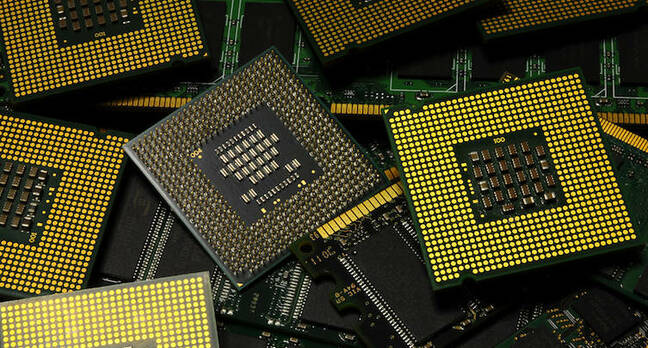


6 Feb 2017 at 22:34, Thomas ClaburnUpdated Intel's Atom C2000 processor family has a fault that effectively bricks devices, costing the company a significant amount of money to correct. But the semiconductor giant won't disclose precisely how many chips are affected nor which products are at risk.
On its Q4 2016 earnings call earlier this month, chief financial officer Robert Swan said a product issue limited profitability during the quarter, forcing the biz to set aside a pot of cash to deal with the problem.
"We were observing a product quality issue in the fourth quarter with slightly higher expected failure rates under certain use and time constraints, and we established a reserve to deal with that," he said. "We think we have it relatively well-bounded with a minor design fix that we're working with our clients to resolve."
Coincidentally, Cisco last week issued an advisory warning that several of its routing, optical networking, security and switch products sold prior to November 16, 2016 contain a faulty clock component that is likely to fail at an accelerated rate after 18 months of operation.
Cisco at the time declined to name the supplier of that component. When asked on Monday whether Intel supplied the faulty electronics, a Cisco spokesperson told that The Register that the networking giant does not intend to publicly name the supplier.
Intel indicated in a January 2017 revision of its Atom C2000 family documentation that the chip line contains a clock flaw. Errata note AVR.54, titled "System May Experience Inability to Boot or May Cease Operation," explains that the Atom C2000 Low Pin Count bus clock outputs (LPC_CLKOUT0 and LPC_CLKOUT1) may stop functioning. Permanently.
An Intel spokesperson in an email to The Register characterized the issue as "a degradation of a circuit element under high use conditions at a rate higher than Intel’s quality goals after multiple years of service."
"If the LPC clock(s) stop functioning the system will no longer be able to boot," Intel's documentation explains.
This consequence is precisely what Cisco says may happen to its devices given enough time. "Once the component has failed, the system will stop functioning, will not boot, and is not recoverable," Cisco's advisory states.
The Register asked Intel whether it could confirm that Cisco's advisory could be attributed to an Intel component. Intel said it could not confirm or deny whether its chip issue is the one affecting Cisco gear, citing a policy of not commenting on customers. We note that the affected Cisco ASA 55xx products use Intel's Atom C2000 system-on-chips at least.Radio silence
We asked Intel to provide specific details about when it began and stopped shipping Intel Atom C2000 processors with faulty clock outputs. Intel declined to comment. The official errata says the B0 stepping of C2xxx Atoms are vulnerable to failure, and these parts began shipping in 2013. The specific SKUs are:
We asked Intel how many affected Atom C2000 chips have been shipped and how much fixing the issue will cost the company. Intel declined to comment.
Intel did, however, provide some insight on how the Atom C2000 flaw might be addressed. "A board level workaround exists for the existing production stepping of the product which resolves the issue," a company spokesperson said in an email. "Additionally, Intel will implement and validate a minor silicon fix in a new product stepping that resolves this issue."
Many other technology vendors make products with Intel Atom C2000 processors, including Dell and Synology. The Register pinged Dell via email, and it was not immediately available for comment.
People with Synology DS1815+ storage boxes have been reporting complete hardware failures; the DS1815+ is powered by an Intel Atom C2538.
Other vendors using Atom C2000 chips include Asrock, Aaeon, HP, Infortrend, Lanner, NEC, Newisys, Netgate, Netgear, Quanta, Supermicro, and ZNYX Networks. The chipset is aimed at networking devices, storage systems, and microserver workloads. If you know of any affected or failed gear, please tclaburn@theregister.com.
According to this Intel data-sheet [[url=http://www.intel.com/content/dam/www/public/us/en/documents/datasheets/atom-c2000-microserver-datasheet.pdf]PDF], LPC_CLKOUT0 and LPC_CLKOUT1 are driven by the processor to provide essential timing signals to hardware on the board, including the boot ROM. If these signals stop ticking, the rest of the electronics stops, too. ®Updated to add at 14:29 UTC, February 7
Synology told The Reg it was "investigating this issue together with Intel," saying it would "provide more detailed information in the week as it becomes available."
It added: "At this time Synology has not seen any indication that this issue has caused an increase in failure rates for DiskStation or RackStation models equipped with Intel Atom C2000 series processors. However once additional information is available, Synology will post an advisory on this topic.
"In the meantime it is still safe to continue to use your device, however should you encounter any issues these will be handled via our support teams and all the devices are still covered under the standard warranty provided with all our units. Technical Support can be reached via www.synology.com/ticket."Updated to add at 15:36 UTC, February 7
Synology subsequently asked to have its statement above revised to omit any mention of Intel.Updated to add at 18:23 UTC, February 8
Once again, Synology has been in touch, seemingly now able to use the I word, to say: "Intel has recently notified Synology regarding the issue of the processor’s increased degradation chance of a specific component after heavy, prolonged usage.
"Synology has not currently seen any indication that this issue has caused an increase in failure rates for DiskStation or RackStation models equipped with Intel Atom C2000 series processors compared to other models manufactured in the same time frame not equipped with the affected processors."
Chipzilla and Switchzilla won't confirm connection but the writing is on the wall
6 Feb 2017 at 22:34, Thomas ClaburnUpdated Intel's Atom C2000 processor family has a fault that effectively bricks devices, costing the company a significant amount of money to correct. But the semiconductor giant won't disclose precisely how many chips are affected nor which products are at risk.
On its Q4 2016 earnings call earlier this month, chief financial officer Robert Swan said a product issue limited profitability during the quarter, forcing the biz to set aside a pot of cash to deal with the problem.
"We were observing a product quality issue in the fourth quarter with slightly higher expected failure rates under certain use and time constraints, and we established a reserve to deal with that," he said. "We think we have it relatively well-bounded with a minor design fix that we're working with our clients to resolve."
Coincidentally, Cisco last week issued an advisory warning that several of its routing, optical networking, security and switch products sold prior to November 16, 2016 contain a faulty clock component that is likely to fail at an accelerated rate after 18 months of operation.
Cisco at the time declined to name the supplier of that component. When asked on Monday whether Intel supplied the faulty electronics, a Cisco spokesperson told that The Register that the networking giant does not intend to publicly name the supplier.
Intel indicated in a January 2017 revision of its Atom C2000 family documentation that the chip line contains a clock flaw. Errata note AVR.54, titled "System May Experience Inability to Boot or May Cease Operation," explains that the Atom C2000 Low Pin Count bus clock outputs (LPC_CLKOUT0 and LPC_CLKOUT1) may stop functioning. Permanently.
An Intel spokesperson in an email to The Register characterized the issue as "a degradation of a circuit element under high use conditions at a rate higher than Intel’s quality goals after multiple years of service."
"If the LPC clock(s) stop functioning the system will no longer be able to boot," Intel's documentation explains.
This consequence is precisely what Cisco says may happen to its devices given enough time. "Once the component has failed, the system will stop functioning, will not boot, and is not recoverable," Cisco's advisory states.
The Register asked Intel whether it could confirm that Cisco's advisory could be attributed to an Intel component. Intel said it could not confirm or deny whether its chip issue is the one affecting Cisco gear, citing a policy of not commenting on customers. We note that the affected Cisco ASA 55xx products use Intel's Atom C2000 system-on-chips at least.Radio silence
We asked Intel to provide specific details about when it began and stopped shipping Intel Atom C2000 processors with faulty clock outputs. Intel declined to comment. The official errata says the B0 stepping of C2xxx Atoms are vulnerable to failure, and these parts began shipping in 2013. The specific SKUs are:
C2308, C2338, C2350, C2358, C2508, C2518, C2530, C2538, C2550, C2558, C2718, C2730, C2738, C2750, and C2758.
Intel did, however, provide some insight on how the Atom C2000 flaw might be addressed. "A board level workaround exists for the existing production stepping of the product which resolves the issue," a company spokesperson said in an email. "Additionally, Intel will implement and validate a minor silicon fix in a new product stepping that resolves this issue."
Many other technology vendors make products with Intel Atom C2000 processors, including Dell and Synology. The Register pinged Dell via email, and it was not immediately available for comment.
People with Synology DS1815+ storage boxes have been reporting complete hardware failures; the DS1815+ is powered by an Intel Atom C2538.
Other vendors using Atom C2000 chips include Asrock, Aaeon, HP, Infortrend, Lanner, NEC, Newisys, Netgate, Netgear, Quanta, Supermicro, and ZNYX Networks. The chipset is aimed at networking devices, storage systems, and microserver workloads. If you know of any affected or failed gear, please tclaburn@theregister.com.
According to this Intel data-sheet [[url=http://www.intel.com/content/dam/www/public/us/en/documents/datasheets/atom-c2000-microserver-datasheet.pdf]PDF], LPC_CLKOUT0 and LPC_CLKOUT1 are driven by the processor to provide essential timing signals to hardware on the board, including the boot ROM. If these signals stop ticking, the rest of the electronics stops, too. ®Updated to add at 14:29 UTC, February 7
Synology told The Reg it was "investigating this issue together with Intel," saying it would "provide more detailed information in the week as it becomes available."
It added: "At this time Synology has not seen any indication that this issue has caused an increase in failure rates for DiskStation or RackStation models equipped with Intel Atom C2000 series processors. However once additional information is available, Synology will post an advisory on this topic.
"In the meantime it is still safe to continue to use your device, however should you encounter any issues these will be handled via our support teams and all the devices are still covered under the standard warranty provided with all our units. Technical Support can be reached via www.synology.com/ticket."Updated to add at 15:36 UTC, February 7
Synology subsequently asked to have its statement above revised to omit any mention of Intel.Updated to add at 18:23 UTC, February 8
Once again, Synology has been in touch, seemingly now able to use the I word, to say: "Intel has recently notified Synology regarding the issue of the processor’s increased degradation chance of a specific component after heavy, prolonged usage.
"Synology has not currently seen any indication that this issue has caused an increase in failure rates for DiskStation or RackStation models equipped with Intel Atom C2000 series processors compared to other models manufactured in the same time frame not equipped with the affected processors."
There are a number (growing) of people on the web complaining of their 1815+ going totally dead around the 18 month mark...
Last edited by stogie1020; Feb 13, 2017 at 04:11 PM.
Team Owner
Joined: Jan 2001
Posts: 25,967
Likes: 2,685
From: Jersey
DSM 6.1 released https://www.synology.com/en-us/dsm/6.1?social
New filesystem btrfs. Active Directory Server (still in beta)
New filesystem btrfs. Active Directory Server (still in beta)
Needs more Lemon Pledge
Joined: Mar 2005
Posts: 52,768
Likes: 2,000
From: Phoenix, AZ
Just saw a reply to a tech support email about the 1815+ where Synology support said:
Thank you for your email and your interests in Synology.
Regarding your question about the CPU, we actually made an official announcement in the following link that you may refer to - https://www.synology.com/en-global/comp ... s%20Update
As if DS1815+ will be having a successor model, yes it will. At the moment we are planning to have the successor model release around early Q2 this year. Please stay tuned
If you have any further questions, please do not hesitate to email us again. Thank you.
Regarding your question about the CPU, we actually made an official announcement in the following link that you may refer to - https://www.synology.com/en-global/comp ... s%20Update
As if DS1815+ will be having a successor model, yes it will. At the moment we are planning to have the successor model release around early Q2 this year. Please stay tuned
If you have any further questions, please do not hesitate to email us again. Thank you.

Moderator
Regional Coordinator (Southeast)
Regional Coordinator (Southeast)
Joined: Dec 2003
Posts: 44,135
Likes: 4,445
From: Mooresville, NC
I like the thought of being able to get a 1815+ at hopefully a pretty decent discount then if this is true.
Needs more Lemon Pledge
Joined: Mar 2005
Posts: 52,768
Likes: 2,000
From: Phoenix, AZ
Additionally, I am hoping that the 1817, when released, will at leas have a PCI slit for 10GB connections, if not a card already installed. I plan to run the device with LAG on all 4 1GB lines if not (my switch supports this, as well as 10GB).
There have recently been some potentially serious issues (According to Intel and Synology) with the specific line of Atom processors used in the 1815+, so I am not sure I would be eager to jump on one,although I am sure there are lots of people who have not had any problems.
Moderator
Regional Coordinator (Southeast)
Regional Coordinator (Southeast)
Joined: Dec 2003
Posts: 44,135
Likes: 4,445
From: Mooresville, NC
I really like the OS they run. I know Qnap and others make NAS devices, but I like the DSM OS and what it offers.
Additionally, I am hoping that the 1817, when released, will at leas have a PCI slit for 10GB connections, if not a card already installed. I plan to run the device with LAG on all 4 1GB lines if not (my switch supports this, as well as 10GB).
There have recently been some potentially serious issues (According to Intel and Synology) with the specific line of Atom processors used in the 1815+, so I am not sure I would be eager to jump on one,although I am sure there are lots of people who have not had any problems.
Additionally, I am hoping that the 1817, when released, will at leas have a PCI slit for 10GB connections, if not a card already installed. I plan to run the device with LAG on all 4 1GB lines if not (my switch supports this, as well as 10GB).
There have recently been some potentially serious issues (According to Intel and Synology) with the specific line of Atom processors used in the 1815+, so I am not sure I would be eager to jump on one,although I am sure there are lots of people who have not had any problems.
1GB connections would be more than enough running it in my home environment but I will have to look into the processor issues you mention.
My eventual planned data backup setup is to run the 8 bay unit with 6 in one raid setup and the other two with larger drives in the mirror setup. Make compressed backups of the raid onto the mirror set and then once a month make a copy to another external hard drive to backup the compressed copies and keep it off site.