


White car shoot help!

Thread Starter
Senior Moderator


Joined: Nov 2000
Posts: 16,424
Likes: 720
From: Chicago, IL
White car shoot help!
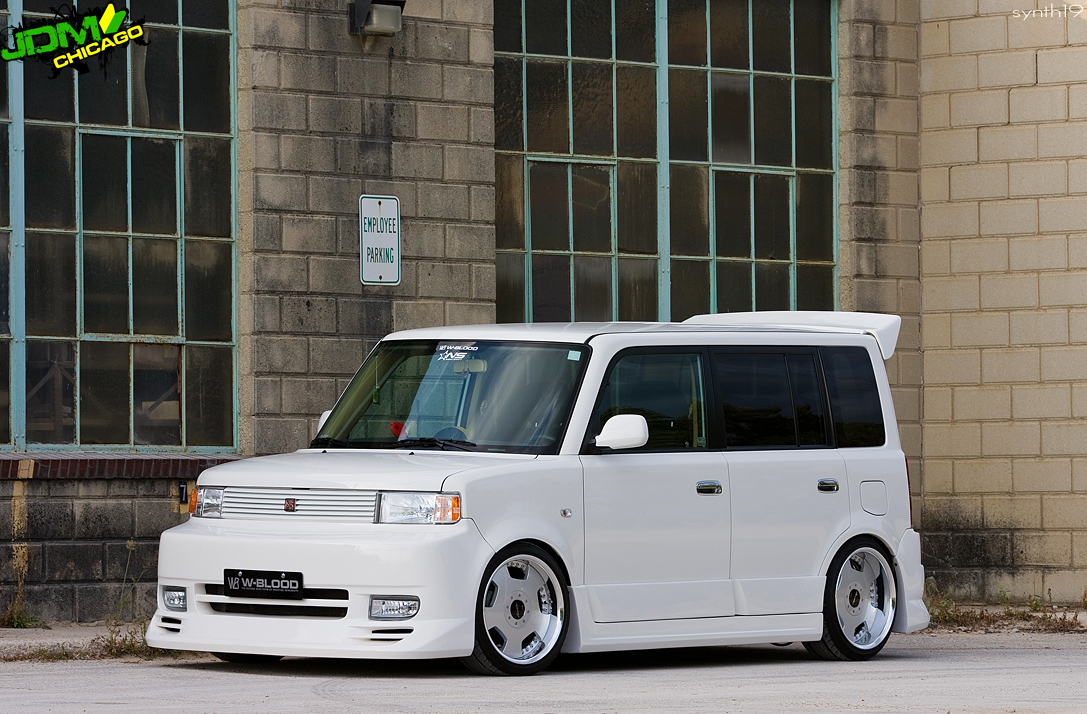
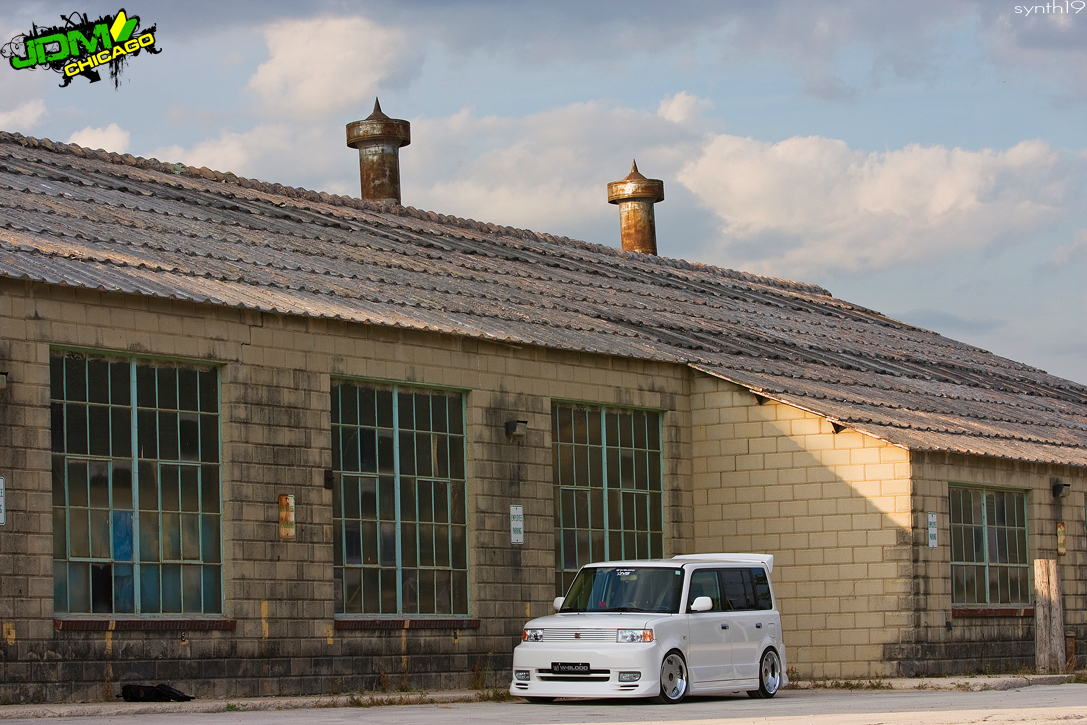
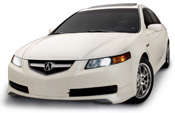
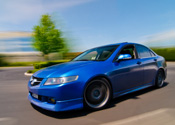
I did a shoot of a white xb yesteday. I had to do some major processing to fix some overexposure/underexposure. Here are two shots, that turned out kinda decent, but I still think they need some work... Let me know any tips or what you think can be done to improve these pics. thanks

nnInn
Joined: Mar 2006
Posts: 37,670
Likes: 1,084
When your main subject is white, you have to go +1 maybe +1 1/2. It's like shooting snow. Your camera meter is trying get everything to that 18% gray that it's set up for, so your camera drops your metering down, you have to go up.
Also if you don't use it yet, start using your spot meter when the color of the main item is more important than whats around it. Your spot will meter off of the AF point that you are using.
Another thing to watch is your highlights screen, make sure you're not clipping them. Whites and reds give digital cameras problems.
I think they look pretty good, you were able to make adjustments in post, but work on what I posted to help get the best in the camera first.
Also if you don't use it yet, start using your spot meter when the color of the main item is more important than whats around it. Your spot will meter off of the AF point that you are using.
Another thing to watch is your highlights screen, make sure you're not clipping them. Whites and reds give digital cameras problems.
I think they look pretty good, you were able to make adjustments in post, but work on what I posted to help get the best in the camera first.
Last edited by jupitersolo; Aug 7, 2009 at 02:45 PM.

Safety Car


Joined: Feb 2004
Posts: 4,389
Likes: 490
From: Houston, Texas
You could consider doing some psuedo-HDR. This is where you generate multiple exposures from the same RAW file. If you don't go nuts with the setting, it can give the image a very subtle pop that looks real but would actually be impossible to take in reality.
Thread Starter
Senior Moderator
Joined: Nov 2000
Posts: 16,424
Likes: 720
From: Chicago, IL
^ good call on the spot meter. I should have read up on that before the shoot. These are pretty much right out of the camera with some minor tweaking. Some of the other shots needed multiple layering so I could fix the underexposure/overexposure of the car.
Here is one corrected. But not sure if the car though looks too "unnatural." I need another set of eyes since this is the first time I'm working with layers specifically to brighten/darken one section of a picture.
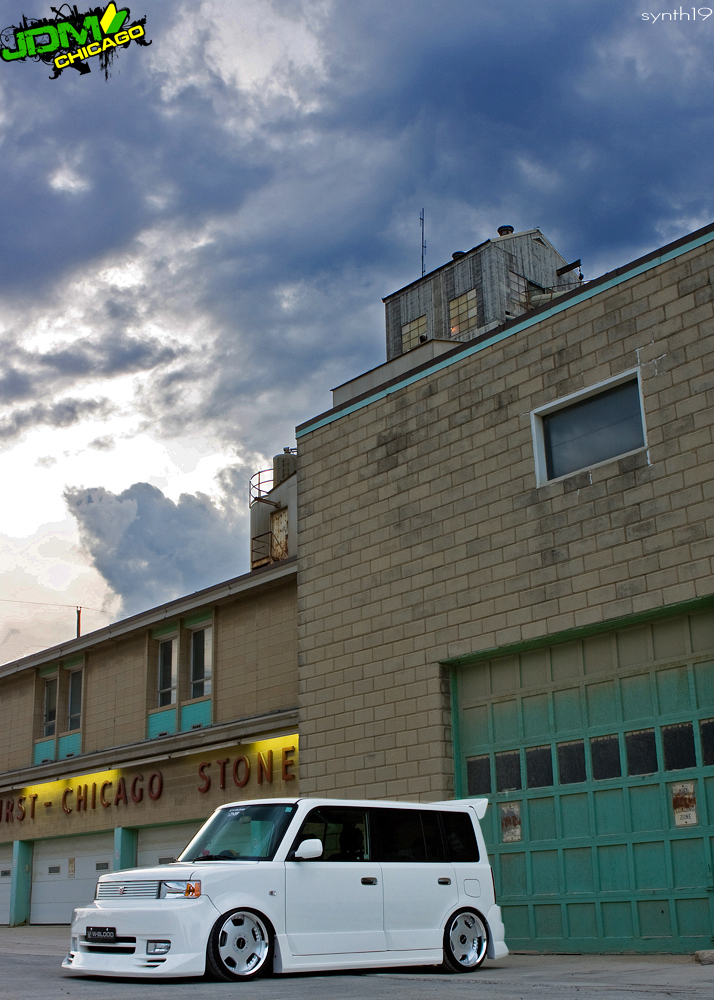
Here is one corrected. But not sure if the car though looks too "unnatural." I need another set of eyes since this is the first time I'm working with layers specifically to brighten/darken one section of a picture.
Trending Topics

Instructor
Joined: Jul 2008
Posts: 138
Likes: 2
From: Toronto
Strange, now I can see them. Couldn't before
Another thing to try is to take a meter reading off the car (i.e. zoom in and focus directly on the car first). Then set your aperture and shutter speed manually according to the camera's recommended setting and recompose your shot. This means your exposure will be correct for the white vehicle and the current lighting and not the overall composition and should give you better detail in the car.
Another thing to try is to take a meter reading off the car (i.e. zoom in and focus directly on the car first). Then set your aperture and shutter speed manually according to the camera's recommended setting and recompose your shot. This means your exposure will be correct for the white vehicle and the current lighting and not the overall composition and should give you better detail in the car.
nnInn
Joined: Mar 2006
Posts: 37,670
Likes: 1,084
Strange, now I can see them. Couldn't before
Another thing to try is to take a meter reading off the car (i.e. zoom in and focus directly on the car first). Then set your aperture and shutter speed manually according to the camera's recommended setting and recompose your shot. This means your exposure will be correct for the white vehicle and the current lighting and not the overall composition and should give you better detail in the car.
Another thing to try is to take a meter reading off the car (i.e. zoom in and focus directly on the car first). Then set your aperture and shutter speed manually according to the camera's recommended setting and recompose your shot. This means your exposure will be correct for the white vehicle and the current lighting and not the overall composition and should give you better detail in the car.


Moderator
Joined: Oct 2004
Posts: 64,124
Likes: 3,377
From: Not Las Vegas (SF Bay Area)
Dunno if it's the iPhone screen but the car looks grey to me.
Black or white subjects are so hard to shoot exposed right.
I wouldve shot raw, spot metered off the car, shot one image see how under exposed it is, make adjustments. and then Use that image for a custom white balance..
Black or white subjects are so hard to shoot exposed right.
I wouldve shot raw, spot metered off the car, shot one image see how under exposed it is, make adjustments. and then Use that image for a custom white balance..

Thread
Thread Starter
Forum
Replies
Last Post
Zonian22
Member Cars for Sale
3
Nov 14, 2015 01:20 PM
nanos
Car Parts for Sale
26
Nov 12, 2015 08:41 PM
