


Backup Camera DIY


8th Gear
Joined: Sep 2007
Posts: 8
Likes: 0
Originally Posted by cutmasterj
Thanks PhiSigBrotha for the DIY on this. I installed this camera (http://gooddeals18.zoovy.com/product/SHKL110) this evening and everything works perfectly.
Thx
Cruisin'
Joined: Jul 2007
Posts: 17
Likes: 0
From: North Jersey
Help
I have an idea as to how to mount the camera. I was going to install it inside the trunk behind the license plate and drill a pinhole on the trunk lid and license plate for it to capture the image. On the inside you would not see it because it will be hidden by the trunk lid liner.
What do you guys think?
I have an idea as to how to mount the camera. I was going to install it inside the trunk behind the license plate and drill a pinhole on the trunk lid and license plate for it to capture the image. On the inside you would not see it because it will be hidden by the trunk lid liner.
What do you guys think?

Advanced
Joined: Jun 2007
Posts: 86
Likes: 0
Originally Posted by Yamadr6
Help
I have an idea as to how to mount the camera. I was going to install it inside the trunk behind the license plate and drill a pinhole on the trunk lid and license plate for it to capture the image. On the inside you would not see it because it will be hidden by the trunk lid liner.
What do you guys think?
I have an idea as to how to mount the camera. I was going to install it inside the trunk behind the license plate and drill a pinhole on the trunk lid and license plate for it to capture the image. On the inside you would not see it because it will be hidden by the trunk lid liner.
What do you guys think?
Burning Brakes


Joined: May 2006
Posts: 1,213
Likes: 91
From: Sugar Land, TX
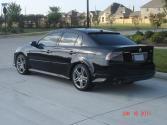
Rearview on my '05
Last edited by SlimTL; Nov 5, 2007 at 05:27 PM.
8th Gear
Joined: Sep 2007
Posts: 8
Likes: 0
Wow!
Originally Posted by SlimTL
What did you attach to your DVD/navi system in the trunk and how did you get a computer to play on the screen?
Burning Brakes
Joined: May 2006
Posts: 1,213
Likes: 91
From: Sugar Land, TX
Originally Posted by jonesmtta4
What did you attach to your DVD/navi system in the trunk and how did you get a computer to play on the screen?

2nd Gear
Joined: Oct 2007
Posts: 2
Likes: 0
I can confirm this backup camera mod works with 2006-07 UK and proberly Euro model Accords too. 
If your in the UK then here is the parts list i used available from Maplin Electronics.
0.1" Socket Housing Part No. FY94C (trim off 3 sections to make it 7 way)
Socket Housing Pins Part No. YW25C (10 pins per pack)
I didnt bother adding a female Phono connector, i just chopped off the camera signal lead phono plug and soldered it stright to my plug wires, and used heat shrink to isolate them.
The camera was from flea-bay it has a good 140 degree view and infra red LEDs for night. THIS ONE I can recommend the seller, it arrived the next day! The camera image is very good. It also comes with approx 5 metres of signal cable.
I extended the link that joins the 2 pins on the connector about 2 foot so i can add a switch later to turn off the camera, or convert it for a DVD input without removing the all the trim again.
Thank you.
If your in the UK then here is the parts list i used available from Maplin Electronics.
0.1" Socket Housing Part No. FY94C (trim off 3 sections to make it 7 way)
Socket Housing Pins Part No. YW25C (10 pins per pack)
I didnt bother adding a female Phono connector, i just chopped off the camera signal lead phono plug and soldered it stright to my plug wires, and used heat shrink to isolate them.
The camera was from flea-bay it has a good 140 degree view and infra red LEDs for night. THIS ONE I can recommend the seller, it arrived the next day! The camera image is very good. It also comes with approx 5 metres of signal cable.
I extended the link that joins the 2 pins on the connector about 2 foot so i can add a switch later to turn off the camera, or convert it for a DVD input without removing the all the trim again.
Thank you.

Cruisin'
Joined: Nov 2007
Posts: 19
Likes: 0
I just got the Wendy camera off eBay (quick shipping, wow) - and I'm planning on doing the install tonight.
1) What color is the backup light power cord to tap into?
2) Is everybody using those little tap connectors to get power?
3) For ground, is there a wire, or just mount to chassis?
4) To remove trim, will a trunk trim remover tool work? I.e. the type that slides behind the black plugs, and pull them out?
I have searched all over the forums and nobody has talked about these details - I'm sure I can figure them out, but I'd rather not have the chance to make a mistake and blow a fuse.
1) What color is the backup light power cord to tap into?
2) Is everybody using those little tap connectors to get power?
3) For ground, is there a wire, or just mount to chassis?
4) To remove trim, will a trunk trim remover tool work? I.e. the type that slides behind the black plugs, and pull them out?
I have searched all over the forums and nobody has talked about these details - I'm sure I can figure them out, but I'd rather not have the chance to make a mistake and blow a fuse.
Last edited by Newmanium; Nov 24, 2007 at 12:15 PM.

who dat lil kid?
Joined: May 2005
Posts: 143
Likes: 0
Originally Posted by Newmanium
I just got the Wendy camera off eBay (quick shipping, wow) - and I'm planning on doing the install tonight.
1) What color is the backup light power cord to tap into?
2) Is everybody using those little tap connectors to get power?
3) For ground, is there a wire, or just mount to chassis?
4) To remove trim, will a trunk trim remover tool work? I.e. the type that slides behind the black plugs, and pull them out?
I have searched all over the forums and nobody has talked about these details - I'm sure I can figure them out, but I'd rather not have the chance to make a mistake and blow a fuse.
1) What color is the backup light power cord to tap into?
2) Is everybody using those little tap connectors to get power?
3) For ground, is there a wire, or just mount to chassis?
4) To remove trim, will a trunk trim remover tool work? I.e. the type that slides behind the black plugs, and pull them out?
I have searched all over the forums and nobody has talked about these details - I'm sure I can figure them out, but I'd rather not have the chance to make a mistake and blow a fuse.
1. you can't miss the power cord wire, it's one wire that splits into two, black and red
2. i found it easier to just use a T tap connector
3. whichever side you are mounting the camera, use the tail light bolt to ground it
4. IMO its much easier to remove one tail light, the the side you're grounding, then remove the trim...its just 4 plastic clips so they pop out...
in all, took 30 min or less...really easy
Cruisin'
Joined: Nov 2007
Posts: 19
Likes: 0
I got it all finished - for anybody in the future who's a complete newb like me, here's a few tips for things I wasn't sure about at first:
For the backup lights, the striped green cable is the power, black is ground. A tap-in connector for 18-22 gauge worked fine.
Routing the video wire through the little plastic license plate light was a big pain, probably spent at least 30 minutes trying different arrangements to see what worked best. I could only get it through on the left side of the cover, and the wire was big enough that the cover can't close completely, so it's a little ajar (not much, good enough for government work).
I went ahead and took off all the trim on the trunk (flip up part), made it a lot easier to see how to arrange things.
At Radioshack, they sell a wire with an RCA plug on one end, and the other end has tinned wires ready to attach to the harness. This was very convenient - 6 ft was a perfect length.
For attaching the Wendy camera to the exterior, I used some 3M trim/molding attachment tape that seems to hold everything well (so far) - it's double-sided, looks pretty heavy duty.
End result? Looks good! The camera is awesome, love the fact that it's so cleanly integrated with the navigation. Thanks for the help!
For the backup lights, the striped green cable is the power, black is ground. A tap-in connector for 18-22 gauge worked fine.
Routing the video wire through the little plastic license plate light was a big pain, probably spent at least 30 minutes trying different arrangements to see what worked best. I could only get it through on the left side of the cover, and the wire was big enough that the cover can't close completely, so it's a little ajar (not much, good enough for government work).
I went ahead and took off all the trim on the trunk (flip up part), made it a lot easier to see how to arrange things.
At Radioshack, they sell a wire with an RCA plug on one end, and the other end has tinned wires ready to attach to the harness. This was very convenient - 6 ft was a perfect length.
For attaching the Wendy camera to the exterior, I used some 3M trim/molding attachment tape that seems to hold everything well (so far) - it's double-sided, looks pretty heavy duty.
End result? Looks good! The camera is awesome, love the fact that it's so cleanly integrated with the navigation. Thanks for the help!
Cruisin'
Joined: Jul 2007
Posts: 17
Likes: 0
From: North Jersey
Originally Posted by SlimTL
It's actually easier than it appears in the pics. I connected my portable DVD player to the navi. THAT'S IT!! The web browser on the screen is actually from the TV show Motorweek.
What Cam did you get?
Where did you get that auxiliary DVD input mounted under the NAV DVD Player in the trunk?
Cruisin'
Joined: Jul 2007
Posts: 17
Likes: 0
From: North Jersey
Originally Posted by Newmanium
I just got the Wendy camera off eBay (quick shipping, wow) - and I'm planning on doing the install tonight.
1) What color is the backup light power cord to tap into?
2) Is everybody using those little tap connectors to get power?
3) For ground, is there a wire, or just mount to chassis?
4) To remove trim, will a trunk trim remover tool work? I.e. the type that slides behind the black plugs, and pull them out?
I have searched all over the forums and nobody has talked about these details - I'm sure I can figure them out, but I'd rather not have the chance to make a mistake and blow a fuse.
1) What color is the backup light power cord to tap into?
2) Is everybody using those little tap connectors to get power?
3) For ground, is there a wire, or just mount to chassis?
4) To remove trim, will a trunk trim remover tool work? I.e. the type that slides behind the black plugs, and pull them out?
I have searched all over the forums and nobody has talked about these details - I'm sure I can figure them out, but I'd rather not have the chance to make a mistake and blow a fuse.
Thank you
Cruisin'
Joined: Nov 2007
Posts: 19
Likes: 0
http://cgi.ebay.com/ebaymotors/ws/eB...m=150185280878
It wasn't listed on eBay when I first looked - I just sent her a private message through one of the listed auctions asking for the next-gen camera where the lense doesn't protrude, and she put up a new listing right away that I could purchase from. I forgot to mention Acurazine, so maybe you can even get a discount off that price.
Hope that helps, it's a great camera, I just backed up from work at night in the rain, and I could see everything behind me (there were some lights to help illuminate things).
It wasn't listed on eBay when I first looked - I just sent her a private message through one of the listed auctions asking for the next-gen camera where the lense doesn't protrude, and she put up a new listing right away that I could purchase from. I forgot to mention Acurazine, so maybe you can even get a discount off that price.
Hope that helps, it's a great camera, I just backed up from work at night in the rain, and I could see everything behind me (there were some lights to help illuminate things).
Burning Brakes
Joined: May 2006
Posts: 1,213
Likes: 91
From: Sugar Land, TX
Originally Posted by Yamadr6
Looks Great!!!
What Cam did you get?
Where did you get that auxiliary DVD input mounted under the NAV DVD Player in the trunk?
What Cam did you get?
Where did you get that auxiliary DVD input mounted under the NAV DVD Player in the trunk?
And the Navi converter is from www.tvandnav2go.com , here's the link for that as well. http://www.tvandnav2go.com/acura-tv-navigation.html
In order to keep the factory warranty on the navigation, you must purchase the plug-n-play connector. This also makes the installation a lot easier and you don't have to cut or splice any oem wires.
Cruisin'
Joined: Jul 2007
Posts: 17
Likes: 0
From: North Jersey
Originally Posted by SlimTL
Thanks for the compliments! The camera is from ebay user Wendy (swm902). Here's the link: http://cgi.ebay.com/ebaymotors/ws/eB..._promot_widget
And the Navi converter is from www.tvandnav2go.com , here's the link for that as well. http://www.tvandnav2go.com/acura-tv-navigation.html
In order to keep the factory warranty on the navigation, you must purchase the plug-n-play connector. This also makes the installation a lot easier and you don't have to cut or splice any oem wires.
And the Navi converter is from www.tvandnav2go.com , here's the link for that as well. http://www.tvandnav2go.com/acura-tv-navigation.html
In order to keep the factory warranty on the navigation, you must purchase the plug-n-play connector. This also makes the installation a lot easier and you don't have to cut or splice any oem wires.
I have a few more questions.
Do you have to loose the XM radio in order to use this unit?
How do you select the TV DVD option? Press auxiliary?
Where did you mount the DVD unit?
Thanks once again for your help.

Senior Moderator
Joined: Jan 2006
Posts: 4,036
Likes: 1
From: ffx.va.us
1) no, you don't lose XM. this has nothing to do with your audio system, its visual only.
2) it comes with a small switch to put on the aux video input. you can wire your own fancy switch if you'd like to. properly wired, reverse camera comes on automatically when you put your shifter in reverse.
2) it comes with a small switch to put on the aux video input. you can wire your own fancy switch if you'd like to. properly wired, reverse camera comes on automatically when you put your shifter in reverse.
Cruisin'
Joined: Jul 2007
Posts: 17
Likes: 0
From: North Jersey
Originally Posted by Reach
1) no, you don't lose XM. this has nothing to do with your audio system, its visual only.
2) it comes with a small switch to put on the aux video input. you can wire your own fancy switch if you'd like to. properly wired, reverse camera comes on automatically when you put your shifter in reverse.
2) it comes with a small switch to put on the aux video input. you can wire your own fancy switch if you'd like to. properly wired, reverse camera comes on automatically when you put your shifter in reverse.
Senior Moderator
Joined: Jan 2006
Posts: 4,036
Likes: 1
From: ffx.va.us
Yes it will work in the '08. That disclaimer is mostly to qualify that it DOES NOT work in the 04 & 05 models, which had an earlier version of the navi drive hardware.
To tap the reverse light, just pull back the carpet from the trunk lid and all the wiring is right there! locate the bulb that is the reverse light. there will be 2 wires going to it, the black one is ground, and the colored one is hot in reverse. That's what you need.
To tap the reverse light, just pull back the carpet from the trunk lid and all the wiring is right there! locate the bulb that is the reverse light. there will be 2 wires going to it, the black one is ground, and the colored one is hot in reverse. That's what you need.

2nd Gear
Joined: Nov 2007
Posts: 2
Likes: 0
Cool.
Thanks Reach.
Thanks Reach.
Originally Posted by Reach
Yes it will work in the '08. That disclaimer is mostly to qualify that it DOES NOT work in the 04 & 05 models, which had an earlier version of the navi drive hardware.
To tap the reverse light, just pull back the carpet from the trunk lid and all the wiring is right there! locate the bulb that is the reverse light. there will be 2 wires going to it, the black one is ground, and the colored one is hot in reverse. That's what you need.
To tap the reverse light, just pull back the carpet from the trunk lid and all the wiring is right there! locate the bulb that is the reverse light. there will be 2 wires going to it, the black one is ground, and the colored one is hot in reverse. That's what you need.


Racer
Joined: May 2007
Posts: 467
Likes: 3
Would buying the factory camera and wiring for the TL work also? I've looked and found part number 32109-SEP-A00 for the camera sub wire. It's about $12. The camera itself is part number 39530-SEP-A01 and is about $540. I can't find a picture of the clip on the sub wire so I don't know if it will work, but I'd assume it's the same since it plugs into the same spot.

Three Wheelin'
Joined: Feb 2007
Posts: 1,554
Likes: 0
From: Rockville, MD
so I just attempted this today...and failed multiple times  . I am not sure what I am doing wrong here. When I connect the harness that I made, the nav switches over...but all I see is black faint static. Are there any things I can rule out?
. I am not sure what I am doing wrong here. When I connect the harness that I made, the nav switches over...but all I see is black faint static. Are there any things I can rule out?
Senior Moderator
Joined: Jan 2006
Posts: 4,036
Likes: 1
From: ffx.va.us
Seems like that means power is getting from the light to the nav, but either:
a) power isn't getting to and through the camera correctly to turn it on
or
b) the video signal is being messed up on the way to the navi, perhaps in your connections for the video wires.
Double check your t-tap connections to the backup light, and tear down and carefully resolder the harness.
a) power isn't getting to and through the camera correctly to turn it on
or
b) the video signal is being messed up on the way to the navi, perhaps in your connections for the video wires.
Double check your t-tap connections to the backup light, and tear down and carefully resolder the harness.

Senior Moderator
Joined: Jan 2006
Posts: 4,036
Likes: 1
From: ffx.va.us
I cannot confirm this, but I believe you need an 07+ TL. The way to know is to look at the back of your dvd navigation unit. If you have the plug that the harness goes into, then it works! Please let us know if you have that plug on your 06 TL's navi unit.
Three Wheelin'
Joined: Feb 2007
Posts: 1,554
Likes: 0
From: Rockville, MD
so i've concluded that it is not an issue with the power since I get no static at all when I take out the taps. i've made two cables so far and I have no clue what I am doing wrong. does anyone have a spare cable or would anyone be willing to make one for me?



Burning Brakes
Joined: May 2006
Posts: 1,213
Likes: 91
From: Sugar Land, TX
Actually this mod can be done on all Acura's with the 20-pin navigation system. I have this installed on both my '06 TL and '05 TSX. It's been a while since I did the install, so I can't remember exactly which wire goes where.  However, I did use the plug and play harness which is 99% easier and doesn't void the factory warranty.
Check out my link:
https://acurazine.com/forums/showpos...8&postcount=56
However, I did use the plug and play harness which is 99% easier and doesn't void the factory warranty. Check out my link:
https://acurazine.com/forums/showpos...8&postcount=56

Professional Newbie
Joined: Apr 2004
Posts: 1,197
Likes: 0
From: Boston, MA
Originally Posted by SlimTL
Actually this mod can be done on all Acura's with the 20-pin navigation system. I have this installed on both my '06 TL and '05 TSX. It's been a while since I did the install, so I can't remember exactly which wire goes where. However, I did use the plug and play harness which is 99% easier and doesn't void the factory warranty.
Check out my link:
https://acurazine.com/forums/showpos...8&postcount=56
However, I did use the plug and play harness which is 99% easier and doesn't void the factory warranty. Check out my link:
https://acurazine.com/forums/showpos...8&postcount=56
Burning Brakes
Joined: May 2006
Posts: 1,213
Likes: 91
From: Sugar Land, TX
The install takes about 2-3 hours. The module under the navigation unit is from tvandnav2go.com . The wiring is not as hard as it seems. It just takes determination and a lot of patience. The only part of the car that was removed was the trunk lining to run the wires to the camera and reverse light.
Follow this thread. It might give you more answers.
https://acurazine.com/forums/showthr...7&page=2&pp=25
Follow this thread. It might give you more answers.
https://acurazine.com/forums/showthr...7&page=2&pp=25

I believe there should be a way to do this on the '04/'05 Nav units without the need for a Dom's NavtoTV unit, no? The '04/'05 MDX's which uses a similar Nav unit as the '04/'05 TSX Nav unit supports the backup camera, so in theory it should work.
Now if someone with an MDX can find out where the extra few wires from the backup cam gets plugged into the nav unit.... I think we can have it figured out
Now if someone with an MDX can find out where the extra few wires from the backup cam gets plugged into the nav unit.... I think we can have it figured out

3rd Gear
Joined: Nov 2005
Posts: 3
Likes: 0
Originally Posted by supraken
I believe there should be a way to do this on the '04/'05 Nav units without the need for a Dom's NavtoTV unit, no? The '04/'05 MDX's which uses a similar Nav unit as the '04/'05 TSX Nav unit supports the backup camera, so in theory it should work.
Now if someone with an MDX can find out where the extra few wires from the backup cam gets plugged into the nav unit.... I think we can have it figured out
Now if someone with an MDX can find out where the extra few wires from the backup cam gets plugged into the nav unit.... I think we can have it figured out
私はより良い
Joined: Feb 2006
Posts: 424
Likes: 0
From: The 818z
im finally doing this project!!!
anyone know if this camera will do the trick??
http://cgi.ebay.com/ebaymotors/REARV...spagenameZWDVW
anyone know if this camera will do the trick??
http://cgi.ebay.com/ebaymotors/REARV...spagenameZWDVW