


(DIY) Acer tablet replacing non nav display. Relocate fan display. Lots of pics.


 (DIY) Acer tablet replacing non nav display. Relocate fan display. Lots of pics.
Ok first off I learned a lot from Turbocoop and 00g. Just want to post my experiences, difficulties and final install. I'm not writing this as instructions, just information if you wanted some info before you attempt it. So I am not responsible for anything you ruin on your car lol.
I can tell you right now, this is not an easy job and is ALOT of work. It may look easy in pics but its a very very time consuming and will push your patience to the limit.
Ok here is the money I spent total.
Acer a100 off ebay, offered the guy $65 and he took it. Awesome tab, plays any thing I throw at it.
Blue LED strip from Walmart $13
Roll of 18 Gauge wire Walmart $5
Car charger that actually works with the Acer a100 Walmart $16
Around $100 or so.
The rest I had on hand, JBWeld, Electrical tape, solder gun etc...
Cutting the non nav display, I cut exactly around the edge that the plexi glass sat in. The plexiglass is just glued in there, you can push it out pretty easy. Just kept cutting so I could snap it clean.
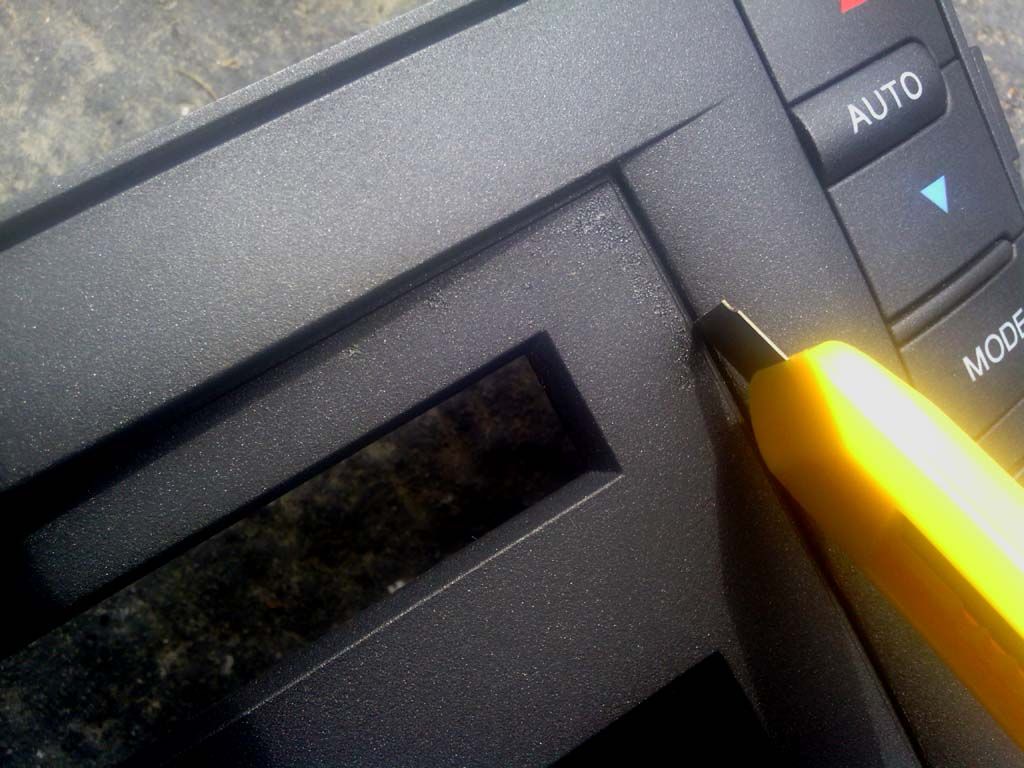
Cutting a line So I can keep the top part for the AC display relocation.
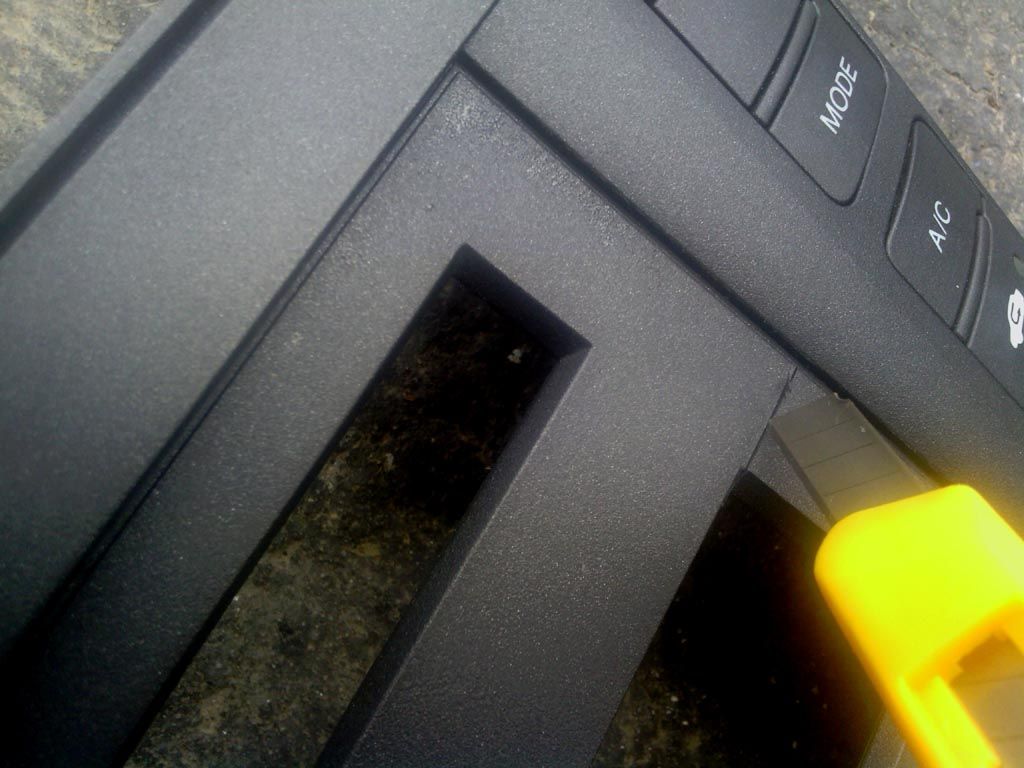
Saving the plexi glass and top piece of the display for later.
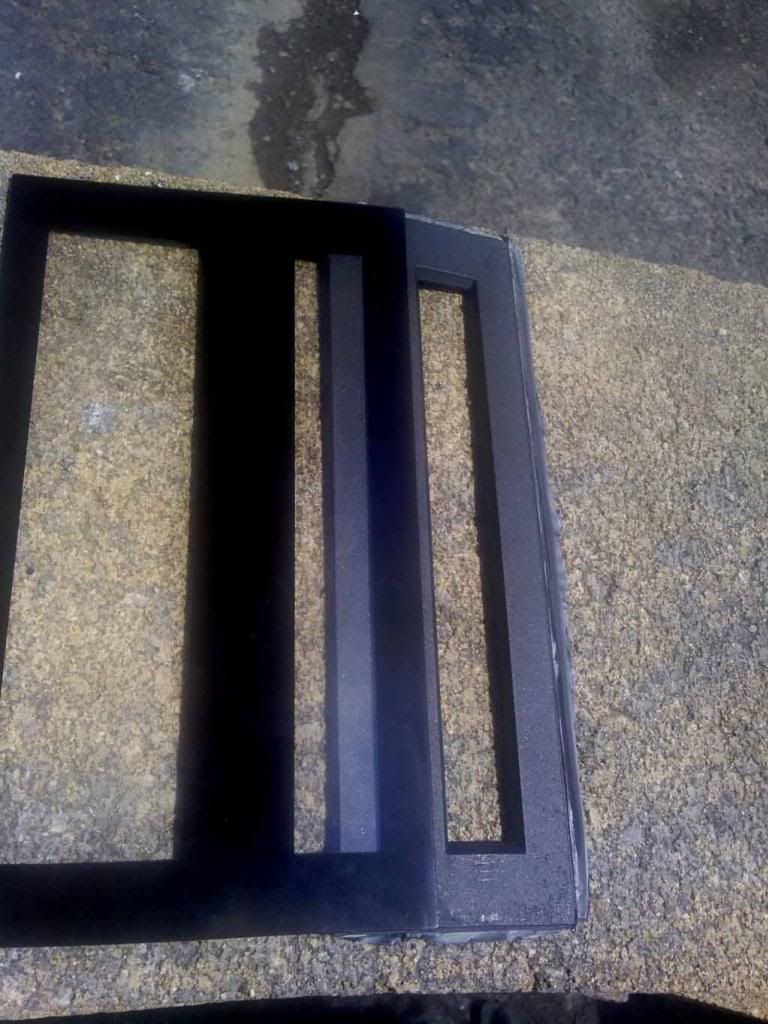
This is what it looked like after I cut the center out. This is before I filed and buffed the edges. I was VERY patient, if you don't have patience I wouldn't try this mod lol.
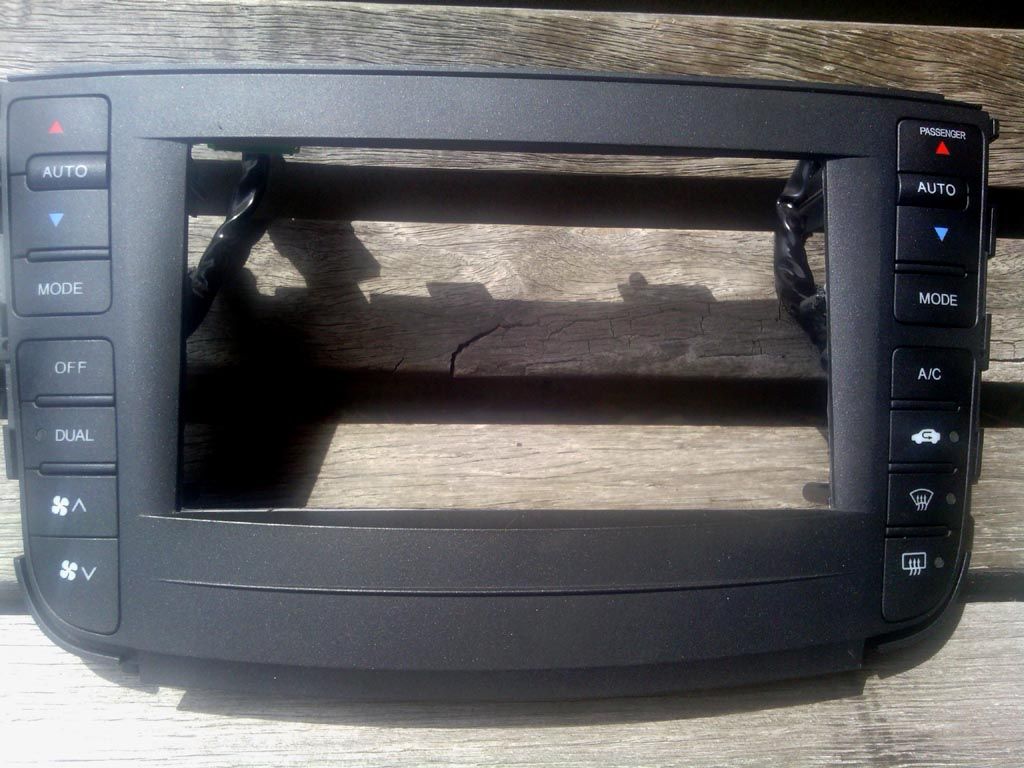
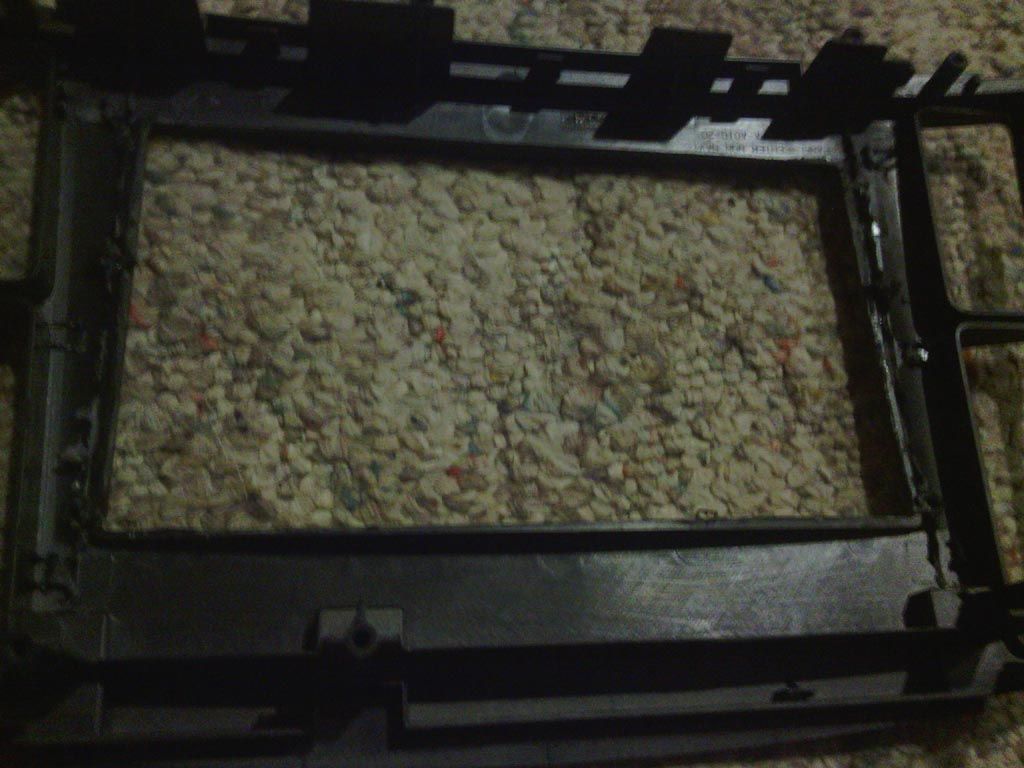
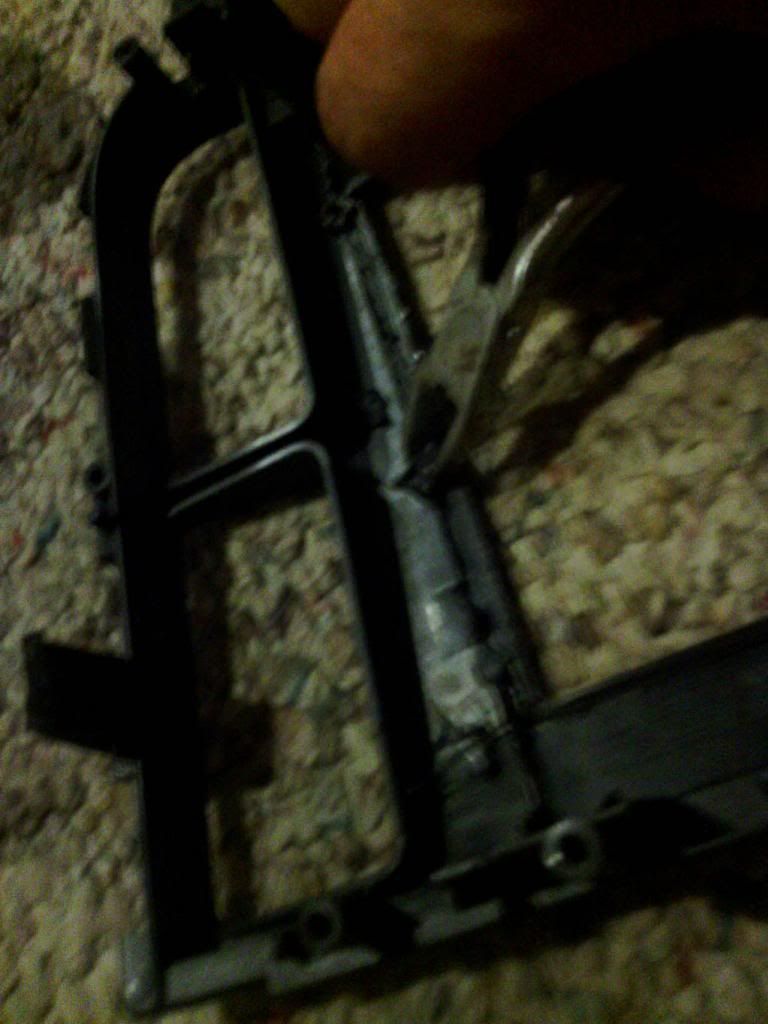
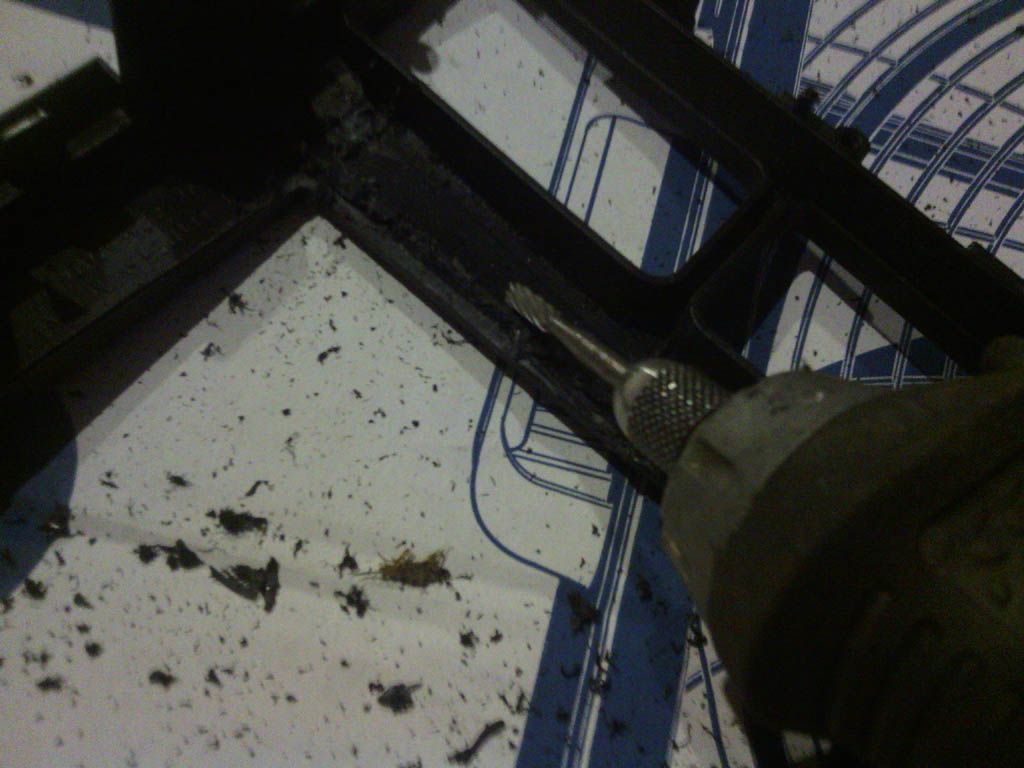
Cutting out the back to make room for the tablet. You can see I used dykes and a metal cutter on a dremmel tool.
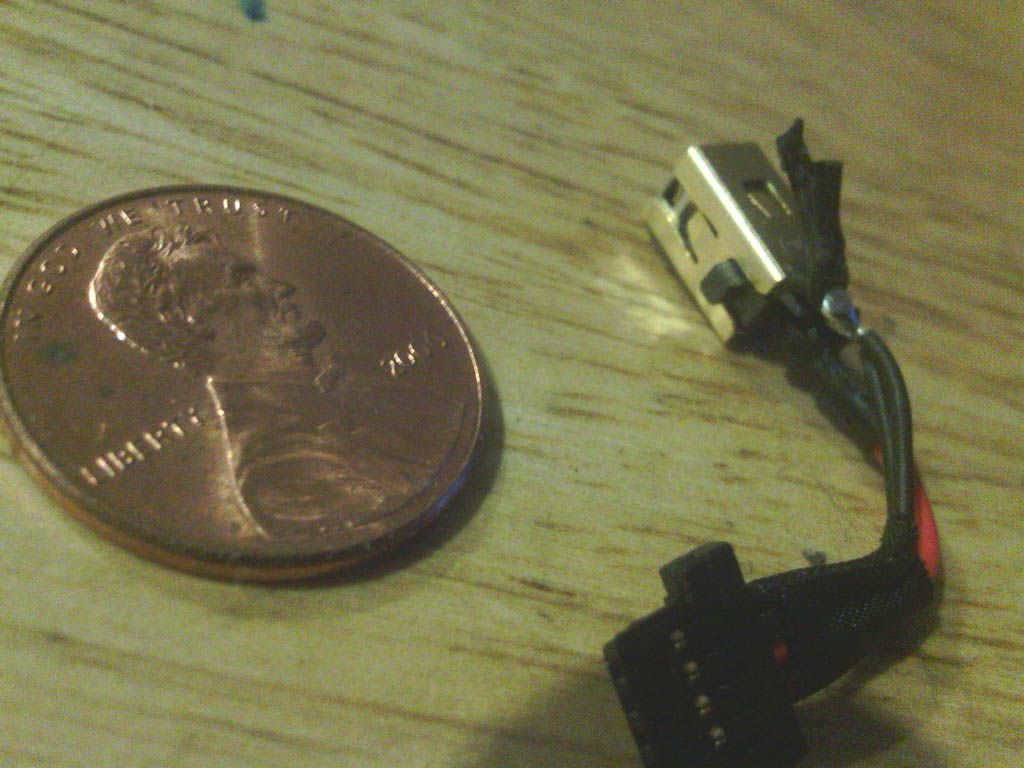
I was starting to come up with options on how to fit the charger into the bezel with the tablet. I decided to open it up and solder my own wires and run an extension.
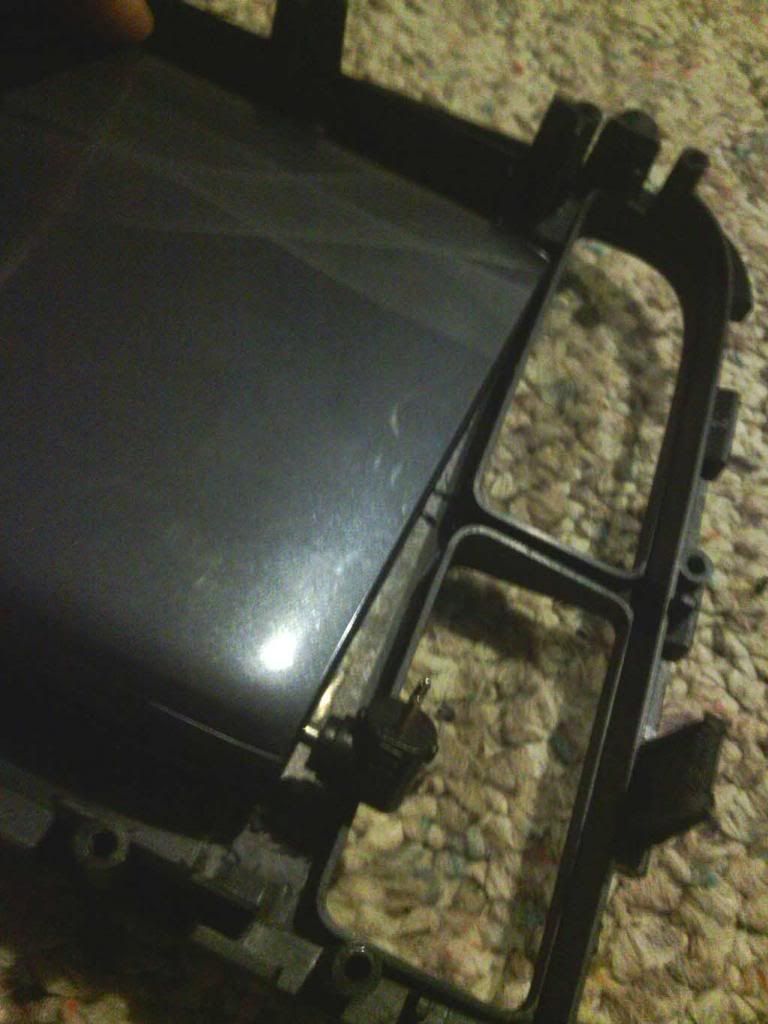
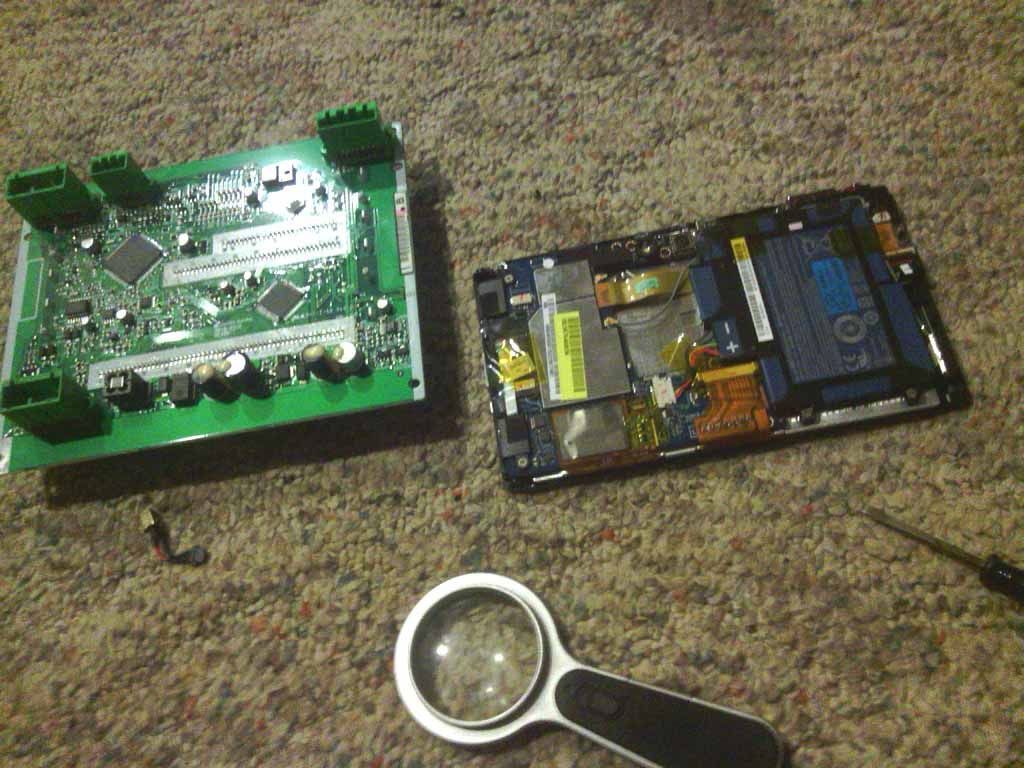
Tablet apart
Soldering wires to the charging adapter inside of the tablet.
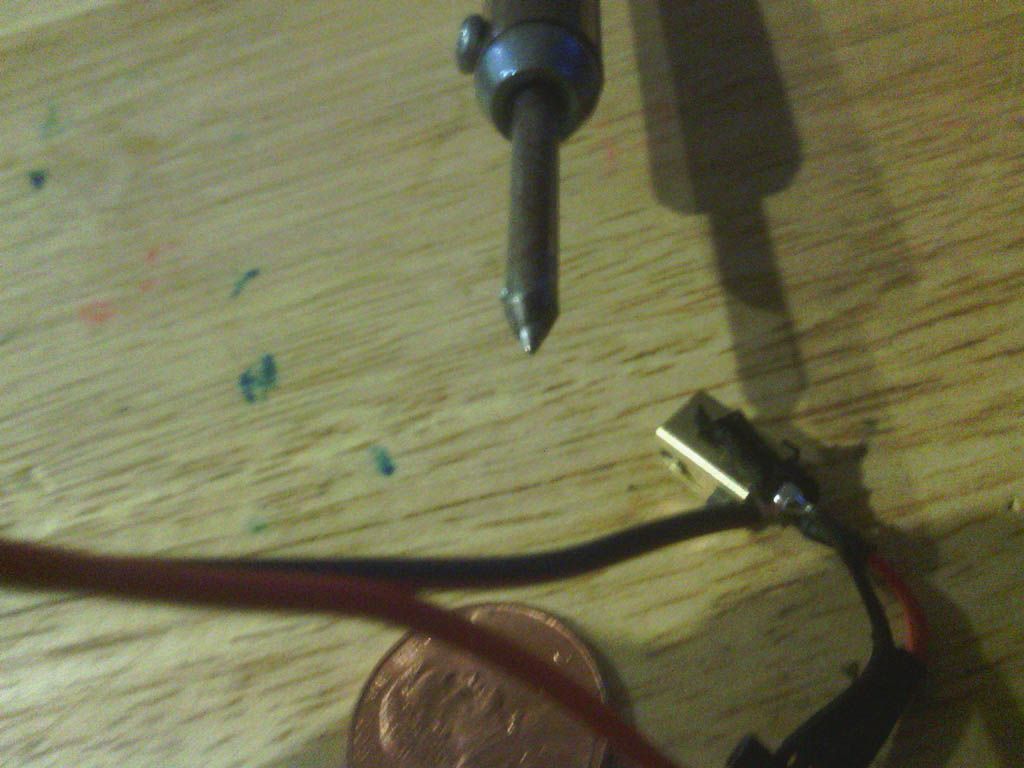
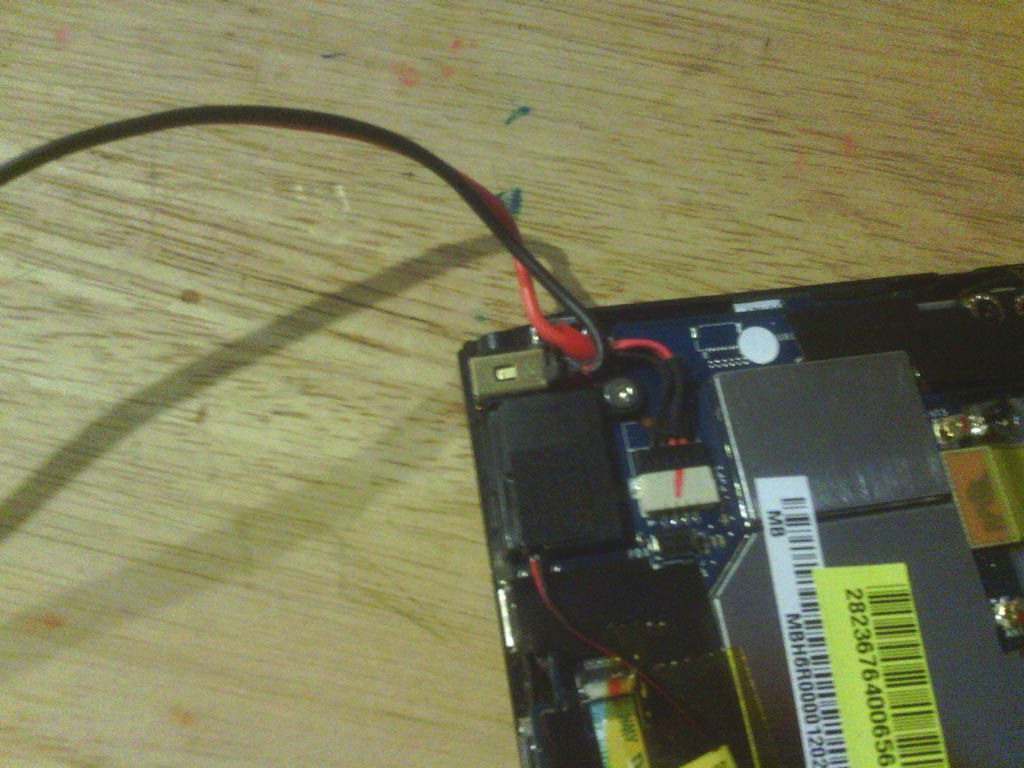
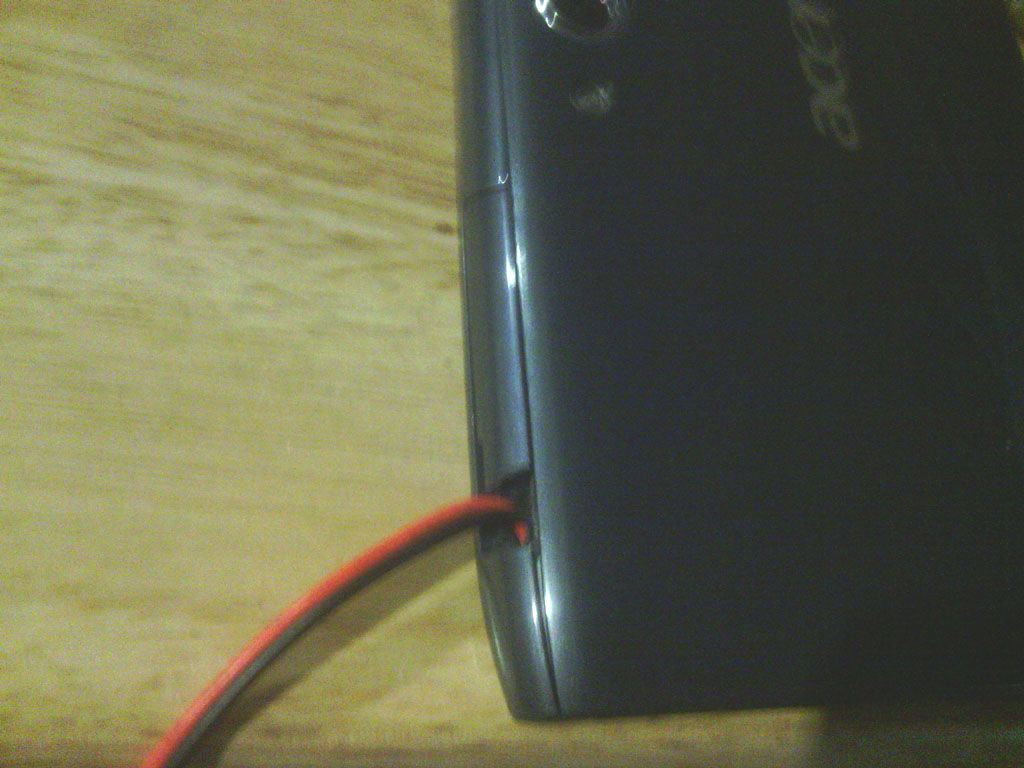
Testing the tablet charging in the car to make sure my connections were good.
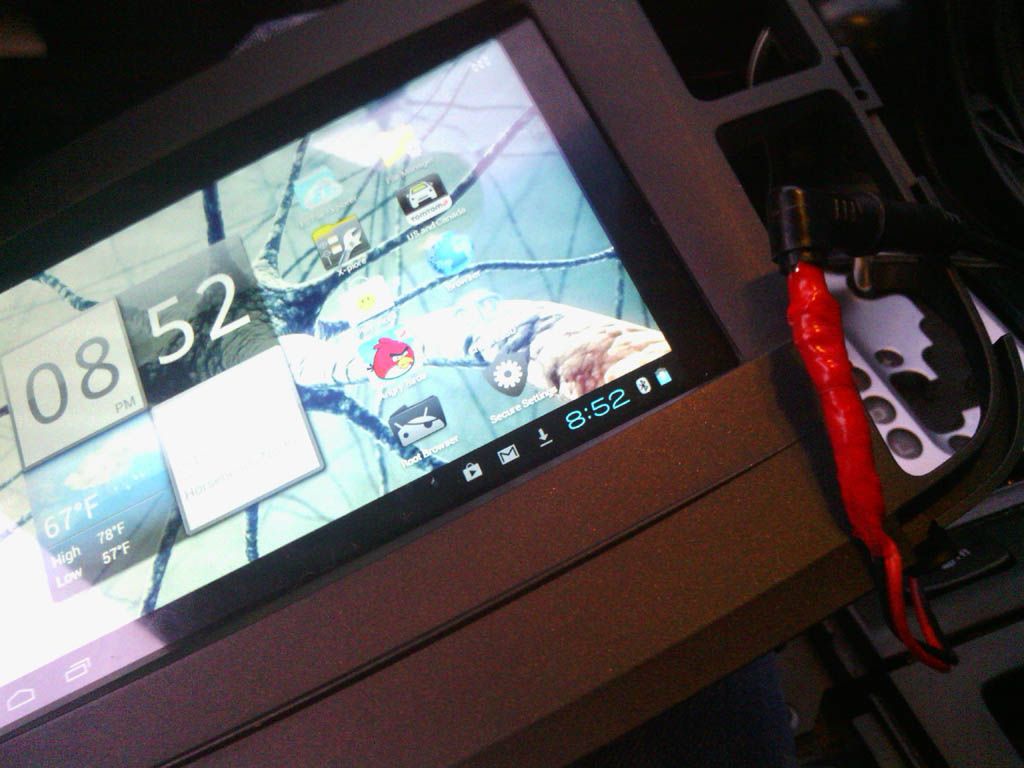
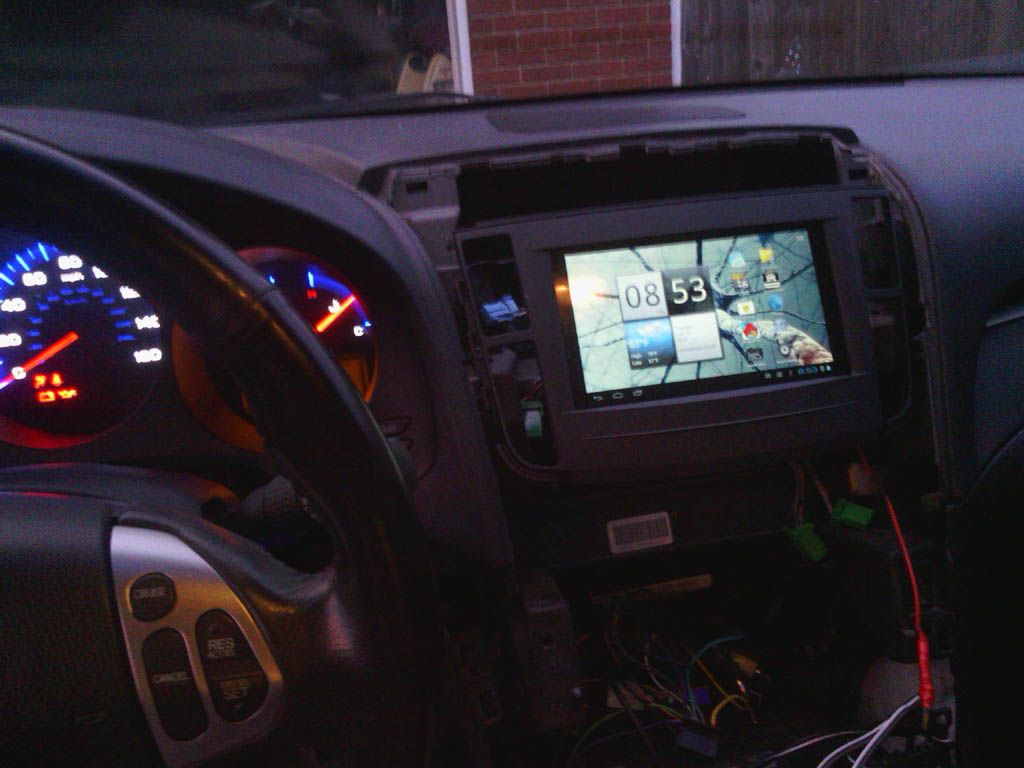
I Mounted the tablet into the bezel just before testing the charger. I spent hours sanding and leveling to make sure it would be flush.
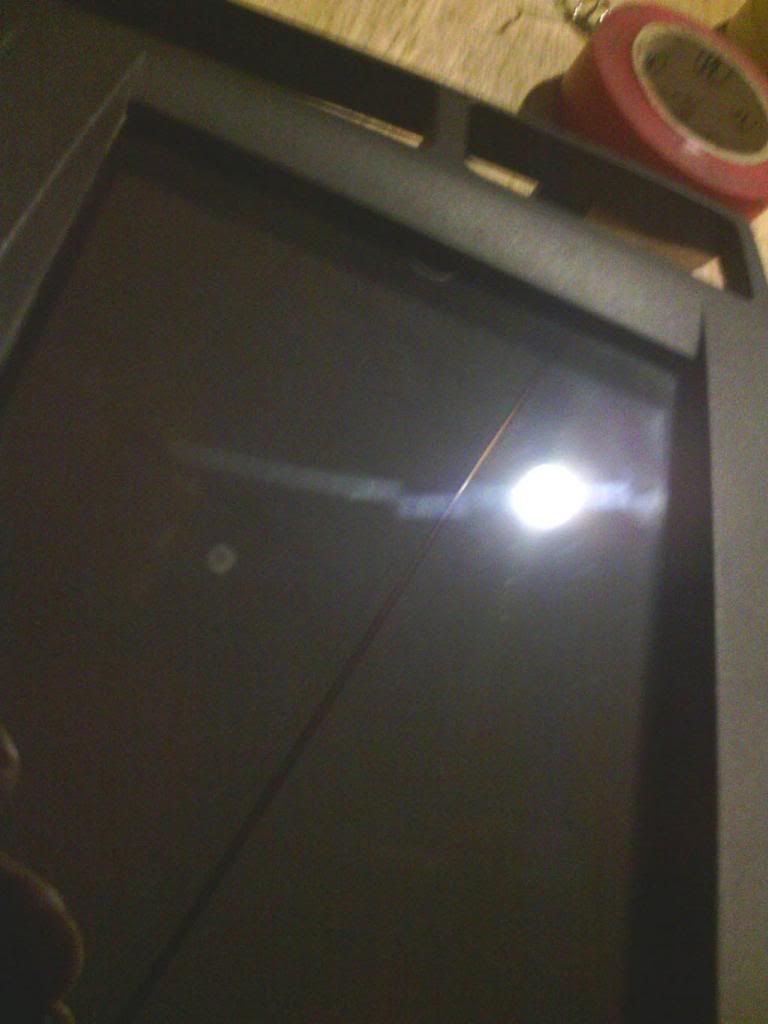
Ok now comes the nightmare I wouldn't want to do again lol.
I had to cut all the lines going to the AC display so that I could run an extension to put it up where the clock is. I used a ribbon cable out of a PC. A WARNING here tho. The LCD is very sensitive, I mean VERY. I actually cracked mine just bending a wire. Luckily it still works for the most part lol. If I was going to do it again id un solder it right from the board.
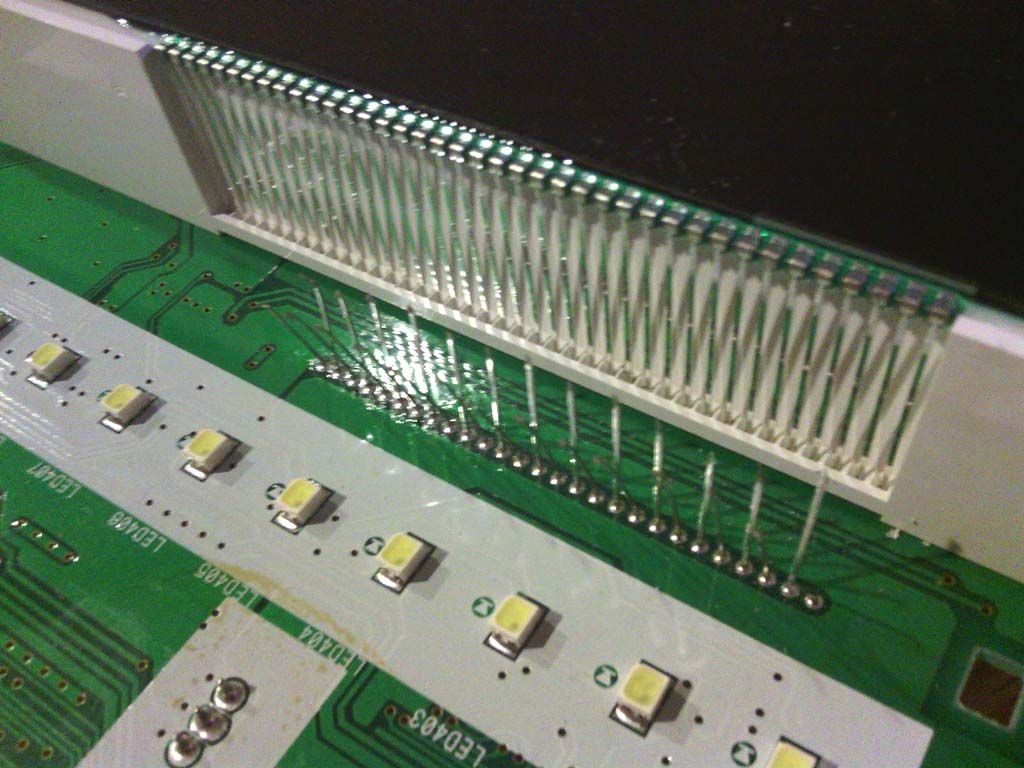
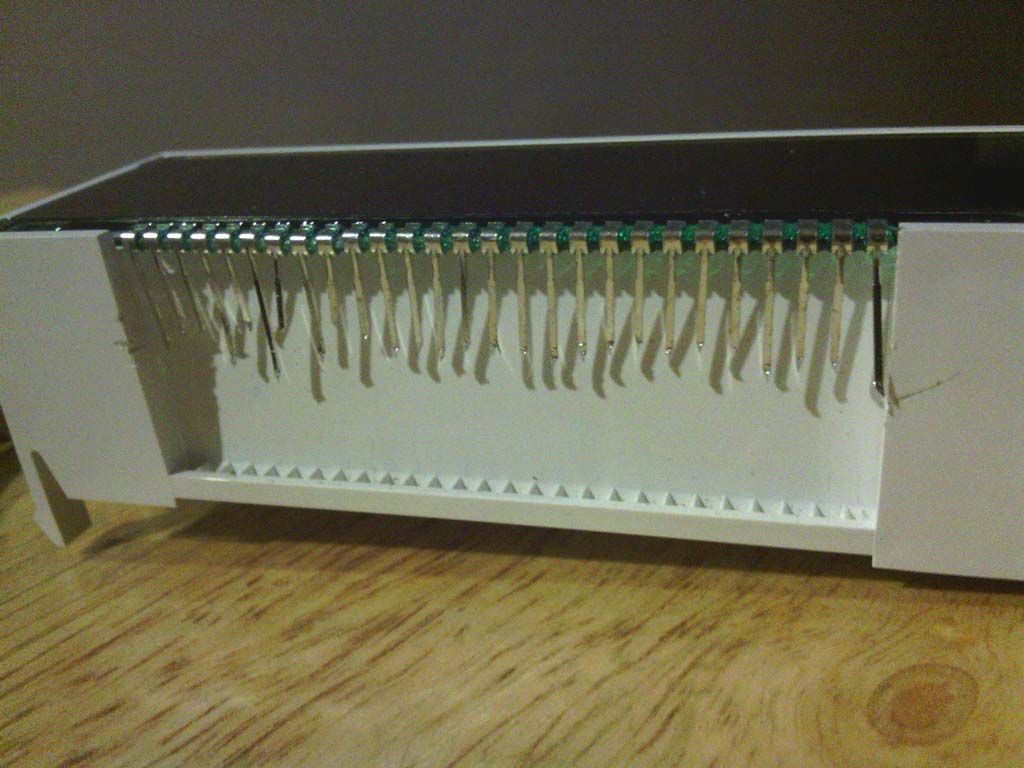
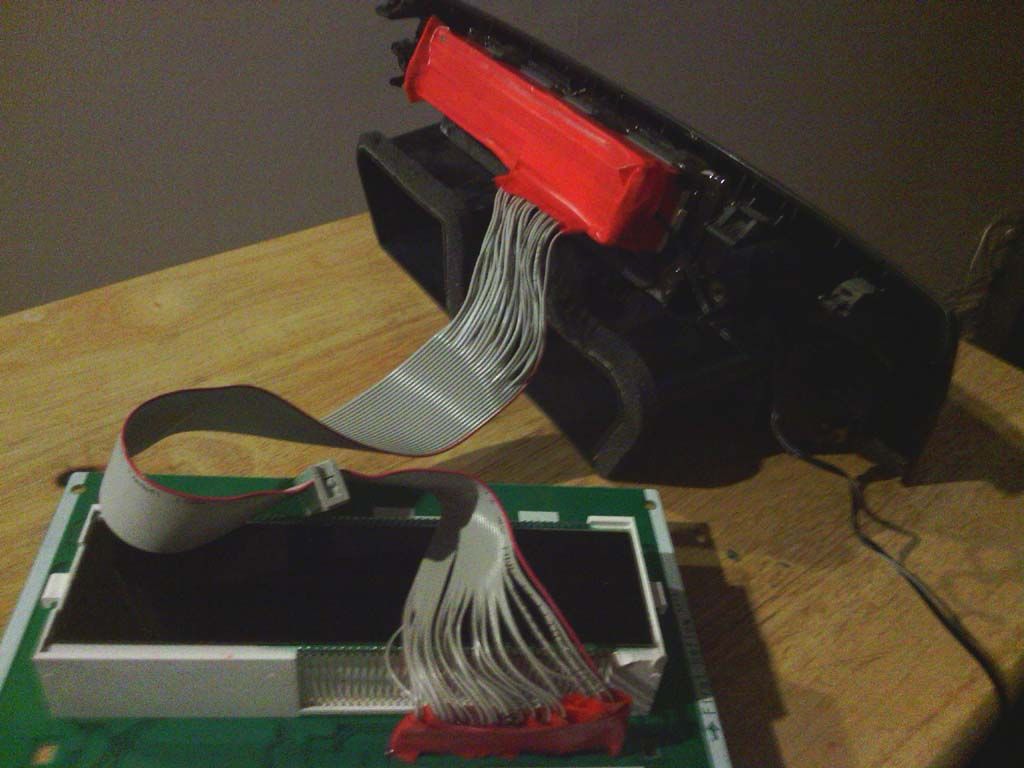
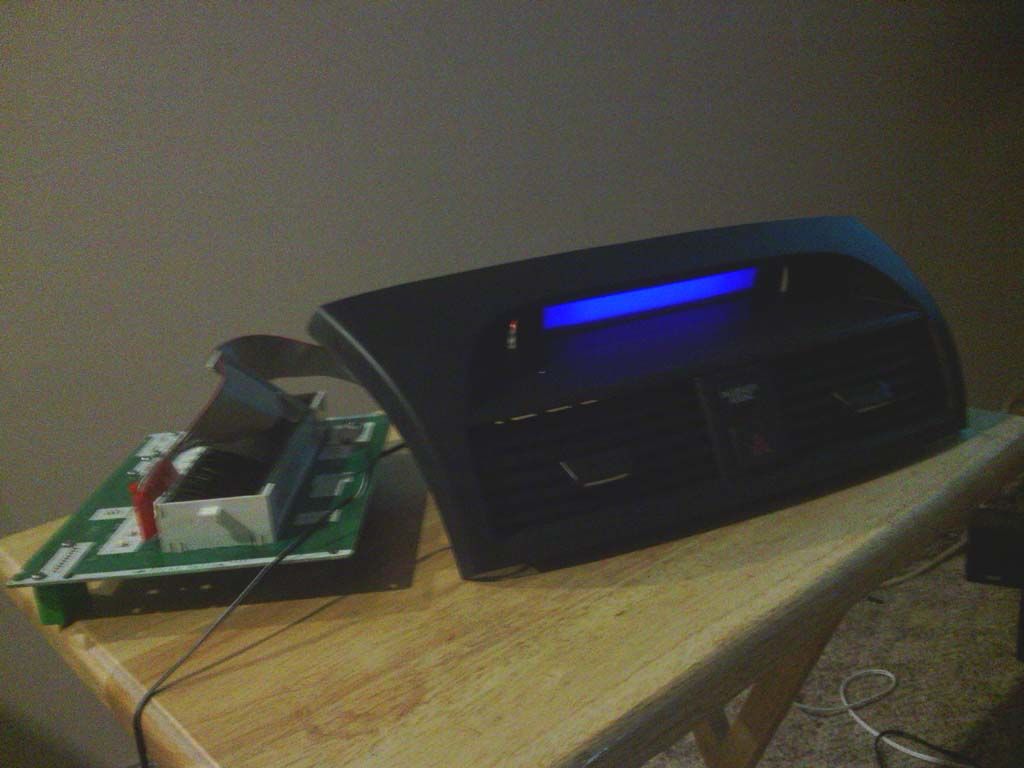
Next I had to extend the plugs from the fan and AC controls. This is because I relocated the circuit board to above the heater outlets. After doing all this I think I would have done it differently. The circuit board would fit behind the tab and still have room for the plugs if you didn't use the enclosure the board was in. I should have just put it in a electrostatic bag for like motherboards. This was a real pain in the ass.
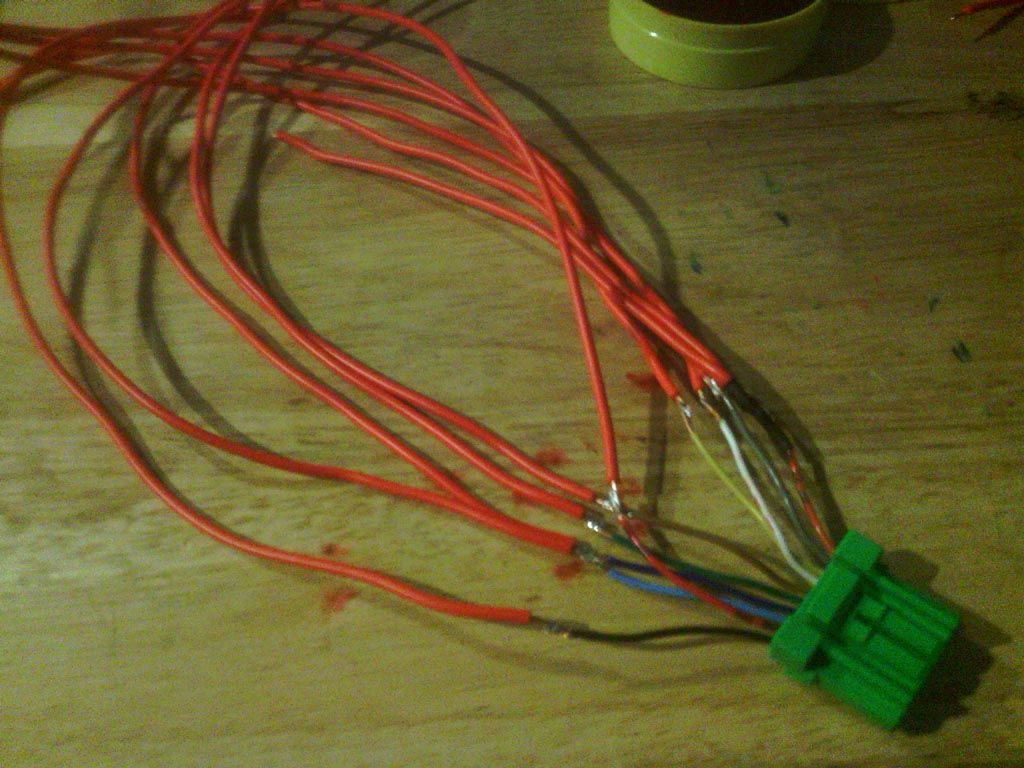
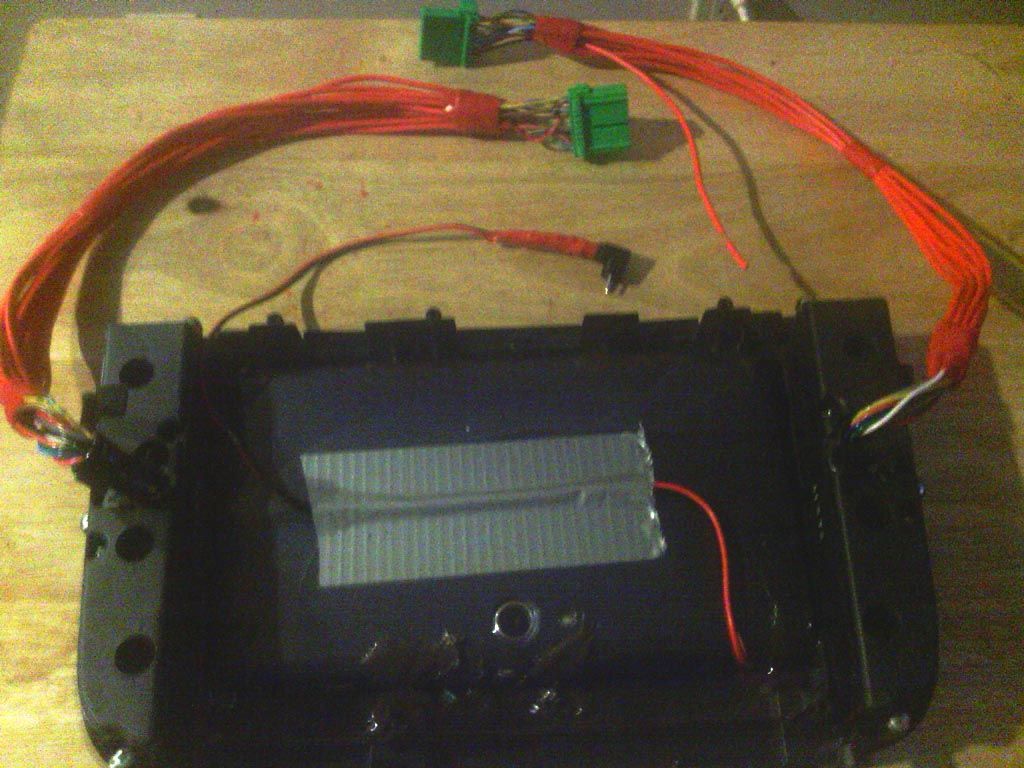
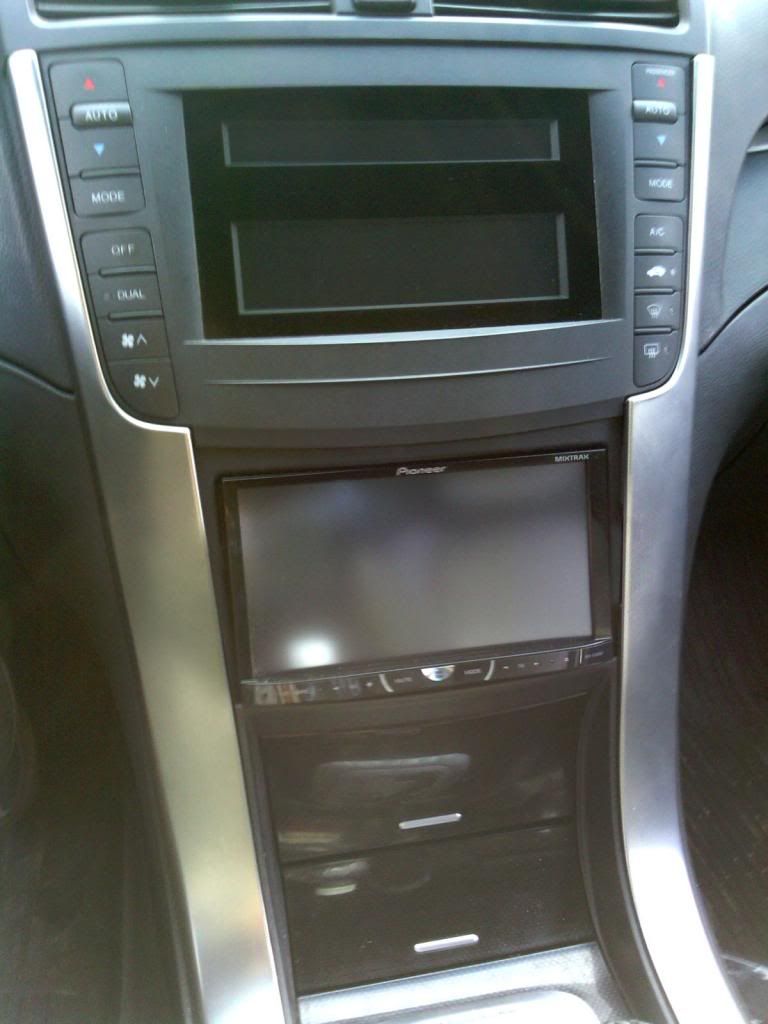
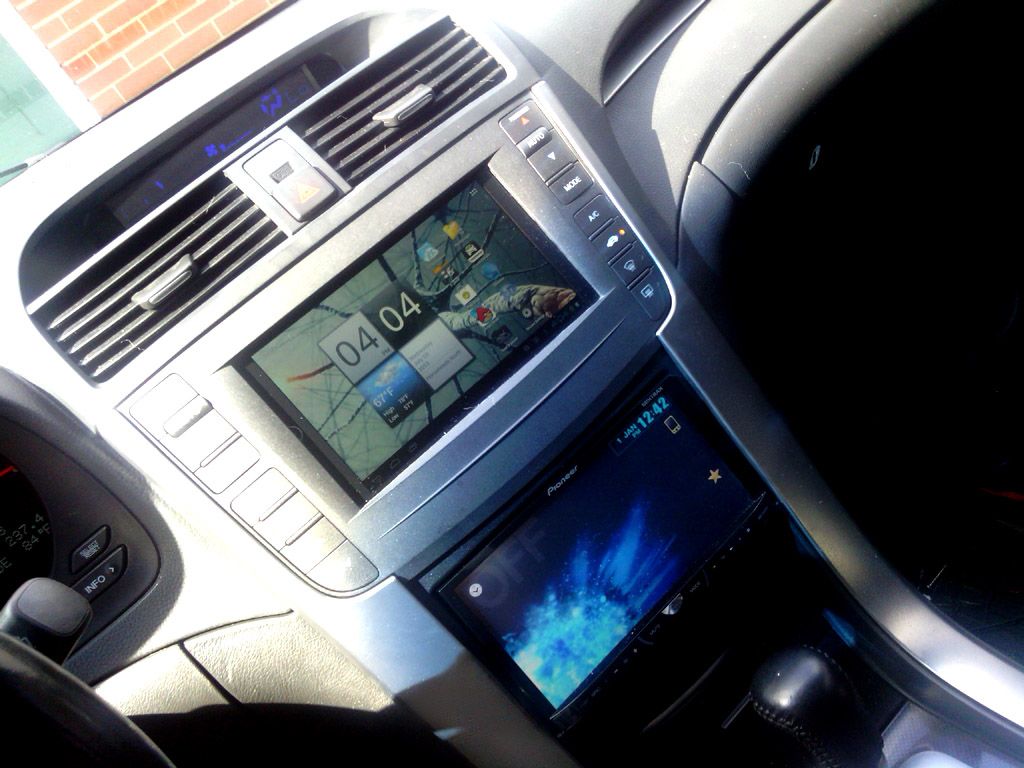
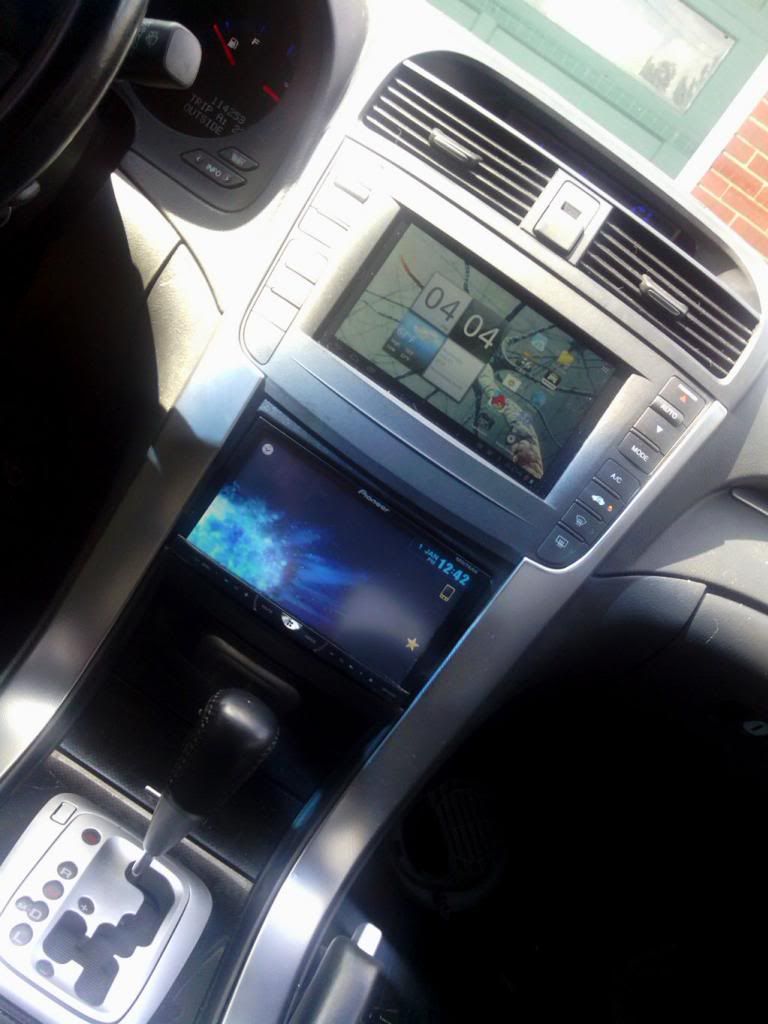
And here is it all back together, before and after pics. I am very happy with how it turned out and look much better than the non nav display and dumbass clock lol.
Before
After
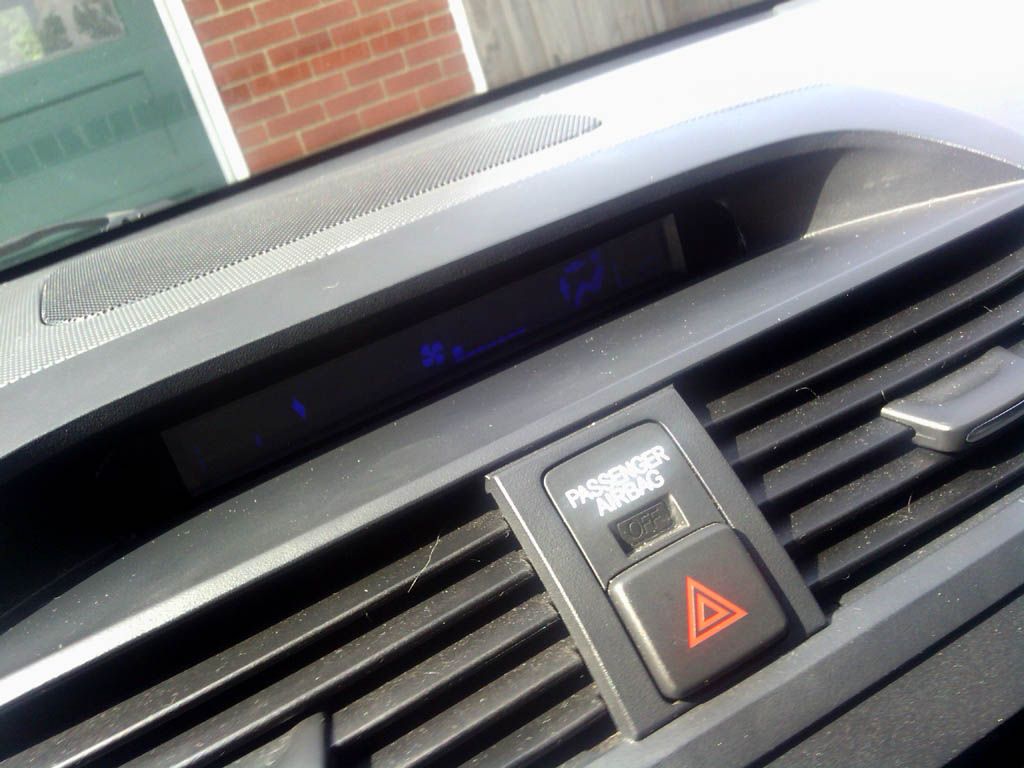
AC/Fan display that I broke.... sucks ass but looks better than the clock lol.
Thanks for looking, If anyone has any questions just ask.
I can tell you right now, this is not an easy job and is ALOT of work. It may look easy in pics but its a very very time consuming and will push your patience to the limit.
Ok here is the money I spent total.
Acer a100 off ebay, offered the guy $65 and he took it. Awesome tab, plays any thing I throw at it.
Blue LED strip from Walmart $13
Roll of 18 Gauge wire Walmart $5
Car charger that actually works with the Acer a100 Walmart $16
Around $100 or so.
The rest I had on hand, JBWeld, Electrical tape, solder gun etc...
Cutting the non nav display, I cut exactly around the edge that the plexi glass sat in. The plexiglass is just glued in there, you can push it out pretty easy. Just kept cutting so I could snap it clean.
Cutting a line So I can keep the top part for the AC display relocation.
Saving the plexi glass and top piece of the display for later.
This is what it looked like after I cut the center out. This is before I filed and buffed the edges. I was VERY patient, if you don't have patience I wouldn't try this mod lol.
Cutting out the back to make room for the tablet. You can see I used dykes and a metal cutter on a dremmel tool.
I was starting to come up with options on how to fit the charger into the bezel with the tablet. I decided to open it up and solder my own wires and run an extension.
Tablet apart
Soldering wires to the charging adapter inside of the tablet.
Testing the tablet charging in the car to make sure my connections were good.
I Mounted the tablet into the bezel just before testing the charger. I spent hours sanding and leveling to make sure it would be flush.
Ok now comes the nightmare I wouldn't want to do again lol.
I had to cut all the lines going to the AC display so that I could run an extension to put it up where the clock is. I used a ribbon cable out of a PC. A WARNING here tho. The LCD is very sensitive, I mean VERY. I actually cracked mine just bending a wire. Luckily it still works for the most part lol. If I was going to do it again id un solder it right from the board.
Next I had to extend the plugs from the fan and AC controls. This is because I relocated the circuit board to above the heater outlets. After doing all this I think I would have done it differently. The circuit board would fit behind the tab and still have room for the plugs if you didn't use the enclosure the board was in. I should have just put it in a electrostatic bag for like motherboards. This was a real pain in the ass.
And here is it all back together, before and after pics. I am very happy with how it turned out and look much better than the non nav display and dumbass clock lol.
Before
After
AC/Fan display that I broke.... sucks ass but looks better than the clock lol.
Thanks for looking, If anyone has any questions just ask.




Hell yeah dude, Im glad I inspired someone else to give this a try.
Where did you hook up power for the LED lights you put up in the A/C display panel? I dont remember where I connected mine but I was trying to find a place where they were off unless the HVAC was on... I finally found one that dimmed when the lights were on, but the LEDs are still on even when HVAC is off. Is that how yours is?
Also, have you had any problems with the tablet not charging at randowm times when the car is on? Mine just stops charging every once in a while, then if I hit my wipers it will start charging again. I think it has something to do with the current, I need to find a way to regulate it. What did you do- just buy a car charger for the 12V outlet and wire it in? Is it only charging when the car is on?
Great job, I like how it turned out
Where did you hook up power for the LED lights you put up in the A/C display panel? I dont remember where I connected mine but I was trying to find a place where they were off unless the HVAC was on... I finally found one that dimmed when the lights were on, but the LEDs are still on even when HVAC is off. Is that how yours is?
Also, have you had any problems with the tablet not charging at randowm times when the car is on? Mine just stops charging every once in a while, then if I hit my wipers it will start charging again. I think it has something to do with the current, I need to find a way to regulate it. What did you do- just buy a car charger for the 12V outlet and wire it in? Is it only charging when the car is on?
Great job, I like how it turned out
Instructor
Joined: Feb 2012
Posts: 100
Likes: 16
From: Ponte Vedra Beach, FL
Seconded.
Looks like you did a great job. I'm glad to see you weren't afraid to bust out the soldering iron.
Are you having any issues with ground noise or interference trough the audio?
I ask because I am. But, only when I have a video playing on the tablet (and it's charging. Unplugged, and there's no noise.) I'm assuming it's my USB power wire that I have running down to my center console. But, I REALLY don't want to dig back in there again.
Looks like you did a great job. I'm glad to see you weren't afraid to bust out the soldering iron.
Are you having any issues with ground noise or interference trough the audio?
I ask because I am. But, only when I have a video playing on the tablet (and it's charging. Unplugged, and there's no noise.) I'm assuming it's my USB power wire that I have running down to my center console. But, I REALLY don't want to dig back in there again.
Where did you hook up power for the LED lights you put up in the A/C display panel?
Also, have you had any problems with the tablet not charging at randowm times when the car is on? Mine just stops charging every once in a while, then if I hit my wipers it will start charging again. I think it has something to do with the current, I need to find a way to regulate it. What did you do- just buy a car charger for the 12V outlet and wire it in? Is it only charging when the car is on?
Great job, I like how it turned out
Also, have you had any problems with the tablet not charging at randowm times when the car is on? Mine just stops charging every once in a while, then if I hit my wipers it will start charging again. I think it has something to do with the current, I need to find a way to regulate it. What did you do- just buy a car charger for the 12V outlet and wire it in? Is it only charging when the car is on?
Great job, I like how it turned out
The charger works every time so far, haven't had any problems with it. I bought this one from walmart. http://www.walmart.com/ip/PowerLine-...apter/17134646
Are you having any issues with ground noise or interference trough the audio?
I ask because I am. But, only when I have a video playing on the tablet (and it's charging. Unplugged, and there's no noise.) I'm assuming it's my USB power wire that I have running down to my center console. But, I REALLY don't want to dig back in there again.
I ask because I am. But, only when I have a video playing on the tablet (and it's charging. Unplugged, and there's no noise.) I'm assuming it's my USB power wire that I have running down to my center console. But, I REALLY don't want to dig back in there again.
The trim pieces are wraped in titanium aluminum vinyl. The half circles I filled them in with silicone, I put saran wrap over the front and filled the rear with silicone, then removed the saran wrap and had a perfectly filled in half circle I could always put back to stock if I wanted. Im going to redo them tho. I took them off and put them on so many times during this install they got a little marred up.
Trending Topics


I fixed the a/c display, These A/C heater control screen are available on ebay at pretty cheap prices, came with new buttons and everything for $30...
Only thing that sucked re re soldering everything lol.
This time I didn't cut the wire leads in the LCD like the pic above. I unsoldered it from the board. It made them MUCH more durable since they were still in the plastic support holes.
So if your going to try this I would recommend doing that instead of cutting them.
Only thing that sucked re re soldering everything lol.
This time I didn't cut the wire leads in the LCD like the pic above. I unsoldered it from the board. It made them MUCH more durable since they were still in the plastic support holes.
So if your going to try this I would recommend doing that instead of cutting them.
Last edited by NitroViper; Jul 31, 2013 at 10:13 AM.

1st Gear
Joined: Aug 2013
Posts: 1
Likes: 0
Hey you guys are really talented with these DIY projects. I'm new to the forum. I joined to forum cause I love acura's. Especially TL's. I originally joined to get some more insider information on buying my first TL but after everything I've seen, I'm definitely ready to buy one and I can't wait to get my friends helping me on a project like this really great work on that acer screen man!
I wired it to the rear of the front cig lighter. I use an app called AutomateIt. It put the tablet into sleep mode when not charging and wakes up when it is. You can reboot the tablet anytime you want through the interface. I never reboot it tho. I have automateit turn on airplane mode and turn off wifi, Bluetooth and apps when not charging. Then it goes into sleep mode. When the key goes back on it turns all that stuff back on and goes into normal mode.

takin care of Business in
iTrader: (5)
Joined: Jan 2008
Posts: 30,994
Likes: 4,733
From: Kansas City, MO
Totally agree....
Last question is about heating....
here is my current setup:
I have a Galaxy Note (original one), I have a rapid rate charger and a car dock...I was going to flush mount the dock but I think I will be doing with a Nexus in the dash....
but my phone gets very very HOT even though its just plugged in....I have Torque Pro, Pandora, Maps running on it....do you have any heating issues with the concealed tablet?
Last question is about heating....
here is my current setup:
I have a Galaxy Note (original one), I have a rapid rate charger and a car dock...I was going to flush mount the dock but I think I will be doing with a Nexus in the dash....
but my phone gets very very HOT even though its just plugged in....I have Torque Pro, Pandora, Maps running on it....do you have any heating issues with the concealed tablet?

I was going mention a small fan wired directly behind the tablet. I have zero heat issues tho. Except when its 100 outside the tab screen feels like 200 lol. It still doesn't seem to effect it.
I might get one of these that only runs when the key is on. I would run a variable speed knob so that I could adjust it until it is 100% silent. These are the same ones in my car amps, about 2in x 2in. Only costs like $2 lol.
I think its 60mm
I might get one of these that only runs when the key is on. I would run a variable speed knob so that I could adjust it until it is 100% silent. These are the same ones in my car amps, about 2in x 2in. Only costs like $2 lol.
I think its 60mm
Last edited by NitroViper; Aug 7, 2013 at 04:40 PM.
takin care of Business in
iTrader: (5)
Joined: Jan 2008
Posts: 30,994
Likes: 4,733
From: Kansas City, MO
I put a tiny computer fan in there behind mine and you can only hear it when the radio is off and the car isnt moving. Ive never overheated, I actually have more problems when is cold out and its not heated up enough

Do you guys actually need a tiny computer fan? I know it will help and it depends on your location and in my case it will probably be the best idea since I do live in Texas.
Where did you guys tap into?
Where did you guys tap into?

Advanced
Joined: Dec 2012
Posts: 58
Likes: 6
Nitro:
Is that yellow tool you are using to cut the plastic designed specifically for plastic cutting? What info do you have on sanding/buffing to get the best finished product?
What process did you go through to mount the pioneer the way you did? It looks very clean.
I currently have a carputer installed and have the hvac/audio screens down where the two carbon fiber cubbys used to be but I don't like this as I have to always look down and I don't like the factory radio anyway.
I read that some people use the nav version display where the clock is, does anyone know if this is plug and play or if mods are required?
I'd like to install the nav version hvac display up top, keep my carputer but clean up the cuts like you did and install a pioneer the same way, I just haven't been sure how to make this all look as clean as possible.
Thanks
Is that yellow tool you are using to cut the plastic designed specifically for plastic cutting? What info do you have on sanding/buffing to get the best finished product?
What process did you go through to mount the pioneer the way you did? It looks very clean.
I currently have a carputer installed and have the hvac/audio screens down where the two carbon fiber cubbys used to be but I don't like this as I have to always look down and I don't like the factory radio anyway.
I read that some people use the nav version display where the clock is, does anyone know if this is plug and play or if mods are required?
I'd like to install the nav version hvac display up top, keep my carputer but clean up the cuts like you did and install a pioneer the same way, I just haven't been sure how to make this all look as clean as possible.
Thanks
Nitro:
Is that yellow tool you are using to cut the plastic designed specifically for plastic cutting? What info do you have on sanding/buffing to get the best finished product?
What process did you go through to mount the pioneer the way you did? It looks very clean.
I currently have a carputer installed and have the hvac/audio screens down where the two carbon fiber cubbys used to be but I don't like this as I have to always look down and I don't like the factory radio anyway.
I read that some people use the nav version display where the clock is, does anyone know if this is plug and play or if mods are required?
I'd like to install the nav version hvac display up top, keep my carputer but clean up the cuts like you did and install a pioneer the same way, I just haven't been sure how to make this all look as clean as possible.
Thanks
Is that yellow tool you are using to cut the plastic designed specifically for plastic cutting? What info do you have on sanding/buffing to get the best finished product?
What process did you go through to mount the pioneer the way you did? It looks very clean.
I currently have a carputer installed and have the hvac/audio screens down where the two carbon fiber cubbys used to be but I don't like this as I have to always look down and I don't like the factory radio anyway.
I read that some people use the nav version display where the clock is, does anyone know if this is plug and play or if mods are required?
I'd like to install the nav version hvac display up top, keep my carputer but clean up the cuts like you did and install a pioneer the same way, I just haven't been sure how to make this all look as clean as possible.
Thanks
https://acurazine.com/forums/showthr...=876736&page=4


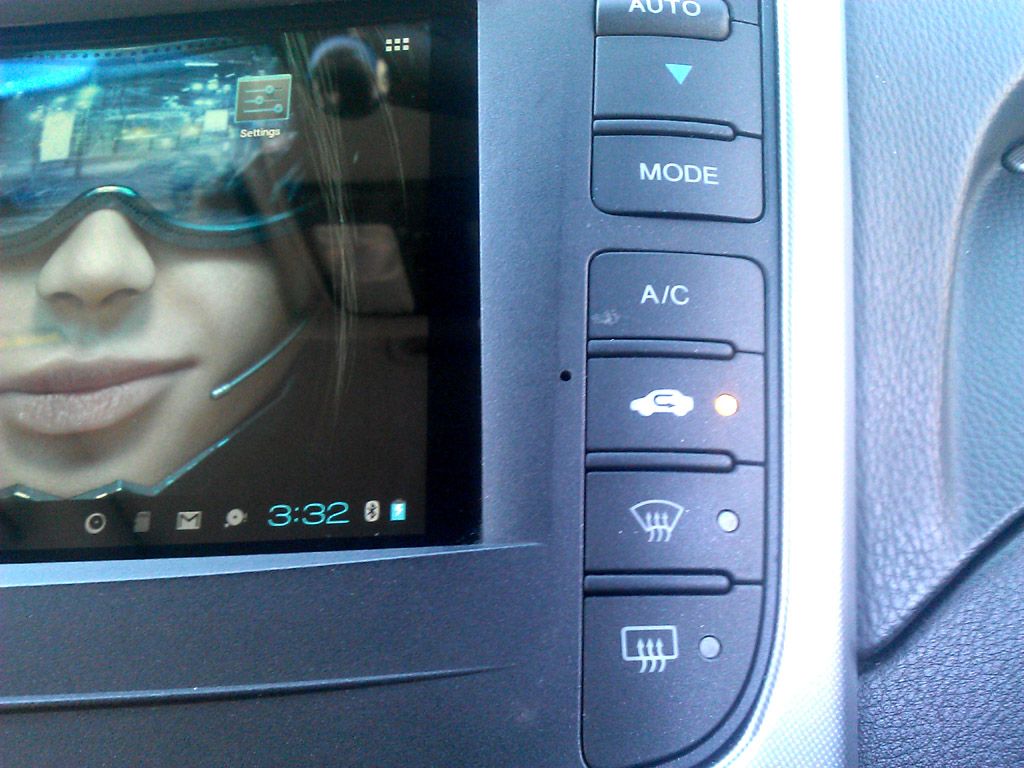
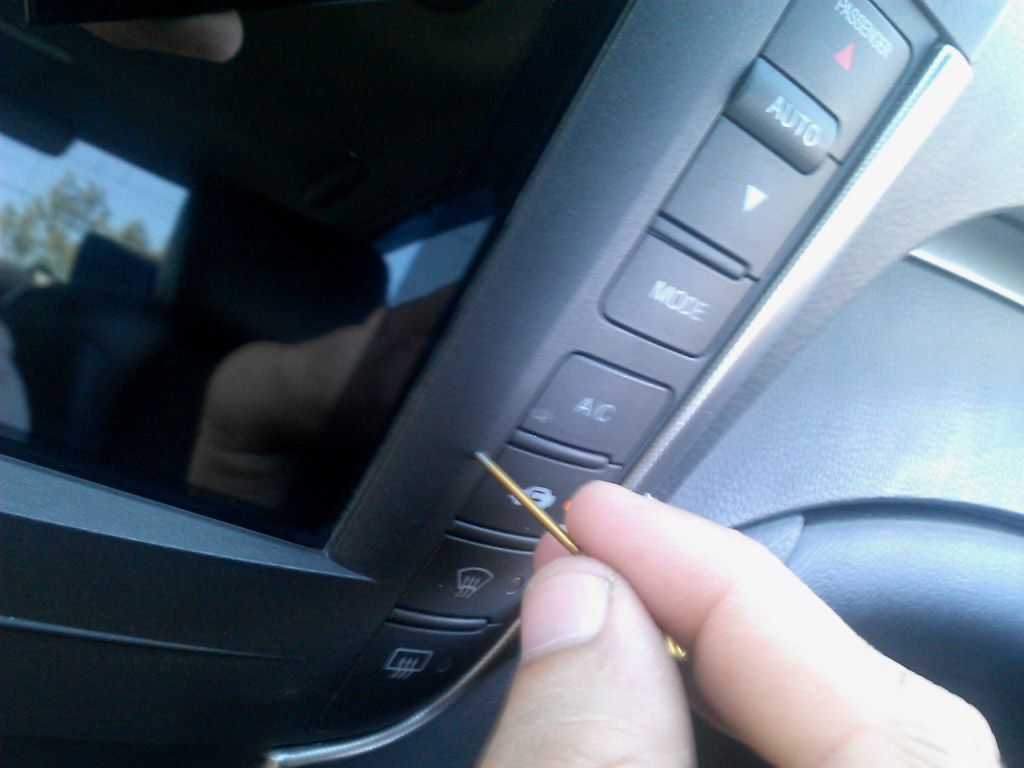
After a couple months in the car some of the apps on the tab start to crash, I thought installing a reboot app would take care of these but it didn't. I took the dash back apart and drilled a small hole in the bezel directly next to where the power button sits on the tablet itself. I just wanted to post a picture of it incase anyone wants to do this. It doesn't look bad and can barely notice it sitting in the car. You wouldn't even see it if I didn't point it out. Im thinking of getting a really tiny reset sticker or stamp for the hole lol.



Just saw this, nice job.
Also FYI you can reboot the tablet from the tablet without accessing the power button.
Just install a terminal editor and root your tablet, then from terminal editor type:
su reboot (press enter)
Grant root rights to terminal if prompted.
Tablet should reboot, no need to make any holes or pop it out of the console.
Accessing recovery is trickier, but if you have TWRP installed as your recovery or Touch-enabled CWM and from something like Rom-manager you can click the option 'reboot to recovery' and it'll reboot into recovery.
Also FYI you can reboot the tablet from the tablet without accessing the power button.
Just install a terminal editor and root your tablet, then from terminal editor type:
su reboot (press enter)
Grant root rights to terminal if prompted.
Tablet should reboot, no need to make any holes or pop it out of the console.
Accessing recovery is trickier, but if you have TWRP installed as your recovery or Touch-enabled CWM and from something like Rom-manager you can click the option 'reboot to recovery' and it'll reboot into recovery.
Just saw this, nice job.
Also FYI you can reboot the tablet from the tablet without accessing the power button.
Just install a terminal editor and root your tablet, then from terminal editor type:
su reboot (press enter)
Grant root rights to terminal if prompted.
Tablet should reboot, no need to make any holes or pop it out of the console.
Accessing recovery is trickier, but if you have TWRP installed as your recovery or Touch-enabled CWM and from something like Rom-manager you can click the option 'reboot to recovery' and it'll reboot into recovery.
Also FYI you can reboot the tablet from the tablet without accessing the power button.
Just install a terminal editor and root your tablet, then from terminal editor type:
su reboot (press enter)
Grant root rights to terminal if prompted.
Tablet should reboot, no need to make any holes or pop it out of the console.
Accessing recovery is trickier, but if you have TWRP installed as your recovery or Touch-enabled CWM and from something like Rom-manager you can click the option 'reboot to recovery' and it'll reboot into recovery.
I have tried a few apps for rebooting. The tiny hole works best lol.

I don't even use tasker or automateit anymore. The tablet comes on with the key and goes to sleep after how ever long I set it. Soon as it see's power it lights up. I never have the car off long enough for it to die I guess lol.
Still the reboot hole has come in handy many times!!
Still the reboot hole has come in handy many times!!
takin care of Business in
iTrader: (5)
Joined: Jan 2008
Posts: 30,994
Likes: 4,733
From: Kansas City, MO
^^^ yes...with either automateit or tasker, when the tablet see's power, it will not only come on but also turn wifi and bluetooth on, set screen timeout to max, set display brightness where you want it 
I tether wifi through my phone so Tasker really makes things easy for me
I tether wifi through my phone so Tasker really makes things easy for me


Dont use these forums much but Did a little tablet work myself! Thought i would share my work.....thanks to all those before me who have made it easier to complete my installation http://oi59.tinypic.com/16atkx0.jpg