


Non-Navi to Navi conv done BUT digi clock is wrong


Thread Starter
Lurker
Joined: Feb 2004
Posts: 1,363
Likes: 1
Non-Navi to Navi conv done BUT digi clock is wrong
I recently finished a non-Navi to OEM Navi conversion and everything works perfectly. However despite using all new OEM components including all of the required Navi OEM wiring harnesses, I can't get the dash digital clock set. I am using the latest software (just got it from Alpine, it's v3.5) and set the clock in the Navi setup (menu 4), but the clock on top doesnt' change.
In looking in the owner manual (don't have a Navi manual) it says that for Navi cars this style clock is set automatically. Set by what is my question. There are no buttons like my old non-Navi digital clock had. I figured that it was set by the Navi software but apparently not.
Any help would be appreciated as at this point I can only set it by connecting the battery at 1:00 and is a bit of a PITA.
As a side note, the software I ordered from Alpine for my 04 TL has a Honda logoed splash screen instead of an Acura one. Is this normal?
In looking in the owner manual (don't have a Navi manual) it says that for Navi cars this style clock is set automatically. Set by what is my question. There are no buttons like my old non-Navi digital clock had. I figured that it was set by the Navi software but apparently not.
Any help would be appreciated as at this point I can only set it by connecting the battery at 1:00 and is a bit of a PITA.
As a side note, the software I ordered from Alpine for my 04 TL has a Honda logoed splash screen instead of an Acura one. Is this normal?

Thread Starter
Lurker
Joined: Feb 2004
Posts: 1,363
Likes: 1
Originally Posted by dan.....k
Mine set automatically when I did my conversion. I'll call my installer and ask him. Good luck.
Does your navi software's splashscreen have an acura or honda logo. I'm wondering if I have incorrect software that is missing clock support just as very early versions didn't have XM support.
Thread Starter
Lurker
Joined: Feb 2004
Posts: 1,363
Likes: 1
Originally Posted by triton3k
how did you go about doing the conversion? Did you take it to a shop or do it yourself?
Parts List I used for my conversion with automatic transmission.
2ea 90132-SV4-003 SCREW, ET (5X16)
3ea 91540-S0A-003 CLIP (96.9MM)
4ea 91601-SH3-013 GROMMET, SCREW (5MM)
4ea 93893-05008-07 SCREW-WASHER (5X8)
4ea 93901-25280 SCREW, TAP (5X12)
1ea 39710-SEP-A41 DISPLAY ASSY., INFORMATION CENTER
1ea 35890-SEP-A11 SWITCH ASSY., NAVIGATION GUIDE& HAND FREE TELEPHONE
1ea 39051-SEP-A41ZA MODULE ASSY., DISPLAY
1ea 39540-SEP-A41 DVD UNIT, NAVIGATOR
1ea 39541-SEP-A40 BRACKET, NAVIGATOR ELECTRONIC CONTROL UNIT
1ea 39835-SEP-A41 ANTENNA ASSY., GPS
In addition to this there were 3 wiring harnesses but I don't have those part numbers in front of me. A dash harness, a ceiling harness and the harness that goes from the front to the trunk. Note that the dash harness is transmission specific, there is 1 for manuals and 1 for automatics. What I did was printed out the harness pages from Del Ray Acura's parts store. I printed one for my non-Navi car and 1 for the Navi version of my car and bought the 3 harnesses that were different. The 3 harnesses were expensive...$1150 with tax. From Del Ray Acura they are a few hundred cheaper, but it's certainly no wonder that people want to make their own.
In addition, contrary to the parts illustrations, the Navi disc IS NOT INCLUDED with the DVD drive. It was an additional $207 (with tax and shipping) from Alpine for the latest orange disc v3.50
I also bought the service and electrical troubleshooting manuals. Because I didn't make my own harnesses I didn't use the elec TS manual, but the service manual was a MUST and is worth it's weight in gold. The elec TS manual is a must for making your own harnesses.
The installation took me about 15 hours. The major project to my install was removing the dash. Since I opted to use the pricy but OEM harnesses taking out the dash was the easiest way to get the harness in. Using the service manual it was easy, just time consuming. But then hooking everything up was a cinch, just plug and go. The headliner had to be dropped for the ceiling harness (for the mic) and then the typical package tray and seat removal for the GPS antenna.
I had 2 issues with my install. First was me buying used GPS software on EBay. I originally got a very early software version, I think it was 2.1 and it didn't have XM support. Everything worked, but when you went to Audio on XM you just got an AUX screen, no XM details. The second is the one that I still have. The new digital clock display over the navi screen plugs into the Navi system. It is supposed to be automatically set by the Navi software but it mine it's not. Yesterday my v3.5 Navi disc finally arrived from Alpine. I had assumed that the old software simply didn't have clock support just as it didn't have XM support, but after installing the new orange disc, the XM screens worked, but the clock still doesn't update. I am only able to set it by connecting the battery at precisely 1:00 which is the time the clock turns to after the battery is reconnected.
No doubt the cost of this conversion is insane but at the time I bought my car in early 2004, there simply was no Navi cars to be had in SoCal so if you wanted a TL, it was sleep at the dealer or take a non-Navi one. And having wheels, exhaust and the blower...and no original parts (sold them) selling the car to get Navi wasn't an option. But despite the price, I now have the exact car I've wanted since getting it and that is all that matters to me.


Thread Starter
Lurker
Joined: Feb 2004
Posts: 1,363
Likes: 1
I went into the Navi setup, make changes, pissed around with the settings, but the digital clock on top doesn't sync, change or anything else. It's as if it was disconnected from the Navi, yet all of the other functions of that display work fine.
Trending Topics

9th Gear
Joined: Mar 2006
Posts: 9
Likes: 0
Originally Posted by Skeedatl
I went into the Navi setup, make changes, pissed around with the settings, but the digital clock on top doesn't sync, change or anything else. It's as if it was disconnected from the Navi, yet all of the other functions of that display work fine.
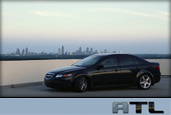
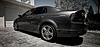
Can you post pictures of the finished installation? Thanks in advance...



PAPARAZZI
Joined: Mar 2004
Posts: 126
Likes: 0
From: Denver
navis
skeedatl
How did you deal with the new 4 button hfl unit on the steering wheel? Did you have to buy the cable reel harness for that part of the install or did you use the existing plugs and rewire the hfl unit to the micro phone in the headliner. You must have a fortune in your navi conversion. Did you go with all new parts from the dealer?
How did you deal with the new 4 button hfl unit on the steering wheel? Did you have to buy the cable reel harness for that part of the install or did you use the existing plugs and rewire the hfl unit to the micro phone in the headliner. You must have a fortune in your navi conversion. Did you go with all new parts from the dealer?
Thread Starter
Lurker
Joined: Feb 2004
Posts: 1,363
Likes: 1
Originally Posted by ITL
it should set based off GPS time...how accurate are your coordinates with the new navi?
Thread Starter
Lurker
Joined: Feb 2004
Posts: 1,363
Likes: 1
Originally Posted by zeezz
are you getting sync with the satellites?
Thread Starter
Lurker
Joined: Feb 2004
Posts: 1,363
Likes: 1
Originally Posted by jmbnova
why dont you just disconnect the battery then hook it back up at noon? shouldnt that reset that clock since it is apparently not synching with the nav?
Thread Starter
Lurker
Joined: Feb 2004
Posts: 1,363
Likes: 1
Originally Posted by jmbnova
why dont you just disconnect the battery then hook it back up at noon? shouldnt that reset that clock since it is apparently not synching with the nav?
Originally Posted by skeedatl
Any help would be appreciated as at this point I can only set it by connecting the battery at 1:00 and is a bit of a PITA.
Dr. Feelgood
Joined: Oct 2004
Posts: 1,210
Likes: 0
From: too close to Jatt
Originally Posted by jmbnova
why dont you just disconnect the battery then hook it back up at noon? shouldnt that reset that clock since it is apparently not synching with the nav?

Thread Starter
Lurker
Joined: Feb 2004
Posts: 1,363
Likes: 1
Originally Posted by paparazzi
skeedatl
How did you deal with the new 4 button hfl unit on the steering wheel? Did you have to buy the cable reel harness for that part of the install or did you use the existing plugs and rewire the hfl unit to the micro phone in the headliner. You must have a fortune in your navi conversion. Did you go with all new parts from the dealer?
How did you deal with the new 4 button hfl unit on the steering wheel? Did you have to buy the cable reel harness for that part of the install or did you use the existing plugs and rewire the hfl unit to the micro phone in the headliner. You must have a fortune in your navi conversion. Did you go with all new parts from the dealer?

Thread Starter
Lurker
Joined: Feb 2004
Posts: 1,363
Likes: 1
Originally Posted by Ervool
Can you post pictures of the finished installation? Thanks in advance...


Navi works (even sees I'm in a parking lot next to the street) but of course the clock is 4+ hours off.


sine you have the honda splash screen your car may be loading the incorrect bin file but i dont think that would mess with the clock try reading on the hack you navi threads to learn more about the bin file
Thread Starter
Lurker
Joined: Feb 2004
Posts: 1,363
Likes: 1
Originally Posted by RJANACONDA
sine you have the honda splash screen your car may be loading the incorrect bin file but i dont think that would mess with the clock try reading on the hack you navi threads to learn more about the bin file
Thanks for the insight...I'll look into this.
Thread Starter
Lurker
Joined: Feb 2004
Posts: 1,363
Likes: 1
I was just thinking....
When I put my system in I bought an orange disc off EBay. It had a Honda splash screen. I'm now wondering if my 3.50 disc I just got simply saw what was on there (in the firmware) and updated that, meaning if I has started with the 3.50 disc, it would have installed Acura firmware.
Does this make sense? If so, I wonder how I would go about resetting the DVD drive to "new" condition so that it would see the 3.50 disc as a new install.
When I put my system in I bought an orange disc off EBay. It had a Honda splash screen. I'm now wondering if my 3.50 disc I just got simply saw what was on there (in the firmware) and updated that, meaning if I has started with the 3.50 disc, it would have installed Acura firmware.
Does this make sense? If so, I wonder how I would go about resetting the DVD drive to "new" condition so that it would see the 3.50 disc as a new install.
Thread Starter
Lurker
Joined: Feb 2004
Posts: 1,363
Likes: 1
Originally Posted by Skeedatl
I was just thinking....
When I put my system in I bought an orange disc off EBay. It had a Honda splash screen. I'm now wondering if my 3.50 disc I just got simply saw what was on there (in the firmware) and updated that, meaning if I has started with the 3.50 disc, it would have installed Acura firmware.
Does this make sense? If so, I wonder how I would go about resetting the DVD drive to "new" condition so that it would see the 3.50 disc as a new install.
When I put my system in I bought an orange disc off EBay. It had a Honda splash screen. I'm now wondering if my 3.50 disc I just got simply saw what was on there (in the firmware) and updated that, meaning if I has started with the 3.50 disc, it would have installed Acura firmware.
Does this make sense? If so, I wonder how I would go about resetting the DVD drive to "new" condition so that it would see the 3.50 disc as a new install.
HOWEVER, I do have the trip computer (although it's not really accurate) and the calculator which people here seem to want in TL software.
Personally I would give them up to be back to OEM, so now I'm trying to figure out how to force the unit to take OEM software....that is unless Alpine sent me the wrong disc and multiple versions (eg TL, Accord, etc) aren't on a single disc.
Thread Starter
Lurker
Joined: Feb 2004
Posts: 1,363
Likes: 1
ALL FIXED! Thanks to all those who contributed to this thread as this brainstorming got me in the right direction.
Turns out my suspicions were right originally and the poster who mentioned the Honda splashscreen got the ball rolling. The Acura software does indeed have clock sync support and the clock sync will not work with Honda firmware. When I did my original install, I bought a 3.1 (thought it was 2.1 but just looked it's 3.1) disc off EBay. When I installed it, it installed into my new Navi system as Accord software. So while I had the trip computer and some other non-Acura features, I didn't have XM or clock sync support.
Figuring the clock and XM support were just not in 3.1 I got the 3.5 disc from Alpine. But since there was already Accord software installed, it just updated with newer ACCORD software, so while I got XM support which is present in the Accord, I didn't have sync support which is not an Accord feature.
After some searching, I found a thread on software swapping from those who choose to run Accord software for the trip computer and other goodies Acura-ware doesn't have...and followed these directions from that thread...
Okay----Here are the details to try this. Again...DO THIS AT YOUR OWN RISK.
Step 1)
Remove DVD disk from Nav system in trunk. Key must be in II position or III position. Press eject
Step 2)
Copy the following files to your hard disk. You must have a DVD Reader.
File1=BN2HH12C.bin
File2=BN2HH110.bin
File3=BN2HH120.bin
File4=BN2HHmld.bin
File5=BN2HN12b.bin
File6=BN2HN18b.bin
Step 3)
Take File #3 above (BN2HH120.bin) You need to rename this file to BN2HH12c.bin, and burn a CD. So, your CD should have the files named in Step 2, but BN2HH12C.bin should "REALLY" be the file BN2HH120.bin (But named BN2HH12c.bin)
Basically, the system is looking to load file name BN2HH12c.bin. We are tricking it into loading BN2HH120.bin by renaming it. BN2HH120 is really the accord nav system.
Burn a CD (Yes...it doesnt have to be a DVD) with these files and place into NAV system.
Step 4) Get into DIAGNOSTIC mode by holding down "MAP/GUIDE+MENU+CANCEL" until the diag screen shows
Step 5) Select "Version" from the diag screen
Step 6) Select "DISK LOAD" which appears in red.
Step 7) DO NOT SHUT OFF KEY from II or III postion
Step 8) It should re-boot, and you will see the HONDA logo instead of the ACURA logo. Place the orig NAV disk in the NAV system
YOU NOW HAVE A MUCH BETTER TRIP COMPUTER!!!! (Than in the MID)
To go back to the orig Acura system, make another disk, however....this time, Rename the Original BN2HH12C.bin file to BN2HH120.bin. The nav system with the Honda logo is now looking for BN2HH120.bin If you re-name the orig acura file (BN2HH12C.bin--->bn2HH120.bin), you will go back to normal. Follow the same proceedure as shown above, only with the disk described here.
I have two disks, and when I go to get an oil change, I will reset to ACURA....
AGAIN....THIS IS AT YOUR OWN RISK!!!
And then followed these directions on how to do disc swaps after getting to the diagnostic screen and then to the VERSION screen.
16. Take the origional navigation DVD out of the car, and replace it with the CD/DVD you just created. Leave the front plate of the DVD player open. Run back inside your car!
17. Hit the "Load Disc" button on the Version screen. Run back to the trunk and close the front plate of the DVD player!
18. It should take about 20 seconds for your car to load the new BIN and reboot. You shoudl see your new Once that happens, take out your burned CD/DVD and put back the origional navigation DVD.
19. If anything goes wrong, remove the ground to the battery for 30 seconds with the origional DVD in the car. The old OS will load back on the system.
Using this method I forced the Acura firmware to be loaded over the old Accord firmware and now everything is fine. No Accord trip computer anymore, but now I have the Acura splash screen and the clock syncs like it's supposed to.
So to those who have noticed your clock not syncing, it could be because of the software you're running if you're doing Navi hacks.
Turns out my suspicions were right originally and the poster who mentioned the Honda splashscreen got the ball rolling. The Acura software does indeed have clock sync support and the clock sync will not work with Honda firmware. When I did my original install, I bought a 3.1 (thought it was 2.1 but just looked it's 3.1) disc off EBay. When I installed it, it installed into my new Navi system as Accord software. So while I had the trip computer and some other non-Acura features, I didn't have XM or clock sync support.
Figuring the clock and XM support were just not in 3.1 I got the 3.5 disc from Alpine. But since there was already Accord software installed, it just updated with newer ACCORD software, so while I got XM support which is present in the Accord, I didn't have sync support which is not an Accord feature.
After some searching, I found a thread on software swapping from those who choose to run Accord software for the trip computer and other goodies Acura-ware doesn't have...and followed these directions from that thread...
Okay----Here are the details to try this. Again...DO THIS AT YOUR OWN RISK.
Step 1)
Remove DVD disk from Nav system in trunk. Key must be in II position or III position. Press eject
Step 2)
Copy the following files to your hard disk. You must have a DVD Reader.
File1=BN2HH12C.bin
File2=BN2HH110.bin
File3=BN2HH120.bin
File4=BN2HHmld.bin
File5=BN2HN12b.bin
File6=BN2HN18b.bin
Step 3)
Take File #3 above (BN2HH120.bin) You need to rename this file to BN2HH12c.bin, and burn a CD. So, your CD should have the files named in Step 2, but BN2HH12C.bin should "REALLY" be the file BN2HH120.bin (But named BN2HH12c.bin)
Basically, the system is looking to load file name BN2HH12c.bin. We are tricking it into loading BN2HH120.bin by renaming it. BN2HH120 is really the accord nav system.
Burn a CD (Yes...it doesnt have to be a DVD) with these files and place into NAV system.
Step 4) Get into DIAGNOSTIC mode by holding down "MAP/GUIDE+MENU+CANCEL" until the diag screen shows
Step 5) Select "Version" from the diag screen
Step 6) Select "DISK LOAD" which appears in red.
Step 7) DO NOT SHUT OFF KEY from II or III postion
Step 8) It should re-boot, and you will see the HONDA logo instead of the ACURA logo. Place the orig NAV disk in the NAV system
YOU NOW HAVE A MUCH BETTER TRIP COMPUTER!!!! (Than in the MID)
To go back to the orig Acura system, make another disk, however....this time, Rename the Original BN2HH12C.bin file to BN2HH120.bin. The nav system with the Honda logo is now looking for BN2HH120.bin If you re-name the orig acura file (BN2HH12C.bin--->bn2HH120.bin), you will go back to normal. Follow the same proceedure as shown above, only with the disk described here.
I have two disks, and when I go to get an oil change, I will reset to ACURA....
AGAIN....THIS IS AT YOUR OWN RISK!!!
16. Take the origional navigation DVD out of the car, and replace it with the CD/DVD you just created. Leave the front plate of the DVD player open. Run back inside your car!
17. Hit the "Load Disc" button on the Version screen. Run back to the trunk and close the front plate of the DVD player!
18. It should take about 20 seconds for your car to load the new BIN and reboot. You shoudl see your new Once that happens, take out your burned CD/DVD and put back the origional navigation DVD.
19. If anything goes wrong, remove the ground to the battery for 30 seconds with the origional DVD in the car. The old OS will load back on the system.
So to those who have noticed your clock not syncing, it could be because of the software you're running if you're doing Navi hacks.
Thread Starter
Lurker
Joined: Feb 2004
Posts: 1,363
Likes: 1
Originally Posted by Denali TL
Anyone have the Newsletter Discount code for ordering parts from Delray Acura?
Thread Starter
Lurker
Joined: Feb 2004
Posts: 1,363
Likes: 1
Originally Posted by zeezz
good job 
Thread Starter
Lurker
Joined: Feb 2004
Posts: 1,363
Likes: 1
Yeah. WHen the batt is hooked up the clock comes on as 1:00. So if you were to do it at 1 in the afternoon every couple of months it would be accurate. But you would still need the wiring harness as the clock plugs into the Nav. And if you're spending that much for the nav screen and hvac screen, you might as well get a drive off ebay as well, make some harnesses, pick up an HFL button and have the whole package.
Thread Starter
Lurker
Joined: Feb 2004
Posts: 1,363
Likes: 1
Actually I didn't even look. I do have the electrical TS manual and it's pretty straight forward. Using that I suppose anyone with soldering skills could do it. It's just a matter of them buying the correct connectors. I wanted an OEM install and given the stupid amount of money I was already into this project I just bent over and took it in the A for the OEM harnesses. Given how much the connectors are, the amount of time it takes, IMO it's a better deal to spend a few hundred more and buy the OEM harnesses. One person mentioned they found someone to make the harnesses for $700, but you can buy them for not much more than that. I paid FULL RETAIL and it was $1150 with tax. From a discount dealer like Del Ray Acura (delrayacura.com) you can get them for several hundred cheaper...I'm guessing in the $800 range.
PAPARAZZI
Joined: Mar 2004
Posts: 126
Likes: 0
From: Denver
navi
I have decided to take your route on installing my factory navi. My installer bailed on my project leaving me at square 1 and from talking to other installers it is going to be the same price either to have them build a harness or replace the factory harnesses. I am somewhat ahead of the game money wise cause my parts guy threw in the harness from the trunk to the dash and the rightside dash harness when I bought the hardware for the install. Is there any way you can pm me with the part numbers for all three harnesses so I know I have the right ones? Looks like the money I saved on the harnesses will go out to the installer for he wants $1000 to $1500 for the install. Thanks for your help!
hey skeedatl , i have an 04 tl could i convert to navi using all 05 tl navi parts , nav screen, dvd rom, all harnesses to the 04 stereo, i think they would be the same. went to del rays site and checked the price on harnesses and 04 were more than the 05 for the same part . could this be done.
I'm in
Joined: Jan 2005
Posts: 2,213
Likes: 20
From: Oregon
Originally Posted by jptl04
hey skeedatl , i have an 04 tl could i convert to navi using all 05 tl navi parts , nav screen, dvd rom, all harnesses to the 04 stereo, i think they would be the same. went to del rays site and checked the price on harnesses and 04 were more than the 05 for the same part . could this be done.
I haven't done this but I'm 99.9% sure its the same everything. Just make sure that if you purchase the 'dash' harness its the one that corresponds to your transmission.