


Cannot change background colors on '06 w/Navi


Thread Starter
1st Gear
Joined: Feb 2009
Posts: 1
Likes: 0
Cannot change background colors on '06 w/Navi
Hello all. This is my first post on this forum. I've searched for an answer to my problem, but didn't see anything so I thought I'd throw it out here.
I have an '06 TL w/Navigation. Everything is stock (no hacks, etc). On the options menu to change the background colors to grey, red, etc., I can select a color, but nothing changes beyond the standard blue.
Also another weird thing is that on the "auto" setting, my maps do not turn to night-mode when it is, in fact, night.
Not sure what is going on. It's like there is a bug in the system. Is there a hard-reset I can try on the Navi system, or has anyone had issues similar to mine?
I have an '06 TL w/Navigation. Everything is stock (no hacks, etc). On the options menu to change the background colors to grey, red, etc., I can select a color, but nothing changes beyond the standard blue.
Also another weird thing is that on the "auto" setting, my maps do not turn to night-mode when it is, in fact, night.
Not sure what is going on. It's like there is a bug in the system. Is there a hard-reset I can try on the Navi system, or has anyone had issues similar to mine?

Senior Moderator


Joined: Feb 2006
Posts: 21,407
Likes: 2,185
From: Space Coast, FL
for the auto day night thing, on the left of the gauge cluster will be the max/min plus the dimmer buttons. push the down arrow to turn it down one level WHEN the headlights are on. The navi should turn dark. Turn off the lights and it should turn to day. When the gauges are set to max, the rest of the car is set to max too.
for the colors, its going to change the color of the main screen (the color right behind the text, and not the color way in the back which has that rough blue pattern.
for the colors, its going to change the color of the main screen (the color right behind the text, and not the color way in the back which has that rough blue pattern.


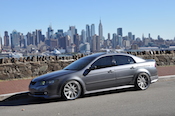
Slightly OT but I always wanted to change the colors of the map on the navi to something more realistic.
Technically speaking there is a way to change all the colors on the map of the navi screen to a customized setting. (and I looked into this long ago when I first bought my car). There is a setting menu for this. The problem is having it saved in the system. Once you turn your car off and the navi reboots, then everything goes back to default. I mentioned this before but I KNOW someone with the knowledge to do so can easily find a mod for this. Back in the day when we wanted the navi "OK" hack it seemed almost impossible but our AZine hacking gurus figured that one out. This one should be easy, but who will put the hours in to figure it out?
If you have driven an 07+ TL you will notice the colors/options are much better. I want my maps to look like that!
Technically speaking there is a way to change all the colors on the map of the navi screen to a customized setting. (and I looked into this long ago when I first bought my car). There is a setting menu for this. The problem is having it saved in the system. Once you turn your car off and the navi reboots, then everything goes back to default. I mentioned this before but I KNOW someone with the knowledge to do so can easily find a mod for this. Back in the day when we wanted the navi "OK" hack it seemed almost impossible but our AZine hacking gurus figured that one out. This one should be easy, but who will put the hours in to figure it out?
If you have driven an 07+ TL you will notice the colors/options are much better. I want my maps to look like that!
Senior Moderator
Joined: Feb 2006
Posts: 21,407
Likes: 2,185
From: Space Coast, FL

Thread
Thread Starter
Forum
Replies
Last Post
siularbar
1/2G MDX (2001-2013)
2
Sep 11, 2015 10:40 AM
Mugen TSX
Eastern Canada
0
Sep 1, 2015 11:11 PM
Mugen TSX
Eastern Canada
0
Sep 1, 2015 11:05 PM
