


iOS13 beta seems more stable on carplay?


Thread Starter
Racer


Joined: Dec 2018
Posts: 300
Likes: 70
 iOS13 beta seems more stable on carplay?
Typically I have to do the idiotic shuffle when using my RDX and carplay where I have to let it completely boot up before connecting my phone. Makes for really frustrating driving around town and having to do this every single time. My experience has been that if I connect the phone too soon then carplay won't automatically start, then when I press the carplay icon on the RDX it refuses to connect to carplay, so I disconnect and reconnect and then have to hit the carplay icon again, whew.
With iOS public beta 4 this seems improved. Now I can connect my phone before or while the infotainment is booting and it will connect and start my last app (usually Waze) automatically. I'm not sure if it's something improved in the public beta or if it's simply that iOS was reinstalled. Also no more random disconnects or resets from carplay.
With iOS public beta 4 this seems improved. Now I can connect my phone before or while the infotainment is booting and it will connect and start my last app (usually Waze) automatically. I'm not sure if it's something improved in the public beta or if it's simply that iOS was reinstalled. Also no more random disconnects or resets from carplay.

Racer
Joined: Mar 2019
Posts: 435
Likes: 156
From: Mesa, AZ
I am running the same iOS Beta with 13.4 update. I have gotten into the habit of removing whatever is is in the USB port whenever I shut down the car. I then enter the car with the seat back, put my seat belt on and push the Start button. I then either remove my phone from my pocket and plug it into my USB cable and then plug the USB end into the port. The usual time it takes me to do this corresponds to the blue Disclaimer warning on the screen. When I am using CarPlay my connection is immediate and I get whatever song was playing when I shut the car down. Easy!
Same for when I use one of my two USB drives I carry in my pants pocket (to keep it from the 140 degree plus in my car.. Most of the time it works just like but if. I don’t wait until the blue screen comes on, I notice a longer “Initializing” cycle. If I leave the USB drive in the port when I turn off the car, and then re-start the car I will almost always get a “No Device Connected” or “There is no data on this disk”. When that happens the system will not accept anything in that port until the car is shut completely down, wait and then restart with the USB port empty..
I have also observed that the USB drive is positional. By that I mean that if I brush up against the USB drive, it will often initiate another “Initialized” cycle. I do think there are bugs not only in the software but in the USB port hardware as well. When I tried to install the K-Tuner software to the Acura, I discovered the challenge of unstable USB ports on my old MacBookPro. Over the past5 years, the aluminum case has gotten reshaped very subtly but enough to prevent a stable connection between the tuner and my computer (I have Windows 10 mounted as an image and the movement of the cable kept disconnecting the USB connection during software download and transfer to the CPU in my car (I know it’s not called that, but I can’t remember what it is called).
Same for when I use one of my two USB drives I carry in my pants pocket (to keep it from the 140 degree plus in my car.. Most of the time it works just like but if. I don’t wait until the blue screen comes on, I notice a longer “Initializing” cycle. If I leave the USB drive in the port when I turn off the car, and then re-start the car I will almost always get a “No Device Connected” or “There is no data on this disk”. When that happens the system will not accept anything in that port until the car is shut completely down, wait and then restart with the USB port empty..
I have also observed that the USB drive is positional. By that I mean that if I brush up against the USB drive, it will often initiate another “Initialized” cycle. I do think there are bugs not only in the software but in the USB port hardware as well. When I tried to install the K-Tuner software to the Acura, I discovered the challenge of unstable USB ports on my old MacBookPro. Over the past5 years, the aluminum case has gotten reshaped very subtly but enough to prevent a stable connection between the tuner and my computer (I have Windows 10 mounted as an image and the movement of the cable kept disconnecting the USB connection during software download and transfer to the CPU in my car (I know it’s not called that, but I can’t remember what it is called).


Racer
Joined: Jun 2018
Posts: 457
Likes: 167
From: Kansas City, MO
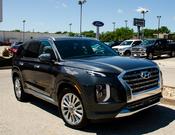
My son has an iPhone and he installed beta iOS 13 and we drove from Kansas City to Des Moines in our Palisade and it worked flawlessly. Played music, had a couple of phone calls, used Spotify, Pandora and Waze to really test the system and it worked great. The cool thing is we were both connected to the vehicle at the SAME time as it supports dual connectivity. It even supports full widescreen in the Palisade and it looked very nice.. I may have to get an iPhone...

Instructor
Joined: Oct 2018
Posts: 228
Likes: 86
From: Ohio
I had no issues with CarPlay for iOS 13 beta 1-8, and love the new interface (minus still not having true touchpad compatibility), but CarPlay became unstable with the iOS 13.1 release. I'm going to point fingers at Apple for this since the firmware is still in beta stages and will likely (hopefully) be fixed in future updates.

Pro
Joined: Nov 2014
Posts: 632
Likes: 192
I had no issues with CarPlay for iOS 13 beta 1-8, and love the new interface (minus still not having true touchpad compatibility), but CarPlay became unstable with the iOS 13.1 release. I'm going to point fingers at Apple for this since the firmware is still in beta stages and will likely (hopefully) be fixed in future updates.
Trending Topics

9th Gear
Joined: Aug 2019
Posts: 9
Likes: 1
"It" is not Apple...
The connectivity problems with CarPlay are NOT an Apple thing:
As I have mentioned elsewhere: I rented a Citroen 'Cactus' (a Pretty Basic model) for a 3-1/2-week vacation in June (2019...) and discovered it had CarPlay(!) I drove extensively (a LOT more than I'm typically driving my RDX at home), and I happened to have the very same (Apple) cable I use in my RDX.
For the 3-1/2 weeks I drove the Citroen (a CITROEN!!) I didn't have ANY problems with CarPlay
Zero... Zip... Nada...
My iPhone connected Each And Every Time, if plugged in on startup AND if connected while underway -- AND it never disconnected.
Same iPhone, same iOS version, same cable -- Rock solid. The ONLY differences:
1) I was in Europe (a strange Coriolis-type effect?) [KIDDING!!}
2) It was in a FRENCH(!!) car, and not the RDX.
Contrasted with the same phone and cable in my RDX, which seldom will connect to CarPlay if plugged in when I start the car (which is now even worse -- to the point of NEVER yet connecting on startup -- with the latest OTA infotainment OTA software update (D.1.1.1.4 of August 28, 2019).
As I have mentioned elsewhere: I rented a Citroen 'Cactus' (a Pretty Basic model) for a 3-1/2-week vacation in June (2019...) and discovered it had CarPlay(!) I drove extensively (a LOT more than I'm typically driving my RDX at home), and I happened to have the very same (Apple) cable I use in my RDX.
For the 3-1/2 weeks I drove the Citroen (a CITROEN!!) I didn't have ANY problems with CarPlay
Zero... Zip... Nada...
My iPhone connected Each And Every Time, if plugged in on startup AND if connected while underway -- AND it never disconnected.
Same iPhone, same iOS version, same cable -- Rock solid. The ONLY differences:
1) I was in Europe (a strange Coriolis-type effect?) [KIDDING!!}
2) It was in a FRENCH(!!) car, and not the RDX.
Contrasted with the same phone and cable in my RDX, which seldom will connect to CarPlay if plugged in when I start the car (which is now even worse -- to the point of NEVER yet connecting on startup -- with the latest OTA infotainment OTA software update (D.1.1.1.4 of August 28, 2019).
Pro
Joined: Nov 2014
Posts: 632
Likes: 192
The connectivity problems with CarPlay are NOT an Apple thing:
As I have mentioned elsewhere: I rented a Citroen 'Cactus' (a Pretty Basic model) for a 3-1/2-week vacation in June (2019...) and discovered it had CarPlay(!) I drove extensively (a LOT more than I'm typically driving my RDX at home), and I happened to have the very same (Apple) cable I use in my RDX.
For the 3-1/2 weeks I drove the Citroen (a CITROEN!!) I didn't have ANY problems with CarPlay
Zero... Zip... Nada...
My iPhone connected Each And Every Time, if plugged in on startup AND if connected while underway -- AND it never disconnected.
Same iPhone, same iOS version, same cable -- Rock solid. The ONLY differences:
1) I was in Europe (a strange Coriolis-type effect?) [KIDDING!!}
2) It was in a FRENCH(!!) car, and not the RDX.
Contrasted with the same phone and cable in my RDX, which seldom will connect to CarPlay if plugged in when I start the car (which is now even worse -- to the point of NEVER yet connecting on startup -- with the latest OTA infotainment OTA software update (D.1.1.1.4 of August 28, 2019).
As I have mentioned elsewhere: I rented a Citroen 'Cactus' (a Pretty Basic model) for a 3-1/2-week vacation in June (2019...) and discovered it had CarPlay(!) I drove extensively (a LOT more than I'm typically driving my RDX at home), and I happened to have the very same (Apple) cable I use in my RDX.
For the 3-1/2 weeks I drove the Citroen (a CITROEN!!) I didn't have ANY problems with CarPlay
Zero... Zip... Nada...
My iPhone connected Each And Every Time, if plugged in on startup AND if connected while underway -- AND it never disconnected.
Same iPhone, same iOS version, same cable -- Rock solid. The ONLY differences:
1) I was in Europe (a strange Coriolis-type effect?) [KIDDING!!}
2) It was in a FRENCH(!!) car, and not the RDX.
Contrasted with the same phone and cable in my RDX, which seldom will connect to CarPlay if plugged in when I start the car (which is now even worse -- to the point of NEVER yet connecting on startup -- with the latest OTA infotainment OTA software update (D.1.1.1.4 of August 28, 2019).

9th Gear
Joined: Aug 2019
Posts: 9
Likes: 3
I am experiencing the worst instability so far with 1.1.4 and IOS 13.1 beta. The instability manifests, for me, with a blacked out screen and what appears to be constant restarts of CarPlay. It seems to start with a VERY unresponsive (e.g. move the cursor and nothing happens) before the screen will blank out. I believe it may only happen when I am using Apple Maps.
Pro
Joined: Nov 2014
Posts: 632
Likes: 192
I am experiencing the worst instability so far with 1.1.4 and IOS 13.1 beta. The instability manifests, for me, with a blacked out screen and what appears to be constant restarts of CarPlay. It seems to start with a VERY unresponsive (e.g. move the cursor and nothing happens) before the screen will blank out. I believe it may only happen when I am using Apple Maps.
 ! Can I downgrade to 1.1.2?
Pro
Joined: Nov 2014
Posts: 632
Likes: 192
Sorry, I do not know and not sure I would even attempt it but if its not that big of a cluster I might go for it. Perhaps someone else has a fairly straightforward way of doing it. Just maybe the next Apple IOS beta update will fix it. Might have a better chance to downgrade the IOS which I have done but is not for the faint of heart, maybe someone else here knows a simple method that I am not aware of.

Instructor
Joined: Jul 2019
Posts: 118
Likes: 23
From: California
My experience with the recent updates is quite contrary to what several users have reported here; CarPlay with iOS public beta 13.0 was perfectly fine for me with the Acura D1.1.4 update this past Monday. When the iOS public beta 13.1 update was released the following day the CarPlay interface began to crash and became unusable. I have the 13.1 beta on my iPad as well and there are significant GUI flaws.
I subsequently reinstalled my iPhone 8 from scratch with iOS 12.1.4 and have none of the audio issues I had with the system previously on iOS 12 with D1.1.2.
I subsequently reinstalled my iPhone 8 from scratch with iOS 12.1.4 and have none of the audio issues I had with the system previously on iOS 12 with D1.1.2.
Instructor
Joined: Jul 2019
Posts: 118
Likes: 23
From: California
To amend that; the audio issues (pops/pauses) are significantly reduced but not 100% gone. You may still experience them in the first few minutes after plugging in your phone. A noticeable change however in this area is there is no audio disruption when running the check for software update while playing audio through CarPlay as there was under D1.1.2.
Pro
Joined: Nov 2014
Posts: 632
Likes: 192
My experience with the recent updates is quite contrary to what several users have reported here; CarPlay with iOS public beta 13.0 was perfectly fine for me with the Acura D1.1.4 update this past Monday. When the iOS public beta 13.1 update was released the following day the CarPlay interface began to crash and became unusable. I have the 13.1 beta on my iPad as well and there are significant GUI flaws.
I subsequently reinstalled my iPhone 8 from scratch with iOS 12.1.4 and have none of the audio issues I had with the system previously on iOS 12 with D1.1.2.
I subsequently reinstalled my iPhone 8 from scratch with iOS 12.1.4 and have none of the audio issues I had with the system previously on iOS 12 with D1.1.2.

Intermediate
Joined: Sep 2018
Posts: 32
Likes: 10
From: Poughkeepsie ny
When I updated to the iOS 13 all my CarPlay issues went away right up until the new software from Acura came out and now it’s crap again. Can’t go 30 seconds without it disconnecting then reconnecting, beyond annoying especially when using GPS. And a new issue popped up as well, yesterday my volume and seek buttons on the steering wheel stopped working. Did a reset and even pulled the fuse and no luck. And just like I thought would happen a few hours later when I left work, all better again. Not even going to bother calling Acura as it’s useless unless the problem happens while at the dealership.
Instructor
Joined: Jul 2019
Posts: 118
Likes: 23
From: California
I'm sad to say that this morning with D1.1.4 and iOS 12.4.1 my audio problems returned, including the most notorious; skipping a-la a vinyl record with a locked groove. The only remedy is to switch from the CarPlay interface app to the USB Audio app.
We can only hope that the final iOS 13 release does not have the crash issues that came with last week's 13.1 public beta.
We can only hope that the final iOS 13 release does not have the crash issues that came with last week's 13.1 public beta.
Pro
Joined: Nov 2014
Posts: 632
Likes: 192
I'm sad to say that this morning with D1.1.4 and iOS 12.4.1 my audio problems returned, including the most notorious; skipping a-la a vinyl record with a locked groove. The only remedy is to switch from the CarPlay interface app to the USB Audio app.
We can only hope that the final iOS 13 release does not have the crash issues that came with last week's 13.1 public beta.
We can only hope that the final iOS 13 release does not have the crash issues that came with last week's 13.1 public beta.
I would like to know why quite a few user feel that IOS 13.1 is the culprit over Acuras failure to deliver a software fix that actually fixes stuff. Forget CarPlay then, not even plugged in, even using other native RDX items like Nav, XM, USB etc owners, including myself are experiencing issues still. I rest my case.
Racer
Joined: Mar 2019
Posts: 435
Likes: 156
From: Mesa, AZ
iOS 13.1 if off beta now, and I have been trying to get it to screw Apple CarPlay up but I haven’t been able to do it. I tried, really I did. Using USB drives also...but of a time getting initialized but after that it is clear sailing. I can’t get mine to mess up. What am I doing wrong?
Pro
Joined: Nov 2014
Posts: 632
Likes: 192
iOS 13.1 if off beta now, and I have been trying to get it to screw Apple CarPlay up but I haven’t been able to do it. I tried, really I did. Using USB drives also...but of a time getting initialized but after that it is clear sailing. I can’t get mine to mess up. What am I doing wrong?
Pro
Joined: Nov 2014
Posts: 632
Likes: 192
I am running the same iOS Beta with 13.4 update. I have gotten into the habit of removing whatever is is in the USB port whenever I shut down the car. I then enter the car with the seat back, put my seat belt on and push the Start button. I then either remove my phone from my pocket and plug it into my USB cable and then plug the USB end into the port. The usual time it takes me to do this corresponds to the blue Disclaimer warning on the screen. When I am using CarPlay my connection is immediate and I get whatever song was playing when I shut the car down. Easy!
Same for when I use one of my two USB drives I carry in my pants pocket (to keep it from the 140 degree plus in my car.. Most of the time it works just like but if. I don’t wait until the blue screen comes on, I notice a longer “Initializing” cycle. If I leave the USB drive in the port when I turn off the car, and then re-start the car I will almost always get a “No Device Connected” or “There is no data on this disk”. When that happens the system will not accept anything in that port until the car is shut completely down, wait and then restart with the USB port empty..
I have also observed that the USB drive is positional. By that I mean that if I brush up against the USB drive, it will often initiate another “Initialized” cycle. I do think there are bugs not only in the software but in the USB port hardware as well. When I tried to install the K-Tuner software to the Acura, I discovered the challenge of unstable USB ports on my old MacBookPro. Over the past5 years, the aluminum case has gotten reshaped very subtly but enough to prevent a stable connection between the tuner and my computer (I have Windows 10 mounted as an image and the movement of the cable kept disconnecting the USB connection during software download and transfer to the CPU in my car (I know it’s not called that, but I can’t remember what it is called).
Same for when I use one of my two USB drives I carry in my pants pocket (to keep it from the 140 degree plus in my car.. Most of the time it works just like but if. I don’t wait until the blue screen comes on, I notice a longer “Initializing” cycle. If I leave the USB drive in the port when I turn off the car, and then re-start the car I will almost always get a “No Device Connected” or “There is no data on this disk”. When that happens the system will not accept anything in that port until the car is shut completely down, wait and then restart with the USB port empty..
I have also observed that the USB drive is positional. By that I mean that if I brush up against the USB drive, it will often initiate another “Initialized” cycle. I do think there are bugs not only in the software but in the USB port hardware as well. When I tried to install the K-Tuner software to the Acura, I discovered the challenge of unstable USB ports on my old MacBookPro. Over the past5 years, the aluminum case has gotten reshaped very subtly but enough to prevent a stable connection between the tuner and my computer (I have Windows 10 mounted as an image and the movement of the cable kept disconnecting the USB connection during software download and transfer to the CPU in my car (I know it’s not called that, but I can’t remember what it is called).
Racer
Joined: Mar 2019
Posts: 435
Likes: 156
From: Mesa, AZ
I know, but my frustration level dropped dramatically once I adapted., I would love to leave it alone, but life is seldom how I likes it to be. I know it is off beta because my last update was the final version of iOS 13.1...it said so in the download. Otherwise, I get a .x value like 13.1.6. This time the beta notice and the .x was absent
Instructor
Joined: Jul 2019
Posts: 118
Likes: 23
From: California
I'm afraid some people may be confused by the version numbering of the public beta; the releases up until Tuesday, August 27th were part of the 13.0 beta, after which it is 13.1 which contains the crashing and other iOS device GUI bugs.
The final public release theoretically will be based on the last 13.0 version and will hopefully restore the CarPlay fixes we were used to until last week.
The final public release theoretically will be based on the last 13.0 version and will hopefully restore the CarPlay fixes we were used to until last week.
Pro
Joined: Nov 2014
Posts: 632
Likes: 192
I'm afraid some people may be confused by the version numbering of the public beta; the releases up until Tuesday, August 27th were part of the 13.0 beta, after which it is 13.1 which contains the crashing and other iOS device GUI bugs.
The final public release theoretically will be based on the last 13.0 version and will hopefully restore the CarPlay fixes we were used to until last week.
The final public release theoretically will be based on the last 13.0 version and will hopefully restore the CarPlay fixes we were used to until last week.

Cruisin'
Joined: May 2019
Posts: 22
Likes: 1
For those people that havent had issues using carplay so far, what do you guys do to disconnect your phone from the car? Do you guys just hard disconnect whenever you guys are done or is there a sequence that any of you do that might possibly reduce the number of error codes that can be generated when disconnecting (kind of like ejecting a thumbdrive before pulling it out of the computer).
Instructor
Joined: Jul 2019
Posts: 118
Likes: 23
From: California
Since reverting to iOS 12.4.1 I noticed an odd, but at the moment minor, bug; I cannot hear voicemails when I try to play them back. I do not know yet if it effects actual calls, though I rarely receive any while driving and of course can revert to bluetooth.

2nd Gear
Joined: Apr 2019
Posts: 2
Likes: 0
I have the exact same experience as you. I am so listed at Acura as I also made a purchase decision because of CarPlay support. Release notes/videos are saying CarPlay fixes for ‘certain’ vehicles. I hope that means the Acura RDX 2019. I have been a brand loyal Acura owner for years...but this is ridiculous and souring my brand loyalty.

Intermediate
Joined: Jul 2018
Posts: 28
Likes: 7
I have the exact same experience as you. I am so listed at Acura as I also made a purchase decision because of CarPlay support. Release notes/videos are saying CarPlay fixes for ‘certain’ vehicles. I hope that means the Acura RDX 2019. I have been a brand loyal Acura owner for years...but this is ridiculous and souring my brand loyalty.
To recap:
I updated iOS on iphone
I updated software in Acura RDX
I did the three button diagnostics and reset.
Then I reset entertainment system to factory settings.
Everything is good now.
Details on all these steps are in the forum postings.
Good luck with yours.
Good Luck.
Racer
Joined: Mar 2019
Posts: 435
Likes: 156
From: Mesa, AZ
I have found that it really doesn’t matter exactly HOW I disconnect. Since I live in Arizona, opening my driver’s door is what keys my CarPlay off. I have noticed that sometimes leaving my phone plugged into the USB port, turning the car off and going into a store, and then return to the car and restart it....well, everything works perfectly.
That said, my sequence for my thumb drive requires me to remove it before leaving my car. If I forget and leave the USB drive plugged in, I will get a totally non-functioning USB port until the engine is restarted. I can’t even begin to hypothesize the etiology of this difference.
I have owned my RDX A-Spec for a year now and I have my required sequences embedded into my brain. To avoid frustration with myself, I just discipline myself to unplug the USB port before leaving the car, and NOT inserting anything into the USB port until I see the blue Disclaimer screen. That has been fool-proof for me. Your mileage may vary....
That said, my sequence for my thumb drive requires me to remove it before leaving my car. If I forget and leave the USB drive plugged in, I will get a totally non-functioning USB port until the engine is restarted. I can’t even begin to hypothesize the etiology of this difference.
I have owned my RDX A-Spec for a year now and I have my required sequences embedded into my brain. To avoid frustration with myself, I just discipline myself to unplug the USB port before leaving the car, and NOT inserting anything into the USB port until I see the blue Disclaimer screen. That has been fool-proof for me. Your mileage may vary....
Racer
Joined: Mar 2019
Posts: 435
Likes: 156
From: Mesa, AZ
Hard to believe the a subsequent Apple IOS release that came after 13.0 beta to 13.1 with no beta designation, just 13.1 would be buggier than than the prior 13.0 beta. guess it might be and we will know soon enough as soon as the new phones are released with 13.1 or maybe 13.2 etc.......we can conjecture forever, need to wait for the Official Release.

Drifting
Joined: Apr 2018
Posts: 3,001
Likes: 1,026
From: New Yorkie, Hudson Valley
I needed to do a factory rest. But since then, everything is OK.
I still shut everything down systematically. If in Carplay, I switch it to the Acura Icon and turn on the radio, to make that the last music source. Same with USB music, I switch that to radio, so the next time I start up, the radio is all the infotainment system is pointed at.
I don’t know if this is necessary, but I don’t have errors anymore. At least for now. Who knows what tomorrow will bring?

Thread
Thread Starter
Forum
Replies
Last Post
SDW2019
3G RDX Audio, Bluetooth, Electronics & Navigation
71
Jul 16, 2019 08:12 AM
kmawani
2G RDX (2013-2018)
5
Apr 22, 2016 02:59 PM
HuKaShI
2G RDX Audio, Bluetooth, Electronics & Navigation
2
Mar 30, 2016 02:29 PM
DerwoodEE
2G TSX Audio, Bluetooth, Electronics & Navigation
20
Sep 13, 2009 10:05 AM