When you click on links to various merchants on this site and make a purchase, this can result in this site earning a commission. Affiliate programs and affiliations include, but are not limited to, the eBay Partner Network.
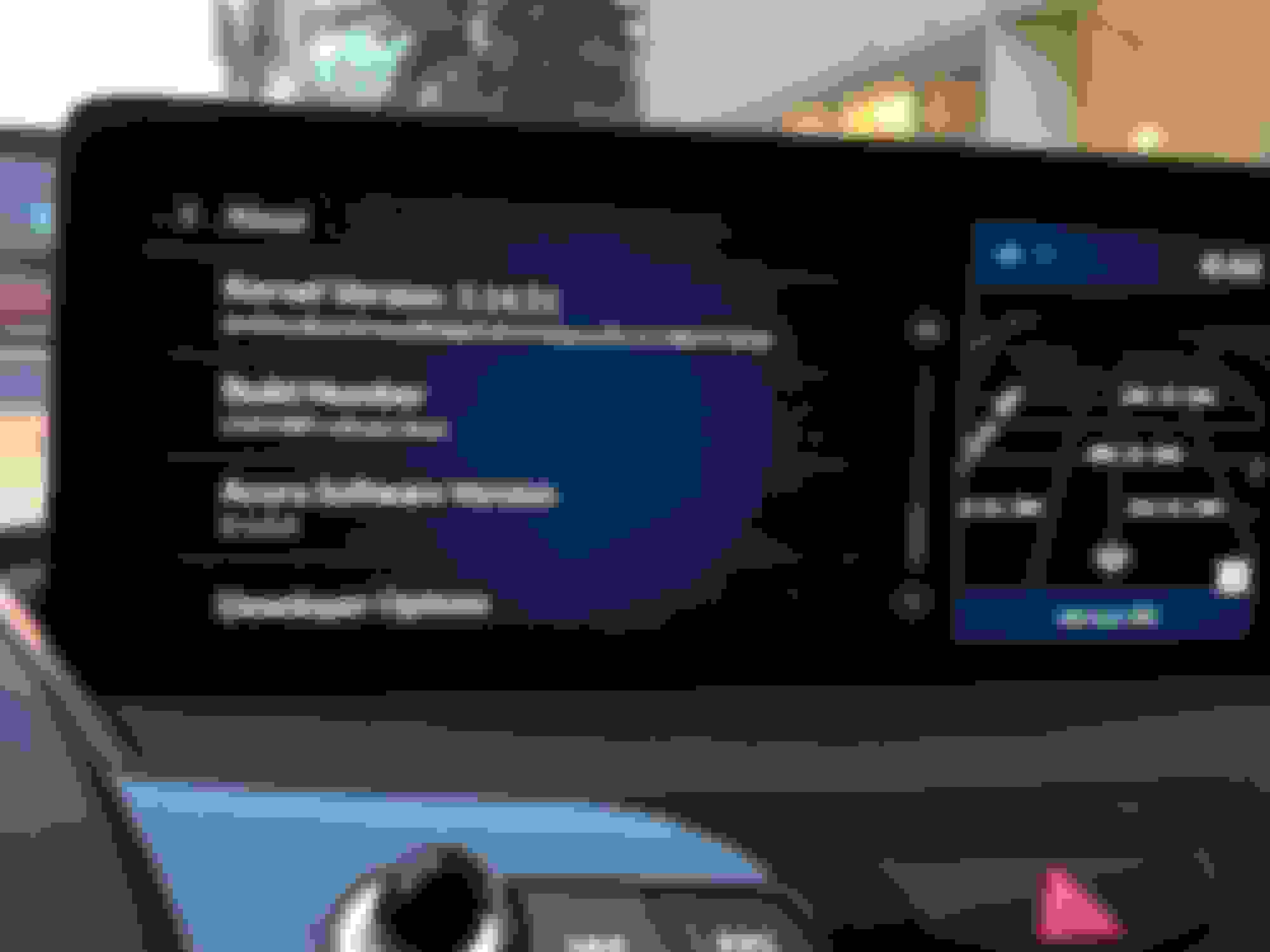
Can the OP post there version of android and the build number and Acura software version so we can see if this is an update. If it is I’m guessing it has some freezing fixes in it also
I wonder if anything else is different, or if we can somehow get these updates ourselves, appears by going into diag mode updates can be done but I would need the update files. Have you had any freezing problems with your version or any other hick ups?
I wonder if anything else is different, or if we can somehow get these updates ourselves, appears by going into diag mode updates can be done but I would need the update files. Have you had any freezing problems with your version or any other hick ups?
Not sure about differences between the version I have and earlier versions (other than the dynamic modes display, of course). People will have to let me know what to check for comparison.
No freezing issues or anything of the sort.
Minor annoyances like Google Maps sitting there thinking...then again, we were up in the Pocono Mountains (bad reception). Voice commands somewhat spotty...but could be my enunciation. Stuff like that.
Not sure about differences between the version I have and earlier versions (other than the dynamic modes display, of course). People will have to let me know what to check for comparison.
No freezing issues or anything of the sort.
Minor annoyances like Google Maps sitting there thinking...then again, we were up in the Pocono Mountains (bad reception). Voice commands somewhat spotty...but could be my enunciation. Stuff like that.
I have an iPhone so I wasn’t familiar with Android Auto (didn’t even know what the shortcut icon looks like), but after looking at a couple of Android Auto tutorials on YouTube, it’s definitely not on there yet.
I have an iPhone so I wasn’t familiar with Android Auto (didn’t even know what the shortcut icon looks like), but after looking at a couple of Android Auto tutorials on YouTube, it’s definitely not on there yet.
I wish I could get the update files so I could update mine :/ couldn’t find them on Acura, they say to do updates you download them from the server but nothing else for links and that
I wish I could get the update files so I could update mine :/ couldn’t find them on Acura, they say to do updates you download them from the server but nothing else for links and that
Follow these instructions with a 32GB USB drive. I just did this with mine and after unplugging it from the car and bringing it to my PC it puts a folder on the USB drive labeled “rb”. Double Click on that folder then double click on the “LinkFileForHondaWeb”. That will take you to a web page and in my case it says “Currently there are no software updates for your vehicle”. I’m guessing that when there is an update for my VIN a link would show up instead for me to download an update file.
USB Updating (First 6 bullets are done inside the vehicle)
Download the update files from the server
Press the Home button.
Swipe right the touchpad A to display the App Lists screen.
Select System Updates.
Select Via USB. A notification appears on the screen.
Connect a USB device into the USB port in the console compartment. The inventory data is copied into the USB device.
Remove the USB device from the USB port.
Connect the USB device into your computer, and then download the update files. Follow the link to download the required software update files.
Last edited by Midwestuser1; Nov 19, 2018 at 10:23 PM.
Follow these instructions with a 32GB USB drive. I just did this with mine and after unplugging it from the car and bringing it to my PC it puts a folder on the USB drive labeled “rb”. Double Click on that folder then double click on the “LinkFileForHondaWeb”. That will take you to a web page and in my case it says “Currently there are no software updates for your vehicle”. I’m guessing that when there is an update for my VIN a link would show up instead for me to download an update file.
USB Updating (First 6 bullets are done inside the vehicle)
Download the update files from the server
Press the Home button.
Swipe right the touchpad A to display the App Lists screen.
Select System Updates.
Select Via USB. A notification appears on the screen.
Connect a USB device into the USB port in the console compartment. The inventory data is copied into the USB device.
Remove the USB device from the USB port.
Connect the USB device into your computer, and then download the update files. Follow the link to download the required software update files.
so I just tried that, said no update available, so it appears that this update must only be for a very particular element of the system, perhaps just the radio, with no way to update the version of the OS without getting a hold of the dealers update files
I asked the dealer when I got my oil change and they were not aware of and could not find any info on updates to the system. This could be a factory rollout that hasn’t hit the dealers as a service bulletin yet.
After looking at the screen pastes in this thread, I would guess that the earlier owners with the 1.0.4 April level of software will be provided the 1.0.7 August level of software after Acura is convinced that the 1.0.7 level of software installed during assembly of the more recent vehicles is solid. So in effect the more recent owners are testing the release level for the earlier owners.
I was just in to my dealer today (Canada) to report the infotainment freezing issue and the brake squealing issue. They said the brake squealing issue is known issue without a fix yet. The service rep also said there's an update coming out in December. So keep an eye out for that!
I was just in to my dealer today (Canada) to report the infotainment freezing issue and the brake squealing issue. They said the brake squealing issue is known issue without a fix yet. The service rep also said there's an update coming out in December. So keep an eye out for that!
I wonder if it will be over the air or if I’ll need to go to the dealer
I hope it's via WiFi. Be nice to save a dealer visit . I just checked mine and it's the .04 version. Funny part was as I'm checking it, it has "radio loading" on the right side. There was still sound.... From some am talk show. It was trying to load FM. That's new. I was just ammused at this point. A quick power button cycle and all was good again.
I hope it's via WiFi. Be nice to save a dealer visit . I just checked mine and it's the .04 version. Funny part was as I'm checking it, it has "radio loading" on the right side. There was still sound.... From some am talk show. It was trying to load FM. That's new. I was just ammused at this point. A quick power button cycle and all was good again.
Several times mine randomly started up playing Espn radio. It sounded like an AM channel because the quality was poor. I had never even listened to that channel so I thought that was odd.
Several times mine randomly started up playing Espn radio. It sounded like an AM channel because the quality was poor. I had never even listened to that channel so I thought that was odd.
I bet this was the same. I assumed am, because of way it sounded. Odd indeed.
D1.0.7 has the ability to do voice commands for Waze and Google Maps
I can get voice commands working in Google Maps and I'm still on 1.0.4. I think Google updated their app to make it work. Just happened to try it on a whim today and it worked beautifully.