


iPod integration for '05 RL


Cruisin'
Joined: Mar 2005
Posts: 16
Likes: 0
Originally Posted by miner
One member had it installed in his '05 RL and said it took 15 minutes tops. Removal of the radio requires removing the silver trim on both sides to get to the screws that hodl the unit in. Once out just plug into the back of the HU. Seems rather simple to me - at most 30 minutes of techs time.
Also, is there any need to remove the center console first? If so, any guidance there?

Instructor


Joined: May 2006
Posts: 168
Likes: 24
From: Hollywood, MD
Did you guys use any special tools to pry off the silver trim pieces? I tried to pull it off by hand but it was very tough and didn't budge. Maybe a thin putty knife or screwdriver for leverage?
Advanced
Joined: Nov 2006
Posts: 64
Likes: 0
From: DC area
If you remove the black trim piece from around the gear shift (just pull up from the edges), it will make it easier to get a grip on the bottom of the silver side trim pieces (which do require a bit of force to remove). This is also required to take out the "not an ashtray" so that you can get at the two bolts/screws that are down under the radio (see others previously posted pictures) that you need to take out to pull out the head unit. Also, once you get the head unit loose, disconnecting the wires to the A/C controls gives you a lot more flexibility and space to get down in behind for the wire connections.

Burning Brakes

Joined: Mar 2004
Posts: 1,147
Likes: 30
From: Boston, MA
Originally Posted by csekar15
I actually got an extender and socket wrench from Lowe's. I stuck chewing gum to the end of the nut and the nut came out beautifully stuck to the gum. I repeated the same to put it back in. I didn't have a magnet handy.
Advanced
Joined: Jul 2006
Posts: 61
Likes: 0
From: Dallas, TX
dwboston,
I have an 06 RL, so this might be different. I switch by pressing the Disc button. If the audio unit starts playing a disc, then I press Disc again to switch to the USA Spec. Also, when I connect the dock connector to my Ipod, it switches into that mode by itself.
I have an 06 RL, so this might be different. I switch by pressing the Disc button. If the audio unit starts playing a disc, then I press Disc again to switch to the USA Spec. Also, when I connect the dock connector to my Ipod, it switches into that mode by itself.
Burning Brakes
Joined: Mar 2004
Posts: 1,147
Likes: 30
From: Boston, MA
Originally Posted by mwiles
dwboston,
I have an 06 RL, so this might be different. I switch by pressing the Disc button. If the audio unit starts playing a disc, then I press Disc again to switch to the USA Spec. Also, when I connect the dock connector to my Ipod, it switches into that mode by itself.
I have an 06 RL, so this might be different. I switch by pressing the Disc button. If the audio unit starts playing a disc, then I press Disc again to switch to the USA Spec. Also, when I connect the dock connector to my Ipod, it switches into that mode by itself.
Advanced
Joined: Jul 2006
Posts: 61
Likes: 0
From: Dallas, TX
Are you connecting an MP3 player other than an Ipod, using the Aux input? If you are, be sure that DIP switch #1 on the side of the adapter box is set to the Off position. Otherwise, maybe a cable pulled out of the adapter.
Burning Brakes
Joined: Mar 2004
Posts: 1,147
Likes: 30
From: Boston, MA
Originally Posted by mwiles
Are you connecting an MP3 player other than an Ipod, using the Aux input? If you are, be sure that DIP switch #1 on the side of the adapter box is set to the Off position. Otherwise, maybe a cable pulled out of the adapter.
Burning Brakes
Joined: Mar 2004
Posts: 1,147
Likes: 30
From: Boston, MA
Originally Posted by dwboston
I tried all of that and tested it with the headunit still out. The dips were set correctly according to the instructions and the cables were all seated. I even disconnected the battery for 30 minutes and re-entered the radio and navi codes. No luck with any of it. I was able to get CD-C and "Extension" to come up one time but no sound came through. After I turned the radio off and turned it back on I wasn't able to get it back.
Update: USA Spec is sending me a new unit and I will attempt another install. I explained the situation to their tech support guy and he suspected a bad cable or defective unit. I'll post back when I get the new one installed.
Advanced
Joined: Jul 2006
Posts: 61
Likes: 0
From: Dallas, TX
I just thought of something else that could mess up the USA Spec. There is a small rotary switch on mine. During installation, I thought it might be a level control, and I changed it to try to increase the Aux level. The change caused it to not work at all, so I put it back to the original position, and things went back to normal. I sent a question to their tech support and got the following reply:
>>> <info@usaspec.com> 10/20/2006 10:42:52 AM >>>
> Line level is set, and the setting frmo the facotry for the rotary
switch is the default correct position, you should restore it to its
setting ti insure correct performace
>>> <info@usaspec.com> 10/20/2006 10:42:52 AM >>>
> Line level is set, and the setting frmo the facotry for the rotary
switch is the default correct position, you should restore it to its
setting ti insure correct performace
Burning Brakes
Joined: Mar 2004
Posts: 1,147
Likes: 30
From: Boston, MA
Originally Posted by mwiles
I just thought of something else that could mess up the USA Spec. There is a small rotary switch on mine. During installation, I thought it might be a level control, and I changed it to try to increase the Aux level. The change caused it to not work at all, so I put it back to the original position, and things went back to normal. I sent a question to their tech support and got the following reply:
>>> <info@usaspec.com> 10/20/2006 10:42:52 AM >>>
> Line level is set, and the setting frmo the facotry for the rotary
switch is the default correct position, you should restore it to its
setting ti insure correct performace
>>> <info@usaspec.com> 10/20/2006 10:42:52 AM >>>
> Line level is set, and the setting frmo the facotry for the rotary
switch is the default correct position, you should restore it to its
setting ti insure correct performace
Advanced
Joined: Jul 2006
Posts: 61
Likes: 0
From: Dallas, TX
Originally Posted by dwboston
The PA11 HON2y doesn't have the rotary switch (the dips are also together on one side of the unit, not on opposite sides).
Burning Brakes
Joined: Mar 2004
Posts: 1,147
Likes: 30
From: Boston, MA
Originally Posted by mwiles
Mine is the PA11 HON2y, and has the rotary switch. It is on the side that has the round radio connector plug, between the connector and the 2-position dip switch.
Instructor
Joined: Dec 2006
Posts: 233
Likes: 2
NEO or USA SPEC
Neo Audio sent me the Prolink V2 it says podhonr3v2y on the literature for 2006 RL. It looks exactley like the USA SPEC unit. Two rca connectors, ipod connection on one side, other side says radio and 2 dip switches. both off, except for a sticker that says NEO. The cable has wriiten on it USA SPEC. I have a feeling that USA SPEC is making all of them and neo charges more by putting thier sticker on it. can you tell me what the 2 dip switches do??? Thanks
Burning Brakes
Joined: Mar 2004
Posts: 1,147
Likes: 30
From: Boston, MA
Originally Posted by backfire
Neo Audio sent me the Prolink V2 it says podhonr3v2y on the literature for 2006 RL. It looks exactley like the USA SPEC unit. Two rca connectors, ipod connection on one side, other side says radio and 2 dip switches. both off, except for a sticker that says NEO. The cable has wriiten on it USA SPEC. I have a feeling that USA SPEC is making all of them and neo charges more by putting thier sticker on it. can you tell me what the 2 dip switches do??? Thanks
Instructor
Joined: Dec 2006
Posts: 233
Likes: 2
No, I didn't, but if to do again I would buy on ebay . The neo for 2006 RL is nothing more than the USA SPEC with their own neo sticker on it. I have emailed neo about it and they have not responded , gee what a surprise. I also emailed USA SPEC to ask about the neo using their product and putting a sticker on it. 
Burning Brakes
Joined: Mar 2004
Posts: 1,147
Likes: 30
From: Boston, MA
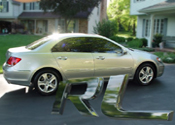
USA Spec in 2005 RL - Finally
USA Spec sent me a replacement unit and cable after my initial install didn't work. I hooked it up today and it worked right away. My guess is the initial cable was bad. I must have gotten newer USA Spec units both times since neither had the rotary dial that others have referred to. The sound is great with my Dell DJ MP3 player. I may need to come up with a better mounting solution than the ProClip one that I bought - it mounts on the trim piece on the right side of the radio and is kind of close to the shifter.
Instructor
Joined: Mar 2004
Posts: 114
Likes: 0
From: Chicago, IL
Has anyone used this?
http://www.neocaraudio.com/product_i...oducts_id=1055
What does your Navi display do?
I don't care about XM anymore, except for the traffic information.
Is it possible to get JUST XM NaviTraffic and not XM Radio?
I'd like to use the XM's inputs for iPod audio.
Does a device exist to wire-in your iPod, have the Navi screen display the audio info, and be able to control the iPod using Acura's radio/navi controls? I mean, I want full use of the iPod, not just playlists.
I wish I could buy the AppleTV for $299 and have direct, full iPod control on my screen, somehow using our joystick control on the dash, rather than a remote.
Anyone have any screenshots of what their set-up does on their Navi screen when using an iPod?
Randy
http://www.neocaraudio.com/product_i...oducts_id=1055
What does your Navi display do?
I don't care about XM anymore, except for the traffic information.
Is it possible to get JUST XM NaviTraffic and not XM Radio?
I'd like to use the XM's inputs for iPod audio.
Does a device exist to wire-in your iPod, have the Navi screen display the audio info, and be able to control the iPod using Acura's radio/navi controls? I mean, I want full use of the iPod, not just playlists.
I wish I could buy the AppleTV for $299 and have direct, full iPod control on my screen, somehow using our joystick control on the dash, rather than a remote.
Anyone have any screenshots of what their set-up does on their Navi screen when using an iPod?
Randy
Instructor
Joined: May 2006
Posts: 168
Likes: 24
From: Hollywood, MD
I have the USA Spec PA11 HON2Y installed. The adapter comes with a Y cable and thus the XM still works. It can be set up to either play a playlist (no control on ipod) or direct play (all navigation done via ipod). While it's playing, the only thing that displays on the navi screen is the word "Extension". But the sound quality is excellent and installation is relatively easy. Very happy with the product.

10th Gear
Joined: Sep 2005
Posts: 11
Likes: 0
I have the USA Spec PA11 HON2Y installed in a RL05. Works great and agree with previous comments. I purchased from Crutchfiled.com for $130 ($150 minus $20 promotional code - do google search to find) with free shipping. Started installation myself following directions from this forum but abandoned it when I could not easily get "Not an ashtray" out. Installer charged for 2 hours ($100). Noticed the way to get the "not ashtray" out is to remove the black horizontal metal bar near it with an angled screwdriver. Had the unit placed on the side of the center console near acceleration pedal in case I want to change settings or add RCA plug input in future. The connection was brought to center console through a hole drilled near the power plug and brought up to the top compartment where it connects to the ipod for easy control.
Sounds great, works well, no on screen display but controls with steering wheel or ipod controls as per previous comments.
Sounds great, works well, no on screen display but controls with steering wheel or ipod controls as per previous comments.

Safety Car
Joined: Nov 2006
Posts: 4,217
Likes: 39
From: Northern VA
Originally Posted by RandyChicago
Has anyone used this?
http://www.neocaraudio.com/product_i...oducts_id=1055
What does your Navi display do?
I don't care about XM anymore, except for the traffic information.
Is it possible to get JUST XM NaviTraffic and not XM Radio?
I'd like to use the XM's inputs for iPod audio.
Does a device exist to wire-in your iPod, have the Navi screen display the audio info, and be able to control the iPod using Acura's radio/navi controls? I mean, I want full use of the iPod, not just playlists.
I wish I could buy the AppleTV for $299 and have direct, full iPod control on my screen, somehow using our joystick control on the dash, rather than a remote.
Anyone have any screenshots of what their set-up does on their Navi screen when using an iPod?
Randy
http://www.neocaraudio.com/product_i...oducts_id=1055
What does your Navi display do?
I don't care about XM anymore, except for the traffic information.
Is it possible to get JUST XM NaviTraffic and not XM Radio?
I'd like to use the XM's inputs for iPod audio.
Does a device exist to wire-in your iPod, have the Navi screen display the audio info, and be able to control the iPod using Acura's radio/navi controls? I mean, I want full use of the iPod, not just playlists.
I wish I could buy the AppleTV for $299 and have direct, full iPod control on my screen, somehow using our joystick control on the dash, rather than a remote.
Anyone have any screenshots of what their set-up does on their Navi screen when using an iPod?
Randy
Are you talking about this product?
Neo ProLink PODHONR3V2Y
If so, I have it installed in my 06 RL with the iPod link, and the aux 3.5 mm jack coming into the center console. Not the greatest picture, but here it is:

As for the Navi screen, it just is a blank screen that says EXTENSION.
The little LCD display near the center speaker just says CD-R.
The iPod is fully controllable through the iPod, iPod screen display works, as well as through the steering wheel, although the steering wheel is just for things like change track and volume. The audio is very high quality, and sounds better through the iPod link than the 3.5 mm jack.
It is not clear to me whether the Neo is a rebranded USASpec. It sure looks like one, and seems to operate as USASpec describes. It is also priced as if it were a USASpec, rebranded and resold.
Regardless, I have what I have, and I am happy with it.
With regards to the NavTraffic, you need to have the XM service. You cannot get the NavTraffic without XM. And I guess the point about the Neo device, and the USA Spec, and others such as Blitz and Dice, you do not lose the ability to have XM also. I have so much music to listen to, I don't have enough time in the car to do it all!

Thread Starter
10th Gear
Joined: Aug 2006
Posts: 13
Likes: 1
Mounting the iPod
Hi all. It has been quite a while since I stopped in. If any of you with the iPod integration units are looking to mount your ipod, check out:
www.proclipusa.com
I have the 853566 - ProClip Angled Mount and the 848636 - Padded Adjustable Holder with Tilt Swivel in my '05 RL, and I love them.
www.proclipusa.com
I have the 853566 - ProClip Angled Mount and the 848636 - Padded Adjustable Holder with Tilt Swivel in my '05 RL, and I love them.

8th Gear
Joined: Oct 2007
Posts: 8
Likes: 0
Originally Posted by Chas2
If so, I have it installed in my 06 RL with the iPod link, and the aux 3.5 mm jack coming into the center console. Not the greatest picture, but here it is:
I just had the Neo installed in my 05 RL yesterday. Everything is working great and as expected! Yay!
My question is, how did you get the cable into the center console? The installer just ran it to the cupholder (which I was upset with) and now I want to run it the rest of the way. Did you have to take out the cupholder to get to the console?
Any help would be greatly appreciated.
Registered Member
Joined: Sep 2006
Posts: 588
Likes: 131
From: Austin, TX
Originally Posted by Chas2
I do not know how it was done. I had an installer do it. I believe he went around the cupholder, but I do not know how. I was happy with how he did it, however.
Sorry I cannot help.
Sorry I cannot help.

Instructor
Joined: Mar 2004
Posts: 138
Likes: 3
From: Central VA
 USA Spec and Pro Clip Installed
Today I installed the USA Spec PA11-HON2y and the Proclip with swivel dock as shown in the photos on this thread. I know I'm always late to the party, but I learned a lot from those who posted here before me. I took my time and it probably took 3 hours to do the job. I used the trick that CSEKAR15 mentioned with gum in the end of my extension socket to get the two screws that are way the heck under the unit.
A big THANKS to all who posted their experiences here. They really helped. I couldn't have done it otherwise.
I have an 06 Tech, and am playing the Ipod Classic 80G. The volume and song are controllable from the steering wheel with full control still available at the Ipod.
Sounds very good. I sure was glad that XM, AC, and everything else still worked when I was done.
Thanks again.
A big THANKS to all who posted their experiences here. They really helped. I couldn't have done it otherwise.
I have an 06 Tech, and am playing the Ipod Classic 80G. The volume and song are controllable from the steering wheel with full control still available at the Ipod.
Sounds very good. I sure was glad that XM, AC, and everything else still worked when I was done.
Thanks again.

RL newbie
Joined: Jun 2008
Posts: 5
Likes: 0
Originally Posted by kmcheney
Today I installed the USA Spec PA11-HON2y and the Proclip with swivel dock as shown in the photos on this thread. I know I'm always late to the party, but I learned a lot from those who posted here before me. I took my time and it probably took 3 hours to do the job. I used the trick that CSEKAR15 mentioned with gum in the end of my extension socket to get the two screws that are way the heck under the unit.
A big THANKS to all who posted their experiences here. They really helped. I couldn't have done it otherwise.
I have an 06 Tech, and am playing the Ipod Classic 80G. The volume and song are controllable from the steering wheel with full control still available at the Ipod.
Sounds very good. I sure was glad that XM, AC, and everything else still worked when I was done.
Thanks again.
A big THANKS to all who posted their experiences here. They really helped. I couldn't have done it otherwise.
I have an 06 Tech, and am playing the Ipod Classic 80G. The volume and song are controllable from the steering wheel with full control still available at the Ipod.
Sounds very good. I sure was glad that XM, AC, and everything else still worked when I was done.
Thanks again.

05 Acura RL
Joined: Jul 2008
Posts: 27
Likes: 0
From: Dallas, TX
I've been reading this thread for a while now and I just bought the USA spec unit with the clip pro piece. I'm thinking about doing the installation myself, how hard is it really? I have done some lite installs on my previous vehicles but not alot. The main thing is I don't want to break any part while doing the install. Does anyone have or know where I can find instructions/manual for taking the dash apart correctly? Secondly, I know about the 2 screws that most are having difficulty with, does anyone have a link to the tool that you used or something comparable? Thanks.

Intermediate
Joined: Sep 2005
Posts: 27
Likes: 0
I, too have not visited this post for a while. I have the '05 RL. I take it that the only/best option is the USA Spec unit (or the Neo) if one wants to keep XM. Is this still the case? BTW, I now have the iPod Touch. How much are installer's charging for installation (wiring to the center console)?. I think I'm finally ready to jump in.
thanks
thanks
05 Acura RL
Joined: Jul 2008
Posts: 27
Likes: 0
From: Dallas, TX
Okay I had mine installed a few days ago. I used the USA spec unit and it works great. I have a nano and works fine except sometimes the menu button on the ipod gets locked up while its in play. I play the ipod thru the CD mode on disc 6 and I got the pro clip with the swivel piece that attaches on the passenger side of the "this is not an ashtray" deal. The cost was as follows.
2 Pieces from pro clip (regular clip + the swivel) = $95
which is way too expensive in my opinion so if you want to save a little cash you can have it installed without this piece, however it is handy. just the thought of paying almost $100 for 2 pieces of plastic annoys the hell of out me.
USA spec unit (bought of ebay)= $119
installation (had it done at a nice shop in dallas) = $87 (1.5 hours of labor)
now, you can install it yourself but it looked like a pain in the ass and I didn't want to risk breaking anything. the shop I took it to worked on high end cars (ie bentley, ferrari) so I knew I did't have to worry.
total cost here in Dallas = $301
which if you can install yourself, get a better deal on ebay, and forgo the pro clip piece you could save alot but in my situation I wanted it done right so I shelled out the money. And I will say I absolutely love it, works great and I'm about to go on an 8 hour drive today and can't wait to use it. Hope that helps.
2 Pieces from pro clip (regular clip + the swivel) = $95
which is way too expensive in my opinion so if you want to save a little cash you can have it installed without this piece, however it is handy. just the thought of paying almost $100 for 2 pieces of plastic annoys the hell of out me.
USA spec unit (bought of ebay)= $119
installation (had it done at a nice shop in dallas) = $87 (1.5 hours of labor)
now, you can install it yourself but it looked like a pain in the ass and I didn't want to risk breaking anything. the shop I took it to worked on high end cars (ie bentley, ferrari) so I knew I did't have to worry.
total cost here in Dallas = $301
which if you can install yourself, get a better deal on ebay, and forgo the pro clip piece you could save alot but in my situation I wanted it done right so I shelled out the money. And I will say I absolutely love it, works great and I'm about to go on an 8 hour drive today and can't wait to use it. Hope that helps.

Intermediate
Joined: Sep 2005
Posts: 27
Likes: 0
Thanks...so USA Spec it is. Yes, I will probably have it installed, as I do not want to end up with broken fasteners or extra screws. A few more questions on the unit itself. I've read that there are 2 modes available to use the iPod. One is leaving direct control to the iPod itself, and the other is via the Nav Screen. My questions:
1. Is it easy to switch between the modes once this is installed?...(in case I do not like a particular mode)
2. Can someone give a bit more detail on the Nav Screen Mode? What does it allow you to do? Can you switch to different playlists thru this mode? Are you only allowed to scroll thru a playlist once it is chosen directly on the iPod itself.
thanks
1. Is it easy to switch between the modes once this is installed?...(in case I do not like a particular mode)
2. Can someone give a bit more detail on the Nav Screen Mode? What does it allow you to do? Can you switch to different playlists thru this mode? Are you only allowed to scroll thru a playlist once it is chosen directly on the iPod itself.
thanks
05 Acura RL
Joined: Jul 2008
Posts: 27
Likes: 0
From: Dallas, TX
The Navigation screen is not connected to the USA spec unit at all. All the controls are through the ipod itself. You can use the steering wheel channel +- to skip to the next track but it doesn't always accurately reflect what track you are on. Ex. The track number on the dash screen will say its on track 27 but you're really on track 2 of a different album.
Instructor
Joined: Mar 2004
Posts: 138
Likes: 3
From: Central VA
 Discount code for Proclip
If you decide to go with Proclip as I did, you can use this discount code to save 10%. I used it and no problems.
Proclip 10% Discount
Proclip 10% Discount

3rd Gear
Joined: Sep 2008
Posts: 3
Likes: 0
Has anyone installed the Ipod Lockpick sold by CoastalTec? It claims to work perfectly with the RL and is controllable via the XM controls, without disabling XM (apparently you press XM, then FM, then XM again and it toggles to the ipod).

Will update as I hear more