


2G CL-S Clock Issues


Thread Starter
1st Gear
Joined: Aug 2017
Posts: 1
Likes: 0
2G CL-S Clock Issues
I have an issue that I'm not sure how it started nor got so fix it. I was using my navigation system when my clock on the nav system went to 0:00. I tried to set the clock manually, but it won't move from 0:00. Can someone give me some advice? Thanks.


Racer
Joined: Dec 2010
Posts: 458
Likes: 62
This is funny because when I got into my car this morning my clock was at 0:00. It's not a coincidence that this has happened to the both of us. I will disconnect my battery tomorrow and see if that corrects the issue. Post back if you find a solution.

It's happening to everyone with a navi. There is no fix right now. I think the 99 TL guys had the same problem on August 16th 2016, and now it's our turn.
I think the problem should fix itself after a while. I guess the clocks just get a bit tired after 15 years
I think the problem should fix itself after a while. I guess the clocks just get a bit tired after 15 years

Trending Topics


Intermediate
Joined: Nov 2014
Posts: 40
Likes: 1
I spoke to the local Acura dealership in CA and they said their phones have been ringing off the hook for this odd issue and they didn't know how to fix it. They told me there are 2 options at this point: bring the car in for a diagnostic which of course cost a pretty penny or wait and see if it corrects itself over time. This issue seems bigger than the dealerships, more of a corporate thing it sounds like. Perhaps there was a malfunction with the gps satellite?


10th Gear
Joined: Aug 2001
Posts: 11
Likes: 1
From: Ann Arbor, Michigan
From the TL Forum, they are having the same issue as us:
"I encourage everyone to call the Acura In-Car Technology Support desk at (888)528-7876. A representative take your VIN and give you a case number.
Monday through Friday 6:00 a.m. – 5:00 p.m. PST.
Saturdays from 7:30 a.m. – 4:00 p.m. PST.
They have received lots of reports from Acura and Honda owners and they have their engineering team working to find the solution.
If you give them your VIN and email address they say that they will stay in communication with you to let you know their plan to resolve the issue."
"I encourage everyone to call the Acura In-Car Technology Support desk at (888)528-7876. A representative take your VIN and give you a case number.
Monday through Friday 6:00 a.m. – 5:00 p.m. PST.
Saturdays from 7:30 a.m. – 4:00 p.m. PST.
They have received lots of reports from Acura and Honda owners and they have their engineering team working to find the solution.
If you give them your VIN and email address they say that they will stay in communication with you to let you know their plan to resolve the issue."

10th Gear
Joined: Aug 2001
Posts: 11
Likes: 1
From: Ann Arbor, Michigan
Tweet from AcuraClientRelations on September 8:
01-03 CL, 00-03 TL and RL and 01-02 MDX Navi Clocks showing 00:00 will self-correct on 9/17. We are still working on a fix for other models.
:gheywave:
01-03 CL, 00-03 TL and RL and 01-02 MDX Navi Clocks showing 00:00 will self-correct on 9/17. We are still working on a fix for other models.
:gheywave:



Forum Contributor

Joined: Sep 2013
Posts: 1,685
Likes: 1,400
From: Chicago NW Burbs
It does, I just fixed mine this way. Had to use the Old DVD that the car came with, but I don't use the Navigation anyways so I don't care about the map updates.
Resident Smart@ss


Joined: Nov 2015
Posts: 81
Likes: 31
From: Tallahassee, FL
 Is Page 2 an Illusion?
Why is it that when I click on either the numeric page 2 or the next page character, ">", I get bumped back to page 1?
Also, who the fuck versions their software from "2.1" to "2.A"...!? Clearly some decision makers were fired & hired, but still, WTF?
Also, who the fuck versions their software from "2.1" to "2.A"...!?
Clearly some decision makers were fired & hired, but still, WTF?

I Wanna Beer
Joined: Feb 2007
Posts: 2,151
Likes: 109
From: Minneapolis, MN
With daylight savings here, I went to adjust my clock. When I press the Hour - button, the time shows as 0:00. It then shows that time on the main screen for a while, before reverting to showing the old, uncorrected time again.

6th Gear
Joined: Aug 2017
Posts: 6
Likes: 0
I have the same issue with my 2002 CL-S. In one form or another, the clock issues continue.
6th Gear
Joined: Aug 2017
Posts: 6
Likes: 0
Acura customer service responded tip my inquiry: "At this time, we are aware of the clock reset concern that our customers have been facing. Once we have more information and direction from our engineering team, we will reach out to you as soon as possible. Please be advised that they are currently working on a patch for vehicles that did not self correct on September 17th, 2017. We appreciate your concern and patience. Our customer service team is also available via telephone by calling 800-382-2238, option 7 weekdays, 6 a.m. to 5 p.m. Pacific time."

CLS 6MT Navi
Joined: Mar 2003
Posts: 3,163
Likes: 27
From: AustinTX
I got 2 discs from Acura today... supposedly fixes the clock as I had called Acura about it 2 months ago.
A black 2013 DVD update disc and a Patch disc #2. I'm assuming this is to update my Navi to the latest version so the patch will work to fix the clock.
If so, great service by Acura for my 18 year old CLS.
A black 2013 DVD update disc and a Patch disc #2. I'm assuming this is to update my Navi to the latest version so the patch will work to fix the clock.
If so, great service by Acura for my 18 year old CLS.


CLS 6MT Navi
Joined: Mar 2003
Posts: 3,163
Likes: 27
From: AustinTX
Yes, looks the same. I wasn't expecting it at all but I had called Acura 2 months ago about a fix. I had never even touched the Navi DVD drive before today. everything worked smoothly and the instructions were right on. With Austin TX growing so much I'm sure I'll see a lot more roads than my initial 2000 labeled disc even had.
The new disc says 2013 on the cover but 2011 on the disc itself? Not sure what date is accurate. I see these are $99 on sale from $150 on Acura site.
The new disc says 2013 on the cover but 2011 on the disc itself? Not sure what date is accurate. I see these are $99 on sale from $150 on Acura site.
Last edited by 123456SPEED; May 22, 2018 at 09:57 PM.
CLS 6MT Navi
Joined: Mar 2003
Posts: 3,163
Likes: 27
From: AustinTX
I Spoke Too soon. This update broke my navigation. Now I have a clock but navigation that freezes more than it works. I put my original DVD back in and it says Error with Disk. Is this what happened to you too? Not happy, I wanted a working clock but would prefer working Navigation over a clock. ugh.
CLS 6MT Navi
Joined: Mar 2003
Posts: 3,163
Likes: 27
From: AustinTX
Honda offered to warranty my Navi system that was crippled by the 'clock fix' DVD they sent me. They want to remove the system to send off to diagnose. I hope that means the trunk DVD drive unit and not the console unit! Amazing they are willing to fix this. I assume that there are a lot of TL owners with this same problem, as number of effected CLs (with Navi) seems like it would be very small. I'm very appreciative for that.
PS- lately I have really been enjoying my CL 6MT a lot! At 144k miles it is still fun to drive, smooth and reliable. I have a new job with 15-20 min freeway commute and the car handles it so well. (I never commuted this far to work before). This is my 4th Acura coupe. IMO Acura has offered nothing to match it in 16 years. AC works, CD changer works, orig clutch. The passenger window motor went out, and crappy clearcoat but besides that only wear and tear repairs on this car!
PS- lately I have really been enjoying my CL 6MT a lot! At 144k miles it is still fun to drive, smooth and reliable. I have a new job with 15-20 min freeway commute and the car handles it so well. (I never commuted this far to work before). This is my 4th Acura coupe. IMO Acura has offered nothing to match it in 16 years. AC works, CD changer works, orig clutch. The passenger window motor went out, and crappy clearcoat but besides that only wear and tear repairs on this car!
Last edited by 123456SPEED; Jun 18, 2018 at 09:00 PM.
Cruisin'
Joined: Oct 2012
Posts: 16
Likes: 1
From: New York
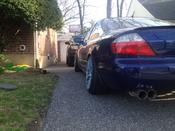
Still enjoying mines at 265000 miles. Runs smooth still handles well. Just put a progress sway bar on her in addition to my coilovers and she handles amazingly. No dash lights or anything just regular wear and tear. Other than the clock resetting to 0:00 on navi that's annoying. But yea take care of her and she'll take care of you.