


cons of bluetooth on the 06


Thread Starter
Instructor
Joined: Oct 2005
Posts: 208
Likes: 0
From: New Haven, CT
cons of bluetooth on the 06
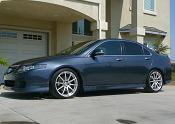
i paired my phone with the bluetooth on the TSX 06 (pics soon) and voice commands are disabled which sort of sucks.
so lets say you're on a 200 mile trip you won't be able to use none of the voice commands until you unlink the phone. i think this is a flaw on acura's part because i don't see why you can't use voice commands when you aren't on a call. the voice commands should automatically disable/enable depending whether you are on a call or not.
the button you push to give voice commands is different than the button you push to give commands for the phone either way! i don't see why this was designed this way because they are two separate buttons.
well that is my only complaint about the 06, other than that, it's a sexy beast. i get stare at everywhere i go
so lets say you're on a 200 mile trip you won't be able to use none of the voice commands until you unlink the phone. i think this is a flaw on acura's part because i don't see why you can't use voice commands when you aren't on a call. the voice commands should automatically disable/enable depending whether you are on a call or not.
the button you push to give voice commands is different than the button you push to give commands for the phone either way! i don't see why this was designed this way because they are two separate buttons.
well that is my only complaint about the 06, other than that, it's a sexy beast. i get stare at everywhere i go


6MT or Death
Joined: Nov 2005
Posts: 732
Likes: 0
From: Boston, MA
Why are voice commands disabled for you? Is it something to do with the nav or your phone? I have an 06 no-nav so the only time I use voice commands is WHEN I have my phone connected.
Also How do you have 2 different buttons? where?
Also How do you have 2 different buttons? where?

Still Lovin my 06
Joined: Nov 2005
Posts: 2,772
Likes: 1
From: West Orange, NJ
There is a button on the front of the wheel to the left side, which is for the phone.
THen there is a button behind that, which is for voice commands. if you press the button on the back of the wheel twice, it unlinks your phone. then you can use voice commands. then when you're done, you can press the front button, and your phone will be linked again. it's pretty seamless, though slightly annoying.
THen there is a button behind that, which is for voice commands. if you press the button on the back of the wheel twice, it unlinks your phone. then you can use voice commands. then when you're done, you can press the front button, and your phone will be linked again. it's pretty seamless, though slightly annoying.

Still Lovin my 06
Joined: Nov 2005
Posts: 2,772
Likes: 1
From: West Orange, NJ
Originally Posted by ninjamyst
I didn't know abut this....it is kind of annoying....
Trending Topics

7th Gear
Joined: Nov 2005
Posts: 7
Likes: 0
Leave the phone un-linked. You dont have to keep the phone linked all the time. If you want to make an outbound call you link up by pressing the button. For incoming calls, when a call comes in, the phone links up automatically and the system notifies you. You can choose whether or not to answer. You dont kave to keep the phone linked when you are not using it.
Still Lovin my 06
Joined: Nov 2005
Posts: 2,772
Likes: 1
From: West Orange, NJ
Originally Posted by donmason
Leave the phone un-linked. You dont have to keep the phone linked all the time. If you want to make an outbound call you link up by pressing the button. For incoming calls, when a call comes in, the phone links up automatically and the system notifies you. You can choose whether or not to answer. You dont kave to keep the phone linked when you are not using it.

The problem is that the voice module only accepts one input at a time from the microphone.
And you can leave the phone paired, but still leave the Handsfree Link off until you need it. Once you hit the button for the phone, it will automatically switch the Handsfree Link on. Your phone will remain paired the whole time.
And you can leave the phone paired, but still leave the Handsfree Link off until you need it. Once you hit the button for the phone, it will automatically switch the Handsfree Link on. Your phone will remain paired the whole time.
Rep'n Taxbrain.com
Joined: Aug 2004
Posts: 7,075
Likes: 3
From: N. Cali-forn-i-a
Wow....they definitely should have designed that better. You should not have to worry about ever having to disconnect the phone if you want to use the voice commands. The microphone should have been designed to automatically switch inputs back and forth. I could see how this would be annoying, especially for someone who is not tech savy.
Is the TL bluetooth/navi like this too?
Is the TL bluetooth/navi like this too?

Still Lovin my 06
Joined: Nov 2005
Posts: 2,772
Likes: 1
From: West Orange, NJ
Originally Posted by shingles
So what you are saying is this:
you want to be able to drive, talk on the phone, and while doing both already, talk to the car as well?
you want to be able to drive, talk on the phone, and while doing both already, talk to the car as well?
exactly,
why would they spend extra $$$ developing a capability that cannot be used? you'll never be talking on the phone and giving voice commands at the same time. it's illogical.
it's simple, the phone stairs paired, but the handsfree "link" is not active when you use voice commands, if you get a call, you still answer over the system. if you want to make a call, you still make it using the button on the wheel. the only time you notice this even is the case is when you've used the handsfree link, and you press the voice command button. it really affects nothing.

Advanced
Joined: Sep 2005
Posts: 72
Likes: 0
Originally Posted by bradykp
exactly,
why would they spend extra $$$ developing a capability that cannot be used? you'll never be talking on the phone and giving voice commands at the same time. it's illogical.
it's simple, the phone stairs paired, but the handsfree "link" is not active when you use voice commands, if you get a call, you still answer over the system. if you want to make a call, you still make it using the button on the wheel. the only time you notice this even is the case is when you've used the handsfree link, and you press the voice command button. it really affects nothing.
why would they spend extra $$$ developing a capability that cannot be used? you'll never be talking on the phone and giving voice commands at the same time. it's illogical.
it's simple, the phone stairs paired, but the handsfree "link" is not active when you use voice commands, if you get a call, you still answer over the system. if you want to make a call, you still make it using the button on the wheel. the only time you notice this even is the case is when you've used the handsfree link, and you press the voice command button. it really affects nothing.
 just thinking...what would you be using the voice commands for while being on the phone?
You wouldn't be adjusting the radio because the HandsfreeLink completely blocks out the audio, you most likley have already set your climate control to automatic, and you've probably already got your nav destination programmed in.
So what exactly would you be doing and how often would you actually run into this situation unless you're one of those people who spends the entire duration of a drive on the phone?

10th Gear
Joined: Dec 2005
Posts: 10
Likes: 0
I need to add to this topic because unless I am misunderstanding this whole topic is false.
I have an 06 with nav and my phone is a sony/ericsson something or other. After I paired the phone I have never had to do anything. As soon as I enter and turn on my car I hear my phone make a noise and I know they are linked. I drivearound and when my phone rings I answer the call. If I hang up and want to use voice commands I do so. I don't have to double click anything or turn my phone off or unlink anything.
I NEVER remove the phone from my pocket the whole time I'm in the car. I use voice commands whenever I want except when I am on the phone.
So if the original post is supposed to be about using voice commands WHILE talking on the phone that's one thing but if he means after the call or while the phone is linked then I say he didn't set it up right or the phone isn't completely compatible.
Using voice commands while on the phone doesn't seem like a big deal to me though.
I have an 06 with nav and my phone is a sony/ericsson something or other. After I paired the phone I have never had to do anything. As soon as I enter and turn on my car I hear my phone make a noise and I know they are linked. I drivearound and when my phone rings I answer the call. If I hang up and want to use voice commands I do so. I don't have to double click anything or turn my phone off or unlink anything.
I NEVER remove the phone from my pocket the whole time I'm in the car. I use voice commands whenever I want except when I am on the phone.
So if the original post is supposed to be about using voice commands WHILE talking on the phone that's one thing but if he means after the call or while the phone is linked then I say he didn't set it up right or the phone isn't completely compatible.
Using voice commands while on the phone doesn't seem like a big deal to me though.

Suzuka Master
Joined: Oct 2001
Posts: 6,803
Likes: 1,015
I agree with myearhurt. More clarification is needed. Understand that we don't sell Navi's here in Hawaii, so my experience with them is limited to how the RL works. However, unless the TSX is different, you can use navi voice commands without unlinking the phone. You have to return to the main menu after the call it through. Tyring to use navi voicemmands WHILE on a call could present a problem because I believe the navi command button is disabled until you return to the main menu.

Racer
Joined: Mar 2001
Posts: 453
Likes: 0
From: Vancouver BC Canada
Originally Posted by MyEarHurt
I need to add to this topic because unless I am misunderstanding this whole topic is false.
I have an 06 with nav and my phone is a sony/ericsson something or other. After I paired the phone I have never had to do anything. As soon as I enter and turn on my car I hear my phone make a noise and I know they are linked. I drivearound and when my phone rings I answer the call. If I hang up and want to use voice commands I do so. I don't have to double click anything or turn my phone off or unlink anything.
I have an 06 with nav and my phone is a sony/ericsson something or other. After I paired the phone I have never had to do anything. As soon as I enter and turn on my car I hear my phone make a noise and I know they are linked. I drivearound and when my phone rings I answer the call. If I hang up and want to use voice commands I do so. I don't have to double click anything or turn my phone off or unlink anything.
Still Lovin my 06
Joined: Nov 2005
Posts: 2,772
Likes: 1
From: West Orange, NJ
i think there is some confusion.....
i've had instances where i've pressed the voice command button, and the navi screen displays an error message something like: "voice commands are not available while in hands free link" or something of that nature.
this presents the "perception" that you can't use voice commands while the phone is paired.
this is simply NOT TRUE. the phone remains paired, but you will see this message sometimes (what instances i'm not sure, maybe the navi stays in hands free menu once a call ends, if you don't push anything on the screen in the meantime?).
but for the record, i have seen this message, but i just ignore it, press the voice command button again, and i can say something. if my phone rings, or i want to make a call, i push the hands free button, and nothing interferes, the phone REMAINS paired once paired.
i've had instances where i've pressed the voice command button, and the navi screen displays an error message something like: "voice commands are not available while in hands free link" or something of that nature.
this presents the "perception" that you can't use voice commands while the phone is paired.
this is simply NOT TRUE. the phone remains paired, but you will see this message sometimes (what instances i'm not sure, maybe the navi stays in hands free menu once a call ends, if you don't push anything on the screen in the meantime?).
but for the record, i have seen this message, but i just ignore it, press the voice command button again, and i can say something. if my phone rings, or i want to make a call, i push the hands free button, and nothing interferes, the phone REMAINS paired once paired.
Suzuka Master
Joined: Oct 2001
Posts: 6,803
Likes: 1,015
I believe this what's going on. After you're off the call, the car stays in "handsfree" mode. You need to hit the "back/hangup" button one more time to return to the main menu. Then you can use the Navi voice command controls.
Still Lovin my 06
Joined: Nov 2005
Posts: 2,772
Likes: 1
From: West Orange, NJ
Originally Posted by Colin
I believe this what's going on. After you're off the call, the car stays in "handsfree" mode. You need to hit the "back/hangup" button one more time to return to the main menu. Then you can use the Navi voice command controls.
Racer
Joined: Mar 2001
Posts: 453
Likes: 0
From: Vancouver BC Canada
Originally Posted by Colin
I believe this what's going on. After you're off the call, the car stays in "handsfree" mode. You need to hit the "back/hangup" button one more time to return to the main menu. Then you can use the Navi voice command controls.
Suzuka Master
Joined: Oct 2001
Posts: 6,803
Likes: 1,015
Originally Posted by feliz
I've had hands free installations (not bluetooth) in my cars since cell phoned came out (20 years?) thanks to my employer and I've always had to press something when the call is completed.

Thread Starter
Instructor
Joined: Oct 2005
Posts: 208
Likes: 0
From: New Haven, CT
ok i guess you can be linked with the phone and use voice commands (just found out while playing around today). you just have to hit the back button on the HFL. then to go into the HFL menu just hit the talk button on the steering wheel.
Thread Starter
Instructor
Joined: Oct 2005
Posts: 208
Likes: 0
From: New Haven, CT
yeah you can. hit the talk button steering wheel and say "transfer" after the beep while you're using the cell phone and it will switch. repeat the same to transfer from HFL to the phone.
Still Lovin my 06
Joined: Nov 2005
Posts: 2,772
Likes: 1
From: West Orange, NJ
Originally Posted by Sebo
yeah you can. hit the talk button steering wheel and say "transfer" after the beep while you're using the cell phone and it will switch. repeat the same to transfer from HFL to the phone.
lol
SAVIOR!

TSX4EVR
Joined: Aug 2005
Posts: 1,194
Likes: 0
From: Alberta and Arizona
Originally Posted by MyEarHurt
I need to add to this topic because unless I am misunderstanding this whole topic is false.
I have an 06 with nav and my phone is a sony/ericsson something or other. After I paired the phone I have never had to do anything. As soon as I enter and turn on my car I hear my phone make a noise and I know they are linked. I drivearound and when my phone rings I answer the call. If I hang up and want to use voice commands I do so. I don't have to double click anything or turn my phone off or unlink anything.
I NEVER remove the phone from my pocket the whole time I'm in the car. I use voice commands whenever I want except when I am on the phone.
So if the original post is supposed to be about using voice commands WHILE talking on the phone that's one thing but if he means after the call or while the phone is linked then I say he didn't set it up right or the phone isn't completely compatible.
Using voice commands while on the phone doesn't seem like a big deal to me though.
I have an 06 with nav and my phone is a sony/ericsson something or other. After I paired the phone I have never had to do anything. As soon as I enter and turn on my car I hear my phone make a noise and I know they are linked. I drivearound and when my phone rings I answer the call. If I hang up and want to use voice commands I do so. I don't have to double click anything or turn my phone off or unlink anything.
I NEVER remove the phone from my pocket the whole time I'm in the car. I use voice commands whenever I want except when I am on the phone.
So if the original post is supposed to be about using voice commands WHILE talking on the phone that's one thing but if he means after the call or while the phone is linked then I say he didn't set it up right or the phone isn't completely compatible.
Using voice commands while on the phone doesn't seem like a big deal to me though.


Excited

Racer
Joined: Nov 2001
Posts: 371
Likes: 9
From: San Diego
Originally Posted by MyEarHurt
I need to add to this topic because unless I am misunderstanding this whole topic is false.
I have an 06 with nav and my phone is a sony/ericsson something or other. After I paired the phone I have never had to do anything. As soon as I enter and turn on my car I hear my phone make a noise and I know they are linked. I drivearound and when my phone rings I answer the call. If I hang up and want to use voice commands I do so. I don't have to double click anything or turn my phone off or unlink anything.
I NEVER remove the phone from my pocket the whole time I'm in the car. I use voice commands whenever I want except when I am on the phone.
So if the original post is supposed to be about using voice commands WHILE talking on the phone that's one thing but if he means after the call or while the phone is linked then I say he didn't set it up right or the phone isn't completely compatible.
Using voice commands while on the phone doesn't seem like a big deal to me though.
I have an 06 with nav and my phone is a sony/ericsson something or other. After I paired the phone I have never had to do anything. As soon as I enter and turn on my car I hear my phone make a noise and I know they are linked. I drivearound and when my phone rings I answer the call. If I hang up and want to use voice commands I do so. I don't have to double click anything or turn my phone off or unlink anything.
I NEVER remove the phone from my pocket the whole time I'm in the car. I use voice commands whenever I want except when I am on the phone.
So if the original post is supposed to be about using voice commands WHILE talking on the phone that's one thing but if he means after the call or while the phone is linked then I say he didn't set it up right or the phone isn't completely compatible.
Using voice commands while on the phone doesn't seem like a big deal to me though.
I haven't used the HFL all that much since getting my '06, but I have used it a little. It seems to me that for you to NEVER have to take your phone out of your pocket, 3 things would need to happen:
1. Your phone is fully compatible. Yours probably is, but mine isn't. For some reason I can't hang up calls using the HFL. I can place calls, answer calls and transfer calls to/from the phone though.
2. You have your 50 most frequently dialed numbers programmed in the HFL phonebook.
3. You recognize every person's phone number who calls you. I've only added 1 number into the HFL phonebook so far, but when that person calls, only their phone number is displayed. So, if you never take your phone out of your pocket and someone calls, how do you know who is calling if you don't have every number in your phone memorized? (who does)
Just curious. Am I missing something here? It frustrates me that I have to still grab my phone out of my pocket when I get an incoming call just to see WHO is calling. And since I don't make all that many calls while driving anyway, I usually just initiate the call from the phone itself and then transfer it to the HFL so I don't have to hold the phone (which is the main advantage of the HFL as far as I'm concerned). Why the hell did Acura have to go and use their own phonebook? My Bluetooth headset can use my phone's phonebook...why can't the HFL?
6MT or Death
Joined: Nov 2005
Posts: 732
Likes: 0
From: Boston, MA
definitely possible, I did it yesterday. Just click the button and say transfer, just like when you're leaving the car and you want to transfer. You just have to give it a second to recognize the phone. I clicked the button a few times before I realized the car wsa searching for my phone.

Advanced
Joined: Jul 2005
Posts: 85
Likes: 0
Originally Posted by jkozlow3
Question...
Just curious. Am I missing something here? It frustrates me that I have to still grab my phone out of my pocket when I get an incoming call just to see WHO is calling. And since I don't make all that many calls while driving anyway, I usually just initiate the call from the phone itself and then transfer it to the HFL so I don't have to hold the phone (which is the main advantage of the HFL as far as I'm concerned). Why the hell did Acura have to go and use their own phonebook? My Bluetooth headset can use my phone's phonebook...why can't the HFL?
Just curious. Am I missing something here? It frustrates me that I have to still grab my phone out of my pocket when I get an incoming call just to see WHO is calling. And since I don't make all that many calls while driving anyway, I usually just initiate the call from the phone itself and then transfer it to the HFL so I don't have to hold the phone (which is the main advantage of the HFL as far as I'm concerned). Why the hell did Acura have to go and use their own phonebook? My Bluetooth headset can use my phone's phonebook...why can't the HFL?
My experience so far (with a Treo 650) has been that when I initiate a call from the phone, it sometimes automatically transfers to HFL, and sometimes not. Why?
Suzuka Master
Joined: Oct 2001
Posts: 6,803
Likes: 1,015
Treo 650s are a bit problematic. Make sure you have the latest firmware on your unit.
From Acura's site:
How to find the software version on your PalmOne Sprint PCS Vision Smart Device Treo 650:
Press Phone/Send.
Press Menu.
From the Options menu, select Phone Info.
In the Phone Info screen read the numbers after "Software." Look at the number after the "Treo 650-." This will tell you which version of the Treo 650 Updater you need to download. Note: The "x.xx" in the Software Version can be any numbers.
From Acura's site:
How to find the software version on your PalmOne Sprint PCS Vision Smart Device Treo 650:
Press Phone/Send.
Press Menu.
From the Options menu, select Phone Info.
In the Phone Info screen read the numbers after "Software." Look at the number after the "Treo 650-." This will tell you which version of the Treo 650 Updater you need to download. Note: The "x.xx" in the Software Version can be any numbers.
Suzuka Master
Joined: Oct 2001
Posts: 6,803
Likes: 1,015
Originally Posted by mobidutch
Thx. I have the VZW version, with the latest FW update. I'm hoping the upcoming Treo 700w will have a better BT stack implementation! :-)
10th Gear
Joined: Dec 2005
Posts: 10
Likes: 0
Originally Posted by jkozlow3
Question...
I haven't used the HFL all that much since getting my '06, but I have used it a little. It seems to me that for you to NEVER have to take your phone out of your pocket, 3 things would need to happen:
1. Your phone is fully compatible. Yours probably is, but mine isn't. For some reason I can't hang up calls using the HFL. I can place calls, answer calls and transfer calls to/from the phone though.
2. You have your 50 most frequently dialed numbers programmed in the HFL phonebook.
3. You recognize every person's phone number who calls you. I've only added 1 number into the HFL phonebook so far, but when that person calls, only their phone number is displayed. So, if you never take your phone out of your pocket and someone calls, how do you know who is calling if you don't have every number in your phone memorized? (who does)
Just curious. Am I missing something here? It frustrates me that I have to still grab my phone out of my pocket when I get an incoming call just to see WHO is calling. And since I don't make all that many calls while driving anyway, I usually just initiate the call from the phone itself and then transfer it to the HFL so I don't have to hold the phone (which is the main advantage of the HFL as far as I'm concerned). Why the hell did Acura have to go and use their own phonebook? My Bluetooth headset can use my phone's phonebook...why can't the HFL?
I haven't used the HFL all that much since getting my '06, but I have used it a little. It seems to me that for you to NEVER have to take your phone out of your pocket, 3 things would need to happen:
1. Your phone is fully compatible. Yours probably is, but mine isn't. For some reason I can't hang up calls using the HFL. I can place calls, answer calls and transfer calls to/from the phone though.
2. You have your 50 most frequently dialed numbers programmed in the HFL phonebook.
3. You recognize every person's phone number who calls you. I've only added 1 number into the HFL phonebook so far, but when that person calls, only their phone number is displayed. So, if you never take your phone out of your pocket and someone calls, how do you know who is calling if you don't have every number in your phone memorized? (who does)
Just curious. Am I missing something here? It frustrates me that I have to still grab my phone out of my pocket when I get an incoming call just to see WHO is calling. And since I don't make all that many calls while driving anyway, I usually just initiate the call from the phone itself and then transfer it to the HFL so I don't have to hold the phone (which is the main advantage of the HFL as far as I'm concerned). Why the hell did Acura have to go and use their own phonebook? My Bluetooth headset can use my phone's phonebook...why can't the HFL?
You are right on # 2 and #3. I do have to take my phone out to find a ph# if I don't know it by memory. I just answer any call that comes in though so I don't look at the phone to see who it is who is exactly calling. Some #'s I recognize obviously.
Most of the people who have my cell # I like to talk to though so I am not really concerned with who it actually is who is calling. I do wish it said the name rather than the number but this is a minor thing for me personally.

Intermediate
Joined: Jan 2006
Posts: 31
Likes: 0
From: S.D., CA
I just bought an 06 TSX on 12/29/05. My question is, is it me or does it eat up a lot of your phones battery life. I've noticed when I leave the car and go in the house, my battery life is almost empty. Is there anyone who has experienced this situation or this there any solution to this?
Still Lovin my 06
Joined: Nov 2005
Posts: 2,772
Likes: 1
From: West Orange, NJ
Originally Posted by 9ballron
I just bought an 06 TSX on 12/29/05. My question is, is it me or does it eat up a lot of your phones battery life. I've noticed when I leave the car and go in the house, my battery life is almost empty. Is there anyone who has experienced this situation or this there any solution to this?
having bluetooth enabled on a phone eats the battery faster. if it's that much of an inconvenience for you, buy the car charger, or the extended battery. if you get the charger, you can have it plugged in the entire time you're in the car, and use none of your battery.....
it's unavoidable and completely normal
Rep'n Taxbrain.com
Joined: Aug 2004
Posts: 7,075
Likes: 3
From: N. Cali-forn-i-a
Another option is to buy an extended life battery.
I've noticed that the power consumption of the bluetooth is also dependent on the phone. My old phone use to eat up battery a lot slower with bluetooth enabled than my new one does.
I've had bluetooth in my car for about 1 1/2 years now. I've used various phones, never used a car charger, and haven't had many battery problems.
I've noticed that the power consumption of the bluetooth is also dependent on the phone. My old phone use to eat up battery a lot slower with bluetooth enabled than my new one does.
I've had bluetooth in my car for about 1 1/2 years now. I've used various phones, never used a car charger, and haven't had many battery problems.

Thread
Thread Starter
Forum
Replies
Last Post
rp_guy
Member Cars for Sale
9
Jul 16, 2017 07:33 AM
MetalGearTypeS
3G TL Audio, Bluetooth, Electronics & Navigation
6
Aug 29, 2016 08:28 PM
InFaMouSLink
Car Parts for Sale
3
Oct 30, 2015 09:43 AM
SUPRMN84
3G TL Audio, Bluetooth, Electronics & Navigation
5
Oct 7, 2015 09:46 PM
