


Laptop Connection to LCD question


Thread Starter
Best D-Line in the NFL
Joined: Jul 2002
Posts: 4,415
Likes: 0
From: Gainesville, Fl for college, Palm Beach Gardens, Fl at Home
Laptop Connection to LCD question
Alright well soon I am going to splurge and pick up a nice tv for my apartment next year in college.
Lets perhaps say I get a 32" lcd, how will I be able to connect my laptop to use the lcd as a pc monitor if my laptop only has a geforce fx 64mb card and my max resolution is 1024x768? Do I have to buy an external graphics card or something that will allow for widescreen good quality on the lcd as a computer monitor?
Also I hear that LCD looks like total crap with digital cable feed, and only looks good with HDTV signal. Is this true?
Lets perhaps say I get a 32" lcd, how will I be able to connect my laptop to use the lcd as a pc monitor if my laptop only has a geforce fx 64mb card and my max resolution is 1024x768? Do I have to buy an external graphics card or something that will allow for widescreen good quality on the lcd as a computer monitor?
Also I hear that LCD looks like total crap with digital cable feed, and only looks good with HDTV signal. Is this true?

is learning to moonwalk i
Joined: Feb 2004
Posts: 15,520
Likes: 3
From: SoCal
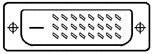
What kind of video output does your laptop have? You probably won't be able to use the full screen based on your graphics card limitations. Might be able to use a VGA to DVI converter to connect to the LCD. Worst case would be S-Video, but that won't look so good.
As for cable on the LCD, should be okay, especially on a 32". If you were to go above 50", you might not be happy with the picture.
As for cable on the LCD, should be okay, especially on a 32". If you were to go above 50", you might not be happy with the picture.

Race Director


Joined: Jan 2003
Posts: 10,937
Likes: 1,052
From: Long Island, NY
I have the 32" sharp Aquos and the picture for regular digital cable(Non HD) is fine. certain programs (and channels) I notice some graininess.
And as for hooking your PC up to it If it isn't running the native resolution of the TV in my case 1366x768 i have seen some distortion, this is also hooking a non digital signal into a digital input (most laptops that I have seen do not have a DVI out)
And as for hooking your PC up to it If it isn't running the native resolution of the TV in my case 1366x768 i have seen some distortion, this is also hooking a non digital signal into a digital input (most laptops that I have seen do not have a DVI out)
Thread Starter
Best D-Line in the NFL
Joined: Jul 2002
Posts: 4,415
Likes: 0
From: Gainesville, Fl for college, Palm Beach Gardens, Fl at Home
mine has no DVI out, just a firewire, usb, which I guess means nothing, if I do go LCD I definitely want to use it as the comp screen
Race Director
Joined: Jan 2003
Posts: 10,937
Likes: 1,052
From: Long Island, NY
Originally Posted by Renegade
mine has no DVI out, just a firewire, usb, which I guess means nothing, if I do go LCD I definitely want to use it as the comp screen
How about S-video?
You might need to buy a docking station, because without a VGA/DVI/S-video connection, you will not be able to connect to a LCD TV
Trending Topics



Thread
Thread Starter
Forum
Replies
Last Post
navtool.com
4G TL Audio, Bluetooth, Electronics & Navigation
1
Sep 25, 2015 06:21 PM
Yumcha
Automotive News
1
Sep 17, 2015 09:01 PM