


Buying a Blackberry.. which one?


Thread Starter
Senior Moderator


Joined: May 2003
Posts: 45,641
Likes: 2,335
From: Better Neighborhood, Arizona
Buying a Blackberry or Palm.. which one?
I need a basic handheld that can do at least email, preferably web browsing too. I do not need the phone capability. Word and Powerpoint would be a plus. Any suggestions or thoughts?


Suzuka Master
Joined: Jan 2001
Posts: 5,349
Likes: 3
From: Lower Nazzie, Pa
Originally Posted by Ken1997TL
I need a basic handheld that can do at least email, preferably web browsing too. I do not need the phone capability. Word and Powerpoint would be a plus. Any suggestions or thoughts?
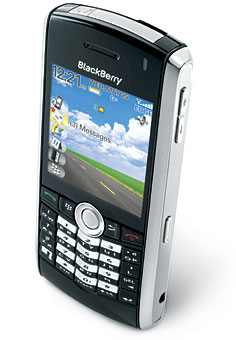
I would've gotten the 8100, but I have Cingular and got a 7130c about a month prior to the 8100 coming out.

Blackberries are good for basic email/web-browsing/PDA stuff.
If you're going to do a lot of office stuff like Word/Excel, there's software for that, but then stick with the pocket-PC's.
Suzuka Master
Joined: Jan 2001
Posts: 5,349
Likes: 3
From: Lower Nazzie, Pa
Since you stated that you want email/internet, why not just get PDA with phone also, since usually the non-phone capable ones are also not capable of email/internet, and usually the email/internet capable ones are also capable of phone.
i find it much easier than carrying around an "extra" PDA...I had an HP Jornada that I paid $500 for that saw 5 hours of use because I was carrying too many devices around. Now that I have the Blackberry, I use it for all my tasks/calender and email/internet as well as my cell phone.
There's no real cost advantage if you get an internet/email capable device without using the phone since you'd be paying for both the services anyway.
i find it much easier than carrying around an "extra" PDA...I had an HP Jornada that I paid $500 for that saw 5 hours of use because I was carrying too many devices around. Now that I have the Blackberry, I use it for all my tasks/calender and email/internet as well as my cell phone.
There's no real cost advantage if you get an internet/email capable device without using the phone since you'd be paying for both the services anyway.

Trending Topics
Suzuka Master
Joined: Jan 2001
Posts: 5,349
Likes: 3
From: Lower Nazzie, Pa
the way the keyboard is setup is actually great. It saves space so they can make the phone less like a box (like the Treo and other blackberries with full qwerty keys). The software is actually really good at predicting what you're typing.
it'll take awhile to record all the uncommon words and names you might use, but once it has recorded them, you can "thumb" pretty fast. The first day with the 7130 was hell, because I was used to the regular phone layout, but got used to it by the end of the day. It only took me a week before I was banging out emails quickly. The only thing you ahve to get used to is that it's not laid out like a regular phone, but if you can type on a keyboard with any sufficiency, you should get used to this pretty quickly. A good tip is to try to finish your word before giong back and correcting it.
Check out the forum at http://www.pinstack.com
They're pretty helpful with quick hints and tips and stuff.
it'll take awhile to record all the uncommon words and names you might use, but once it has recorded them, you can "thumb" pretty fast. The first day with the 7130 was hell, because I was used to the regular phone layout, but got used to it by the end of the day. It only took me a week before I was banging out emails quickly. The only thing you ahve to get used to is that it's not laid out like a regular phone, but if you can type on a keyboard with any sufficiency, you should get used to this pretty quickly. A good tip is to try to finish your word before giong back and correcting it.
Check out the forum at http://www.pinstack.com
They're pretty helpful with quick hints and tips and stuff.

Drifting
Joined: Apr 2001
Posts: 3,023
Likes: 2
From: Kyle, TX
I bought an 8100 last week and I've been loving it. Keyboard is small, but functional, and the predictive text is the best I've used. With full blackberry functionality in such a small form factor, its a great little phone. Camera is above par also.
Suzuka Master
Joined: Jan 2001
Posts: 5,349
Likes: 3
From: Lower Nazzie, Pa
i'm waiting for it to come out for Cingular before buying it (probably around january-ish). These unlocked ones are just way too much ($350+ for an unlocked t-mo 8100). And consdiering i just got my 7130 a little over a month ago, I think I can wait.

Thread
Thread Starter
Forum
Replies
Last Post
navtool.com
5G TLX Audio, Bluetooth, Electronics & Navigation
31
Nov 16, 2015 08:30 PM
ExcelerateRep
4G TL Performance Parts & Modifications
8
Oct 14, 2015 08:20 AM
navtool.com
1G RDX Audio, Bluetooth, Electronics & Navigation
1
Sep 25, 2015 05:15 PM