When you click on links to various merchants on this site and make a purchase, this can result in this site earning a commission. Affiliate programs and affiliations include, but are not limited to, the eBay Partner Network.
Please read my previous post. Everything is working fine right now without the blue wire attached but the indication light doesn't come on. When I ground the blue wire to anything metal in the car, it immediately switches from video to nav without having to push the button. Where have you grounded the blue wire?
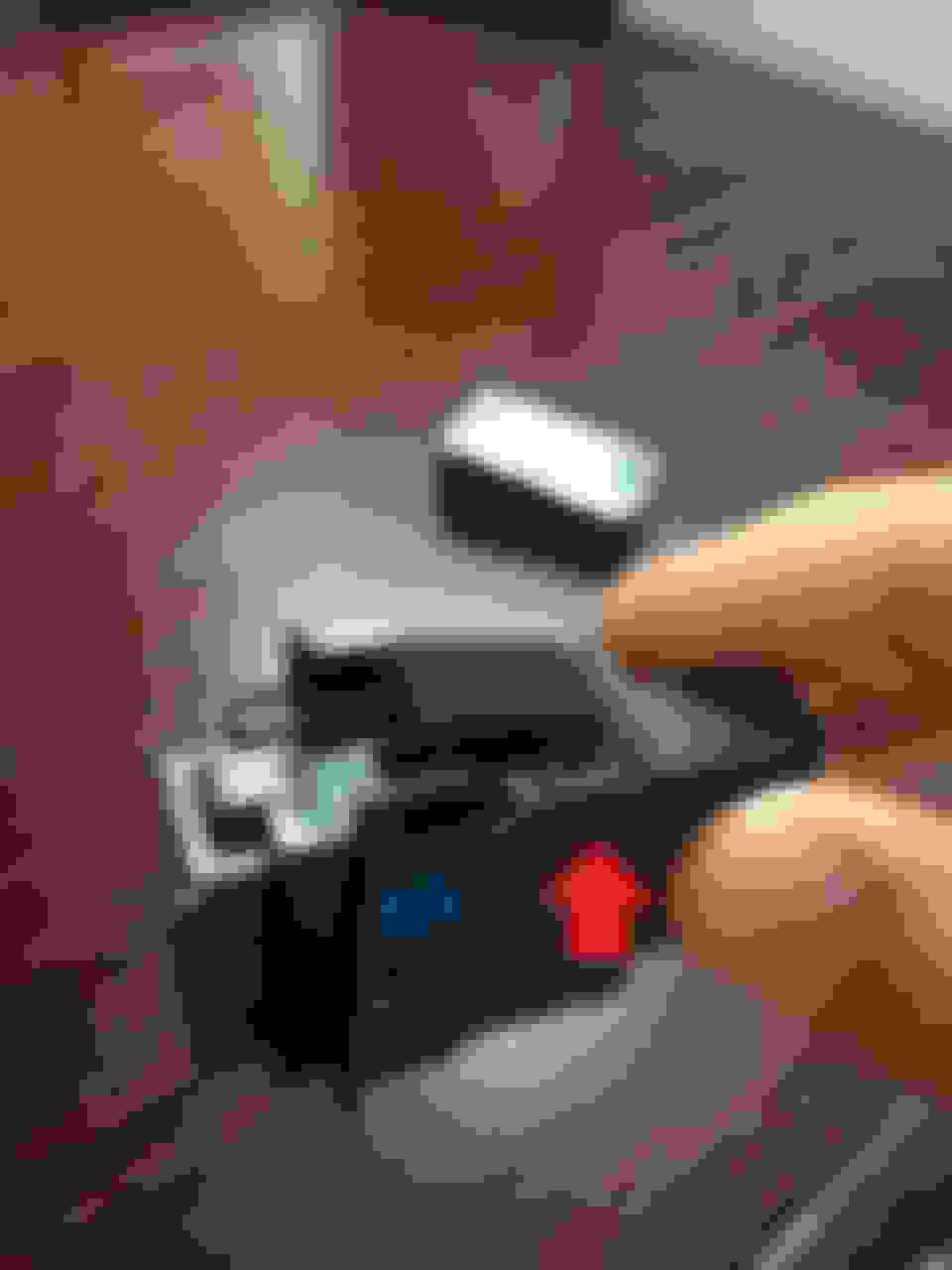
I grounded my blue wire to this nut that has a red marking on it. When you pull your dash under the steering wheel off, you should see it on the bottom left side of the VSA switch. (Look 2 inches diagonal down from the bottom left side of the vsa switch) There are other wires that is grounded to this red marked nut and its a perfect place to ground to.
Anyways back to your wiring. When you ground the blue wire, disregard that it switches to navigation from video. See if the indication light comes on after you ground it. You may need to press the foglight switch since it may be in "off" position. Also, after you ground it, press the foglight switch a couple times to see if it will switch back to video and vice versa.
One problem could be that you didn't press the foglight switch when you ground the wire and saw that video immediately switched back to navigation. That was my problem at first. I was all into the wiring that I didn't realize the foglight switch was in the "off" or "on" position the whole time.
If that doesn't do it, or if you press the foglight switch and navigation don't switch to video, then try another thing, switch the red and black wire of dom switch that you plugged into pin one or two. If you had the red wire going into pin 1, take it and put into pin 2. Same goes with the black wire. The position of the circuit in pin 1 and 2 of the foglight switch may make a difference, but IMO I don't think that should matter, but do it anyways.
If you ground the blue wire and the indication light don't turn on when you flip the switch "on" or "off", then you have wired it wrong somewhere. I'm 99.98% sure it WILL come on if you did exactly what I said in my above posts.
I did cut the jumper per the instructions. One side in pin 4 I left attached and not connected to anything. I have the other side of the jumper (pin 2) hooked up to dom's switch and the green harness wire to dom's switch as well. I have my red harness wire connected to wire #4 of VSA switch. I have the red/black harness wire connected to wire #3 of VSA switch. The blue wire is not attached to anything. Right now, the backlight of the new button works when the lights are on but not the green indicator light. Thanks for any help.
- Kyle
"One side in pin 4 I left attached and not connected to anything. I have the other side of the jumper (pin 2) hooked up to dom's switch and the green harness wire to dom's switch as well." What do you mean you left one side in pin 4 attached and not connected to anything? Also you said the other side of the jumper (pin 2) hooked up to doms switch. I assume you meant pin 1 and not pin 2 cuz the jumper is not in pin 2. And I assume you meant they are connected to the dom switch's black and red wires and not dom switch itself.
I'll clarify again: on pin 4 there are two wires coming out of it. The one that DOESN'T loop will be spliced to pin 3 of vsa. The one that loops, you cut it closest to the pin 4 location. Once cut, you will have two dangling wires. The one dangling out of pin 1 will be connected to either black or red wire from dom's switch. The other dangling wire coming out of pin 4 (should be really short or a lil stubb wire) should be covered in electrical tape and not used at all.
Also note: The indicator light will only come on if you ground the blue wire since grounding the blue wire will complete the circuit.
"One side in pin 4 I left attached and not connected to anything. I have the other side of the jumper (pin 2) hooked up to dom's switch and the green harness wire to dom's switch as well." What do you mean you left one side in pin 4 attached and not connected to anything? Also you said the other side of the jumper (pin 2) hooked up to doms switch. I assume you meant pin 1 and not pin 2 cuz the jumper is not in pin 2. And I assume you meant they are connected to the dom switch's black and red wires and not dom switch itself.
I'll clarify again: on pin 4 there are two wires coming out of it. The one that DOESN'T loop will be spliced to pin 3 of vsa. The one that loops, you cut it closest to the pin 4 location. Once cut, you will have two dangling wires. The one dangling out of pin 1 will be connected to either black or red wire from dom's switch. The other dangling wire coming out of pin 4 (should be really short or a lil stubb wire) should be covered in electrical tape and not used at all.
Also note: The indicator light will only come on if you ground the blue wire since grounding the blue wire will complete the circuit.
All of your assumptions are correct. Everything is wired up correctly according to your instructions. I have the blue wire grounded to the same place as you (red ground bolt) and all other wiring does match your explanation, but the indicator light still doesn't go on. I even tried switching the wires to dom's switch and still no luck. I did press the button several times just to make sure. The switch does work to go back and forth from video to nav, but still no indication light?????????
All of your assumptions are correct. Everything is wired up correctly according to your instructions. I have the blue wire grounded to the same place as you (red ground bolt) and all other wiring does match your explanation, but the indicator light still doesn't go on. I even tried switching the wires to dom's switch and still no luck. I did press the button several times just to make sure. The switch does work to go back and forth from video to nav, but still no indication light?????????
Ok I think I know what the problem is. There seems to be no 12 volts going to the switch to power the indication light, since it is just being grounded with the blue wire. Pin 1 needs 12 volts to not only power the indication bulb, but to send 12 volts to the red wire of doms to switch between nav and dvd.
So here's a new set of instructions:
Leave how your set up is right now but don't ground the blue wire just yet. Take the red wire from the dom's switch and wire it to pin 2 (green wire) if it hasn't been done so. Unwire the black wire of dom's switch (we won't be using the black wire anymore) Now take that dangling wire coming out of pin 1 and wire that to a 12 volt source (either from the fuse 32 or your cigarette lighter). Now ground the blue wire and tell me wat happens. If that does nothing, then you may wanna replace the red wire of doms with the black wire (meaning use the black wire to pin 2 and dont' use the red wire anymore). I don't know which wire needs the 12 volts but i'm pretty positive its the red wire.
Oh I forgot, If the above instructions STILL DON'T WORK, then its pin 2 that needs the 12 volts and you will need to do the opposite, meaning take the red wire of doms switch and connect to pin 1 and use the green wire in pin 2 and hook to 12 volt source. After you do all that, ground the blue wire last.
but now there's another problem..... i can't switch to video. My indication button turns on and off when i press it, but it stays on navi and doesn't switch to dom's. I have the red wire from dom's going to the green wire and the wire from pin 1 going to my 12v source. Did I blow dom's unit? this is my second one b/c the first one did the same thing and would only stay on navi.
For those of you who won't be using a back up camera on input 2, or for those who have factory back up cameras (07-08 models) who shouldn't need input 2, I have added this diagram for better understanding. Study it and follow it exactly.
With regards to cutting of the red and black wires for the manual switch supplied by Dom, I found this was not necessary. For the Fog light Switch, follow the instructions for Pin's 3, 4 and 5. Supply 12V to Pin 1, and run a wire from Pin 2 to the blue wire of Dom's Unit.
Leave Dom's manual switch attached and have it in bypass mode, meaning the Factory Navi screen is displayed. Now, when you press the fog light switch, 12V will go to the Blue wire which automatically forces the unit to display Video 2. No extra cutting needed of the manual switch
yea you can do it that way, its pretty much the same method except you don't have to destroy the dom's manual switch. I had to do it my way because I already had wires extended from my trunk to the front dash so it'll be easier to cut and connect wires.
also I had already cut my toggle switch wires trying to do many trials and errors of trying to figure out how to do the darn thing, until I found the input 2 method. I still can't figure out the input 1 method, only way for it to work is by not having the indication button light on, and by not grounding pin 5.
i had that blank spot spied as a place to mount a mute switch for my radar detector and using an extra VSA switch would make things look a lot cleaner.
Just received my foglight switch and harness. Will i still need to power Dom's unit at the 12v DC port if im supplying power to the blue wire thru input 2 of Dom's Unit? Im using TSXinity's method because i already have factory reverse cam.
Here is a wiring diagram that I drew up to use the Accord Fog Light switch and still retain full functionality of DOMs unit. The nice thing is that there is no hacking of the switch (other than the logo of your choice.)
The pins of the switches are numbered and the colors come form the wiring harnesses.
The red wires are the hack into the VSA harness to power the backlight.
I used the Accord switch and harness, although the harness is only used to get the connector and 4 inches of wire. Having the plug for the switch does make it much easier to install, so it was worth the extra money.
08V31-SDA-1M035 007 SWITCH, FOGLIGHT
08V31-SDA-10130 005 FOGLIGHT SWITCH HARNESS
The relay was a generic 12V relay + socket from NAPA
Hey DCC,
I just got a spare VSA switch today while I was at the dealer. Hopeing to get to modding it to the DVD switch, I noticed your original pics weren't there. I know it's an old topic, but do you think you could re-post the original images of your VSA-DVD switch? Maybe some tips on trying myself?
Thanks
Just received my foglight switch and harness. Will i still need to power Dom's unit at the 12v DC port if im supplying power to the blue wire thru input 2 of Dom's Unit? Im using TSXinity's method because i already have factory reverse cam.
Yes you still need to supply power to the Dom's unit. The 12v to blue wire is there to activate from the toggle switch is on or off.
I figured this was the most applicable thread with my question, so I decided to post here. I ordered a second VSA switch and am currently modifying it to make a custom Angel Eyes switch.
To anyone has taken apart their VSA switch, can you provide further insight for disassembly?
I got the button cap off...easy as pie.
However, how do I further disassemble? Is it just these two tabs (on the top and bottom) holding the mechanism together?