

So I've searched the threads (and haven't found the exact answer I want) and some people have mentioned that the new chocolate with Verizon will import your phonebook into the navi.
I have an 08 TL-S and want to make sure that when I upgrade my phone I get a phone that will import the phone book. My wife has a Samsung Gleam and it's supposed to support this function, but when I tried to import the phone book it didn't work.
So please help me out here. Who out there has Verizon and has successfully imported their phonebook and with what phone?
Thanks.
I have an 08 TL-S and want to make sure that when I upgrade my phone I get a phone that will import the phone book. My wife has a Samsung Gleam and it's supposed to support this function, but when I tried to import the phone book it didn't work.
So please help me out here. Who out there has Verizon and has successfully imported their phonebook and with what phone?
Thanks.

Instructor
try handsfreelink.com
it will give you a list of the phones that support the phonebook import..
i got the sony z520 just for this reason...it workes perfect..in a couple of minutes i had my whole phonebook on the navi..and also it doesn't matter what carrier you have..as long as the phone is unlocked it will work..
it will give you a list of the phones that support the phonebook import..
i got the sony z520 just for this reason...it workes perfect..in a couple of minutes i had my whole phonebook on the navi..and also it doesn't matter what carrier you have..as long as the phone is unlocked it will work..
I've looked on hands free link. It's not up to date. Supposedly all the new Verizon Samsung phones have this feature (although like I said earlier, my wifes gleam didn't work) and the newer Verizon phones aren't on there yet like the Envy.
I just was hoping that some Verizon users can tell me the actual phones that they have that have worked so that I can import my phonebook.
I just was hoping that some Verizon users can tell me the actual phones that they have that have worked so that I can import my phonebook.
Instructor
if you want my opinion..just go buy from ebay a used phone with the feature so you can download your phonebook..i know for sure 4 sony models that will work..
once you download your phonebook then you can use your new phone..it will still work..just keep the used phone only for downloads until you find they upadte the list..
once you download your phonebook then you can use your new phone..it will still work..just keep the used phone only for downloads until you find they upadte the list..

7th Gear
Quote:
once you download your phonebook then you can use your new phone..it will still work..just keep the used phone only for downloads until you find they upadte the list..
Do you happen to know if it is possible to just have the phone, even if it is not actually activated (i.e. in service) with a carrier? For example, I currently use Verizon, but can get a hold of a non activated sprint phone that is compatible. I figure since I'm just doing an upload of the phone book, it shouldn't matter if the phone actually has service, right? Once I have completed the upload, I will continue using my enV which, works but won't do the phonebook import.Originally Posted by kipros
if you want my opinion..just go buy from ebay a used phone with the feature so you can download your phonebook..i know for sure 4 sony models that will work..once you download your phonebook then you can use your new phone..it will still work..just keep the used phone only for downloads until you find they upadte the list..
TIA,
-Tim
Instructor
as long as that phone is unlocked you will be fine..you are verizon and the phone you want to use is sprint..it's a different network so it won't work unless that sprint phone is unlocked so that it will work with any compatible network..
The Kinetics of Bleu
I have Verizon and I got the new Voyager phone and I was able to download my phonebook into my 07 TL-S.

7th Gear
Quote:
Pardon me for being a bit dense... but would I really even need service on the phone if all I planned to due is connect it to the TL to upload the phonebook. Once the phonebook is uploaded I have no use for the Sprint phone any longer as I will just use the enV as usual. Since I'm not even placing a call from the Sprint phone I would think service would be a non-issue. I could keep the phone for the sole purpose of uploading new contacts to the car, nothing else.Originally Posted by kipros
as long as that phone is unlocked you will be fine..you are verizon and the phone you want to use is sprint..it's a different network so it won't work unless that sprint phone is unlocked so that it will work with any compatible network..
-Tim

2K8 CBP TL-S 6MT
Quote:
-Tim
you are golden just need to find one that works that's allOriginally Posted by spy021
Pardon me for being a bit dense... but would I really even need service on the phone if all I planned to due is connect it to the TL to upload the phonebook. Once the phonebook is uploaded I have no use for the Sprint phone any longer as I will just use the enV as usual. Since I'm not even placing a call from the Sprint phone I would think service would be a non-issue. I could keep the phone for the sole purpose of uploading new contacts to the car, nothing else.-Tim
Instructor
Quote:
-Tim
TimOriginally Posted by spy021
Pardon me for being a bit dense... but would I really even need service on the phone if all I planned to due is connect it to the TL to upload the phonebook. Once the phonebook is uploaded I have no use for the Sprint phone any longer as I will just use the enV as usual. Since I'm not even placing a call from the Sprint phone I would think service would be a non-issue. I could keep the phone for the sole purpose of uploading new contacts to the car, nothing else.-Tim
when i phone is purchased through a certain carrier it only works with that carrier..in other words if you get your verizon sim card and put it on the sprint phone it won't work..it will only work if the phone is unlocked..which means the phone will work with any carrier..which means any sim card inserted in that phone will work..
Quote:
So the Envy won't import the phonebook? I went to Verizon today and they told me that it would, WTF! The envy is the phone I want, my question is why would the new chocolate import the phone book and the envy won't? That doesn't make any sense.Originally Posted by spy021
Once I have completed the upload, I will continue using my enV which, works but won't do the phonebook import.
Advanced
Quote:
I have an 08 TL-S and want to make sure that when I upgrade my phone I get a phone that will import the phone book. My wife has a Samsung Gleam and it's supposed to support this function, but when I tried to import the phone book it didn't work.
So please help me out here. Who out there has Verizon and has successfully imported their phonebook and with what phone?
Thanks.
I had the older chocolate and it does NOT work... not sure about the newer ones. I just got the Venus and I will be trying that tonight or tomorrow. I will let you knowOriginally Posted by schill38
So I've searched the threads (and haven't found the exact answer I want) and some people have mentioned that the new chocolate with Verizon will import your phonebook into the navi.I have an 08 TL-S and want to make sure that when I upgrade my phone I get a phone that will import the phone book. My wife has a Samsung Gleam and it's supposed to support this function, but when I tried to import the phone book it didn't work.
So please help me out here. Who out there has Verizon and has successfully imported their phonebook and with what phone?
Thanks.
Advanced
The Venus WORKS!!! The phone book was imported!!! I am kind of disapointed though, I thought if i imported my phone book it would display the phone number plus the name in the center display when someone calls... but its still just the phone number.

Acura Newbie
I have the Samsung U740 and it does NOT work. I had to manually transfer numbers 1 by 1 using the "name send" feature.
If you have access to a Sprint phone and want to use that to transfer your phonebook, that should be fine. You can pair up to 5 phones with the car and then never use the other phone again. I do have a question though - how are you going to get your phonebook onto the Sprint phone??
Another option is to find out which phone definitely works with the car, "rent" it from Verizon, and then exchange it for the phone you really want. And when I say rent, you get 15 days from date of purchase to exchange the phone. You can use Verizon's Backup Service to get your address book from one phone to the other and back again.
If you have access to a Sprint phone and want to use that to transfer your phonebook, that should be fine. You can pair up to 5 phones with the car and then never use the other phone again. I do have a question though - how are you going to get your phonebook onto the Sprint phone??
Another option is to find out which phone definitely works with the car, "rent" it from Verizon, and then exchange it for the phone you really want. And when I say rent, you get 15 days from date of purchase to exchange the phone. You can use Verizon's Backup Service to get your address book from one phone to the other and back again.
Quote:
So what would you say are the benefits then of having the phonebook imported?Originally Posted by Lileasy123
The Venus WORKS!!! The phone book was imported!!! I am kind of disapointed though, I thought if i imported my phone book it would display the phone number plus the name in the center display when someone calls... but its still just the phone number.
~Da Nocturnal Cheetah~
Quote:
You should be GLAD it doesn't do that playa...Originally Posted by Lileasy123
The Venus WORKS!!! The phone book was imported!!! I am kind of disapointed though, I thought if i imported my phone book it would display the phone number plus the name in the center display when someone calls... but its still just the phone number.
Advanced
(Darsom1) Yea I understand what your sayin, but that still means I have to look at my phone to even know who is calling if I dont know the number. Where did you get that grill? That is fuckin tight I want it so bad, let me know.

Steven Bell
Team Owner
close


May 14, 2026
- Join DateJan 2008
- LocationKansas City, MO (Overland Park, KS)
- Posts:36,545
-
iTrader Positive Feedback100
-
iTrader Feedback Score(2)
-
Likes:1,255
-
Liked:6,470 Times in 5,162 Posts
I have Verizon and the Palm Treo 700WX will NOT transfer the phonebook.
7th Gear
Quote:
I have the same thought as schill... If the name doesn't show, then I don't see much benefit of the phone book import. I don't want to have to stare at the information screen trying to recall who's number is displaying when I am driving. As far as privacy goes, unless the passenger is breaking their neck to see who's calling, it's difficult to see.Originally Posted by schill38
So what would you say are the benefits then of having the phonebook imported?
Benefits, anyone? What is the best thing about having your phone book imported? I'm trying to decide if I want to drop 200 bones on a new Venus or just roll with my current phone.
Advanced
The only thing it does is have your phonebook through the navi, and it also lets you transfer numbers easier to the voice call recognition. Its not worth buyin a new phone for it....


6th Gear
FYI, Verizon does NOT use SIM cards, they use a techonolgy called CDMA. I'm not sure how exactly it works, but its gets better reception on the phone than the SIM cards used by Cingular and T Mobile.
and you can only use phones with CDMA with Verizon, any phones with a SIM card will not work for Verizon. even if you unlock a SIM card operated phone, it will NOT work with Verizon.
and you can only use phones with CDMA with Verizon, any phones with a SIM card will not work for Verizon. even if you unlock a SIM card operated phone, it will NOT work with Verizon.

Mofo
Quote:
One of my friends (and handsfreelink.com) says the voyager is not compatible..did you have to do anything special to get it to work?Originally Posted by TLAdvanced
I have Verizon and I got the new Voyager phone and I was able to download my phonebook into my 07 TL-S.
Also, is this phonebook import feature exclusive to newer TLs? Will it work on my 05? (im guessing not...but figured i'd ask)

Pro
Quote:
Also, is this phonebook import feature exclusive to newer TLs? Will it work on my 05? (im guessing not...but figured i'd ask)
no it will not work in your 05 tl.it only works for the 07/08 tl. : Originally Posted by maluskills
One of my friends (and handsfreelink.com) says the voyager is not compatible..did you have to do anything special to get it to work?Also, is this phonebook import feature exclusive to newer TLs? Will it work on my 05? (im guessing not...but figured i'd ask)


2005 WDP TL
Quote:
Your Verizon pearl?Originally Posted by yisrael42
my blackberry pearl worked after a few trys.
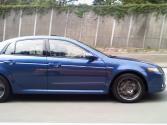
08 TL-S Kinetic Blue
Can someone list all the VERIZON phones that will actually work in a new 08 TL-S?

9th Gear
Quote:
this link should work.Originally Posted by joeybabyluvsu
Can someone list all the VERIZON phones that will actually work in a new 08 TL-S?
http://www.handsfreelink.com/findaph...onemodel=&va=1
Mofo
Quote:
Ok so the phonebook import feature won't work on my '05....has anyone gotten the voyager to work at all on their 05 TL. Handsfreelink.com says the 05, 06, 07, and 08 are all incompatible for the voyagerOriginally Posted by acura911
no it will not work in your 05 tl.it only works for the 07/08 tl. :
08 TL-S Kinetic Blue
Looks like the LG VX8350 is the best compatible phone to get since everything on it works....what do u guys think?

Instructor
Follow this link guys. --->http://support.vzw.com/how_to_use/bl...h_car_kit.html Has every phone Verizon currently has available and what features do and don't work with the HFL.
I've verified that the new chocolate 8550 does transfer the phone book. However, it was pretty wishy washy as far as the HFL. A lot of the times the phone would not correctly hand over calls to the HFL.
I picked up the VX10000 Voyager recently and the phonebook transfers as well - in fact it was able to use the one transfered over by the chocolate, which surprised me because I couldn't use the phonebook transfered by the chocolate when I paired my motorola K1m.
Anyway, no transfer issues with the HFL with the voyager, everything seems to work.
I've verified that the new chocolate 8550 does transfer the phone book. However, it was pretty wishy washy as far as the HFL. A lot of the times the phone would not correctly hand over calls to the HFL.
I picked up the VX10000 Voyager recently and the phonebook transfers as well - in fact it was able to use the one transfered over by the chocolate, which surprised me because I couldn't use the phonebook transfered by the chocolate when I paired my motorola K1m.
Anyway, no transfer issues with the HFL with the voyager, everything seems to work.
Acura Newbie
Quote:
Not sure the data at that link is too accurate. I've got the Samsung u740 and the Verizon PDF states that the battery meter and Signal Strenght indicators are supported, but all I get in the HFL is a antenna indicator. No strength, no battery. There is a disclaimer that says the data is provided by the handset manufacturer and not verified, so perhaps those features are supported by the phone itself, and Acura decided not to implement them.Originally Posted by jokerunm
Follow this link guys. --->http://support.vzw.com/how_to_use/bl...h_car_kit.html Has every phone Verizon currently has available and what features do and don't work with the HFL.
So far the best luck for me has been Motorola phones. Both my old e815 and my wife's V325i work great, but didn't have PB transfer either.
Instructor
Quote:
So far the best luck for me has been Motorola phones. Both my old e815 and my wife's V325i work great, but didn't have PB transfer either.
Don't know...guess it also depends on which vers. of TL HFL(hardware and software) Samung used to test. As far as the LG and the Motos, the info seems to be accurate.(Features wise)Originally Posted by blipszyc
Not sure the data at that link is too accurate. I've got the Samsung u740 and the Verizon PDF states that the battery meter and Signal Strenght indicators are supported, but all I get in the HFL is a antenna indicator. No strength, no battery. There is a disclaimer that says the data is provided by the handset manufacturer and not verified, so perhaps those features are supported by the phone itself, and Acura decided not to implement them.So far the best luck for me has been Motorola phones. Both my old e815 and my wife's V325i work great, but didn't have PB transfer either.

1st Gear
Has anyone had any success pairing an LG Voyager with an '06 TL? A friend of mine has an '05 TL and a rep from Verizon was able to pair the Voyager to her TL. I have tried several times to pair my Voyager to my '06 TL but have had no success... 
Instructor
Quote:
Did you turn off auto pair on the phone? I had to turn that off. Even though I put the phone in discovery mode, HFL would not find the phone...I would have to set the phone to discover devices and then they would link up. I had the same issues with the chocoloate...had to set the phone to look for devices while the HFL was looking.Originally Posted by Glitterta
Has anyone had any success pairing an LG Voyager with an '06 TL? A friend of mine has an '05 TL and a rep from Verizon was able to pair the Voyager to her TL. I have tried several times to pair my Voyager to my '06 TL but have had no success...
But with auto pair on...no go..


4th Gear
Quote:
Try installing Jetware. I couldn't get my Windows phone to work until I tried this. Works great.Originally Posted by Steven Bell
I have Verizon and the Palm Treo 700WX will NOT transfer the phonebook.