


CarPC installed into 3G TL with Navigation


Thread Starter
'06 NBP : 6MT : NAVI
Joined: Feb 2006
Posts: 167
Likes: 2
From: Pittsburgh, PA
Originally Posted by jarrd
hey man, nice job. I have a few questions.
you are using the internet from your verizon phone correct? how is the speed on it, and can it handle video feeds (ie. slingbox)?
the computer you have, i understand is a low-scale pc, but can it handle msn live? dvd burning? streaming video other the internet?
my goal with your project would be total media convergance. i have a pretty sweet setup at home that runs throughout the whole house via home network. i would like to access that network in my car! I can do it so long as the computer is powerful enough and the internet is fast enough.
you are using the internet from your verizon phone correct? how is the speed on it, and can it handle video feeds (ie. slingbox)?
the computer you have, i understand is a low-scale pc, but can it handle msn live? dvd burning? streaming video other the internet?
my goal with your project would be total media convergance. i have a pretty sweet setup at home that runs throughout the whole house via home network. i would like to access that network in my car! I can do it so long as the computer is powerful enough and the internet is fast enough.
Yes, I am using the internet thought my verizon Motorola Q on their EVDO data network. Download speeds reach approximately 50KB/s.
yes, it can handle video feeds although Verizon Terms of Service prohibit video streaming (most get away with it as long as you don't go over 5GB of bandwidth per month).
The PC can handle almost anything that a decent desktop is going to do with the exception of a few things like video editing and video game play (maybe depending on the game). MSN live and dvd burning are hardly heavy cpu-usage activities. This stuff is no problem.
Internet surfing and streaming video are no problem as long as you have a reliable connection.

10th Gear
Joined: Sep 2003
Posts: 14
Likes: 0
From: Gainesville,Fl
met,
I'm not real familiar with scan converters. i have a basic understanding of it from my readings, but doesn't it essentially do what these mainboards already do? convert vga to ntsc? these motherboards already have tv out.
since this would be an obvious observation, i sure could use your knowledge in this area. ive done some searching for a scan do 800 and there doesn't seem to be any available. scan do pro i can get, but im not sure exactly what connections i need. i was also reading on how to build my own vga to rgbs adapter (basically separating the red, green blue, h sync, and v sync and making it red, green, blue, and composite sync) but im not sure what else these scan converters may do. i would appreciate your input. thanks.
I'm not real familiar with scan converters. i have a basic understanding of it from my readings, but doesn't it essentially do what these mainboards already do? convert vga to ntsc? these motherboards already have tv out.
since this would be an obvious observation, i sure could use your knowledge in this area. ive done some searching for a scan do 800 and there doesn't seem to be any available. scan do pro i can get, but im not sure exactly what connections i need. i was also reading on how to build my own vga to rgbs adapter (basically separating the red, green blue, h sync, and v sync and making it red, green, blue, and composite sync) but im not sure what else these scan converters may do. i would appreciate your input. thanks.

Thread Starter
'06 NBP : 6MT : NAVI
Joined: Feb 2006
Posts: 167
Likes: 2
From: Pittsburgh, PA
Originally Posted by Jonesi
Soooo where are you at in Pittsburgh?
I work in Monroeville, so if you wanna meet up w/ me in either location, let me know.

Intermediate
Joined: Dec 2006
Posts: 28
Likes: 0
Originally Posted by met152
To summarize what I did here:
I installed a carpc (carputer) in my 06 TL with navigation. The stock screen was used to display the video, and the touchscreen was tapped into to provide touch coordinates to the PC via USB.
You can see my thread HERE about how I tapped into the touchscreen wires.
The PC is a 1.5 Ghz mini-itx form motherboard, 80GB laptop HD, 512 mb ram, cd-r/dvd-r burner, 802.11b wireless card. I also have internet via my verizon phone over DUN.
The PC is running a customized and slimmed down Windows XP Pro, using a Road Runner, and open source front end (the user interface).
The video is fed from the VGA video card into a Scan DO 800 scan converter. This unit outputs an RBG sync signal, which is the signal that our Acura LCD screen takes as an input.
A switch installed near the front cupholders switches the video and touchscreen inputs. They are operated by a set of 4 pole relays.
I think this is the absolute best way to install a carpc into the TL. It keeps all of the OEM equipment 100% functional. The resolution of our LCD isn't as high as a VGA monitor, but the quality is still GREAT. This was one of my biggest concerns at the beginning of the project, that the video quality would be sub-par. Fortunately I was wrong.
Please ask any questions you might have. I'll do my best to answer anything and explain what I have done done.
Enjoy!!
-Mike
I installed a carpc (carputer) in my 06 TL with navigation. The stock screen was used to display the video, and the touchscreen was tapped into to provide touch coordinates to the PC via USB.
You can see my thread HERE about how I tapped into the touchscreen wires.
The PC is a 1.5 Ghz mini-itx form motherboard, 80GB laptop HD, 512 mb ram, cd-r/dvd-r burner, 802.11b wireless card. I also have internet via my verizon phone over DUN.
The PC is running a customized and slimmed down Windows XP Pro, using a Road Runner, and open source front end (the user interface).
The video is fed from the VGA video card into a Scan DO 800 scan converter. This unit outputs an RBG sync signal, which is the signal that our Acura LCD screen takes as an input.
A switch installed near the front cupholders switches the video and touchscreen inputs. They are operated by a set of 4 pole relays.
I think this is the absolute best way to install a carpc into the TL. It keeps all of the OEM equipment 100% functional. The resolution of our LCD isn't as high as a VGA monitor, but the quality is still GREAT. This was one of my biggest concerns at the beginning of the project, that the video quality would be sub-par. Fortunately I was wrong.
Please ask any questions you might have. I'll do my best to answer anything and explain what I have done done.
Enjoy!!
-Mike
Thread Starter
'06 NBP : 6MT : NAVI
Joined: Feb 2006
Posts: 167
Likes: 2
From: Pittsburgh, PA
Originally Posted by stevenlb22
Where did you buy the car pc

9th Gear
Joined: May 2007
Posts: 9
Likes: 0
accord?
has anyone tried this with a 03 accord? i took mine apart to find it it was completely different  . If anyone has some technical info on this for a 03 accord or has seem something similar elsewhere could you please let me know. Thank you all. great post by the way.
. If anyone has some technical info on this for a 03 accord or has seem something similar elsewhere could you please let me know. Thank you all. great post by the way.

9th Gear
Joined: May 2007
Posts: 9
Likes: 0
pics
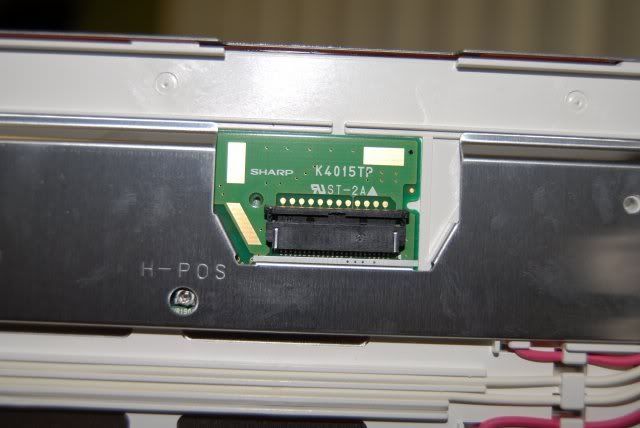
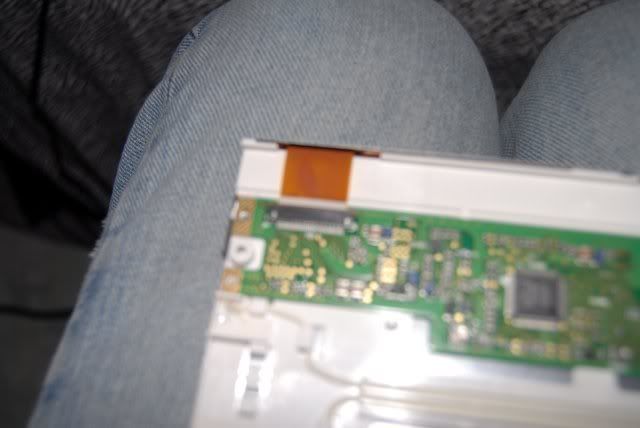
[IMG]C:\Documents and Settings\dtech\Desktop\New Folder\DSC_0055.JPG[/IMG]
[IMG]C:\Documents and Settings\dtech\Desktop\New Folder\DSC_0056.JPG[/IMG]
[IMG]C:\Documents and Settings\dtech\Desktop\New Folder\DSC_0057.JPG[/IMG]
[IMG]C:\Documents and Settings\dtech\Desktop\New Folder\DSC_0058.JPG[/IMG]
[IMG]C:\Documents and Settings\dtech\Desktop\New Folder\DSC_0059.JPG[/IMG] [IMG]C:\Documents and Settings\dtech\Desktop\New Folder\DSC_0060.JPG[/IMG]
[IMG]C:\Documents and Settings\dtech\Desktop\New Folder\DSC_0056.JPG[/IMG]
[IMG]C:\Documents and Settings\dtech\Desktop\New Folder\DSC_0057.JPG[/IMG]
[IMG]C:\Documents and Settings\dtech\Desktop\New Folder\DSC_0058.JPG[/IMG]
[IMG]C:\Documents and Settings\dtech\Desktop\New Folder\DSC_0059.JPG[/IMG] [IMG]C:\Documents and Settings\dtech\Desktop\New Folder\DSC_0060.JPG[/IMG]





Senior Moderator


Joined: Feb 2006
Posts: 21,416
Likes: 2,187
From: Space Coast, FL
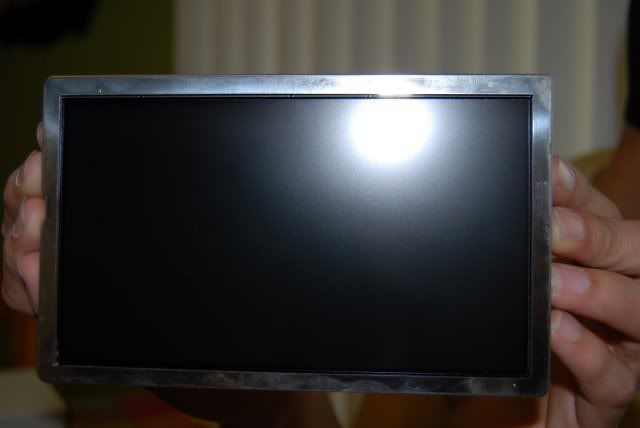
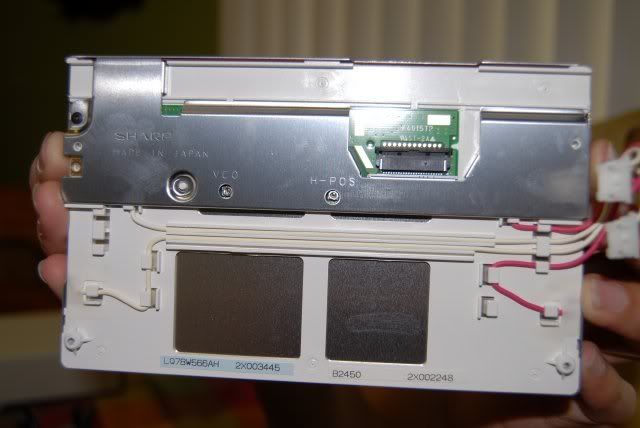
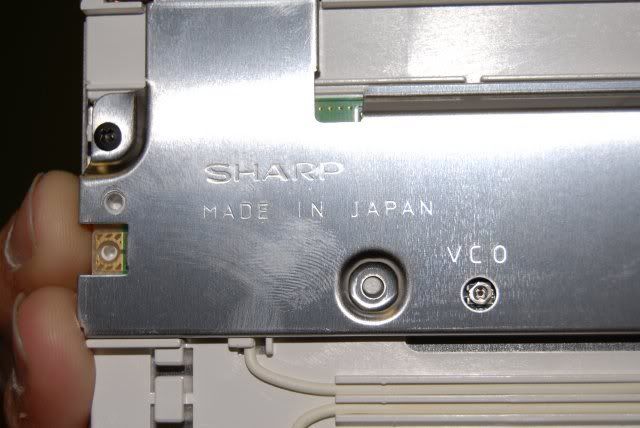
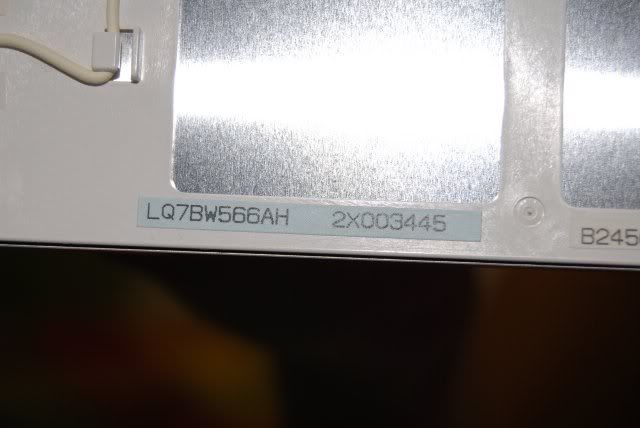
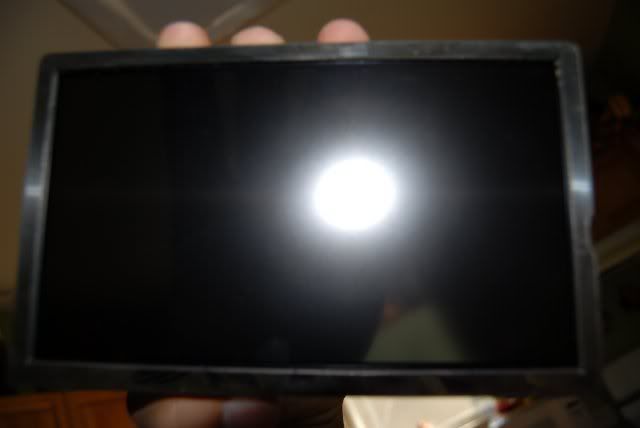
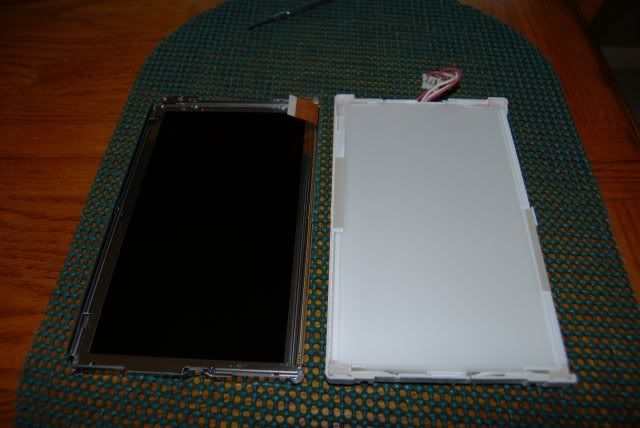
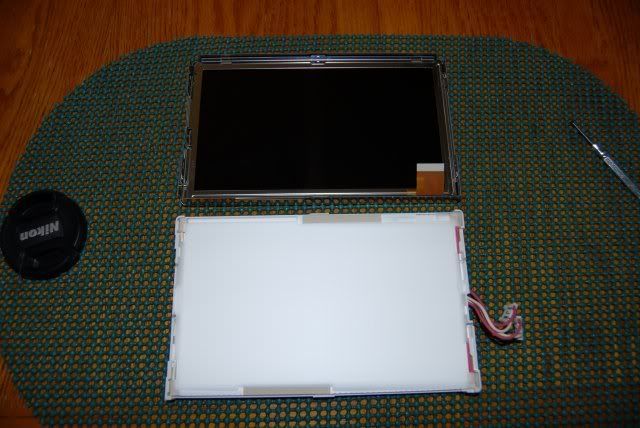
can you get some more of the plastic covering off? THere might be a touch panel hidden inside there, but if you are to scared t obreak it while taking it apart, we can try to work around it.



Senior Moderator
Joined: Feb 2006
Posts: 21,416
Likes: 2,187
From: Space Coast, FL
Originally Posted by elproducto
DO YOU GUYS THINK THIS IS POSSIBLE IN A 2G TL. I can take pictures if necessary.

6th Gear
Joined: Jul 2007
Posts: 6
Likes: 0
Hi, I am kinda new Posting in this forum but I've been following it for a few months. I just want to say Met152 has done a wonderful job, and thanks for sharing everything with us.
My question is ...
Has anyone had any luck finding schematics on the VGA --> RBGS using just powerstrip to twick frequencies?? This concept was origionally proposed by "moahdib" I think but I can't find any schematics or instructions on how to do it. Thankx for any response.
My question is ...
Has anyone had any luck finding schematics on the VGA --> RBGS using just powerstrip to twick frequencies?? This concept was origionally proposed by "moahdib" I think but I can't find any schematics or instructions on how to do it. Thankx for any response.

Instructor
Joined: Apr 2005
Posts: 194
Likes: 0
From: Atlanta
Originally Posted by biosys
Has anyone had any luck finding schematics on the VGA --> RBGS using just powerstrip to twick frequencies?
Keep in mind that until PowerStrip is running, the video from the pc will look scrambled. So the bios screen and windows splash screen are scrambled. In my setup, I have the relay hooked up to a delayed on source, so instead of seeing garbage while the PC boots, I see my custom splash screen from the NAVI. If you use a scan converter, you won't have this issue at all.
Senior Moderator
Joined: Feb 2006
Posts: 21,416
Likes: 2,187
From: Space Coast, FL
Seeing how this thread was revived, I will be selling my entire carputer setup soon. PM me for more info. BTW, I just hooked up the PC using the video RCA plug and dom's converter and it is very clear and good.

6th Gear
Joined: Jul 2007
Posts: 6
Likes: 0
Originally Posted by tejesh83
That's how I got mine hooked up. Just splice the RGBS wires for the navi in the trunk and add a relay to splice in the VGA connectors. You'll need a VGA card that supports csync. Most ATI cards will do. If you're not using the primary video port on that card, you may have to add some resistors as well to get the screen detected by the video card ( I had to to do this with my laptop setup)

Instructor
Joined: Apr 2005
Posts: 194
Likes: 0
From: Atlanta
Originally Posted by biosys
Can some one draw up some schematic or have physical pictures on how to do it?
In this thread you'll find the wire colors for the navi unit in the trunk:
https://acurazine.com/forums/showthr...ht=navi+wiring
On this page, you'll find the pin outs for a standard VGA connectors:
http://pinouts.ru/Video/VGA15_pinout.shtml
Hook the red, green, and blue signals together. Hook the CSYNC VGA pin to the sync pin on the navi connector. Hook the grounds together. Thats it. You can add a 4PDT relay to switch back and forth between carpc and navi sources.
As for the resistors, don't worry about it yet. If after you hook up all the wires, your carpc does not detect a monitor connected to VGA port, then put a ~75ohm resistor on each RGB pin and ground (3 resistors in total). This will force your VGA card into thinking a monitor is attached to the VGA port.
Here are some powerstrip timings to get you started. You'll have to tweak it a little yourself, since every screen and wiring is a little bit different.
http://www.prism.gatech.edu/~gtg726b/tlcarpc/pstrip.jpg

Advanced
Joined: Jun 2007
Posts: 52
Likes: 0
From: Augusta, GA
Originally Posted by met152
To summarize what I did here:
I installed a carpc (carputer) in my 06 TL with navigation. The stock screen was used to display the video, and the touchscreen was tapped into to provide touch coordinates to the PC via USB.
You can see my thread HERE about how I tapped into the touchscreen wires.
The PC is a 1.5 Ghz mini-itx form motherboard, 80GB laptop HD, 512 mb ram, cd-r/dvd-r burner, 802.11b wireless card. I also have internet via my verizon phone over DUN.
The PC is running a customized and slimmed down Windows XP Pro, using a Road Runner, and open source front end (the user interface).
The video is fed from the VGA video card into a Scan DO 800 scan converter. This unit outputs an RBG sync signal, which is the signal that our Acura LCD screen takes as an input.
A switch installed near the front cupholders switches the video and touchscreen inputs. They are operated by a set of 4 pole relays.
I think this is the absolute best way to install a carpc into the TL. It keeps all of the OEM equipment 100% functional. The resolution of our LCD isn't as high as a VGA monitor, but the quality is still GREAT. This was one of my biggest concerns at the beginning of the project, that the video quality would be sub-par. Fortunately I was wrong.
Please ask any questions you might have. I'll do my best to answer anything and explain what I have done done.
Enjoy!!
-Mike
I installed a carpc (carputer) in my 06 TL with navigation. The stock screen was used to display the video, and the touchscreen was tapped into to provide touch coordinates to the PC via USB.
You can see my thread HERE about how I tapped into the touchscreen wires.
The PC is a 1.5 Ghz mini-itx form motherboard, 80GB laptop HD, 512 mb ram, cd-r/dvd-r burner, 802.11b wireless card. I also have internet via my verizon phone over DUN.
The PC is running a customized and slimmed down Windows XP Pro, using a Road Runner, and open source front end (the user interface).
The video is fed from the VGA video card into a Scan DO 800 scan converter. This unit outputs an RBG sync signal, which is the signal that our Acura LCD screen takes as an input.
A switch installed near the front cupholders switches the video and touchscreen inputs. They are operated by a set of 4 pole relays.
I think this is the absolute best way to install a carpc into the TL. It keeps all of the OEM equipment 100% functional. The resolution of our LCD isn't as high as a VGA monitor, but the quality is still GREAT. This was one of my biggest concerns at the beginning of the project, that the video quality would be sub-par. Fortunately I was wrong.
Please ask any questions you might have. I'll do my best to answer anything and explain what I have done done.
Enjoy!!
-Mike
great job. i am sick of my oem gps due to errors, etc. i would like to put a similar installation in my 05 TL. do you have a parts list or how-to guide? i am sure other members have emailed you about it.
for some reason i still cannot pm users, can you email me at hsetty@triad.rr.com ? THanks, I REALLY need to figure out an upgrade!!!
HS
I do my own work.
Joined: Jul 2004
Posts: 1,488
Likes: 0
From: ATL
Originally Posted by hsetty
met152,
great job. i am sick of my oem gps due to errors, etc. i would like to put a similar installation in my 05 TL. do you have a parts list or how-to guide? i am sure other members have emailed you about it.
for some reason i still cannot pm users, can you email me at hsetty@triad.rr.com ? THanks, I REALLY need to figure out an upgrade!!!
HS
great job. i am sick of my oem gps due to errors, etc. i would like to put a similar installation in my 05 TL. do you have a parts list or how-to guide? i am sure other members have emailed you about it.
for some reason i still cannot pm users, can you email me at hsetty@triad.rr.com ? THanks, I REALLY need to figure out an upgrade!!!
HS
HS, I believe you have to have 3-5 posts before you have the privilege to PM on the forum. You have 3 posts, now, so give it a shot.
-ITL

Intermediate
Joined: Sep 2006
Posts: 43
Likes: 0
Hey, I'm in the process of installing this project in my TL. I've been working on it on and off going on 3 weeks now. I'd really love to finalize this project already.
I've stumbled upon the touchscreen integration part of the project. I ordered all the parts Met mentioned needed to splice the signal. I have created a diagram of how I intend to wire this part together. I would like people to look it over and review and /or make suggestions/corrections if needed. This part of the setup, I am most uncertain about. Here's the diagram and thanks in advance for everything:

Link: http://yprimakov.googlepages.com/Tou...en-circuit.jpg
I've stumbled upon the touchscreen integration part of the project. I ordered all the parts Met mentioned needed to splice the signal. I have created a diagram of how I intend to wire this part together. I would like people to look it over and review and /or make suggestions/corrections if needed. This part of the setup, I am most uncertain about. Here's the diagram and thanks in advance for everything:
Link: http://yprimakov.googlepages.com/Tou...en-circuit.jpg
Instructor
Joined: Apr 2005
Posts: 194
Likes: 0
From: Atlanta
Originally Posted by GIVER
I would like people to look it over and review and /or make suggestions/corrections if needed.
If you didn't buy a 4 pin cable and got the 6 like met did, be careful when you trim the cable. Leave a little plastic on each side so that the cable fits snugly in the center of the FFC connectors. I trimmed a little too much and it made it a little harder to ensure a good connection and get it all working. Otherwise, the mod is very straightforward.
Intermediate
Joined: Sep 2006
Posts: 43
Likes: 0
Originally Posted by tejesh83
The diagram looks fine. That's how mine is hooked up.
If you didn't buy a 4 pin cable and got the 6 like met did, be careful when you trim the cable. Leave a little plastic on each side so that the cable fits snugly in the center of the FFC connectors. I trimmed a little too much and it made it a little harder to ensure a good connection and get it all working. Otherwise, the mod is very straightforward.
If you didn't buy a 4 pin cable and got the 6 like met did, be careful when you trim the cable. Leave a little plastic on each side so that the cable fits snugly in the center of the FFC connectors. I trimmed a little too much and it made it a little harder to ensure a good connection and get it all working. Otherwise, the mod is very straightforward.
Instructor
Joined: Apr 2005
Posts: 194
Likes: 0
From: Atlanta
Exactly, alignment of the pins is the issue I had. If you trim it right, it shouldn't be a problem. I took a little too much off, so when pushing it into the connector, I had to be careful to make sure the pins were aligned since there was too much play. Once I got it working correctly, I just put some tape over the cable to secure it in place. Glue should work too, but I recommend hot glue or something easy to peel off in case you ever have to open it back up.
Intermediate
Joined: Sep 2006
Posts: 43
Likes: 0
Hey guys, I've been working on this project on and off for a little while now and I've ran into a ton of obstacles on the way and still have some that need to be overcome. I felt like sharing an update with you.
The PC was successfully installed into the car and works 95% as it should.
I was unsuccessful at getting the touchscreen part to work properly. At first, I could not even get any signal from the touchscreen to the motherboard (or at least nothing was happening). So I took it out and started to double check all my wiring and it was all good. My goal at this point was to get the stock touchscreen unit working through my relay module. This was unsuccessful and I couldn't figure out why because when disconnected and checked a second time, the wires all worked as they should. So, next I tried to look it up to a laptop and see what I get through the USB touchscreen module and that's when I started getting some progress. The unit was responding to touches on the TL Navi screen when wired through the relay, however, the coordinates were all off and I tried calibrating it numerous times. When pressing anywhere on the screen, it would send my mouse cursor to the lower right or lower left part of the screen. I assumed that the X and Y signals it was transmitting were not wired correctly or reversed. So after tinkering and trying various combinations, I think I might have managed to short the USB touchscreen module by accidently connecting negative to positive and positive to negative. After that, the unit stopped responding. At that point, I was so frustrated and it was late that I just said 'f*ck it' and gave up. I'd really like to get this working eventually, but I could really use some help.
There are 2 more issues that I'm looking to correct/improve:
1) The PC being displayed on the Navi LCD, has a constant flicker, as if lots of lines are moving rapid up and down the screen. I can work with it, but it's very annoying and doesn't look very professional. My initial guess is that the PC is outputting video at a signal that it not supported by the Navi display. I am planning on trying to correct this using PowerStrip or some other software. Would anyone happen to know some settings or refresh rates I should try. I couldn't find any information on the TL Navi stock display except what Met provided.
2) The sound quality sucks. It sounds like really bad FM radio. The reason for that is because I used a hard wired FM modulator to transmit the audio signal. It has a constant static noise while driving. If I turn up the music load enough, it's not that bad but even the quality of the sound does not sound that good. I considering switching to something like a blitzsafe unit, except I'm worried that the noise could be coming from the PC itself. If I test it with regular headphones by plugging them directly into the PC, would that be a valid test to see if the PC itself is generating the noise? I thought at first it might have been the inverter because it is close by, but the noise is still there when I turn the invert off. Just out of curiosity, how is everyone wiring their audio from the PC to the TL radio (please provide as much detail as possible)?
These are the main issues I'm dealing with right now. I have to wait til the weekend to start tinkering with it again, I figured I'd rather some input while I'm at it. Any input is appreciated and thanks in advance.
The PC was successfully installed into the car and works 95% as it should.
I was unsuccessful at getting the touchscreen part to work properly. At first, I could not even get any signal from the touchscreen to the motherboard (or at least nothing was happening). So I took it out and started to double check all my wiring and it was all good. My goal at this point was to get the stock touchscreen unit working through my relay module. This was unsuccessful and I couldn't figure out why because when disconnected and checked a second time, the wires all worked as they should. So, next I tried to look it up to a laptop and see what I get through the USB touchscreen module and that's when I started getting some progress. The unit was responding to touches on the TL Navi screen when wired through the relay, however, the coordinates were all off and I tried calibrating it numerous times. When pressing anywhere on the screen, it would send my mouse cursor to the lower right or lower left part of the screen. I assumed that the X and Y signals it was transmitting were not wired correctly or reversed. So after tinkering and trying various combinations, I think I might have managed to short the USB touchscreen module by accidently connecting negative to positive and positive to negative. After that, the unit stopped responding. At that point, I was so frustrated and it was late that I just said 'f*ck it' and gave up. I'd really like to get this working eventually, but I could really use some help.
There are 2 more issues that I'm looking to correct/improve:
1) The PC being displayed on the Navi LCD, has a constant flicker, as if lots of lines are moving rapid up and down the screen. I can work with it, but it's very annoying and doesn't look very professional. My initial guess is that the PC is outputting video at a signal that it not supported by the Navi display. I am planning on trying to correct this using PowerStrip or some other software. Would anyone happen to know some settings or refresh rates I should try. I couldn't find any information on the TL Navi stock display except what Met provided.
2) The sound quality sucks. It sounds like really bad FM radio. The reason for that is because I used a hard wired FM modulator to transmit the audio signal. It has a constant static noise while driving. If I turn up the music load enough, it's not that bad but even the quality of the sound does not sound that good. I considering switching to something like a blitzsafe unit, except I'm worried that the noise could be coming from the PC itself. If I test it with regular headphones by plugging them directly into the PC, would that be a valid test to see if the PC itself is generating the noise? I thought at first it might have been the inverter because it is close by, but the noise is still there when I turn the invert off. Just out of curiosity, how is everyone wiring their audio from the PC to the TL radio (please provide as much detail as possible)?
These are the main issues I'm dealing with right now. I have to wait til the weekend to start tinkering with it again, I figured I'd rather some input while I'm at it. Any input is appreciated and thanks in advance.
Senior Moderator
Joined: Feb 2006
Posts: 21,416
Likes: 2,187
From: Space Coast, FL
Originally Posted by GIVER
Hey guys, I've been working on this project on and off for a little while now and I've ran into a ton of obstacles on the way and still have some that need to be overcome. I felt like sharing an update with you.
The PC was successfully installed into the car and works 95% as it should.
I was unsuccessful at getting the touchscreen part to work properly. At first, I could not even get any signal from the touchscreen to the motherboard (or at least nothing was happening). So I took it out and started to double check all my wiring and it was all good. My goal at this point was to get the stock touchscreen unit working through my relay module. This was unsuccessful and I couldn't figure out why because when disconnected and checked a second time, the wires all worked as they should. So, next I tried to look it up to a laptop and see what I get through the USB touchscreen module and that's when I started getting some progress. The unit was responding to touches on the TL Navi screen when wired through the relay, however, the coordinates were all off and I tried calibrating it numerous times. When pressing anywhere on the screen, it would send my mouse cursor to the lower right or lower left part of the screen. I assumed that the X and Y signals it was transmitting were not wired correctly or reversed. So after tinkering and trying various combinations, I think I might have managed to short the USB touchscreen module by accidently connecting negative to positive and positive to negative. After that, the unit stopped responding. At that point, I was so frustrated and it was late that I just said 'f*ck it' and gave up. I'd really like to get this working eventually, but I could really use some help.
There are 2 more issues that I'm looking to correct/improve:
1) The PC being displayed on the Navi LCD, has a constant flicker, as if lots of lines are moving rapid up and down the screen. I can work with it, but it's very annoying and doesn't look very professional. My initial guess is that the PC is outputting video at a signal that it not supported by the Navi display. I am planning on trying to correct this using PowerStrip or some other software. Would anyone happen to know some settings or refresh rates I should try. I couldn't find any information on the TL Navi stock display except what Met provided.
2) The sound quality sucks. It sounds like really bad FM radio. The reason for that is because I used a hard wired FM modulator to transmit the audio signal. It has a constant static noise while driving. If I turn up the music load enough, it's not that bad but even the quality of the sound does not sound that good. I considering switching to something like a blitzsafe unit, except I'm worried that the noise could be coming from the PC itself. If I test it with regular headphones by plugging them directly into the PC, would that be a valid test to see if the PC itself is generating the noise? I thought at first it might have been the inverter because it is close by, but the noise is still there when I turn the invert off. Just out of curiosity, how is everyone wiring their audio from the PC to the TL radio (please provide as much detail as possible)?
These are the main issues I'm dealing with right now. I have to wait til the weekend to start tinkering with it again, I figured I'd rather some input while I'm at it. Any input is appreciated and thanks in advance.
The PC was successfully installed into the car and works 95% as it should.
I was unsuccessful at getting the touchscreen part to work properly. At first, I could not even get any signal from the touchscreen to the motherboard (or at least nothing was happening). So I took it out and started to double check all my wiring and it was all good. My goal at this point was to get the stock touchscreen unit working through my relay module. This was unsuccessful and I couldn't figure out why because when disconnected and checked a second time, the wires all worked as they should. So, next I tried to look it up to a laptop and see what I get through the USB touchscreen module and that's when I started getting some progress. The unit was responding to touches on the TL Navi screen when wired through the relay, however, the coordinates were all off and I tried calibrating it numerous times. When pressing anywhere on the screen, it would send my mouse cursor to the lower right or lower left part of the screen. I assumed that the X and Y signals it was transmitting were not wired correctly or reversed. So after tinkering and trying various combinations, I think I might have managed to short the USB touchscreen module by accidently connecting negative to positive and positive to negative. After that, the unit stopped responding. At that point, I was so frustrated and it was late that I just said 'f*ck it' and gave up. I'd really like to get this working eventually, but I could really use some help.
There are 2 more issues that I'm looking to correct/improve:
1) The PC being displayed on the Navi LCD, has a constant flicker, as if lots of lines are moving rapid up and down the screen. I can work with it, but it's very annoying and doesn't look very professional. My initial guess is that the PC is outputting video at a signal that it not supported by the Navi display. I am planning on trying to correct this using PowerStrip or some other software. Would anyone happen to know some settings or refresh rates I should try. I couldn't find any information on the TL Navi stock display except what Met provided.
2) The sound quality sucks. It sounds like really bad FM radio. The reason for that is because I used a hard wired FM modulator to transmit the audio signal. It has a constant static noise while driving. If I turn up the music load enough, it's not that bad but even the quality of the sound does not sound that good. I considering switching to something like a blitzsafe unit, except I'm worried that the noise could be coming from the PC itself. If I test it with regular headphones by plugging them directly into the PC, would that be a valid test to see if the PC itself is generating the noise? I thought at first it might have been the inverter because it is close by, but the noise is still there when I turn the invert off. Just out of curiosity, how is everyone wiring their audio from the PC to the TL radio (please provide as much detail as possible)?
These are the main issues I'm dealing with right now. I have to wait til the weekend to start tinkering with it again, I figured I'd rather some input while I'm at it. Any input is appreciated and thanks in advance.
The screen flickering is because the LCD is refreshing. If you take an old tube TV and place a video camera infront of it, you can see the black refresh lines in the camera. THis is due to the way the camera records. Same concept as for the stock LCD screen, it refreshes at 15 hertz rather than the normal 60.
SOund quality will always suck thru an FM unit, get yourself a USA _SPEC unit and call it a day, it works flawlessly for this application. I have the headphone jack connected to a RCA cable into the aux port of the USA SPEC, just to avoid interference, i wraped a bunch of electrical tape on the connection so it was secure and none of the metal could get an external signal.
BTW, I am selling the setup so if you guys need a spare PC or parts, PM me, i have a bunch of FFC cables and connectors and about 20 relays sitting in my closet for now.
I do my own work.
Joined: Jul 2004
Posts: 1,488
Likes: 0
From: ATL
GIVER,
Good luck with your pc.
FM modulators are horrible, worse SQ than a tape deck even. That's the worst thing you could have done for the audio piece. Like csmeance said, get yourself a USA SPEC or PIE adapter and do it the right way. At the very least, get a cassette adapter, they're better than the modulator.
Good luck with your pc.
FM modulators are horrible, worse SQ than a tape deck even. That's the worst thing you could have done for the audio piece. Like csmeance said, get yourself a USA SPEC or PIE adapter and do it the right way. At the very least, get a cassette adapter, they're better than the modulator.
Intermediate
Joined: Sep 2006
Posts: 43
Likes: 0
Originally Posted by csmeance
YOU DID NOT FRY THE UNIT!!! after any of the wires are disconnected, the unit ahs to be unpluged, the PC restarted and it will work. I though i fried the unit and restarted the PC and it worked. As for getting no signal, make sure all the wiring his hooked up firmly, especially the FFC conector cables. Lastly, make sure you use the alignment screen to get it right as it can really mess you up if you do not.
The screen flickering is because the LCD is refreshing. If you take an old tube TV and place a video camera infront of it, you can see the black refresh lines in the camera. THis is due to the way the camera records. Same concept as for the stock LCD screen, it refreshes at 15 hertz rather than the normal 60.
SOund quality will always suck thru an FM unit, get yourself a USA _SPEC unit and call it a day, it works flawlessly for this application. I have the headphone jack connected to a RCA cable into the aux port of the USA SPEC, just to avoid interference, i wraped a bunch of electrical tape on the connection so it was secure and none of the metal could get an external signal.
BTW, I am selling the setup so if you guys need a spare PC or parts, PM me, i have a bunch of FFC cables and connectors and about 20 relays sitting in my closet for now.
The screen flickering is because the LCD is refreshing. If you take an old tube TV and place a video camera infront of it, you can see the black refresh lines in the camera. THis is due to the way the camera records. Same concept as for the stock LCD screen, it refreshes at 15 hertz rather than the normal 60.
SOund quality will always suck thru an FM unit, get yourself a USA _SPEC unit and call it a day, it works flawlessly for this application. I have the headphone jack connected to a RCA cable into the aux port of the USA SPEC, just to avoid interference, i wraped a bunch of electrical tape on the connection so it was secure and none of the metal could get an external signal.
BTW, I am selling the setup so if you guys need a spare PC or parts, PM me, i have a bunch of FFC cables and connectors and about 20 relays sitting in my closet for now.
The video flicker is what I expected, due to the refresh rate. I can't adjust it lower than 60Hz in the standard windows display settings. I am going to try using PowerStrip (haven't used it before) to lower the refresh rate, do you have any other/better suggestions?
I'll be ordering the USA SPEC soon. Where is the best place (money-wise) to get it?
Btw, why are you getting rid of your setup?
Intermediate
Joined: Sep 2006
Posts: 43
Likes: 0
Originally Posted by ITL
GIVER,
Good luck with your pc.
FM modulators are horrible, worse SQ than a tape deck even. That's the worst thing you could have done for the audio piece. Like csmeance said, get yourself a USA SPEC or PIE adapter and do it the right way. At the very least, get a cassette adapter, they're better than the modulator.
Good luck with your pc.
FM modulators are horrible, worse SQ than a tape deck even. That's the worst thing you could have done for the audio piece. Like csmeance said, get yourself a USA SPEC or PIE adapter and do it the right way. At the very least, get a cassette adapter, they're better than the modulator.
Senior Moderator
Joined: Feb 2006
Posts: 21,416
Likes: 2,187
From: Space Coast, FL
Originally Posted by GIVER
Thanks for the info. I will try the touchscreen module part again eventually. What ever happened to that plug and play module you said you were working on? One of those would be real nice right about now given my situation.
The video flicker is what I expected, due to the refresh rate. I can't adjust it lower than 60Hz in the standard windows display settings. I am going to try using PowerStrip (haven't used it before) to lower the refresh rate, do you have any other/better suggestions?
I'll be ordering the USA SPEC soon. Where is the best place (money-wise) to get it?
Btw, why are you getting rid of your setup?
The video flicker is what I expected, due to the refresh rate. I can't adjust it lower than 60Hz in the standard windows display settings. I am going to try using PowerStrip (haven't used it before) to lower the refresh rate, do you have any other/better suggestions?
I'll be ordering the USA SPEC soon. Where is the best place (money-wise) to get it?
Btw, why are you getting rid of your setup?
Instructor
Joined: Apr 2005
Posts: 194
Likes: 0
From: Atlanta
Giver, try using an extension cord from your garage to power your carpc. Does the noise in the screen or audio go away? It might be a bad/noisy inverter. Grounding may help, or you could step up to a DC-DC PSU like an Opus 150. Its a common topic on mp3car forums, do a search there.
I initially had some noise/flicker issues with the screen, but I redid the wiring and soldered and heatshrunk all the connections to take care of it. My setup does not use a scan converter, and it looks great. If you need it, my powerstrip settings are posted on the previous page. See the linked screenshot.
I initially had some noise/flicker issues with the screen, but I redid the wiring and soldered and heatshrunk all the connections to take care of it. My setup does not use a scan converter, and it looks great. If you need it, my powerstrip settings are posted on the previous page. See the linked screenshot.
Intermediate
Joined: Sep 2006
Posts: 43
Likes: 0
Originally Posted by tejesh83
Giver, try using an extension cord from your garage to power your carpc. Does the noise in the screen or audio go away? It might be a bad/noisy inverter. Grounding may help, or you could step up to a DC-DC PSU like an Opus 150. Its a common topic on mp3car forums, do a search there.
I initially had some noise/flicker issues with the screen, but I redid the wiring and soldered and heatshrunk all the connections to take care of it. My setup does not use a scan converter, and it looks great. If you need it, my powerstrip settings are posted on the previous page. See the linked screenshot.
I initially had some noise/flicker issues with the screen, but I redid the wiring and soldered and heatshrunk all the connections to take care of it. My setup does not use a scan converter, and it looks great. If you need it, my powerstrip settings are posted on the previous page. See the linked screenshot.
 ).
).I ordered the USA Spec PA11-HON2y today, so that should take care of my sound issues. Thanks guys.

6th Gear
Joined: Aug 2007
Posts: 6
Likes: 0
Hi Guys,
I am newbie, at this can anyone help me.
GOAL :- to install the pc... would love to have the tocuhscreen but can live without it if i have to use a IR Mouse. less pain to do.
How does the PC turn on and turn by itself ?
I really like the GUI doesn anyone have it....
Thanks in Advance,
Yogi
I am newbie, at this can anyone help me.
GOAL :- to install the pc... would love to have the tocuhscreen but can live without it if i have to use a IR Mouse. less pain to do.
How does the PC turn on and turn by itself ?
I really like the GUI doesn anyone have it....
Thanks in Advance,
Yogi
Senior Moderator
Joined: Feb 2006
Posts: 21,416
Likes: 2,187
From: Space Coast, FL
tl yogi, it is very simple. There is a special power supply that has a constant power, a triggered power (ignition of car) and a ground. When the car starts, the power supply sends a new power signal and send the signal to the PC to turn on. When the ignition shuts off, then the power supply senses this and sends the command to shut down. If you need a PC prebuilt with windows XP, PM me as I have my setup for sale along with help if you need it. The GUI is called Road Runner. You can find the entire stuff for it ( its all free) at the mp3carfourms.