BT45-HON3 bluetooth streaming (quick install)


Thread Starter
Cruisin'
Joined: Aug 2016
Posts: 23
Likes: 5
From: Bakersfield, Ca
BT45-HON3 bluetooth streaming (quick install)
This is just a very quick and easy way to install your HON3 unit. I chose to install it in the trunk to my XM Tuner unit. I have a 2006 TL w/ Navi. I learned that if you have a 2007 or 2008 TL then you need the BT45-ACU not the BT45-HON3 (double check that info). The unit comes with clear instructions with how to install but this is just a quick and I repeat QUICK write up DIY whatever you wanna call it, with photos. The operation/set up is easy to do.
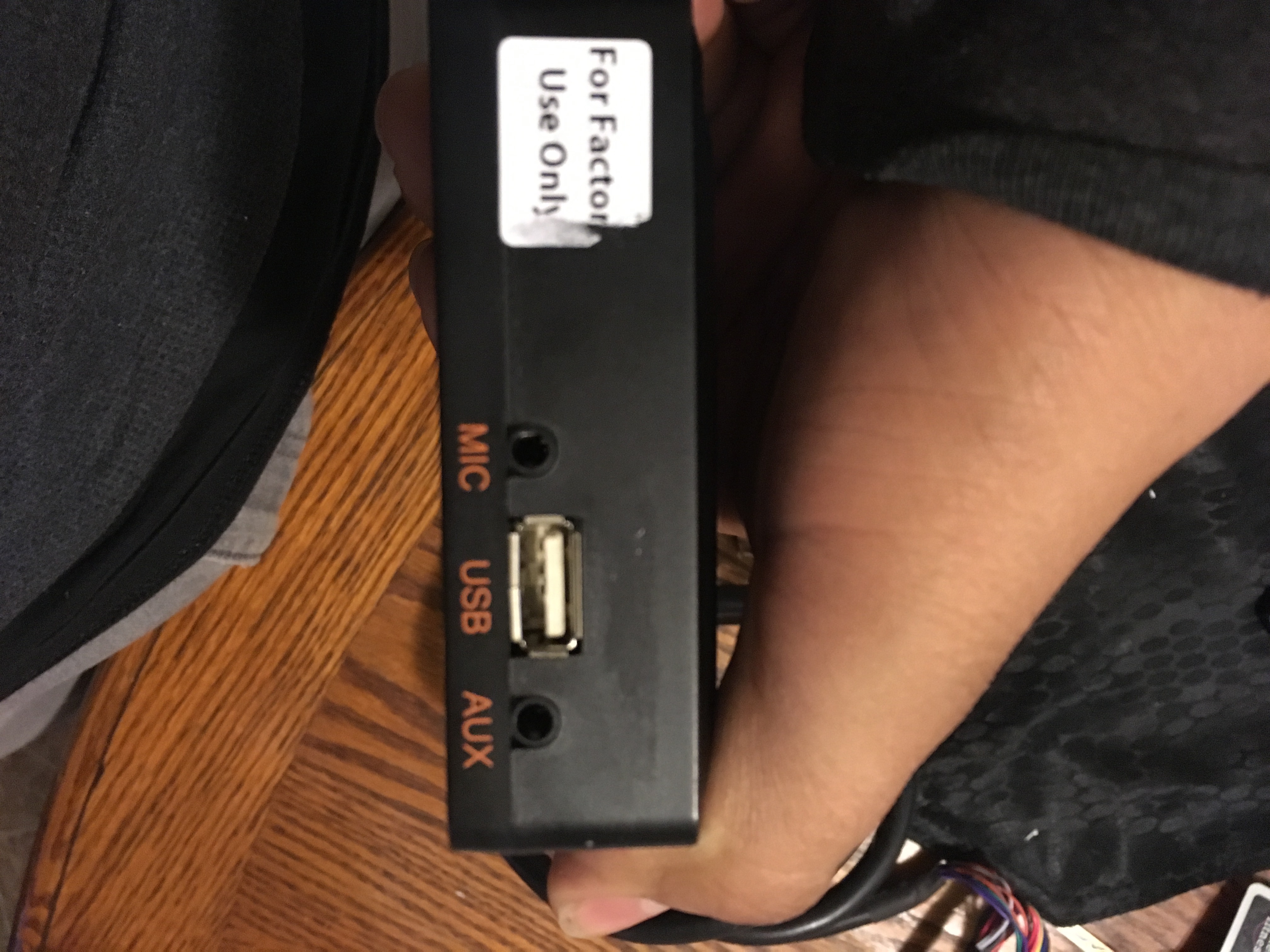
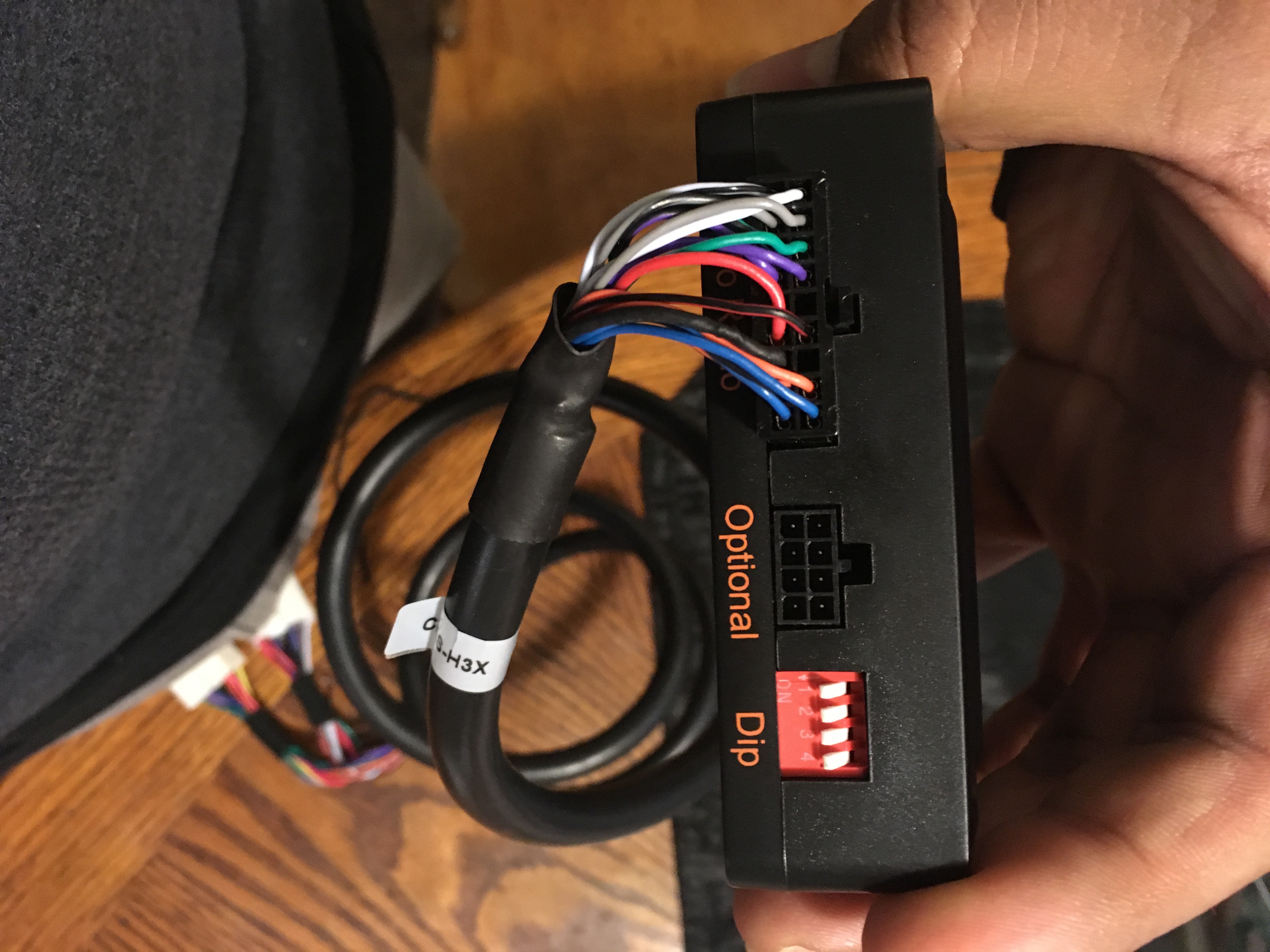
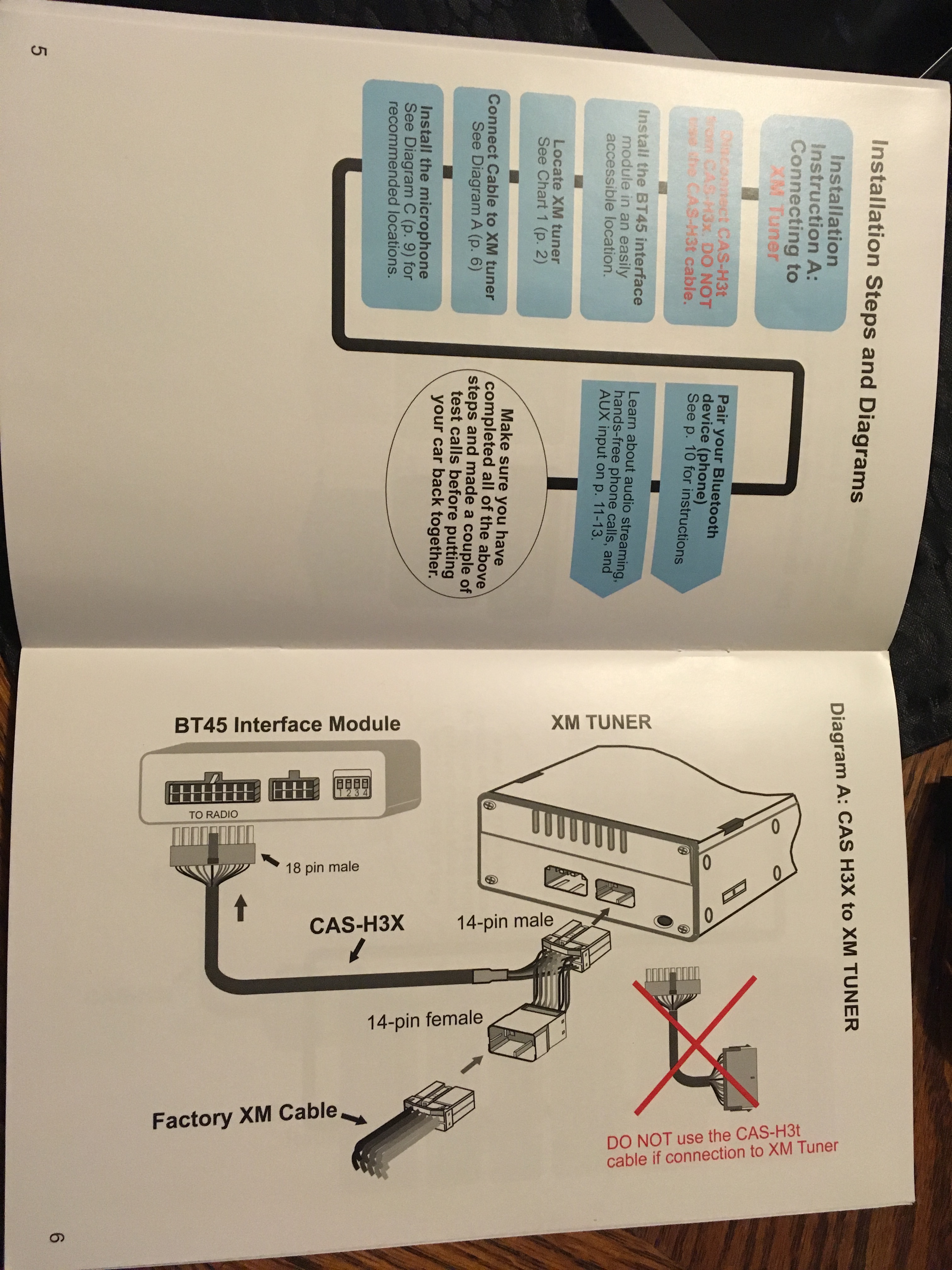
Here are some photos of the BT45-HON3 Unit to familiarize yourself with 2pages of instructions
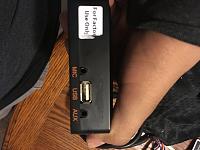
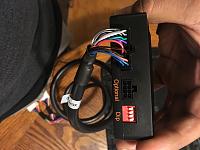
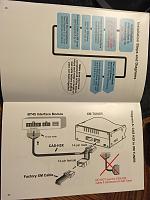
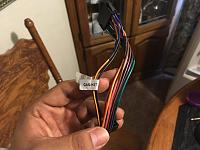
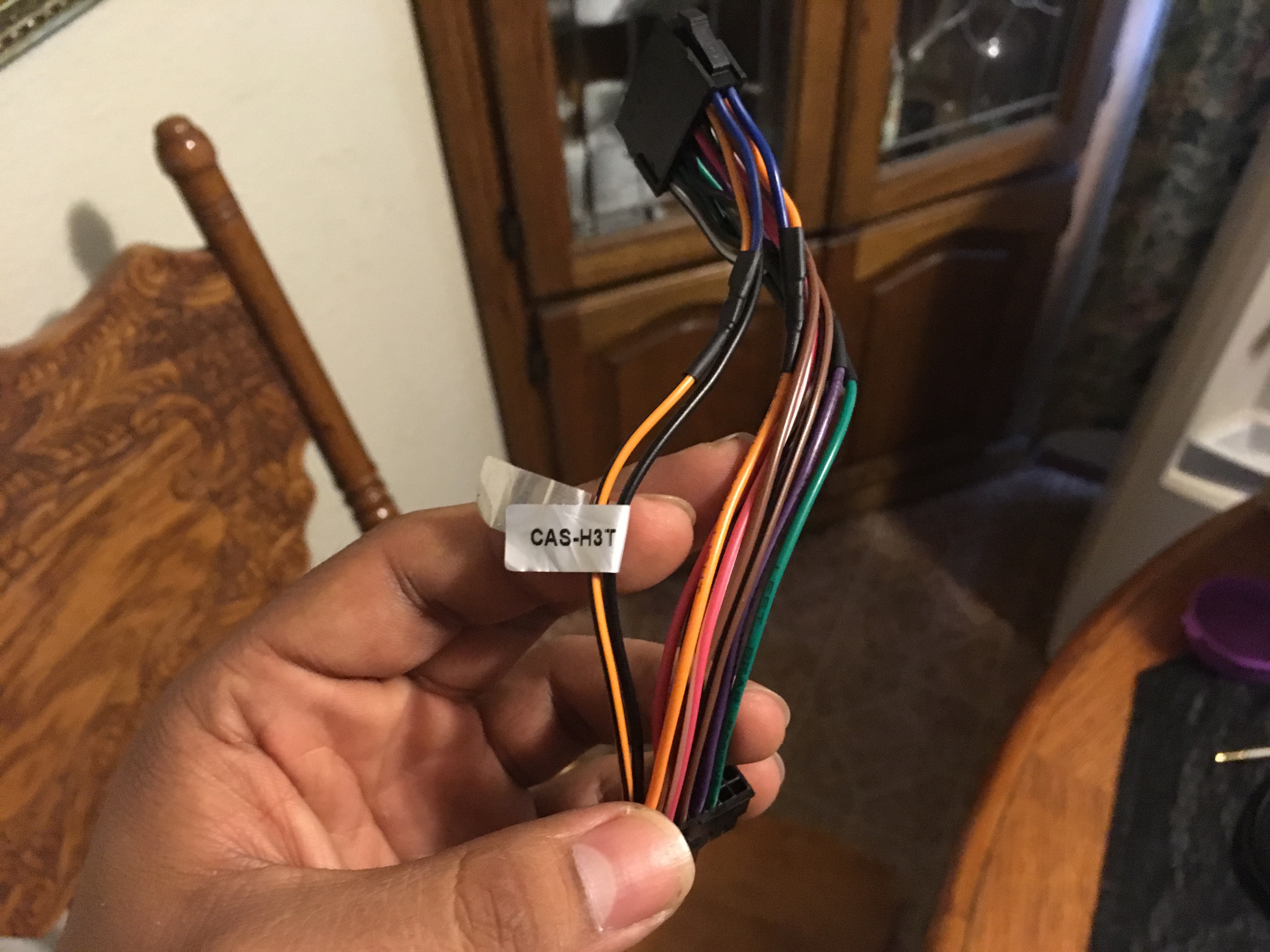
If you are installing this unit in the trunk then you do not need this cable it's already connect to the harness just remove it. You only need it if you're going to install it to the back of the radio. it should be labelled as "CAS-H3t"
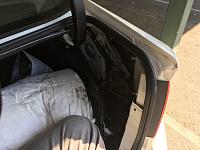
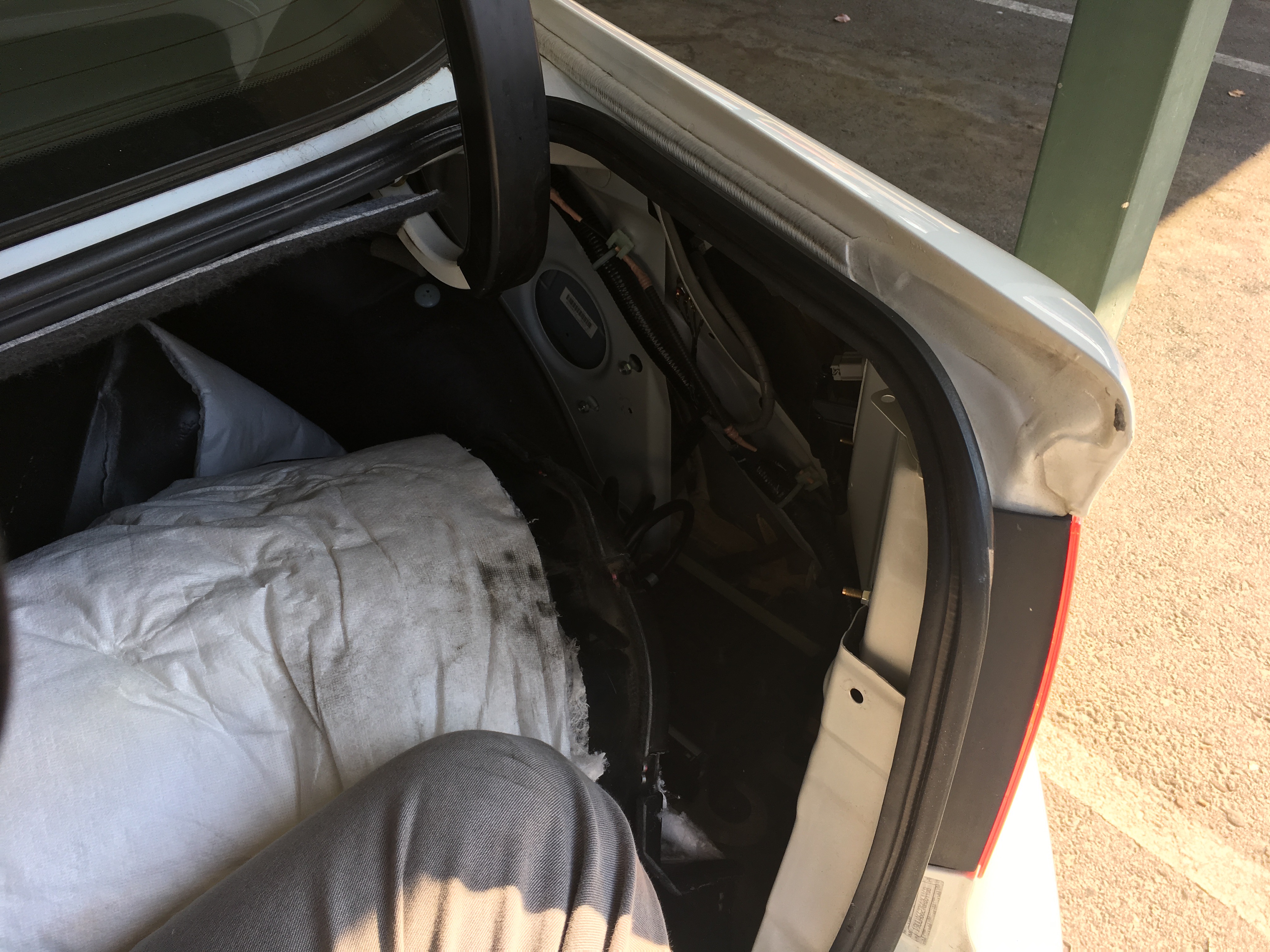
Here is the photo of where the XM Tuner unit is located in the trunk of you 2006 Acura TL with Navi with the carpet and everything else removed. Removing the carpet is very simple and quick.
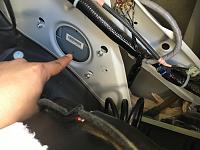
Now just reach your hand in and unplug the factory harness from the unit.
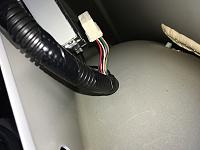
Next connect the original XM tuner harness into the 14-pin female adapter of the BT45-HON3 unit as shown
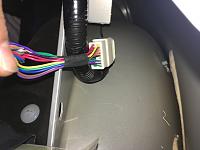
Then Plug in the 14-pin Male connecter of the BT45-HON3 into the XM Tuner. The connection is the exact same size as the original connection to the XM tuner. Since you can't see what you're doing you need to just feel it out but it should go right on in. When you finish plugging in the unit the instruction manual tells you how to set your dip switches (the dip switches are shown in the 2nd photo of this write up) which should be 1&3 ON and 2&4 OFF
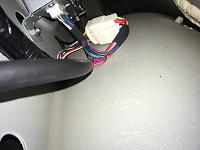
and WALLLLAAAAHHHHHH! All you need to do now is just mount the BT45-HON3 Unit some where in the trunk where it won't be damaged. The unit comes with a microphone that you need to run all the way from the unit to the front of the car in order to use the Hands-free calling on the unit. Call audio comes in from the unit to your car speakers but your voice will not be heard unless you plug in the microphone. You can also connect the auxiliary cable and run it from the back of the car to the front of the car which is what I'm in the process of doing, soon.. lol Then just put your carpet back into place and you're done. When plugging in the unit to the XM tuner to make your life easier you can unscrew the XM unit but thats completely up to you! I chose not to!
Here are some photos of the BT45-HON3 Unit to familiarize yourself with 2pages of instructions
If you are installing this unit in the trunk then you do not need this cable it's already connect to the harness just remove it. You only need it if you're going to install it to the back of the radio. it should be labelled as "CAS-H3t"
Here is the photo of where the XM Tuner unit is located in the trunk of you 2006 Acura TL with Navi with the carpet and everything else removed. Removing the carpet is very simple and quick.
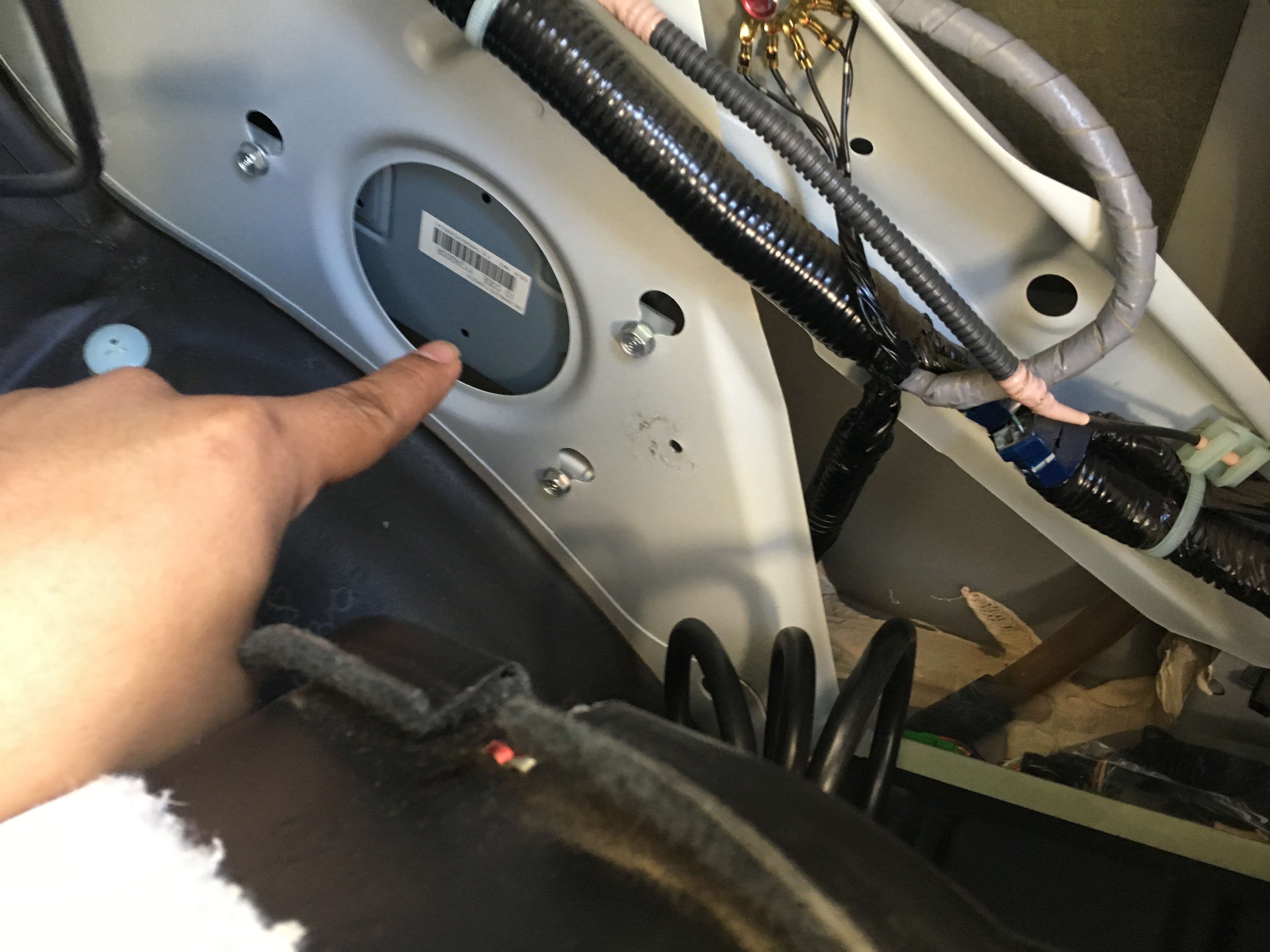
Now just reach your hand in and unplug the factory harness from the unit.
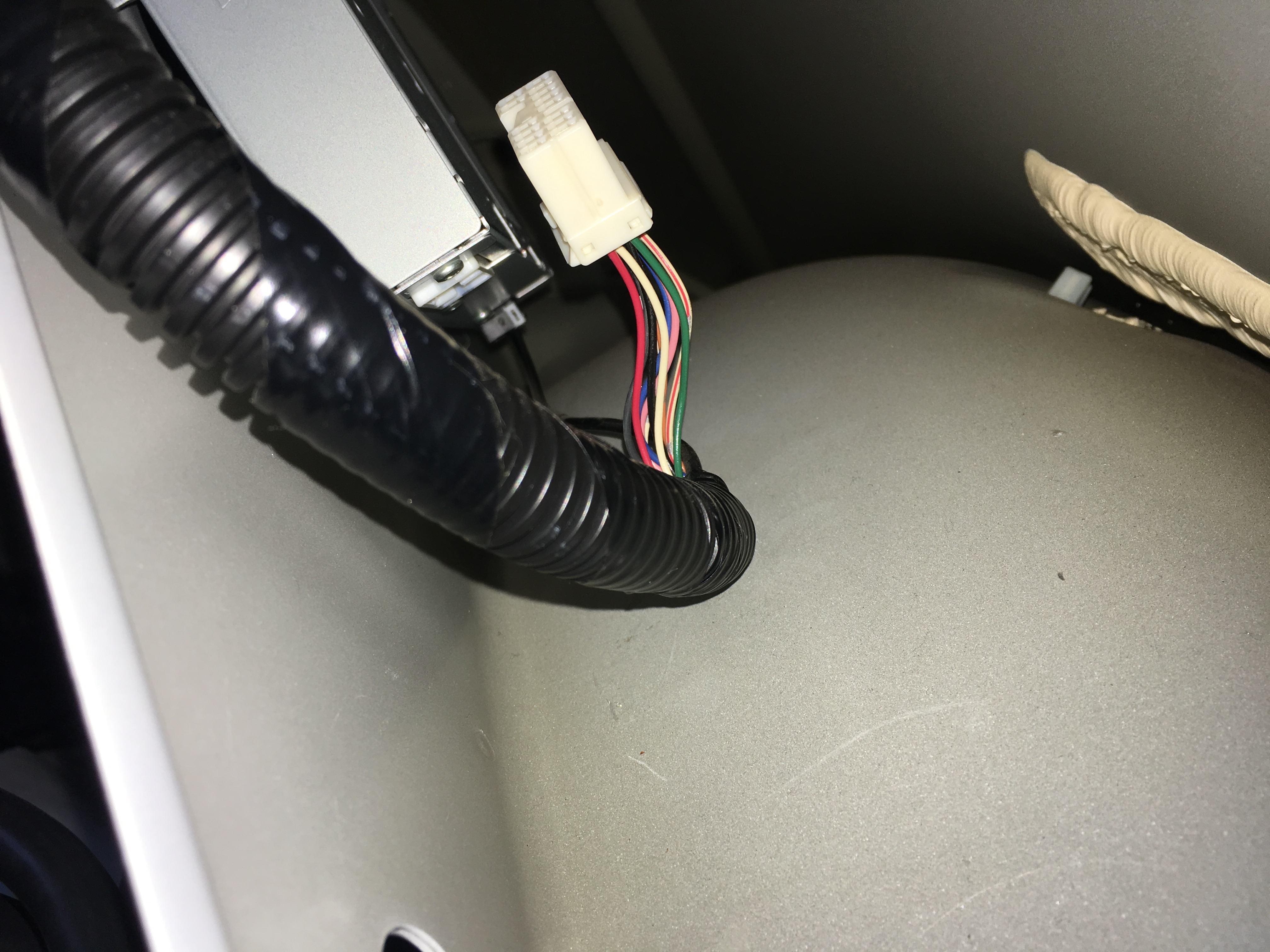
Next connect the original XM tuner harness into the 14-pin female adapter of the BT45-HON3 unit as shown
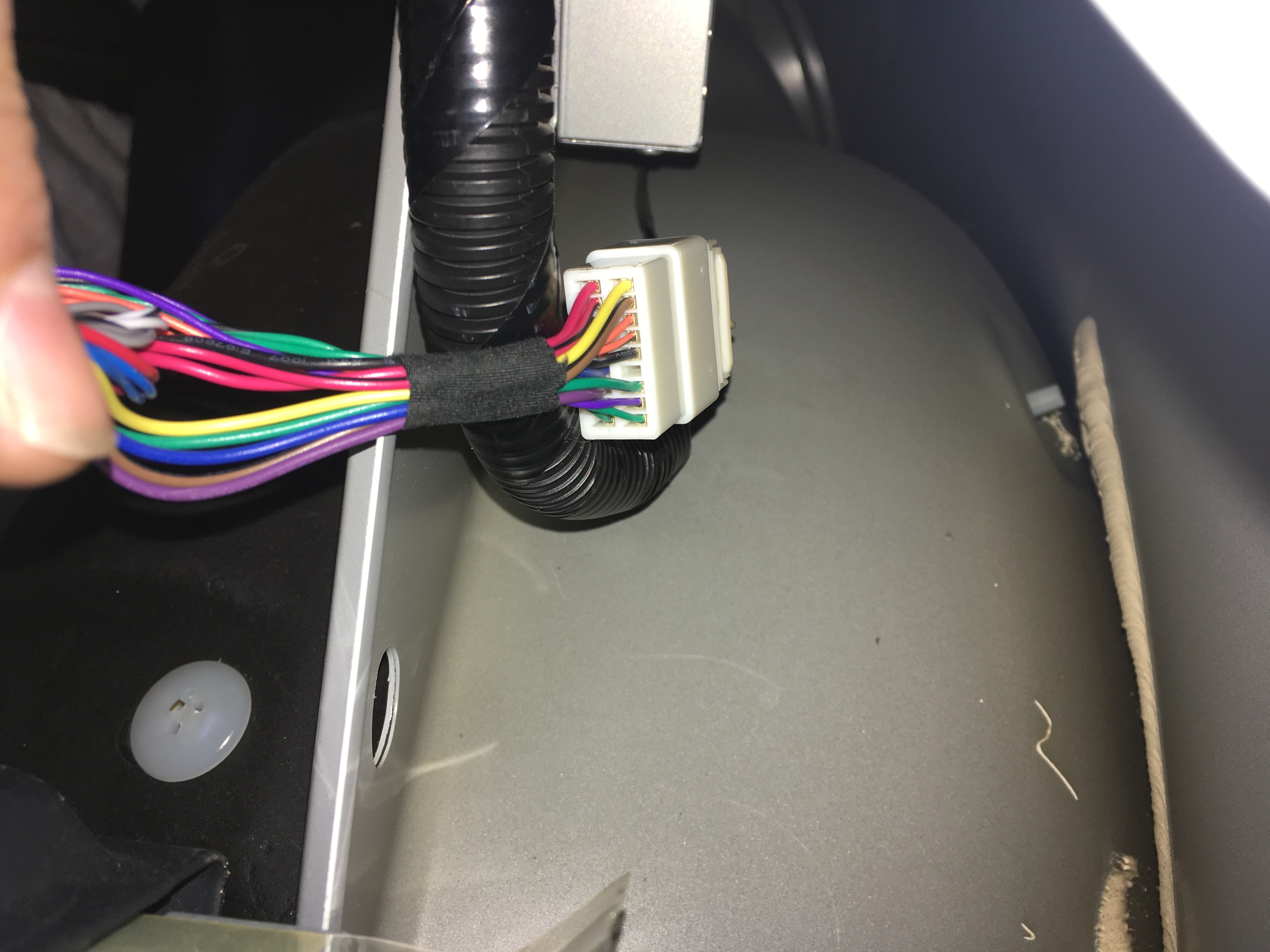
Then Plug in the 14-pin Male connecter of the BT45-HON3 into the XM Tuner. The connection is the exact same size as the original connection to the XM tuner. Since you can't see what you're doing you need to just feel it out but it should go right on in. When you finish plugging in the unit the instruction manual tells you how to set your dip switches (the dip switches are shown in the 2nd photo of this write up) which should be 1&3 ON and 2&4 OFF
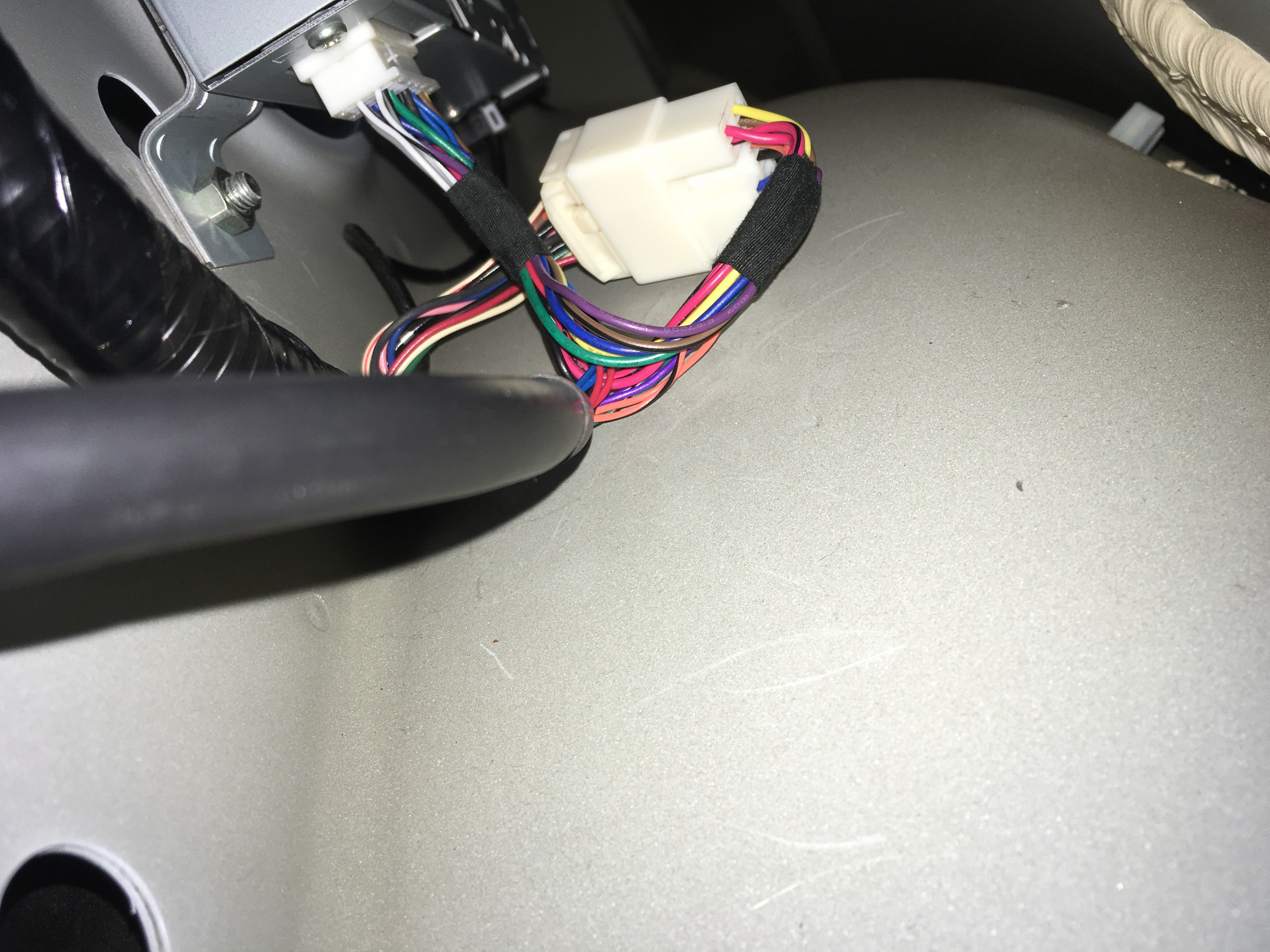
and WALLLLAAAAHHHHHH! All you need to do now is just mount the BT45-HON3 Unit some where in the trunk where it won't be damaged. The unit comes with a microphone that you need to run all the way from the unit to the front of the car in order to use the Hands-free calling on the unit. Call audio comes in from the unit to your car speakers but your voice will not be heard unless you plug in the microphone. You can also connect the auxiliary cable and run it from the back of the car to the front of the car which is what I'm in the process of doing, soon.. lol Then just put your carpet back into place and you're done. When plugging in the unit to the XM tuner to make your life easier you can unscrew the XM unit but thats completely up to you! I chose not to!



Cruisin'
Joined: Dec 2016
Posts: 22
Likes: 1
So I got the unit plugged in the rear last weekend and loved having it to play music and audiobooks on commute! My tape player broke, and the FM tuner Bluetooth thing I got was terrible.
today I pulled apart the car more and ran the microphone, but there wasn't enough length to get it to the rear view mirror. Ugh. Right now it's kind of clipped below the tape player on one of the little cubbys.
im hoping to extend the cable, cut the mic off, and hook into the mic that was used for HFL at some point. Gotta have goals!
anyone else try to hook into the HFL mic?
today I pulled apart the car more and ran the microphone, but there wasn't enough length to get it to the rear view mirror. Ugh. Right now it's kind of clipped below the tape player on one of the little cubbys.
im hoping to extend the cable, cut the mic off, and hook into the mic that was used for HFL at some point. Gotta have goals!
anyone else try to hook into the HFL mic?
Instructor
Joined: Jun 2016
Posts: 200
Likes: 21
From: DFW, TX
This is awesome, thank you. I've been thinking about ordering one of these, but can't seem to find any videos on function or install (for our cars) on YouTube. All this time I've been thinking it hooks up to the back of the radio.

Instructor
Joined: Jul 2016
Posts: 109
Likes: 9
From: Northern NJ

So I got the unit plugged in the rear last weekend and loved having it to play music and audiobooks on commute! My tape player broke, and the FM tuner Bluetooth thing I got was terrible.
today I pulled apart the car more and ran the microphone, but there wasn't enough length to get it to the rear view mirror. Ugh. Right now it's kind of clipped below the tape player on one of the little cubbys.
im hoping to extend the cable, cut the mic off, and hook into the mic that was used for HFL at some point. Gotta have goals!
anyone else try to hook into the HFL mic?
today I pulled apart the car more and ran the microphone, but there wasn't enough length to get it to the rear view mirror. Ugh. Right now it's kind of clipped below the tape player on one of the little cubbys.
im hoping to extend the cable, cut the mic off, and hook into the mic that was used for HFL at some point. Gotta have goals!
anyone else try to hook into the HFL mic?
Tapping into the existing HFL mic line seem like a cleaner setup only if I knew where that was located.
Trending Topics
Thread Starter
Cruisin'
Joined: Aug 2016
Posts: 23
Likes: 5
From: Bakersfield, Ca
So I got the unit plugged in the rear last weekend and loved having it to play music and audiobooks on commute! My tape player broke, and the FM tuner Bluetooth thing I got was terrible.
today I pulled apart the car more and ran the microphone, but there wasn't enough length to get it to the rear view mirror. Ugh. Right now it's kind of clipped below the tape player on one of the little cubbys.
im hoping to extend the cable, cut the mic off, and hook into the mic that was used for HFL at some point. Gotta have goals!
anyone else try to hook into the HFL mic?
today I pulled apart the car more and ran the microphone, but there wasn't enough length to get it to the rear view mirror. Ugh. Right now it's kind of clipped below the tape player on one of the little cubbys.
im hoping to extend the cable, cut the mic off, and hook into the mic that was used for HFL at some point. Gotta have goals!
anyone else try to hook into the HFL mic?

Cruisin'
Joined: Oct 2012
Posts: 23
Likes: 2
From: Chicago IL
After reading this write-up, I am going to buy the unit now. I got two questions thou
1. What's the cleanest way to hide that microphone? (How to route it cuz I don't really know my car lol)
2. I can still buy a long enough AUX jack to play music right? Which channel will it be and how long do I need to get that AUX cable?
Thanks!
1. What's the cleanest way to hide that microphone? (How to route it cuz I don't really know my car lol)
2. I can still buy a long enough AUX jack to play music right? Which channel will it be and how long do I need to get that AUX cable?
Thanks!

Intermediate
Joined: Mar 2012
Posts: 47
Likes: 3
From: Newport Coast, CA
Cruisin'
Joined: Oct 2012
Posts: 23
Likes: 2
From: Chicago IL
This is just a very quick and easy way to install your HON3 unit. I chose to install it in the trunk to my XM Tuner unit. I have a 2006 TL w/ Navi. I learned that if you have a 2007 or 2008 TL then you need the BT45-ACU not the BT45-HON3 (double check that info). The unit comes with clear instructions with how to install but this is just a quick and I repeat QUICK write up DIY whatever you wanna call it, with photos. The operation/set up is easy to do.
Here are some photos of the BT45-HON3 Unit to familiarize yourself with 2pages of instructions
Attachment 40808
Attachment 40809
Attachment 40816
If you are installing this unit in the trunk then you do not need this cable it's already connect to the harness just remove it. You only need it if you're going to install it to the back of the radio. it should be labelled as "CAS-H3t"
Attachment 40810
Here is the photo of where the XM Tuner unit is located in the trunk of you 2006 Acura TL with Navi with the carpet and everything else removed. Removing the carpet is very simple and quick.
Attachment 40811
Attachment 40812
Now just reach your hand in and unplug the factory harness from the unit.
Attachment 40813
Next connect the original XM tuner harness into the 14-pin female adapter of the BT45-HON3 unit as shown
Attachment 40814
Then Plug in the 14-pin Male connecter of the BT45-HON3 into the XM Tuner. The connection is the exact same size as the original connection to the XM tuner. Since you can't see what you're doing you need to just feel it out but it should go right on in. When you finish plugging in the unit the instruction manual tells you how to set your dip switches (the dip switches are shown in the 2nd photo of this write up) which should be 1&3 ON and 2&4 OFF
Attachment 40815
and WALLLLAAAAHHHHHH! All you need to do now is just mount the BT45-HON3 Unit some where in the trunk where it won't be damaged. The unit comes with a microphone that you need to run all the way from the unit to the front of the car in order to use the Hands-free calling on the unit. Call audio comes in from the unit to your car speakers but your voice will not be heard unless you plug in the microphone. You can also connect the auxiliary cable and run it from the back of the car to the front of the car which is what I'm in the process of doing, soon.. lol Then just put your carpet back into place and you're done. When plugging in the unit to the XM tuner to make your life easier you can unscrew the XM unit but thats completely up to you! I chose not to!
Here are some photos of the BT45-HON3 Unit to familiarize yourself with 2pages of instructions
Attachment 40808
Attachment 40809
Attachment 40816
If you are installing this unit in the trunk then you do not need this cable it's already connect to the harness just remove it. You only need it if you're going to install it to the back of the radio. it should be labelled as "CAS-H3t"
Attachment 40810
Here is the photo of where the XM Tuner unit is located in the trunk of you 2006 Acura TL with Navi with the carpet and everything else removed. Removing the carpet is very simple and quick.
Attachment 40811
Attachment 40812
Now just reach your hand in and unplug the factory harness from the unit.
Attachment 40813
Next connect the original XM tuner harness into the 14-pin female adapter of the BT45-HON3 unit as shown
Attachment 40814
Then Plug in the 14-pin Male connecter of the BT45-HON3 into the XM Tuner. The connection is the exact same size as the original connection to the XM tuner. Since you can't see what you're doing you need to just feel it out but it should go right on in. When you finish plugging in the unit the instruction manual tells you how to set your dip switches (the dip switches are shown in the 2nd photo of this write up) which should be 1&3 ON and 2&4 OFF
Attachment 40815
and WALLLLAAAAHHHHHH! All you need to do now is just mount the BT45-HON3 Unit some where in the trunk where it won't be damaged. The unit comes with a microphone that you need to run all the way from the unit to the front of the car in order to use the Hands-free calling on the unit. Call audio comes in from the unit to your car speakers but your voice will not be heard unless you plug in the microphone. You can also connect the auxiliary cable and run it from the back of the car to the front of the car which is what I'm in the process of doing, soon.. lol Then just put your carpet back into place and you're done. When plugging in the unit to the XM tuner to make your life easier you can unscrew the XM unit but thats completely up to you! I chose not to!
I have such a tough time to unplug the factory harness from the unit..any tips?
I believe you have to use the mic that come with it. Button should all work

Racer
Joined: Aug 2013
Posts: 284
Likes: 20
From: Montreal, Quebec, Canada
I think i'm going to get me one!


Racer
Joined: Aug 2013
Posts: 284
Likes: 20
From: Montreal, Quebec, Canada
So i contacted USA-Spec and using the code on the module they were able to tell me that i do not have the most up to date software in my unit... they suggested i return it to where ever i bought it and buy a new one from their recommended distributors. I've asked what's the difference in the software have and the latest one so see if it's worth it... I'm waiting for a response.
I must admit i dont full buy this story from them... but we'll see what their response is.
I must admit i dont full buy this story from them... but we'll see what their response is.


Racer
Joined: Aug 2013
Posts: 284
Likes: 20
From: Montreal, Quebec, Canada
I bought it off Amazon from Naturalsound.
USA Spec came back with this:
The software upgrade allows the BT45-ACU to run more smoothly. In addition it resolves some of the unexpected issues, such as muted audio
i will try to return it and get one from their distributors:
The best way to guarantee you buy the latest one, is to …
1. buy it from our only online authorized reseller https://www.crutchfield.com/p_581BT4...g&awug=9031227
2. a car-electronics specialty retail shop with our product in stock. Or…
3. Directly from us.
It doesn’t only guarantee you are getting one with the latest software but it also gives you a full 1-year warranty (from purchased date).
USA Spec came back with this:
The software upgrade allows the BT45-ACU to run more smoothly. In addition it resolves some of the unexpected issues, such as muted audio
i will try to return it and get one from their distributors:
The best way to guarantee you buy the latest one, is to …
1. buy it from our only online authorized reseller https://www.crutchfield.com/p_581BT4...g&awug=9031227
2. a car-electronics specialty retail shop with our product in stock. Or…
3. Directly from us.
It doesn’t only guarantee you are getting one with the latest software but it also gives you a full 1-year warranty (from purchased date).
Racer
Joined: Aug 2013
Posts: 284
Likes: 20
From: Montreal, Quebec, Canada
So after many back and forth with the manufacturer, it turns out that these units require software updates from USA spec. Unless you buy it from their authorized dealers they refuse to provide the software updates for free.
With that being said, i would stay away from them. I am returning my unit to Amazon and will not purchase from USA spec ever again due to their very poor customer service.
With that being said, i would stay away from them. I am returning my unit to Amazon and will not purchase from USA spec ever again due to their very poor customer service.



Advanced
Joined: Jun 2015
Posts: 53
Likes: 5
Have a couple of questions?
2006 TL Navi with tape deck: Will this still work if Navi hard drive is not working “cd error”?
2007 Mdx with cd: Will this still work with HF disconnected “HF drains battery when connected”?
2006 TL Navi with tape deck: Will this still work if Navi hard drive is not working “cd error”?
2007 Mdx with cd: Will this still work with HF disconnected “HF drains battery when connected”?

7th Gear
Joined: Oct 2018
Posts: 7
Likes: 0
Hello alll, ive put this unit in my 3g 06 with navi and cant figure out how to still get my XM to work. Have a subscription but blue tooth takes over both xm1 and xm2 fuunctions. tried all combinations with the little switches on the hon 3 but no luck. Anyone know how to remedy this, im pretty sure i read somewhere its possible to retain XM function with this unit.
I doubt it is an XM issue, my XM worked perfectly before I put the BT45-HON3. That said, I don't use XM so I don't really care. The only reason I know the XM works is because I did a 3-Month trial, didn't like it, and bought the HON3 immediately after the trial period ended.
Suzuka Master


Joined: Jun 2008
Posts: 7,967
Likes: 1,702
I doubt it is an XM issue, my XM worked perfectly before I put the BT45-HON3. That said, I don't use XM so I don't really care. The only reason I know the XM works is because I did a 3-Month trial, didn't like it, and bought the HON3 immediately after the trial period ended.
7th Gear
Joined: Oct 2018
Posts: 7
Likes: 0
I doubt it is an XM issue, my XM worked perfectly before I put the BT45-HON3. That said, I don't use XM so I don't really care. The only reason I know the XM works is because I did a 3-Month trial, didn't like it, and bought the HON3 immediately after the trial period ended.


-------Tim-------
Joined: Mar 2010
Posts: 2,552
Likes: 613
From: Tampa, Fl
So this unit will work with a non Navi TL? Plugged in the same way (in trunk to XM)? Do you retain any steering wheel functions? What is the benefit of putting it behind the head unit up front? I really don’t care to hook up the mic for HFL....if that makes it easier or harder...
Suzuka Master
Joined: Jun 2008
Posts: 7,967
Likes: 1,702
yes this will work even your TL is a non-Navi model, for people who has XM subbed they retain the XM radio while enjoy BT streaming. Beside plug in the XM is easier to install compare to remove the radio.