When you click on links to various merchants on this site and make a purchase, this can result in this site earning a commission. Affiliate programs and affiliations include, but are not limited to, the eBay Partner Network.
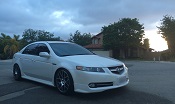
Thought I'd post this since I tried it and it worked. There are now these USB Android Carplay adapters that allow you to have Carplay on your android "head unit". I bought one to see if it would work, and sure enough, it works flawlessly. Even works through my USB hub to the device, which was key so I can still have my backup camera. I attached a picture, don't judge me on my car cleanliness right now. I can do a quick video if it helps.
I had basically begun using my tablet for camera only, just wasn't worth the hassle for navigation, tethering and all that stuff. Some of you with Android phones may have a better experience, but it was slow internet that i had to manually connect whenever i needed it, the gps would kill the battery even while charging, etc. I just started using my phone again for everything. If you've ever used Carplay, you know that it fixes all of these issues. Also, it works wirelessly so I hardly take my phone out of my pocket. Pretty smooth, very occasional disconnects, audio streaming works great. Make sure you update the firmware in the app to iron out some issues (read in reviews).
You have to buy the wireless version to have wireless Carplay (I think this is definitely worth the extra cost). This is the one I bought that works perfectly:
I'd say it takes about 15 seconds to connect when I get in the car. After that I can use music, waze, apple maps, whatever. Usually leave waze up whenever I drive. I hardly ever leave the app for stock android anymore, it's just a vehicle to show carplay and my camera, and this is finally what I was going for. Live waze is where it's at. Steering wheel controls work fine as I'm connected via bluetooth. Siri works as well.
Oh it also has Android Auto, but I can't comment on it, haven't tried it.
The power update, I did what is listed in this link to fix my power issues and it has worked well. No real comment here, everything is in the thread and video. Just wanted to throw that out there too. Worked exactly as he says.
awesome! so just by adding that wireless dongle, you add on Carplay?
Yup, they give you an APK to download and instructions, update the firmware, and it just worked right way for me. I was worried about whether it would work through the hub in the middle compartment, works fine.
I've been using for a week or so - I would say from using actual built in carplay vehicles, it's 98% as good. Loses 1% because the connect time is a tad longer and the app screen is not the best thing ever (also not the worst). Latency - I haven't noticed anything when I'm connected. I have noticed a very occasional disconnect when wireless. It goes to the connecting screen and then goes right back into it. Rare, more solid when plugged directly into lightning cable.
Only thing I haven't really tested is, your phone is drawing power when plugged in to lightning - not sure if that drains the battery or not, I have been using mostly wireless. I plug my phone into a regular power jack.
I've been looking at those adapters for a while now. Hell I was even considering getting Raspberry Pi 3, with 7' screen, to use it as Android Auto.
Nexus is getting old, end despite battery delete, running CM instead of stock, and having it at 1.9GHz you can feel that it's not as fast a my phone.
Here the only problem is that you have to have iPhone. Keep is updated, especially when Apple decides to update Carplay, as it might break compatibility.
THIS IS AMAZING. i'm going to look more into this and see if this works for me because i have all of the "issues/frustrations" with my tablet that you have. i almost never run gps or internet because of exactly what you say. but this could fix everything. i'll look deeper at this and thank you for bringing it up!
I've been looking at those adapters for a while now. Hell I was even considering getting Raspberry Pi 3, with 7' screen, to use it as Android Auto.
Nexus is getting old, end despite battery delete, running CM instead of stock, and having it at 1.9GHz you can feel that it's not as fast a my phone.
Here the only problem is that you have to have iPhone. Keep is updated, especially when Apple decides to update Carplay, as it might break compatibility.
Can confirm it works with iOS 13 as of tonight, very nice update to Carplay by Apple. But, yeah, I kind of assume these Carplay dongles aren't licensed, so who knows if sometime they may be shut off. I would think Apple wouldn't care too much though unless they are getting a licensing fee.
It has android auto as well in the settings. There are youtube videos of people using it, but I haven't tried it.
Last edited by jateelover; Sep 19, 2019 at 09:44 PM.
Can you show or explain how it loads when you get into the car? Do you have to push a button in the tablet to get CarPlay activated? Or does CarPlay automatically load when your phone connects? If it does connect automatically what do I do if I need to use my original home screen?
if you could do a video that starts as you get into the car and all the way until driving off that would be appreciated!!
Can you show or explain how it loads when you get into the car? Do you have to push a button in the tablet to get CarPlay activated? Or does CarPlay automatically load when your phone connects? If it does connect automatically what do I do if I need to use my original home screen?
if you could do a video that starts as you get into the car and all the way until driving off that would be appreciated!!
Thank you so much for taking the video! I just ordered one last night.
So are you using the tablet mic to pick up your voice or is the mic from your phone? The one I ordered supposedly can Hook up a mic but wasn’t sure what you did, I’m assuming it’s the phone mic
if it’s the phone mic how does audio quality sound during phone calls if the phone is in your pocket?
Thank you so much for taking the video! I just ordered one last night.
So are you using the tablet mic to pick up your voice or is the mic from your phone? The one I ordered supposedly can Hook up a mic but wasn’t sure what you did, I’m assuming it’s the phone mic
if it’s the phone mic how does audio quality sound during phone calls if the phone is in your pocket?
It's not the phone mic - there is a mic hooked up to my bluetooth audio unit on the visor - I don't know which it is actually using, it might be the tablet mic, it might be that one. I'm guessing the tablet. The ones that include the mic - i don't know if its built into the box or what, but my box is deep in my middle console so that wouldn't work. My phone has been in my bag and stuff, so its not my phone. I think there may be a setting for it, I'd have to look. I'm guessing its using the tablet mic though.
I don't take phone calls on it - i guess i could, I just use the built in HFL cause that has always seemed the best sound quality.
This indeed looks AWESOME! I am still confused though. Did remove the screen to add the adapter behind it or something? Where did you add the Nexus (or whatever device you are using) to add CarPlay to the display? I am missing something something easy most likely!
This indeed looks AWESOME! I am still confused though. Did remove the screen to add the adapter behind it or something? Where did you add the Nexus (or whatever device you are using) to add CarPlay to the display? I am missing something something easy most likely!
If you search nexus install, there’s tons of people who have done it. I didn’t do a write up as I just followed those posts. So the screen is the nexus 7 tablet, then I have the CarPlay adapter plugged into a usb hub hooked up to that. I could explain more, but it’s easier to just read the very detailed guides that people have done on it.
I love that you have done this! I've subconsciously been avoiding taking the leap of faith with my Nexus7, because I'm an Apple guy and love the CarPlay feature, so thanks for being a pioneer! And yes, there are a million threads about Nexus 7 installs, but this is a great workaround for Apple lovers without doing a gross iPad retro fit.
Just so we can align out understanding, you did the following, correct?
Your iPhone is connecting to the dongle, which connects to a USB hub, which then connects to your Nexus 7? How is your Nexus 7 connected to your radio for audio output? Did you route it by connecting via AUX to an iSimple (or similar device)? Given that your iPhone is pairing with your tablet via the dongle's bluetooth, I'm assuming that your tablet is hardwired via AUX or USB input? I'm just trying to make heads or tails of how your audio devices are working together.
Also, it looks like you did not originally have a navigation model based on the looks of your clock area above the screen and your climate control/radio relocation. Is this correct?
**I currently have an iSimple device installed on my TL**
Everything you said is correct - the dongle has wifi and bluetooth. My nexus 7 is connected via bluetooth to the car using iSimple (simply because I had it). I was getting feedback on the aux cable, I think because I moved the audio out on the nexus when i moved the power to fit it into the frame for the nav.
Note here - the radio and iSimple have to turn on before the tablet bluetooth, so if you have autodroid or timur, when the tablet wakes up bluetooth turns on - you need to set tasker to then turn off bluetooth for 5 seconds then turn it back on when the tablet detects power. A plus of using bluetooth is your steering wheel controls work. Minus is that you have to toggle bluetooth if you turn off the radio.
Because the dongle has bluetooth, the tablets bluetooth is free for audio use. It seems like a big workaround, but I'm assuming carplay has a specific interface chip that is included in the the dongle. It reads bluetooth, then uses the Carplay thing on your iphone to connect via WiFi, like any wireless Carplay system works.
I did not have navigation. I wish I did, because then i wouldn't have had to splice all the wires down to the cubby area for the HVAC and radio screen. There are lots of tutorials on this on this site, but it is quite a job. I did that part a few years ago.
I highly recommend doing the power mod that I also linked - I don't have it on constant power all the time, but having that extra power feeding into the tablet keeps it charged as long as you drive your car every few days. I have a few other things to make it all work, tasker is a big help. One thing that I find essential with tasker is a profile that says "Not power (aka no charging via the usb port), wait 1 minute, System Lock". The reason I have this is because sometimes an app would wake up the tablet for some reason, usually the backup cam. This way it will keep the tablet locked when the power is disconnected.
All in all i'd say i wasn't happy with the setup until the carplay dongle. Now I've been very happy with it, I even ordered carplay for my wife's MDX because it almost feels essential at this point.
Originally Posted by wusty23jd
I love that you have done this! I've subconsciously been avoiding taking the leap of faith with my Nexus7, because I'm an Apple guy and love the CarPlay feature, so thanks for being a pioneer! And yes, there are a million threads about Nexus 7 installs, but this is a great workaround for Apple lovers without doing a gross iPad retro fit.
Just so we can align out understanding, you did the following, correct?
Your iPhone is connecting to the dongle, which connects to a USB hub, which then connects to your Nexus 7? How is your Nexus 7 connected to your radio for audio output? Did you route it by connecting via AUX to an iSimple (or similar device)? Given that your iPhone is pairing with your tablet via the dongle's bluetooth, I'm assuming that your tablet is hardwired via AUX or USB input? I'm just trying to make heads or tails of how your audio devices are working together.
Also, it looks like you did not originally have a navigation model based on the looks of your clock area above the screen and your climate control/radio relocation. Is this correct?
**I currently have an iSimple device installed on my TL**
i wanted to provide my update since i recently received this device in as well and have tested it a bit. OVERALL THIS THING IS AMAZING! this is seriously a game changer and took my tablet install from a 6 to a 10. thank you to OP for finding it and posting it for others to check out. i ended up buying the "box" with the mic in it since i have mic issues with my tablet and i wanted to have the most options available for using voice commands.
to make my install work (nexus 7, 2013, timur's kernel), i had to change my setting to "compatible" otherwise it would not find my phone on initial setup.
positives:
- game changer. absolutely love it
- the new iOS 13 made a huge change to the interface for carplay and it's super streamlined and user friendly
- the main screen has maps, next turn, and the song controls on the same screen...love this
- super quick inputs with phone
- wireless!
- there are options to use the "box" mic or "tablet" mic
negatives (these do not come close to outweighing the positives):
- takes a little bit of time to connect but i'm happy with it overall
- it makes my opening "acura" video a little choppy but not a big deal
- i need to figure out how to use the mic in the box easier or find out how to make my tablet mic work (currently says other apps are using it and it can't be used)
- i can't rearrange the icons yet even though i think i should be able to. not a deal breaker
next steps:
- figure out how to make my tablet mic work or extend the box to somewhere where it can easily hear my voice (i already know it works but it's not in an ideal location to pick up my voice right now in the center console)
seriously in love with this thing. everyone that has a tablet should do this!!
i wanted to provide my update since i recently received this device in as well and have tested it a bit. OVERALL THIS THING IS AMAZING! this is seriously a game changer and took my tablet install from a 6 to a 10. thank you to OP for finding it and posting it for others to check out. i ended up buying the "box" with the mic in it since i have mic issues with my tablet and i wanted to have the most options available for using voice commands.
to make my install work (nexus 7, 2013, timur's kernel), i had to change my setting to "compatible" otherwise it would not find my phone on initial setup.
positives:
- game changer. absolutely love it
- the new iOS 13 made a huge change to the interface for carplay and it's super streamlined and user friendly
- the main screen has maps, next turn, and the song controls on the same screen...love this
- super quick inputs with phone
- wireless!
- there are options to use the "box" mic or "tablet" mic
negatives (these do not come close to outweighing the positives):
- takes a little bit of time to connect but i'm happy with it overall
- it makes my opening "acura" video a little choppy but not a big deal
- i need to figure out how to use the mic in the box easier or find out how to make my tablet mic work (currently says other apps are using it and it can't be used)
- i can't rearrange the icons yet even though i think i should be able to. not a deal breaker
next steps:
- figure out how to make my tablet mic work or extend the box to somewhere where it can easily hear my voice (i already know it works but it's not in an ideal location to pick up my voice right now in the center console)
seriously in love with this thing. everyone that has a tablet should do this!!
Cool! Looks good. You can rearrange the icons in settings on your phone, just search CarPlay and select the device and there will be a list. Let me know how the mic ends up working out.
Cool! Looks good. You can rearrange the icons in settings on your phone, just search CarPlay and select the device and there will be a list. Let me know how the mic ends up working out.
oh thanks for the tip i'll check that out and rearrange the icons!
no luck with the mic so far. i can't even get the mic to work on tablet mode by itself. i may get a usb extender and keep the box in the cupholder and use the box mic. still playing around with it
Obviously, I don't have the box, but would it be too risky trying to open up the CarPlay adapter to see what the internal microphone looks like? I'm wondering if you could solder a new cord for an external microphone that you can mount wherever you like? Although, I'm sure you've already thought of that.
I'm pretty sure mine is using the tablet mic. The mic with iSimple sucks so bad it's hard to tell. If i'm dictating a text, i have to speak very clearly. Music playing and such tends to work fine.
Calls that I make through the HFL can act weird sometimes if i'm on CarPlay - calls that I answer work fine, so I'm fine with it.
Obviously, I don't have the box, but would it be too risky trying to open up the CarPlay adapter to see what the internal microphone looks like? I'm wondering if you could solder a new cord for an external microphone that you can mount wherever you like? Although, I'm sure you've already thought of that.
yea that was my next plan for the mic. it should be pretty easy to open up the box i just need to find some time to do that. also considered getting a usb extension and putting the box in one of my unused cupholders to see if that's good enough.
Hopefully you can see this @peter6 - thanks for your replies - I don't want to keep clogging up Sockrs thread. Would you mind taking a look at this really quick? I think this is the way I want to go for now. Just run another add a fuse on an ACC line. Would the diode still be necessary then? As long as the fuse wasn't the same ACC line as the one going to the OTG power?
Thank you so much!
Last edited by jateelover; Oct 10, 2019 at 12:42 PM.
jateelover - personally if I would go this route I would connect it this way:
I would put diode on positive wire to keep all grounds tied up. Switch closed, car off, no way to back-feed into ACC USB circuit. Switch closed, car ON, nothing should happen. Switch open - nothing can happen.
yea that was my next plan for the mic. it should be pretty easy to open up the box i just need to find some time to do that. also considered getting a usb extension and putting the box in one of my unused cupholders to see if that's good enough.
Thinking more about this.... Have either of you confirmed if the microphone being used is through the tablet or the CarPlay box? If your voice is being picked up through the Nexus 7, I wonder if you could hard wire an external USB microphone (through the USB hub), hide the cords, and mount that near your visor? (Essentially what many of us have done with the iSimple microphone).
PS - I bit the bullet and bought a Nexus 7 (2nd generation) 32gb tablet for myself .
I found a mint condition one on OfferUp listed for $150 and negotiated with the seller down to $40. Yes, $40....I worked with the sellerfor nearly three weeks and she finally took my offer. I almost felt bad, but I've been following several postings on eBay over the past month and many of the good condition 2nd generation Nexus 7 tablets have been selling between $70-$100. It seems like their popularity is rising once again.
I already began dabbling with a new background layout and hope to install Timur's Kernel soon. I also will likely start my own thread instead of blowing up jateelover 's and sockr1 's threads.
Thinking more about this.... Have either of you confirmed if the microphone being used is through the tablet or the CarPlay box? If your voice is being picked up through the Nexus 7, I wonder if you could hard wire an external USB microphone (through the USB hub), hide the cords, and mount that near your visor? (Essentially what many of us have done with the iSimple microphone).
i tried 3-4 mics with my original nexus 7 set up and none of them worked the way i wanted. you basically need a powered mic but i coudn't get any of them to work with my setup.
the carplay dongle lets you pick either tablet mic or box mic to use in settings. the box mic works i just haven't extended it to my cupholder area yet (most likely i will extend box with usb cord to cupholder to keep work minimal).
glad to see you finally got the tablet!! looks like it's coming along nicely right now
Haha, I have not installed any apps onto the tablet yet. I was merely playing around with the image file in Microsoft Paint to see how easily I could manipulate the use of transparent background icons. They actually turned out pretty well. I simply took the most commonly used apps from my phone and threw the icons on the screen to see how a sample would look.
The two main reasons I'd like to use the Nexus 7 is for Apple CarPlay and adding a backup camera. Anything additional would be for "fun."
Thinking more about this.... Have either of you confirmed if the microphone being used is through the tablet or the CarPlay box? If your voice is being picked up through the Nexus 7, I wonder if you could hard wire an external USB microphone (through the USB hub), hide the cords, and mount that near your visor? (Essentially what many of us have done with the iSimple microphone).
I'm pretty sure mine is using the tablet mic - I tried talking into the isimple mic and it didn't make a difference. Its usable, but not amazing for texting when you are driving on the highway. I'll probably play around with it next if i ever feel like messing with it again.
I don't have timur on mine, I have autodroid. i have a backup inside with Timur on it, I feel like Timur may be a bit quicker, but it doesn't matter which one with carplay. Mine are 2012 because I wanted to move the USB.
@sockr1 does it overtake your backup cam? Mine does - i put shortcuts to the backup cam in the navigation bar at the bottom, but if the phone connects while i'm on backup cam, it'll overtake it and bring up carplay. I just hit the icon to get it back, but thats something else i probably need to play with. I may have to play with my tasker profiles.
If we go back to a basic setup with just an iPhone and the iSimple connected via bluetooth, a user has essentially three options for making phone calls:
1) Use iPhone's primary microphone
2) Use iPhone's speakerphone microphone
3) Use iSimple's wired microphone
When a call comes through, the user has the option to chose which one they'd like to use by selecting the microphone option on their phone.
If the iSimple is connected to the Nexus 7 via bluetooth, and the Nexus 7 is connected to the iPhone via CarPlay dongle, is there any option on either screen to select the microphone option?
I'm pretty sure mine is using the tablet mic - I tried talking into the isimple mic and it didn't make a difference. Its usable, but not amazing for texting when you are driving on the highway. I'll probably play around with it next if i ever feel like messing with it again.
I don't have timur on mine, I have autodroid. i have a backup inside with Timur on it, I feel like Timur may be a bit quicker, but it doesn't matter which one with carplay. Mine are 2012 because I wanted to move the USB.
@sockr1 does it overtake your backup cam? Mine does - i put shortcuts to the backup cam in the navigation bar at the bottom, but if the phone connects while i'm on backup cam, it'll overtake it and bring up carplay. I just hit the icon to get it back, but thats something else i probably need to play with. I may have to play with my tasker profiles.
my carplay does overtake my reverse camera sometime! i usually try to wait until carplay loads but my dongle hasn't been loading as quickly now. another reason why i may extend the dongle to my cupholder so there is less stuff interfering when it's trying to connect. i don't have the option to put a shortcut in the bar at the bottom right now, just the navbar icons i loaded.
My dongle came tonight and I have a few questions for you guys.
1) Where did you save the AutoKit.apk file on your Android OS? Did it make a difference?
2) sockr1, you mentioned that you had to change your setting to "compatible" in order for the dongle to recognize your iPhone. What specific setting are you referring to? Can you elaborate?
I will try to test this all tomorrow, but thought I'd be proactive and ask a few quick questions.
Okay, I actually found some time tonight yet and was able to get the dongle to work. When the Autokit application first opened, it kept flashing a message for about a millisecond (not long enough for me to read). However, I did some research and was able to locate the error message in another thread:
The navigation machine does not support the current settings. Disconnect your phone and enter the settings page to select compatible modef
The application essentially has three modes (Speed, Fluency and Compatible). Similar tosockr1, my iPhone only connects when the Compatible mode is selected. However, this mode seems a bit slow and laggy. It does indeed work and automatically connects when my tablet turns on, but I would sure hate if this speed is the norm. For reference, I am running iOS 13.2 with Android 6.0.1 MOB30X obviously.
jateelover, in your video, it doesn't look like there is much lag time. Which mode are you running and did you have to do anything special to get the app to work properly?








 !
!






 .
.




