


is there a certain type of LED for the front two sidemarkers???


Thread Starter
Team SSM
Joined: Sep 2004
Posts: 2,103
Likes: 36
From: Boston,MA
is there a certain type of LED for the front two sidemarkers???
I was just wondering what type of LED is used for the front two sidemarkers?? I was thinking since the sidemarker is clear....i might replace it with a superwhite LED...has anyone done that yet?? THanks for ur help guys

WDP Director of R & D
Joined: Dec 2003
Posts: 1,940
Likes: 4
From: Texas
Originally Posted by SSMTL04
I was just wondering what type of LED is used for the front two sidemarkers?? I was thinking since the sidemarker is clear....i might replace it with a superwhite LED...has anyone done that yet?? THanks for ur help guys
Originally Posted by KJSmitty
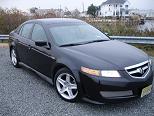
The front and rear sidemarkers are "sealed" units - thus the only way to change is to literally cutout/soldier in new LED's. I actually performed the task and installed blue LED's on the front. Not that it really mattered at the time but I checked later and found out they are ~ $50 a piece to replace..... I think it looks good with my WDP.



Trending Topics
WDP Director of R & D
Joined: Dec 2003
Posts: 1,940
Likes: 4
From: Texas
Originally Posted by I10O0I1
blue led side markers is just lookin for an excuse for the cops to ticket you... so becareful
PM me.
Thanks

04 TL 6MT NAVI ABP/Q
Joined: May 2004
Posts: 1,314
Likes: 0
From: Simi Valley, CA 805
I'm in the middle of doing this mod. Amber to White.
1) Remove Front Wheel
2) Remove 4 screws at the bottom of wheel well towards rear of car.
3) Remove 2 Plastic Pop Rivets (1 Just above 4 Screws and one up much higher)
4) Grab far side of plastic wheel well covering and push towards engine, the side towards the outside of the car should pop out of the groove its in. Peel back enough to fold this plastic peice up and rest it on brake calipers.
5) Reach up inside the car's opening and you should now be able to pop out the Side Marker, it uses plastic pressure clamps to stay in, release one side or the other and the rest pops out.
6) You can now Disconnect the actual Light assembly.
Thats just to get the light out.
Now comes the mods
7) Using a dremel on low or a very small saw, cut into the plastic housing just barely above the connector. You should be cutting the entire width of the main body of the unit, not just the round sheething around the connector. Cut as low as possible and dont cut in too deep.
8) Once you have cut all the way around, seperate the 2 peices and you have the big part as the deflector and an empty housing, and the part with the connector now shows the small circuit board the LEDs are mounted on.
9) Use a sharpie and make a mark on the Circuit board to match the side of the connector with the bumps on it (This side of the connector is designed with grooves to only allow it to be installed into the car one way, mark the side with those grooves)
For the next few steps you need 3 or 4 hands to make things easy. Grab your Wife, Girlfriend, Slave girl, buddy, whatever to help you out)
10) Using 2 low amperage soldering irons (or if your really good with solder wick) remove the circuit board from the 2 main posts in the middle. For 2 people, one person tries to pull up lightly on the board while the other heats both solder points. The 2 posts are the wires you see inside the connector. DO NOT overhead this connection as you may melt the plastic surrounding the 2 connector pins and they might slip out or become misaligned.
11) Make note (Dot with a sharpie works well) that the 4 pin LEDs have one corner shaved off. Your new LEDs will have the same so mark the board to help you later.
12) Now you can flip the board over or on its side and hit the 4 solder points per LED in pairs. Have one person hold the board and use a small flathead screwdriver to pry up one side of the 4 pin LED while the other person heats the 2 solder points from the back side. If you get some movement but not enough, stop, do the same on the other 2 pins of the LED and then go back (back and forth until all 4 pins are free of the soldering point)
13) Repeat for the other 4 pin LED
14) Using solder wick, remove all the extra solder from each 4 pin LED mount and the central 2 pins. DO NOT overheat the holes when using the solder wick as you may damage the circuit board.
15) Align the first of your 2 new LEDs (see next post) in the hole, remembering which corner the shaved one goes on. Hold the LED in there, turn it upside down, and set it on a towel or table (towel = stability). Lightly solder the 4 pins of the LED onto the bottom of the board
16) Repeat for the second LED, dont forget the shaved corner
17) USe some sand paper on the 2 halves of your light housing to reduce any rough edges. Try not to bend the 2 pins coming in from the connector
18) Once the LEDs are wired back in, you can set the circuit board back onto the bottom half of the assembly you cut open, and realign it on the 2 plug connectors. Check for your marking to make sure that you have the board properly oriented with the connector. If + and - are reversed, this board will NOT light. Solder the 2 pins back onto the board. As before, do NOT overheat the connector.
(this is where I am right now with the first light, been procrastinating for weeks)
19) Use some kind of plastic based adhesive to re-seal the 2 halves of the light back together. Take note that inside the Light housing, one corner has a bump. The circuit board has 2 adjacent corners that are missing part of the circuit board, these 2 halves should be re-aligned. If not, you did something wrong. The board only fits back into the housing EASILY if you did this right.
20) Once you are pretty sure the halves have sealed back together, you may want to wrap the cut in some water proof tape or use a silicon sealant to prevent any moisture from entering the light assembly.
21) Reinstall the light into your car.
22) Put the plastic wheel weell cover back in place, and wedge it into the groove you popped it out of previously by starting from the front of the car and working your way around towards the back of the well. It should be obvious.
23) Re-install the 2 plastic pop-rivets and the 4 screws. (If one of the screws doesnt want to go in, take them all 4 back out and lightly pull the cover back a little and feel where its getting screwed into, I found that the metal clip it screws into will sometimes be off center or not clamped down tight enough. Mess with that and try again (try the bad screw first of course)
24) Re-install your wheel and be sure to properly tighten the lugs. (Properly = enough force that they wont come off, but not so much as you cant ever get them off, remembering to never tighten one lug all the way by itself to prevent alignment issues)
1) Remove Front Wheel
2) Remove 4 screws at the bottom of wheel well towards rear of car.
3) Remove 2 Plastic Pop Rivets (1 Just above 4 Screws and one up much higher)
4) Grab far side of plastic wheel well covering and push towards engine, the side towards the outside of the car should pop out of the groove its in. Peel back enough to fold this plastic peice up and rest it on brake calipers.
5) Reach up inside the car's opening and you should now be able to pop out the Side Marker, it uses plastic pressure clamps to stay in, release one side or the other and the rest pops out.
6) You can now Disconnect the actual Light assembly.
Thats just to get the light out.
Now comes the mods
7) Using a dremel on low or a very small saw, cut into the plastic housing just barely above the connector. You should be cutting the entire width of the main body of the unit, not just the round sheething around the connector. Cut as low as possible and dont cut in too deep.
8) Once you have cut all the way around, seperate the 2 peices and you have the big part as the deflector and an empty housing, and the part with the connector now shows the small circuit board the LEDs are mounted on.
9) Use a sharpie and make a mark on the Circuit board to match the side of the connector with the bumps on it (This side of the connector is designed with grooves to only allow it to be installed into the car one way, mark the side with those grooves)
For the next few steps you need 3 or 4 hands to make things easy. Grab your Wife, Girlfriend, Slave girl, buddy, whatever to help you out)
10) Using 2 low amperage soldering irons (or if your really good with solder wick) remove the circuit board from the 2 main posts in the middle. For 2 people, one person tries to pull up lightly on the board while the other heats both solder points. The 2 posts are the wires you see inside the connector. DO NOT overhead this connection as you may melt the plastic surrounding the 2 connector pins and they might slip out or become misaligned.
11) Make note (Dot with a sharpie works well) that the 4 pin LEDs have one corner shaved off. Your new LEDs will have the same so mark the board to help you later.
12) Now you can flip the board over or on its side and hit the 4 solder points per LED in pairs. Have one person hold the board and use a small flathead screwdriver to pry up one side of the 4 pin LED while the other person heats the 2 solder points from the back side. If you get some movement but not enough, stop, do the same on the other 2 pins of the LED and then go back (back and forth until all 4 pins are free of the soldering point)
13) Repeat for the other 4 pin LED
14) Using solder wick, remove all the extra solder from each 4 pin LED mount and the central 2 pins. DO NOT overheat the holes when using the solder wick as you may damage the circuit board.
15) Align the first of your 2 new LEDs (see next post) in the hole, remembering which corner the shaved one goes on. Hold the LED in there, turn it upside down, and set it on a towel or table (towel = stability). Lightly solder the 4 pins of the LED onto the bottom of the board
16) Repeat for the second LED, dont forget the shaved corner
17) USe some sand paper on the 2 halves of your light housing to reduce any rough edges. Try not to bend the 2 pins coming in from the connector
18) Once the LEDs are wired back in, you can set the circuit board back onto the bottom half of the assembly you cut open, and realign it on the 2 plug connectors. Check for your marking to make sure that you have the board properly oriented with the connector. If + and - are reversed, this board will NOT light. Solder the 2 pins back onto the board. As before, do NOT overheat the connector.
(this is where I am right now with the first light, been procrastinating for weeks)
19) Use some kind of plastic based adhesive to re-seal the 2 halves of the light back together. Take note that inside the Light housing, one corner has a bump. The circuit board has 2 adjacent corners that are missing part of the circuit board, these 2 halves should be re-aligned. If not, you did something wrong. The board only fits back into the housing EASILY if you did this right.
20) Once you are pretty sure the halves have sealed back together, you may want to wrap the cut in some water proof tape or use a silicon sealant to prevent any moisture from entering the light assembly.
21) Reinstall the light into your car.
22) Put the plastic wheel weell cover back in place, and wedge it into the groove you popped it out of previously by starting from the front of the car and working your way around towards the back of the well. It should be obvious.
23) Re-install the 2 plastic pop-rivets and the 4 screws. (If one of the screws doesnt want to go in, take them all 4 back out and lightly pull the cover back a little and feel where its getting screwed into, I found that the metal clip it screws into will sometimes be off center or not clamped down tight enough. Mess with that and try again (try the bad screw first of course)
24) Re-install your wheel and be sure to properly tighten the lugs. (Properly = enough force that they wont come off, but not so much as you cant ever get them off, remembering to never tighten one lug all the way by itself to prevent alignment issues)
04 TL 6MT NAVI ABP/Q
Joined: May 2004
Posts: 1,314
Likes: 0
From: Simi Valley, CA 805
http://www.superbrightleds.com/leds.htm
Go to that page and scroll ALL the way to the bottom
Those Square 4 pin LEDs are pretty much exactly what the factory OEM ones are.
I bought the white ones as they will look nice with my Cleared front corners and wont attract too much Coppage
PS: Once I get the first one 100% done, I will do the second one and take pics along the way to go with that write up you see above.
Go to that page and scroll ALL the way to the bottom
Those Square 4 pin LEDs are pretty much exactly what the factory OEM ones are.
I bought the white ones as they will look nice with my Cleared front corners and wont attract too much Coppage
PS: Once I get the first one 100% done, I will do the second one and take pics along the way to go with that write up you see above.
04 TL 6MT NAVI ABP/Q
Joined: May 2004
Posts: 1,314
Likes: 0
From: Simi Valley, CA 805
Originally Posted by madehtsobi
any other way to do this mod??
You would buy a new set of side markers from me in a particular color, and all you would have to do is step 1-6 to install the new ones.
I would then have a deal to buy back your old lights for a certain price (to keep my inventory replenished)
You think you or other people would be interested? I'm not looking to make a ton of money, just recoup all the costs and a little for my time.

05 WDP TL
Joined: Jan 2005
Posts: 473
Likes: 0
Originally Posted by Casper42
Yeah, If I get good with this, I was considering buying a few extra sets of Side Markers and offering my services to other 3rd Gen'ers for a nominal fee.
You would buy a new set of side markers from me in a particular color, and all you would have to do is step 1-6 to install the new ones.
I would then have a deal to buy back your old lights for a certain price (to keep my inventory replenished)
You think you or other people would be interested? I'm not looking to make a ton of money, just recoup all the costs and a little for my time.
You would buy a new set of side markers from me in a particular color, and all you would have to do is step 1-6 to install the new ones.
I would then have a deal to buy back your old lights for a certain price (to keep my inventory replenished)
You think you or other people would be interested? I'm not looking to make a ton of money, just recoup all the costs and a little for my time.
i think its an awesome idea!
hopefully i can get to my car today and send it the sidemarkers to you today...if not it will definately go out monday!
thanks for the awesome deal!

Thread
Thread Starter
Forum
Replies
Last Post
handsom-hustla
Car Parts for Sale
70
Nov 13, 2015 05:04 PM
sockr1
Car Parts for Sale
22
Oct 1, 2015 01:31 AM
