


need help with keyless entry


Thread Starter
Instructor
Joined: Mar 2011
Posts: 216
Likes: 13
need help with keyless entry
i just bought a carbon bronze TL-S about 2 weeks ago.(40k miles AT for 23g). I dont have the manual guide book.. so i kno its just a stupid question but cant find the solution..lol..
the prob is that the car doesnt beep when i press unlock or lock button on the keyless remote..(the unlock button and the lock button are identical on the key fob for TLS) so i always have to turn and look at the car if it is locked or not.. is there anyway i can make the car beep when i press the buttons?
the prob is that the car doesnt beep when i press unlock or lock button on the keyless remote..(the unlock button and the lock button are identical on the key fob for TLS) so i always have to turn and look at the car if it is locked or not.. is there anyway i can make the car beep when i press the buttons?

Registered 3.5L Member
Joined: Jan 2011
Posts: 1,587
Likes: 154
From: T.O.
Im pretty sure that the car only "beeps" when you lock the car, not unlock it. Check and make sure all the doors and trunk are closed properly, or it wont beep. If you've done this already, then I have no idea what the problem is.

Advanced
Joined: Oct 2010
Posts: 71
Likes: 0
Yes u haVe to go into driver setting and change it to beep .. The setting are in the screen where ur miles and tire presure is.. There should be an option for keyless entry .. And in there change the setting for beep ON .. If u cant figure it out pm me ..
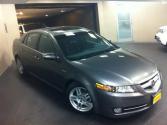
Congrats on the purchase.
Like the gentleman said ^^, you have to make that change in the MID - under Keyless Entry Options
FYI, you can also view the manual on myacura.com if you have your userid and password.
Like the gentleman said ^^, you have to make that change in the MID - under Keyless Entry Options
FYI, you can also view the manual on myacura.com if you have your userid and password.
Thread Starter
Instructor
Joined: Mar 2011
Posts: 216
Likes: 13
2008whiteTL: thanks..it works now.. i did get it to beep (only when it locks).. i can barely hear it tho..doesnt make much noise..
BigPZ: true.. i just found out tat the lock button is concave shaped
BigPZ: true.. i just found out tat the lock button is concave shaped
Thread Starter
Instructor
Joined: Mar 2011
Posts: 216
Likes: 13
thank you.. dealer said hes gona get me the manual in a couple days... nice to know tat it can also be accessed on myacura.com.. its hard to operate this car without the manual..lol..
Trending Topics
Instructor
Joined: Jul 2010
Posts: 220
Likes: 7
From: San Jose


Thread
Thread Starter
Forum
Replies
Last Post
MrHeeltoe
1G TSX Tires, Wheels, & Suspension
20
Feb 23, 2023 01:54 PM
rp_guy
Member Cars for Sale
9
Jul 16, 2017 07:33 AM
MrHeeltoe
2G TSX Tires, Wheels & Suspension
3
Sep 29, 2015 10:43 PM
MrHeeltoe
3G TL Tires, Wheels & Suspension
0
Sep 28, 2015 05:43 PM
