


Audio cuts to JUST center speaker?


Thread Starter
4th Gear
Joined: Mar 2020
Posts: 4
Likes: 0
Audio cuts to JUST center speaker?
I’ve had this happen three times in the last two weeks. The audio on my 2022 RDX Advance will suddenly cut off and then, after a few seconds, audio comes back on but only on the center speaker behind the display. About 10 seconds later, the audio does the same thing. It goes off, and then comes back on all speakers like normal. Has anyone else here seen this?
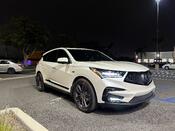
Racer


Joined: Jun 2004
Posts: 326
Likes: 115
From: California
YES!.. I have experienced this maybe once a week for the past month or so - for context I work from home so I dont drive much. At the time, I just attributed it to using the Carlinkit wireless CarPlay adapter. The strange thing is this started when seeming there were no changes to the software in the car or the phone. I keep my iOS up to date always. In my experience, when it switches to center channel only, it typically switches back to normal on its own in about 10-20 seconds.
My setup:
My setup:
- 2019 RDX Spec Tech
- Audio system fully stock
- added the wireless CarPlay Adapter - CarLinkit 3.0
- iPhone 14 Pro on latest version of iOS
Thread Starter
4th Gear
Joined: Mar 2020
Posts: 4
Likes: 0
YES!.. I have experienced this maybe once a week for the past month or so - for context I work from home so I dont drive much. At the time, I just attributed it to using the Carlinkit wireless CarPlay adapter. The strange thing is this started when seeming there were no changes to the software in the car or the phone. I keep my iOS up to date always. In my experience, when it switches to center channel only, it typically switches back to normal on its own in about 10-20 seconds.
My setup:
My setup:
- 2019 RDX Spec Tech
- Audio system fully stock
- added the wireless CarPlay Adapter - CarLinkit 3.0
- iPhone 14 Pro on latest version of iOS

10th Gear
Joined: Dec 2021
Posts: 14
Likes: 6
I also ran into this a few times. It only seems to happen with a CarPlay device connected (not necessarily the active audio source). It doesn’t seem to happen with it disabled/not connected (frequently the case for me as I like listening to 5.1 files from USB).


Thread
Thread Starter
Forum
Replies
Last Post
KJ TL-S
Car Parts for Sale
7
Apr 21, 2013 10:44 AM
LILCRIS809
Audio, Video, Electronics & Navigation
2
May 13, 2011 10:44 AM
hyimted
3G TL Audio, Bluetooth, Electronics & Navigation
8
Jul 16, 2007 10:32 PM