


Galaxy S3 Bluetooth media will not stream non-tech


Thread Starter
8th Gear
Joined: Sep 2011
Posts: 8
Likes: 0
From: Webster NY
Galaxy S3 Bluetooth media will not stream non-tech
Hello everyone,
I've been lurking around here for the last couple months and finally decided to post today (plan on an intro thread to my '09 PWP as well). I seem to have developed an issue with my Verizon GS3 that I cannot seem to solve. Started earlier last week, where the media will all of a sudden not stream to the car. Has been fine since late July when I got the phone.
I have gone through the typical checks (unpair/repair, delete/unpair/repair) and cannot get it to sync for both the phone and the media, it will only do one or the other.
Can anyone shoot me in a direction that I haven't tried?
Thanks in advace,
Steve
I've been lurking around here for the last couple months and finally decided to post today (plan on an intro thread to my '09 PWP as well). I seem to have developed an issue with my Verizon GS3 that I cannot seem to solve. Started earlier last week, where the media will all of a sudden not stream to the car. Has been fine since late July when I got the phone.
I have gone through the typical checks (unpair/repair, delete/unpair/repair) and cannot get it to sync for both the phone and the media, it will only do one or the other.
Can anyone shoot me in a direction that I haven't tried?
Thanks in advace,
Steve
Drifting
Joined: Nov 2011
Posts: 2,939
Likes: 285
From: CT
remove the negative batter terminal first and reset the car completely by leaving the battery unhooked for 15 minutes. Start her up and let us know if you run into the same issue. Have you done a hard reset on the phone as well?
Burning Brakes
Joined: Apr 2011
Posts: 937
Likes: 247
From: Fairfax, VA
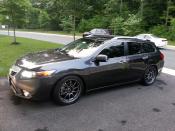
Interesting issue. My GS3 works seamlessly in my non-Tech wagon - phone, music, and directions from the navigation. However, on the MDX with Tech, only phone and directions work 100%, but music streaming sometimes just doesn't work and it plays via the phone speakers, even when it is paired and the phone and navi had worked like a minute ago. That is a rare occurrence, but it does happen. I'm starting to wonder if it might have something to do with the media app being used for playback - I go between the Amazon and Google MP3 players.

3rd Gear
Joined: Apr 2012
Posts: 3
Likes: 0
Not sure if this will help, but just something to try. On your Galaxy S3, go to settings and one of the first things you should see is Bluetooth. Click on Bluetooth (not the on/off switch but the actual word "Bluetooth") , and you should see a list of your paired items. Next to each item is an icon shaped like a gear. That is the settings for that particular paired item. Click on it and it should give you the option to check or uncheck "call audio" or "Media audio." Make sure both are checked. You may have to do this in the car with the Bluetooth on. Hope that helps.
Rob
Rob

Thread
Thread Starter
Forum
Replies
Last Post
MetalGearTypeS
3G TL Audio, Bluetooth, Electronics & Navigation
6
Aug 29, 2016 08:28 PM
navtool.com
5G TLX Audio, Bluetooth, Electronics & Navigation
31
Nov 16, 2015 08:30 PM
navtool.com
1G RDX Audio, Bluetooth, Electronics & Navigation
1
Sep 25, 2015 05:15 PM
