


Hands Free Link Issue


Thread Starter
4th Gear
Joined: Jul 2011
Posts: 4
Likes: 0
From: Dallas, TX
Hands Free Link Issue
Hello everyone,
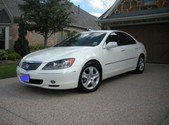
My name is Brett. I just sold my Corvette last Friday and purchased a pre-owned 2006 RL yesterday.
I absolutely love this car so far. I'm trying to get my phone working w/ the HandsFreeLink and I did not have any trouble getting it paired and setup.
However, the problem is that when I make calls or receive calls the phone audio will not go through the car speakers, it is just going through the phone only.
Earlier today I made one call and it suddenly went through the speakers. I talked for a few minutes but then during the middle of the call it suddenly switched off and the audio was going back through the phone only.
Does anyone know what i'm doing wrong? Thanks in advance for your help!
Proud to be a new RL driver!!!
My name is Brett. I just sold my Corvette last Friday and purchased a pre-owned 2006 RL yesterday.
I absolutely love this car so far. I'm trying to get my phone working w/ the HandsFreeLink and I did not have any trouble getting it paired and setup.
However, the problem is that when I make calls or receive calls the phone audio will not go through the car speakers, it is just going through the phone only.
Earlier today I made one call and it suddenly went through the speakers. I talked for a few minutes but then during the middle of the call it suddenly switched off and the audio was going back through the phone only.
Does anyone know what i'm doing wrong? Thanks in advance for your help!
Proud to be a new RL driver!!!
Racer
Joined: Apr 2010
Posts: 361
Likes: 44
From: McKinney, TX
I think this has been quite a documented problem. Here's a link that might be useful:
https://acurazine.com/forums/showthr...etooth+problem
https://acurazine.com/forums/showthr...etooth+problem

Burning Brakes


Joined: Mar 2004
Posts: 1,147
Likes: 30
From: Boston, MA
Make sure that bluetooth on the phone is set to be discoverable permanently. It's in the additional setup instructions for HTC phones at HandsFreeLink.com. I had similar issues with my old HTC Tilt 2 and that solved it.

Instructor
Joined: Apr 2010
Posts: 123
Likes: 1
From: UK
I have my HTC HD2 paired to HTF system and then deactivated "discoverable mode". Since then it works fine without "discoverable mode" on.
Burning Brakes
Joined: Mar 2004
Posts: 1,147
Likes: 30
From: Boston, MA
I'm just relaying what Acura recommends for HTC phones when using them with HandsFreeLink. I had issues with the Tilt 2 not staying connected and keeping the phone in discoverable mode solved it.

Thread
Thread Starter
Forum
Replies
Last Post
rockyboy
2G RDX (2013-2018)
171
Aug 4, 2024 10:35 AM
tman570
2G RL Audio, Bluetooth, Electronics & Navigation
11
Jun 11, 2019 07:56 AM
