


Any good ideas for Acura RL


Thread Starter
10th Gear
Joined: Feb 2012
Posts: 14
Likes: 0
Any good ideas for Acura RL
I got Acura RL, and now i got some extra cash to make my stock car look better. Any good ideas much as rims, grills, lights,suspensions, and good brands please that is good and tested by people. Maybe some extra that i don't know about. 

Burning Brakes
Joined: Nov 2003
Posts: 849
Likes: 10
From: Dallas, TX
I'd go for some new rims! Lots of awesome options out there...you could purchase some Ron Jon's or you could go for some of the OE A-spec rims. If you go with the latter, they're available on E-Bay.

Senior Moderator
Joined: Dec 2010
Posts: 31,897
Likes: 7,251
From: Austin, TX
How much $$$ ya got? Lip kits and wheels are the biggest changes from stock. Springs and tint are probably the cheapest.
^Inspyres are no longer made with a 5x120 bolt pattern. RJ has definitely lost a sale from that decision.
^Inspyres are no longer made with a 5x120 bolt pattern. RJ has definitely lost a sale from that decision.
Burning Brakes
Joined: Nov 2003
Posts: 849
Likes: 10
From: Dallas, TX

Uh oh... someone is going rice shopping.
I would start with a search, they are free.
https://acurazine.com/forums/2g-rl-2005-2012-76/m-001-list-aftermarket-parts-available-your-rl%7E-499683/
https://acurazine.com/forums/2g-rl-2005-2012-76/2nd-gen-rl-garage-listing-topics%2Alook-here-before-posting%2A-789279/ - post 14
Enjoy
I would start with a search, they are free.
https://acurazine.com/forums/2g-rl-2005-2012-76/m-001-list-aftermarket-parts-available-your-rl%7E-499683/
https://acurazine.com/forums/2g-rl-2005-2012-76/2nd-gen-rl-garage-listing-topics%2Alook-here-before-posting%2A-789279/ - post 14
Enjoy
Trending Topics

Three Wheelin'
Joined: Mar 2005
Posts: 1,966
Likes: 182
Whenever you wish to rice an RL you should always buy a Civic with it. That way you can play the game but always take the RL if you wish to separate the men from the boys.

First off welcome to the forum. The first thing you will need is tint,wheels,and a minor drop with springs. If you give us a budget for your mod we can give you a better advise.
Thread Starter
10th Gear
Joined: Feb 2012
Posts: 14
Likes: 0
well i got tints on and i dropped it a little around an inch but i want to go lower soon when warm weather is going to come. Well im in school i dont have a lot of money around 1000 dollars to spent.

Racer
Joined: Sep 2008
Posts: 460
Likes: 24
From: Boston, Ma
depends on what your looking for. its really hard to look for used wheels due to 5x120 lug pattern and "recommend" non staggered setup. you will see many bmw wheels that look good on bmws' but not on the RL. then you have to factor in tires if you are going to get wheels other than 17in or 18in if you running aspec. good tires are not cheap and brand new good tires will cost around 1k alone.
In reality, I recommend you save your money like most of us RL owners. When something goes array, then you should replace it with better parts. I believe most of the RL owners only get new wheels because of the pax system or they go with Aspec wheels. Truthfully, after awhile of driving around with the modifications you will feel the same way and get tired. Why not save that 1k and when you ready, trade in RL and put that 1k towards a new car. Or pay off your RL with the 1k.
In reality, I recommend you save your money like most of us RL owners. When something goes array, then you should replace it with better parts. I believe most of the RL owners only get new wheels because of the pax system or they go with Aspec wheels. Truthfully, after awhile of driving around with the modifications you will feel the same way and get tired. Why not save that 1k and when you ready, trade in RL and put that 1k towards a new car. Or pay off your RL with the 1k.
Thread Starter
10th Gear
Joined: Feb 2012
Posts: 14
Likes: 0
well my car is payed off i had some nice cars till i got RL like the way it look and rides. You can not get Mercedes, BMW that drives the same or any other cars. in my opinion.
How about any of you guy know anything about 1997-98 BMW m3 with dinan package?
How about any of you guy know anything about 1997-98 BMW m3 with dinan package?

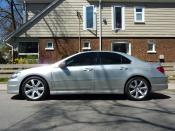


Racer


Joined: Dec 2010
Posts: 428
Likes: 144
From: Southwest Ohio
Back to the original question...IMHO:
1. Tint: Few hundred $$s
2. Lower, tighter springs,: About $500-600 installed
3. New wheels at 18"-19" based on preference: About $2000-3000 for wheels and tires mounted and balanced depending on costs of both.
ERGO:
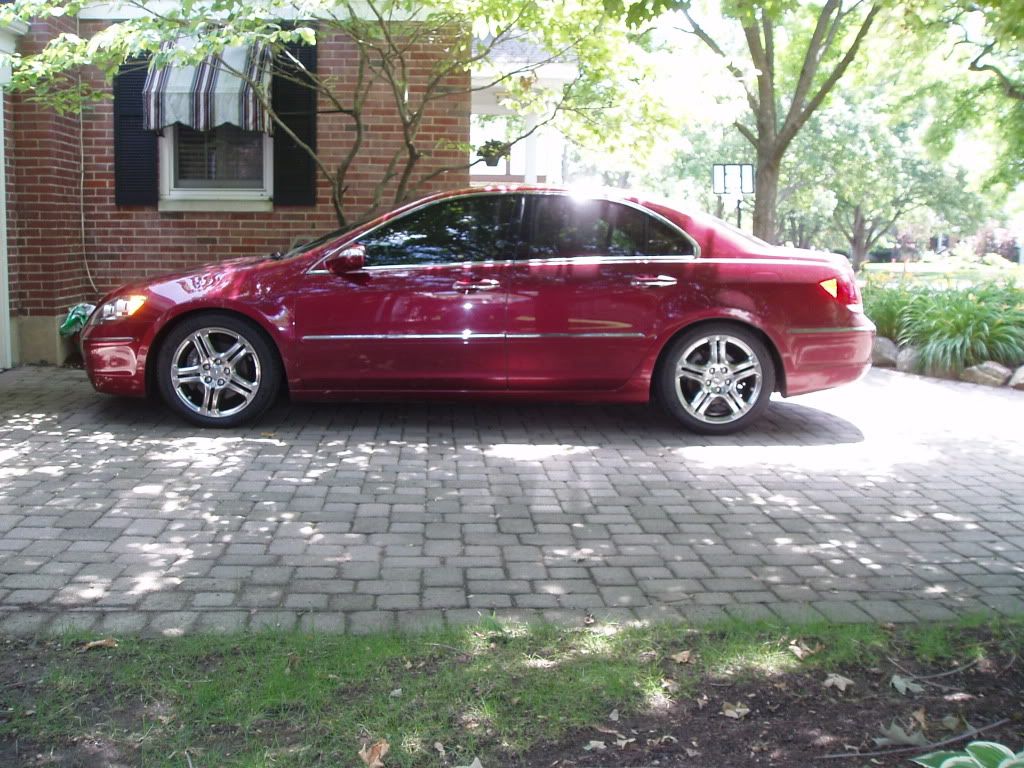
1. Tint: Few hundred $$s
2. Lower, tighter springs,: About $500-600 installed
3. New wheels at 18"-19" based on preference: About $2000-3000 for wheels and tires mounted and balanced depending on costs of both.
ERGO:

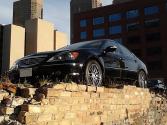
Burning Brakes


Joined: Mar 2004
Posts: 1,044
Likes: 210
I like my wheels a lot, and they were way cheaper than $1,000. (In fact, truth be told, that's why I got them in the first place; I trashed two of the OEM's crashing into a tall curb, and four of the ones you see in my avatar shot were cheaper than two OEM replacements.)
I surely wouldn't say they're as nice as A-Spec wheels, but they're not as pricey either. Lotsa things in my life competing for that money. Personally, I love 'em. Makes the car even harder to identify, too, which appeals to my perverse sense of humor. ESPECIALLY since the Legend badge went on :.)
I surely wouldn't say they're as nice as A-Spec wheels, but they're not as pricey either. Lotsa things in my life competing for that money. Personally, I love 'em. Makes the car even harder to identify, too, which appeals to my perverse sense of humor. ESPECIALLY since the Legend badge went on :.)
Burning Brakes
Joined: Mar 2004
Posts: 1,044
Likes: 210

Burning Brakes
Joined: Mar 2004
Posts: 1,044
Likes: 210
Senior Moderator
Joined: Dec 2010
Posts: 31,897
Likes: 7,251
From: Austin, TX
Above the search bar within your inbox, there are tabs. Starting with "Search", "Images", "Maps", ..., all the way to "More". Click "More" and a drop down menu will appear. In that menu is a tab labeled "Photos". This will take you to your own account within Picasaweb. Picasaweb is a Google hosted photo server that is usable by anyone with a Google account which you have because of GMail. You can create an album there and upload your photos. Once uploaded, right click, copy location, and paste here.
Cliffs:
1) Go to GMail inbox
2) Click "More" tab above the search box within the GMail window
3) Click "Photos"
4) Click "Upload"
5) Name the album and upload your photos
6) Click okay and then navigate back to the album
7) Find the photo you want to use
8) Right click, copy image location
9) Click yellow sun/mountain icon here and paste
Cliffs:
1) Go to GMail inbox
2) Click "More" tab above the search box within the GMail window
3) Click "Photos"
4) Click "Upload"
5) Name the album and upload your photos
6) Click okay and then navigate back to the album
7) Find the photo you want to use
8) Right click, copy image location
9) Click yellow sun/mountain icon here and paste
Burning Brakes
Joined: Mar 2004
Posts: 1,044
Likes: 210
Above the search bar within your inbox, there are tabs. Starting with "Search", "Images", "Maps", ..., all the way to "More". Click "More" and a drop down menu will appear. In that menu is a tab labeled "Photos". This will take you to your own account within Picasaweb. Picasaweb is a Google hosted photo server that is usable by anyone with a Google account which you have because of GMail. You can create an album there and upload your photos. Once uploaded, right click, copy location, and paste here.
Cliffs:
1) Go to GMail inbox
2) Click "More" tab above the search box within the GMail window
3) Click "Photos"
4) Click "Upload"
5) Name the album and upload your photos
6) Click okay and then navigate back to the album
7) Find the photo you want to use
8) Right click, copy image location
9) Click yellow sun/mountain icon here and paste
Cliffs:
1) Go to GMail inbox
2) Click "More" tab above the search box within the GMail window
3) Click "Photos"
4) Click "Upload"
5) Name the album and upload your photos
6) Click okay and then navigate back to the album
7) Find the photo you want to use
8) Right click, copy image location
9) Click yellow sun/mountain icon here and paste
Thank you for the detailed instructions, 007. I guess I'm just an incurable photo spaz.
I actually got to the point of successfully uploading photos to this site yesterday, but then I couldn't find a way to display them. Preview Post mode indicated the photo would display only as a little thumbnail; I'm assuming this isn't how they display on your own screen for those of you who successfully post various images?
Today, I succeeded in executing steps 1 through 7. For 8, I have no right-click because I use a Mac; but more importantly, I don't know what "copy image location" means.
Maybe because I couldn't do #8, I never saw the yellow sun/mountain icon described in #9, either.
Senior Moderator
Joined: Dec 2010
Posts: 31,897
Likes: 7,251
From: Austin, TX
Everyone has a right click. What kind of a Mac are you on? What are you using for your "mouse"? If you are using a touchpad, click with two fingers to execute a right click. I only use a Mac and iPhone for AZine.
The yellow mountain/sun icon is part of the AcuraZine post window. Where the bold, italic, underline, font color, hyperlink, image link is. When you click that icon, it gives you a prompt to past the photo location.
As for "copy image location", that is an option that comes up when you right click on an image. It copies the image url for you.
The yellow mountain/sun icon is part of the AcuraZine post window. Where the bold, italic, underline, font color, hyperlink, image link is. When you click that icon, it gives you a prompt to past the photo location.
As for "copy image location", that is an option that comes up when you right click on an image. It copies the image url for you.