When you click on links to various merchants on this site and make a purchase, this can result in this site earning a commission. Affiliate programs and affiliations include, but are not limited to, the eBay Partner Network.
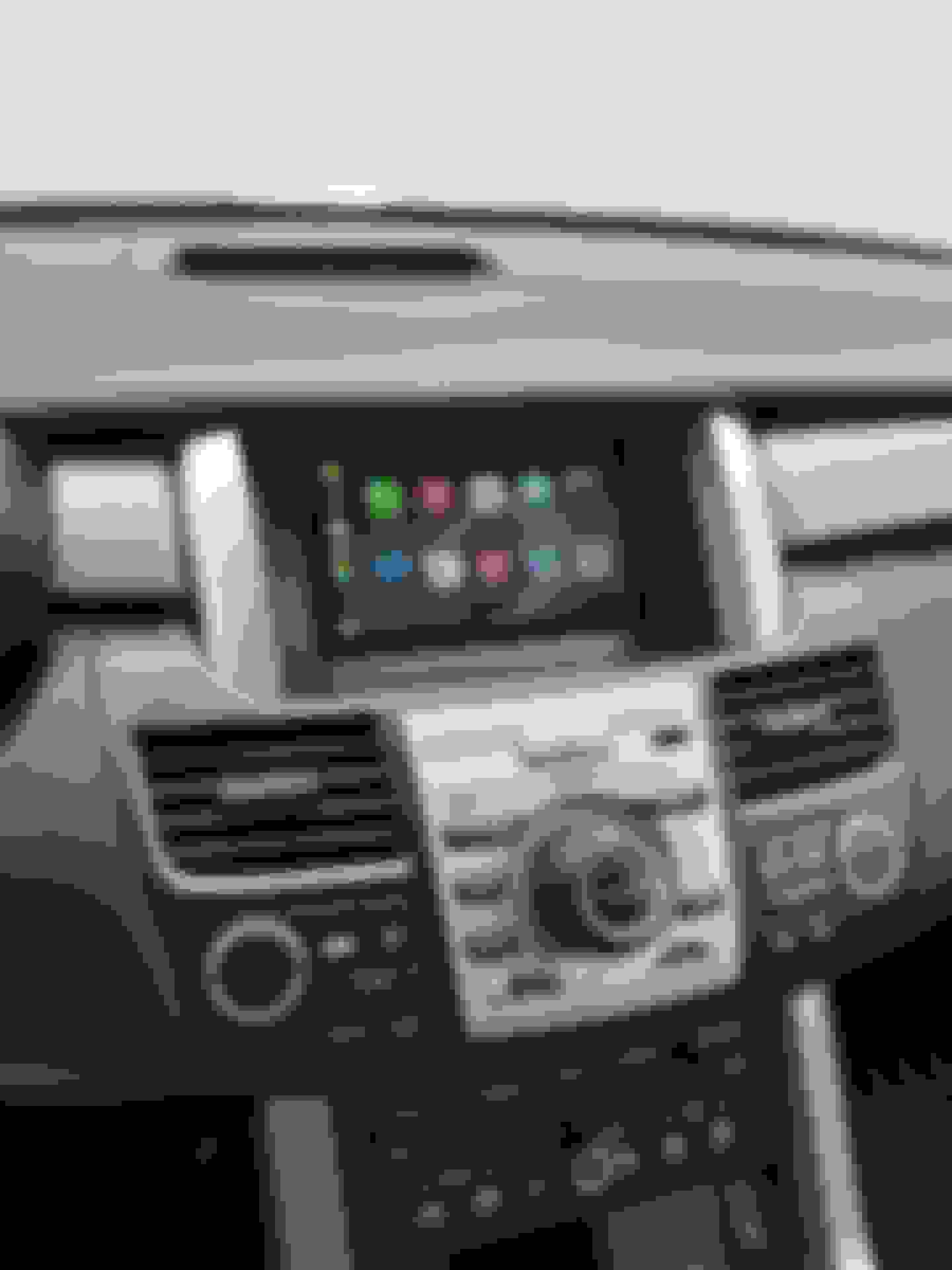
Hello, after a lot of tinkering and experimentation here is my carplay solution for the RDX that does not require any tools (unless you want to hide the wires better), no need to remove any trim, does not block the rear view camera and completely reversible. It also functions as a dashcam with an app, the camera location works perfectly for that. It does not block my view of the road or even the climate settings on the little screen. Only thing I can’t see is the passenger temp, but the passenger can see it from their side.
Things I bought:
Samsung SM-T510 (Galaxy Tab A) tablet ($169)
Lavasync 3U USB-C Samsung charge adapter ($95)
Carlinkit wireless carplay dongle ($60-80)
USB-A to 3.5mm adapter ($15)
Scosche magnet mount x2 ($20)
Bar magnets (10 for $5, I only needed one)
USB-C PD 33W car lighter adapter ($6)
USB-C/3.5mm cables. ($10)
I used two scosche mounts plus a bar magnet to mount the tablet, it’s rock solid and won’t move when you hit potholes.
Since I mounted it on top of the existing screen, rear view camera and other stuff controlled by it are not affected. Plus you can have more information displayed.
Wiring goes as follows: USB-C car lighter socket -> Lavasync 3U adapter. The lavasync adapter is just like a USB-C hub with power delivery but regular $10 usb-c hubs won’t provide usb data and charge at the same time, I’ve tried. From the adapter, I connect USB-C to tablet, USB-A to carplay dongle, USB-A to the 3.5mm adapter. With the special lavasync adapter, you can provide power to the tablet as well as using it to plug the carplay dongle and USB audio simultaneously. Then I connect the USB to 3.5mm adapter to the aux input on the stock stereo. All this stuff is tucked neatly behind the space of the glovebox.
After doing all that, I had to root the tablet to make it automatically turn on when powered (so when I turn the ignition) and it automatically boots up to the carplay screen. I used macro droid to control the tablet so when I turn off the ignition the tablet screen turns off and 15 minutes later the tablet shuts down. I did this so I wouldn’t have to put up with the long 1 minute boot time of the tablet.
Anyway here are the photos, and yes, that is a 2009 RDX with 63k miles on it, that’s why I haven’t sold it. I had signed up on here when I bought it new.
Last edited by corduroygt; Jan 6, 2022 at 09:56 AM.
I'd like to see if we can hook the tablet to the USB input in the centre console. We might be able to use the steering wheel controls then
The 2009 doesn’t have a USB input unfortunately. I use voice to control carplay instead. Steering wheel controls would be nice though. The Lavasync has a third unused USB port on it so there’s room for adding more stuff like a remote or connecting to the car USB to see if it works. Thanks!
I’ll take a look at the radio pinout one day to see if I can find where the steering wheel controls go. Maybe we can tap into them and get something to the second the signal to the tablet
I’ll take a look at the radio pinout one day to see if I can find where the steering wheel controls go. Maybe we can tap into them and get something to the second the signal to the tablet
I think it’s easier and cheaper to just buy something like this and attach it to the side of the steering wheel column or somewhere:
I’ll take a look at the radio pinout one day to see if I can find where the steering wheel controls go. Maybe we can tap into them and get something to the second the signal to the tablet
I bought a bluetooth music control thingy from amazon ($15) and stuck it on the side of the instrument cluster info screen buttons, works right out of the box after pairing it once with the tablet:
This concludes my installation, It’s as close to factory carplay you can get without making nonreversible changes or going to a professional installer.
Looks great! If you don't mind me asking, how did you set up the tablet to accept CarPlay?
With the Carlinkit carplay adapter. Comes with an url to download autokit.apk which launches the carplay software on your tablet that only works when the dongle is connected. Since the tablet only has 1 usb-c port and I wanted to plug in the USB-A carlinkit + USB audio + charge all at the same time, I had to buy the $100 Lavasync 3U USB hub after finding out that $10-20 hubs didn’t work for me.