


USB FLAC Music Not Playing


Thread Starter
Intermediate
Joined: Feb 2013
Posts: 27
Likes: 4
From: Long Beach, CA / San Jose, CA
USB FLAC Music Not Playing
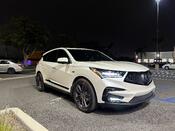
I generally listen to SiriusXM or Spotify while driving in my vehicle, but I wanted to try listening to FLAC music to get the full 3D experience in my RDX. I downloaded a FLAC album via a torrent website and transferred the music files to a USB stick and stuck it in the USB slot next to the cup holders. But for whatever reason, the vehicle won't recognize the songs. Maybe there's something that I'm missing here, but I would've thought it would be as simple as just transferring the files to the usb stick and plugging it in. The music plays without issue on my computer...

Racer


Joined: Jun 2004
Posts: 326
Likes: 115
From: California
i found several articles/forum posts that indicated USB must be formatted to ExFat or FAT32.. Originally I had a 128gb flash drive formatted to ExFAT, but when taht didn't work i tried FAT32 and it did the trick. Maybe someone else can confirm, but in my experience it will only play songs that are separate files. For example if i have folders in the root and in each folder are the individual .flac or .mp3 files, it will play. If there is a single file for the entire album accompanied w/the .cue file the system does not recognize it. Hope this helps.
Racer
Joined: Jun 2004
Posts: 326
Likes: 115
From: California

Thread Starter
Intermediate
Joined: Feb 2013
Posts: 27
Likes: 4
From: Long Beach, CA / San Jose, CA
Trending Topics

Suzuka Master
Joined: Jun 2008
Posts: 5,564
Likes: 1,093
From: Sugar Land, TX
I haven't seen any Genesis in 5.1, The Eagles have a couple of live DVD's that sound really good in FLAC. Rush has several in their catalog that has been remixed into 5,1. They are getting harder to find now as more people opt for convenience over audio quality, sadly.

Racer

Joined: Oct 2018
Posts: 366
Likes: 193
From: IL
I have converted all my SACD's to FLAC, which is quite simple now.


WayTooManyAcuras
Joined: Feb 2001
Posts: 2,301
Likes: 512
From: Connecticut
Police - "Every Breath You Take" Greatest Hits (SACD or DTS-CD)
Genesis - 3 Box Sets of SACDs or DVD-Vs will have just about every album they released in 5.1
Fleetwood Mac - "Fleetwood Mac" (DVD-5.1), "Tusk" (DVD-5.1), "Say You Will" (DVD-A), "Mirage" (DVD-5.1), "Rumours" (DVD-A)
Eagles - "Hotel California" (DVD-A, SACD Japan), "Hell Freezes Over" (DTS-CD), "Farewell Tour 1" (DVD, BluRay, HD-DVD)
Racer
Joined: May 2017
Posts: 475
Likes: 36
i found several articles/forum posts that indicated USB must be formatted to ExFat or FAT32.. Originally I had a 128gb flash drive formatted to ExFAT, but when taht didn't work i tried FAT32 and it did the trick. Maybe someone else can confirm, but in my experience it will only play songs that are separate files. For example if i have folders in the root and in each folder are the individual .flac or .mp3 files, it will play. If there is a single file for the entire album accompanied w/the .cue file the system does not recognize it. Hope this helps.
Racer
Joined: Oct 2018
Posts: 366
Likes: 193
From: IL
When I was testing audio systems a few months ago, I had a flash drive with a couple different formats. I had three folders on the root, which each contained an album. One was MP3 and the other two were FLAC. One of them was encoded at 96/24 and the other was 192/24. I discovered that some systems would only play the lower res FLAC, which is why I had both. When I tested it on the RDX Advance sound system, it saw all three albums and played them without issue.


7th Gear
Joined: Oct 2018
Posts: 7
Likes: 0
My 2019 RDX (bought in December) plays flac files just fine. I have a USB stick with flac, mp3, and m4a music files. All play perfectly. The flac files were all ripped from CDs using dBpoweramp to flac files with level 5 compression (the recommended setting).
7th Gear
Joined: Oct 2018
Posts: 7
Likes: 0
and, yes, the USB stick is formatted as Fat32.

Skeptic
Joined: Jan 2019
Posts: 1,493
Likes: 428
From: NY Panhadle ©
I have one MP3 in particular that doesn't want to show up on the play list or even under the folders option. Might be something wrong with the file but it plays fine on my phone and all my other devices. I exported the original from an Audacity project to a FLAC file and it plays fine in my RDX.

Thread
Thread Starter
Forum
Replies
Last Post
mobusta
4G TL Audio, Bluetooth, Electronics & Navigation
8
Apr 23, 2020 08:30 AM
KrisKasprzak
4G TL Audio, Bluetooth, Electronics & Navigation
15
Dec 26, 2013 07:37 PM
vtak2nr
3G TL Audio, Bluetooth, Electronics & Navigation
5
Sep 26, 2012 04:46 PM
GBMTSX
2G TSX Audio, Bluetooth, Electronics & Navigation
1
Nov 9, 2011 11:19 AM
michmwong
4G TL Audio, Bluetooth, Electronics & Navigation
26
Nov 29, 2010 07:48 AM