When you click on links to various merchants on this site and make a purchase, this can result in this site earning a commission. Affiliate programs and affiliations include, but are not limited to, the eBay Partner Network.
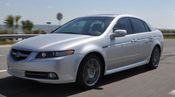
07 TL Type S with working navigation and Aftermarket Double DIN
I wanted to take the moment to let the world know that I have been patiently investigating the install of an aftermarket radio in my 07 TL Type S (for various reasons). Now doing an install itself is not too big of a deal, Metra has a nice dash kit now that looks fantastic, fits proper. I perosnally like the look of a double DIN radio in the space of the existing radio, the KEY to the install was keeping my factory navigation working! WELL...IT IS DONE!!! The only loss you suffer is the inability to do voice navigation!! Now I have FANTASTIC Bluetooth integration, incredible sound, AND i have factory NAV!! YES!!!
The key ot the install is a special wiring harness, and after a TON of digging, I came across an AWESOME fellow by the name of Josh who runs a shop called Krank It Up Audio. Josh and his father figured out the magical way to make this install work, they are awesome. My stereo guy was at the wall with the install until we came across Krank It Up Audio. Im new to the forum so I am told I cant post pics yet, as soon as I can I will, but I ASSURE YOU, this set up works!!!!
Im not sure if I can take PM's yet, but please post your questions here and I will answer as best as possible!!
Thanks!
Sure thing! Call Josh at 781-393-5442 or go to Krank It Up - Car Audio & Electronics. You'll see the TL link right at the top of the page. It will say sold out and check back later...Dont wait, just call!! He quit selling the complete kit because Metra and others ripped off his design. I can guarantee you no one else around has figured out the wiring though. I tried one of the kits on Ebay, they told me it would work no problem...yeah that was a big FAT NO! I told Josh there were plenty others out there like myself that were trying to do the same thing. I promised him I would point people in his direction. They deserve it. you spend around $30 and you get what you need and it works...can you tell im stoked? I just picked the car up earlier today...30 days in the shop with me tracing this down... You will not be disappointed...Oh and BTW...I had a pro shop in the area do my install...Im too old to be messing with that stuff anymore...thought I should disclose that!!
Yeah I got it, thanks.
Not sure if I'm gonna go for it, since I'm slightly worried about the trans in mine, and the condifion of the seats is... dismal, at best haha. I will keep this in mind.
I apologize for the late response! The kit from Krank it up Audio is $30. Then youll have the Metra dash kit and a wiring harness, so say around $80!! It is AWESOME!!
do you have a DIY write up on the install? And does the dash kit come with instructions?
also, what double din are you using? will this dash kit work with any double dins?
Hello! Okay so no I sure dont. I had an installer do it. He charged $150 and that included the wiring harness and the dash kit. I would recommend you go that way, if so you will have to order the "other" wiring piece from Krankitupaudio.com yourself and provide to the installer. Having said that, yes I do believe the dash kit does come with instructions, you can also google it, I believe there are many videos showing the removal and install although most are for non navi installs. As far as the radio goes i used the Pioneer AVH-X490BS. It is a 7" screen. As far as the dash kit, it is designed for 7" screens only as far as I can tell and know! Just so everyone knows...I originally was just doing a new amp/sub/speakers integrating into the factory radio... Well, after listening, and testing with the installer...and thinking... the radio cost me $350, my bluetooth module was bad (the infamous non working failing bluetooth module) and to replace that was anywhere from $250-$300. So I thought screw it...unplug the bluetooth module, install this killer stereo, get great sound and eliminate all the frustration!! I wish I could show everyone how cool this set up really is!
And just remember, Krank it up was the ONLY place I could locate the wiring needed to keep the navi working...OH and YES Krank it up DOES include wiring instructions for their piece!!
Hello! Yeah I might do that. I mean there is no benefit to me, its not like I am getting anything for this. I just really wanted to share because it took me a month of digging and searching before I found the wiring solution that works. Now that the car is 10 yrs old I am sure the market out there is narrowing. Maybe this weekend, I will consider it!
Hello! Okay thats a good point...all of my cassettes! Dang, i didnt even think about that! Lol!
Well, I will most likely do a video, what pics would all like to see? I dont have any of the install itself, it was done at my local extremely awesome shop Mobile Experts here in Canton Ohio! (Thank you George)
But I am down with helping out the community however I can! I have read the boards here many times. I was a TSX owner at one point...now the TLS.
Just let me know and I will take what I can! :-)
Anyone have any more specif info on this by any chance? I'm going through a radio install now and would love to do this as well while I have everything open. I emailed Krank It Up and got no response.
Hello! I would suggest you call Krankitup directly and ask for Josh! You WILL need his wiring kit to make your factory Mac work. PM me with any questions and we can talk! You'll be thrilled when the install is done. It's badass!!
Awesome man! Thank you for sharing and your contribution to the TL community! I will probably look into doing this after the holidays.
Quick question though... were the stock speakers with the new radio terrible sounding? And for your new speakers, did you end up buying an amp to replace the stock one?
Hello! You are very welcome! This community has helped me as well! Okay, so i did not hear the new stereo with all of the stock speakers installed. I am still using the factory rears for fills. I went with new components up front. i did replace the factory amp with a 5 channel amp. You could always do it in stages. Do the head unit, keep factory speakers. And I put a 12" sub in the trunk in a sealed box. And when I say I i should say the installer! lol! There are other threads that talk about guys and how they wired in stuff. That part I am not so up on!
I WILL say, the factory rears sound really good, like there is no point in changing them at all not sure how they would sound straight from the head unit...i would imagine decent!!
You are very welcome! You are going to love it! Im thinking if I tested the voice to change the temp...I may not have, i KNOW for SURE you wont have voice command over your navi, you do lose that. I didnt try temp!! Hey are you doing steering wheel controls? I LOVE that addition as well, thats an aftermarket piece you can get as well. I kind find out what model if you all need me to!! please ask any questions and I will try and help!
cool, yah, i'll see what the newer headunit will sound like with the stock speakers and amp before i upgrade. as for steering wheel controls, did the shop have to do extra work? or is there like a plug-n-play kit for the new headunit to integrate into the existing steering wheel controls?
Called Krankitup, was told they don’t sell the kit any more. Ended up buying the basic aftermarket wiring harness and modifying it. There is some cutting into the factory harness and some other parts needed but in the end I got the NAV to display (no voice as discussed) and buttons to work. Thanks for this thread I would not have tried without it.
Called Krankitup, was told they don’t sell the kit any more. Ended up buying the basic aftermarket wiring harness and modifying it. There is some cutting into the factory harness and some other parts needed but in the end I got the NAV to display (no voice as discussed) and buttons to work. Thanks for this thread I would not have tried without it.
Hello BillMFD3,
Do you mind sharing how you got your Nav to work with an aftermarket radio? What is the secret? What modifications did you make to the wiring harness?
Nice. I'm working on an install now. I just deleted nav completely. My DVD was dead in the trunk, and wasn't spending the money to fix it.
My initial thought was to remove the bottom display on the non-nav display. But that's a single pcb. All this is a work in progress though. At this point, I have the head installed. Still running through the original amp. I have the steering wheel (vol, channel, mode) controls correct. The HFL integration works (I removed all the factory HFL). Steering wheel buttons for HFL, I'm only getting signal from the top two. It is working for answering and hanging up calls. But I am trying to find a way to use one to get full voice control. This is probably more of an issue with the head (Alpine iLX-207)
Here is what I did, no guarantees. I have a 2005 with nav, may be different on other years.
Head unit: pioneer 1330NEX
Purchase the standard mounting kit Metra 95-781B and Honda/Acura wiring harness-connector 70-1721. Most places have both or you can get off eBay.
Grey connector referenced is one thats disconnected from the old radio.
Some wire colors have silver dots along them.
4 main speakers:
I used the existing Acura amp so I needed to make up some RCA connectors and connect to the harness to use the preamp output of the Pioneer,
4 RCA connectors with pigtails. wire to the harness on the standard color code (white/grey/green/violet and matching negatives). The center wire is + and the shielding is the -.
They plugged into the preamp output of the head unit.
1 RCA connector with pigtails, tap into the grey connector for subwoofer which are white/green - , and red/blue +. Plug RCA into Pioneer subwoofer preamp output.
Blue, blue/white stripe wire is used to turn on the factory amp and power antenna.
Factory amp turn on is on the grey connector wire Red/yellow. So tap into that and also connect the blue wire to power the antenna.
Nav enable
I used a 100 ohm resistor and connected between the red and blue wires on the grey connector (pins 26 and 13).
Make sure to disconnect the battery while working.
I’d be cautious as there most likely is differences between the two. I’ll try and look at the 05 wiring diagram again to see what the actual designations are
Hello! Okay so no I sure dont. I had an installer do it. He charged $150 and that included the wiring harness and the dash kit. I would recommend you go that way, if so you will have to order the "other" wiring piece from Krankitupaudio.com yourself and provide to the installer. Having said that, yes I do believe the dash kit does come with instructions, you can also google it, I believe there are many videos showing the removal and install although most are for non navi installs. As far as the radio goes i used the Pioneer AVH-X490BS. It is a 7" screen. As far as the dash kit, it is designed for 7" screens only as far as I can tell and know! Just so everyone knows...I originally was just doing a new amp/sub/speakers integrating into the factory radio... Well, after listening, and testing with the installer...and thinking... the radio cost me $350, my bluetooth module was bad (the infamous non working failing bluetooth module) and to replace that was anywhere from $250-$300. So I thought screw it...unplug the bluetooth module, install this killer stereo, get great sound and eliminate all the frustration!! I wish I could show everyone how cool this set up really is!
And just remember, Krank it up was the ONLY place I could locate the wiring needed to keep the navi working...OH and YES Krank it up DOES include wiring instructions for their piece!!
Do all your speakers still work including your factory sub?
I’d be cautious as there most likely is differences between the two. I’ll try and look at the 05 wiring diagram again to see what the actual designations are
Hey Bill, you need to connect a resistor between the pink and light blue wires on the 40 pin grey connector on the 08 Acura TL to enable to OEM navigation touch screen and physical buttons.
Hey Bill, you need to connect a resistor between the pink and light blue wires on the 40 pin grey connector on the 08 Acura TL to enable to OEM navigation touch screen and physical buttons.
Uriah,
The Service Manual that I have for an 08 TL shows that there are two "LT BLU" wires in the 40 pin Audio Unit Connector (see attachment).
1. Do you know which LT BLU wire?
2. Do you know what value the resistor should be?
Um I'm not sure on the pin number on the 40 pin connector. But the pink wire on my 08 TL was taped together with the correct light blue wire and a grey wire. I used a 110 ohm resistor to make the connection between the two wires.
I wanted to take the moment to let the world know that I have been patiently investigating the install of an aftermarket radio in my 07 TL Type S (for various reasons). Now doing an install itself is not too big of a deal, Metra has a nice dash kit now that looks fantastic, fits proper. I perosnally like the look of a double DIN radio in the space of the existing radio, the KEY to the install was keeping my factory navigation working! WELL...IT IS DONE!!! The only loss you suffer is the inability to do voice navigation!! Now I have FANTASTIC Bluetooth integration, incredible sound, AND i have factory NAV!! YES!!!
The key ot the install is a special wiring harness, and after a TON of digging, I came across an AWESOME fellow by the name of Josh who runs a shop called Krank It Up Audio. Josh and his father figured out the magical way to make this install work, they are awesome. My stereo guy was at the wall with the install until we came across Krank It Up Audio. Im new to the forum so I am told I cant post pics yet, as soon as I can I will, but I ASSURE YOU, this set up works!!!!
Im not sure if I can take PM's yet, but please post your questions here and I will answer as best as possible!!
Thanks!
ONE HAPPY DUDE!!!!!
if they dont sell it anymore , could you post the instructions ? So we can have an idea of what to do .









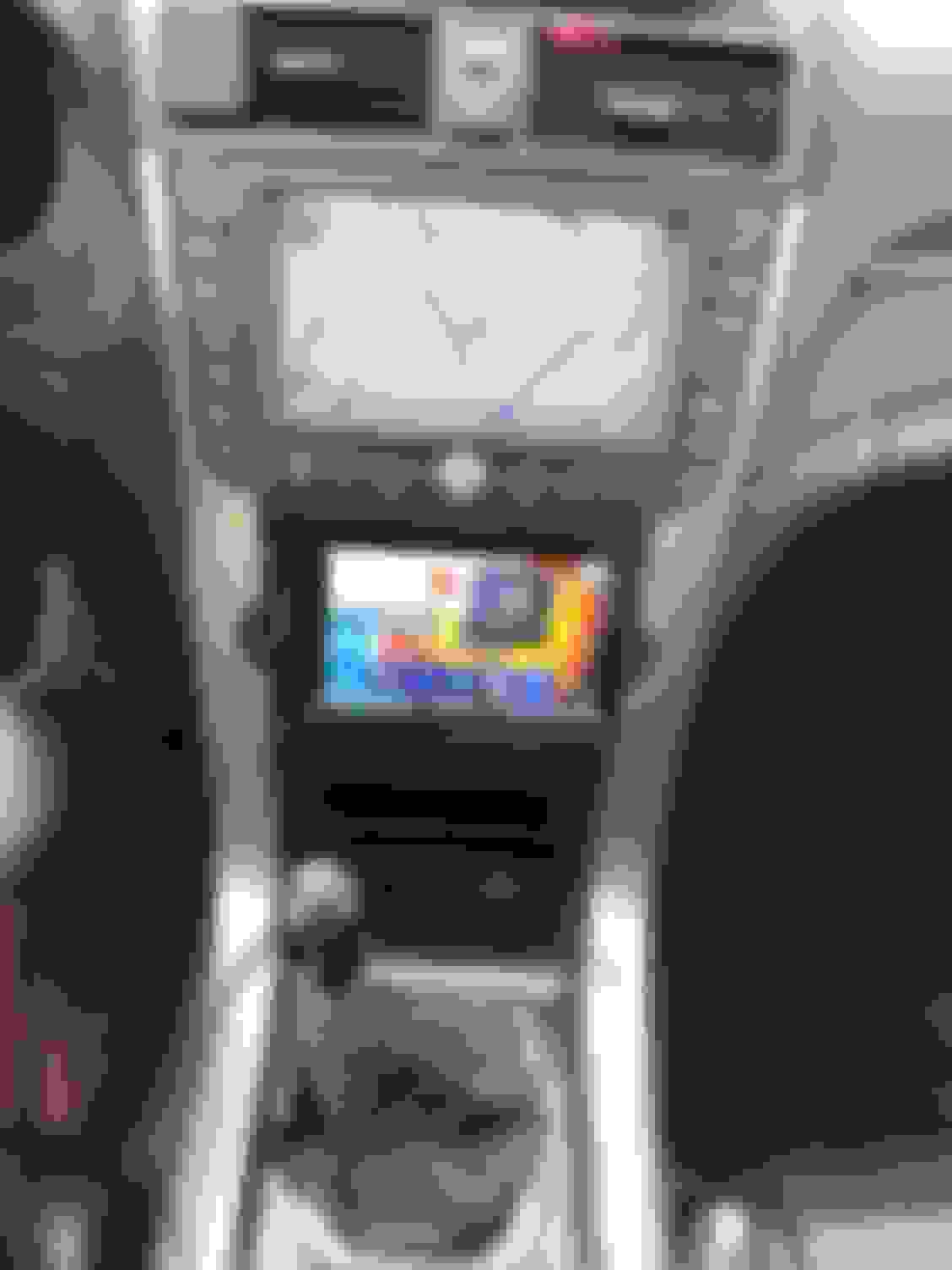


 Please share your fix