When you click on links to various merchants on this site and make a purchase, this can result in this site earning a commission. Affiliate programs and affiliations include, but are not limited to, the eBay Partner Network.
Baelim,
If you find diagnosis mode is hectic! Jailbroken iphone is not ? I think its even worse. All iphones which has 9.1 IOS and above cannot Jailbreak as of now, no updates on your iphone and what if you need to switch phone or fix your iphone? i have used both phones. Iphone only can be used wired to the car system correct!!! unless you get an apple TV while android can be used wireless.
Android has many advantages on IPhone
i guess i'm just old school. the idea of losing the touchscreen feels counter intuitive when you can have both the touch screen and mirroring. besides running Dissident is not that difficult. all you gotta do is setup Dissident once and after that it should be a normal process of selecting the App Mode from your dashboard whenever you connect the phone.
you are right that wireless mirroring is far cooler than wired mirroring however. but i'm the kind of guy who needs to be charging the phone anyways so even if i was mirroring the phone i'd want a hard line. now if you can get your car tray or cup holder to wirelessly charge the phone now THAT would be something...
but i'm not trying to argue about use-cases. you like your android and i'll concede to that. in fact i applaud your efforts to make this work!
and the real reason i write is because i think i can offer a better idea than tapping your aux (which was my idea remember?)
what if you use an old iPhone to fake the signal? Acuralink basically works by getting a validation code of some sort from an iPhone with Acuralink and then opening the "hdmi doors" right? What would happen if you connect an iPhone in the USB but an Android on the HDMI? The iPhone might not even need to be jailbroken and if it works it can remain as a permanent fixture inside the center console while the hdmi can be tapped wirelessly.
granted this might not work or it may require a clever hdmi switch to trick the radio to work... i'm not sure but don't you think it's worth trying before splicing cables?
Baelim,
Since I’m not doing my work sitting searching online, allow me to ask you this.
When you connect your IPhone and click app, the HDMI (says connecting to IPhone) so far so good ?
then what is next can you explain to me in detail. The reason I’m asking because clearly the Acura link system is looking for IPhone. we may able to fake a signal.
Another thing do you know what tool Acura use to diagnose your car ?
no i don't know what tool acura uses to diagnose the car. honda uses the usb port to update its software so i'm fairly sure it's the way in for other things, but at this point nothing has worked and your guess is as good as mine.
as for the using a proxy iPhone idea: it's just an idea, but one that can be easily tested ergo worth the try. i hope to try this myself once i have all the oem parts for my tlx.
I was able to display SXM on the top screen while mirroring on the bottom screen. SXM was fully functional, I was able to use the main enter knob to change stations. No audio form the mirroring of the phone. Using Google maps without voice command directions..
I was able to perform this action only one time. The system must have had a glitch. When I turnt the car off, duplicating the process was unsuccessful. The system froze. At 1 point I lost complete functionality on the volume knob. I had to restart the car about 3 times to regain use of my volume knob. Scared crabs out of me..
I agree for daily use its not effective/solution, but if I'm driving up to NORCAL and don't want to sleep i play some you tube songs keeps me awake which give some bright colors but nothing to keep my eye on likes a movie.
I need a wiring diagram and trust me if I get one i will give you a solution. I cant take my car apart for testing and analysis. i need a car for commute.
I agree for daily use its not effective/solution, but if I'm driving up to NORCAL and don't want to sleep i play some you tube songs keeps me awake which give some bright colors but nothing to keep my eye on likes a movie.
I need a wiring diagram and trust me if I get one i will give you a solution. I cant take my car apart for testing and analysis. i need a car for commute.
If you use the android app called "SoundAbout" you can force your audio to be Bluetooth. This basically takes the HDMI audio and output it as Bluetooth. So sound comes through all speakers and volume is controllable (music on your phone and google maps work perfectly). But, this still does not mean you can use HDMI and Bluetooth functions at the same time. Some of the Bluetooth functions don't work. For example, the channel button on your steering wheel will not work because the phone is still connected via HDMI.
Last edited by eugeneymich; Mar 2, 2016 at 05:51 PM.
Finally!!! I was able to watch a YouTube video (bottom screen only) on fully functional audio using all speakers and no echoes.
Here's how it worked for me...
While both screens are mirrored press and hold back/enter/audio. The diagnostic menu should come up again (only on the top screen), using the source mode on the steering wheel, select the aux hdmi mode( As were mentioned on earlyer post). Now, when aux hdmi is selected the first time it will have an echo, give it about 5 sec into the song and reselect the aux hdmi by shuffling through the souces (using mode button) going around full circle and back to the aux hdmi. Now the audio should sound normal with the youtube video. I put the top screen to a screen saver and use the bottom for youtube music.
I tierd google maps, and same outcome as b4 with the voice commands not available if another source is selected. I want to try Bluetooth tomorrow and see what happens
First off, I love you all. I just got my ILX on Sunday and have been looking for a way to mirror Google maps instead of buying the $60 app.
I have an iPhone and don't want to/can't jailbreak (on 9.2.1) so my only other option is to mess around with the screens in the car. Has a solution been found in regards to the sound only coming out of the front left speaker? Here's what I would ideally like:
- Google maps on smaller, touch screen
- Functionality of top screen such as backup camera and blind spot indicator
- ability to play music and hear Google maps normally though all speakers (with normal volume control)
Now I know the iPhone connects via the hdmi and USB adapter. Has anyone tried connecting that way and using USB for audio as opposed to Bluetooth?
Media Bluetooth and HDMI cannot be used at the same time. Lets say you have google maps and music player on your phone. If you choose HDMI as your source you can see google maps from the bottom screen and hear sound using all speakers, but you cannot skip your song using the channel button on steering wheel (one of the Media Bluetooth functions). If you choose your source as Bluetooth, your bottom screen still works (showing google maps), but you wont hear anything. Audio does not work. However because your source is now Bluetooth your channel button will work now (you can skip songs even though sound doesnt work). For call audio Bluetooth this is not the case, you can still use hands free call while watching whatever is on your bottom screen.
I have looked through this post a few times and i am trying to comprehend the connection method for android devises..do we need cable connections, or is the USB being used. i see different posts of different methods
anyway some can list step by step or point to the post on how to connect your android device PRETTY PLEASE...
Got my MS Display Adapter today and hooked it up. It does NOT want to connect the car to the phone. Got it to work once after 30 minutes re-pairing but couldn't repeat. Damn disappointing.
Got my MS Display Adapter today and hooked it up. It does NOT want to connect the car to the phone. Got it to work once after 30 minutes re-pairing but couldn't repeat. Damn disappointing.
The wife came home and I borrowed her MS Surface and got the firmware to my adapter updated through that. It connects easily now but likes to drop connection for a few seconds intermittently. So its that or the wires.
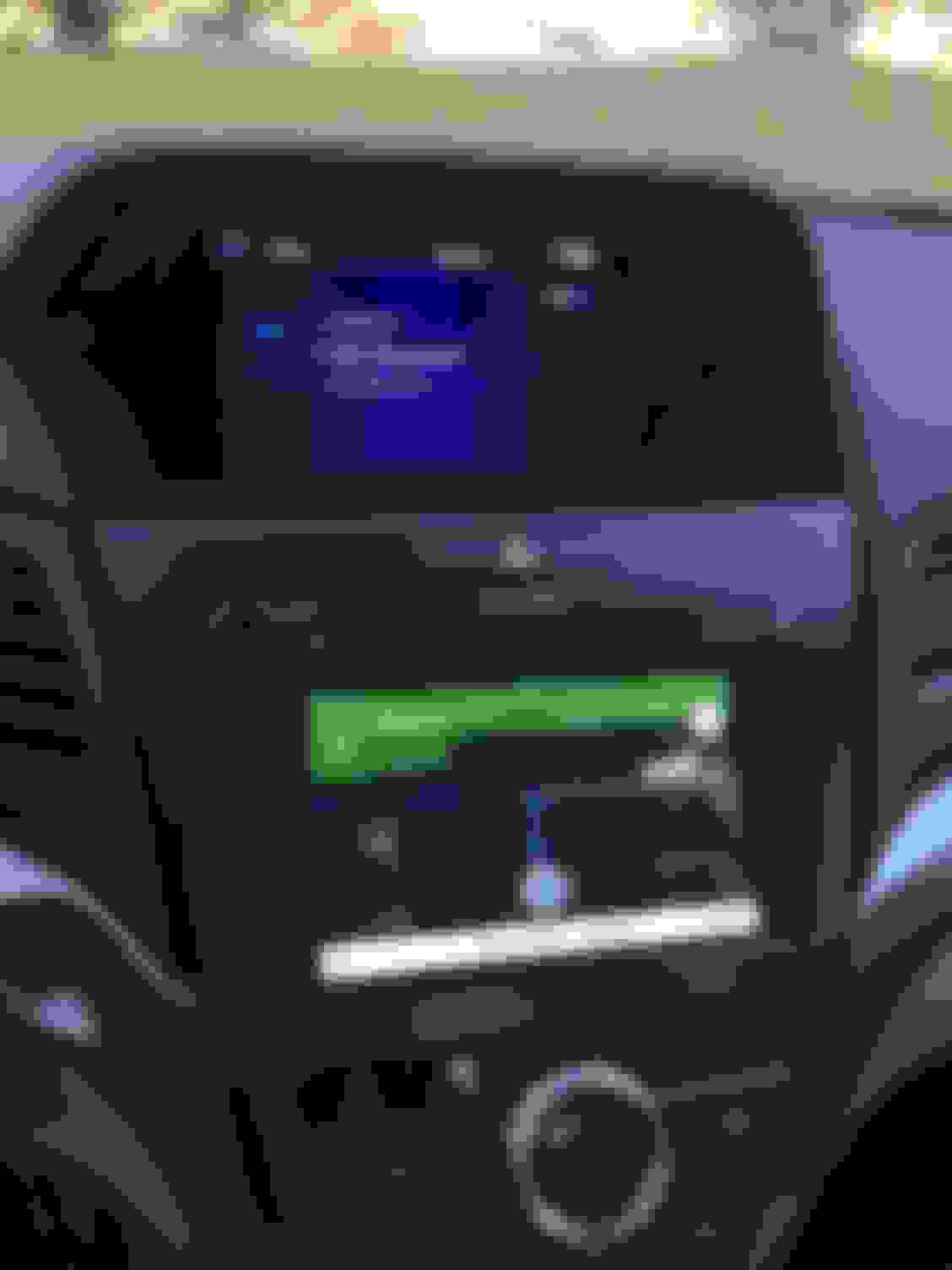
I've done it! With all of your help, I have been able to mirror my iPhone screen on the lower of the 2 displays in the 2016 ILX premium, with sound coming from all speakers and full use of the top display (backup camera) WITHOUT jail breaking! Here are the pictures:
I'm at work now but I can post the button sequence once I'm out today. Thank you all for your help!
Hi members,
I’m glad Ryan managed to get the 2 scenes working and if you have any questions don’t hesitate to ask. No such question is stupid. I’m with working with other member on finding a different method for those who don’t have the HDMI cable since it only comes on premium package as well as the HDMI folks.
I want to clear the air because one the members thought I’m against his ideas. To be clear, we write this messages most of us (or me at least )on a rush so I don’t have time to check correct grammar and punctuation. I’m not here to make profit or sell any item I’m sharing experience about my car.
The diagnostic method is not perfect but for a long trip I’m willing to use it having the convenient of 2 screens.
I have some experience in software and electrical world but Its not my profession. I do work on cars as a hobby and not as a mechanic.
To manipulate the Acura link software you need to know what kind of programming language/ system Acura/Honda use.
From the interface options out there such as Navtool or Naviks or Xcarlink etc, what I’m seeing in their tools, they rewire the audio/Nav system to their interface whether you have analog signal or digital signal (HDMI) get their signals and convert back to the car system via wires. And that’s why I suggested wiring diagram. I can share my experience with about my Bimmer and see what I did.
Below is the CIC unit of BMW 2007-2010 E90, I have a 8.8 inch screen now to prod cast any video signal you need input and that’s what I did. Its not the ultimate solution but it’s a cheap way of connecting. When I have the analog video input, the car came equipped with Aux so I got my MHL cable and convert my HDMI to analog signal (RCA) boom here you go.
Sorry Klein,
didn't
see your post, lets start step by step. Hooked up the Wireless adapter to HDMI input and USB for charging correct?
2 - now enter diagnosis mode and select HDMI.
3- you will see on both screen waiting for connection.
4- from your phone lower the shortcut menu (it can be edit/rearranged) click on screen/mirror
boom u r connected.
The wife came home and I borrowed her MS Surface and got the firmware to my adapter updated through that. It connects easily now but likes to drop connection for a few seconds intermittently. So its that or the wires.
-----------------------------------------------------------------------------------
Adjust your WiFi settings on your phone to not ask if found new wireless connections, because it seems your Wifi is trying to connect to other signals.
Also use USB charger and not the USB found in the car because it doesn't produce enough amps. Always keep a double charger 2.1 amps in the car at least hooked to the cigarette lighter.
just to be more clear you need converter box from HDMI to analog. converter box is not the same picture of the cable. i have attached one $20 from amazon.
I've done it! With all of your help, I have been able to mirror my iPhone screen on the lower of the 2 displays in the 2016 ILX premium, with sound coming from all speakers and full use of the top display (backup camera) WITHOUT jail breaking!
I'm at work now but I can post the button sequence once I'm out today. Thank you all for your help!
Nice! Please post the details when you have a moment. I want to do the exact same with my iPhone 6S.
I've done it! With all of your help, I have been able to mirror my iPhone screen on the lower of the 2 displays in the 2016 ILX premium, with sound coming from all speakers and full use of the top display (backup camera) WITHOUT jail breaking! Here are the pictures:
I'm at work now but I can post the button sequence once I'm out today. Thank you all for your help!
so all you need is the apple HDMI/Lightning adapter and connected and go through a button sequence?
Please show me the way! I have an iphone myself and i dont want to jailbreak. Thanks!
First off, I absolutely agree with haidarh's post (the first, longer one). My method isn't conventional for everyday use (unless you give yourself an extra 5 minutes before you go anywhere) but I feel it's the cheapest and easiest solution without having to buy the Acura Nav app or any other fancy hardware.
In addition, I'm just here to post my experience and help whoever asks for it. I'm not degrading any other method or software, just sharing what I know and what I can help with.
ALL THAT SAID, here's what you'll need to get started on mirroring your iPhone:
Yup, the "iOS Kit" from Acura. Now, you can buy each individual part for cheaper than the $99 they sell it for (psst check Amazon) and when I did it, I only used the AV adapter, a random HDMI cable, and a lightning cable that came with my iPhone.
*Note - my method requires the vehicle to have the HDMI input in order for it to work.
Button Sequence:
1. Turn on the car (engine preferred. The method resets once the vehicle is turned off so if you do this from accessory mode, you will have to repeat once the engine is on)
2. Press and hold the back + menu + audio buttons at the same time for 5 seconds. This will bring up the diagnosis menu's on both screens.
3. Using the wheel(?), hover over the "Self-Diagnosis Mode" item and then press and hold the enter button for 5 seconds. This will bring up what I like to call the "hidden menu"
4. Scroll down (press the down arrow) to get to the second page on the top display. Click "HDMI Diag"
5. Go down once and click "Smart Phone Audio"
Now, both screens should be mirroring your display. This is fine to do, but you won't be able to use the backup camera (and possibly blindspot monitoring from what I've read on this post)
6. Repeat step 2. Now the bottom display should still be mirroring the iPhone while the top display will show the same self-diagnosis menu.
7. Using the "Mode" button on the steering wheel and the small display in between the gauges, get to where the input says "iPod"
8. Press and hold the back button for 5 seconds
Wa la. You should now have the top screen displaying the media (or info/wallpaper or whatever you want) and the bottom screen is mirroring your iPhone with all sound coming through the USB to all speakers in the car. It worked great with Google Maps this morning and should work great for anything else (although I did try Netflix but the sound was lagging, so either that's a sign not to drive and watch or I just have to tinker some more ).
If you have any questions at all, feel free to inbox me, reply to the thread, or email me at ryanx22@gmail.com.
I think I'm pretty much screwed, since I have the Tech Plus Package, plus a Galaxy S6, which now doesn't have MHL, and all other solutions cost quite a bit of money if you want to implement.
Awww yeah!!! I tried ryanx22 instructions and it worked! Of course it's a pain to do this everytime, but at least it's economical. Here's my pics.
Awesome! The main thing for me was not wanting to use the Acura Nav app since the reviews talked about getting people lost on roads that didn't exist and such and google maps (when used correctly) has yet to fail me.
Awesome! The main thing for me was not wanting to use the Acura Nav app since the reviews talked about getting people lost on roads that didn't exist and such and google maps (when used correctly) has yet to fail me.
to confirm this is with a I-Phone...is there a similar sequence for a Android based phone, in particular the Samsung Note 5
I think I'm pretty much screwed, since I have the Tech Plus Package, plus a Galaxy S6, which now doesn't have MHL, and all other solutions cost quite a bit of money if you want to implement.
---------------------------------------------------------------------------------------
you are fine, in your case you need to get MS wireless adapter to mirror your phone. That been said, if you are comfortable to enter diagnosis mode select HDMI input (meanwhile you have your wireless adapter hooked in to the HDMI input (any wireless adapter, MS wireless adapter, roku, fire stick or even chromecast but the down side to chromecast that you need wifi/hotspot.
Keep in mind all wireless adapter won't give the ability to separate screens like MHL connection. Now when connecting using wireless adapter you will get both screens and sound in all 4 speakers but not controlled. medium sound cannot be adjusted. for instance, my kids want to watch frozen, using wireless adapter i was able to connect both screens and the sound was fine.
to confirm this is with a I-Phone...is there a similar sequence for a Android based phone, in particular the Samsung Note 5
thanks in advance
---------------------------------------------------------------------------------
I have note 5 and similar operation is done. let me know if you want me to detail what you need to connect and how to mirror your phone via diagnosis mode wired/ wireless.
First off, I absolutely agree with haidarh's post (the first, longer one). My method isn't conventional for everyday use (unless you give yourself an extra 5 minutes before you go anywhere) but I feel it's the cheapest and easiest solution without having to buy the Acura Nav app or any other fancy hardware.
In addition, I'm just here to post my experience and help whoever asks for it. I'm not degrading any other method or software, just sharing what I know and what I can help with.
ALL THAT SAID, here's what you'll need to get started on mirroring your iPhone:
Yup, the "iOS Kit" from Acura. Now, you can buy each individual part for cheaper than the $99 they sell it for (psst check Amazon) and when I did it, I only used the AV adapter, a random HDMI cable, and a lightning cable that came with my iPhone.
*Note - my method requires the vehicle to have the HDMI input in order for it to work.
Button Sequence:
1. Turn on the car (engine preferred. The method resets once the vehicle is turned off so if you do this from accessory mode, you will have to repeat once the engine is on)
2. Press and hold the back + menu + audio buttons at the same time for 5 seconds. This will bring up the diagnosis menu's on both screens.
3. Using the wheel(?), hover over the "Self-Diagnosis Mode" item and then press and hold the enter button for 5 seconds. This will bring up what I like to call the "hidden menu"
4. Scroll down (press the down arrow) to get to the second page on the top display. Click "HDMI Diag"
5. Go down once and click "Smart Phone Audio"
Now, both screens should be mirroring your display. This is fine to do, but you won't be able to use the backup camera (and possibly blindspot monitoring from what I've read on this post)
6. Repeat step 2. Now the bottom display should still be mirroring the iPhone while the top display will show the same self-diagnosis menu.
7. Using the "Mode" button on the steering wheel and the small display in between the gauges, get to where the input says "iPod"
8. Press and hold the back button for 5 seconds
Wa la. You should now have the top screen displaying the media (or info/wallpaper or whatever you want) and the bottom screen is mirroring your iPhone with all sound coming through the USB to all speakers in the car. It worked great with Google Maps this morning and should work great for anything else (although I did try Netflix but the sound was lagging, so either that's a sign not to drive and watch or I just have to tinker some more ).
-------------------------------------------------------------------------------------
well written Ryan. since we are using the HDMI hack input to prod cast and bluetooth to get sound you will experience sound lagging between it and the video. Has nothing to do with Netflix even youtube the same. I even went further in the diagnosis mode and i turned off operational restriction and the lag still exists. i need to research it more. Probably this explains why Navtool and Naviks went to convert their signal from digital to analog (RCA)
thanks Hisham
The 2016 ILX Tech Package doesn't come with the HDMI connector. But yes, you could use the converter, and do the hook up in the back right?
Originally Posted by haidarh
---------------------------------------------------------------------------------------
you are fine, in your case you need to get MS wireless adapter to mirror your phone. That been said, if you are comfortable to enter diagnosis mode select HDMI input (meanwhile you have your wireless adapter hooked in to the HDMI input (any wireless adapter, MS wireless adapter, roku, fire stick or even chromecast but the down side to chromecast that you need wifi/hotspot.
Keep in mind all wireless adapter won't give the ability to separate screens like MHL connection. Now when connecting using wireless adapter you will get both screens and sound in all 4 speakers but not controlled. medium sound cannot be adjusted. for instance, my kids want to watch frozen, using wireless adapter i was able to connect both screens and the sound was fine.
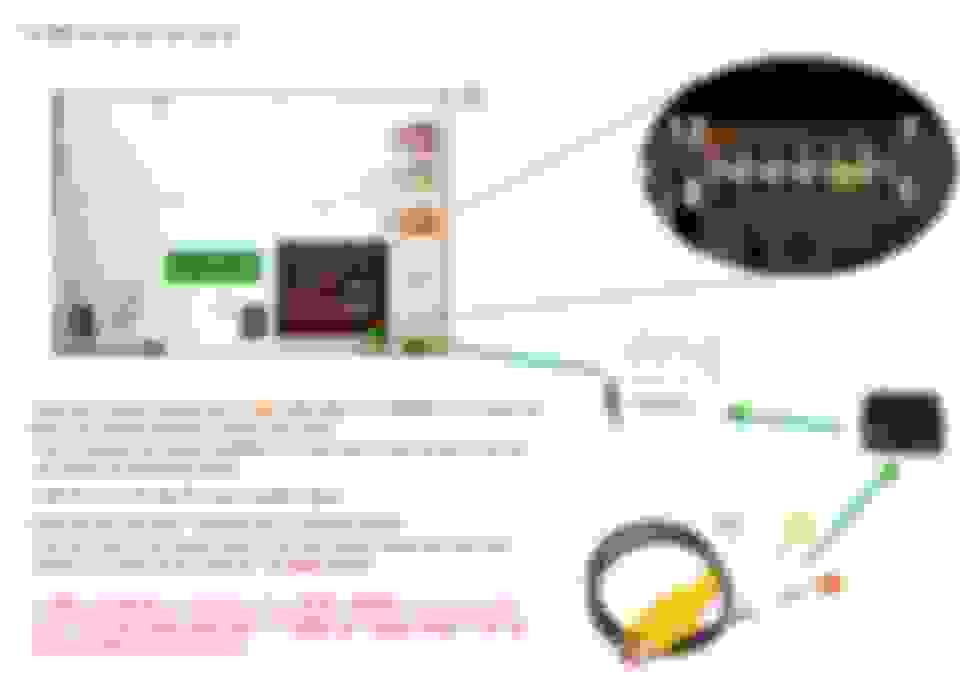
. the mechanics are simple: if the HDMI/Smartphone Input was made priority and the normal Audio Unit output default the car's top screen would always display the Audio Unit until the HDMI was activated. I do this a lot at home with my HDMI priority switch. Most of the times I use my Chromecast (default) but once in a while I just want to show something through my iPhone's browser (while charging) so I plug the phone to the AV/adapter (priority). I never need to switch inputs through the TV since both are fed through a single output.
The solution addresses perhaps the biggest problem with switches and multiple inputs: a button. IR controlled switches would be useless hidden behind the dashboard and while just offers one extra input the process of mirroring would be as easy as plugging your phone. no diag-mode or App mode needed.
Obviously there are other hurdles that need to be addressed. Harnesses would need to be built to match all the specs and power requirements. if anyone is interested in participating on the project please PM me.
















 ).
).